
A three way call is exactly what it sounds like: a phone feature that lets you add a third person to an existing two-person conversation. Think of it as an instant, on-the-fly huddle, perfect for pulling in an expert or decision-maker without having to schedule a formal meeting.
What Is a Three Way Call and Why Is It a Business Essential
Imagine you’re on the phone with a client who asks a technical question that’s way over your head. Instead of hanging up and promising to call back later, you can use a three way call to merge an IT specialist directly into your conversation.
This “digital huddle” solves the problem right on the spot. It saves everyone time, gets the client an answer immediately, and makes your team look incredibly responsive.
The Power of On-Demand Collaboration
In a fast-moving business, delays can easily lead to missed opportunities or frustrated customers. The ability to instantly add a third person to a call is a simple but powerful way to sidestep those delays and keep things moving.
It’s particularly useful for:
- Quick Problem Solving: Bring a subject matter expert onto a call to resolve a customer issue on the first contact.
- Sales Acceleration: Add a manager to a live call to approve a special discount and close the deal faster.
- Team Coordination: Loop in a colleague for a quick update or to get their immediate input on a project.
A three way call is more than just a button on your phone; it’s a tool for quick, decisive action. It empowers your team to turn potential delays into moments of swift resolution and better service.
Three Way Call vs Conference Call vs Phone Transfer
It’s easy to get your calling options mixed up, but three way calls, conference calls, and call transfers each solve a very different problem. A phone transfer sends the caller to someone else entirely—your part of the conversation is over. A conference call is usually a pre-scheduled event designed for larger groups.
A three way call is unique because it lets you add a third person to an existing, live conversation without disconnecting from the original caller.
To help clarify when to use each feature, here’s a quick comparison table that breaks down their distinct purposes and best-use scenarios.
| Feature | Primary Use | Participant Limit | Setup Method |
|---|---|---|---|
| Three Way Call | Adding an expert to a live 1-on-1 call | Typically 3 people total | Instantaneous, during an active call |
| Conference Call | Scheduled group meetings and presentations | Multiple participants (often 10+) | Pre-arranged via invites and dial-in numbers |
| Phone Transfer | Sending a caller to another person or department | 2 people (the caller and the new recipient) | Instantaneous, ends your involvement |
Getting a handle on these differences helps you pick the right tool for the job every time. For spontaneous, collaborative problem-solving, the three way call is an indispensable part of any modern business toolkit.
How to Make a Three Way Call on Any Device
Alright, now for the practical part. Knowing the theory is one thing, but being able to pull a third person into a call in the middle of a conversation is what makes this feature so useful. It’s all about speed and convenience.
The great thing is, no matter what device you’re using, the basic steps are almost always the same. You'll be looking for a button like “Add Call” and then another one that says “Merge Calls.” Let's walk through exactly how it works on the most common phones you and your team are using every day.
Making a Three Way Call on an iPhone
Apple keeps things pretty simple here. Adding another person to your call is built right into the phone screen, so you can bring in that expert or supervisor without missing a beat.
- Start the First Call: Dial the first person and wait for them to pick up.
- Add the Second Caller: Once you're connected, tap the Add Call button (it’s the one with the plus sign). This automatically puts your first caller on hold.
- Dial the Second Person: Call the person you want to add to the conversation and wait for them to answer.
- Merge the Calls: As soon as they're on the line, tap the Merge Calls button. Just like that, all three of you are connected in one active three-way call.
As a side note, this same "merge" functionality is what some third-party apps use to record a phone call using a three-way calling feature, which is a clever use of the built-in tool.
Initiating a Three Way Call on an Android Phone
The process on an Android is just as easy, though the icons might look a little different depending on whether you have a Samsung, Google Pixel, or another model. The core idea, however, is identical.
- Call the First Person: Make your initial call like you normally would.
- Add a New Call: Once they've answered, tap the Add call icon. Your first caller will be put on hold.
- Contact the Second Person: Dial the number of the third person you need to bring in.
- Merge into a Three Way Call: After they answer, just tap the Merge or Conference icon. This combines the two calls into a single conversation.
Think of it as a quick, on-the-fly collaboration tool. You're on a call, hit a roadblock, and can instantly pull in the person with the answer.
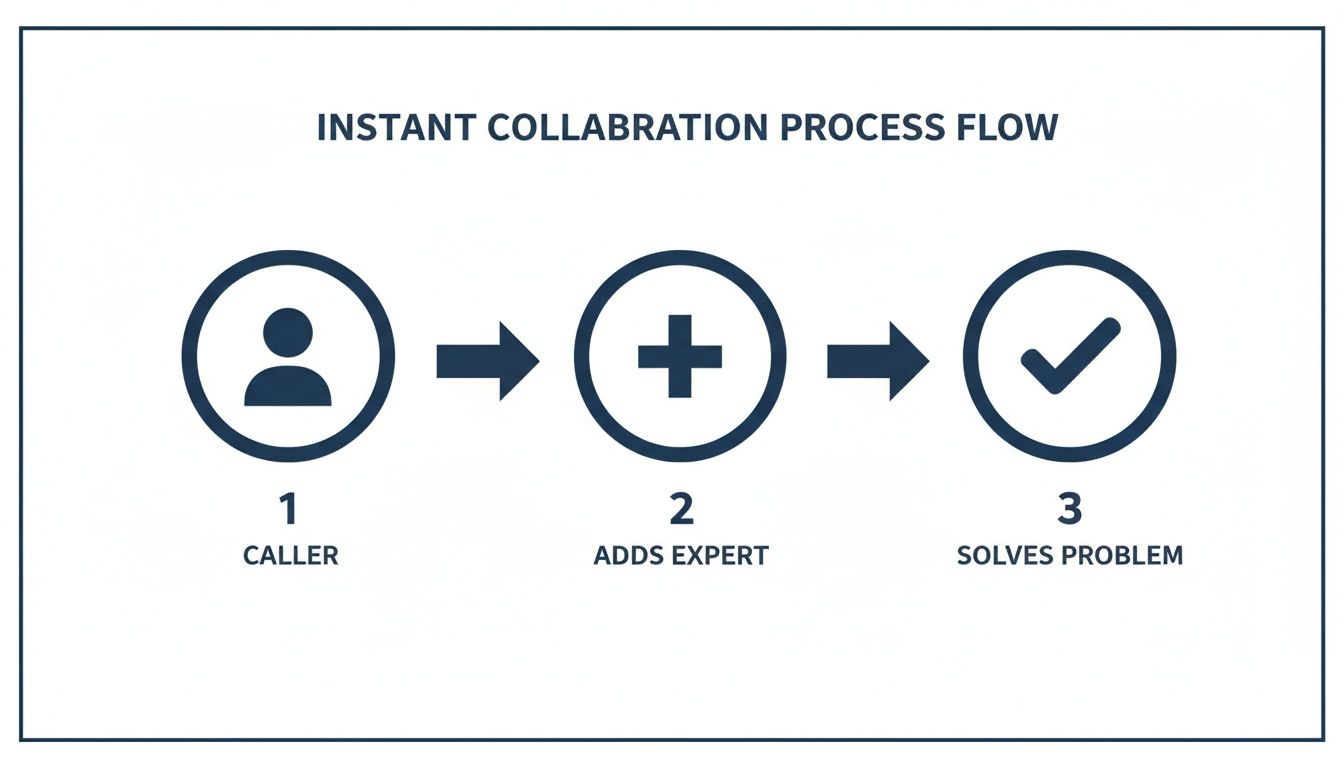
This simple workflow—Caller adds Expert, Problem gets Solved—is where the real power of a three-way call lies.
Using a Standard Desk Phone
For a lot of businesses, the trusty desk phone is still the command center. While the exact button or sequence can vary a bit between phone models and service providers, the general steps are quite similar.
Pro Tip: Many modern business phone systems, especially VoIP solutions, have a dedicated “Conference” button that makes this even faster. If you need to bring in a larger group, you're moving into real conference call territory. Check out our guide on setting up a conference call for those bigger meetings.
Here’s the typical process for a desk phone:
- Connect with the First Caller: Dial the first person and get your conversation started.
- Initiate the Conference: Press the “Conference,” “Conf,” or a similar function key on your phone. This puts the first person on hold.
- Dial the Third Party: Punch in the number for the second person you want to add and wait for them to answer.
- Merge the Lines: Once they pick up, hit the “Conference” button one more time. That will merge everyone into a single call.
Unlocking Advanced Calling with VoIP and SnapDial
The ways you make a three way call on a mobile or desk phone are usually tied to old-school carrier services, which can be pretty clunky and limited. But modern businesses are moving past those restrictions by switching to Voice over IP (VoIP). This is a game-changer. It moves your phone system off physical lines and onto the internet, turning the simple three-way call into a genuinely powerful business tool.
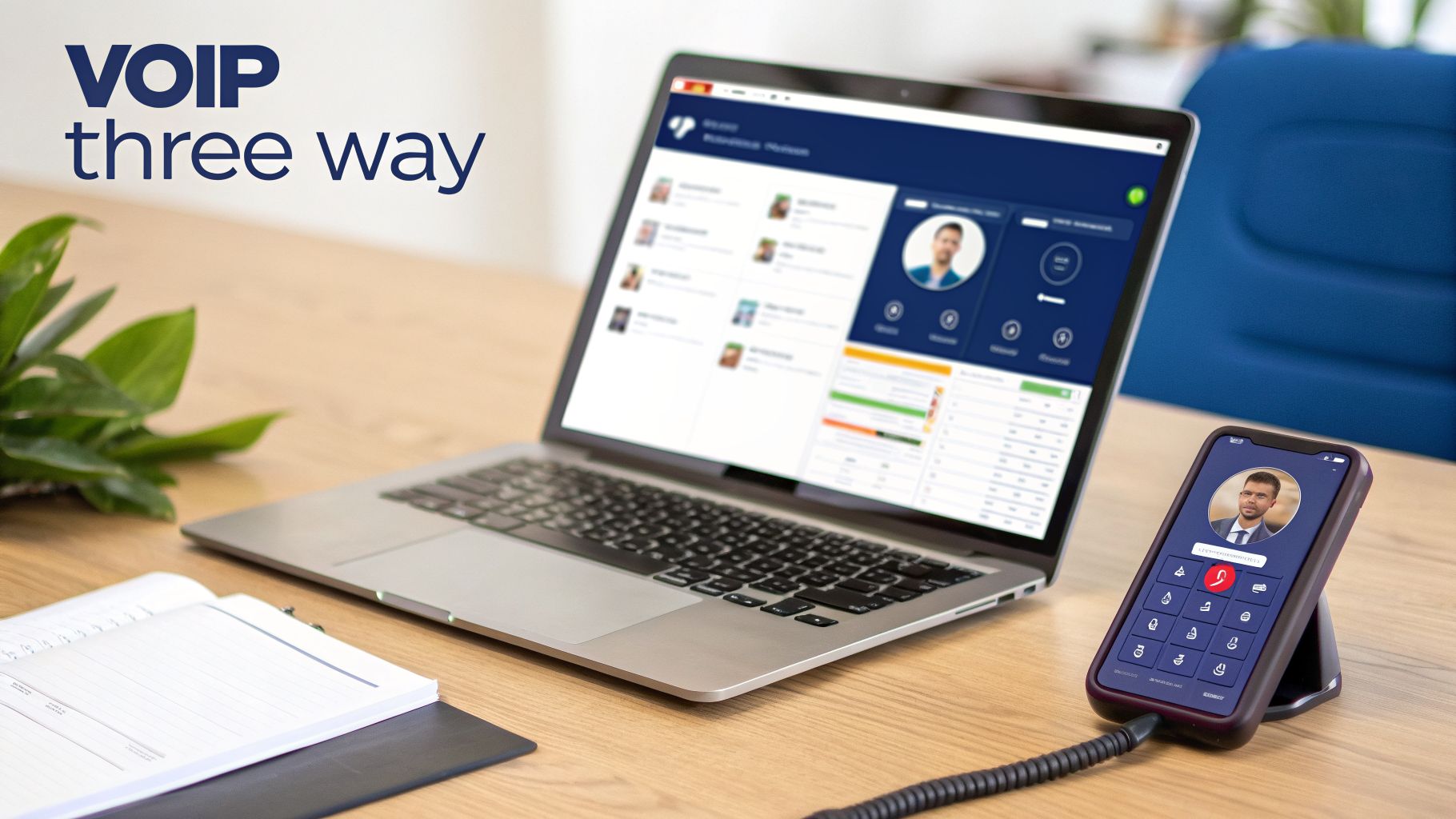
Platforms like SnapDial use VoIP to create a single hub for all your communications. Instead of being stuck with one device, your team can start a three way call from a desk phone, a laptop app, or their smartphone—all with the same easy-to-use interface. That kind of flexibility is a lifeline for remote and hybrid teams, making sure everyone can connect instantly, no matter where they’re working.
Why VoIP Elevates the Three Way Call
Moving to a cloud-based system like SnapDial delivers real-world benefits that traditional phone lines just can't touch. We're not just talking about making a call; we're talking about making a better, more professional call.
Here’s where you’ll see the difference:
- HD Voice Quality: VoIP calls deliver crystal-clear audio. When you have multiple people on a call, that clarity makes all the difference in avoiding misunderstandings.
- Centralized Management: Admins can handle everything—users, calling features, permissions—from one simple web portal. No more juggling different systems.
- Integrated Call Recording: Many VoIP platforms let you easily record three-way calls. This is perfect for quality checks, training new staff, or meeting compliance rules.
This shift away from legacy hardware is fueling some serious market growth. The global VoIP market is expected to hit $161.79 billion in 2025 and is projected to soar to $415.20 billion by 2034. A big reason for this is the demand for multi-party calling, which already accounts for 58.5% of revenue from international minutes. It just goes to show how vital these calls are for businesses operating on a global scale.
Seamless Integration and Scalability
Since VoIP is software-based, it fits perfectly with your other business tools. A three way call stops being a standalone phone feature and becomes part of a much bigger, connected workflow. If you're interested in the tech behind it, understanding the SIP call flow is a great way to see how VoIP reliably pulls off these multi-party connections.
With VoIP, a three way call transforms from a clunky, carrier-dependent action into a scalable feature that grows with your business. You can add users and lines without expensive hardware installations, ensuring your communication system is always ready for what's next.
This kind of scalability turns a modern phone system into a strategic asset. If you're looking to replace an old PBX, you can see how a cloud-based VoIP phone system unifies all your communications and gets your business ready for whatever comes next. At the end of the day, VoIP makes the three-way call a more reliable, feature-rich, and professional tool for any business.
Powerful Business Scenarios for Three-Way Calling
Now that you’ve got the mechanics down, let’s dig into why a three-way call is such a vital tool for any business. We're moving from the "how" to the "why" by looking at real-world situations where this simple feature becomes a secret weapon for getting things done faster and keeping customers happy.
It’s all about creating instant connections that solve problems, remove roadblocks, and close deals.

Think of it as on-demand expertise. Instead of making a customer wait on hold while you scramble for an answer or forcing them to call back, you bring the expert directly into the conversation. This simple move has a massive positive ripple effect across your entire business.
Supercharging Customer Support
Imagine this common scenario: a support agent is on a call with a customer who has a complex technical problem. The agent has tried all the standard fixes, but the issue is just beyond their training.
Instead of a frustrating transfer or a vague promise of a callback, the agent uses a three-way call to patch in a senior technician. The technician hears the problem straight from the customer, asks a few clarifying questions, and walks them through the solution in real time.
- Result 1: The customer's problem gets solved on the first contact. This has a huge impact on your First Contact Resolution (FCR) rate, one of the most important metrics for any support team.
- Result 2: The customer feels heard and valued, which is a massive boost for satisfaction and long-term loyalty. They didn't get bounced around; they got a solution.
- Result 3: The junior agent just got a live training session by listening to the expert. The next time a similar issue comes up, they'll be better equipped to handle it.
This approach is absolutely crucial in high-stakes support environments. With the global call center market valued at $352.4 billion in 2024 and projected to hit $496 billion by 2027, efficiency is everything. A three-way call can slash resolution times by up to 40% in escalation scenarios, helping you avoid the 20-30% drop-off rates that plague traditional call transfers.
Accelerating the Sales Cycle
The exact same principle works wonders in sales. A sales rep is on the phone with a hot lead. They’re ready to sign, but they have one last-minute question about the contract terms or need a quick approval for custom pricing.
Instead of ending the call and losing all that momentum, the sales rep can initiate a three-way call with their manager. The manager joins, provides the necessary approval, and clarifies the contract terms right there on the spot.
This single action removes the final barrier to the sale, letting the rep close the deal then and there. It shortens the sales cycle, keeps the lead from going cold while waiting for an answer, and shows the potential client a united, professional front.
Modern VoIP systems make this process incredibly smooth, as you can see in these examples of VoIP in action. From support to sales, the three-way call is an indispensable tool for turning conversations into successful outcomes.
Even a feature as simple as a three-way call can sometimes go sideways. We’ve all been there—a dropped call, a weird echo, or that frustrating moment when you just can't merge the lines. It’s enough to derail an important conversation and make you look unprofessional.
Understanding what causes these hiccups helps you fix them fast. More often than not, the culprit is your old-school mobile carrier or outdated phone hardware.
A weak cell signal might not have enough juice to handle the extra connection, leading to terrible audio or a dropped call. In other cases, you might try to merge two calls and get nothing. That’s usually a sign that one of the carriers involved simply doesn’t support it. It's a classic headache with legacy phone services.
Demystifying Billing and Feature Costs
Another common point of confusion is how a three-way call actually hits your phone bill. The short answer? It completely depends on your phone service.
- Mobile Plans: With most mobile plans, you’re billed for two separate outgoing calls. If one of those happens to be long-distance or international, you can bet you’ll see those charges on your bill. It’s an easy way to get hit with surprise costs.
- VoIP Systems: On the flip side, with a Hosted VoIP system like SnapDial, three-way calling is almost always a standard, built-in feature. Since the calls run over the internet, pricing is predictable and baked into a single monthly fee. No more guesswork.
This kind of predictability is exactly why so many businesses are making the switch to VoIP. The three-way call becomes just another tool in your kit, ready to go whenever you need it without having to worry about per-minute charges.
A three-way call is the quiet hero of modern business communications, bridging voice and video in an era that demands instant collaboration. With the global video conferencing market, closely tied to VoIP capabilities, projected to grow from $10 billion in 2025 to $12 billion in 2026, the demand for seamless connections is clear. Cloud services drive 73% of this market, mirroring how platforms like SnapDial bundle three-way calling with other essential features. As further evidence of this trend, managers report a 62% productivity increase from remote teams using VoIP tools. To see more about this growth, check out these insights on video conferencing trends.
Privacy and Security Best Practices
When you bring a third person into a call, especially if you’re discussing sensitive information, privacy and security have to be top of mind. Announcing the new person isn't just good manners—it’s a critical step for transparency.
Always state who is joining the call and why. A simple, "Heads up, I'm adding Sarah from our technical team to help with this question," prevents confusion and ensures everyone knows who is listening in.
For any business handling confidential client data, financial details, or legal matters, this is where an enterprise-grade VoIP system really shines. Many VoIP platforms, including SnapDial, offer call encryption, which scrambles your conversation to protect it from being intercepted. This is a level of security that standard mobile calls just don't offer, making it an essential best practice for any professional organization.
Got Questions? We've Got Answers
Even after you’ve mastered the basics, a few specific questions about three-way calling always seem to pop up. To help you use this feature like a pro, we’ve put together straightforward answers to the questions we hear most often.
Let's clear up the confusion around participant limits, international costs, and how this feature stacks up against a full-blown conference call.
Is a Three Way Call the Same as a Conference Call?
This is the number one question, and the answer is a firm no. They’re built for completely different scenarios. A three-way call is for an impromptu huddle, perfect for when you're on a one-on-one call and realize you need to pull in a third person right now.
A conference call, on the other hand, is usually a planned event for a larger group. These calls typically involve dedicated dial-in numbers and access codes, allowing a whole team to join a single virtual meeting.
In simple terms: a three-way call is for a quick, tactical huddle. A conference call is for a planned, strategic meeting.
Can I Make a Three Way Call to an International Number?
Yes, you can, but you have to watch out for the costs. Your phone carrier sees a three-way call as two separate outgoing calls that you’ve simply merged. If one of those calls is international, you’re going to get billed for it at your carrier's standard (and often expensive) international rates.
This is exactly where a modern VoIP system shines. Many VoIP plans, including those from SnapDial, offer predictable and much lower international calling rates, making it far more affordable to loop in team members from around the globe. Just be sure to double-check your plan’s pricing before you add an international line to a call.
How Many People Can Join a Three Way Call?
As you’d guess from the name, a traditional three-way call is capped at three participants: you (the organizer), the first person you called, and the third person you add. For most standard mobile and landline providers, this is a hard limit.
But this is another area where modern VoIP platforms are starting to change the rules. While the classic "merge call" function still sticks to three people, many business phone systems now offer more advanced multi-party calling that blurs the line between a quick huddle and a small conference. With a solution like SnapDial, you can easily escalate a call to include more people, giving you a level of flexibility that older phone systems just can't match.
Ready to replace your clunky, outdated phone system with a solution that makes collaboration easy? SnapDial offers a powerful, cloud-based business phone system with all-inclusive, predictable pricing. Enjoy features like unlimited lines, auto-attendants, call recording, and seamless three-way calling, all backed by 24/7 Texas-based support. Let our team handle the entire setup at no cost so you can enjoy a more reliable and professional communication system.
Learn more and get started at https://snap-dial.com.