

Your phone system usually gets attention only when it fails. A customer hears a busy signal. A sales rep misses a call because the desk phone is tied to one office. A manager asks IT to add a new extension, and the answer is a service ticket, a hardware check, and a wait.
That pattern is common in growing companies. The phone system was good enough when everyone sat in one office and call volume was predictable. Then the business added remote staff, second locations, more support needs, and tighter expectations around response time. The old setup stayed in place while the business changed around it.
That’s why voip systems matter now. They aren’t just a different way to place calls. They change how a business routes work, serves customers, supports hybrid teams, and controls communications costs.
Is Your Old Phone System Holding Your Business Back
A lot of companies reach the same point in the same way. Nothing dramatic happens. The old PBX just gets harder to live with.
One office manager is forwarding calls by hand every Friday so weekend coverage works. A branch office has its own phone setup, so reporting is split and nobody sees the full picture. New hires get email and chat on day one, but phone setup lags behind because someone has to touch hardware.
That’s not a telecom problem. It’s an operations problem.
The signs show up in daily work
Legacy systems tend to create friction in places leadership feels quickly:
- Customer response slows down: Calls ring the wrong desk, hit voicemail too early, or stop at a closed office.
- Growth becomes awkward: Adding users or locations feels like a project instead of a setting.
- Remote work exposes gaps: Employees can’t present one business number cleanly across desk phones, laptops, and mobile devices.
- Support gets expensive: Older systems often come with maintenance dependence, limited parts, and specialist knowledge that fewer people want to touch.
A traditional PBX can still make calls. That’s not the same as supporting a modern business.
Old phone systems rarely fail all at once. They fail by making routine work slower, more manual, and more fragile.
The larger market has already moved. Global PSTN lines dropped from 1.22 billion in 2006 to 407 million by the end of 2024, while IP-based voice subscriptions reached 447 million and passed PSTN for the first time according to Nextiva’s VoIP statistics roundup.
A phone system should remove friction
If your team is comparing VoIP vs POTS phone systems, the right question isn’t which one is more familiar. It’s which one supports the way your business works today.
A useful phone system should do a few simple things without drama:
- Keep employees reachable whether they’re at a desk, at home, or on the road
- Route calls intelligently instead of depending on who happens to be sitting near a handset
- Make expansion routine when you open a new office or hire a new team
- Give managers visibility into missed calls, queue issues, and service bottlenecks
When a phone system does that, it becomes part of your operating model. When it doesn’t, staff start building workarounds around it. They use personal cell phones, sticky-note call trees, and side-channel texting to cover what the platform can’t do.
That’s usually the moment to stop treating telephony like a utility and start treating it like infrastructure.
How VoIP Systems Turn Voice into Data
The cleanest way to understand voip systems is to forget the acronym for a minute and think about delivery methods.
A legacy phone line works like reserving a private rail track for one trip. Once the call starts, that path is dedicated to that conversation.
VoIP works more like shipping a package as many small labeled parcels across a road network. Each parcel can take the fastest available route, then the receiving side puts everything back together in order.
What happens when you speak
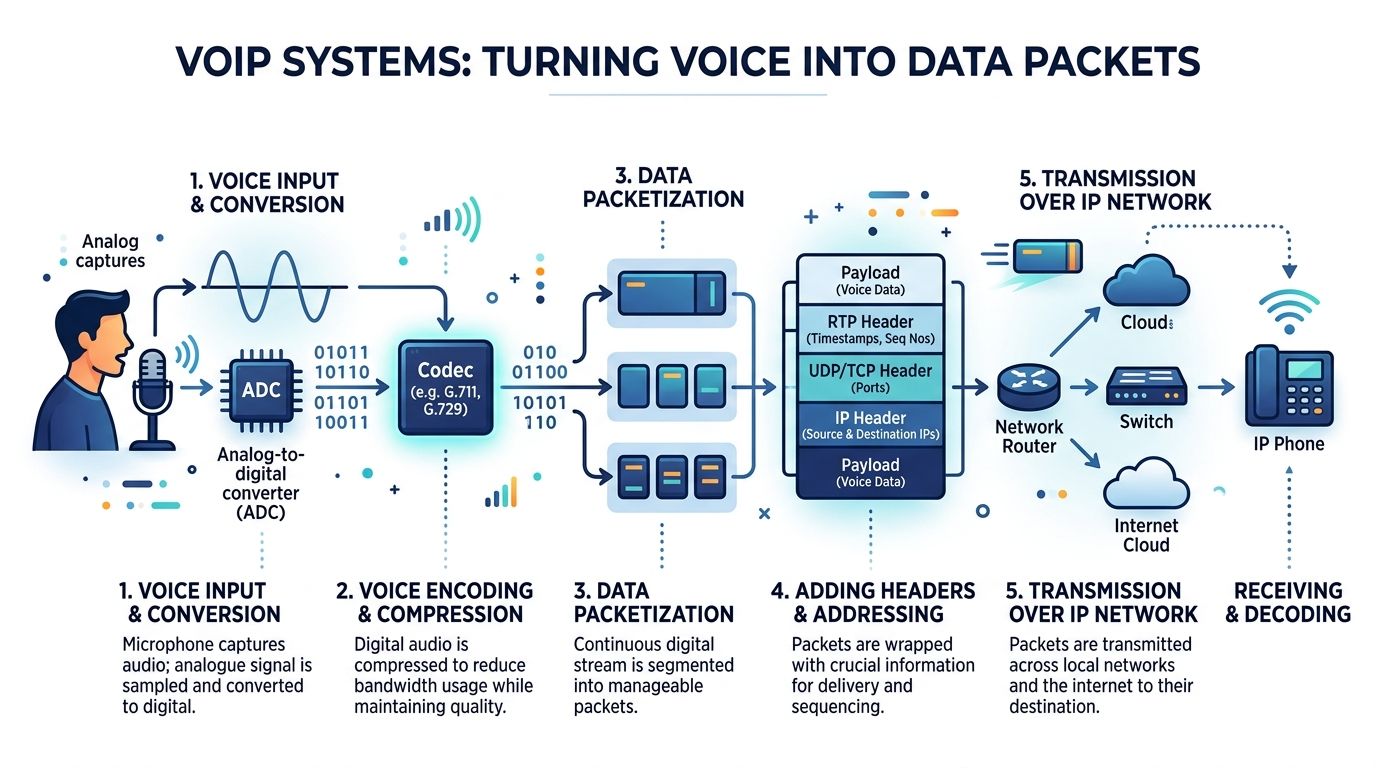
Your voice starts as an analog sound wave. A microphone captures it. Then the system converts that sound into digital information.
Voice signals are converted into digital packets using codecs like G.711 or Opus. Those packets travel over the internet and are reassembled at the destination, with a jitter buffer typically in the 20 to 50 ms range smoothing out network delay according to Yeastar’s business guide to VoIP phone systems.
Why packets matter
Packet-based delivery is what gives voip systems their flexibility.
Instead of needing a dedicated line for each conversation, the network can carry many kinds of traffic at once. Voice rides the same underlying IP network your business already uses for cloud apps, video, and collaboration tools. That doesn't mean voice should be treated casually. It means voice can be managed as software, not trapped inside one piece of office hardware.
Here’s the practical version:
- A user speaks: The phone, softphone, or mobile app captures audio.
- A codec compresses it: The system prepares the audio for efficient transmission.
- Packets cross the network: Routers move those packets toward the recipient.
- The far end rebuilds the call: The receiving device plays the audio in sequence.
- A jitter buffer smooths timing: Small timing variations don’t turn into choppy audio.
Why some calls sound great and others don’t
Business leaders often hear “VoIP quality depends on your internet” and stop there. That’s incomplete.
Call quality usually depends on three things working together:
- A stable network: Congestion, poor Wi-Fi design, and unmanaged traffic create problems fast.
- Sensible voice settings: Codec choice, traffic prioritization, and endpoint setup matter.
- Consistent devices: A good network can still produce bad calls if endpoints are all over the map.
That last point gets ignored too often. One employee on a wired Yealink desk phone, another on a poorly configured laptop softphone, and another on a personal mobile using random headset settings won’t have the same experience even on the same platform.
Practical rule: If you want reliable call quality, treat voice as a managed service, not just an app people happen to install.
The technical foundation of VoIP is straightforward. The business value comes from what that software-driven model allows you to do next.
Core Features That Power Modern Communication
A lot of phone system evaluations go sideways because teams compare feature checklists without asking what each feature changes in their daily work.
The useful way to evaluate voip systems is by business function. What helps a receptionist or office manager. What helps a mobile rep. What helps customer service. What helps leadership see what’s happening on the phones.
Core PBX tools that remove routine friction
Most companies start with the basics because those basics solve everyday annoyances fast.
Call forwarding, transfers, hunt groups, visual voicemail, voicemail-to-email, ring groups, business hours routing, and shared lines fall into this category. None of them sound glamorous. All of them matter.
A few examples:
- Call forwarding: Keeps calls moving to the right person instead of dying at an unattended desk.
- Voicemail-to-email: Lets staff triage messages quickly without dialing into a mailbox maze.
- Call transfer: Moves a caller cleanly to the right department without forcing them to start over.
- Business hours routing: Sends after-hours traffic where it should go, whether that’s voicemail, an answering team, or an on-call schedule.
Many companies first feel the difference between old telephony and a software-managed system at this point. Changing routing stops being a technician job and starts becoming an admin task.
Automation that makes a small team sound organized
An auto attendant or IVR does more than greet callers. It gives structure to inbound traffic.
A five-person business can sound polished and easy to use if calls are sorted upfront. “Press 1 for sales, 2 for service” isn’t about pretending to be larger. It’s about reducing handoffs and getting callers to the right person faster.
Good automation also helps with overflow. If one team is tied up, the system can route by schedule, department, or priority without asking a human to babysit the process.
What works well:
- Short menus: Keep options limited and plain.
- Direct paths to people: Don’t bury departments under too many layers.
- Routing by time: Handle lunch, evenings, weekends, and holidays intentionally.
- Clear fallback options: Always provide a way to leave a message or reach an operator path if needed.
What doesn’t work is the overbuilt menu tree that turns every call into a scavenger hunt.
Mobility that keeps one business identity intact
Hybrid work broke the old assumption that business calls happen at a desk.
Modern voip systems use desk phones, softphones, and mobile apps so employees can place and receive calls under the company identity from almost anywhere. That matters for sales, service, field operations, and leadership teams who move between offices and remote work.
The gain isn’t just convenience. It’s consistency.
Without that consistency, employees start calling customers from personal numbers, text threads drift outside company systems, and managers lose visibility into missed calls or handoff problems. A mobile-ready business phone setup keeps the company number, routing logic, and call records tied together.
If your team works in more than one place, the phone system has to travel with the user, not with the building.
Call center tools that change customer experience
For support teams, front desks, and appointment-heavy businesses, advanced call handling is where the platform becomes strategic.
Useful capabilities include:
- Smart queues: Calls wait in an organized order instead of ringing blindly.
- Queue callback: Callers don’t have to sit on hold if the line is busy.
- Wait-time announcements: Customers know what’s happening instead of wondering whether they’ve been lost.
- Call recording: Supervisors can review interactions for coaching, compliance, and dispute handling.
- Real-time statistics: Managers can see traffic patterns while the day is still in progress, not after the problem has passed.
These tools don’t replace management. They make management possible.
A support team can’t improve abandoned-call handling if nobody can see where abandonment happens. A receptionist can’t confidently route overflow if the system doesn’t provide queue logic. A growing business can’t promise fast response while relying on a phone tree built for one office and one receptionist.
In practice, the best feature set is usually the one that reduces manual intervention. If staff still have to remember too many exceptions, the system isn’t doing enough work.
The Transformative Business Benefits of VoIP
Most phone system projects are approved for one reason and justified later by many others. The trigger might be an expiring PBX, a move to a new office, or remote work pressure. Value usually shows up across cost control, scalability, and team responsiveness.
Companies that switch to VoIP see overall savings of 30 to 50 percent, hybrid teams using VoIP report a 62 percent increase in productivity, and 78 percent of US small businesses rely on cloud-supported VoIP platforms according to Brightlio’s VoIP statistics.
That mix matters because it shows this isn’t just a cheaper dial tone. It’s a different operating model.
Cost control gets cleaner
Legacy telephony tends to create uneven costs. There’s hardware to maintain, add-ons to buy, specialist labor to schedule, and site-by-site complexity to support.
Cloud-based systems usually shift communications into a more predictable service model. That doesn’t mean every invoice is magically simple, but it does mean you can usually tie cost more directly to users, features, and locations.
The best financial outcomes usually come from three changes:
- Lower line and calling expense: Especially when businesses replace older long-distance habits and fragmented carrier setups
- Less hardware dependence: Fewer on-site boxes to maintain, patch, or replace
- Fewer one-off service events: Changes happen in software more often than through truck rolls and hardware visits
A related issue is identity. If you're still sorting out numbering strategy across offices and teams, this guide on what a VoIP number means for your business growth is useful because it ties numbering decisions to branding, local presence, and operational flexibility.
Scale stops being a telecom bottleneck
Growth punishes rigid systems.
A company opens another site, launches a service team, or acquires a smaller business. If the phone platform can’t absorb that change quickly, managers create patchwork fixes. They forward numbers manually, keep separate systems alive too long, or delay process improvements because the phone setup can’t keep up.
Cloud VoIP changes that dynamic. Users, call paths, departments, queues, and numbers can be administered centrally. Multi-location companies can present one business identity while still routing by office, region, or team.
That doesn’t mean scaling is automatic. It means scaling no longer depends on physical capacity in a closet.
Flexibility becomes operational resilience
The biggest shift I see in real deployments is this one. A company stops thinking of the phone system as something attached to a front desk and starts thinking of it as a service that follows the business.
That changes daily operations in simple but important ways:
- A manager can answer the main number from home during weather disruption
- A sales rep can return calls from a mobile app without exposing a personal number
- A support lead can change queue rules when traffic spikes
- An admin can onboard a new office without recreating everything from scratch
A modern phone platform also supports continuity better when work moves unexpectedly. Office closed. Team traveling. Temporary overflow. Different branch taking calls. Those aren’t edge cases anymore.
Legacy PBX vs. Modern Cloud VoIP A Head-to-Head Comparison
| Attribute | Legacy PBX System | Cloud VoIP System |
|---|---|---|
| Deployment model | On-site hardware and fixed lines | Software-managed service over IP |
| Adding users | Often requires hardware capacity checks and manual provisioning | Usually handled in the admin portal |
| Multi-location support | Commonly fragmented by site | Centralized routing across locations |
| Remote work fit | Limited and often awkward | Built for desk phones, softphones, and mobile apps |
| Feature rollout | Add-ons and separate modules are common | Features are typically configured in software |
| Reporting visibility | Often limited or siloed | Centralized logs, recordings, and call activity |
| Maintenance burden | Higher dependence on aging equipment | Lower dependence on on-site PBX hardware |
For teams that need a short visual overview before budget discussions, this video is a useful primer.
The strongest business case for VoIP usually isn’t one dramatic feature. It’s the fact that communications, staffing, customer access, and expansion stop fighting each other.
Planning Your Migration from a Legacy PBX
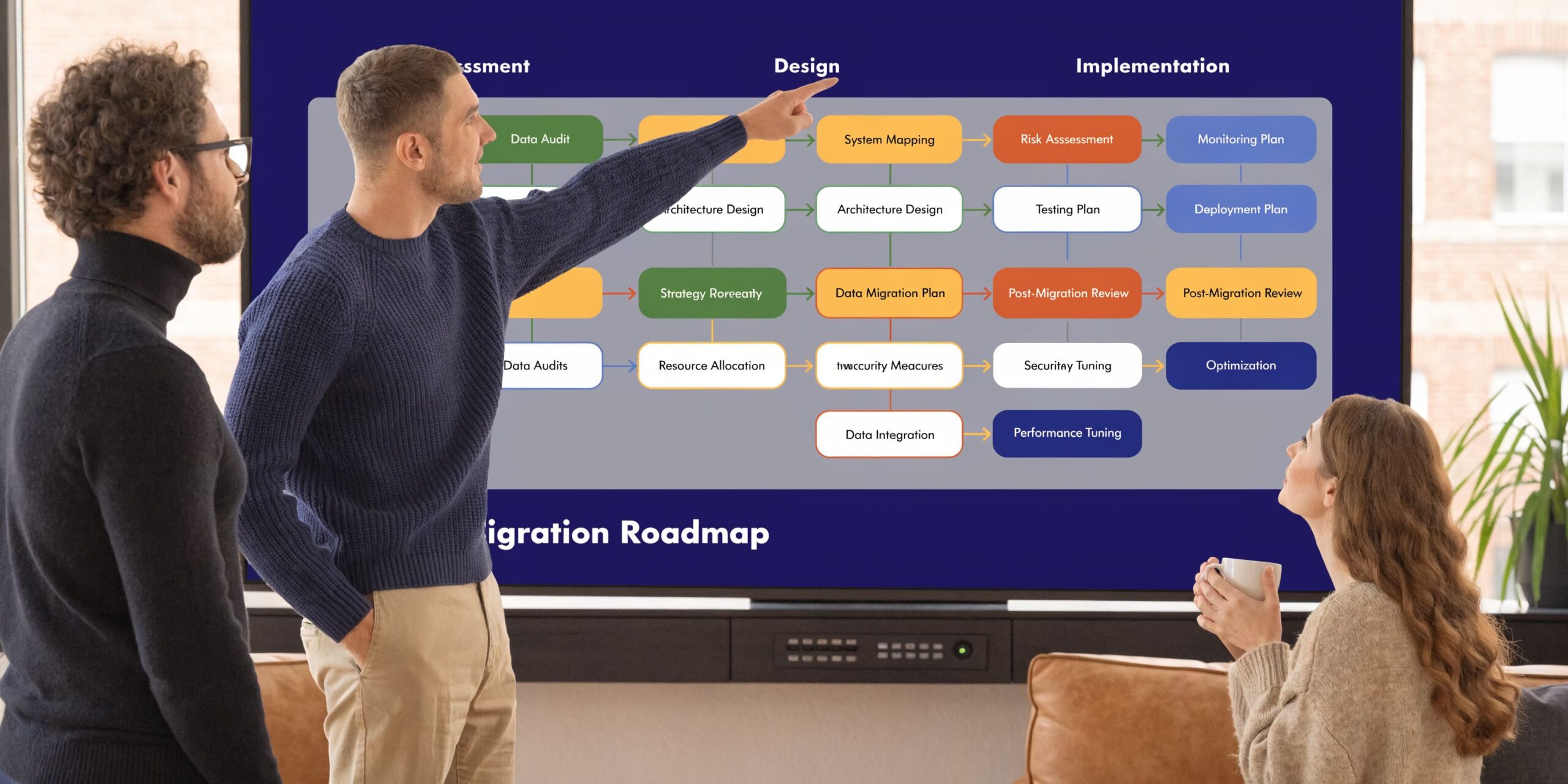
A smooth migration doesn’t start with phones. It starts with inventory.
Companies run into trouble when they rush to shop plans before they understand their own calling patterns, dependencies, and device sprawl. The best migrations are boring in the best sense. Few surprises, clear sequencing, and no drama on cutover day.
Start with a practical audit
Before you compare providers or features, map what you have now.
Create a working list that includes:
- Numbers and lines: Main numbers, direct numbers, toll-free numbers, fax usage, and any special routing
- Users and roles: Reception, sales, service, field staff, executives, shared phones, conference rooms
- Call flows: Business hours, after-hours routing, overflow paths, seasonal changes, holiday schedules
- Critical dependencies: Alarm lines, door systems, elevators, analog devices, and anything else tied to telephony
- Location differences: Which offices need the same setup and which require custom handling
At this point, many teams discover that the “phone system” is really several small systems held together by habits.
Check the network before rollout
Voice shares the network, but it shouldn't compete with everything else equally. If the network is underbuilt, badly segmented, or Wi-Fi heavy in the wrong places, users blame VoIP for problems that come from network design.
Use a bandwidth planning process before rollout. If you need a starting point, SnapDial’s guide to find out how much bandwidth you need for VoIP gives a practical way to think about concurrent calls and capacity.

At a minimum, review:
- Internet stability: Not just advertised speed, but consistency under load
- Traffic prioritization: Voice should be treated as time-sensitive traffic
- Wired vs. wireless use: Desk phones and heavy call users usually benefit from more controlled connections
- Site-specific weak spots: Branch offices often have different realities than headquarters
Standardize endpoints or expect trouble
One of the most common migration mistakes is letting every employee use whatever endpoint they prefer with no policy.
Inconsistent desk phones, softphones, and BYOD mobile devices without a baseline configuration policy are a primary cause of call quality degradation, as discussed in this analysis of hidden VoIP call quality costs.
That issue sounds technical, but it’s really operational. Standardization doesn’t mean being rigid for its own sake. It means reducing avoidable variables.
A practical approach looks like this:
- Choose approved device types for each role.
- Set a baseline configuration for headsets, apps, and desk phones.
- Document who gets what and why.
- Train users on the approved setup instead of troubleshooting endless exceptions.
A migration gets easier when support can say, “You’re on one of three standard setups,” instead of asking twenty questions before every ticket.
Protect continuity during cutover
Number porting and cutover planning deserve more attention than they usually get. Customers should never feel your migration.
The safest play for many businesses is a phased rollout. Keep the old and new environments running in parallel for a controlled period where possible. Pilot with a small group first. Test call routing, voicemail delivery, mobile behavior, business-hours rules, and failover handling before moving everyone.
Also plan the human side:
- Train reception and supervisors first: They touch the most call volume.
- Give employees one-page quick guides: Don’t drown them in manuals.
- Stage after-hours support: The first few days always produce edge cases.
- Confirm emergency and compliance requirements: Especially for regulated environments and location-sensitive calling
A good migration feels less like replacing a phone closet and more like changing a business workflow carefully. That mindset prevents most painful surprises.
How to Evaluate and Choose Your VoIP System
Price gets attention first. It shouldn’t decide the purchase by itself.
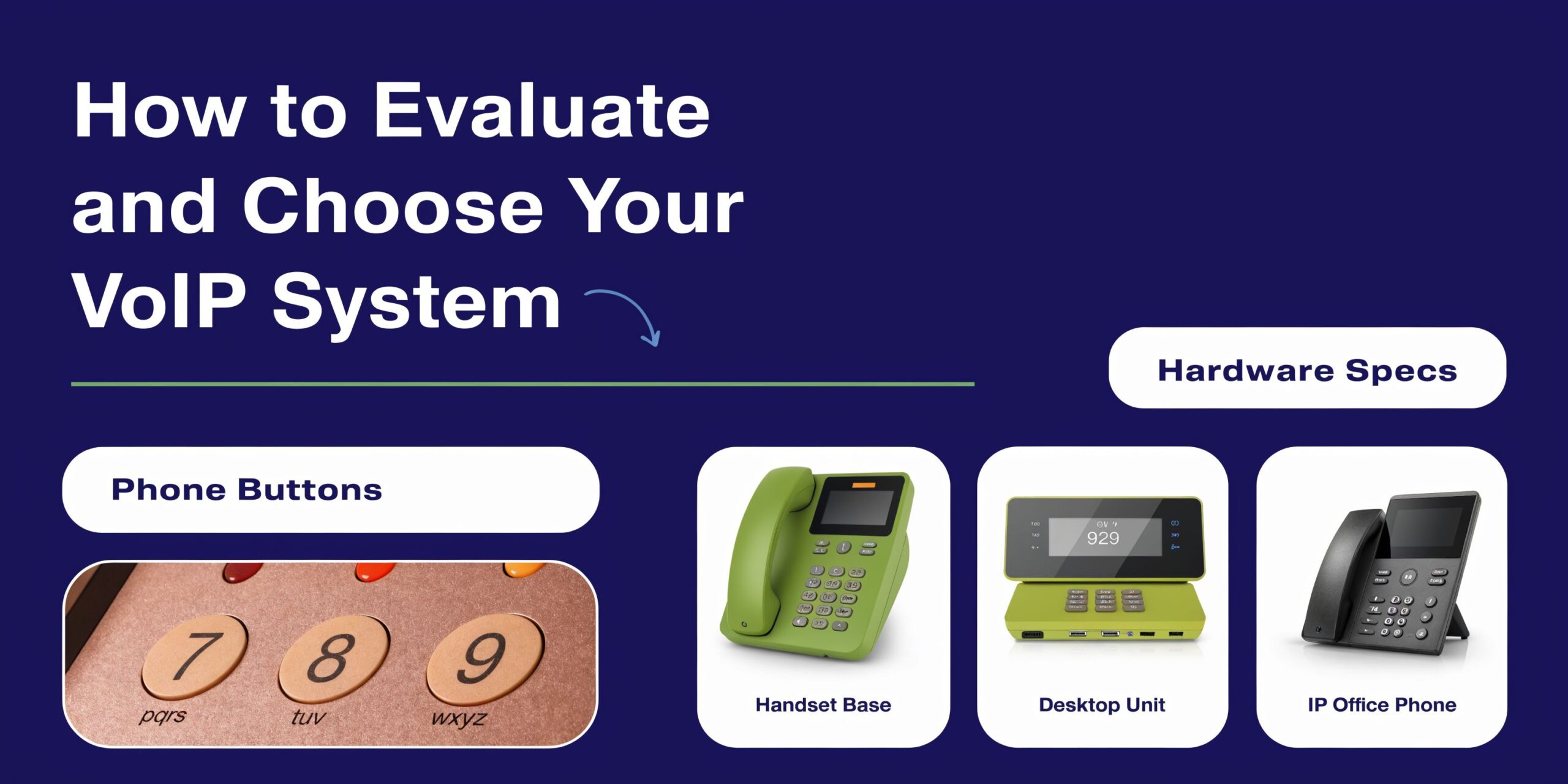
The key question is whether the provider can support how your business operates under normal conditions and under stress. Many voip systems look similar in a feature grid. They separate quickly when you examine reliability assumptions, support quality, administration, and total cost of ownership.
Ask how the system behaves when things go wrong
Good sales conversations become useful or evasive at this juncture.
Businesses in regions with unstable infrastructure need to ask about failover. VoIP can use mobile networks during an outage, but the result depends on backup power, redundant connectivity, and carrier fallback mechanisms, as noted in Acrobits’ discussion of VoIP reliability myths.
That means you should ask direct questions such as:
- What happens if our office internet drops
- What happens if power fails at one location
- Can calls reroute to mobile devices or another site
- What setup is required for that failover to work
- Who helps test it before we need it
If a provider answers reliability questions with general assurances instead of deployment specifics, keep digging.
Evaluate support like you’re buying an operations partner
Most businesses don’t replace phone systems often. When problems appear, they need help quickly from someone who understands call flow, endpoints, number porting, and business continuity.
Good support evaluation includes:
- Hours and channels: Can you reach a real team when your business is open
- Implementation ownership: Who handles onboarding, provisioning, and cutover coordination
- Training quality: Are users left with documentation alone, or guided through the rollout
- Escalation clarity: If call routing breaks, who owns the fix
For buyers trying to compare the field, this roundup of Best VoIP Phone Systems for Small Business is a reasonable starting point because it helps frame provider differences in plain business terms.
Look at administration and total cost of ownership
The monthly seat price can be misleading if management overhead is high or key functions are scattered across add-ons.
Look for a system that lets your team handle common tasks without opening a support case for every change. Admin portals should make it straightforward to manage users, routing, voicemail, call logs, recordings, and device assignments.
You should also review what a cloud phone system is if internal stakeholders are still mixing up hosted service, on-prem PBX, and hybrid models. That shared vocabulary saves time during vendor evaluation.
A practical TCO review should include:
| Cost area | What to check |
|---|---|
| Monthly service | Per-user pricing, included features, and add-on charges |
| Hardware | Phone models, headset needs, replacement approach |
| Implementation | Setup help, onboarding effort, training time |
| Administration | How much internal labor routine changes require |
| Support | Whether responsive help is included or tiered |
One provider that fits this style of evaluation is SnapDial, which offers a hosted cloud PBX model with predictable pricing, white-glove setup, an admin portal, mobile apps, call routing, and 24/7 Texas-based support. That doesn’t make it the automatic choice for every company. It does make it the kind of offering worth comparing against others when you want one service to replace legacy PBX complexity.
Buy for the environment you actually run. Multiple locations, remote staff, uneven internet conditions, and busy front-line teams expose weak provider assumptions fast.
The best selection process is disciplined. Shortlist providers that answer your operational questions clearly, test the user experience with the people who handle the most calls, and compare the full support model, not just the monthly number on the proposal.
Your Next Step Toward Future-Proof Communication
A legacy phone system can keep a business running for years after it stops serving the business well. That’s why many upgrades happen later than they should.
The shift with voip systems isn’t just replacing copper lines with internet calling. It’s moving from a fixed, hardware-centered setup to a communications platform that supports growth, mobility, customer service, and continuity. That changes how calls are routed, how teams stay reachable, and how leaders manage service quality across offices and remote staff.
The businesses that get the most value from VoIP usually do three things right.
- They define operational goals first. Faster response, easier scaling, cleaner call routing, better support visibility.
- They prepare the environment. Network readiness, device standards, and a realistic migration plan.
- They evaluate providers beyond price. Reliability, support, administration, and failover planning matter more over time than a low headline rate.
If your current system creates workarounds, missed calls, or admin burden, you don’t need more patience. You need a better model.
Start with a simple audit. List your numbers, users, call flows, locations, and pain points. Then compare providers based on how well they solve those specific issues. That’s how a phone upgrade turns into a business improvement instead of just another IT project.
If you're ready to replace an aging PBX or unify calling across offices and remote teams, SnapDial is one option to evaluate. Review how its hosted VoIP and cloud PBX approach fits your call flows, support needs, device strategy, and migration timeline, then compare it against your shortlist with the criteria above.