
It's Monday at 9:15 a.m. Your agents are all on calls, three more people are holding, and a fourth caller has just hung up without leaving a complaint. Your dashboard still looks productive because everyone is busy. That's the trap of call center queue management. A queue can look efficient while callers wait too long, hang up without notice, and call again later about the same problem.
What Queue Management Balances and Why It Matters
Think of a bank line at lunchtime. Customers enter faster than tellers can serve them, so the line grows. Someone needs to decide who's next, how long they'll reasonably wait, and what happens when the line gets too long. Call center queue management makes those same decisions for phone calls when demand outpaces available staff.
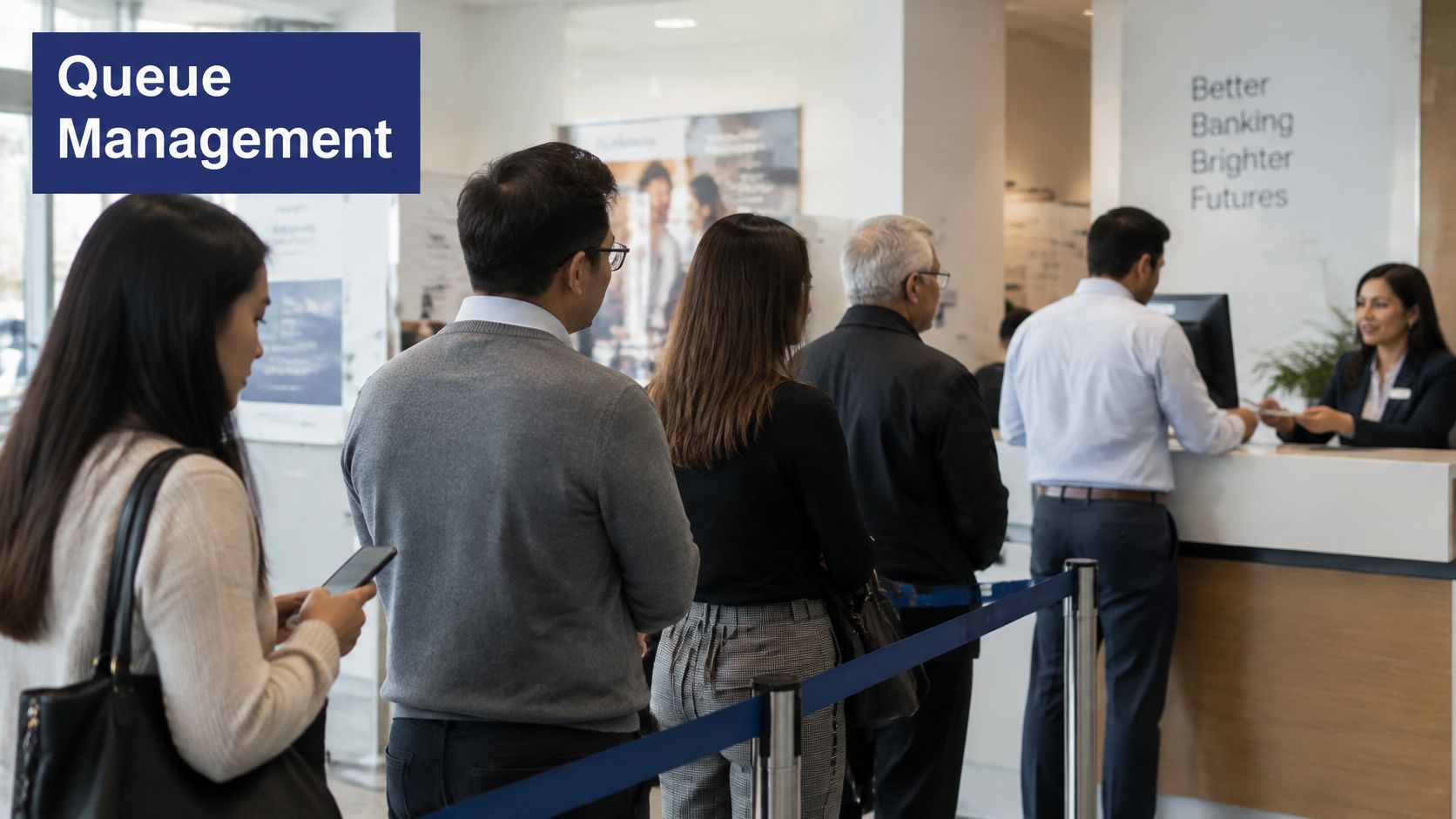
Four forces interact constantly. Incoming demand arrives unevenly, not in a steady stream. Waiting time rises quickly when a few extra calls land together. Staffing includes both headcount and the mix of skills on shift. Caller patience sets the limit, because people hang up when the wait stops feeling worthwhile.
Hiring more agents shortens the line, but it's the most expensive answer. Routing rules, wait announcements, and callbacks often fix part of the problem first. The challenge is balancing all four forces instead of pushing one number down and making another worse.
The model behind the math
Most staffing plans start with Erlang C, which estimates the probability that an arriving caller must wait when a defined number of agents serve a fluctuating arrival stream, a model described in an INFORMS teaching paper on call-center queues. It's useful, but it assumes callers remain in the queue until answered. Real callers don't.
That's why abandonment models add a patience time for each caller. If patience expires before an agent answers, the caller leaves. Your queue therefore needs real arrival, delay, and hang-up data, not just a formula.
A busy team isn't proof of a healthy queue. Agents can be fully occupied while callers are quietly giving up.
The working parts are simple to name. The ACD distributes calls to agents, the queue holds callers in order, the IVR menu identifies why someone called, skill groups match issues to qualified agents, and overflow rules decide where calls go when the first group is saturated. Judge every setting by both delay and outcome, not by utilization alone.
The Numbers That Show a Healthy Queue
Start with seven numbers, then read them together. Any single metric can mislead you.
| Metric | What It Measures | Typical Target | Watch For |
|---|---|---|---|
| Service level | Share of calls answered within 20 seconds | 80% | Daily averages hide short overload periods |
| Average speed of answer | Average wait before an agent answers | Under 30 seconds | Averages can hide a long tail of very long waits |
| Abandonment rate | Share of callers who hang up while queued | Under 5% | Silent hang-ups are often not recorded as complaints |
| Occupancy | Share of paid agent time spent on live work | 80-85% | Above 90% leaves no buffer for bursts or after-call work |
| Average handle time | Average minutes per call, including after-call work | Your baseline by call type | Shorter isn't better if callers must call back |
| First-contact resolution | Share of issues solved in one contact | Above your measured baseline | Needs a repeat-contact check to confirm it's real |
| Repeat contact rate | Share of callers who call again about the same issue within a set period | Below your measured baseline | Rising repeats can mean queues are moving delay, not solving problems |
Where the common numbers stop short
Most centers track the easy operational measures. ICMI reports in its 2025 review of what contact centers are measuring that 85% measure abandonment, 84% average handle time, and 76% average speed of answer, while only 14% measure deflection rate and 13% measure self-service accessibility. Those first three tell you how fast people moved. They don't tell you whether the problem got solved.
That gap matters more as calls get longer. The same ICMI material notes a 2025 industry analysis in which typical service calls now exceed seven minutes and are 38% longer than in 2012. Pressuring agents to cut handle time can create a second call tomorrow.
Read service level by interval, not as a daily average. A strong morning can hide a brutal 30 minutes after lunch. Pair occupancy with abandonment, too. Occupancy above 90% looks productive until a small burst arrives and there's no slack left to absorb it.
A fuller view of call center KPIs worth tracking weekly helps, but you don't need a wall of charts to start.
Weekly minimum: Report service level, abandonment, and repeat contact rate together. Speed without resolution just recycles demand.
Segment handle time by issue complexity before you judge it. A password reset and a disputed invoice shouldn't share a target. When self-service or deflection rises, check whether repeat contacts fall with it. If they don't, you've suppressed live volume without resolving the underlying need.
Routing Methods Compared and Where Each One Fails
Once a caller enters the queue, the ACD picks which agent gets the next call. That choice affects wait time, fairness among agents, and whether the first person who answers can solve the issue.
| Routing Method | How It Routes a Call | Best Fit | Main Risk |
|---|---|---|---|
| First-in, first-out | Longest-waiting caller goes to the next free agent | Single-skill teams with similar calls | Ignores caller value and issue complexity |
| Skill-based | Matches the caller to an agent with the needed skill | Mixed issues across product lines | Idle skill groups while others queue |
| Priority | VIP or urgent callers move ahead of the queue | Clear service tiers for key accounts | Lower-priority callers may wait far too long |
| Longest idle agent | Sends the call to the agent idle for the longest time | Teams with similar skills and even load | Ignores skill fit, which can lower resolution |
| Percentage allocation | Splits calls across groups by set percentages | Multi-location or pooled teams | Rigid when demand shifts during the day |
First-in, first-out is fair and easy to explain. It fails when a simple order-status call sits behind three complex technical cases, or when an urgent account issue waits behind routine questions. Everyone follows the same line, even when their needs differ sharply.
Skill-based routing improves the match between caller and agent. Say your Spanish-speaking billing specialist is idle while six English technical calls wait. The skill tags did their job, but the small group sizes created stranded capacity. A practical overview of skills-based call routing design is useful before you split a small team into many narrow groups.
Priority routing protects key accounts and urgent cases. Without a cap, though, standard callers keep getting pushed back and their waits become unreasonable. Set a maximum wait after which priority stops mattering and the longest-waiting caller goes next.
The pooling effect
Combining agents into one larger queue usually reduces waiting because demand swings average out across more people. Two separate groups of three agents each struggle with bursts. One pooled group of six absorbs the same burst more smoothly, since it's unlikely every agent is tied up at the exact moment a new call arrives.
Longest idle agent routing spreads work evenly and suits teams where anyone can handle most calls. Percentage allocation suits multi-location pools that need predictable sharing, but fixed splits can't respond when one site gets hit harder than another.
Start with the simplest method that matches your issue mix. Add skills only where first-contact resolution is suffering, review group sizes monthly, and set overflow rules so calls move to a backup group once the primary queue passes a wait threshold.
How to Size Staffing for Each Interval
Staffing fails when it's planned as a daily average. Callers don't arrive evenly across a day, so you need to size each 30-minute interval on its own.
The diagram below condenses the workflow into four moves, from pulling history through to refining the plan.
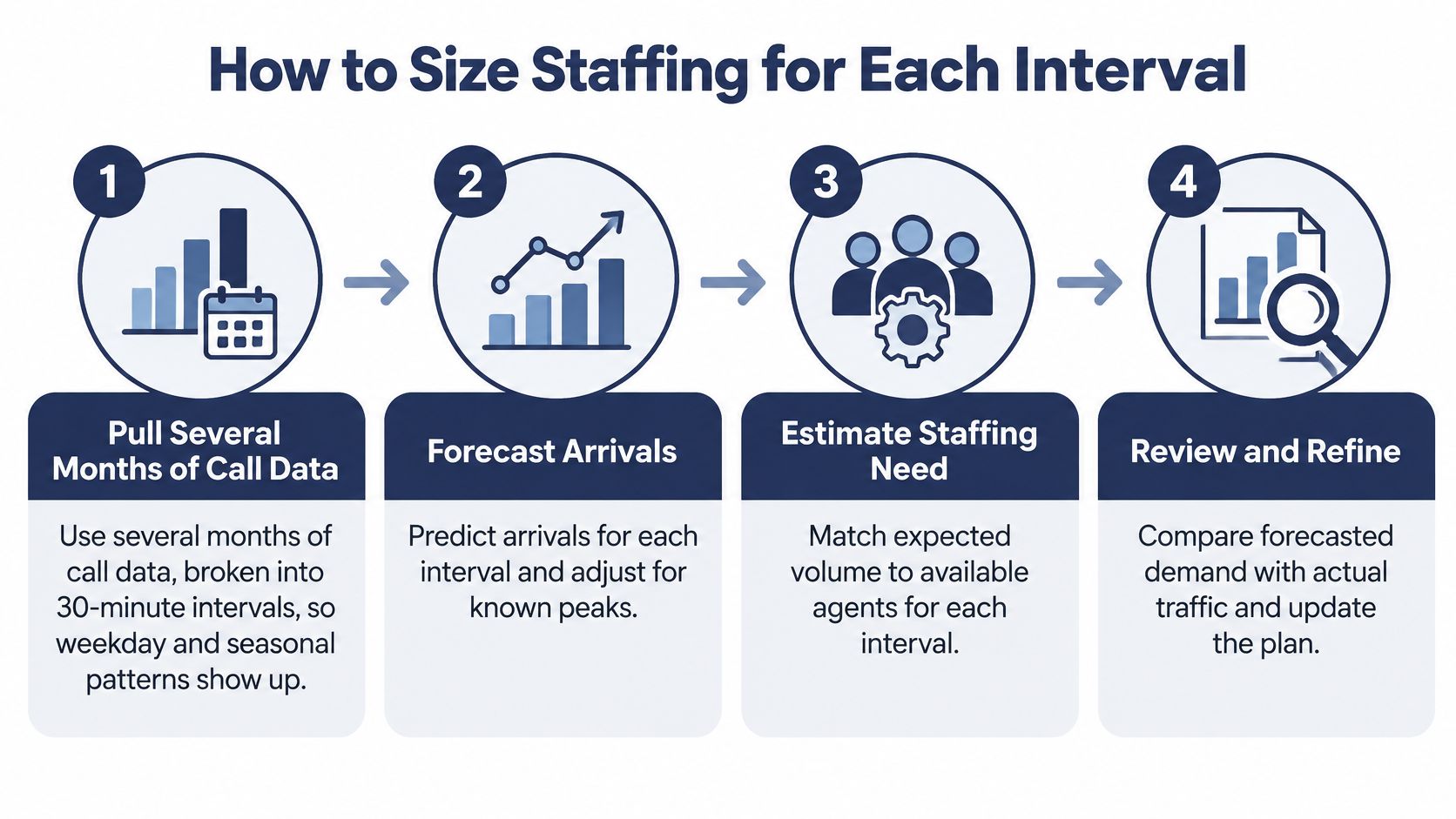
Pull several months of call data by interval. Break arrivals, handle time, and abandonment into 30-minute blocks so weekday and seasonal patterns show up. The common mistake is starting from a single busy week and treating it as normal.
Forecast arrivals for each interval. Adjust for known peaks such as billing dates, renewal deadlines, or product launches. A forecast that ignores a predictable spike isn't conservative, it's just wrong in a way you'll pay for in abandonment.
Measure handle time including after-call work. Wrap-up notes, ticket updates, and follow-up tasks consume real capacity. If you count only talk time, you'll roster agents who look available on paper but can't take the next call yet.
Calculate required agents with Erlang C at your target service level. This gives you the minimum staffing for each interval given your forecast arrivals and handle time. It answers how many agents must be actively available, not how many names go on the schedule.
Add shrinkage for breaks, training, and absence. Commonly 20-30% of paid time isn't available for handling calls. Skip this step and your rosters will fall short every time someone takes lunch or attends coaching.
Test the schedule against observed abandonment and speed of answer. Compare the same intervals week over week. If abandonment climbs where the model says coverage is fine, your forecast or handle time input is off, and the schedule isn't the first thing to blame.
Keep occupancy in the 80-85% range and pool where skills allow. That buffer absorbs arrival bursts and uneven after-call work. Pooling agents across compatible queues gives you the same protection without adding headcount.
The short video below walks through the interval logic visually, which helps if the formulas feel abstract at first.
A quick diagnostic example
Say the model says 10 agents cover your 10:00 a.m. interval, but abandonment still spikes there. Don't hire first. Recheck handle time with after-call work included, because undercounted wrap-up is the most common reason a model looks right on paper and fails on the floor. Record the measured values per interval so your next forecast starts from observed data instead of the original assumption.
Remember the model's blind spot. It assumes nobody hangs up, so step 6 is not optional. The abandonment check is what connects the staffing math to real caller behavior.
Cutting Abandonment Before Callers Hang Up
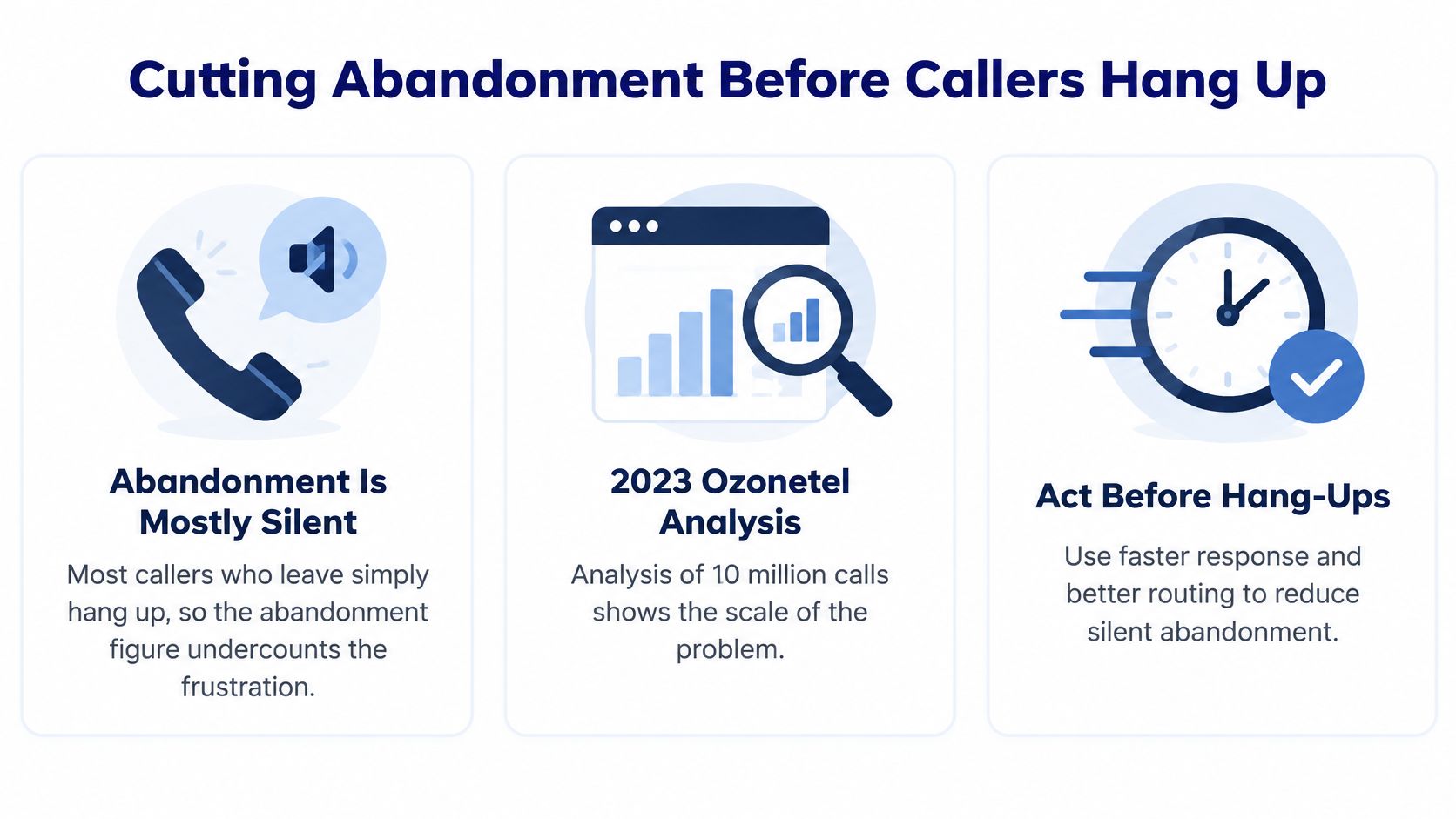
Most abandonment is silent. Callers don't file a report explaining that they gave up. They hang up, try a competitor, or call back later when they're more frustrated. Your abandonment rate therefore understates the annoyance behind it.
The scale is large even in improving operations. In Express Computer's coverage of Ozonetel's analysis of 10 million calls, callers abandoned 20% of calls while waiting in a queue in 2023, down from 34% in 2022. Progress is possible, but one in five queued callers leaving is still a serious loss.
The graphic below summarizes why acting early in the wait matters more than reacting after hang-ups accumulate.
Fixes ranked from cheapest to most involved
- Announce the estimated wait at entry. Callers can decide early whether to hold, call back, or use self-service. It costs almost nothing and removes the uncertainty that makes waits feel endless.
- Shorten IVR menus. Keep only options that divert or identify calls. Let self-service handle simple requests such as balances and order status, and cut menu layers that exist only because they always have.
- Set an overflow rule. Send calls to a second qualified group once the wait passes your threshold. A caller helped slightly outside their ideal skill group beats a caller who hangs up unhelped.
- Staff the spike intervals, not the whole day. Move breaks and shift starts so existing agents cover the 30-minute blocks where abandonment concentrates. You're reallocating paid time, not adding it.
- Offer a callback past a wait threshold. This is the more involved fix, and it needs careful design to avoid creating a second problem later in the day.
Say a team sits near 12% abandonment in its peak intervals. It turns on wait announcements first and measures for several weeks. Then it shifts two agents' schedules into the worst interval and measures again. Changing one thing at a time feels slow, but it's the only way to know which fix moved the number.
Four of these five fixes need no new headcount. Announcements, a trimmed IVR, overflow rules, and interval-based scheduling all use capacity you already pay for.
When Callbacks Work and When They Backfire
A queue callback lets a caller hang up without giving up their place in line. The wait still exists, but the caller can spend it away from the phone. That can make a long wait easier to tolerate, provided the callback arrives when promised.
In a Nextiva customer patience survey, 75% of U.S. adults in a 2025 survey preferred receiving a customer-service callback over remaining on hold. Preference alone does not guarantee a good experience. The callback has to be timely, and the queue has to have enough capacity to handle the work it creates.

Design rules that keep callbacks honest
Offer a callback only after the estimated wait passes a threshold, such as three minutes. If callers can choose one immediately, some will leave a short live queue and create outbound work that could have been avoided.
Before offering the option, make clear when the call is expected. Confirm the number and preserve the caller's place in line so accepting a callback does not feel like starting over. Set a defined retry limit too. Repeated attempts can consume agent time and frustrate people who have already resolved their issue another way.
Callbacks need agent capacity of their own. If they compete with incoming calls during a busy interval, promised calls can fall behind. Modern platforms use wait-time triggers and real-time queue statistics to move the callback threshold dynamically. SnapDial's call center features include queue callback as one way to offer callbacks, alongside call center queue management features.
The load trade-off nobody mentions
When demand is light, a callback shifts the wait off the phone line. When demand is heavy, each accepted callback becomes future work for agents who may already be saturated. A dashboard can show fewer callers on hold while the callback backlog grows, leaving callers waiting longer and increasing the chance they call again.
Adjust the threshold as conditions change. Raise it, cap the number of callbacks offered, or pause offers when available capacity cannot support the promised timing. A fixed rule can keep admitting work even after the queue has run out of room to handle it.
The wording of the callback promise also matters. A 2025 University of Calgary project described in Verizon's article on virtual hold technology is testing specific appointment times against broader windows, and customer-selected times against system-assigned ones. Until those comparisons are settled, choose one format, keep the promise, and measure the result.
Track callback acceptance, first-attempt connection rate, callback lateness, and repeat contacts separately from live-queue measures. High acceptance paired with poor connection rates means callers are choosing callbacks but not reaching an agent. The queue may look shorter while the underlying service problem persists.
Set Your First Queue Rules This Week
You don't need a replatforming project to start. Six steps using data you already have will expose where your queue loses people.
- Pull the last four weeks of reports by 30-minute interval. Get service level, speed of answer, abandonment, and occupancy per queue so peaks are visible instead of averaged away.
- Set a service-level target per queue. Start from 80% answered within 20 seconds and flag any queue that misses it in most intervals. Those queues get your attention first.
- Turn on wait-time announcements and a callback threshold. Use three minutes as a starting point, and reserve a small share of agent capacity for the callbacks you promise.
- Pick the routing method that matches your issue mix. Add skill groups only where first-contact resolution is weak, since every split shrinks your pooled capacity.
- Track repeat contact rate for the first two weeks. It shows whether your changes solved problems or only moved them to a later call.
- Review weekly for two months, then adjust one setting at a time. Compare interval results against your staffing plan before changing anything else.
Our Call Center features cover the tooling for these steps, including smart queue management, unlimited IVRs, real-time queue stats, reporting tools, wait time announcements, and queue call back. Our Web Portal lets you manage voicemails, call logs, call recordings, and call routing changes from anywhere, and our Texas support center is open 24/7 by phone or through its support center if you get stuck mid-change.
Change the wait-time announcement first. It costs nothing, callers hear it immediately, and you'll see the effect in peak-interval abandonment within a week.
If your queues are losing callers you never hear from, SnapDial gives you smart queue management, real-time queue statistics, wait time announcements, and queue callback in one cloud phone system, backed by 24/7 Texas-based support. Visit us to request a quote or schedule a call, and we'll help you set queue rules that protect both your service level and your callers' patience.