
When you hear the term AI agent, don't just think of a chatbot. We're talking about something much smarter—a significant leap forward. Think of them as your sharpest digital employees, ready to work 24/7 to handle customer questions, solve problems, and take care of routine tasks, all without needing a human to step in.
They’re the team member who knows when a conversation needs that human touch and escalates it to the right person, seamlessly.
What Exactly Are AI Agents in Customer Support?
Imagine hiring a new team member who learns your entire product line in a single afternoon. This person can instantly answer common questions, process a return, or reschedule an appointment on the spot, and they never, ever get tired. That's the core of what AI agents for customer support bring to the table.

Unlike the old, rigid chatbots that just followed a strict script, today's AI agents are far more dynamic. They use natural language processing (NLP) to understand not just the words a customer is typing or saying, but the intent and emotion behind them.
Moving Beyond Simple Chatbots
The real difference is their ability to reason and, more importantly, to act. A simple chatbot might just point a customer toward a generic help article. An AI agent, on the other hand, can actually take the next step. If you're curious about the building blocks of this technology, this ultimate guide to an AI chatbot for customer support is a great place to start.
An AI agent can handle tasks like:
- Handling Multi-Step Tasks: It can guide a customer through a troubleshooting process, update their shipping address in your CRM, and schedule a follow-up call, all within one smooth conversation.
- Understanding Context: The agent remembers past conversations, so customers don't have to repeat themselves. It creates a continuous dialogue, whether the interaction started on web chat and moved to a phone call.
- Detecting Customer Sentiment: These advanced agents can pick up on signs of frustration or urgency in a customer's language and adjust their approach—or know when it's time to hand the issue off to a human expert.
AI agents aren't here to replace your human team; they're here to supercharge them. By automating the high-volume, repetitive questions, they free up your skilled agents to focus on the high-impact, relationship-building conversations that truly require empathy and complex problem-solving.
This technology acts as a powerful first line of defense, filtering and resolving the majority of routine issues. This lets you deliver instant, exceptional service at a scale that won't overwhelm your team or your budget.
Human Agents vs AI Agents Key Differences
To make the roles crystal clear, it helps to see a side-by-side comparison. This table breaks down where each type of agent truly shines in a modern customer support environment.
| Attribute | Human Agent | AI Agent |
|---|---|---|
| Availability | Standard business hours | 24/7/365, instantly |
| Task Focus | Complex, emotional, and relationship-driven issues | Repetitive, data-driven, and high-volume tasks |
| Scalability | Limited; requires hiring and training | Virtually unlimited; handles thousands of queries at once |
| Consistency | Variable; depends on individual and mood | 100% consistent based on programming and data |
Ultimately, this isn't an "either/or" situation. The partnership between human expertise and AI efficiency is the future of customer service.
AI agents for customer support are quickly becoming an essential part of any modern service toolkit. They offer a scalable way to meet rising customer expectations for speed and efficiency, making top-tier support accessible to businesses of all sizes.
How AI Changes the Game for Your Support Workflow
Bringing AI into your customer support isn't just a minor tweak—it’s a fundamental change in how you operate. The first thing you'll notice is the ability to offer 24/7 instant responses, which completely gets rid of customer wait times. Just imagine a customer who needs a password reset at 2 AM. An AI agent handles it on the spot, turning a moment that could've been frustrating into a surprisingly great experience.
This round-the-clock availability hits common business pain points right where it hurts. Think about it: missed sales from calls abandoned after hours and bad reviews from annoyed customers can become a thing of the past. Instead, you start building a reputation for being there when people need you, a massive advantage in any market.
Empower Your Human Agents
Something really interesting happens when you let AI handle the flood of high-volume, repetitive questions. It frees up your human agents to pour their skills into the complex issues—the ones that need critical thinking, empathy, and a human touch. Instead of answering "Where is my order?" for the tenth time in an hour, they can untangle a tricky billing dispute or navigate a sensitive customer complaint.
This shift does wonders for team morale. By taking away the monotonous, draining tasks that lead straight to burnout, AI lets your skilled pros do what they do best: build real, lasting customer loyalty through meaningful conversations.
By automating the front line, you're not replacing people—you're promoting them. AI acts as a tireless assistant, filtering inquiries and giving your team the background they need to knock it out of the park.
For call centers and support teams moving on from older systems, this change is especially powerful. Service pros using generative AI report saving over two hours a day on simple responses. That's more time for the empathy-driven work that actually builds loyalty.
Achieve Effortless Scalability
One of the biggest headaches in support is dealing with unexpected spikes in customer questions. A surprise marketing hit or a brief service outage can instantly bury a human-only team, leading to endless queues and stressed-out agents.
AI offers a powerful solution here with its incredible ability to scale. An AI agent can handle ten conversations or ten thousand at the same time without breaking a sweat. This elasticity means your business can absorb sudden demand without the financial pain or logistical chaos of emergency hiring.
This is a game-changer for growing businesses. As your customer base gets bigger, your support can scale right alongside it, ensuring you deliver a consistently great experience no matter what.
Cut Operational Costs and Boost Efficiency
The financial upside of using AI agents for customer support is impossible to ignore. Automating tasks translates directly to lower operational costs. You can handle a much higher volume of inquiries without having to grow your support team at the same rate, which leads to some serious savings.
Here’s a quick look at how AI drives that efficiency:
- Faster Resolutions: AI agents can often solve common problems in seconds, a task that might take a human agent several minutes. This drop in handle time means more customers get helped, faster.
- Better First-Contact Resolution: By tapping into your knowledge base instantly, AI can deliver accurate answers on the first try, cutting down on follow-up calls and emails.
- Data-Driven Insights: AI systems can analyze thousands of conversations to spot trends, pinpoint common customer frustrations, and show you exactly where your product or service could be better.
This isn't just about saving a few bucks; it's about shifting resources to smarter, more strategic work. To get the full picture, you can explore the broader benefits of AI in customer service. Ultimately, AI turns your support team from a cost center into a strategic asset that fuels both customer happiness and business growth.
Integrating AI Agents with Your Cloud Phone System
This is where things get really interesting. Pairing AI agents for customer support with a modern cloud phone system creates a single, powerful communications hub. We're moving way beyond just answering the phone here. This integration turns your phone system into an intelligent platform that starts managing customer interactions the second a call connects.
Forget rigid, linear call flows. What you get is a dynamic system that can think, route, and resolve issues with incredible efficiency.
Imagine a customer dials your support line. This is where the magic starts. The call doesn’t just ring—it enters an intelligent ecosystem designed to get them an answer, fast.
The First Point of Contact: The Auto Attendant
The customer's journey begins with the Auto Attendant or Interactive Voice Response (IVR), a core feature of any solid cloud phone system. The Auto Attendant is your digital receptionist, greeting the caller and giving them a menu of options. But in this setup, instead of just sending the call to a department, it can route it directly to a specialized AI agent for initial screening.
For example, a caller might select "Check Order Status." The Auto Attendant seamlessly hands the call off to an AI agent built specifically for logistics questions. This means the customer gets connected to the right resource immediately, without ever sitting in a general queue.
The diagram below shows just how this integrated workflow completely changes the support game by boosting availability, cutting costs, and empowering your team.
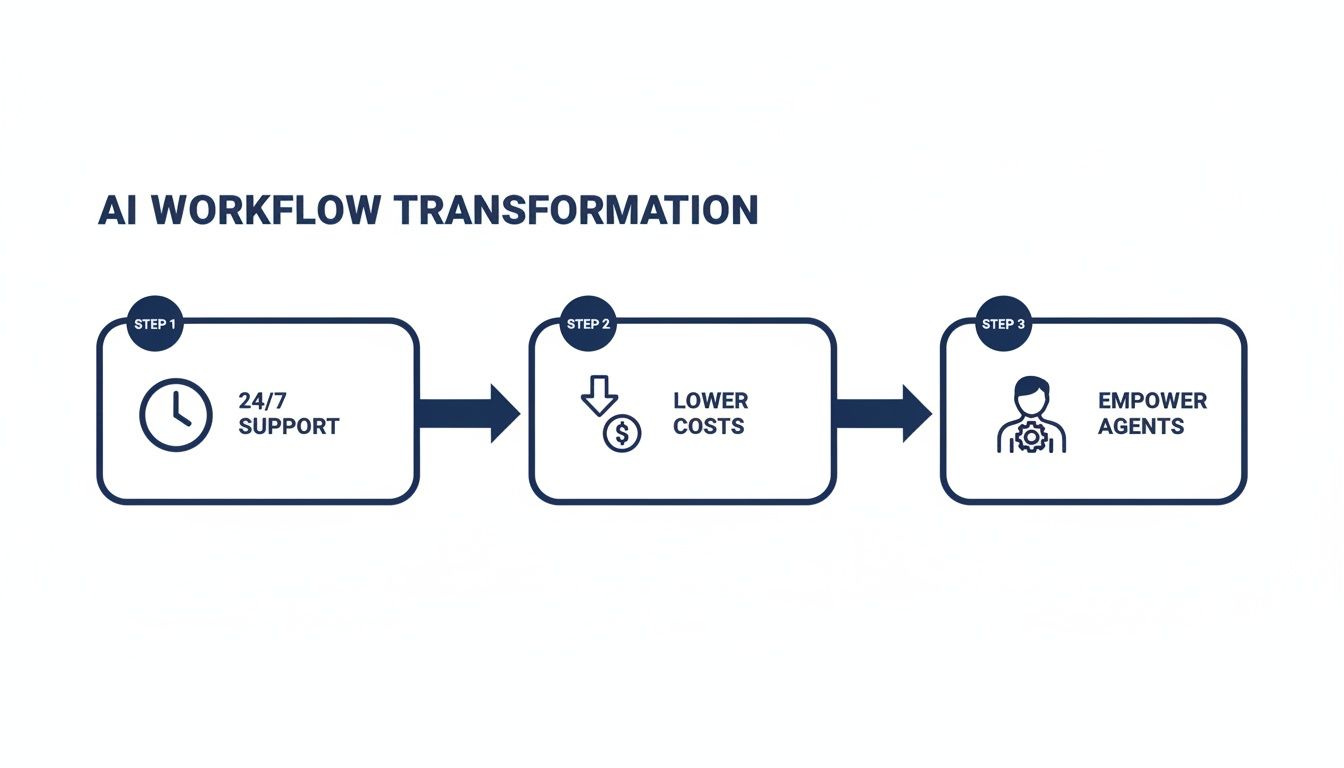
This visual really drives home how AI creates a cycle of improvement. 24/7 availability leads to lower operational costs, which in turn frees up your human agents to handle more strategic, high-value work.
From Qualification to Smart Escalation
Once the AI agent is connected, its first job is to solve the problem if it can. It can tap into your CRM or order management system to give a real-time status update, all through a natural, conversational voice. The entire interaction is captured, giving you valuable data right from the get-go.
But let's be realistic—not every problem can be solved by an AI. The true power of this integration shines when a human needs to step in. The AI agent is smart enough to detect cues that require a human touch, such as:
- Signs of Frustration: Using sentiment analysis, the AI can pick up on a frustrated tone or specific keywords.
- Complex Queries: The AI recognizes when a request is outside of its programmed skills.
- Direct Requests: A customer simply says, "I need to speak to a person."
At this point, the system doesn't just blindly transfer the call. It uses smart call routing to find the best available human agent for that specific problem. Because the AI has already figured out what the call is about, it can route it to a specialist in billing, tech support, or returns.
The human agent gets the call along with a full transcript and a summary of the AI's conversation. The customer never has to repeat themselves. It’s a smooth, satisfying handoff that makes everyone’s life easier. To really grasp the technology making this possible, it helps to learn more about what a cloud phone system is and how it allows for these advanced integrations.
Amplifying Core System Features
Here’s the thing: integrating AI doesn't just bolt on a new feature. It actually makes the existing tools in your cloud PBX way more powerful. Take call recording, for instance. It instantly becomes a goldmine of business intelligence.
AI can automatically transcribe and analyze every single recorded call, flagging recurring customer pain points, spotting new trends, or identifying coaching opportunities for your team.
This analysis delivers actionable insights that were basically impossible to get at scale before. You can pinpoint exactly where your support processes are breaking down or which products are causing the most confusion, letting you make data-driven decisions that improve the entire customer experience. This connected approach helps you deliver seamless, intelligent support from anywhere, turning every single call into a chance to get better.
Your Roadmap for Implementing AI Support Agents
Successfully rolling out AI agents for customer support is a journey, not an overnight flip of a switch. If you approach it with a clear, phased plan, you can build a system that genuinely solves problems for both your customers and your team. This practical roadmap breaks the process down into manageable stages, designed to get you real results with confidence.
Think of it like building a house. You wouldn't just start hammering without a blueprint. This first phase is all about creating that blueprint by figuring out exactly what you need your AI to do.
Phase One: Pinpoint Your Needs
Before you even start looking at vendors or technology, you have to look inward. The goal here is to find the low-hanging fruit—the repetitive, high-volume questions that eat up your team's time.
Start by digging into your existing support channels. Dive into your call logs, email threads, and chat transcripts to find the top 5-10 questions your team answers every single day. These are usually simple, factual queries like:
- "What are your business hours?"
- "Can I get a status update on my order?"
- "How do I reset my password?"
- "What is your return policy?"
These questions are perfect candidates for automation. They follow predictable patterns and have straightforward answers, making them the ideal starting point for an AI agent. This initial analysis gives you a clear scope for your project and a defined goal for your first round of automation.
Phase Two: Choose the Right Partner
Once you have a crystal-clear understanding of your needs, you can start evaluating potential partners. Not all AI solutions are created equal, and the right fit really depends on your specific goals and your existing tech stack. Your checklist should prioritize providers that offer more than just a slick chatbot.
Look for a partner whose technology can integrate seamlessly with your core systems, especially your VoIP or cloud phone system. This is absolutely critical for creating a unified customer experience. A strong partner will also offer robust security protocols to protect sensitive customer data and provide clear, comprehensive training to get your team up to speed.
A key consideration is how well the AI platform plays with your current communication stack. For instance, an AI agent should be able to integrate with a system like SnapDial to manage call routing and provide critical context for human handoffs.
This kind of synergy is what keeps you from creating information silos and ensures your customers never have to repeat themselves.
Phase Three: Launch a Pilot Program
Instead of a big-bang, company-wide launch, start with a controlled pilot program. This approach lets you test the AI agent in a real-world—but limited—environment, which minimizes risk while you gather critical performance data.
Select a small, dedicated team to work with the AI and focus on automating just one or two of the common questions you identified back in phase one.
During the pilot, keep a close eye on key metrics. Track how often the AI successfully resolves an issue without human help (your containment rate) and gather feedback from both customers and the agents involved. This trial period is your chance to work out the kinks, prove the solution's value on a small scale, and build internal confidence before a broader rollout.
Phase Four: Train and Fine-Tune
An AI agent is only as smart as the information it’s given. This final phase is a continuous cycle of training and refinement. It all starts by feeding your AI a comprehensive knowledge base—your product manuals, FAQs, policy documents, and historical support tickets. This data forms the foundation of its "brain."
Once it's live, the real learning begins. You have to continuously monitor its interactions to see where it excels and where it struggles. Use these insights to refine its responses, update the knowledge base with new information, and adjust its escalation triggers. This ongoing optimization is what transforms a basic AI into a truly effective support partner.
This methodical approach ensures you're not just buying a piece of technology but building a strategic asset. The trend toward self-service is undeniable. By 2025, 95% of customer interactions are predicted to be handled by AI, with 69% of consumers preferring self-service for quick fixes.
For growing businesses, this means replacing outdated phone systems with AI-enhanced VoIP can cut operational costs by 30% while keeping customers loyal—72% stick with brands that offer faster service. You can learn more about AI customer support trends and see how this strategic implementation pays off.
Measuring the Success and ROI of Your AI Agents
So, you’ve rolled out an AI agent for customer support. That’s a huge step, but the real work starts now. How do you actually know if this big investment is paying off? Getting past the initial buzz means getting serious about the bottom line. To prove the value of your AI and make a case for expanding it, you need to track the right numbers and calculate a clear return on investment (ROI).
This isn't about gut feelings. It’s about drawing a straight line from your AI agent's performance to real business results—from saving money on operations to creating happier, more loyal customers. By measuring the right things, you can build a rock-solid business case for your AI strategy and make smarter decisions down the road.
Key Performance Indicators You Must Track
To get a true picture of how well your AI agent is doing, you need to monitor a handful of specific Key Performance Indicators (KPIs). These numbers tell the story of your AI’s efficiency, its impact on customers, and its overall contribution.
Start with these three essentials:
Containment Rate: This is the big one. It's the percentage of customer chats or calls that your AI agent handles completely, from start to finish, without ever needing a human. A high containment rate is proof that your AI is successfully knocking out the routine questions it was built for, freeing up your human team for more complex work.
First Contact Resolution (FCR): This metric tracks how often a customer's problem gets solved in their very first interaction. A strong FCR score for your AI agent means it’s giving accurate and complete answers right away, which stops those frustrating follow-up calls that drive customers crazy.
Customer Satisfaction (CSAT): After an interaction, a quick survey asking customers to rate their experience gives you instant, direct feedback. Keeping a close eye on CSAT scores for AI-only interactions helps you see if your automation is creating genuinely positive experiences or just causing friction.
The goal isn't just to deflect tickets; it's to resolve them effectively and leave customers feeling good about the experience. Tracking a balanced set of KPIs ensures you're optimizing for both speed and quality, which are absolutely critical for long-term success in your call center operations.
Calculating Your Return on Investment
Calculating ROI is how you turn all that performance data into a powerful financial story. It answers the one question your leadership really cares about: "Are the savings and benefits we're getting actually worth the cost?" The formula itself is pretty simple, focusing on the gains from your AI minus what you spent to get it running.
Your calculation should zero in on a few key areas where you're saving money:
- Reduced Agent Hours: Figure out how many hours your human agents are saving because the AI is handling a chunk of their old workload. Multiply those hours by your average agent's fully-loaded hourly rate (salary, benefits, etc.) to get your direct labor savings.
- Lower Operational Overhead: Don't forget the costs you're avoiding. This includes reduced expenses for hiring, training, and equipping new agents you no longer need because the AI can handle the extra volume.
- Increased Customer Retention: This one is a little harder to pin down, but it's huge. Even a tiny bump in customer retention because of faster, 24/7 support can have a massive impact on your revenue. Assign a value to this based on what an average customer is worth to you over their lifetime.
The real-world results are pretty impressive. For instance, AI-assisted agents often solve customer issues 47% faster and hit 25% higher first-contact rates, which can deliver an ROI of up to 8x. The scalability is there, too—giants like Bank of America use AI to manage 56 million customer engagements every single month. As you can discover in these AI support statistics, the financial case for AI isn't just theoretical; it's proven at a massive scale.
Mastering the Human and AI Handoff
The real test for any great AI agent in customer support isn't just about the problems it can solve alone—it’s about how gracefully it passes the baton to a human. A clunky, frustrating transfer can instantly wipe out all the goodwill an immediate AI response might have built. The aim is to create a handoff so smooth the customer feels like they're talking to one smart, unified team, not being bounced between two separate systems.
This whole process boils down to one simple, non-negotiable rule: the customer should never have to repeat themselves. When an AI realizes it’s hit its limit, its last and most important job is to set the human agent up for a perfect, running start.

Establishing Clear Triggers for Escalation
A smart handoff begins with knowing exactly when to make the pass. Your AI agent needs to be programmed with clear triggers that automatically kick off the transfer to a human. Think of these as safety nets, making sure that tricky or sensitive issues always get the human attention they need.
Some of the most important escalation triggers include:
- Sentiment Detection: The AI picks up on growing frustration, anger, or confusion in the customer's tone or word choice. This is the single most important trigger for saving a customer relationship that's heading south.
- Complex or Unrecognized Queries: The problem is outside the AI’s known territory, or the customer asks a layered question that needs real critical thinking to unpack.
- Specific Keyword Triggers: Simple words like "complaint," "legal," "cancel service," or "manager" should act as an immediate red flag, flagging the conversation for a human.
- Multiple Failed Attempts: If the AI has tried and failed to solve the problem two or three times, it should automatically escalate instead of digging a deeper hole of frustration.
- Direct Request: The simplest one of all—the customer just flat-out asks to talk to a person.
Packaging the Conversation for a Warm Transfer
Once a trigger is pulled, the AI’s next job is to neatly package the entire interaction history for the human agent. This is the secret sauce for a warm transfer. The AI should put together a quick, clean summary that includes who the customer is, what their original problem was, the steps already tried, and a full transcript.
This context pops up on the human agent's screen the second they take the chat or call. They can see everything at a glance, letting them jump right in with, "Hi Alex, I see you were having some trouble with that last invoice. I've got all the details here and can get that sorted out for you." That simple step completely changes the feel of the experience.
The handoff is a moment of truth in the customer journey. A well-executed transfer reinforces trust and demonstrates competence, while a poor one feels disjointed and incompetent, forcing the customer to start over from scratch.
This unified approach is key to cutting down on friction and improving efficiency metrics like average handle time, since agents don't have to waste the first few minutes just playing catch-up.
The impact of a well-coordinated AI and human team is huge. Just look at Klarna's results: their AI-powered support slashed the average time to resolve an issue from 11 minutes down to just 2 minutes—a massive 82% improvement. And they did it while keeping customer satisfaction scores right on par with their human agents. You can learn more about AI customer support findings to see what’s possible. By mastering this handoff, you're not just managing escalations; you're delivering a genuinely better customer experience.
Common Questions About AI in Customer Support
Even with all the benefits on the table, I get it—bringing AI into your customer support operation brings up some very real, practical questions. Business leaders I talk to are often wondering about the impact on their teams, the technical hurdles, and of course, the actual cost.
Let's cut through the noise and tackle some of the most common concerns head-on.
One of the first questions that always comes up is whether AI is here to replace human agents. The answer is a hard no. The real goal here is collaboration, not replacement. Think of AI as the ultimate assistant, built to handle the repetitive, high-volume tasks that burn out your best people. This frees up your team to focus on complex problem-solving and building genuine customer relationships—the stuff where human empathy really shines.
Will This Be a Headache to Integrate?
Another big worry is the complexity of getting it all connected. With modern cloud phone systems like SnapDial, plugging in an AI agent is surprisingly straightforward. These platforms are built with open APIs, which are basically ready-made connection points for leading AI solutions. Your provider should be walking you through the whole process, making sure the AI works in perfect harmony with your call routing, IVR, and other critical features.
The financial side of things is also a top concern. While costs can vary, most AI solutions are now offered as a subscription service, making them far more accessible than you might think. The key is to weigh that cost against the massive ROI.
Businesses using AI-driven call routing see 30% faster response times and cut down resolution times by up to 50% with predictive support.
That kind of efficiency boost translates directly into lower operational costs and much higher agent productivity. For many businesses, the return on investment happens a lot faster than they expect. You can discover more insights about AI support statistics to see the full financial picture.
Ready to create a smarter, more efficient customer experience? See how SnapDial can integrate powerful AI capabilities into your business communications. https://snap-dial.com