

Picking the right VoIP phones for your business isn't about finding one perfect model. It's about matching the right tool to the right person. A great setup almost always mixes different types of phones: basic models for common areas, solid mid-range phones for most of your staff, and a few high-end devices for your power users.
This role-based approach stops you from wasting money on features people will never use and makes sure everyone has exactly what they need to do their job well.
How to Choose the Right VoIP Phone for Your Business
Feeling overwhelmed by all the hardware options out there? Let's cut through the noise. The process gets a lot simpler when you stop thinking about phone models and start thinking about your team's roles. The phone that's perfect for your receptionist would be total overkill in the warehouse and not nearly powerful enough for your CEO.
The goal is to give your team tools that make their work easier, not to buy the fanciest tech. Before diving into specific phones, getting a handle on the bigger picture with a guide to VoIP phone systems for small business can give you a solid strategic foundation.
There’s a reason this is such a hot topic. The switch to internet-based calling has completely changed the game for businesses. The number of VoIP business lines in the U.S. skyrocketed from just 6.2 million in 2010 to 41.6 million by 2018—a massive 570% jump. That trend has only accelerated, showing just how fast businesses are ditching old, clunky PBX systems for flexible solutions like SnapDial.
Matching Phone Tiers to Business Roles
To make the right choice, let’s break down the three main tiers of VoIP phones and who they're really for. Think of it like picking company cars: you wouldn’t give a delivery driver a luxury sedan or your top executive a cargo van. The same logic applies here.
This table gives a quick overview of how these tiers map to different roles and needs within a typical small business.
Quick Guide to VoIP Phone Tiers for Small Businesses
| Phone Tier | Ideal User | Key Features | Example Use Case |
|---|---|---|---|
| Entry-Level | Common areas or light-use staff | Core calling functions, reliability, simple interface | A phone in a lobby, break room, or warehouse |
| Mid-Range | Most office-based employees | Color screen, programmable keys, Bluetooth/Wi-Fi | A sales rep or support agent who is on the phone daily |
| Executive | Power users, C-suite, receptionists | Large touchscreen, video calling, advanced integrations | A CEO managing a heavy schedule or a receptionist handling high call volume |
Seeing the options laid out like this makes it easier to see that the "best" phone is simply the one that best fits the job description.
This flowchart can also help you visualize the decision-making process based on what your team actually needs to accomplish.
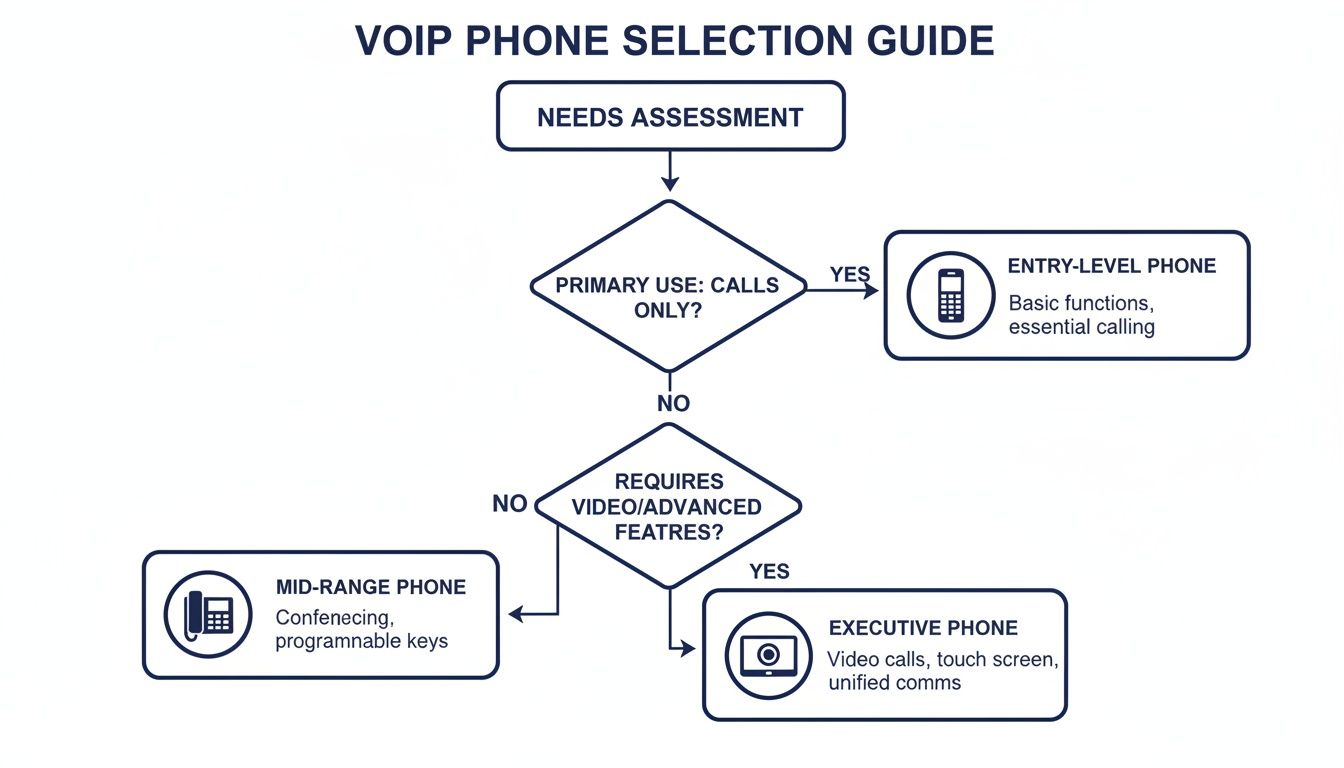
As you can see, the path is pretty clear. If you just need reliable calling, an entry-level phone is the smart, cost-effective choice. But if productivity tools and advanced features will make a real difference, then investing in a mid-range or executive model pays off.
Why the Right Hardware and Provider Pairing Matters
Ultimately, the best VoIP phones are the ones that disappear into your workflow, making communication seamless. When you pair quality hardware, like the phones from Yealink, with a smart cloud provider like SnapDial, you're not just buying a phone. You're investing in a strategic asset.
With a partner that provides a white-glove setup and 24/7 support, you get the perfect tools for your team without any of the IT headaches.
What Is a VoIP Phone and How Does It Work
To find the best VoIP phones for your small business, it helps to first get your head around the technology itself. Let’s cut through the jargon with a simple analogy.
Think of an old-school phone line as a train on a dedicated track. It does one job—getting from point A to point B—and it does it reliably. But that’s all it can do. A VoIP phone, on the other hand, is like a flexible vehicle that uses the superhighway of your existing internet connection. It’s not stuck on a single track, so it can go anywhere and do a whole lot more.
This is why you’ll often hear these devices called IP phones. They use the Internet Protocol (IP) to make and receive calls, turning your internet connection into your phone line.
The Shift From Analog to Digital
A traditional phone takes your voice, turns it into an analog electrical signal, and sends it down a copper wire. A VoIP phone works completely differently. It converts your voice into tiny digital packets of data.
These data packets zip across the internet to their destination, where they’re instantly put back together into crystal-clear audio for the person on the other end. It’s the same basic idea that lets you stream movies or send emails, but it’s applied to your business calls. This digital foundation unlocks features and capabilities that are simply impossible with old-school analog systems.
To begin, a fundamental understanding of how VoIP Technology operates is essential to appreciate its benefits for your business.
The magic of VoIP is that it turns your voice into data. This small change has a huge impact, transforming a simple desk phone into a powerful communications hub connected to your entire business software ecosystem.
More Than Just a Handset
Because VoIP rides on your internet connection, the physical phone on your desk is really just one piece of a much larger, smarter system. It connects to a cloud-based service provider—like SnapDial—which acts as the "brain" of your entire phone system.
This connection instantly gives you access to a whole suite of powerful business features, including:
- HD Voice: Also known as wideband audio, this technology makes your calls sound dramatically clearer and more natural. It captures a much wider range of the human voice, getting rid of that muffled, tinny quality you get with old phone lines.
- Unified Communications: Your desk phone works in perfect harmony with mobile apps, voicemail-to-email transcription, and video conferencing. Everything comes together in one cohesive system.
- Advanced Call Management: Suddenly, powerful features like an auto-attendant (your digital receptionist), smart call routing, and detailed call analytics are easy to set up and manage right from a web portal.
Instead of a single-purpose tool, a VoIP phone becomes a flexible endpoint in a powerful communication network. It’s this combination of smart hardware and a robust cloud provider that gives small businesses the professional features and agility they need to compete. For more detail, you can learn more about how VoIP phones work in our dedicated guide.
Must-Have Features in a Small Business VoIP Phone
When you start looking at VoIP phones for your business, it's easy to get lost in a sea of models and specs. But picking the right hardware isn't about looks or brand names—it’s about choosing features that solve real-world problems and make your team more effective.
Think of this as a no-fluff buyer’s guide. We’ll skip the marketing jargon and focus on the features that deliver a real return, turning a simple desk phone into a command center for your business communications.
Productivity and Workflow Boosters
These are the features that shave precious seconds off every single call, which add up to hours of recovered time across your team. They’re all about making daily communication smoother and more professional.
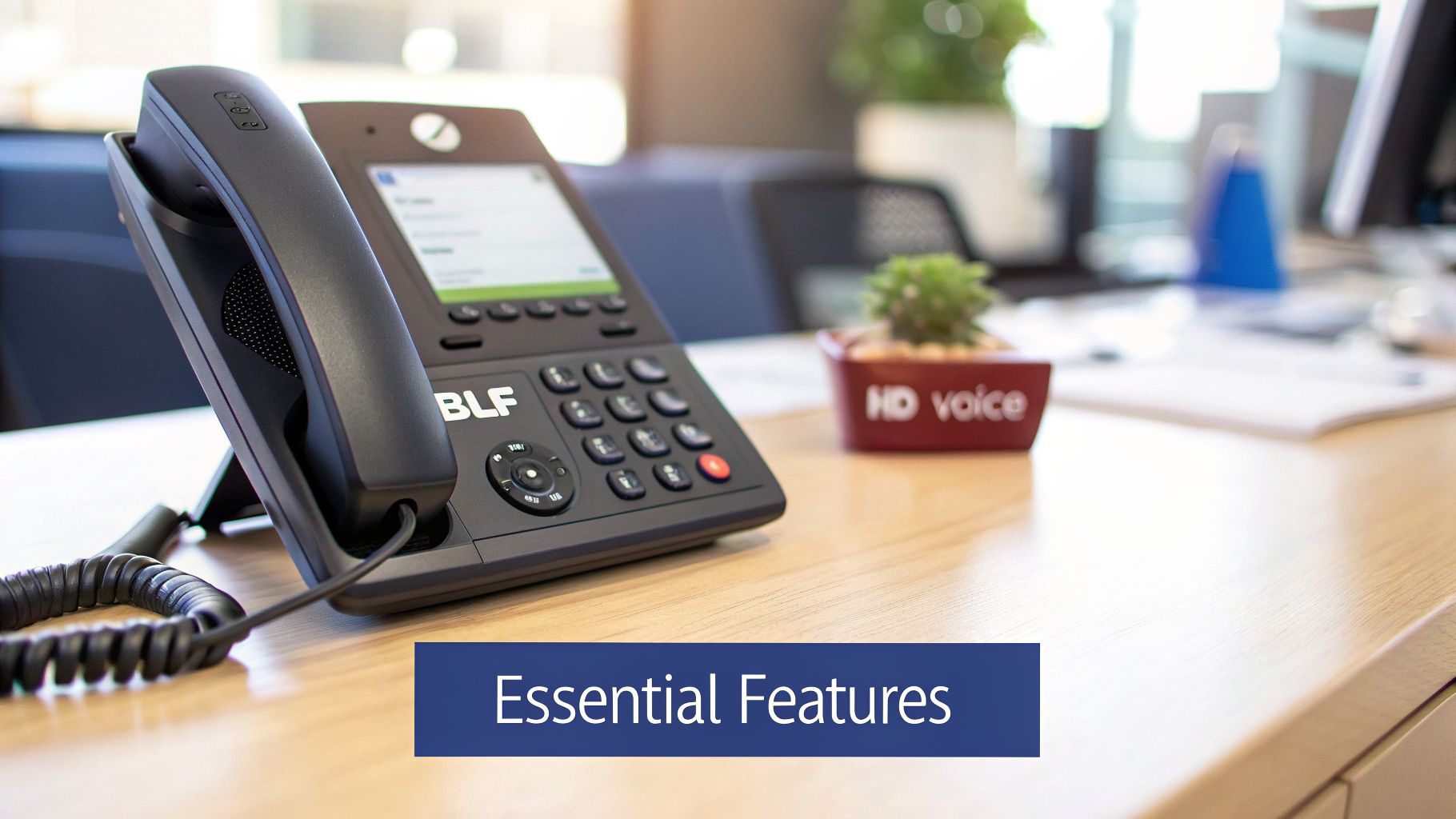
Busy Lamp Field (BLF): Imagine your receptionist sees the sales manager is on a call. Instead of interrupting with a new one, they can transfer it directly to voicemail. BLF keys are just little lights next to contacts on the phone that show who’s available, busy, or has a ringing line. It makes call handling smart and seamless.
Programmable Keys: Think of these as your phone's custom shortcuts. A single button press can speed dial a key supplier, launch a conference call, or park a call for someone else to pick up. By setting these up for common tasks, you cut down on manual button-pushing and keep your team focused.
Integrated Directory: Stop wasting time flipping through spreadsheets or old contact lists. A built-in, searchable company directory puts every employee and client right on the phone's screen, giving your team instant access to the numbers they need.
These aren't just minor conveniences. They are fundamental to an efficient workflow, empowering your team to manage calls with precision and giving your customers a much better experience.
Crystal-Clear Call Quality
Your business's reputation can hang on every word. Garbled audio leads to misunderstandings and frustration, which is why flawless call quality is absolutely non-negotiable.
The gold standard for audio quality in the VoIP world is HD Voice. It captures roughly twice the sound data of a regular phone call, making conversations feel richer and more lifelike. It's the difference between standard-def and high-def TV, but for your ears.
Another critical piece is the full-duplex speakerphone. Old-school speakerphones were a nightmare of people talking over each other. A full-duplex system allows for natural, two-way conversation, so multiple people can contribute to a conference call without constantly cutting each other off.
Finally, look for noise-canceling technology. Modern VoIP phones use smart microphones to filter out the background chaos of a busy office—keyboard clatter, nearby conversations, or the hum of the AC. Your caller hears you, not your office.
Effortless Connectivity and Management
The best phones for a small business are the ones you can set up quickly and manage without a dedicated IT degree. This is where features related to power, internet, and administration save you time and headaches.
A key feature to look for is Power over Ethernet (PoE). This awesome tech lets a single Ethernet cable provide both the internet connection and the electricity for your phone. It dramatically simplifies desk setups, eliminates cable clutter, and means you don't need a power outlet for every single workstation.
For even more freedom, built-in Wi-Fi support is a game-changer. It lets you place a phone anywhere you have a solid wireless signal, no network cables required. This is perfect for setting up a desk in an unconventional spot or in an office where running new Ethernet wiring would be a major project.
For business owners, these simple connectivity options translate directly into cost savings and agility. The ROI of VoIP is undeniable when you look at the data: firms can see startup savings of up to 90%. And with 73% of U.S. adults living without a landline by 2022, VoIP is simply the modern standard.
When paired with a platform like SnapDial, self-service portals put you in complete control of call routing and users, making it the smarter choice for a productive workforce. You can learn more about how small businesses benefit by reading this comprehensive analysis of phone systems for 2026.
Top Yealink VoIP Phones Recommended for Every Role
Theory is great, but now let's talk about the actual hardware. While there are plenty of brands out there, our experience has shown that Yealink consistently hits the sweet spot between reliability, user-friendliness, and cost. They just work.
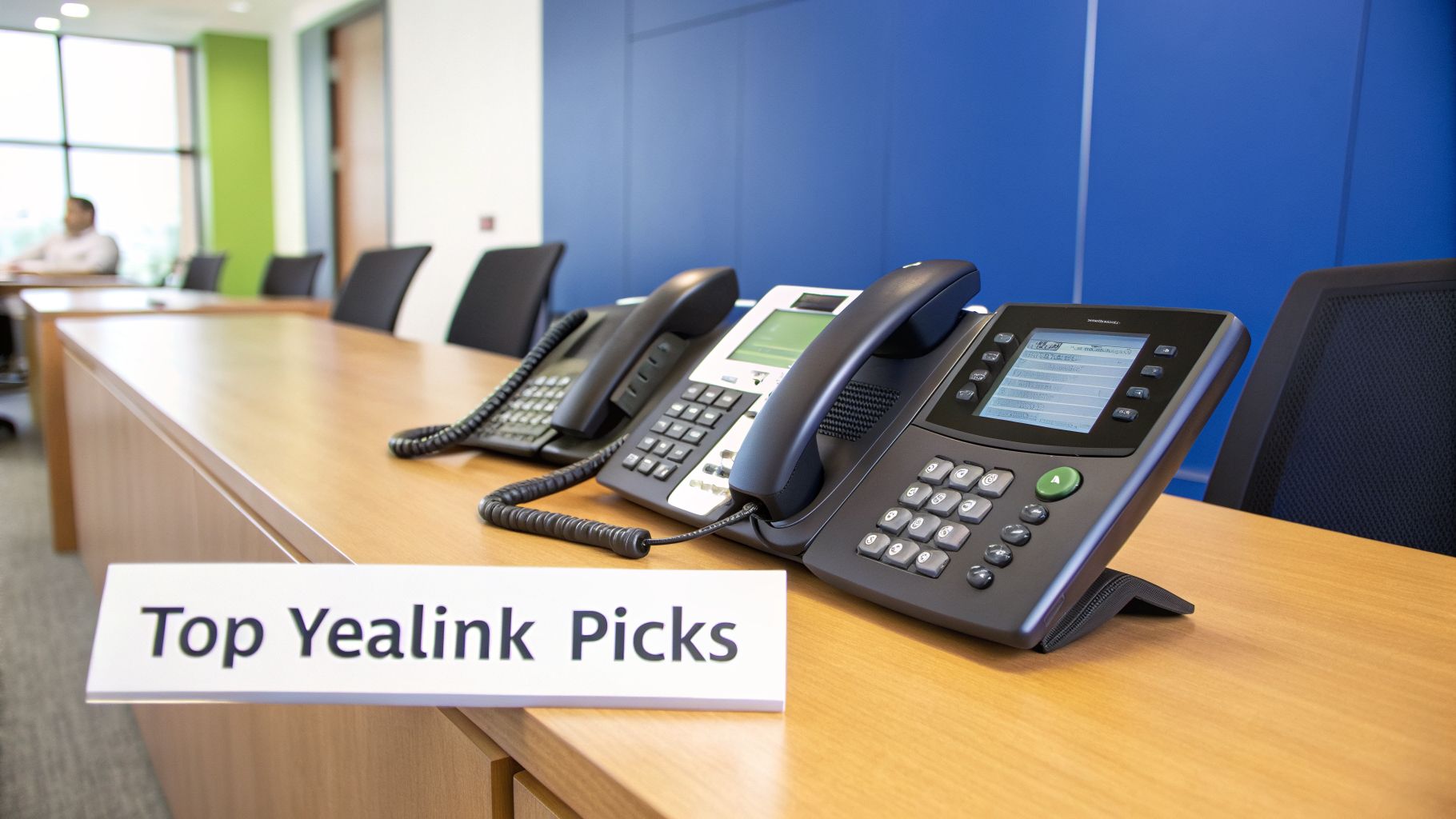
We’ve handpicked a few of our favorite Yealink models—all fully compatible with SnapDial—to show you how to equip your team with the right tool for the job, from the front desk to the corner office.
For the Standard Desk User
Our Pick: Yealink T31G
For the majority of your team, you need a phone that’s dependable, clear, and doesn't require a user manual to operate. The Yealink T31G is that quintessential workhorse. It delivers professional-grade calling without a premium price tag, making it perfect for outfitting most of your staff without overspending on features they'll never touch.
Think of it as the reliable fleet vehicle of your phone system. It’s not flashy, but it gets the job done every single day. Thanks to its Power over Ethernet (PoE) support, setup is as simple as plugging in a single network cable for both data and power.
Here’s what makes the T31G a smart choice:
- HD Voice Quality: Smart Noise Filtering ensures calls are crisp and easy to understand, even in a lively office.
- Wired Reliability: It's built for a standard, wired office where you have Ethernet ports at each desk.
- Practical Functionality: It supports two VoIP accounts and local 5-way conferencing, giving the average user more than enough power to handle their daily tasks.
This model is the perfect foundation for your phone system, ideal for everyone from sales and support staff to employees at standard workstations. It’s affordable, durable, and delivers all the core functions they need.
The Mid-Range Powerhouse
Our Pick: Yealink T54W
When you need a bit more flexibility and power, the Yealink T54W is our go-to recommendation. It strikes an incredible balance between advanced features and everyday ease of use, making it a favorite for home offices, key managers, and receptionists in smaller businesses.
Its large, 4.3-inch color screen makes everything easier, from navigating menus to using presence indicators like Busy Lamp Field (BLF). The real secret weapon, though, is its built-in connectivity.
The T54W’s integrated dual-band Wi-Fi and Bluetooth are game-changers. You can place the phone anywhere with a strong wireless signal—no Ethernet cable required—and pair it with a wireless headset for total freedom of movement.
This cable-free convenience makes it the perfect "home-office hero." With a platform like SnapDial, we can ship these phones directly to a remote employee's house, pre-configured and ready to go. They just plug it in, connect to their home Wi-Fi, and are instantly part of the company phone system.
Why the T54W stands out:
- Flexible Connectivity: Built-in Wi-Fi and Bluetooth eliminate wiring headaches, perfect for agile office layouts or remote workers.
- User-Friendly Display: The color screen gives you plenty of real estate for programmable keys and makes call handling truly intuitive.
- Bulletproof Reliability: This model is known for its robust build, ready to handle the demands of a high-volume user day after day.
To see what else makes this phone a small business favorite, you can explore the full features of the Yealink T54W IP Phone on our site.
For the Executive or Busy Receptionist
Our Pick: Yealink T58W
For the power users who live on their phone—executives, high-volume receptionists, and key decision-makers—the Yealink T58W delivers a communications experience that’s in a class of its own. This isn't just a phone; it's a command center that feels more like a tablet with a handset.
Its massive 7-inch color touchscreen runs on an Android-based operating system, making the whole experience fluid and intuitive. Swiping through contacts, managing calls, and accessing advanced features feels completely natural.
This phone is built for the person juggling constant calls, meetings, and contacts. The screen provides 27 one-touch DSS keys, allowing a receptionist to see who's on a call and transfer to them with a single tap. For most businesses, this completely eliminates the need for a separate sidecar expansion module.
Plus, its security is top-notch, incorporating Arm TrustZone technology to safeguard sensitive call data for those critical business conversations. Just like the T54W, it also includes built-in Wi-Fi and Bluetooth for ultimate desk-setup flexibility.
Yealink Model Comparison for SnapDial Users
Seeing the key differences side-by-side makes choosing the right phone much easier. This table breaks down our recommended models based on their ideal role and core features, helping you match the right hardware to each person on your team.
| Yealink Model | Ideal Role | Screen Type | Key Features | Best For |
|---|---|---|---|---|
| Yealink T31G | Standard Desk User | 2.3" Graphical LCD | PoE, HD Voice, 2 VoIP Accounts | Cost-effective, wired deployments in common areas or for most staff. |
| Yealink T54W | Mid-Range Power User | 4.3" Color LCD | Built-in Wi-Fi & Bluetooth, 10-line keys | Remote workers, managers, or anyone needing placement flexibility. |
| Yealink T58W | Executive / Receptionist | 7" Color Touchscreen | Android OS, Video-ready, 27 touch keys | High-volume call handling and users who need a premium interface. |
By matching these specific, battle-tested Yealink models to the roles in your company, you build a phone system that's both powerful and cost-efficient. You're giving every team member the exact tool they need to excel, all backed by the seamless integration and support of the SnapDial platform.
Why Your Provider Matters More Than the Phone
When you start shopping for VoIP phones, it’s easy to get laser-focused on the hardware. You find yourself comparing screen sizes, button layouts, and feature lists, thinking the physical phone is the most important piece of the puzzle. But here’s the truth: a top-notch Yealink phone is a fantastic tool, but its real power doesn't come from the plastic on your desk. It's unleashed by the service provider behind it.
Think of it like buying a new iPhone. On its own, it’s a beautifully engineered piece of glass and metal. But what makes it a game-changer is the App Store and iOS—the massive, intelligent ecosystem that gives it endless capabilities. Your business phone system works the exact same way. The desk phone is just the endpoint; the VoIP provider is the operating system that makes it reliable, feature-rich, and secure.
This is why choosing the right provider is the single most critical decision you'll make.
The Service That Powers the Hardware
Your provider is responsible for everything that happens after you press "dial." They manage how calls are routed, how secure your conversations are, and all the advanced features that make VoIP so powerful in the first place. A weak provider will leave you with dropped calls, confusing menus, and dead-end support, no matter how great your phones are.
A strong provider, on the other hand, acts like a true communications partner. They turn a simple device into a core business tool. This is where the SnapDial advantage really shines. We’re obsessed with the entire experience, not just shipping you a box.
For example, our service includes:
- Zero-Downtime White-Glove Setup: We don't just send you phones and a link to a help article. Our team pre-configures every single device for your business before it leaves our facility. When your Yealink phones show up, you just plug them in. They work. Instantly.
- Predictable, All-Inclusive Pricing: Many providers hook you with a low monthly rate, only to hit you with surprise fees for essential features, support calls, or simple system changes. Our pricing is completely transparent. You get every feature and unlimited support without ever having to worry about a fluctuating bill.
This approach transforms a potential technical nightmare into a smooth, seamless upgrade for your business.
Real Support When You Need It
When your phones are the lifeline to your customers, "support" can't be an email form you fill out and hope for the best. What happens when you have an urgent question about call routing on a busy Monday morning? You need to talk to a real person who can solve your problem right then and there.
Your VoIP provider is the invisible engine powering your business communications. Choosing a provider based on support and reliability is like choosing an airline based on its safety record, not just its in-flight snacks. The flashy features don't matter if the core service isn't dependable.
This is exactly why our entire support team is based in Texas and available 24/7/365. When you call SnapDial, you aren't navigating a frustrating phone tree to a third-party call center. You’re speaking directly with an expert who knows our system inside and out and is empowered to fix your issue on the spot.
The Power of an Intuitive Platform
Beyond the initial setup and ongoing support, your provider determines how easy it is to manage your system day-to-day. A clunky, outdated management portal can turn simple tasks—like adding a new user or changing your auto-attendant greeting—into an infuriating chore.
Our self-management portal is designed to be completely intuitive, putting you in the driver's seat. From any web browser, you can easily manage users, tweak call flows, listen to call recordings, and view detailed analytics. No technical expertise required. That kind of accessibility is crucial for businesses that need to move fast.
Choosing the right partner is about more than just getting a dial tone; it's about investing in an entire ecosystem. If you're exploring your options, our guide on how to choose among different VoIP business providers can give you some valuable insights. At the end of the day, the best hardware in the world doesn't mean much without a world-class service powering it.
How to Make a Seamless Switch to VoIP
Thinking about switching your business phone system can feel like a massive headache. Most business owners immediately picture the worst-case scenario: technical glitches, missed calls, angry customers, and a week of operational chaos.
But a move to a modern VoIP system doesn't have to grind your business to a halt. At SnapDial, we’ve built our entire onboarding process around one simple goal: making the switch so smooth, you and your team will barely notice it's happening. A powerful upgrade shouldn't come with painful disruptions.
Your Four-Step Path to Better Calling
We've spent years refining our process to get you up and running without missing a single beat. The entire transition is a clear, simple path where our team does all the heavy lifting for you. Think of us as your dedicated IT crew for the whole migration.
The entire process breaks down into four simple stages:
Discovery and Design: It all starts with a conversation. We take the time to actually understand your business—your call volume, how your team is structured, and the features you can't live without. We use this to design a system that fits you perfectly.
White-Glove Configuration: This is where the magic happens. Our Texas-based experts build your entire phone system in our cloud—your auto-attendant, call routing rules, users, and voicemail—all before a single phone leaves our facility.
Shipping Pre-Provisioned Phones: Next, we ship your new Yealink VoIP phones directly to your office or even to your remote employees’ homes. Each device arrives completely configured and ready to work the second it’s plugged in.
Plug In and Call: This is the easiest step of all. You simply plug the phone into an internet connection. It automatically connects to our platform and is instantly ready to make and receive calls on your business number. That’s it.
The result is a true zero-downtime transition. Your old system keeps working right up until the exact moment your new one goes live, guaranteeing you never miss a customer call. It’s the simplest way to get a modern, scalable communication system without any of the usual implementation chaos.
Ready to see how easy upgrading your business communications can be? We'd love to show you. Schedule a free, no-obligation consultation with one of our experts today and discover how a seamless switch can empower your business.
Got Questions? We've Got Answers
Making the jump to a new phone system naturally brings up some questions. It's a big decision, and you need to feel confident you're making the right one. To help you out, we’ve put together straightforward answers to the questions we hear most often from business owners just like you.
Can I Keep My Current Business Phone Number?
Yes, absolutely. You don't have to give up the number your customers already know and trust.
The process is called number porting, and it’s a standard, regulated procedure that lets you move your existing number from your old carrier to a new provider. Think of it like taking your cell phone number with you when you switch mobile companies—that number is yours, and you get to keep it.
A good provider like SnapDial will handle the entire porting process for you. We make sure the switch happens completely behind the scenes with zero downtime, so your customers will never even know anything changed.
What Happens If the Internet Goes Out?
This is a huge one for most people, but a modern VoIP system is built to be resilient. If your office loses its internet connection or the power goes out, your phone system doesn't just die.
Automatic call forwarding kicks in instantly, rerouting all your incoming calls to designated cell phones or another location. You won’t miss a single customer call.
Your phone system is never truly "down." Even if your office is offline, failover routing and your mobile app keep you connected. Your smartphone essentially becomes your desk phone, so business carries on as usual.
How Much Internet Bandwidth Do I Need?
Probably a lot less than you think. A good rule of thumb is that a single VoIP call needs about 100 Kbps of both upload and download speed to be crystal-clear.
Honestly, almost any standard small business internet plan has more than enough bandwidth to handle dozens of simultaneous calls without breaking a sweat. Your day-to-day web browsing and emails use far more.
Are VoIP Calls Secure?
Yes, a business-grade VoIP system is incredibly secure. Your conversations are protected with proven, powerful encryption standards like SRTP (Secure Real-time Transport Protocol) and TLS (Transport Layer Security).
These are the same security protocols that banks and e-commerce sites use to protect sensitive financial data. It ensures your business conversations stay private and confidential, shielding you from anyone trying to eavesdrop.
Ready to upgrade your business communications with a system that’s reliable, secure, and easy to manage? Let the experts at SnapDial show you how simple it can be. Get your free, no-obligation quote today!