
Most advice about customer service automation starts with a misleading goal: automate as many conversations as possible. That approach can reduce visible contact volume while making the underlying customer experience worse. A customer who reaches an answer quickly has been helped. A customer who is blocked by a bot, forced through irrelevant menus, and then asked to repeat the entire issue has only been delayed.
Effective automation is less about eliminating human contact and more about deciding which work software should handle, which work people should handle, and how context moves between both. The strongest systems resolve routine requests independently, prepare complex cases thoroughly, and transfer customers to the right person before frustration becomes the dominant part of the interaction.
Redefining Customer Service Automation
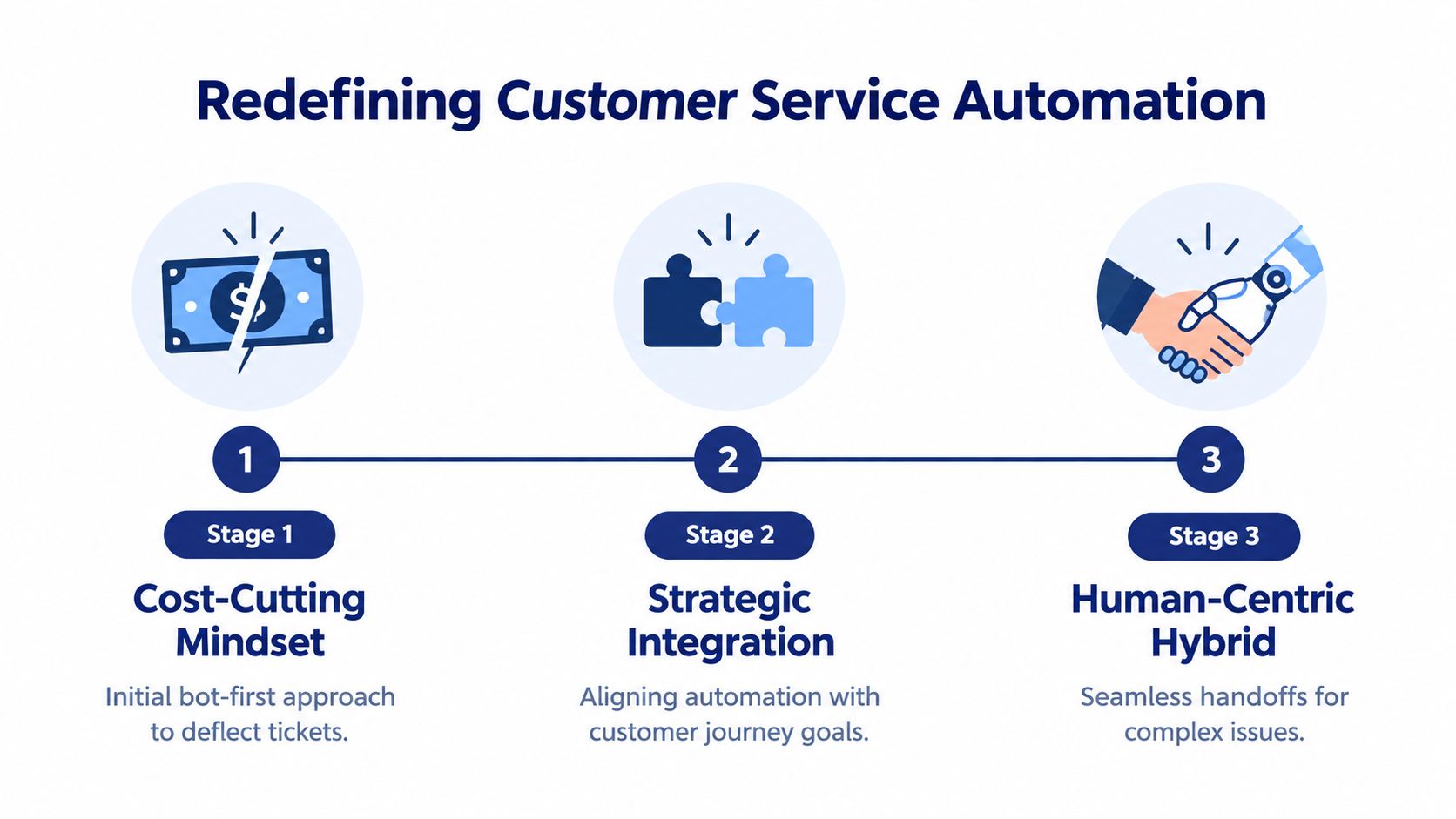
Automation isn't synonymous with deflection. A bot that prevents a customer from reaching an agent may improve a dashboard while damaging trust. A workflow that identifies the customer's intent, retrieves relevant account information, and gives an agent a complete summary can improve both operational efficiency and the quality of the eventual conversation.
The history of customer service supports this broader definition. Modern support operations began taking shape in the 1960s, when private automated business exchange systems centralized incoming calls and routed them to agents. The introduction of AT&T's toll-free 800 number in 1967 expanded access to customer service at scale. Those systems later evolved into IVR menus, self-service portals, chatbots, and AI agents. The progression is documented in this history of customer support automation.
From routing calls to resolving intent
The technology has changed, but the operational question remains familiar: what should happen next, and who is best equipped to make it happen? Early systems answered that question with a destination, such as a billing queue or a sales extension. Modern systems can use natural-language understanding, customer history, and business rules to select a response, trigger an action, or prepare an escalation.
That makes automation a layered operating model:
- Access automation handles entry points, including phone menus, web chat, email intake, and self-service search.
- Decision automation classifies intent, urgency, sentiment, and issue type.
- Action automation retrieves information, updates records, schedules appointments, or completes other approved tasks.
- Human enablement gives agents the transcript, customer history, attempted resolutions, and relevant policy details when judgment is needed.
Practical rule: Automate the predictable path, not the customer.
The distinction matters because routine and complex requests have different requirements. A customer checking an order status may want an immediate answer from an integrated system. A customer disputing a charge, explaining a sensitive account problem, or reporting an unusual technical failure may need discretion. Good automation recognizes that difference instead of forcing every interaction into the same flow.
For teams working in online retail, this practical guide to AI customer service for e-commerce offers useful context on connecting automated support with commerce workflows. The right benchmark isn't the number of conversations a bot contains. It's whether customers reach a correct resolution with an appropriate level of effort.
Core Automation Tools and When to Use Them
Tool selection should follow customer intent, channel behavior, and issue complexity. IVR is useful when callers select from a small set of predictable needs. A conversational chatbot is better suited to asynchronous questions, initial triage, and knowledge retrieval. Neither tool should be asked to disguise a complicated resolution process as a simple one.
| Automation Tool | Best Use Case | Customer Intent |
|---|---|---|
| IVR | High-volume, predictable phone requests | “I need a known department or common option.” |
| AI chatbot | FAQs, guided troubleshooting, and digital triage | “I want an answer or help deciding what to do next.” |
| Automated call routing | Directing callers by department, skill, account type, or issue | “I need the right specialist.” |
| Queue callback | Preserving a caller's place without making them wait on the line | “I need help, but I can't stay on hold.” |
| CRM integration | Giving automation and agents account, order, subscription, and interaction context | “You should already know who I am and what has happened.” |
Match the layer to the problem
IVR and call routing work well at the front door. Keep menus short, use plain language, and offer an escape route to a person. Routing rules should consider the reason for contact and the skills required, not just distribute calls evenly.
Chatbots excel at collecting structured information before an agent joins. They can ask for an account identifier, summarize the issue, surface a relevant knowledge article, or create a properly categorized case. Their value falls sharply when they can only repeat scripted content and can't recognize that a customer has already tried the suggested steps.
Queue callbacks solve a different problem. They don't resolve the request, but they reduce the effort associated with waiting. Use them when demand is uneven, the likely wait is meaningful, or the caller's issue requires a phone conversation.
CRM integrations are the connective tissue. Without them, a chatbot may know what the customer typed but not the account status, prior cases, purchase history, or service eligibility. A system that can't access the facts required for resolution should collect context and hand off, rather than pretending it can complete the job.
For teams evaluating voice-based workflows, AI agents for customer support can help frame the difference between answering calls and executing useful support actions. Industry-specific operators can also review guidance on how to automate customer service for cleaning, where scheduling, service details, and repeat inquiries often create clear opportunities for structured workflows.
A sensible stack usually starts with the simplest reliable layer. Automate intake and routing before adding autonomous resolution. Then connect the workflow to the systems that hold authoritative customer data. Only after that foundation works should you expand the bot's permissions.
Measuring the Business Impact and ROI
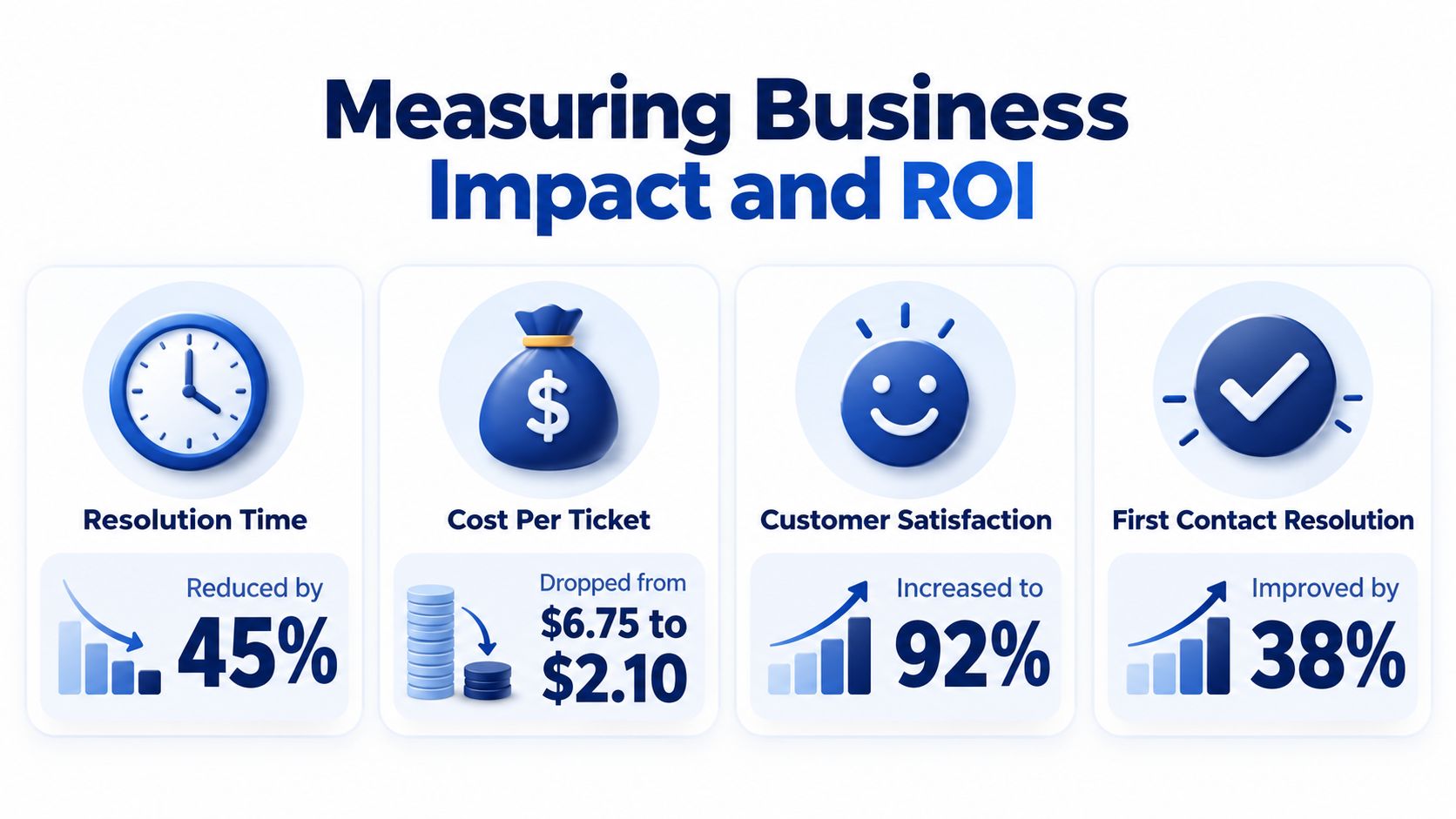
Automation changes the economics of support in three ways. It can increase the number of requests a team handles, shorten the time customers wait for routine answers, and redirect human capacity toward cases that require judgment. Those benefits only count as ROI when the system produces correct resolutions without creating extra contacts, rework, or escalations.
The investment trend reflects that operational importance. The global CX automation market is projected to reach $27.4 billion by 2030, with a 15.2% CAGR from 2023 to 2030, while the chatbot market is projected to reach $15.5 billion by 2028, according to this CX automation market summary. Those projections describe market direction, not a guaranteed return for an individual company.
Productivity is not the same as deflection
A large-scale study of 5,179 customer support agents found that access to a generative AI conversational assistant increased issues resolved per hour by 14% on average. The improvement reached 34% for novice and low-skilled workers, while experienced agents saw minimal impact. The study associated the result with agents spending about 9% less time per chat, handling about 14% more chats per hour, and resolving about 1.3% more chats overall, as reported by the IBM Institute for Business Value.
That finding points to a practical investment case. An agent copilot may be more valuable than a fully autonomous bot if it helps less experienced staff find the right procedure, summarize a long history, and respond consistently. Automation can also shift people away from repetitive information gathering and classification. Industry summaries report that companies automate 67% of basic information gathering, 65% of customer feedback collection, and 63% of case classification, while 77% of agents can focus on more complex work when routine tasks are automated, as documented in the market summary above.
Calculate your own return using a before-and-after operating baseline:
- Capacity: Compare resolved work per agent hour, not just conversation volume.
- Cost: Include software, integration, maintenance, training, and the human time spent correcting failed automation.
- Customer preference: Measure whether self-service users reach resolution without reopening the issue. One industry summary reports that 73% of customers prefer self-service tools over speaking with a live agent, but that preference depends on self-service working as intended.
- Revenue protection: Track abandoned calls, repeat contacts, delayed renewals, and unresolved high-value cases.
- Quality: Pair efficiency measures with resolution quality, customer effort, and escalation outcomes.
A fast first response can look impressive while the customer still lacks a solution. ROI comes from reducing total effort and improving the allocation of human attention.
Your Implementation Roadmap and Best Practices
Turning on a chatbot before understanding the support operation usually creates an expensive feedback loop. Customers encounter gaps, agents repair the damage manually, and managers respond by adding more scripts to a workflow that was poorly designed from the start. Implementation should begin with evidence from real interactions, not with a software feature list.
Start with the work customers actually do
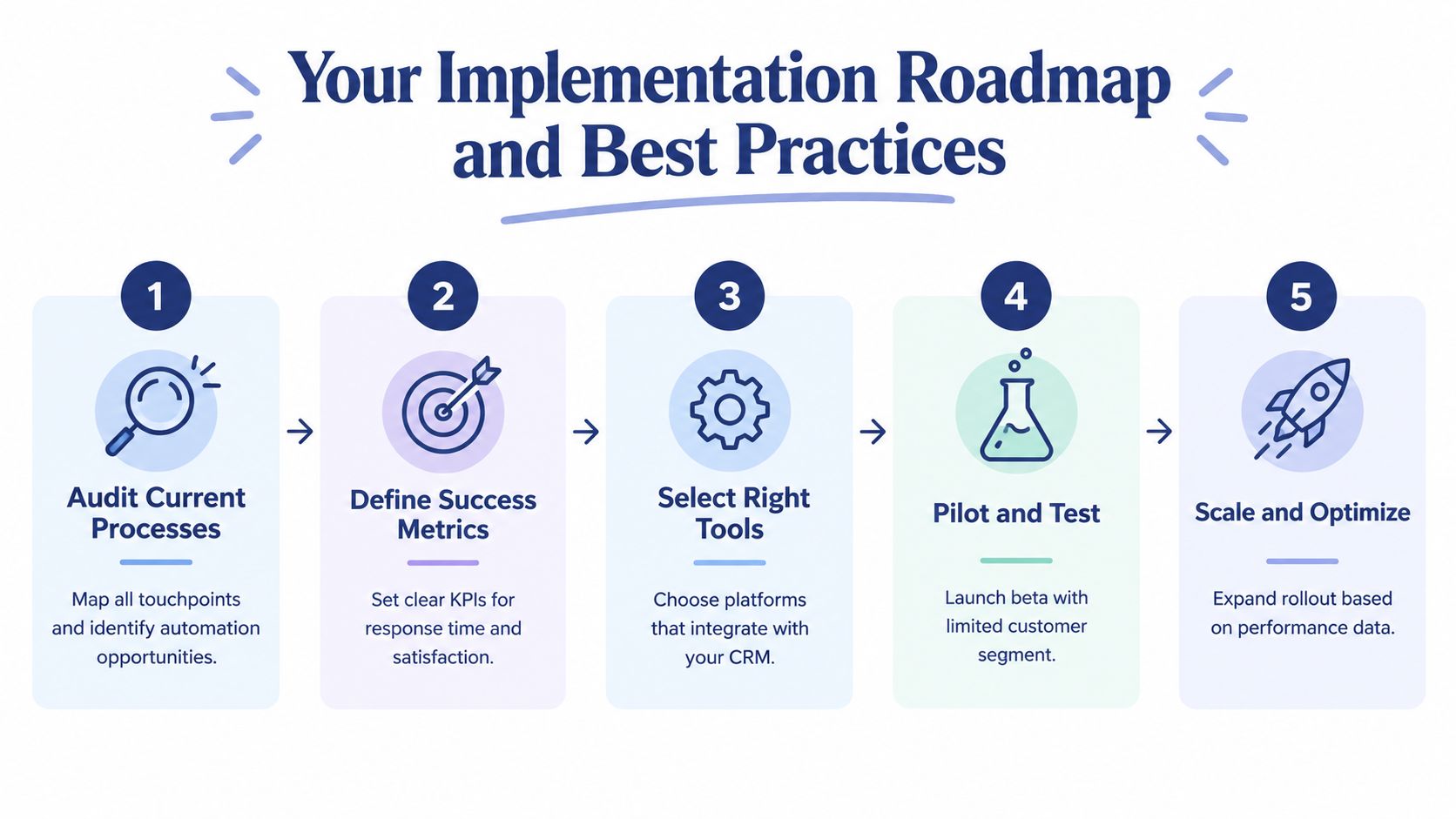
1. Audit current processes. Review calls, chats, emails, tickets, transfers, and repeat contacts. Group them by intent and resolution path. Look for requests that are frequent, predictable, and supported by reliable data. Also mark requests where customers often change direction or need discretion. Those are poor candidates for unsupervised automation.
2. Map the customer journey. Document what happens from the first contact through resolution. Include authentication, data lookup, approvals, fulfillment, follow-up, and escalation. A workflow that looks simple at the channel level may require several internal systems before an answer is trustworthy.
3. Define success metrics. Set a small group of outcome measures before launch. Include resolution quality, customer effort, escalation quality, agent workload, and repeat contact behavior. Don't use containment as the main success measure if customers can bypass it only by starting another conversation.
Build the escape route before the entrance
4. Select tools around integration depth. Check whether a platform can read and update the systems that govern the requested outcome. Confirm what context reaches the agent during escalation, how permissions work, and how teams inspect failed workflows. A shallow integration can make an attractive demonstration but a weak production system.
5. Pilot a narrow use case. Choose one well-understood workflow, such as status requests, appointment information, or email-to-ticket intake. Test it with a limited customer segment and have agents review conversations for accuracy, missing context, and inappropriate escalation.
6. Design failure behavior. Define the signals that should trigger a handoff. These may include repeated misunderstanding, negative sentiment, a high-risk request, a customer explicitly asking for a person, or a missing data connection. The system should transfer the transcript, collected fields, attempted steps, and relevant customer history.
7. Scale through controlled tuning. Review failed and abandoned interactions regularly. Update content, routing rules, permissions, and escalation thresholds based on observed behavior. Don't treat launch as the finish line. Customer language changes, products change, and workflows drift.
A 2026 survey found that 99% of CX organizations use automation, but only 23% said customer interactions were both highly automated and consistently optimized with CX insights. The same survey found that 76% admitted automation was driven more by internal goals than customer needs, while only 22% used CX data to decide what should be automated, according to the survey results reported by Business Wire.
That gap is the implementation warning. A system can be active, integrated, and widely used while still being poorly optimized.
Essential KPIs to Track Automation Success
A high bot interaction count is not a meaningful success metric by itself. It may indicate that customers are finding answers, or it may indicate that customers are trapped in a loop. Measurement should connect the automated action to the customer's eventual outcome and the agent's subsequent workload.
Measure resolution, not activity
First-contact resolution shows whether the customer got the issue resolved without returning through another channel or reopening the case. Segment it by intent and channel. A strong overall result can conceal poor performance on billing, technical, or high-value requests.
Average handle time for escalations matters because automation should prepare a human interaction, not make it longer. Compare the time an agent spends on an automated handoff with the time spent on a comparable direct contact. If the agent must reconstruct the case, automation has shifted work rather than removed it.
Customer effort score reveals friction that satisfaction scores can miss. Ask whether the customer could complete the task easily, then examine the response alongside transfers, repetitions, and failed authentication. A customer may rate a polite agent positively while still reporting that the process was difficult.
Containment rate is useful only when paired with repeat contact and resolution evidence. A contained interaction that ends with the customer opening an email, calling later, or asking the same question elsewhere isn't a successful resolution. Track containment by intent, then inspect outliers.
Agent productivity and quality should cover complex work, not just queue reduction. Review resolved cases per hour, rework, escalation acceptance, and policy adherence. A better system gives agents better cases and better context.
Managers looking for a broader KPI reference can use this guide to misurare performance servizio clienti alongside a practical call center KPI framework. The important point is to connect each metric to an action. If repeat contacts rise, improve the knowledge path or the resolution logic. If escalated handle time rises, repair the handoff payload. If containment rises while effort worsens, reduce forced deflection.
A metric should tell the team what to investigate next, not just make the monthly report look efficient.
Common Pitfalls and the Resolution Gap
A customer starts a chat to report a failed payment. The bot asks whether they want information about payment methods, then offers an article that doesn't address the account-specific error. The customer rephrases the problem, selects another menu option, and eventually asks for an agent. The agent receives a partial transcript without the account details or the failed steps. The customer now has to explain the problem twice.
That sequence is the resolution gap. Automation handled the opening interaction, but it didn't move the customer materially closer to a solution. The company may record a quick response and a completed bot session. The customer experiences delay, repetition, and uncertainty.

Why handoffs fail
A 2026 resolution-gap report found that 42% of customers wanted a quick handoff to a person once automation no longer understood the issue. Only 10% said handoffs from automated support to a human were always smooth, and 59% said they had to repeat the issue during escalation, according to the Liveops resolution-gap report.
The same report found that 59% said automation makes service harder when the system doesn't understand the problem, while 51% said it makes service harder for complex issues. Those findings explain why fully autonomous deflection is the wrong default for many support environments.
A reliable handoff should include:
- Conversation history: Give the agent the full transcript, not only the final message.
- Customer identity: Pass verified account details and relevant CRM history.
- Intent and sentiment: Explain what the system believes the customer needs and how confidence changed.
- Attempted resolutions: List the articles, questions, actions, and troubleshooting steps already used.
- Reason for escalation: State whether the customer requested a person, the bot failed to understand, a permission was missing, or the issue crossed a risk threshold.
- Next action: Route the case to a team with the authority and skills to resolve it.
The agent shouldn't greet the customer as if the interaction has just begun. They should be able to say, in substance, that they understand what the customer tried and will take the next step. That continuity is the difference between automation as a barrier and automation as preparation.
Powering Automation with a Cloud Phone System
Phone automation depends on the communications layer beneath it. A legacy PBX can route calls, but it often leaves teams with disconnected queues, limited reporting, and manual changes whenever routing needs to evolve. Those limitations make it difficult to preserve context when a caller moves from an automated menu to a person.
A modern cloud phone system brings phone workflows into an administrable software environment. Auto attendants and IVR can collect intent, skills-based routing can direct the call to an appropriate team, and queue management can apply consistent rules during demand spikes. Queue callbacks let customers leave the line without abandoning the request, while wait-time announcements set clearer expectations.
Infrastructure that supports the handoff
The useful question isn't whether a phone system has an IVR. It's whether the surrounding workflow helps a customer reach resolution. A practical platform should make it possible to:
- Control routing: Let authorized administrators change users, schedules, departments, and destinations without waiting for a vendor ticket.
- Preserve call context: Connect recordings, voicemails, transcriptions, caller details, and CRM information to the interaction.
- Monitor live operations: Give managers visibility into queues, wait times, active calls, and agent availability.
- Support distributed teams: Keep employees reachable through mobile and remote workflows while maintaining business routing.
- Review performance: Provide call logs and reporting that reveal missed calls, transfers, abandoned queues, and escalation patterns.
SnapDial is one example of this category. Its cloud business phone system includes Auto Attendant and IVR, call routing, queue callbacks, real-time statistics, call recording, visual voicemail with transcription, mobile apps, CRM integrations, and a self-service web portal for managing users, routing, voicemails, call logs, and recordings. Those capabilities give support managers a communications foundation on which to build context-preserving automation.
The platform still needs thoughtful process design. A cloud system won't fix an unclear escalation policy or a poorly maintained knowledge base. It does, however, give teams the routing controls, queue visibility, and data access required to make automated service more consistent across phone and digital channels.
SnapDial combines cloud calling, IVR, smart queue management, callbacks, mobile-ready communication, call recording, transcription, and real-time reporting for teams modernizing customer support. Visit SnapDial to review the platform and plan a communications stack that automates routine contact while giving complex issues a clear path to the right person.