

Sending a call from your office line to your cell phone is a pretty straightforward task. You can do it the old-school way by dialing a carrier code like *72 followed by the number, or just by tweaking the settings on your iPhone or Android. But for a business, a cloud phone system gives you a much smarter, more automated way to handle things.
Why Call Forwarding Is a Business Essential
In a world where teams are scattered and schedules are all over the place, knowing how to forward a call to a cell phone is more than just a handy trick—it’s a core part of a smart business strategy. The days of being chained to a desk phone are long gone. Your team is everywhere now, and your customers expect to reach you instantly, no matter where you’re working from.
Every single call that goes to voicemail is a potential opportunity slipping through your fingers.
This new reality makes a flexible communication setup a must-have. Old-school phone systems are rigid and create communication black holes, leaving calls unanswered the moment someone steps away from their desk. A missed connection can easily become a frustrated customer who decides to take their business down the street. For sales and support teams, that's a deal-breaker.
To help you figure out the best approach, let's look at the options. This table gives you a quick rundown of the different ways to forward calls, so you can jump to the method that fits what you need right now.
Your Call Forwarding Options at a Glance
Here’s a quick overview of the different ways to forward calls, helping you jump to the method that best fits your immediate needs.
| Forwarding Method | Who It's For | Primary Benefit |
|---|---|---|
| Cloud PBX (SnapDial) | Businesses of all sizes, especially with remote teams | Automated, rule-based routing for professional call handling |
| Mobile Device Settings (iOS/Android) | Individuals or solopreneurs needing a simple, temporary fix | Quick and easy to set up directly on your smartphone |
Carrier Codes (*72, *73) |
Anyone needing a network-level forward from any phone | Universal method that works even if your phone is off |
| Conditional Forwarding | Users who want to forward calls only in specific situations | Forwards calls only when busy, unanswered, or unreachable |
Each method has its place, but for a business that can't afford to miss a single call, a cloud-based system offers the most robust and reliable solution.
The Real Cost of a Missed Call
The damage from a missed call goes way beyond one lost sale. Without a seamless way to forward calls, companies risk missing 20-30% of all customer calls that come in after hours or when employees are on the move. This adds up to an estimated $75 billion in lost revenue every year across major markets. This isn't just a hypothetical problem; it's a real drain on your bottom line and customer loyalty.
A single unanswered call isn't just a missed conversation; it's a broken promise to your customer. Ensuring every call connects demonstrates reliability and builds the trust that modern businesses are built on.
This is exactly where cloud-based phone systems make a huge difference. They turn call forwarding from a clunky manual task into an intelligent, automated workflow that keeps your business agile. Instead of just blindly redirecting a number, you can create smart rules that route calls based on the time of day, who’s available, or even who the caller is.
Properly managing these connections is fundamental to handling all types of inbound calls effectively. To really get a handle on the mechanics and benefits of making sure no call goes unanswered, check out this excellent a guide to diverting calls to another number. When you start thinking of call forwarding as a tool for resilience, you’re setting your business up to be more connected and responsive.
Mastering Call Routing with a Cloud Phone System
Going beyond basic call forwarding is where you unlock some serious control over your business communications. While the simple methods get the job done by rerouting all calls, a cloud phone system lets you build an intelligent, automated workflow that sends calls exactly where they need to go, right when they need to get there.
This is the real difference between just redirecting a phone and actively managing your entire communication strategy. It’s all about creating a system that actually adapts to how your business runs day-to-day.
Designing Your Ideal Call Flow
Picture this: you set up a rule that sends all incoming calls to your main sales line. If nobody picks up after three rings, the system automatically tries your top sales agent's cell phone. Still no answer? The call can then ring the rest of the sales team’s mobile devices all at once.
That’s the power of a feature often called Find Me/Follow Me. It’s not just about how to forward a call to a cell phone; it's about creating a smart sequence that makes sure every potential customer connects with a real person. This simple setup can eliminate the dreaded voicemail dead-end during business hours.
The flowchart below shows the costly journey of a mishandled call, which really drives home why this kind of intelligent routing is so critical.
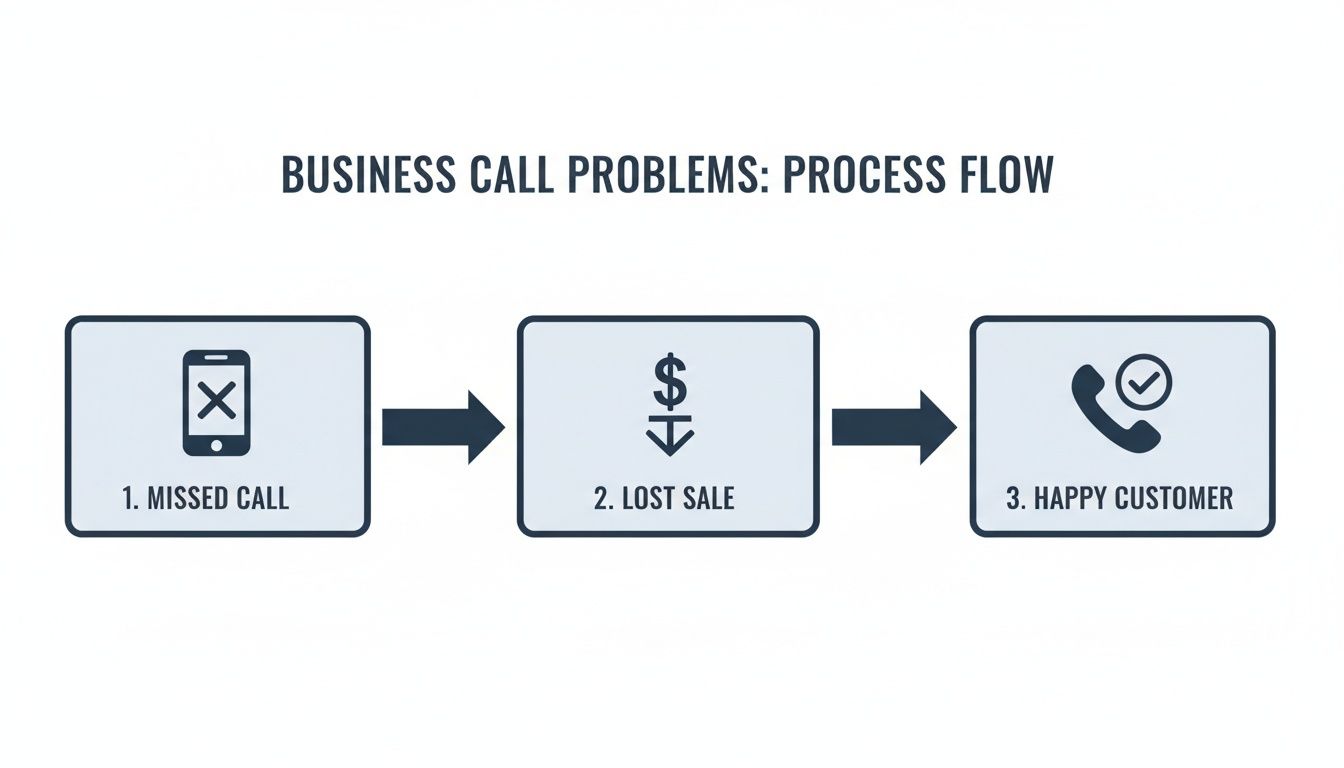
As you can see, a single missed call can directly torpedo your bottom line, turning a potential happy customer into a lost sale.
Advanced Routing for Peak Efficiency
But a modern system offers a lot more than just simple sequences. You can build rules based on specific conditions to really fine-tune your operations. Understanding how platforms like modern medical office phone systems use these advanced features gives a great picture of what’s possible, no matter your industry.
Think about these powerful routing options:
- Time-Based Routing: Automatically send calls to your on-call tech’s mobile after 5 PM and on weekends, but route them to the main office during business hours.
- Caller ID Routing: Did you assign a unique number to a marketing campaign? You can route all calls coming into that number directly to the sales reps best equipped to handle those specific leads.
- Geographic Routing: Direct callers to their nearest office or representative based on their area code. This ensures a local, personalized service experience every time.
By designing these custom workflows, you’re not just forwarding calls—you're creating a more responsive and professional customer experience that operates 24/7. This level of automation is a core benefit of using a cloud phone system.
This strategic approach to call management pays off in a big way. In fact, businesses using these advanced VoIP features see 18% productivity boosts because their teams can handle critical calls from anywhere, which cuts down on busy signals and missed opportunities.
The real key is having visibility and control through a central dashboard. From one place, you can build out these custom rules for your team, visually map out how calls flow, and adjust settings in real-time to make sure your communication strategy always lines up with your operational needs.
Setting Up Call Forwarding on Your Smartphone
Sometimes you don't need a complex call routing strategy with all the bells and whistles. You just need a fast, straightforward way to make sure your calls get answered somewhere else. In those moments, setting up call forwarding directly from your smartphone is often the quickest path.
This feature is built right into both iOS and Android, letting you manually bounce all incoming calls to another number with just a few taps.
Think of it as the perfect tool for individuals or solopreneurs who need a simple, temporary fix. Maybe you're about to walk into a big meeting and want your assistant to field your calls for the next hour. You can flip forwarding on in seconds and turn it right back off when you're done. It's the practical choice for those on-the-fly situations.
How to Forward a Call to a Cell Phone on iOS
For anyone with an iPhone, the process is clean and simple—tucked away right in the settings menu. Apple is known for its streamlined user experience, so once you know where to find it, it's a breeze.
Here’s the path to get it done:
- Pop open the Settings app on your iPhone.
- Scroll down the list and tap on Phone.
- From there, select Call Forwarding.
- Flick the Call Forwarding switch to the "on" position.
- Tap Forward To and punch in the complete phone number you want calls sent to.
As soon as you enter the number, your iPhone saves the setting. That’s it. Now, all incoming calls will skip your device entirely and ring at the number you designated. Just don't forget to toggle this setting off when you want your calls back.
Enabling Call Forwarding on an Android Device
On the Android side, the exact steps can vary a bit. It all depends on who made your phone (like Samsung or Google) and which carrier you use. Don't worry, though—the general process is very similar across the board.
You’ll usually find the setting inside your phone’s main dialer app.
- Open your Phone app.
- Tap the three-dot menu icon, which is almost always in the top-right corner.
- Navigate to Settings > Calling accounts (sometimes just called Call settings).
- Choose your carrier or the specific SIM card you want to forward.
- Look for Call forwarding and give it a tap.
- Select "Always forward" and enter the number.
Key Takeaway: While incredibly convenient for personal use or quick, one-off scenarios, this manual approach just doesn't have the automation or scalability a growing business needs. It relies entirely on someone remembering to turn it on and off, and it can only ever send calls to a single number.
This limitation has become more obvious than ever in the modern workplace. In the fast-moving world of 2026, businesses are constantly adapting to remote and hybrid teams, where a staggering 75% of VoIP traffic now runs over mobile devices. This shift makes knowing how to forward a call to a cell phone an absolute game-changer.
If you want to dig into this trend, you can explore some important VoIP stats. For a business, though, leaning on manual forwarding is a risky move when a cloud-based system can handle the entire process intelligently and automatically.
Using Carrier Star Codes for Fast Call Rerouting
Sometimes you don't have time to log into a portal or mess with app settings. You just need your calls to go somewhere else, right now. For those moments, carrier star codes are the quickest, most direct way to forward your calls to a cell phone.
This is an old-school trick that still works like a charm. You're basically telling the carrier network itself—think Verizon, AT&T, or T-Mobile—to reroute your calls before they even try to reach your phone. That means even if your phone's battery dies or you accidentally leave it at the office, the forwarding will still work. It’s an incredibly reliable tool for a quick fix.
Turning Forwarding On and Off with Star Codes
The process couldn't be simpler, and it's pretty standard across most major carriers. You just pop open your phone's dialer and punch in a short code.
- To turn on call forwarding, you dial
*72immediately followed by the full 10-digit phone number. - To turn off call forwarding, you simply dial
*73.
So, if you needed to forward all your calls to (555) 123-4567, you would dial *725551234567 and hit the call button. You’ll usually hear a quick confirmation tone, and that's it. Your calls are now being rerouted. For a complete rundown of other useful commands, check out our detailed guide on star codes and features.
This manual method is perfect for temporary situations, but it's a far cry from the intelligent automation modern businesses need. A cloud phone system handles routing automatically, which is why 61% of enterprises are planning to ditch their on-premise hardware. In call centers, this kind of modern tech keeps wait times under two minutes and can boost customer satisfaction by as much as 85%. You can dig into more of these VoIP trends and their impact.
Essential Carrier Call Forwarding Codes
To make it even easier, here’s a handy table with the star codes you're most likely to need. While *72 and *73 are the most common for unconditional forwarding, other codes exist for more specific scenarios.
| Action | Star Code | What It Does |
|---|---|---|
| Forward All Calls | *72 + Phone Number |
Instantly sends every incoming call to another number. |
| Stop All Forwarding | *73 |
Deactivates any active call forwarding. |
| Forward if Busy | *90 + Phone Number |
Reroutes calls only when you're already on another call. |
| Forward if Unanswered | *92 + Phone Number |
Reroutes calls only if you don't pick up after a few rings. |
These codes give you a surprising amount of control right from your dial pad. Just remember to use the corresponding deactivation codes (*91 and *93) when you're done.
The Limits of Manual Codes vs. a Cloud PBX
While star codes are great in a pinch, their limitations become pretty obvious in a business setting. They only handle one type of forwarding—sending all calls to one destination—and you have to remember to manually turn them on and off.
Here’s a quick look at how the two methods stack up:
| Feature | Carrier Star Codes | Cloud PBX System (SnapDial) |
|---|---|---|
| Activation | Manual dialing (*72) |
Automated via web portal or app |
| Routing Rules | All calls to one number | Conditional, time-based, and multi-device routing |
| Scalability | Low (best for individuals) | High (manages entire teams and departments) |
| User Control | Requires phone access | Manageable from any internet-connected device |
Think of star codes as a useful tool to have in your back pocket for personal use or a real emergency. But for any business that depends on professional, consistent communication, the smart, rule-based power of a cloud phone system is the only way to go.
Fixing Common Call Forwarding Problems
Even with the best tech, things can go sideways. You’re sure you set everything up correctly, but for some reason, calls are going straight to voicemail. Or maybe there's a long, awkward pause before the forwarded call even starts ringing.
Knowing how to set up call forwarding is one thing. Knowing how to fix it when it breaks is another skill entirely.
Think of this as your first-aid kit for call forwarding hiccups. We'll walk through the most common headaches and give you some clear, practical steps to figure out what's going wrong. Sometimes, the fix is as simple as spotting a typo.
What to Do When Calls Go Straight to Voicemail
This is probably the most frequent complaint I hear: calls completely bypass the cell phone and land right in voicemail. Before you start a support ticket, run through this quick checklist.
- Check the Forwarding Number: It sounds too simple, but a typo is the number one culprit. Seriously. Go back into your settings and make sure you entered the full 10-digit number correctly. One wrong digit and the whole thing fails.
- "Do Not Disturb" Mode: Is the cell phone you're forwarding to in "Do Not Disturb" or a similar "Focus" mode? This setting is designed to silence interruptions and will almost always override an incoming forwarded call, sending it to voicemail by default.
- Carrier Signal: Does the destination cell phone have a weak or nonexistent signal? If the carrier's network can't actually reach the device, the call has nowhere to go but voicemail.
This is where your network quality really matters. Real-world data shows that 85% of VoIP users report better call quality when forwarding to mobiles on 5G networks, which now cover 90% of urban businesses in key markets. If the cell connection is spotty, your call forwarding will be, too. You can dig into more of these important VoIP stats to see the impact.
How to Fix Connection Delays or Dropped Calls
Another frustrating issue is a noticeable lag before a forwarded call finally rings, which often causes impatient callers to hang up. This usually points to a more complex routing issue on the phone system or carrier side.
Pro Tip: If you're using a cloud phone system like SnapDial, check your call flow rules. A long "ring duration" setting on a primary desk phone can create a delay before the system even tries to forward the call to your mobile. Shorten it, and you'll shorten the lag.
If you’ve checked the basics and are still hitting a wall, don't waste hours trying to solve a deep network mystery yourself. This is where dedicated support becomes your best friend. A quick call to your provider's support team can turn a complicated routing puzzle into a simple fix, as they have the tools to trace the call's entire path and pinpoint exactly where it's failing.
Got Questions About Call Forwarding? We've Got Answers
Even after walking through the steps, it's natural to have a few lingering questions about the finer points of call forwarding. Let's clear up some of the most common points of confusion so you can feel confident you're choosing the right setup for your business.
Conditional vs. Unconditional Forwarding
What's the real difference between conditional and unconditional forwarding? It's a common question, and getting the distinction right is the key to building a smart call flow that doesn't miss a beat.
Unconditional forwarding is the "all-or-nothing" switch. The second you turn it on, every single call that comes into your business number gets sent straight to your cell phone. Your primary phone won't even ring. It’s simple, direct, and perfect for when you know you'll be away from your desk.
Conditional forwarding, on the other hand, is much more strategic. It only reroutes calls when specific things happen. Think of it as a set of "if-then" rules for your phone system. Calls get forwarded only if:
- Your line is busy with another call
- You don't answer after a set number of rings
- Your device is turned off or has no signal
Modern business phone systems are built to master conditional forwarding. They give you the power to create custom rules that ensure no customer call ever falls through the cracks.
What's the Caller Experience Like?
Will my customers know their call is being forwarded? Absolutely not. The entire process is designed to be completely invisible to the person on the other end of the line.
They dial your main business number and just hear a standard ringtone, exactly as they would if you were picking up a desk phone in the office. This seamless experience is crucial for maintaining a professional image, no matter where you or your team happen to be working from.
There are no weird beeps, special tones, or automated messages that give away that a forward is in progress. The technology works quietly in the background, keeping your location private and your business presence perfectly consistent.
Can I Forward Calls to Multiple Phones?
This is a big one, especially for sales and support teams. Can you forward your main business number to a few different cell phones at once? The answer really depends on the tools you're using.
Basic forwarding, the kind you set up directly on your iPhone or through a carrier code, can only send calls to one single number. It's a simple one-to-one connection.
This is where a cloud-based phone system really shines. It unlocks advanced features like simultaneous ring, often called "ring groups." This is a game-changer. It lets an incoming call ring multiple cell phones and desk phones all at the same time. The first person on your team who's free to pick up takes the call. It's the perfect solution for boosting your team's responsiveness.
Does Forwarding Use My Mobile Plan Minutes?
In most situations, yes, it does.
When your business line forwards a call to your cell, your mobile carrier sees it as just another incoming call. The time you spend on that forwarded call will count against your plan's minutes—unless, of course, you have an unlimited plan. While your business phone provider handles the initial connection, that final leg of the journey to your mobile device is handled by your cellular network.
Ready to stop worrying about missed calls and start building a truly professional communication system? The experts at SnapDial offer white-glove setup to design the perfect call routing strategy for your business, ensuring every customer connects, every time. Learn more about SnapDial's business phone systems.