
Improving your business communication isn't about guesswork; it's about having a clear plan. It starts with figuring out your specific weak spots, bringing in modern tools like a cloud phone system, and building a culture where clear, consistent messaging is the norm. This is how you move past the frustration of missed calls and confusing workflows to solve the real problems holding you back.
The Real Cost of Poor Communication
Poor communication is more than just an annoyance. It’s a silent profit killer that quietly drains resources, especially from small and mid-sized businesses.
Every missed call from a potential customer, every confusing internal message, and every minute wasted trying to track down the right person adds up to a serious financial hit. This isn't just a minor hiccup—it's a massive drag on profitability.

From Lost Sales to Tanking Morale
The damage goes way beyond the balance sheet. When teams can’t connect effectively, projects stall, deadlines get blown, and employee morale takes a nosedive. Frustration skyrockets when an outdated phone system drops an important client call or just can't keep up with a team that works remotely. This directly impacts everything from employee retention to customer satisfaction.
The financial fallout is staggering. In 2023, a whopping 68% of business leaders admitted they lost at least $10,000 in revenue in the past year because of poor communication. Even worse, 13% of them lost over $50,000.
Bridging the Gap with Modern Technology
For a lot of small and mid-sized businesses, the problem is an old-school, on-premise PBX system that was never designed for how we work today. These clunky systems just don't have the features needed to support distributed teams and meet the expectations of modern customers.
This is where a modern cloud phone system like SnapDial becomes a game-changer. By moving your communications to the cloud, you get a whole suite of tools designed to solve these exact problems. To see how an integrated platform can help, you can learn more about the advantages of unified communications. This guide will walk you through a clear roadmap, starting with a look at the most common pain points and how to fix them for good.
The first step to fixing a problem is understanding its true cost. In business, communication failures often have hidden price tags attached to lost opportunities, wasted time, and decreased productivity.
Common Communication Problems vs. Modern VoIP Solutions
Before diving into a full strategy, it helps to see how modern VoIP technology directly addresses the everyday communication headaches that hold businesses back. We see the same challenges pop up time and time again with new clients.
Here’s a quick look at those common problems and the specific features in a system like SnapDial that are built to solve them.
| Common Business Problem | Modern Solution (SnapDial Feature) |
|---|---|
| Missed Customer Calls & Lost Leads | Auto Attendant & Intelligent Call Routing |
| Inability to Support Remote/Hybrid Work | Mobile Apps & Find Me/Follow Me |
| Lack of Insight into Team Performance | Call Recording & Real-Time Dashboards |
| Long Customer Hold Times | Smart Queue Management & Queue Callback |
As you can see, there’s a direct solution for each challenge. The key is moving away from outdated hardware and embracing a platform designed for the flexibility and efficiency that modern business demands.
Pinpointing Your Communication Bottlenecks
Before you can fix your business communication, you have to know exactly where it’s broken. Just asking your team "What's wrong?" usually gets you vague complaints, not real answers. To get to the root of the problem, you need to do a proper communication audit—a hard, honest look at how things are really working right now.
This isn't about sending out another generic survey. It’s about creating a toolkit to diagnose what’s causing the friction. The goal is to see precisely where your current phone system and workflows are failing your team and frustrating your customers. Only then can you find a solution that actually works.

Go Beyond Standard Surveys
Surveys can be a decent starting point, but they rarely tell the whole story. People might hesitate to be completely honest, or worse, they might not even realize the true source of their frustration. To get a clear picture, you have to dig into the data and watch how work actually gets done.
Think of yourself as a detective. Where does information get stuck? Where do customers get lost? Those are the questions that lead to real insights.
Start by looking at the hard data your systems are already collecting. Many businesses, especially those stuck with older phone systems, are sitting on a goldmine of diagnostic information they never even look at.
Analyze Your Call and Information Flow
A great first step is to dive into your call logs. I'm not just talking about counting calls; you're looking for patterns. A huge number of abandoned calls around lunchtime might point to a staffing gap. Or maybe it’s an overly complicated phone menu that makes people give up and hang up.
In the same way, mapping out how information moves internally can reveal some serious delays. Try tracing the path of a single customer order, from the moment sales closes it to when it gets fulfilled. How many emails, phone calls, and manual data entries does that take? Every single handoff is a potential point of failure.
Here are a few practical ways to diagnose what's going on:
- Call Log Analysis: Hunt for high call abandonment rates, long wait times, and frequent transfers. These are classic red flags that your system is creating a bad experience for customers.
- Information Flow Mapping: Grab a whiteboard and physically draw the journey of a new sales lead or a customer support ticket. Note every single touchpoint and what tool was used to communicate. You’ll be surprised where the bottlenecks are.
- "Secret Shopper" Calls: Have a friend or a trusted partner call your main business number and pretend to be a new customer. Their firsthand experience will uncover pain points you’ve probably become blind to.
Effective communication is all about getting people the information they need to do something. When you diagnose how that information flows, you can directly improve productivity, team performance, and customer service.
A Real-World Scenario
I once worked with a growing retail business that had three separate stores. The owner was pulling his hair out because customer service was all over the place. A customer would have a great experience at one location but a terrible one at another, even when asking the exact same question about inventory.
The problem wasn't the staff—it was the phones. Each store was an island, running on its own isolated phone line.
Imagine a customer calls Store A to ask about a product that's actually stocked at Store B. The employee at Store A would have to put the customer on a long hold, call the other store, hope someone answers, get the info, and then finally get back to the original customer.
This clunky process was a disaster, leading to:
- Long wait times for customers, creating a horrible first impression.
- A higher chance of dropped calls as people understandably got impatient.
- Wasted employee time spent playing phone tag instead of helping the shoppers right in front of them.
By mapping out this simple workflow, the owner saw the bottleneck crystal clear. The old, disconnected phone system was making it impossible for his locations to communicate seamlessly, and it was directly hurting both customer experience and his bottom line. This specific, diagnosed problem gave him the perfect justification to upgrade to a unified system where his teams could connect instantly.
Building Your Modern Communication Toolkit
You've done the hard work of diagnosing the communication bottlenecks holding your business back. Now it's time to build the solution. This isn't just about buying new gadgets; it's about strategically assembling a toolkit that directly fixes the pain points you've uncovered. The right technology—specifically a modern cloud phone system—is the foundation for this whole effort, turning disconnected processes into seamless, professional interactions.
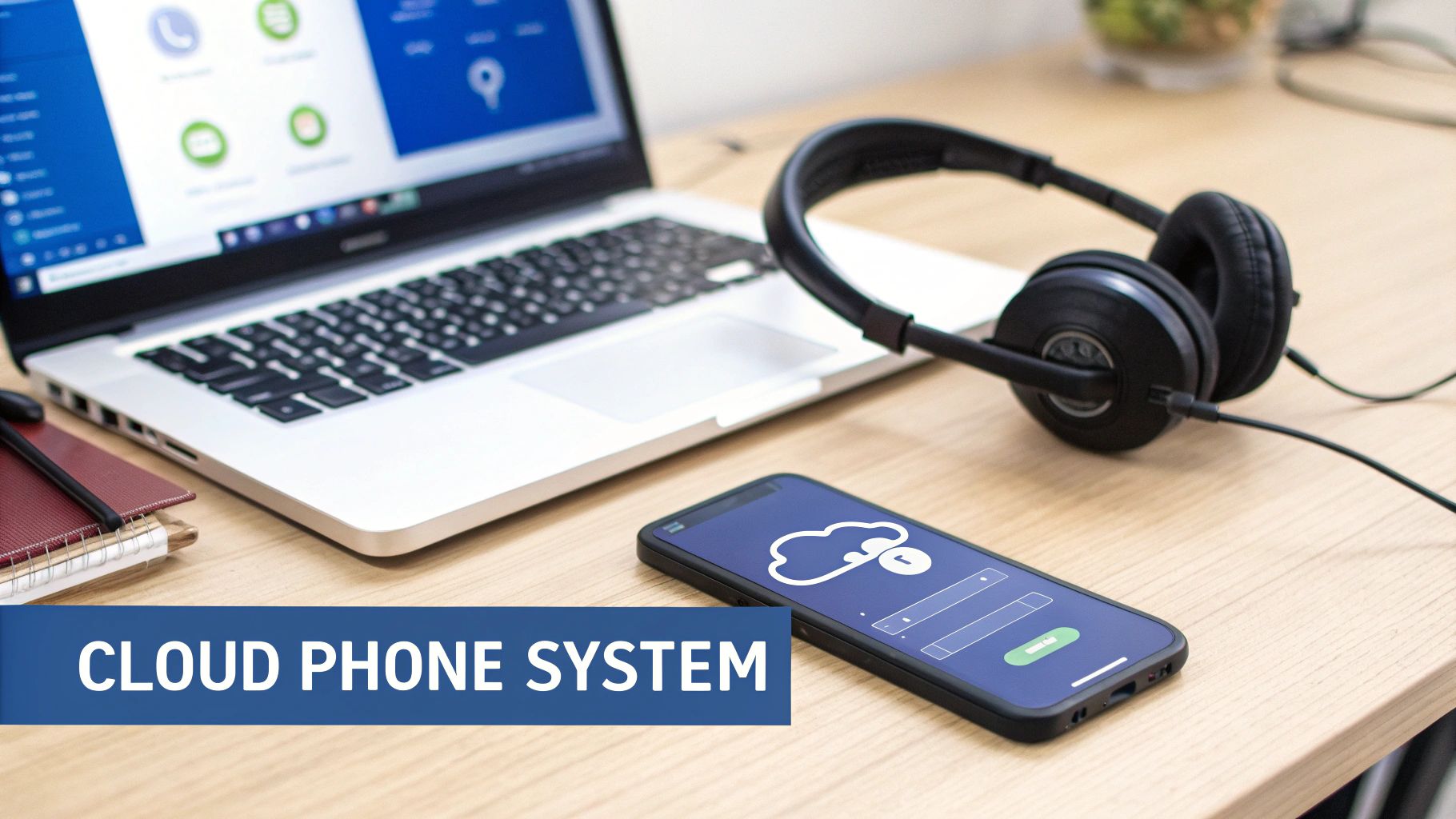
The stakes for getting this right have never been higher. As of 2023, 68% of customers reported ditching a company for a competitor just because of poor communication. And while 99% of people insist that good communication is vital from businesses they use, a staggering 96% feel there’s serious room for improvement. The most direct fix is modernizing your tools with a system like SnapDial, which gives you enterprise-grade features without the complexity. If you want to dig into the numbers, you can read the full research about their impact.
Creating the First Impression with an Auto Attendant
Think of your main business number as your digital front door. An Auto Attendant, or virtual receptionist, makes sure that when a customer walks through it, they’re greeted professionally and guided to the right place—not left wandering in a hallway of endless ringing or confusing extensions. It’s your first line of defense against missed opportunities.
A caller can be greeted with a clear, professional message: "Thank you for calling. For sales, press 1. For support, press 2." This simple setup immediately routes traffic, connecting callers with the exact person they need in seconds. It completely eliminates the frustration of being transferred multiple times, a common pain point that erodes customer confidence before a conversation even begins.
Empowering a Flexible and Hybrid Workforce
Today’s teams are no longer chained to a single office. A modern communication toolkit has to support employees wherever they are, whether that's at headquarters, at home, or on the road visiting clients. This is where mobile apps and advanced routing features become absolutely essential.
With a cloud phone system, an employee’s business line lives right on their smartphone. This means they can make and receive calls from their business number using a dedicated app, keeping their personal number private while maintaining a professional image.
The goal of a modern toolkit is to make location irrelevant. Whether an employee is at their desk or in a coffee shop, the customer's experience should be identical—seamless, professional, and efficient.
Consider these key features for any distributed team:
- Mobile App Functionality: Lets employees manage business calls, check voicemail, and chat with colleagues from anywhere, just as if they were in the office.
- Find Me/Follow Me Routing: Intelligently hunts for the right person by routing incoming calls to multiple devices in a sequence you define—desk phone first, then mobile, then a colleague's line—ensuring critical calls are never missed.
To dive deeper into the core technology that makes this all possible, it helps to know the basics. Check out our guide on what is a cloud phone system to understand how these powerful features can be implemented in your own business.
Removing Guesswork from Key Conversations
Misunderstanding a client’s request or forgetting a key detail from a sales call can be costly. Your toolkit should include features that provide clarity and create a reliable record of important interactions, taking the guesswork out of your daily operations.
Two of the most powerful tools for this are call recording and visual voicemail. Call recording provides a complete, accurate record of conversations, which is invaluable for training, resolving disputes, and quality assurance.
Meanwhile, visual voicemail transcribes voice messages into text, letting your team quickly read and prioritize messages without having to listen to them one by one. This is a massive time-saver and ensures that urgent requests are spotted and handled immediately. Imagine your sales team scanning a dozen voicemails in the time it would take to listen to two, instantly identifying a hot lead and responding before a competitor can. That’s the kind of efficiency that drives real growth.
Feature Deep Dive How SnapDial Solves Communication Challenges
The right features don’t just add convenience; they solve specific, costly business problems. Upgrading your technology is all about seeing a direct return on your investment through improved efficiency, happier customers, and increased sales.
Here’s a breakdown of how specific features within a system like SnapDial address the bottlenecks you identified earlier, delivering tangible benefits to your business.
| SnapDial Feature | Problem Solved | Business Benefit |
|---|---|---|
| Auto Attendant | Callers get lost in a confusing phone tree or face endless ringing. | Creates a professional first impression and ensures every caller reaches the right person quickly. |
| Mobile App | Remote and hybrid employees are disconnected and rely on personal numbers. | Empowers a "work from anywhere" culture while maintaining a consistent and professional business identity. |
| Call Recording | Disputes arise over verbal agreements and training is based on memory, not facts. | Provides an accurate record for quality control, training, and liability protection. |
| Visual Voicemail | Important voicemails get buried or take too long to listen to, delaying responses. | Allows for rapid scanning and prioritization of messages, improving response times and efficiency. |
As you can see, each tool is designed to fix a real-world headache, turning potential frustrations for customers and employees into smooth, efficient workflows.
Transforming Your Customer Support Experience
For any team that talks to customers, every single phone call is a fork in the road. It’s a chance to build real loyalty or send someone straight to a competitor. A lot of small businesses still think that advanced call center tools are out of reach, something reserved for corporate giants with endless budgets.
That couldn't be further from the truth. These tools are more accessible than ever, and they can easily become your biggest competitive advantage.
It all starts by fixing the one thing every customer universally hates: being stuck on hold. Nothing poisons a customer experience faster than being trapped in a queue, listening to bad music. Modern phone platforms are designed to make that pain point disappear entirely.
Ditching the Dreaded Hold Music
Instead of forcing callers to wait, you can put smarter tools to work that actually respect their time. This isn't just about efficiency; it's a powerful way to show your customers you value them. Smart queue management and queue callback features are built for exactly this.
Think about an e-commerce store getting slammed with calls during the holiday rush. Before, a customer might get a busy signal or a soul-crushing "your estimated wait time is 20 minutes." Now, they're met with a professional greeting that gives them options.
- Smart Queue Management: This feature can tell callers their estimated wait time or what number they are in line. Just giving them that transparency puts them back in control.
- Queue Callback: Even better, this lets a caller hang up, keep their spot, and get an automatic call back from the next free agent.
For the customer, this is a total game-changer. They can get on with their day instead of being glued to their phone. And when your team finally connects, they're talking to a calm, appreciative person, not someone who's already angry.
Giving Managers the Insights to Lead
Improving your support isn't just about the tools your agents have. It's about arming managers with the information they need to coach their teams and make smart decisions. Guesswork and gut feelings don't drive consistent improvement—data does.
Real-time dashboards and detailed reports are the eyes and ears of a support manager. They offer a clear, unbiased look at what's happening on the front lines, moment by moment. These insights are what you need to make informed, data-backed decisions that directly boost performance. You can get even more control by looking into options for inbound call center services that fold right into your existing system.
A Real-World Holiday Rush Scenario
Let's go back to that e-commerce store during its peak holiday season. Before they upgraded their phone system, the support team was completely swamped. Calls were getting dropped, customers were furious about the hold times, and managers had no real visibility into who was struggling or why.
After they moved to a cloud-based system with call center tools, the change was immediate.
- Queue callback handled the flood of calls, cutting customer complaints about wait times by over 80%.
- The real-time dashboard showed the manager that two new agents were taking way too long on post-call paperwork. He was able to jump in with targeted coaching on the spot to fix their workflow.
- Detailed reports uncovered that a full 30% of all support calls were about order tracking. The company used this data to add a huge "Track Your Order" link to their website, which deflected hundreds of calls and freed up agents for more complex problems.
This wasn't just about surviving the holiday rush. It was about building a reputation for incredible service, driving repeat business, and protecting their brand during the most critical time of the year. While over 95% of businesses still use SMS, the rapid growth of cloud phones—at 30.7% and rising—is fueled by these powerful capabilities. With tools like auto-attendants and transcriptions, companies can sidestep the tone misinterpretations that 63% of people experience with text, leading to massive efficiency gains. You can find more on how businesses are reporting 72% productivity gains and fewer missed deadlines with these insights from workplace communication statistics.
Implementing Change and Measuring the Impact
Rolling out a new communication system is about so much more than just plugging in new tech. It’s a shift in how your people work and how your processes flow. A powerful platform is only as good as its adoption, which is why a thoughtful, human-centric rollout is an absolute must.
The goal is to get from your old, clunky PBX to a modern system without dropping a single call—and, just as importantly, to get your team genuinely excited about the new tools they’re about to get. This transition is a golden opportunity to improve how you communicate from the ground up.
Ensuring a Smooth and Seamless Transition
The fear of a messy, chaotic switchover is what keeps so many businesses shackled to outdated tech. But with the right playbook, you can pull off a zero-downtime migration. It all comes down to proper preparation and a phased-in approach.
Before you even think about flipping the switch, a few critical steps will set the stage for a completely smooth experience:
- Pre-Launch Configuration: You should work with your provider to get the entire system built out in the background. This means configuring your Auto Attendant, building out all your call routing rules, and assigning extensions. With a provider like SnapDial, this kind of white-glove setup is just part of the service.
- Number Porting Coordination: Moving your existing phone numbers—a process called porting—is timed with surgical precision. Your old system stays live right up until the moment the port is finalized, guaranteeing no calls are lost in the ether.
- Team Training Sessions: Get some short, engaging training sessions on the calendar before the go-live date. Focus on the features that will make the biggest impact on your team's day-to-day, like the mobile app or visual voicemail. This builds confidence and turns anxiety into excitement.
A successful rollout isn’t one big, dramatic event; it’s a well-orchestrated process. By getting 90% of the setup done before go-live day, you turn what could be a chaotic cutover into a simple, non-disruptive final step.
Driving Adoption with an Internal Communication Plan
Don’t just announce the new system—sell it to your team. A simple internal communication plan builds anticipation and frames the change as a huge win for them, not just another corporate mandate. Take the time to explain the "why" behind the upgrade.
Focus your message on how these new tools will make their jobs easier. Will the mobile app give them the freedom to work from anywhere? Will transcribed voicemails save them from scribbling down notes? Highlighting these personal, real-world benefits is the fastest way to get genuine buy-in.
Defining and Tracking Key Performance Metrics
Once your new system is up and running, the real work starts: proving its value. To do that, you have to shift from guesswork to data. The right metrics don’t just justify the investment to leadership; they shine a light on where you can keep getting better.
If you can, grab a baseline from your old system. Then, start tracking these key metrics in your new platform’s analytics dashboard:
- Call Abandonment Rate: What percentage of people hang up before they even reach someone? A sharp drop here is a huge, immediate win. It’s proof that your new call routing and queue management are already working.
- First-Call Resolution (FCR): How many customer problems are you solving on the very first try? An uptick in FCR shows your team is using the new tools to be more effective and solve issues faster.
- Average Handle Time (AHT): Keep an eye on the total time an agent spends on a call, including holds and after-call work. While a lower AHT is usually a good thing, you need to make sure it’s not tanking customer satisfaction.
- Customer Satisfaction (CSAT) Scores: If you use post-call surveys, this is your north star. Better CSAT scores are the ultimate proof that your investment in better communication is creating a better customer experience.
The visual below shows a simple but powerful workflow for using these metrics—moving from just "holding" calls to actively "solving" problems and "analyzing" the results.
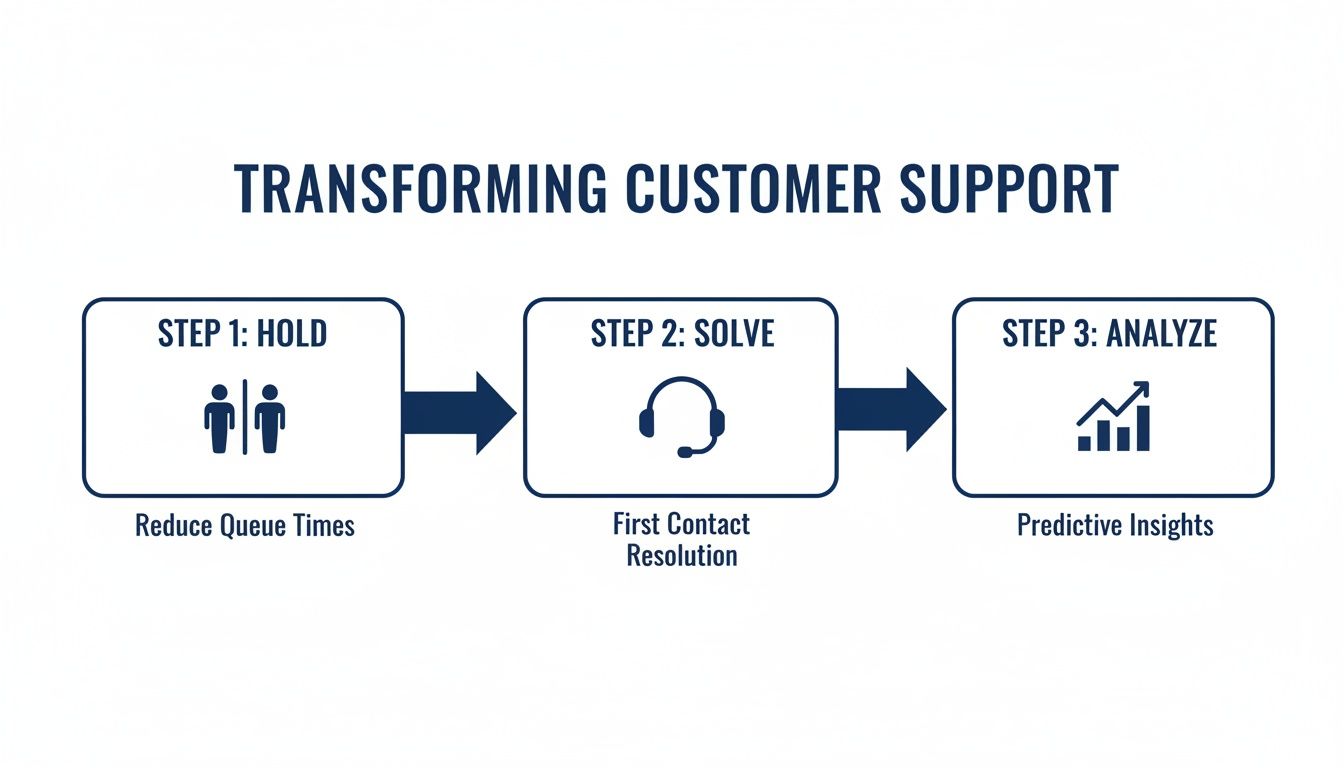
This process is all about moving from a reactive, firefighting mode to a proactive cycle of constant improvement. When you consistently measure what matters, you can clearly show the real, tangible impact your new communication strategy is having on the entire business.
Got Questions? We've Got Answers
Making the final call on a new phone system can feel like a big step. It's totally normal to have questions, whether you're the IT manager worried about a smooth rollout or the business owner focused on the bottom line. To help you feel confident in your choice, we’ve put together straightforward answers to the questions we hear most often from businesses just like yours.
How Long Does It Take to Switch to a Cloud Phone System?
This is one of the first things people ask, and the answer is almost always "faster than you think." A well-planned migration to a modern cloud phone system like SnapDial can be pulled off with zero downtime. How? Because most of the heavy lifting happens behind the scenes before you officially flip the switch.
This pre-launch setup is where the magic happens:
- Building Your System: We configure your auto attendant menus, set up all your call routing rules, and create extensions for every user.
- Shipping the Hardware: If you need new desk phones, we ship them pre-configured. All your team has to do is plug them in, and they just work.
- Porting Your Numbers: We coordinate with your old provider to transfer all your existing phone numbers over at a precise, scheduled time.
Because all that prep work is done in advance, the actual "go-live" day is often as simple as your team plugging in their new phones. For most small to mid-sized businesses, the entire process—from our first planning call to being fully operational—is usually wrapped up in just a few weeks.
Will My Team Need a Lot of Training?
Thankfully, the days of clunky, confusing PBX systems are over. Modern communication platforms are designed to be intuitive, with user-friendly interfaces that feel familiar from day one. Your team will have no trouble with the basics like making calls or checking voicemail.
The goal of training isn't just to show people how to use the new system, but to get them excited about why it's better. Focus on the features that will make their specific jobs easier.
A great training plan doesn't need to be a week-long saga. Short, targeted sessions are far more effective:
- The Essentials (30 mins): We'll walk everyone through the core tools—the mobile app, visual voicemail, and how to transfer calls.
- Role-Specific Tips (15 mins): We can show your support team the call queue dashboard or teach the sales team how to use call recording for coaching.
- Ongoing Support: We provide quick-start guides and make sure everyone knows they can reach out to our team anytime they have a question.
The learning curve is incredibly gentle. Most teams are completely comfortable with their new tools within the first couple of days.
How Do We Know if the New System Is Actually Working?
This is the best part. With a modern platform, you can stop guessing and start measuring. You get access to concrete data that proves the value of your investment. This is how you shift the conversation from "I think things are better" to "I can show you they're better."
You don't need to track a million different things. Just focus on a few key performance indicators (KPIs) that tie directly back to the problems you were trying to solve.
| Metric to Track | What It Tells You |
|---|---|
| Call Abandonment Rate | Are fewer frustrated customers hanging up before they reach someone? |
| First-Call Resolution | Is your team solving more problems on the very first try? |
| Average Wait Time | How quickly are you connecting callers to the person who can help them? |
By keeping an eye on these numbers in your system's analytics dashboard, you create a clear before-and-after picture. A sharp drop in abandoned calls or a jump in first-call resolution is hard evidence that you've improved both your team's efficiency and your customer's experience. This data-driven proof is exactly what you need to improve business communication for good.
Ready to stop missing calls and start building a communication system that grows with you? The team at SnapDial offers white-glove setup and 24/7 support to make your transition seamless. Discover how SnapDial can transform your business communication today.