
Setting up call forwarding is pretty straightforward. You can usually find the option buried in your phone's settings or turn it on by dialing a quick code like *72. The whole idea is simple: automatically send calls from one number to another. Whether you’re on a mobile, a landline, or a full-blown business phone system, it ensures you never miss that important ring.
Why Your Business Needs Smarter Call Routing
A long list of missed calls is more than just an annoyance—it's a list of lost revenue. This is where effective call forwarding stops being a simple convenience and becomes a real strategic asset. It’s the difference between a potential customer hitting a generic voicemail and being instantly connected to an available team member who can actually help them.

This isn’t just a neat feature; it’s how modern businesses make sure every lead gets captured and every customer feels heard. When you get it right, a smart call routing strategy can completely transform your operations.
Capture Every Opportunity
Picture this: a high-value prospect calls your main business line, but your entire team is tied up in a critical meeting. Without call forwarding, that lead goes straight to voicemail and, let's be honest, probably moves on to your competitor. With it, that call can be automatically sent to a designated salesperson's mobile, a partner agency, or even a professional answering service. You maintain a seamless, professional front and grab the opportunity in real-time.
The financial impact here is huge. Data shows that 84% of businesses report that phone calls have higher conversion rates and bigger order values than other types of leads. It's no surprise the global call forwarding market is expected to hit $8.2 billion by 2025, driven by companies realizing just how critical this is. You can learn more about these call forwarding statistics to see the full picture.
Enhance Flexibility and Professionalism
In an era of remote and hybrid work, your team isn't chained to a desk anymore. Call forwarding gives your employees the power to answer business calls from anywhere, on any device, without ever having to give out their personal phone numbers. This keeps your brand looking consistent and professional, no matter where your team happens to be working from.
A well-designed call forwarding plan also delivers:
- Uninterrupted Service: Calls can be rerouted during internet or power outages, making sure your business is always open and reachable.
- Improved Work-Life Balance: After-hours calls can be sent to a dedicated on-call number or a voicemail box, protecting your team's personal time.
- Load Balancing: During busy periods, incoming calls can be spread across multiple team members to slash wait times and prevent burnout.
By intelligently directing your calls, you’re not just forwarding a phone line; you're building a system that’s resilient, customer-focused, and ready for whatever your business needs. It's a foundational tool for creating a communication setup that helps your company grow instead of holding it back.
Setting Up Call Forwarding on Your Smartphone
Let's be honest, your smartphone is basically your office on the go. Getting a handle on its built-in call forwarding is a game-changer. Whether you're team iPhone or Android, the tools are baked right into the OS, letting you quickly bounce calls to a colleague, your main office line, or even a virtual receptionist service. It's the key to stepping away from your direct line without that nagging fear of missing a crucial call.
You'll typically find the setup buried in your phone's settings, but the exact path can vary a bit. Let's walk through how to get it done on both major platforms.
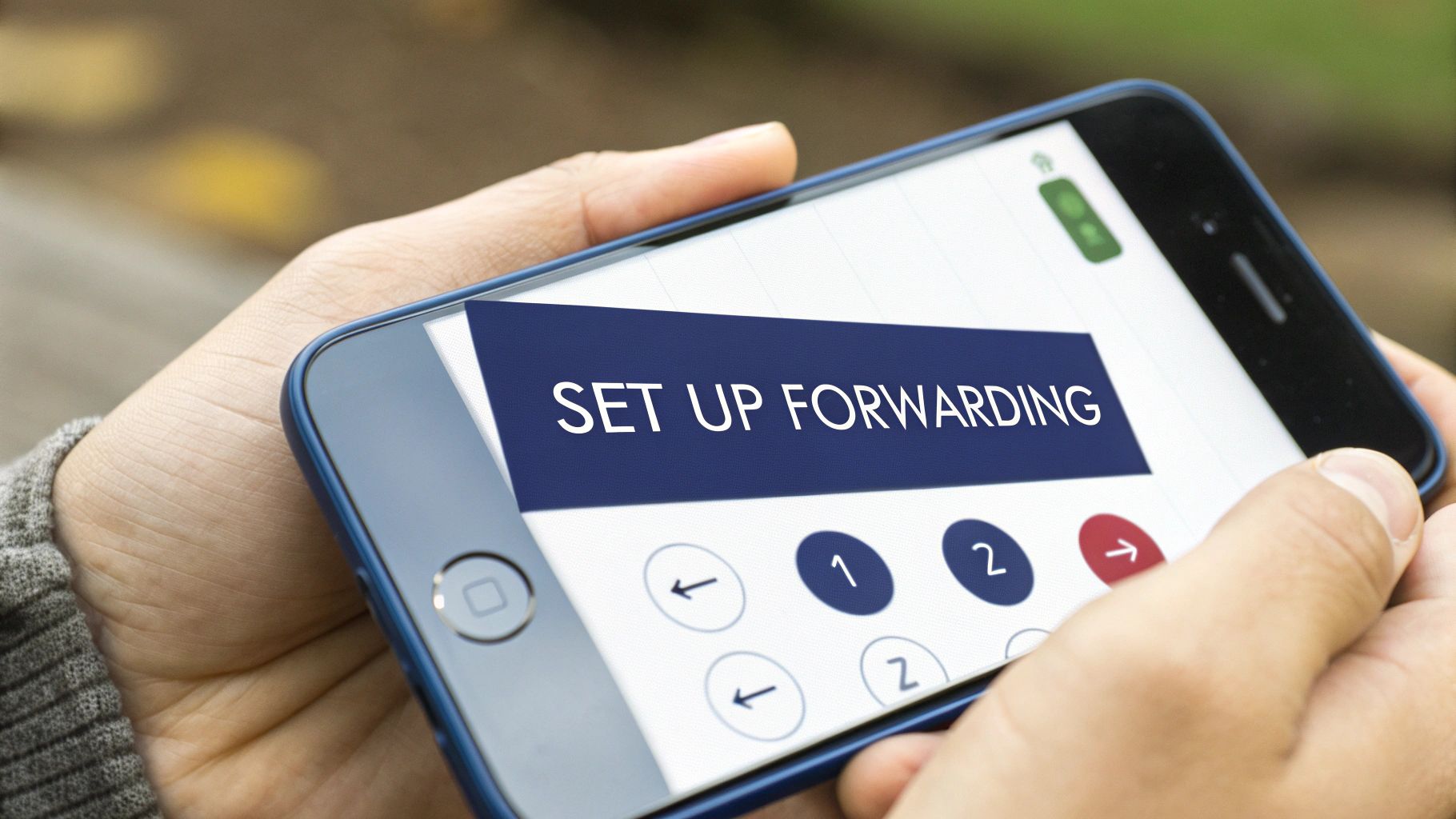
As you can see, the menu usually gives you options for when to forward calls—like when you're already on a call, don't answer, or your phone is off.
How to Set It Up on an iPhone
Apple, in its classic style, keeps things incredibly simple. Call forwarding on an iPhone is essentially just a single switch you flip. Once it's on, every single incoming call gets rerouted instantly.
Here's the path to find it:
- First, open your Settings app.
- Scroll down a bit and tap on Phone.
- From there, select Call Forwarding.
- Just toggle the switch on—it'll turn green when it's active.
- A "Forward To" field will pop up. Tap it and punch in the full phone number you want calls sent to.
That’s it. Once you back out of that screen, the setting is saved. All calls will now head to that number until you come back and flip the switch off.
Instructions for Android Phones
The Android world is a bit more diverse, with different flavors from Samsung, Google, and others. The good news is that while the menu names might differ slightly, the core process is almost always the same. The key difference from iPhone is that you'll start in the Phone app itself, not the main device settings.
This general guide should work for pretty much any modern Android phone:
- Open up your Phone (or Dialer) app.
- Tap the three-dot menu icon in the top-right corner and choose Settings.
- Now, look for an option named Calling accounts or Supplementary services.
- Tap into Call forwarding. If you have two SIMs, you might need to pick which one you're setting up.
- You'll see a few choices, like Always forward, When busy, or When unanswered. Pick the one that fits your situation.
- Type in the number and hit Turn on or Enable.
Pro Tip: Ever get stuck on a "reading settings" screen or find the options grayed out? That's almost always a hiccup on the carrier's end. A weird but effective trick I've used is to pop your SIM card into a different phone, set up the forwarding there, and then move the SIM back to your original device. It often forces the network to update the setting.
The Fast Way: Using MMI Codes
If you want a quicker method that bypasses all the menus, you can use Man-Machine Interface (MMI) codes. These are special codes you dial that send instructions directly to your carrier's network. It's the universal shortcut for any mobile phone.
The most common code for unconditional call forwarding is *21*.
Just open your dialer and type *21*, followed by the 10-digit phone number, and then the # symbol. For instance, to send all your calls to (555) 123-4567, you'd dial:
*21*5551234567#
Then just press the call button. You should get a quick confirmation message on your screen. To switch it off later, all you have to do is dial #21#. This is perfect for when you need to activate or kill forwarding in a hurry.
What About Landlines and Carrier Networks?
While smartphones and cloud systems get most of the attention, the classic landline is still a workhorse in many offices. For businesses that rely on these traditional phone lines, setting up call forwarding feels a bit old-school, but it's just as powerful for making sure you never miss that important call.
The process usually comes down to dialing special "star codes" right from the phone's keypad. These are universal commands that tell your phone company's network what to do with your calls.
The most common code you'll use to forward all your calls is *72. Just dial it, wait for the prompt, and then punch in the 10-digit number where you want your calls to go. Once that's done, the rule is set on the network itself. When you're ready to turn it off, you simply dial *73, and a confirmation tone will let you know calls are back to normal.
Using Star Codes in the Real World
Let's imagine your office is closing early for a long weekend, but the on-call manager needs to handle any last-minute client calls on their cell phone, (555) 867-5309.
Here’s how you’d set it up:
- Pick up the office landline and listen for a dial tone.
- Dial *72.
- After the second dial tone, enter 5558675309.
- Depending on your provider, you might need to hit # or just hang up. That's it. Calls are now forwarded.
When everyone's back in the office, just pick up the phone and dial *73. Simple as that. This direct control is quick and doesn't require logging into a computer.
Here's a key detail: Using star codes sets the forwarding rule at the carrier level, not on the physical phone. This is a huge advantage for business continuity because the rule stays active even if your office phone loses power or gets unplugged during a storm.
The Modern Way: Carrier Online Portals
Picking up a phone and dialing codes is perfectly fine, but most big carriers like Verizon and AT&T now give you a more visual way to manage these settings. By logging into your business account online, you can see and control your phone line’s features right from a web browser.
This approach has some clear benefits:
- Visual Confirmation: You can see exactly which number your calls are being sent to and what type of forwarding is active (e.g., always, on busy). No guesswork.
- No Physical Access Needed: A manager can change forwarding rules from anywhere. Perfect for rerouting calls for your team while you're traveling or working from home.
- Advanced Options: These online portals often unlock more granular controls, like setting up forwarding schedules for specific times of day, which you can't do with basic star codes.
This centralized control is a major step up from the limitations of older POTS lines. For businesses thinking about the next step for their communication setup, getting a handle on the differences between traditional and modern systems is critical. You can dive deeper by comparing the capabilities of VoIP vs POTS phone systems in our detailed guide.
In the end, whether you’re dialing a star code or clicking a button in an online portal, managing call forwarding through your carrier provides a rock-solid foundation for your business. It ensures that no matter what’s happening at your physical office, your customer calls always get to the right person.
Advanced Call Routing with Cloud Phone Systems
Basic call forwarding is a great start, but it’s a bit like a light switch—it’s either on or off. When you need more sophisticated control over where your calls go and when, you need to move beyond the basics. This is where intelligent call routing with a cloud phone system comes in, transforming simple call diversion into a powerful, strategic workflow for your business.
Instead of just blindly sending every call to a single number, you can build dynamic, conditional rules that adapt to what’s happening in your business right now. It’s the difference between just redirecting calls and actively managing the entire customer experience from the moment they dial.
The best part? It’s all managed from one central place. With a cloud-based system like SnapDial, you can tweak these complex rules from a simple web portal. This gives you total command over your communications without ever needing to physically touch a phone. If you're new to the concept, our guide on what a cloud phone system is and how it works is a great place to start.
Designing Smart Call Flows
Intelligent routing lets you build incredibly precise call flows based on specific conditions. This isn't just about forwarding a call when a line is busy; it's about creating a responsive system that almost seems to think for itself.
Here are a few common scenarios where this kind of advanced routing really makes a difference:
- Time-of-Day Routing: Automatically send calls to your main office during business hours (9 AM – 5 PM), but once the clock strikes five, route them to an after-hours answering service or a designated on-call mobile number.
- Caller ID Routing: You can set up a rule to recognize the phone numbers of your VIP clients. When they call, they can bypass the main queue and go straight to a senior account manager.
- Sequential Ringing (Find Me/Follow Me): Program a smart sequence for incoming calls. For example, have it ring your desk phone for 15 seconds, then your mobile for another 15, and finally, if there's still no answer, send it to your assistant or a team voicemail.
- Simultaneous Ringing: A new sales lead calls in. Instead of making them wait, have the call ring every available salesperson's phone at the same time. The first one to pick up gets the lead, guaranteeing a fast response.
This flowchart shows how basic call forwarding is handled on a traditional landline using star codes.
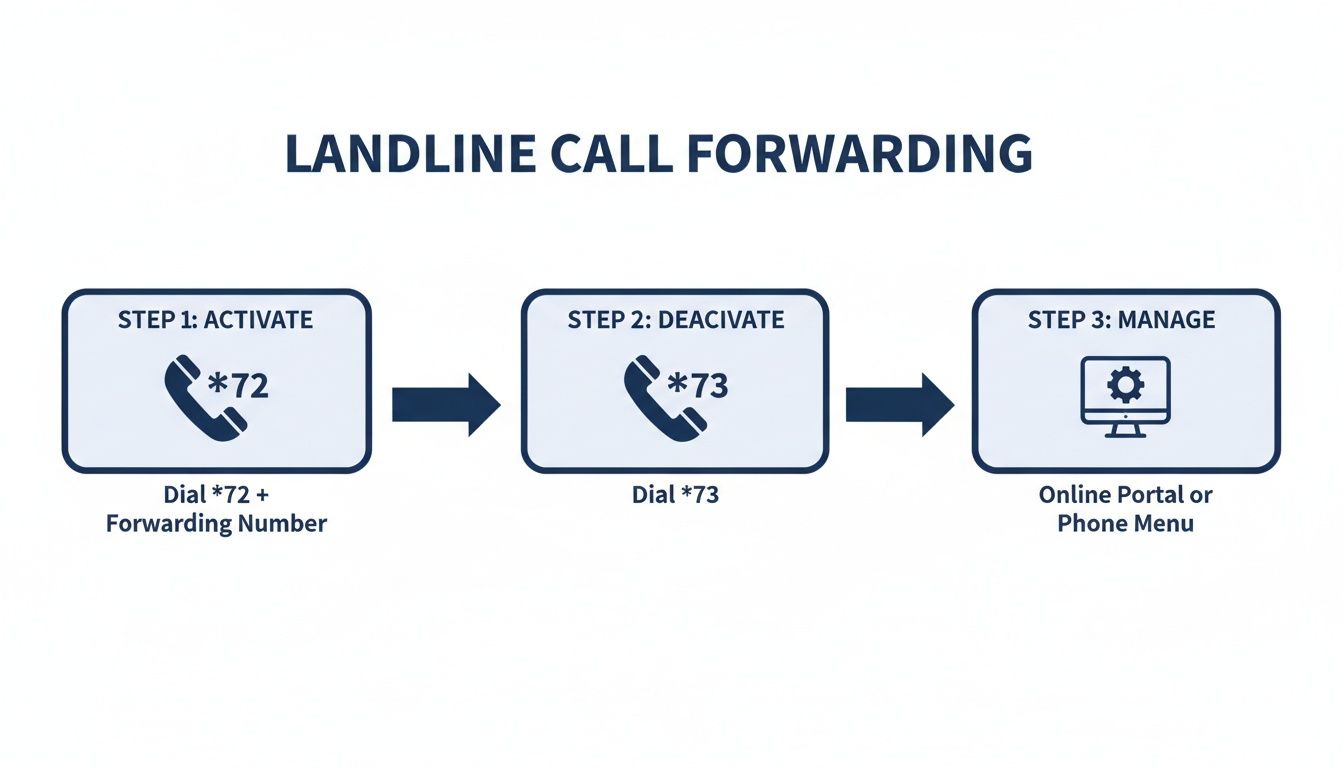
While these codes are fine for simple on/off commands, they completely lack the conditional logic and scalability that modern businesses need to manage calls effectively.
Real-World Example: A Service Business in Action
Let’s see how this works in the real world. Imagine you run an HVAC repair company. Emergency calls can come in at any hour of the day or night, and getting them to the right technician immediately is critical.
A new customer calls your main number on a scorching Saturday afternoon because their AC just died. A cloud phone system lets you build a smart "hunt group" to handle this perfectly:
- First, the call rings the main office for 10 seconds, just in case an admin is there to catch it.
- If it goes unanswered, it then simultaneously rings the mobile phones of the two on-call field technicians.
- If neither technician can answer within 20 seconds, the call is automatically forwarded to a professional virtual receptionist service. That service can then get the customer's details and text the information directly to the technicians.
This multi-step, automated process guarantees the call is always answered by a real person. It projects a highly professional image and captures a critical lead that might have otherwise gone to voicemail—or worse, to one of your competitors.
The Impact on Customer Satisfaction
This level of intelligent routing does more than just make your operations run smoother; it directly shapes how customers see your business. Think about it. When callers get to the right person without being bounced around, 49% feel relieved, and 37% feel like their business is actually valued. Even better, 34% are more likely to make a purchase.
By setting up thoughtful call forwarding rules, you're not just moving calls around—you're building customer trust and directly boosting your bottom line.
Call Forwarding Methods Compared
Choosing the right call forwarding method depends entirely on your business needs. A simple mobile setting might work for a solo operator, but a growing team needs something more robust. This table breaks down the key differences.
| Feature | Mobile/Landline (Basic) | Cloud PBX (Advanced) |
|---|---|---|
| Routing Logic | Unconditional only (all calls forward to one number) | Conditional (time-of-day, caller ID, sequential, simultaneous) |
| Management | Manual on each device or via carrier star codes | Centralized web portal for all users and rules |
| Scalability | Very limited; difficult to manage for more than one person | Highly scalable; add or remove users and rules in seconds |
| Professional Features | None (no auto-attendant, on-hold music, or analytics) | Includes auto-attendant, call queues, recording, and analytics |
| Business Suitability | Best for sole proprietors or as a temporary, personal solution. | Ideal for any business with multiple employees or complex call flows. |
The takeaway is clear: while a simple forward from your mobile is a handy temporary fix, a cloud PBX provides a permanent, scalable solution that grows with your business. It allows you to build a powerful communication infrastructure that makes your team more productive and delivers an exceptional customer experience every single time the phone rings.
Proven Best practices for Business Call Forwarding
Knowing how to set up call forwarding is one thing; making it a reliable, professional asset for your business is another. Just flipping the switch isn't enough. If you want to avoid dropped calls, confused customers, and internal chaos, you need a thoughtful approach built on proven best practices.
The goal here is to create such a seamless experience that the caller has no idea their call is even being rerouted. It should feel like a direct, intentional connection every single time. This means looking beyond the initial setup and focusing on the small details that make a huge difference.
Always Test Your Setup
This is the most critical and, believe it or not, the most frequently skipped step. Once you've configured your forwarding rules, you absolutely must test them from an outside line. Call your main business number from your personal cell or have a colleague do it.
And don't just check if it rings. You need to verify the entire call path:
- Does it ring the correct destination number?
- How many rings does it take before connecting? Is it too long?
- What happens if no one answers the forwarded call? Does it go to the right voicemail?
Catching a typo in a phone number or a misconfigured rule here saves you from discovering the problem when a major client calls and gets a dead line. It's a simple, five-minute check that prevents major headaches down the road.
Unify Your Voicemail Greetings
Here's a common mistake I see all the time: forgetting that the destination phone has its own voicemail. If a call forwards from your professional business line to an employee's mobile phone and they don't answer, the caller might suddenly hear, "Hey, it's Dave, leave a message." It's jarring and completely unprofessional.
Make sure every phone in the forwarding chain—especially personal mobile devices—has a professional voicemail greeting. It should clearly state the employee's name and the company they work for. This maintains a consistent brand image, even when your main system isn't the one taking the message.
Setting clear expectations is key. A professional greeting reassures the caller that they've reached the right place, even if it's through a forwarded line. That builds trust and encourages them to leave a detailed message.
Establish Clear Internal Protocols
So, a call is forwarded. Now what? Who is responsible for answering it? How should they greet the caller? Without a clear plan, you risk confusion and dropped balls. Your team needs to know the protocol.
Get everyone on the same page by establishing answers to these questions:
- Greeting: Should they answer with the standard company greeting or mention their name and department?
- Context: Do they know how to identify a forwarded call? Systems like SnapDial offer a "call whisper" feature that announces the call's origin before connecting, which is a huge help.
- Ownership: Who is ultimately responsible for following up if a message is left on a personal device?
Documenting these simple rules ensures everyone knows what to do. For a deeper dive, check out our complete guide on call handling best practices to build a comprehensive strategy for your team.
Prioritize Security and Regular Audits
Forwarding business calls to personal numbers can introduce security risks. It's smart to advise your team against answering sensitive client calls on personal devices while in public spaces where conversations can be easily overheard.
Finally, don't just "set it and forget it." Your business changes, and so do your team's roles. Schedule a quarterly audit of all your call forwarding rules. Check that numbers are still correct, remove rules for former employees, and adjust any time-based settings to reflect current business hours. This kind of proactive maintenance ensures your system remains efficient and secure.
Troubleshooting Common Call Forwarding Problems
Even when you’ve set everything up perfectly, technology can have a mind of its own. When call forwarding suddenly stops working, it's more than just a minor hiccup—it can make your business look unprofessional and lead to some seriously missed opportunities.
Thankfully, most of the issues that pop up are surprisingly easy to fix. The usual suspects are calls going straight to voicemail instead of ringing through, or the feature just flat-out refusing to turn on. Instead of getting frustrated, it’s best to run through a quick diagnostic checklist. The solution is often something small that was overlooked during the initial setup.
Calls Go Directly to Voicemail
This is a classic. You've configured everything, you've tested it, and then a customer tells you they just got sent to a voicemail box instead of reaching your on-call person. Before you start blaming the system, the first place to look is always the destination phone—the one that's supposed to be receiving the forwarded calls.
- Is "Do Not Disturb" On? A DND setting on the receiving mobile phone will almost always override the forwarded call and send it straight to that device's voicemail. This is the number one reason this problem happens.
- Is the Phone Off or Out of Service? It sounds obvious, but if the destination phone is turned off, has no signal, or is stuck in airplane mode, its carrier is going to do exactly what it's supposed to do: route the call to its voicemail.
- Was the Call Rejected? Someone might be accidentally hitting the "decline" button on the destination device, which immediately triggers that phone's voicemail.
Think of call forwarding as a handoff. Your system does its job by getting the call to the right number, but it has zero control over what that receiving phone does with the call. Always check the endpoint first.
The Forwarding Feature Won't Activate
Another common headache is when you follow all the steps, but the setting just won’t stick. You might get a weird error message on your screen, or the call forwarding options on your smartphone might be grayed out entirely. This almost always points back to an issue with your carrier or a conflicting rule somewhere in your system.
First, double-check the destination number for any typos. A single wrong digit is all it takes for the activation to fail. While you're at it, make sure you’re entering the full 10-digit number, area code and all.
If the number is definitely correct, the problem might be a little deeper:
- Carrier Permissions: Some mobile plans, especially prepaid or more basic business plans, might not include call forwarding by default. A quick call to your carrier's customer service can confirm whether the feature is actually enabled on your account.
- Conflicting System Rules: If you're using a business phone system like SnapDial, a more specific rule—like a time-of-day setting that sends calls to voicemail after 5 PM—might be overriding your manual forward. Always check your main admin portal for conflicting instructions before you assume it's a device problem.
- Device vs. Network Sync Issues: Sometimes, the settings on your physical phone and the carrier's network just get out of sync. A simple fix that works wonders is to disable the forwarding feature completely, restart your phone, and then re-enable it. This little reboot often forces the network to update and resolves the conflict.
Got Questions About Call Forwarding? We’ve Got Answers.
Even with the best plan, a few questions always come up when you’re getting a new system dialed in. Getting clear, straightforward answers is the key to using call forwarding with confidence. Let's tackle the most common things business owners ask so you can fill in any final gaps.
Think of this as the last piece of the puzzle. Once you get a handle on the costs, capabilities, and what the caller actually experiences, you'll be ready to make smarter decisions from day one.
Does Call Forwarding Cost Extra?
For most mobile carriers and old-school landlines, basic call forwarding to a domestic number is usually baked right into your standard plan at no extra charge. The place you'll get hit with extra fees is when you start forwarding calls to international numbers. These are almost always billed at standard—and often very expensive—long-distance rates.
Advanced business phone systems like a cloud PBX play a different game. They typically bundle all your forwarding features into a single, predictable monthly subscription. If your business relies on routing calls to different people or locations, this model is often way more cost-effective than getting surprised by per-use fees from a traditional carrier.
Can I Forward Calls to an International Number?
Yes, you absolutely can. Forwarding to international numbers is a standard feature for pretty much every provider out there. But—and this is a big but—doing it through a regular mobile or landline carrier can get incredibly expensive, fast. High international calling rates make it a decent option for a one-off call, but it's not a sustainable strategy for a business.
For companies with global clients or team members, a business-focused VoIP or cloud PBX system is a much smarter solution. They offer highly competitive international rates and can even help you set up a local phone number in other countries, making global call routing both affordable and seamless.
How Do I Know if a Call Was Forwarded?
On your personal cell phone, there’s usually no special alert that an incoming call was forwarded. It just looks like any other call ringing through. For a business, that lack of context is a huge problem. An employee answering their personal phone has no idea they need to greet the caller with your professional company greeting.
Modern business phone systems solve this with a feature called a call whisper. It’s a game-changer. Before you’re connected, you'll hear a quick, private audio announcement like, "This is a forwarded call for Sales." This gives you instant context, so you always know exactly how to answer the phone and keep things professional.
Ready to move beyond basic forwarding and build a truly intelligent call routing strategy? SnapDial provides powerful, easy-to-manage features like call whispers, time-of-day routing, and smart hunt groups, all backed by 24/7 Texas-based support. See how our cloud phone system can help you capture every call by visiting us at https://snap-dial.com.