
Feeling stuck with a clunky, old-school office phone system? The one with the crazy high bills, zero support for remote work, and a knack for needing constant, expensive maintenance? The fundamental choice you're facing boils down to one thing: legacy PBX systems lock you into costly on-site hardware, while modern cloud-based VoIP gives you freedom and powerful features for a simple monthly fee. This guide is your roadmap to navigating the VoIP market so you can make a decision you feel good about.
Why Your Business Phone System Matters

Picking a phone system used to be simple—it was just about calls. Today, it’s a strategic move that directly shapes your customer experience, your team's efficiency, and your ability to adapt. Think of it as the central nervous system for your business communications; a good one ensures you never miss a beat, or a crucial lead.
The small business phone system market is booming for a reason. Valued at USD 1,131.8 million, it’s expected to hit USD 1,977.74 million by 2033. This isn't just a trend; it's a massive shift as small and medium-sized businesses ditch their restrictive hardware for something better. You can explore more about these market dynamics and see what it means for your own company.
A modern Voice over Internet Protocol (VoIP) system is so much more than a dial tone. It's a full toolkit built to help you grow, not hold you back.
- Unified Communications: It pulls voice, video, messaging, and even faxing into one clean platform.
- Remote Work Enablement: Your team can stay plugged in and productive from anywhere, using simple apps on their computers or mobile phones.
- Scalability on Demand: Need to add or remove a line? It takes minutes, not a service call and new equipment.
- Enhanced Professionalism: Features like an auto-attendant and custom greetings make your small operation sound like a major enterprise.
The right phone system isn't just a utility; it's a competitive advantage. It empowers your team to deliver exceptional service, streamlines workflows, and provides the flexibility needed to thrive in any business climate.
This guide will walk you through a detailed small business phone system comparison, breaking down what really matters when you're making a choice. We'll get into the real differences between on-premise PBX systems and their cloud-based alternatives, helping you figure out which one truly fits your business and your budget.
| System Type | Primary Benefit | Ideal For |
|---|---|---|
| On-Premise PBX | Full control over hardware | Businesses with a dedicated IT team and strict data control policies. |
| Cloud-Based VoIP | Flexibility and low upfront cost | Small businesses that need to scale, support remote work, and keep costs predictable. |
Defining Your Evaluation Criteria
Choosing a new phone system is a big deal, and rightly so. To compare your options properly, you have to look past the flashy feature lists and dig into what will actually make a difference in your day-to-day operations. If you set up a clear framework for evaluation, you'll end up with a true partner, not just another piece of software.
Think of it this way: your decision rests on six key pillars. Get these right, and you'll avoid buyer's remorse and find a system that actually helps you grow.
Core Features and Communication Tools
The word "features" can be a trap. It’s not about finding the provider with the longest list; it’s about getting the right tools for how your team works. Every system handles basic calls, but a modern one should act as a central hub for all your communications.
For example, think about the difference between standard voicemail and visual voicemail with transcription. One forces you to listen to every single message in order, while the other lets you scan them like emails, saving a ton of time. Another great example is integrated cloud faxing, which means you can ditch that old, expensive fax machine and its dedicated line for good.
The right tools can also help a small team punch well above its weight. An auto-attendant (IVR) can greet every caller professionally and route them to the right person, making your business sound polished and organized, even when you’re short-staffed.
System Reliability and Uptime
Nothing kills your reputation faster than a dead phone line. When you're looking at reliability, search for providers who offer a Service Level Agreement (SLA) that guarantees at least 99.999% uptime. That sounds like a lot, but it translates to less than six minutes of potential downtime for the entire year.
An SLA is only half the story, though. You need to ask about the infrastructure behind it. Do they have geo-redundant data centers? That’s just a fancy way of saying if one of their facilities goes down, your service automatically flips over to another one without missing a beat. Of course, reliability also depends on your internet connection. We've put together a guide on how much bandwidth you need for VoIP to help ensure your calls are always crystal-clear.
A phone system is your primary connection to customers and revenue. Downtime isn't an inconvenience; it's a direct threat to your business. Prioritize providers who invest in redundant, resilient infrastructure as a non-negotiable standard.
Quality of Customer Support
When something goes wrong—and eventually, it will—the quality of a provider's support becomes their single most important feature. The gap between a faceless ticketing system and 24/7 live human support is massive. One leaves you hanging for hours (or days), while the other can get you back up and running in minutes.
Dig into their support structure. Is it an outsourced call center, or do they have their own in-house team? Are the agents actual tech experts, or are they just reading from a script? A company that invests in a knowledgeable, dedicated support team is a company that's truly invested in your success.
Transparent Pricing Models
Business phone system pricing can be notoriously confusing, and that's often intentional. To get a real apples-to-apples comparison, you have to look beyond the advertised monthly rate and sniff out all the potential hidden fees. Watch out for extra charges for things like new phone numbers, porting your old ones, or unlocking certain features.
You’ll typically see two models: per-user, per-month pricing or all-inclusive plans. Tiered per-user plans might look cheap at first, but the costs can skyrocket as you add people or need more features. An all-inclusive plan gives you a predictable monthly bill, which makes budgeting and scaling so much easier.
Scalability for Future Growth
Your phone system should be ready to grow with you, not hold you back. Real scalability isn't just about adding more users. It’s about how easily you can open a new office, add more phone lines, or even roll out advanced call center tools as your needs change.
A good cloud-based system lets you add or remove lines instantly from a simple web portal—no hardware to buy, no technician to schedule. That agility is one of the biggest wins of modern VoIP. In fact, some small businesses have saved up to 90% on initial and ongoing costs by switching to cloud VoIP and ditching old hardware. Plus, features like IVR self-service are incredibly effective, boasting 74% first-call resolution rates for teams handling lots of calls.
Security and Compliance Standards
Last but certainly not least is security, especially if you handle any kind of sensitive customer data. Your provider absolutely must offer end-to-end call encryption to shield your conversations from eavesdroppers. If it's relevant to your industry, don't be afraid to ask about their compliance with standards like HIPAA or PCI. A secure platform protects both your business and your customers.
To help you organize your research, we've put together a simple checklist. Use this table to compare providers side-by-side and make sure you're asking the right questions before you sign on the dotted line.
Phone System Evaluation Checklist
| Evaluation Category | Key Questions to Ask | Why It Matters |
|---|---|---|
| Core Features | Does it have visual voicemail, an auto-attendant, and call recording? What integrations (like CRM) are available? | The right tools save time, improve customer experience, and help your team operate more efficiently. |
| Reliability & Uptime | What is your guaranteed uptime SLA? Do you use geo-redundant data centers? | Your phone system is a critical lifeline. Downtime means lost calls, lost customers, and lost revenue. |
| Customer Support | Is support available 24/7? Is it handled by an in-house team or outsourced? What are the typical response times? | When issues arise, fast and knowledgeable support is the difference between a minor hiccup and a major problem. |
| Pricing Model | Is it a flat-rate, all-inclusive plan or a tiered per-user model? Are there extra fees for porting, new numbers, or taxes? | Transparent pricing prevents surprise bills and makes it easy to budget for growth without financial shocks. |
| Scalability | How easy is it to add or remove users and phone lines? Can we easily expand to new locations or add advanced features? | A scalable system grows with your business, ensuring you don't have to switch providers again in a few years. |
| Security & Compliance | Do you provide end-to-end call encryption? Are you compliant with industry standards like HIPAA or PCI? | Protecting conversations and customer data is non-negotiable for building trust and avoiding legal trouble. |
Taking the time to walk through these criteria will pay dividends, ensuring you choose a system that feels less like a utility and more like a competitive advantage.
Diving Into the Top Phone System Providers
Now that we have a solid framework for what to look for, let's jump into a real-world small business phone system comparison. This isn't just about listing features; it's about understanding the subtle differences between the big players that can make or break your daily operations, your budget, and how your customers see you.
The infographic below really nails down the three core pillars we’re using for this comparison: features, reliability, and support.
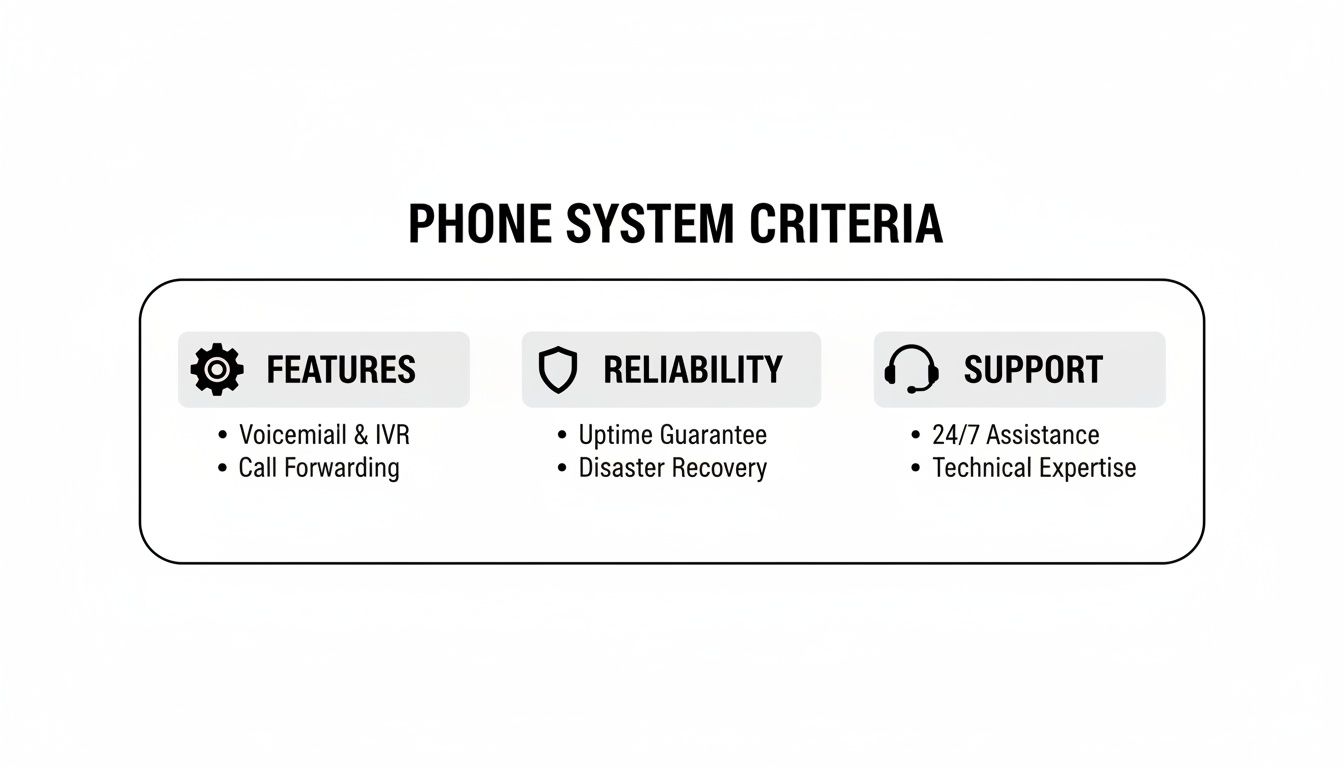
Think of these as the legs of a stool. If one is weak, the whole thing wobbles. A balanced approach is the only way to make a decision you won't regret later.
Nextiva: A Well-Rounded Cloud Solution
You've probably heard of Nextiva. They’re a huge name in the VoIP world, offering a clean, unified platform that bundles voice, team chat, and video calls. Their app is known for being user-friendly, putting common tools like call routing and voicemail right at your fingertips. If you need a solid, all-in-one system without a ton of complexity, Nextiva gets the job done.
Where you might feel the pinch is with customization and integrations. With only about 19 third-party integrations, they fall short of competitors who offer hundreds. That might not sound like a big deal, but if your workflow relies on connecting your phones to a specific CRM or helpdesk tool, it could be a complete non-starter.
RingCentral: The Collaboration Powerhouse
RingCentral really shines when it comes to team collaboration. Their platform is packed with features like video huddles, task management, and file sharing built right into the app. Their analytics are also incredibly powerful, letting you build custom dashboards to track everything from call volume to agent activity. For a business that lives and breathes data, it’s a very strong choice.
The biggest headaches are its complicated pricing and metered usage. For instance, SMS messaging is capped on every plan, with some starting as low as 25 texts per user per month. If your team texts customers regularly, you'll blow through that in no time, leading to surprise overage fees or a forced upgrade to a more expensive plan.
GoTo Connect: A Focus on Global Calling
GoTo Connect carves out its niche with fantastic international calling. Their standard plan includes unlimited calling to over 50 countries, something very few competitors offer out of the box. I'm also a big fan of their drag-and-drop dial plan editor—it lets you build surprisingly complex call flows without needing to be a tech wizard.
On the flip side, their entry-level "Basic" plan is incredibly restrictive, limiting you to a single auto-attendant and one ring group. That makes it a poor fit for any business needing to direct callers to more than one team or department. Much like RingCentral, GoTo Connect also uses a credit system for SMS, so you’ll have to watch your usage closely.
SnapDial: Predictable Pricing and Dedicated Support
SnapDial was built from the ground up for small businesses that want enterprise-level tools without the headaches and unpredictable bills. The biggest draw is its all-inclusive pricing model. Every single feature, from the auto-attendant and call recording to advanced call center queues, is included in one flat per-user fee. This completely removes the risk of getting a bill with nasty surprises.
The other major differentiator is the support. While many providers outsource their helpdesks to save a buck, SnapDial keeps its 24/7 support team in-house and based in Texas. When you call, you're talking to a real expert who can actually solve your problem, not someone just reading from a script. If you want to get into the weeds on this, you can learn more about how modern cloud systems stack up against old hardware in our guide on hosted VoIP vs PBX.
The most significant, yet often overlooked, differentiator is the value of white-glove setup. SnapDial provides complete, end-to-end migration and configuration at no extra cost, ensuring a seamless transition without downtime or technical headaches for your team.
This hands-on approach is a world away from the DIY setup most providers expect, where you're left to figure out all the configuration on your own.
A Practical Cost Comparison: Metered vs. All-Inclusive
To show you how this plays out financially, let's run the numbers for a 10-person team, comparing a typical metered plan with SnapDial's all-inclusive approach.
Scenario A: Competitor's Metered Plan
These plans look cheap upfront but nickel-and-dime you for features you actually need.
- Base Plan: $20/user/month = $200
- Call Recording Add-on: $5/user/month = $50
- Toll-Free Minutes (Overage): 1,000 extra minutes at $0.03/min = $30
- SMS Overage: 500 extra texts at $0.01/text = $5
- Setup/Activation Fee (One-time): $250
Right away, your monthly bill jumps to $285, and that doesn't even count the upfront setup fee. Your costs will change every month, making it impossible to budget with any certainty.
Scenario B: SnapDial's All-Inclusive Plan
Here, everything is wrapped into one predictable price.
- All-Inclusive Plan: $25/user/month = $250
- Call Recording: Included
- Toll-Free Minutes: Unlimited (fair use)
- SMS/MMS: Unlimited
- White-Glove Setup: $0
The monthly cost is a flat $250. No gotchas, no surprise fees, and the free setup saves you hundreds of dollars right from the start. Over a year, this model doesn't just deliver more value—it makes financial planning simple, which is a massive advantage for any small business. This clarity, combined with expert support and a full feature set, is what makes SnapDial stand out in this small business phone system comparison.
Matching a Phone System to Your Business Needs
Choosing a new phone system based on a generic feature list is a recipe for frustration. The best system for a three-location retail chain will be a terrible fit for a fully remote marketing agency. To make the right call, you have to match the technology to your company’s unique operational DNA.
This means getting specific. Forget abstract comparisons and start thinking about your day-to-day reality. We’ll look at three common business models—the multi-location business, the remote/hybrid team, and the small call center—to see which features really move the needle in each situation. This approach helps connect the problems you face every day with the right solutions.
The Multi-Location Business
If your business has more than one physical site, your top priorities are unification and consistency. You need a system that makes all your locations feel like a single, cohesive unit to customers while simplifying how you manage it all on the back end.
The most critical feature here is advanced call routing. This lets you set up rules that automatically send callers to the right location or department based on their area code, the number they dialed, or an IVR menu choice. For instance, a customer calling your main number can be instantly connected to the storefront nearest them without anyone lifting a finger.
Key features for this use case include:
- Centralized Administration: A single web portal to manage every user, phone number, and setting across all locations is non-negotiable.
- Unified Billing: Getting one predictable monthly invoice simplifies your accounting and consolidates costs.
- Extension-to-Extension Dialing: Your team should be able to reach colleagues in any office by dialing a simple 3 or 4-digit extension.
A unified phone system transforms a network of separate offices into a single, professional organization. It ensures a consistent brand experience for every caller, regardless of which location they contact.
The Remote or Hybrid Team
When your team is spread out, the phone system is the glue that holds your communication together. The focus isn't on physical hardware anymore; it’s on powerful software and mobile access that keep every employee connected and productive, no matter where they are.
The absolute standout feature for this model is a robust mobile and desktop app. This softphone application turns an employee’s computer or smartphone into their office extension, giving them full access to their business line, voicemail, and call logs. This is how you neatly untangle personal and business calls.
Another must-have is advanced "find me/follow me" call forwarding. This feature intelligently hunts for an employee by ringing multiple numbers in a sequence or all at once—their desk phone, mobile app, and even a home phone—before giving up and sending the call to voicemail. It dramatically cuts down on missed opportunities. Our guide on what is a cloud phone system explains the technology that makes this kind of flexibility possible.
The Small Call Center
Even if it's just a handful of people, a team dedicated to sales or support operates like a mini call center. For these businesses, success is all about efficiency, measuring performance, and delivering a great customer experience, especially when call volumes spike.
The most vital tool here is smart queue management, often called Automatic Call Distribution (ACD). Instead of letting calls ring endlessly or hit a busy signal, a queue holds them in a virtual line and directs them to the next available agent. Features like wait-time announcements and queue callback options can make a huge difference in how callers perceive your business.
On top of that, real-time analytics are indispensable. A manager's dashboard showing metrics like current calls in queue, average wait times, and agent status gives you the data needed to make on-the-fly adjustments and keep things running smoothly. Without these insights, you're just flying blind.
This is a major growth area, as small and medium-sized enterprises (SMEs) are adopting cloud phone systems faster than anyone. This shift is driven by the need to support remote work—where 70% of employees now work from home at least once a week—and the significant cost savings of VoIP. The SME market is set for massive expansion, and matching features to your business model ensures your investment pays off.
Executing a Seamless Migration Plan
Switching your business phone system can feel like a high-stakes operation, but a smooth transition is entirely possible with a structured plan. Migrating from a legacy system to a modern VoIP solution doesn't have to mean downtime or dropped calls. The trick is to break the process down into manageable stages so you can move forward with confidence.
The very first step is to take a hard look at your current environment. This isn't just about counting phones; it's a deep dive into your network's readiness. A successful VoIP implementation hinges on a stable internet connection with enough bandwidth and low latency to deliver crystal-clear call quality.
Preparing Your Network and Team
Before you even think about porting numbers or plugging in new phones, a thorough network health check is non-negotiable. This pre-flight check helps you spot potential bottlenecks that could sabotage call quality down the line.
Just as critical is getting your team ready. You'll need to map out every single user, their extension, and any special call routing rules they rely on. This blueprint ensures that when the new system goes live, everyone’s workflow is replicated and ready to go without missing a beat.
A successful migration is 90% planning and 10% execution. Taking the time to document your existing setup and test your network infrastructure is the single most effective way to prevent surprises during the switchover.
Managing the Number Porting Process
One of the biggest worries for any business is losing their main phone numbers. The good news is that the Local Number Portability (LNP) process is a well-established, federally regulated system that allows you to take your numbers with you to a new provider.
While the process is reliable, it demands precision. You have to give your new provider an exact copy of your most recent phone bill from your old carrier. Any mismatch in name or address can trigger frustrating delays, which is why having an experienced migration team in your corner is so valuable.
Your Step-by-Step Migration Checklist
To keep your transition organized, follow this simple, actionable checklist. It breaks the entire project down into clear phases, helping your team stay on track from start to finish.
- Network Assessment: Run speed and quality tests to confirm your internet connection can handle your business's call volume.
- User and Feature Audit: Create a detailed spreadsheet of every employee, their current extension, and must-have features like ring groups or call queues.
- Submit Porting Request: Give your new VoIP partner a signed Letter of Authorization (LOA) and a recent phone bill to kick off the LNP process.
- Hardware Selection and Staging: Pick the right IP phones for your team. Your provider should pre-configure them and ship them right to your office.
- System Configuration: While the numbers are porting, work with your provider to build out your auto-attendant, call routing rules, and voicemail settings.
- Training and Go-Live: Schedule a quick training session for your team on the new phones and software. On porting day, you just plug in the new hardware.
Following this checklist systematically takes the mystery out of the migration. For many businesses making a small business phone system comparison, the value of a provider that handles this entire process is a massive differentiator. Companies like SnapDial offer end-to-end, white-glove migration support at no extra charge, turning a potentially stressful project into a seamless, professionally managed upgrade.
So, How Do You Make the Final Call with Confidence?
Walking through a comparison of small business phone systems can feel like a marathon, but hopefully, the finish line is now in sight. The trick is to look past the shiny, long feature lists and zero in on what really makes a difference for your team's day-to-day work and your bottom line. You're not just picking software; you're choosing a communications partner.
When you circle back to the core criteria—features, reliability, support, pricing, and scalability—a pattern starts to emerge. The best systems are the ones that just work, removing headaches and guesswork. This is where you can tell a true partner from a simple vendor.
Bringing It All Together
Your final choice should be a direct reflection of how your business actually operates.
-
If you run a multi-location business: You need a unified system. Centralized management and one predictable bill are non-negotiable for keeping things consistent and saving your sanity.
-
If your team is remote or hybrid: The quality of the mobile and desktop apps is everything. This is what keeps every employee plugged in and looking professional, no matter where they are.
-
If you manage a small call center: You’ll live and die by your call queue management and real-time analytics. These are the tools that let you deliver top-notch customer service without chaos.
See the common thread? In every scenario, it boils down to simplicity, reliability, and support you can actually reach when something goes wrong.
The right phone system provider isn’t just selling you a service; they're invested in your success. You can see this in their tangible commitments, like transparent, all-inclusive pricing, 24/7 support from actual humans, and a free white-glove migration to make the switch painless.
In the end, this decision is all about confidence. Confidence that your bill will be exactly what you expect every month, with no hidden fees for features you thought were included. Confidence that a real person will be there to help you fix things fast. And confidence that your system can grow with you, providing a stable foundation for whatever comes next. When you prioritize these things, your new phone system becomes less of a tool and more of a genuine asset for growth.
Frequently Asked Questions
When you're comparing phone systems, a few key questions always seem to pop up. Let's get you some straight answers so you can make a decision you feel good about.
Can I Keep My Existing Business Phone Numbers?
Absolutely. You own your phone numbers, not the carrier. Thanks to a process called Local Number Portability (LNP), you have the federally protected right to take your numbers with you when you switch providers.
To get the ball rolling, you’ll just need to give your new provider a signed Letter of Authorization (LOA) and a recent phone bill. A good partner will handle the entire porting process for you, making sure the switch is seamless and you don't miss a single call.
What Is the Total Cost of Ownership?
The monthly price tag is really just the starting point. The true cost includes all the extras—things like one-time setup fees, number porting charges, and the price of new IP desk phones if you need them.
Be sure to ask if features like call recording or video conferencing cost extra. Some providers also have metered plans for texting or toll-free minutes, which can make your bill unpredictable. Always get a full cost breakdown to avoid any surprises down the road.
The best way to keep costs predictable is to find a provider with an all-inclusive plan. This bundles everything—features, unlimited usage, and even hardware—into one flat monthly fee. No hidden charges, no guesswork.
How Long Does It Take to Switch Systems?
Switching to a new VoIP system usually takes anywhere from one to four weeks. The biggest variable is almost always the number porting, as it depends on how quickly your old provider agrees to release your numbers.
The good news is that the actual day you switch over is incredibly quick. With a little planning and a provider that offers hands-on setup, the "go-live" can be as simple as unplugging your old equipment and plugging in the new. We're talking virtually zero downtime.
Ready to see how an all-inclusive phone system can make a real difference for your business? Discover how SnapDial combines enterprise-level features with predictable pricing and 24/7 dedicated support. Learn more and get a personalized quote today at snap-dial.com.