

SpectrumVoIP offers a hosted Voice over Internet Protocol (VoIP) service, which is a modern alternative to the traditional, on-premise business phone systems many are still stuck with. It’s designed to bring flexible, feature-rich communication to small and mid-sized businesses and call centers.
What Is SpectrumVoIP and How Does It Work

Think about your office phone system for a second. If it's still tied to a clunky server closet full of wires, you know the limitations. Now, imagine that entire system lives securely in the cloud, accessible from anywhere with an internet connection. That’s the core idea behind a service like SpectrumVoIP.
It moves your entire business communication setup from rigid, physical hardware to a nimble, internet-powered platform. The technology behind it all is VoIP (Voice over Internet Protocol), which works by turning your voice into digital data packets. These packets zip across your internet connection—just like an email—and get reassembled into crystal-clear audio on the other end. This simple shift frees your business from the sky-high costs and frustrating limits of old-school phone lines.
Modernizing Business Communications
The main goal here is to modernize how you connect with customers and how your team connects with each other. It’s about making your business more agile and professional, which is critical now that remote and hybrid work are the norm.
This kind of technology gives businesses some serious advantages:
- Work from Anywhere: Employees can make and take calls from their business number using a desk phone, a computer app, or their smartphone. It doesn't matter if they're in the office, at home, or on the road.
- Punch Above Your Weight: Advanced features like an auto-attendant (your virtual receptionist) and custom on-hold music help even a small startup project the polished image of a much larger company.
- Scale on a Dime: Need to add a new employee? It’s as easy as adding a new user in a web portal. No more waiting—or paying—for a technician to come on-site and run new lines.
To give you a quick snapshot of the company, here’s a look at SpectrumVoIP at a glance.
SpectrumVoIP at a Glance
| Attribute | Description |
|---|---|
| Service Type | Hosted VoIP & Unified Communications |
| Primary Market | Small to mid-sized businesses and call centers |
| Key Offerings | Cloud phone system, mobile/desktop apps, contact center tools |
| Company Origin | Founded in 2004; headquartered in Plano, Texas |
| Market Scale | Serves over 200,000 users across various industries |
| Financials | Estimated $162.5 million in annual revenue with around 400 employees |
This table provides a high-level overview, showing a company that has carved out a significant space in the hosted VoIP market since its founding.
At the end of the day, a hosted VoIP system is about turning your phones into a smart, unified communications tool that grows with you. To get a better handle on the technology itself, check out our guide on what a cloud phone system is and how it can help your business.
Unpacking SpectrumVoIP Core Features

It's easy to get lost in a long list of features. To figure out if a system like SpectrumVoIP is the right fit, you have to look past the marketing jargon and see how these tools solve real-world business problems. A great phone system isn't just a list of bells and whistles; it’s about making your team more efficient and your customers happier.
Let's start with a foundational tool: the Auto Attendant. Don't just think of this as a recorded greeting. Think of it as your company's virtual receptionist, working 24/7. It ensures you never miss a potential lead just because someone called after hours or when your entire team was tied up.
For instance, a caller might hear, “Thanks for calling. Press 1 for Sales, 2 for Support, or 0 for the operator.” That simple function immediately makes your business sound more professional and organized, guiding customers to the right person without any manual work. For a small business, this creates the impression of a much larger, more established operation.
Turning Conversations into Actionable Insight
Next up is Call Recording. On the surface, it’s just a way to log conversations. In practice, however, it becomes a powerful asset for training, quality assurance, and even dispute resolution.
Imagine a new sales rep is struggling to close deals. A manager can sit down with them and review recorded calls, pinpointing the exact moment a pitch could have been stronger or a customer’s question was misunderstood. This turns a routine call into a concrete, teachable moment.
Likewise, if a customer disputes the details of an order, having a recording provides an objective source of truth that protects your business and brings clarity. This shifts call recording from a passive function to an active tool for risk management and team improvement.
With features like call recording and detailed logs, a VoIP system creates a feedback loop for continuous improvement. These tools give you the insights needed to refine customer service, elevate training, and make smarter, data-driven decisions.
Enabling True Work-From-Anywhere Productivity
One of the most powerful features for any modern business is the Mobile App. This tool is the key to unlocking true work-from-anywhere productivity, effectively transforming any employee’s smartphone into a secure, fully functional office extension.
An employee can make and receive calls using their business number directly from their personal cell phone, all without ever revealing their private number. This is huge for maintaining a professional boundary while making sure they’re always reachable.
Here’s how these features all come together in the real world:
- A multi-location retail chain uses an auto-attendant to route callers to their nearest store based on the caller's area code.
- A field technician uses the mobile app to call a client from a job site, and the call looks like it’s coming from the office.
- Later, the support manager reviews the recording of that interaction to make sure service standards were met.
Ultimately, the core features in the SpectrumVoIP platform aren’t just add-ons; they are integrated solutions built to solve common business challenges. They work together to make your workflows smoother, your company image sharper, and your team more productive, no matter where they are.
Advanced Call Center Analytics Explained
While features like an Auto Attendant are great for getting callers to the right place, the real magic happens after the call connects. Advanced analytics are what turn a flood of raw call data into sharp business insights. With a platform like SpectrumVoIP, you stop guessing about customer satisfaction and start knowing exactly how your team is performing, moment by moment.
Think of your customer service team as a living, breathing operation. Metrics like call abandonment rate and average wait time are its vital signs. A high abandonment rate isn’t just a number on a spreadsheet; it’s a direct measure of frustrated customers who gave up before getting help. That frustration almost always translates into lost sales or a tarnished reputation.
This data tells a clear story about your customer experience. It helps you answer the tough questions that were impossible to tackle with an old-school phone system. Are you chronically understaffed during the lunch rush? Does one of your agents need a bit more coaching on complex issues? The answers are right there in the numbers.
Real-Time Insights with the Stats Grid
Imagine you're a support manager. Instead of waiting for a wave of angry customer emails to signal a problem, you just glance at a dashboard and see a service bottleneck forming in real time. That’s the power of SpectrumVoIP's Stats Grid—a tool that boils down complex data into a simple, color-coded visual guide to your call center’s health.
The system lets you set your own performance goals for the metrics that matter most. This turns abstract numbers into instant, actionable signals:
- Green: Everything is humming along smoothly. Your team is hitting its service targets.
- Yellow: A heads-up. Wait times are starting to creep up, or more callers are dropping from the queue than you'd like.
- Red: A critical alert. A threshold has been crossed, flagging an immediate problem that needs your attention right now.
This real-time feedback loop lets you be proactive, not reactive. You can shift agents to a suddenly busy queue or jump in to help before a small hiccup snowballs into a full-blown service meltdown.
These powerful reporting tools, once reserved for Fortune 500 companies with massive budgets, give you the insights needed to optimize staffing, refine training, and elevate your entire customer experience from the ground up.
Key Metrics That Drive Improvement
The platform is packed with detailed reports that give managers a complete picture of their operation. SpectrumVoIP's robust reporting suite—including Queue Stats, Agent Stats, and Dialed Number reports—delivers the hard numbers businesses need to boost service efficiency nationwide.
Key stats like average wait times, abandonment rates, service levels (e.g., 80% of calls answered within 20 seconds), and agent talk time are all tracked, allowing managers to set those crucial thresholds in the Stats Grid for instant alerts. You can dive deeper into how these call reporting statistics work on their documentation site.
By getting a handle on these metrics, you can make informed, data-driven decisions to make your team more efficient and effective. Understanding these numbers is a fundamental part of running successful call center operations that consistently meet—and exceed—customer expectations.
Technical Keys to a Successful VoIP Transition

Making the switch to a service like SpectrumVoIP is about more than just plugging in new phones. A truly successful transition hinges on making sure your office's technical foundation is solid. Getting this right from the start is what separates crystal-clear calls from frustrating, choppy audio.
Think of your office internet connection as a busy multi-lane highway. Everything from emails and video streams to large file downloads are like cars, trucks, and buses all fighting for space. When a VoIP call is just another car in that traffic jam, it can get stuck, causing lag, jitter, and dropped calls.
This is where a crucial concept called Quality of Service (QoS) comes into play. QoS acts like a dedicated express lane just for your voice calls. By properly configuring your network, you’re basically telling your router to give voice data packets top priority, letting them bypass all the other traffic. This ensures your calls always have a clear, fast path, keeping them smooth and uninterrupted, no matter how congested the main internet highway gets.
Assessing Your Network Readiness
Before you can build that express lane, you need to make sure your highway is wide enough in the first place. Having sufficient bandwidth is completely non-negotiable for a reliable VoIP experience. Without enough capacity, even the best QoS settings can’t save your call quality.
You’ll need to take a look at your current internet speed and your existing network hardware.
- Bandwidth Requirements: Each simultaneous VoIP call needs a small but consistent slice of bandwidth (roughly 100 Kbps for both upload and download). Just multiply that by the maximum number of people who will be on the phone at once to get a rough baseline.
- Hardware Check: Not all routers are created equal. Older or basic consumer-grade models might not have the processing power or features needed to handle QoS and prioritize VoIP traffic effectively. You’ll want a business-grade router that can manage traffic without breaking a sweat.
A critical part of a successful VoIP transition also involves a solid grasp of network fundamentals. This includes understanding what a DNS server is and the role it plays in routing internet traffic for clear communication. If you're not sure whether your network can handle the load, you can learn more about how much bandwidth you need for VoIP in our detailed guide.
A successful VoIP deployment is built on a network that's not just fast, but smart. Prioritizing voice traffic and ensuring you have adequate bandwidth are the two most important steps you can take to guarantee a high-quality, reliable phone service.
Keeping Your Business Numbers
One of the biggest worries businesses have when switching phone systems is the fear of losing their established phone numbers. Thankfully, this is a solved problem, all thanks to a process called number porting.
Number porting is the standard industry procedure for moving your existing phone numbers from your old carrier to a new VoIP provider like SpectrumVoIP. It's a regulated process that ensures you keep ownership of your numbers, which is critical for maintaining business continuity.
While the provider handles the technical heavy lifting on the back end, you’ll just need to provide them with a recent phone bill and a letter of authorization. This gives them the green light to work with your old carrier and seamlessly transfer your numbers with zero downtime.
Comparing Standard vs Managed VoIP Service
Choosing a VoIP provider isn't just about features and price. The real decision comes down to one critical question: who is ultimately responsible for making sure your phone system works? This is where you see the massive difference between a standard provider like SpectrumVoIP and a fully managed, white-glove service like SnapDial.
It’s like the difference between being handed a high-end DIY toolkit and having a master carpenter build, install, and guarantee the finished product. One model gives you the parts and instructions; the other delivers a finished, working system.
The Setup and Migration Experience
With a standard provider, the setup process is largely on you. The phones show up in a box with some instructions, and it falls to your IT team to handle the rest—plugging in phones, tweaking network settings, and programming the auto-attendant. This can work just fine if you have a dedicated IT staff with deep experience in telecom.
A managed service like SnapDial flips the script entirely. Our process kicks off with a dedicated team that audits your current environment and designs a complete migration plan tailored to your business. We handle every technical detail, from porting your phone numbers to on-site installation and configuration. Our entire goal is to deliver a turnkey system with zero disruption, freeing up your team to do their actual jobs.
The core value of a managed model is the shift in responsibility. Instead of your team being accountable for a successful VoIP deployment, you have a dedicated partner whose sole job is to ensure your system works perfectly from day one.
Support Models: The Critical Difference
Support is where the two models really diverge. While almost every provider offers some kind of help, how you get it—and how good it is—can vary dramatically. A standard provider might point you toward a knowledge base, send you to a community forum, or make you navigate a multi-level ticketing system to get a simple answer.
A managed, white-glove service gives you a single, expert point of contact for everything. For example, SnapDial provides 24/7 Texas-based support, where a quick phone call connects you directly to a technician who can solve your problem right then and there. This completely removes the frustration of endless support tickets and long wait times, giving you peace of mind that an expert is always on standby.
Pricing Structure and Overall Value
Finally, let's talk about the money. Standard VoIP providers often advertise a low per-user fee, but the real cost is often hidden. You might find extra charges for premium features, setup help, or priority support. That low initial price can quickly climb once you add up the extras and, more importantly, the cost of your own staff's time spent managing it all.
Managed services, on the other hand, usually come with a clear, all-inclusive pricing model. You pay one predictable monthly fee that covers the service, every feature, the entire white-glove migration, and unlimited ongoing support. This makes budgeting a breeze and kills the risk of surprise bills.
To make the choice clearer, here’s a side-by-side look at how the two service models stack up.
Service Model Comparison: SpectrumVoIP vs. SnapDial
This table breaks down the fundamental differences in approach, helping you see which model is a better fit for your business's resources and priorities.
| Aspect | SpectrumVoIP (Standard Model) | SnapDial (Managed Model) |
|---|---|---|
| Setup & Migration | DIY or assisted setup; you are responsible for network configuration and feature programming. | Full white-glove migration; a dedicated team handles all porting, setup, and configuration. |
| Ongoing Support | Tiered support system; may involve online knowledge bases, forums, or ticketing systems. | 24/7 Texas-based support; direct access to expert technicians for immediate resolution. |
| Responsibility | Your internal IT team is responsible for managing, troubleshooting, and optimizing the system. | The provider is fully responsible for the system's performance, maintenance, and support. |
| Pricing Model | Base per-user fee with potential extra costs for premium features, setup, and support. | All-inclusive pricing; one predictable monthly fee covers everything, including migration and support. |
| Best For | Businesses with a dedicated, experienced IT department comfortable with telecom management. | Businesses that want a turnkey solution and a dedicated partner to handle all aspects of the phone system. |
When you look at the total value—the expert setup, the immediate and high-touch support, and the predictable costs—the managed model often proves to be the smarter, more cost-effective choice for any business that just wants its phones to work, flawlessly.
Your Step-by-Step VoIP Migration Plan
Thinking about switching your business phone system can feel overwhelming. I get it. But moving from an old, clunky setup to a modern cloud VoIP solution doesn't have to be a headache that grinds your business to a halt.
The secret is having a solid, step-by-step plan. A smooth transition is all about mapping out the journey before you take the first step. This ensures you start reaping the rewards of your new system right away, without any painful downtime.
First, take a hard look at your current communications. Don't just list what’s broken; think about the real pain points. Are you missing calls after hours? Is your team struggling to stay connected when working from home? Make a list of every frustration—this is the foundation for your new system's requirements.
Once you know the problems you need to solve, it's time to check your network. A reliable VoIP experience, whether it's with SpectrumVoIP or another provider, lives and dies on a stable internet connection. Run a few online speed tests during your busiest hours to check your upload and download speeds. This quick check confirms if your network is ready for high-quality voice traffic.
Define Your Must-Have Features
With your pain points and network status clear, you can build your "must-have" feature list. Think beyond just making calls. Do you need an auto-attendant to route calls professionally, call recording for training, or a mobile app for your team on the go?
Prioritize this into "essentials" versus "nice-to-haves." This becomes your scorecard when you start evaluating providers.
The image below shows a simplified view of the service lifecycle, highlighting the key stages from initial setup to ongoing support and billing.
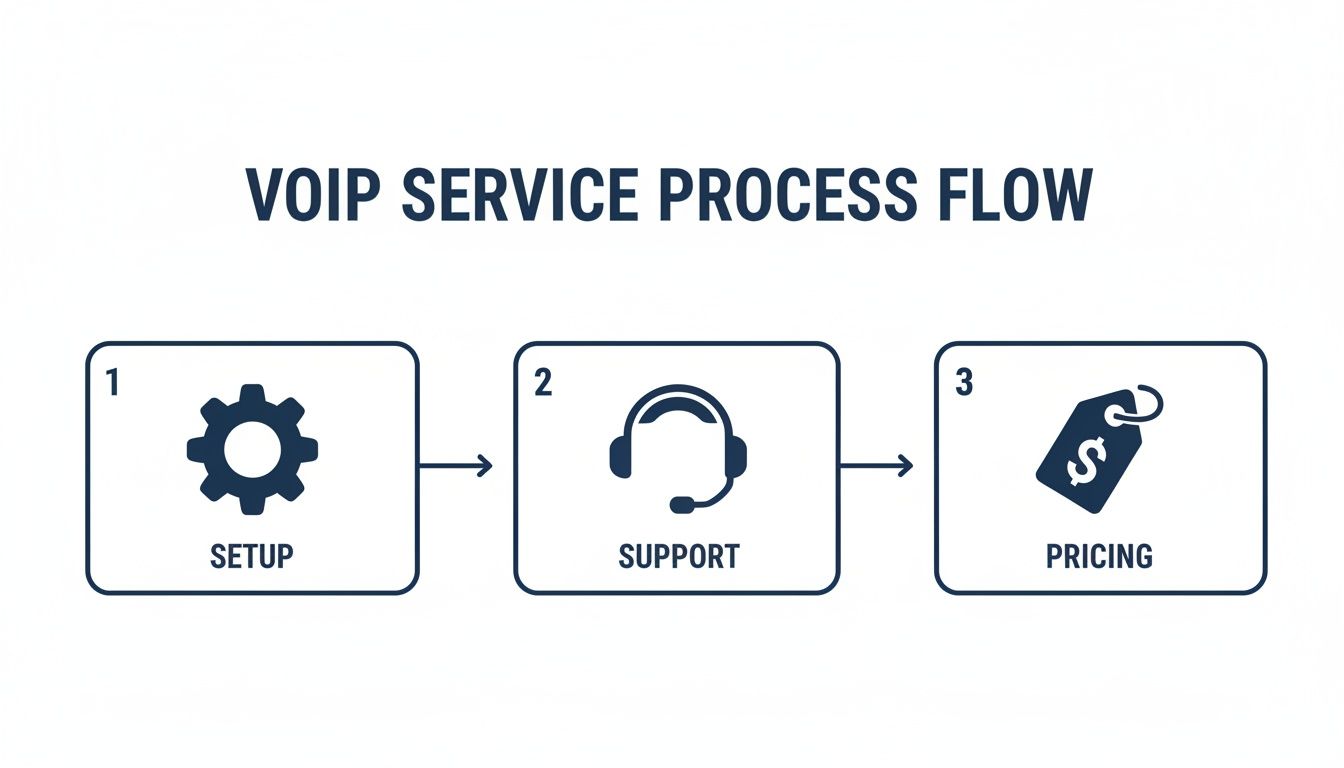
This really illustrates that a provider's job doesn't end after installation. Reliable support and clear pricing are just as crucial in the long run.
Finalizing Your Transition
Now you can start talking to potential providers. Share your feature list and ask them for a live demonstration. Seeing the system in action is the only real way to know if its interface is intuitive and if it truly solves your problems.
A live demo is non-negotiable. It lets you test drive the user portal, see how call routing is configured, and experience the mobile app firsthand. This ensures the system actually works for your team's specific workflow.
Finally, put together a simple training and rollout plan. The job isn't done when the phones are plugged in; it's done when your team is using them confidently.
- Schedule a Brief Team Training: Walk everyone through the basics—making calls, transferring, and checking voicemail.
- Distribute Quick-Start Guides: A one-page cheat sheet can answer most common questions and reduce day-one anxiety.
- Announce the Go-Live Date: Give everyone a clear heads-up on when the old system gets turned off and the new one takes over.
Following these steps transforms the migration from a daunting technical project into a structured, predictable process.
Got Questions? We've Got Answers
Making the final call on a new phone system can feel like a big step. To help you feel confident in your decision, we’ve put together straightforward answers to the questions we hear most often from businesses weighing a move to a service like SpectrumVoIP.
How Good Does My Internet Really Need to Be?
This is a big one, and the short answer is: your internet connection is the foundation of your call quality. For a stable, professional-sounding VoIP experience, you absolutely need a high-speed business internet connection.
While every business is different, a good rule of thumb is to have at least 100 Kbps of dedicated upload and download speed for every single call you expect to have going at the same time. A dedicated fiber or business-grade cable connection is strongly recommended over a shared residential or wireless plan to keep your calls crystal clear.
Can We Keep Our Existing Business Phone Numbers?
Yes, absolutely. You don't have to give up the numbers your customers already know and trust.
Like any modern VoIP provider, SpectrumVoIP supports number porting. This is just a standard, regulated process that lets you move your current local and toll-free numbers from your old provider to the new one. It ensures you maintain business continuity and avoid the massive headache of updating your contact info everywhere. It's your number, and you get to take it with you.
The core strength of VoIP is its flexibility. It untethers your business communications from a physical location, empowering your team to stay connected and professional whether they're in the office, at home, or on the road.
This is a total game-changer for remote employees. They can use a mobile app on their smartphone, a softphone on their computer, or a pre-configured desk phone from their home office—all seamlessly connected to the central SpectrumVoIP system.
Ready for a phone system that just works, with no surprises? SnapDial offers a fully managed, white-glove VoIP experience with all-inclusive pricing and 24/7 Texas-based support. See how we can transform your business communications at snap-dial.com.