
A unified global login system is the absolute cornerstone of modern business communications. It offers a single, secure entry point for employees to access every tool they need—eliminating password fatigue and streamlining access to calling, conferencing, and mobile office features. For any company using a UCaaS platform like SnapDial, this isn't a luxury; it's a fundamental requirement for boosting both productivity and security.
Why Unified Login Is Crucial for Modern Business Communications
Let's get practical. A unified global login strategy solves real-world headaches for IT managers and distributed teams. It moves way beyond convenience and becomes a core part of your operational efficiency and a hardened security posture.
Imagine you're onboarding a new team of remote sales agents. Instead of manually creating separate credentials for their softphone, mobile app, and call center dashboard, you grant them access to everything through one central identity. Even better, when an employee leaves, a single click revokes access to everything instantly, closing a common—and dangerous—security gap.
The Impact on Daily Operations
The benefits ripple right through the entire organization, simplifying life for your team while giving you stronger administrative control. Employees no longer have to juggle a dozen different passwords for their desktop and mobile apps, which slashes the number of helpdesk tickets for lockouts and resets. That streamlined access is critical for keeping everyone productive, especially in roles that rely on constant communication.
Think about a call center agent handling sensitive customer data. They can log in just once at the start of their shift to get into their entire communications stack—from their Yealink IP phone to the real-time reporting dashboards. Securing that single point of entry with Multi-Factor Authentication (MFA) is far easier and provides a much stronger defense against any unauthorized access.
Meeting the Demands of a Mobile Workforce
The push for unified login has really exploded as business operations become more mobile. In today's hyper-connected world, systems like this are essential as companies like SnapDial lead the charge in seamless unified communications for business.
Consider the numbers. By October 2025, there were 5.78 billion unique mobile users worldwide, making up 70.1% of the global population—an increase of 108 million (1.9%) from the year before. This massive mobile adoption highlights exactly why a single, unified login is so critical. Your team is juggling multiple apps and devices; they need one secure entry point to get to VoIP calling and conferencing without any friction. For small and mid-sized businesses replacing an old PBX, this means no more password fatigue. You can dig into this global shift in the full 2026 overview report.
Key Takeaway: A unified login isn't just about reducing password clutter. It's about building a secure, scalable, and user-friendly foundation for your entire communications ecosystem. It empowers IT with centralized control while giving employees frictionless access to the tools they need to succeed.
Ultimately, this strategy is the first step toward unlocking the true potential of your communications platform. When you simplify access, you can finally stop managing credentials and start focusing on leveraging the advanced features that drive your business forward.
Choosing Your SSO Protocols and Identity Providers
Getting your unified global login system off the ground starts with a foundational choice: picking the right tech to build it on. This really comes down to two pieces of the puzzle—the authentication protocol that acts as the secure handshake between your systems, and the Identity Provider (IdP) that serves as the single source of truth for who your users are.
Nailing this decision is non-negotiable. It has a direct line to your security, the daily user experience for your team, and how easily you can scale things up later. Think of the protocol as the language your systems will speak, and the IdP as the master dictionary that defines everyone. They have to work together perfectly.
Demystifying the Core SSO Protocols
When you peel back the layers, you’ll find two dominant protocols in the SSO world: SAML and OAuth 2.0/OpenID Connect (OIDC). While both get you to a single sign-on experience, they were born from different needs and solve slightly different problems.
SAML (Security Assertion Markup Language) is the seasoned veteran of the enterprise world. It was built for one primary job: authentication. Its entire purpose is to confirm a user is who they say they are, making it a rock-solid choice for web-based applications. If your main goal is giving employees secure access to a web admin portal—like your SnapDial management console—from inside the corporate network, SAML is a fantastic, robust option. It works its magic by passing digitally signed XML documents between your IdP and the application.
OAuth 2.0 and OpenID Connect (OIDC) are the modern kids on the block, designed from the ground up for mobile apps and APIs. It's a two-part system: OAuth 2.0 is purely for authorization (letting an app do things on your behalf), while OIDC is a thin layer on top that handles authentication (proving it's you). This tag team is incredibly flexible and is the standard behind all those "Log in with Google" or "Sign in with Microsoft" buttons you see everywhere.
Selecting the Right Identity Provider
Your Identity Provider is the heart of your entire unified login strategy. It’s the one central place that stores and manages all your user identities and their credentials. You’ve got heavy hitters in this space like Microsoft Entra ID (formerly Azure AD), Okta, and Google Workspace, and each has its own strengths.
As you weigh your options, keep these factors front and center:
- Your Existing Ecosystem: The path of least resistance is usually the smart one. If your company already runs on Microsoft 365, Microsoft Entra ID is the natural, almost seamless choice. Same goes for Google-centric organizations—starting with Google Workspace just makes sense.
- Integration Needs: Think about all the other cloud apps your team uses. An IdP like Okta shines here, specializing in a massive catalog of pre-built connectors that can make hooking up a diverse suite of services way less painful.
- Scalability and Future Features: Don't just solve for today. Look down the road. Will you eventually need more advanced tools like adaptive multi-factor authentication (MFA), detailed audit logs for compliance, or automated user provisioning with SCIM? Make sure your chosen IdP can grow with you.
At the end of the day, a solid unified login system must guarantee secure login user identification, covering everything from information security to encrypted access for your team's personal data. Your IdP is the central pillar holding that promise up.
Expert Tip: Before you go too far down the rabbit hole, check the documentation for your UCaaS provider. They almost always have preferred IdPs and detailed, step-by-step guides for specific platforms. This can save you a massive amount of time and guesswork during setup.
A Practical Protocol Comparison
To help you land on the right protocol, let’s put them side-by-side and see how they stack up for a typical UCaaS platform. Making a smart choice here is what ensures your unified global login is both secure and dead simple for your team to use.
SAML vs OAuth/OIDC Which Protocol Fits Your Business Needs?
A practical comparison to help you decide which authentication protocol is right for integrating your UCaaS platform with your existing systems.
| Factor | SAML (Security Assertion Markup Language) | OAuth 2.0 / OpenID Connect | Best For Your SnapDial Use Case |
|---|---|---|---|
| Primary Use Case | Web-based enterprise authentication (e.g., logging into a portal). | Mobile apps, APIs, and modern web applications. | SAML is ideal for admin portal access; OIDC is better for mobile app and softphone logins. |
| Data Format | Uses XML, which can be more verbose and complex. | Uses JSON Web Tokens (JWTs), which are lightweight and developer-friendly. | Depends on the endpoint. Both are well-supported, but OIDC is often easier for modern development teams. |
| Security Focus | Excellent for federated identity and corporate environments. | Designed for delegated access and granular permissions. | Both are highly secure when implemented correctly. The choice depends on the specific application being secured. |
| Maturity | A well-established, mature standard with broad enterprise support. | A newer, more flexible standard that is the de facto choice for modern apps. | Your IT team's familiarity might be the deciding factor here. |
Ultimately, your decision should mesh with your current infrastructure, your team's technical comfort level, and your long-term goals. By getting a good handle on these core components, you can build a unified login foundation that's secure, ready to scale, and perfectly suited to how your organization works.
Configuring Your Identity Provider for Seamless Integration
Okay, you've picked your protocol and settled on an Identity Provider (IdP). Now it’s time to roll up your sleeves and get these systems talking to each other. This is where the theory ends and the practical work begins, creating the digital handshake between your IdP—whether that's Azure AD, Okta, or another—and your UCaaS platform.
The goal here is simple: you're creating a new "application" inside your IdP that will represent your communications service.
Think of it like adding a new trusted partner to your company directory. You need to give them specific credentials so they know who you are and where to securely send information. For a unified global login, this boils down to defining a few key technical details. They might sound a bit complex at first, but they’re pretty straightforward once you see what they do.
Setting Up Your New SSO Application
First, you'll dive into your IdP’s admin dashboard to create a new "Enterprise Application" or "App Integration." The name changes from provider to provider, but the steps are almost always the same.
Give the new application a name that makes sense, like "SnapDial SSO," so it’s easy for anyone on your team to find for assignments or troubleshooting down the line.
This initial step carves out a dedicated space in your IdP where all the specific connection details will live. For more detailed, platform-specific instructions, you can always check out our guide on SnapDial Single Sign-On integration.
Defining Critical SAML Endpoints
Once you've created that application shell, you'll be faced with two of the most important fields in any SAML-based SSO setup: the Entity ID and the Assertion Consumer Service (ACS) URL. Your UCaaS vendor will provide these, and getting them exactly right is non-negotiable.
- Entity ID (or Identifier): This is just a globally unique name that identifies your UCaaS platform as the service provider. Think of it as the application's unique mailing address. When your IdP sends a login confirmation, it uses this ID to make sure it's going to the right place.
- Assertion Consumer Service (ACS) URL: This is the specific web address where your UCaaS platform is waiting to hear back from your IdP. After a user authenticates, your IdP sends a SAML assertion—basically a signed "this user is good to go" message—to this URL to grant them access.
A simple typo in either of these values is easily the most common reason SSO integrations fail. I’ve seen it happen countless times. Always copy and paste these directly from your provider’s documentation to avoid a simple but frustrating mistake.
This visual shows how the high-level decisions you've made lead right up to this hands-on integration stage.
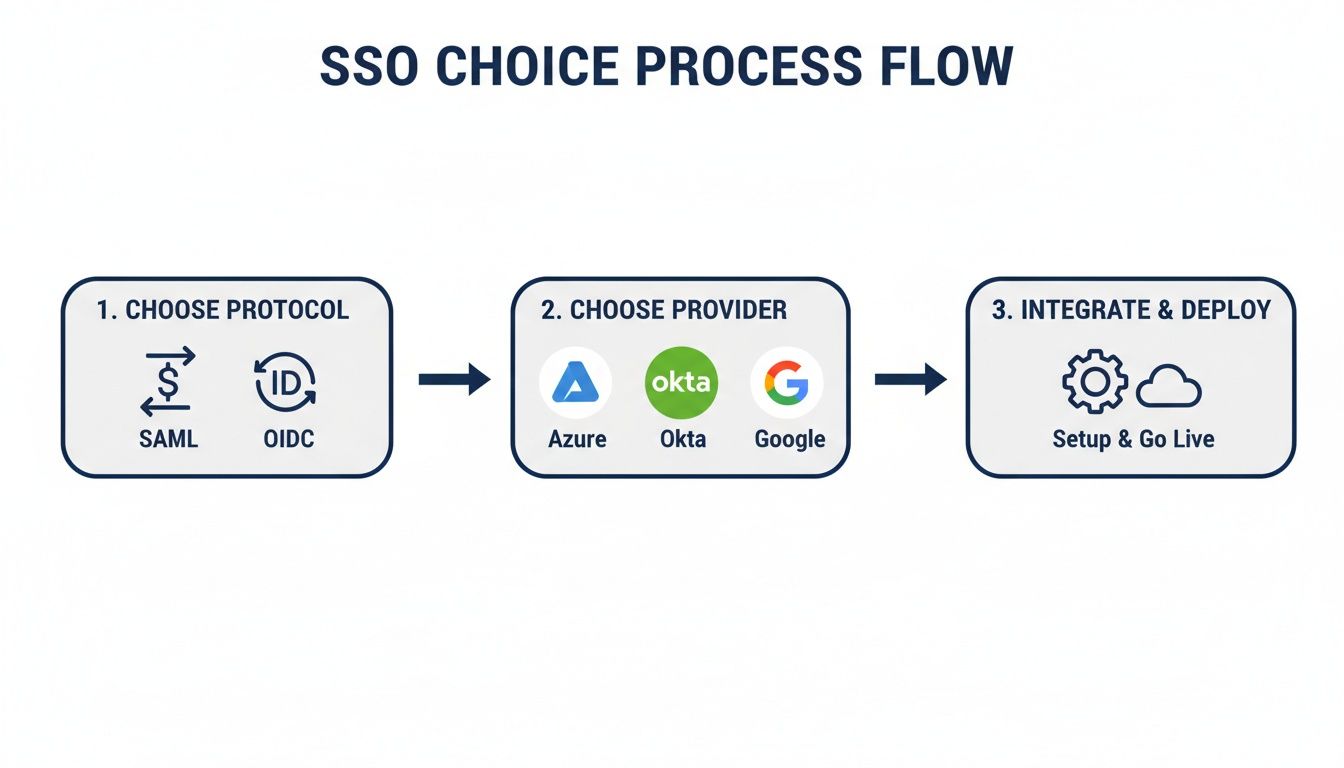
As the chart illustrates, choosing the right protocol and provider is the essential groundwork you have to lay before you can even start configuring anything.
This whole push for unified global login is tied directly to the UCaaS market's explosive growth, which has completely changed how businesses manage communications. The market hit USD 87.39 billion and is projected to climb to USD 262.37 billion by 2030, growing at an impressive 19.8% CAGR.
This surge, driven by the needs of remote work, puts unified login right at the center of it all. Imagine SnapDial's unlimited lines, cloud faxing, and Yealink IP phones all accessible under a single credential—that’s the seamless experience businesses now demand. You can find more insights on this UCaaS market growth on grandviewresearch.com.
Exporting Metadata and Completing the Connection
After you’ve plugged in the Entity ID and ACS URL, the last step on your end is to send your IdP's information back to your UCaaS platform. Your IdP will generate a metadata file (usually an XML file) or provide a public certificate.
This file is a package containing everything your UCaaS platform needs to know about your IdP, including its unique identifier and the public key required to verify the digital signature on every login attempt.
You’ll then upload this file or paste the certificate details into your UCaaS platform’s SSO settings. This completes the circle of trust from both sides, allowing for the secure exchange of authentication data.
Pro Tip: Before you roll this out to the entire company, create a dedicated test user in your IdP. Assign the new SSO application only to that user and walk through the entire login process from start to finish. This lets you confirm every setting is perfect in a controlled environment, preventing any disruption for your team.
This careful, step-by-step configuration ensures your unified login system is built on a solid foundation, ready to provide secure and frictionless access to your entire communications stack.
Taking Control with Automated Provisioning and Role Mapping
Once you’ve established that secure handshake between your systems, the focus shifts from infrastructure to people. A solid unified global unified login strategy isn't just about letting people sign in; it's about intelligently managing their entire lifecycle from the moment they join. This is where automated user provisioning and role mapping become your best friends, especially if your teams are growing or spread out across the globe.
Manually creating a UCaaS account for every new hire is a recipe for mistakes and wasted time. It’s an administrative bottleneck that almost guarantees inconsistent permissions. Automated provisioning, usually handled by a protocol like SCIM (System for Cross-domain Identity Management), gets rid of that headache completely.
Think of SCIM as a direct line between your Identity Provider (IdP) and your UCaaS platform. When you create a new user in your IdP, SCIM immediately gets to work, automatically creating their UCaaS account, filling out their profile, and assigning the right permissions—no manual clicks needed.
From Manual Drudgery to Automated Precision
Let’s play this out in the real world. Say your company just hired five new support agents to handle a growing customer base. Without automation, an IT admin has a tedious checklist:
- Create five new user accounts one-by-one in the UCaaS portal.
- Assign each user the "Support Agent" role.
- Manually add them to the correct call queues and ring groups.
- Double-check that features like call recording are enabled for each account.
This is not only slow but also incredibly prone to human error. One wrong click could leave a new agent without the tools they need on their first day. With SCIM, the instant those five agents are added to the "Support" group in your IdP, their fully configured UCaaS accounts pop into existence. Onboarding time shrinks from hours to mere minutes.
Key Insight: Automation is about more than just speed. It's about consistency and security. By letting a central policy dictate every user's access rights, you dramatically slash the risk of dangerous misconfigurations.
Mapping IdP Attributes to UCaaS Roles
The real magic of this automation is in attribute mapping. Your IdP is a treasure trove of employee data—name, email, job title, department, even their office location. You can leverage these attributes to dynamically assign specific roles and permissions within your UCaaS platform.
For example, you could create a rule that says anyone with the "Job Title" of "Sales Director" in your IdP automatically gets the "Manager" role in your communications system. Just like that, they have access to call monitoring features and advanced reporting dashboards, without anyone lifting a finger.
This approach aligns perfectly with the principles of Identity and Governance Administration (IGA), a framework for managing digital identities and access rights across the entire organization.
Here’s a practical look at how these mappings could work:
| IdP Attribute | IdP Value | UCaaS Role Assigned | Permissions Granted |
|---|---|---|---|
| Department | Sales |
Sales Agent |
Access to sales call queue, CRM integration enabled. |
| Job Title | Support Manager |
Call Center Supervisor |
Access to real-time agent dashboards and call barging. |
| Office Location | New York |
NY Office User |
Assigned a local New York phone number and E911 address. |
This level of granular control ensures every single team member gets exactly the right level of access from day one. For businesses running on directory services, integrating solutions like SnapDial's Active Directory integration can make this process even smoother.
By automating provisioning and mapping, you transform user management from a reactive, manual chore into a proactive, policy-driven system that scales effortlessly right alongside your business.
Applying MFA and Conditional Access Policies
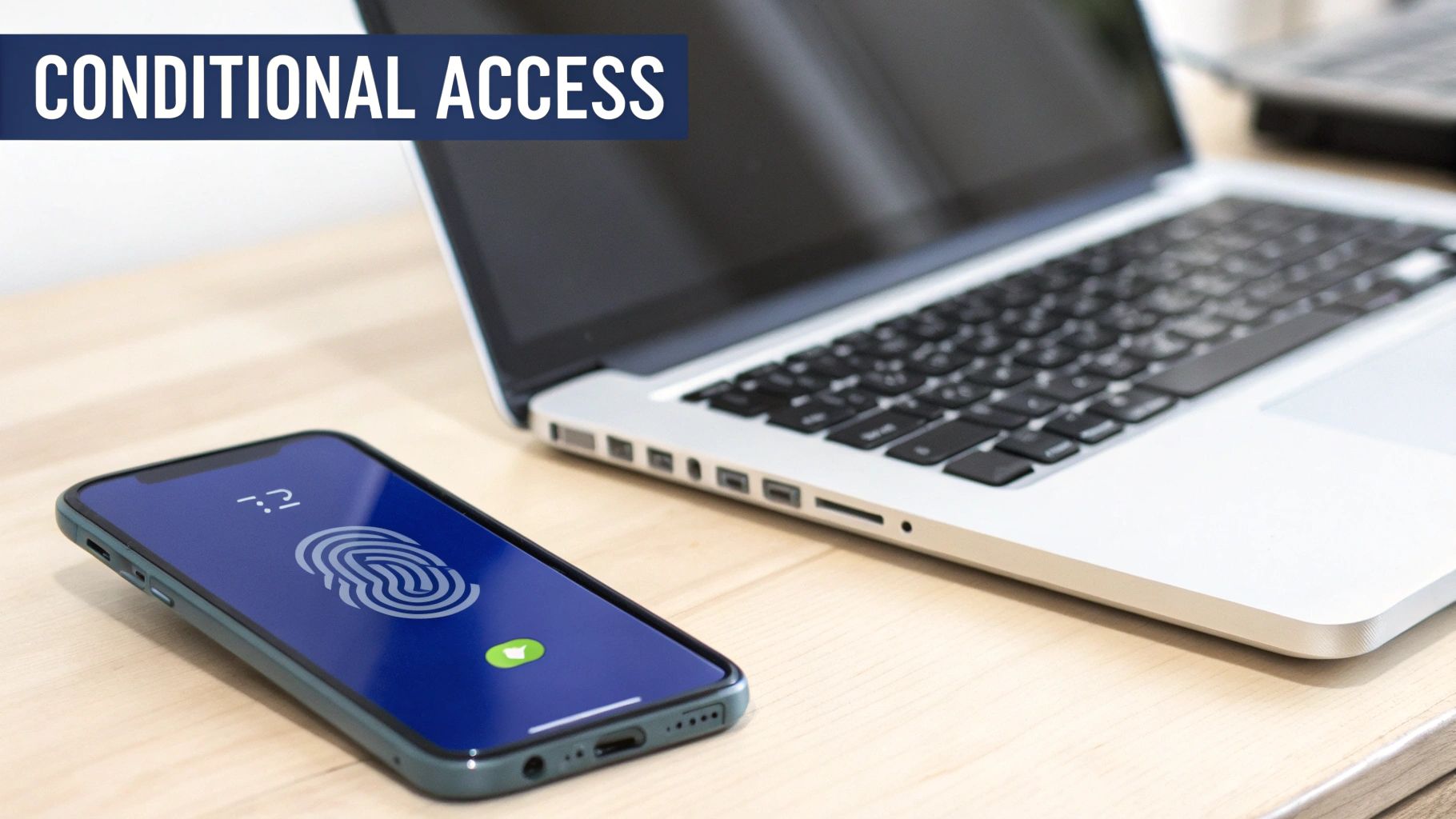
A unified login is a huge win for user convenience, but let’s be honest: it also creates a single, high-value target for attackers. A compromised password is no longer a minor headache; it’s the master key to your entire communications kingdom. This is where you have to get smart and layer on modern, intelligent security.
Just having a unified global login isn't enough. The absolute baseline is enforcing Multi-Factor Authentication (MFA) across the board. The beauty of centralizing everything through your Identity Provider (IdP) is that you can make MFA mandatory for every single login attempt to your UCaaS platform. A stolen password, on its own, becomes completely useless.
Moving Beyond Basic MFA
Enforcing MFA is step one, but the real power comes from building context-aware security with conditional access policies. Think of these as dynamic, if-then rules managed by your IdP. They evaluate every login request in real-time, letting you build a security posture that’s both formidable and flexible. It’s how you find the perfect balance between airtight protection and a smooth user experience.
Picture this: one of your sales reps logs into their SnapDial softphone from a company-issued laptop on the secure office Wi-Fi. A conditional access policy sees this low-risk situation and grants them immediate access. No friction, no extra steps.
But what if that same agent tries to log in later from a personal tablet at a coffee shop? The policy instantly recognizes the change in context—an unfamiliar device on an untrusted network. It automatically triggers an MFA prompt, forcing them to verify their identity with a push notification before getting in.
Key Takeaway: Conditional access turns your security from a blunt, one-size-fits-all hammer into a precise, intelligent shield. It only adds friction when the risk profile actually calls for it, keeping your team productive while actively shutting down threats.
Crafting Granular Access Rules
The real magic of these policies is their granularity. You’re not just limited to device and location. You can create incredibly sophisticated rules based on all sorts of signals to fine-tune security for different user groups.
Here are a few real-world examples you can put into practice:
- Role-Based MFA: Always require MFA for anyone with an administrator account, no matter where they are or what device they’re using, while giving standard users more flexibility.
- Impossible Travel Detection: Block login attempts that happen from two geographically distant locations in an impossibly short time—a classic red flag for a compromised account.
- Application-Specific Controls: Demand MFA for accessing sensitive data like call recording archives but not for something simple like checking voicemail.
- Device Compliance: Only permit access from devices that meet your company’s security standards, like having up-to-date antivirus and disk encryption enabled.
These policies are critical for both security and scale—two things that define a modern unified global login system. With data exploding and 5.1% annual growth adding 294 million internet users recently, you need a login system that can keep up securely. As 77% of firms report a rise in cyber-fraud, MFA-integrated unified logins have become non-negotiable, proven to slash breaches by over 99%. You can learn more about how the UCaaS market is evolving at snsinsider.com.
By thoughtfully combining MFA with conditional access, you build a resilient security framework that actually adapts to the realities of a modern, hybrid workforce. It’s a proactive approach that ensures your unified login system isn’t just convenient, but a true fortress for your business communications.
Common Questions About Unified Global Login
Rolling out a unified global login is a big project, and it’s only natural for questions to come up. Even after a successful launch, IT managers need to think about the day-to-day realities of managing the system and what to do when things don't go as planned.
Let's walk through some of the most common questions we hear from teams making this switch. We'll get straight to the point with practical answers that build on the steps we’ve already covered, so you can feel confident managing your communications for the long haul.
What Happens If Our Identity Provider Goes Down?
This is the big one, the what-if scenario that keeps IT managers up at night. While major Identity Providers (IdPs) like Azure AD or Okta have incredible uptime records, no service is immune to outages. A smart organization always has a backup plan.
The industry best practice here is to have a "break-glass" administrator account. This is a standalone user account created directly inside your UCaaS platform, completely separate from your IdP. It uses a good old-fashioned username and password, bypassing SSO entirely.
Crucial Tip: This account needs to be locked down tight. We're talking about an exceptionally strong, unique password stored in a secure vault. Its use should be restricted to true emergencies, ensuring you can always get into your system to manage users or change settings, even if your IdP is temporarily offline.
Make sure this procedure is documented and that your key IT staff know exactly what to do. Figuring out who has access and how to use it before a crisis hits is what separates a minor hiccup from a major headache.
How Do We Handle Employee Offboarding?
This is where the real magic of a unified global login comes into play. It turns a major security chore into a simple, automated process. When an employee leaves the company, you only have to do one thing.
You just disable or delete their account in your primary IdP, whether that's Active Directory or Google Workspace. Because every application is tied to that single identity, their access to your UCaaS platform—and everything else—is revoked instantly and automatically.
This automated de-provisioning gives you a massive security advantage:
- No More Orphaned Accounts: It closes the common loophole where former employees can still access systems through forgotten or unmanaged accounts.
- Immediate Access Revocation: The moment their central account is disabled, access is cut off. There’s no grace period for potential misuse.
- Less Admin Work: Your IT team no longer has to hunt down and manually disable a dozen different logins. This saves a ton of time and prevents human error.
Should We Roll Out SSO to Everyone at Once?
While flipping the switch for everyone at once—the "big bang" approach—might sound efficient, a phased rollout is almost always the smarter move. It gives you a chance to test, get feedback, and iron out any wrinkles in a controlled setting before it affects the whole company.
Most IdPs make this easy by letting you assign new SSO applications to specific user groups. That's your key to a smooth, phased implementation.
- Start with a Pilot Group: Kick things off with a small, tech-savvy team. Your IT department is usually the perfect guinea pig. This lets you test the entire login flow, from authentication to actually using the UCaaS features.
- Get Feedback and Fine-Tune: Work closely with the pilot group to find any friction points or weird behavior. Use what you learn to tweak the configuration or update your internal guides.
- Expand Gradually: Once you’re confident everything is working perfectly, you can start adding more departments or locations. This measured approach minimizes disruption and builds confidence across the organization as you go.
Will SSO Make My Team Log In More Often?
That’s a common worry, but the reality is the exact opposite. The whole point of Single Sign-On (SSO) is to reduce how often people have to type in their passwords, not increase it.
Once a user signs in with their main account through the IdP—like when they log into their computer first thing in the morning—they get access to all their connected apps, including your UCaaS platform, for that entire session. They can jump between their softphone, the admin portal, and the mobile app without being bugged for a password over and over again.
Your IdP gives you granular control over things like session lengths and timeout policies, so you can find the perfect balance between tight security and user convenience. The result is a much smoother workflow, way fewer password-related helpdesk tickets, and a better experience for everyone on your team.
Ready to eliminate password fatigue and secure your communications with a single, unified login? The experts at SnapDial provide white-glove setup to integrate our cloud phone system seamlessly with your existing identity provider, ensuring a smooth and secure transition. Discover how a modern phone system can simplify your IT management by exploring our solutions at https://snap-dial.com.