

Your phone system usually becomes a priority only when it starts failing in public.
A customer hits a busy signal at the worst possible time. A salesperson working from home can call out, but can’t transfer a live prospect back to the office cleanly. The front desk says voicemail is scattered across devices. Then the aging PBX needs another service visit, and nobody enjoys that invoice.
That’s where most SMB phone upgrades begin. Not with a fascination for telecom. With friction. Calls taking too long to reach the right person. Staff inventing workarounds. Owners paying to maintain a system that fits the office they had years ago, not the one they run now.
If that sounds familiar, you’re not shopping for features. You’re trying to reduce missed calls, simplify support, and move to something your team can use without babysitting old hardware.
Why Businesses Are Replacing Their Old Phone Systems
A lot of businesses hang onto a legacy phone system longer than they should. It’s understandable. If the desk phones still light up, replacing the whole setup feels optional.
It stops feeling optional when the business changes faster than the phone system can.

The usual breaking points
An older PBX works fine in a simple, single-office setup. It struggles once you add remote staff, a second location, call routing rules, or any expectation that employees should answer business calls from more than one device.
Common symptoms show up in predictable ways:
- Peak-hour congestion: Customers hit busy signals or ring endlessly because the system can’t flex with call volume.
- Remote work friction: Employees rely on personal mobiles, direct-dial workarounds, or voicemail relay because the system was built for desks, not distributed teams.
- Repair surprises: Every hardware issue turns into a support ticket, a part replacement, or a technician visit.
- Expansion headaches: Adding users or lines becomes a project instead of an admin task.
- Feature gaps: Basic calling still works, but modern workflows don’t. Routing, recordings, shared visibility, and mobile access feel bolted on rather than built in.
The market already made the turn
This shift isn’t theoretical. The global VoIP market was valued at approximately USD 161.79 billion in 2025 and is projected to reach approximately USD 415.20 billion by 2034, according to Nextiva’s VoIP market roundup. The same source notes that 73% of American adults lived in households without a landline by the end of 2022, a figure that had tripled since 2010.
That matters because business buyers don’t operate in a vacuum. Staff already expect mobile-ready communication. Customers expect fast routing and fewer dead ends. Owners expect a phone system to behave more like software than like utility infrastructure.
Old phone systems usually fail as management tools before they fail as dial tones.
What pushes owners to act
In practice, the trigger is rarely one dramatic outage. It’s accumulated inefficiency.
A receptionist has to remember who’s in office today. A manager can’t get clean visibility into missed calls. A new hire waits for hardware changes. An office move turns phone service into a dependency chain.
That’s why businesses replace old systems. Not because VoIP sounds modern, but because legacy telephony creates drag in places where companies need speed, flexibility, and cleaner customer handling.
What Exactly Is a VoIP Office Phone System
The simplest way to understand voip office phone systems is this. Traditional phone service works like postal mail. Your voice travels through a dedicated path built for one job. VoIP works more like email. Your voice gets converted into data and delivered over your internet connection.
That difference changes almost everything about cost, flexibility, and administration.
Voice becomes data
When someone speaks into a VoIP phone, the system converts that audio into digital packets and sends them across your network. The other end reassembles those packets into sound.
You don’t need to think like an engineer to use it. You just need the mental model. Instead of relying on a separate analog phone world, your business calling rides on the same kind of networked foundation as your other cloud tools.
If you want a plain-language overview of the hosted model, this guide on what is a cloud phone system is a useful primer.
The main parts of the system
A modern VoIP setup has a few core building blocks. Each one replaces something that used to live in a phone closet, on a wall, or in a service contract.
The cloud PBX
This is the control layer. Think of it as the system’s brain.
It handles extension logic, ring groups, auto attendants, voicemail behavior, call routing schedules, and administrative settings. In a hosted setup, that logic lives in the provider’s platform instead of on equipment in your office.
That matters because you’re not maintaining the switchboard anymore. You’re managing settings.
IP phones and softphones
These are the devices people use.
Some employees prefer a desk phone such as a Yealink handset. Others work better with a desktop app or mobile app. In a good deployment, the device becomes a preference, not a limitation. The number and call flow follow the user.
SIP trunks and internet connectivity
If you came from the legacy world, you can think of SIP trunking as the modern equivalent of phone lines. It connects your calling service to the broader phone network without requiring old analog circuits for every expansion step.
Why the architecture matters
The technical side becomes useful when it solves a business problem.
VoIP architecture relies on a Media Gateway Controller and Application Servers, which is why features like IVR and call queues are native to the platform instead of awkward add-ons. According to Vonage’s overview of VoIP system features, that structure enables tools like IVR and call queues that can reduce first call resolution time by 25%. The same source notes that cloud systems can add new lines with zero hardware cost, unlike legacy systems that can cost $200 to $500 per additional trunk.
If your current system needs hardware every time the org chart changes, you don’t have a communications platform. You have a capacity problem.
What this means for an SMB owner
For a first major upgrade, the practical takeaway is simple.
A VoIP office phone system isn’t just a newer phone. It’s a business communications system where call handling lives in software, user access isn’t tied to a physical wall jack, and changes happen through configuration instead of hardware intervention.
That’s why these systems fit growing companies better. You can route calls based on department, time of day, or employee status. You can support a front desk, field staff, and remote users inside one system. And you can change the way calls move through the business without replacing the entire foundation.
Core Features and Enterprise Capabilities
Features matter only when they remove friction. A long list on a vendor page doesn’t help if your receptionist still has to manually rescue every important call.
The best voip office phone systems solve repeat problems cleanly. They make it easier for customers to reach the right person, for managers to monitor service quality, and for staff to stay reachable without exposing personal numbers.
Call handling that fixes the front door
For many SMBs, the first improvement is better call flow.
Auto attendant and IVR
An auto attendant answers calls with a greeting and menu options. That sounds basic until you compare it with the alternative, which is one person acting as a switchboard all day.
Used well, IVR helps callers route themselves to sales, service, billing, or an employee directory. Used badly, it becomes a maze. The difference is menu design. Keep the tree short, use plain language, and make sure urgent callers can still reach a live person.
Ring groups and call routing
These tools determine who gets the call, in what order, and under which conditions.
A medical office might ring the front desk first, then overflow to a backup queue. A service company might route by location or time of day. A professional services firm may ring both desk phone and mobile app so no lead waits while someone steps out.
The value isn’t the feature name. It’s fewer missed opportunities.
Tools that help managers run the business
Once the front-end routing is under control, the next gains come from visibility.
- Call recording: Useful for training, dispute review, and quality checks.
- Visual voicemail with transcription: Faster than asking staff to dial in and replay messages in sequence.
- Call logs: Managers can verify whether calls were answered, missed, transferred, or abandoned.
- User portal controls: Admins can adjust routing, greetings, holidays, and user settings without a service call.
These are the kinds of capabilities that turn telephony from a black box into an operational tool.
The strongest phone system upgrades don’t just improve call quality. They improve accountability.
Mobility without losing control
Remote and hybrid work broke the old assumption that “at your desk” means “available.”
VoIP changes that by extending the business identity across devices. Staff can make and receive calls from mobile apps or desktop clients while keeping the company number, transfer behavior, and voicemail tied to the business.
That’s a major operational improvement for:
- Sales teams who spend time between office, car, and client sites
- Support staff who rotate between home and office
- Multi-location companies that want one dialing plan across locations
- Owners and managers who need to stay reachable without giving out a personal cell number
Mobility isn’t about convenience alone. It reduces the gap between where your team works and where your phone system thinks they work.
Contact center functions for smaller teams
A lot of SMBs assume queue management and reporting belong only to large contact centers. That used to be true when those functions required expensive, specialized systems.
Hosted VoIP changed that. Even smaller support teams can use queueing, callback options, wait-time announcements, and real-time statistics to control customer experience more deliberately.
Here’s where these capabilities pay off:
| Capability | Business problem it solves |
|---|---|
| Smart call queues | Prevents calls from piling up on one person |
| Queue callback | Reduces hold frustration during spikes |
| Real-time stats | Helps supervisors spot service issues quickly |
| Call recording | Supports coaching and compliance reviews |
| Shared routing rules | Keeps service consistent across shifts |
A business doesn’t need enterprise headcount to benefit from enterprise habits. It just needs a phone platform that exposes those controls in a usable way.
The difference between nice-to-have and necessary
Some features look impressive in demos and go unused. Others become part of daily operations within a week.
The must-have group is clear:
- Reliable routing
- Shared voicemail and call visibility
- Mobile and desktop access
- Easy user management
- Queue handling if your phones drive customer service
Everything else depends on workflow. A law firm, HVAC company, clinic, distributor, and inside sales team won’t configure the same way. That’s normal. Good VoIP systems adapt to the business. They don’t force the business to mimic a call center just to answer the phone professionally.
VoIP vs Traditional PBX A Clear Comparison
A traditional PBX isn’t wrong. Some businesses still run one because it’s already paid for, their environment is stable, and they don’t need much beyond basic calling.
But once a company needs flexibility, the comparison starts leaning hard toward software-based telephony.
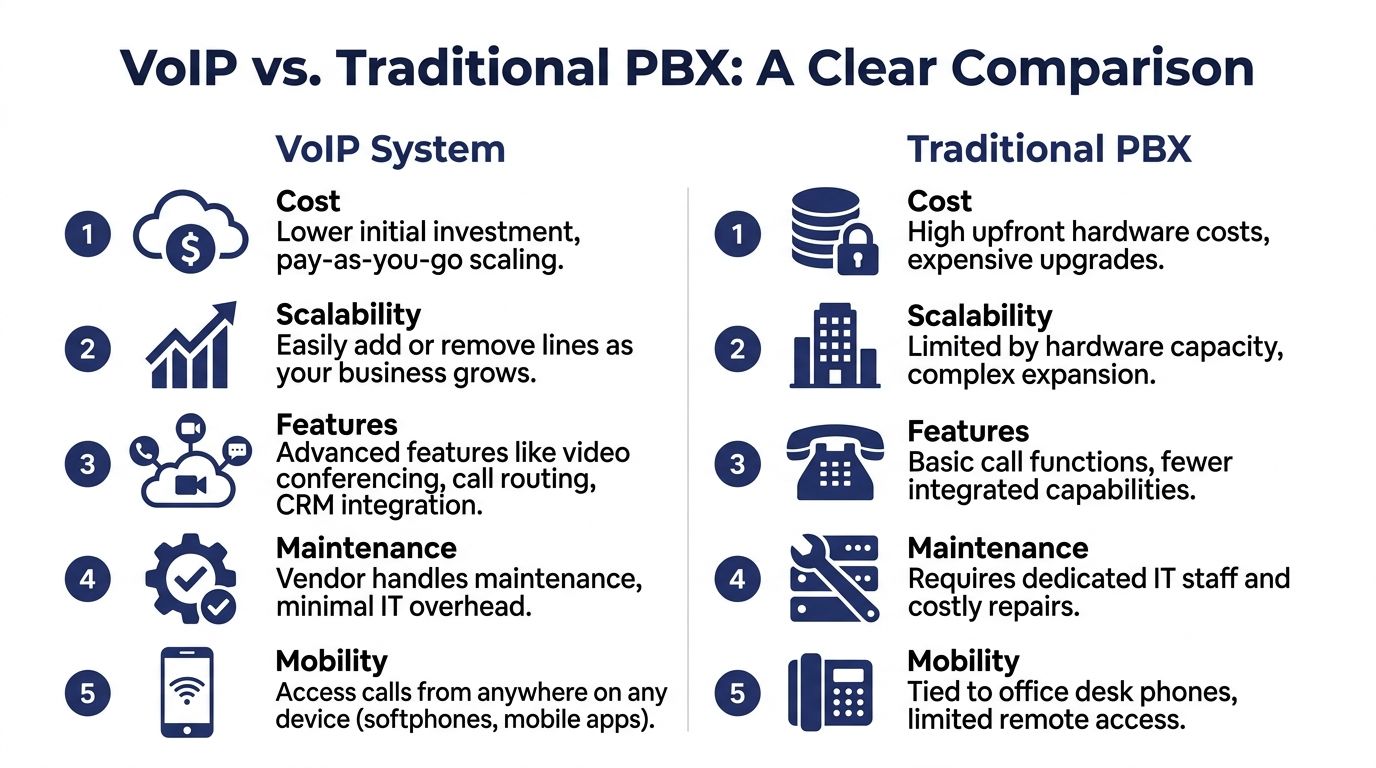
A deeper breakdown of the service types is available in this guide to VoIP vs POTS phone systems.
VoIP vs Legacy PBX Feature and Cost Comparison
| Criterion | VoIP Office Phone System | Traditional PBX System |
|---|---|---|
| Upfront cost structure | Usually subscription-based and operating expense driven | Usually hardware-heavy with larger capital expense |
| Adding users | Typically a configuration task | Often requires hardware capacity review or physical expansion |
| Remote work support | Built for mobile apps, softphones, and distributed teams | Commonly tied to desk phones and office wiring |
| Feature delivery | New capabilities are usually software-based | Added features may require modules, licenses, or outside service |
| Administration | Web-based control is common | Changes often rely on vendor support or specialized admin knowledge |
| Maintenance | Provider-managed in hosted models | Business owns more repair and lifecycle burden |
| Multi-location management | Centralized management is common | Separate sites can become fragmented |
| Disaster flexibility | Can support rerouting and alternative endpoints | Physical office dependency is typically higher |
Where legacy PBX still holds ground
It’s worth being honest about the trade-offs.
A business with a simple office, a stable headcount, and little need for mobility may feel less urgency. Some teams also like the familiarity of an on-prem environment they physically control.
But “still functions” and “still fits” are different things.
Legacy PBX often becomes expensive in indirect ways. It slows moves, adds complexity to staffing changes, and creates one more office-bound system that doesn’t match how employees work now.
Where VoIP wins decisively
The strongest advantages show up in day-to-day administration.
A manager wants to reroute lunchtime calls. An admin needs to add a user. A second office opens. A storm closes one location but not the others. These aren’t rare events. They’re normal business operations.
Hosted VoIP handles those situations with far less friction because the platform isn’t chained to one physical switch in one building.
Compare phone systems the way you’d compare accounting software. Ask how quickly you can change it, scale it, and trust it. Don’t just ask whether it powers on.
Key Decision Criteria
If you’re deciding between staying on PBX and moving to VoIP, focus on these questions:
- How often do staffing or routing changes happen
- How many people need mobile or remote access
- How painful is it to add lines today
- How much downtime or vendor dependency comes with simple changes
- Whether your current setup helps or hinders customer response
That framework usually brings clarity fast. Businesses rarely switch because they’re bored. They switch because the old system keeps charging them in time, rigidity, and missed opportunities.
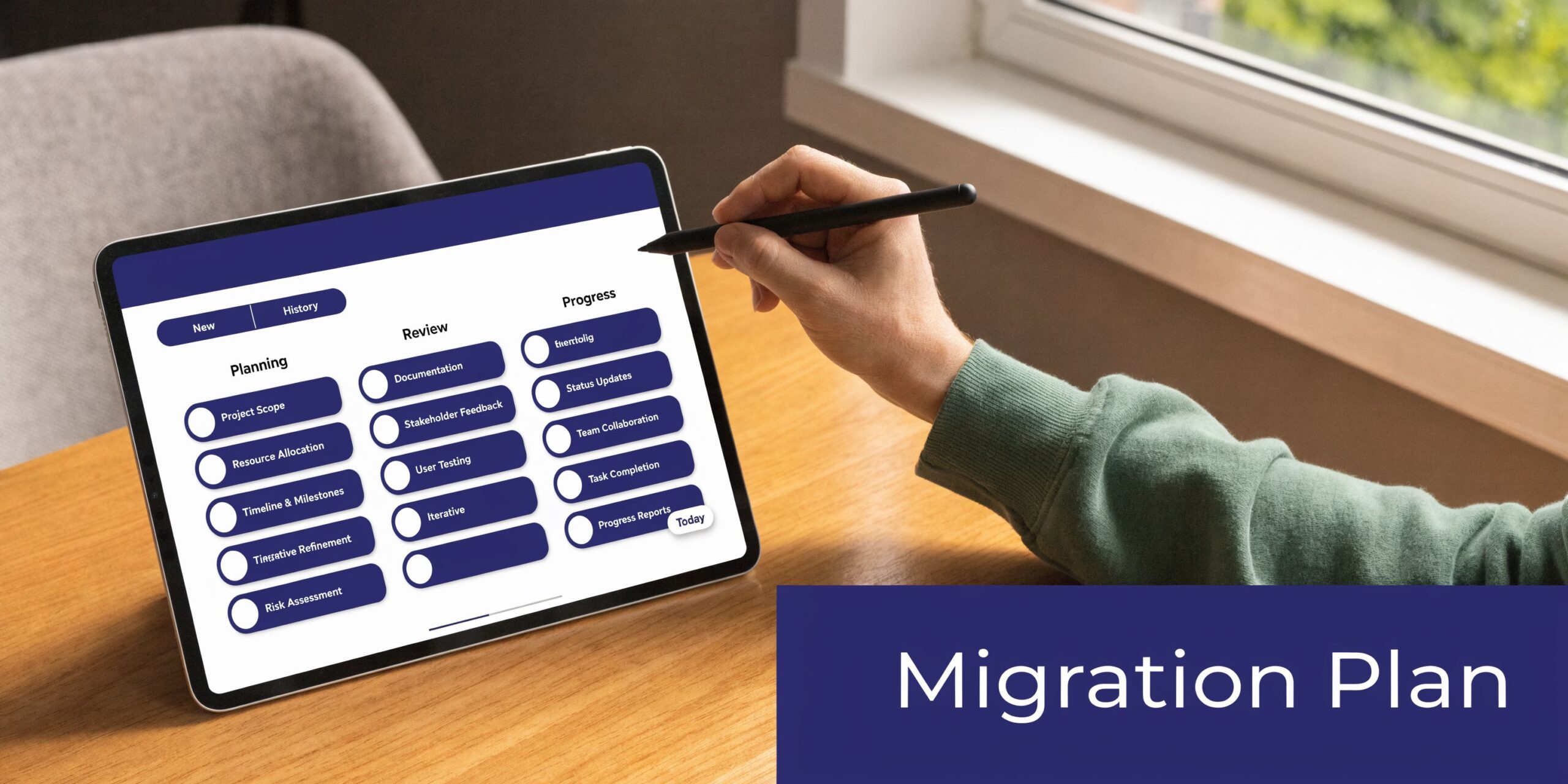
Planning Your Migration to a VoIP System
The migration is where good decisions either succeed or fall apart.
Most vendor content jumps from “VoIP saves money” to “go live next week.” Real upgrades don’t work that way. Number porting, user training, network readiness, call flow design, and fallback planning all matter. Ignore them, and the cutover gets messy.
Start with a network reality check
Before you compare phones or features, test whether your connection can support voice traffic properly.
For planning, bandwidth should be calculated against simultaneous calls, not total employees. If you’re unsure how to estimate that, this bandwidth guide explains how much bandwidth you need for VoIP.
Also check your switch environment, Wi-Fi assumptions, and whether traffic prioritization is already in place. A phone system can’t outrun a congested network.
Audit the current environment before you touch it
Legacy systems often contain years of tribal knowledge.
Extensions may forward to old employee numbers. Hunt groups may exist without documentation. Fax lines, door phones, alarm paths, paging adapters, and analog devices often hide in the background until migration week. That’s how projects slip.
A proper audit should include:
- Number inventory: Main numbers, direct numbers, toll-free lines, and special-use numbers
- Call flow mapping: Auto attendants, ring groups, after-hours rules, holiday schedules
- Device list: Desk phones, conference phones, analog adapters, specialty devices
- User roles: Reception, sales, service, executives, shared areas, remote workers
- Dependency review: CRM workflows, call recording needs, compliance expectations, faxing, and failover requirements
Budget for the hidden work
This is the part many first-time buyers underestimate.
For businesses moving from complex legacy PBXs, the hidden costs of data migration, number porting, and staff retraining can exceed initial vendor quotes by 30% to 50%, according to Ritelephone’s analysis of VoIP migration problems. That doesn’t mean every project blows past budget. It means the labor around change management is real and should be planned, not treated as an afterthought.
If you want a practical outside reference on the physical and operational side of deployment, this walkthrough on VoIP phone system installation is worth reviewing before you finalize a rollout plan.
Keep the rollout boring
A smooth cutover should feel uneventful to most employees and invisible to customers.
That usually means:
- Pilot first: Test with a small group that covers different roles.
- Port numbers in phases when possible: Don’t tie every location and user to one high-risk moment.
- Pre-provision devices: Phones, apps, and user settings should be ready before cutover day.
- Train by role: Reception needs different training than executives or queue agents.
- Create fallback paths: Temporary forwarding, mobile reroutes, and escalation contacts prevent panic.
A quick visual walkthrough helps teams understand what a structured migration should look like:
Choose a provider based on migration competence
Feature lists are easy to compare. Migration competence is harder to spot, but more important.
Ask direct questions. Who handles number port coordination? Who builds the initial call flow? Who trains users? What happens if a port date slips? How are remote employees supported during rollout?
This is also where one managed option like SnapDial fits the conversation. It provides hosted VoIP with white-glove setup, user provisioning, routing configuration, and ongoing support, which can reduce the internal lift for SMBs replacing a legacy PBX.
A migration-first mindset keeps the project grounded. Don’t buy the nicest demo. Buy the transition your business can survive cleanly.
Pricing Models and Calculating Your ROI
Most SMBs don’t need a perfect ROI model. They need an honest one.
The mistake I see most often is comparing only monthly service rates while ignoring installation, maintenance, admin time, and the cost of being stuck on a rigid system.
How pricing usually works
Traditional PBX spending leans toward capital expense. You buy or maintain hardware, pay for line-related infrastructure, and absorb repair or expansion costs as they appear.
Hosted VoIP shifts the model toward operating expense. You pay a recurring subscription and avoid much of the up-front equipment and installation burden that comes with legacy telephony.
That change is important for budgeting because monthly predictability is more useful than occasional large bills.
A simple ROI lens that owners can use
Keep the math practical. Compare these buckets:
- Current-state costs: Existing maintenance, service contracts, line charges, support visits, and admin overhead
- Upgrade costs: New phones, implementation work, training time, and any network cleanup
- Ongoing VoIP costs: Monthly service, device replacement policy, and support model
- Operational gains: Faster call handling, fewer missed calls, simpler management, and better support for remote staff
The strongest hard-cost example in the available data comes from a 30-phone business that saved USD 1,200 per month after replacing its legacy PBX, according to Yeastar’s VoIP statistics roundup. The same source says subscription-based VoIP models can reduce initial installation costs by up to 90% compared with traditional phone infrastructure.
What a realistic business case looks like
If you’re building the case internally, don’t promise miracles. Build a conservative model.
Use the current monthly telecom spend. Add known PBX support costs. Add any expected hardware refresh if you stay put. Then compare that to the hosted alternative plus one-time migration work.
That approach does two useful things. It keeps the numbers credible, and it stops the conversation from being trapped inside “what’s the per-user price?” A cheap plan with poor rollout and weak support can still cost more over time.
Good ROI isn’t only about spending less. It’s about paying for a system that creates less operational drag every week.
Where ROI shows up fastest
The payback tends to appear in a few places:
- Moves and changes: Admins can handle routine updates without service calls
- Remote work: Staff can use one business identity across devices
- Call handling: Fewer missed calls and cleaner routing reduce lost opportunities
- Expansion: Adding users is no longer a hardware event
That’s why VoIP ROI often feels obvious after deployment, even before finance fully models it. The business spends less time wrestling with the phone system.
Security Reliability and Call Quality
Security and reliability concerns are healthy. A business phone system carries customer conversations, internal coordination, and revenue-driving calls. You shouldn’t trust it blindly.
But the right question isn’t whether VoIP can be secure and reliable. It’s whether the deployment has been engineered and administered correctly.

Call quality starts with the network
Voice traffic is sensitive to delay and congestion. File downloads can wait a moment. Live conversation can’t.
For high-quality calls, VoIP systems require a minimum of 500 kbps upload speed per call and latency under 70ms, according to MTVoIP’s VoIP 101 guide. The same source notes that implementing QoS prioritization on the router can reduce latency by 20 to 40ms, helping maintain a MOS above 4.0 for HD voice.
That’s why “our internet is fast” isn’t enough. Voice quality depends on whether the network treats call traffic as priority traffic.
Reliability needs a plan, not optimism
Many outages blamed on VoIP are really design problems.
If the office has one shaky internet connection, no call rerouting plan, and poorly configured hardware, the phone system will reflect those weaknesses. A better design includes clear failover behavior, tested routing alternatives, and hardware that can enforce traffic rules properly.
If your network team is reviewing switching hardware, a plain-language explainer on what a Managed Ethernet Switch does can help clarify why traffic control matters in voice environments.
What I tell SMB buyers to verify
Ask providers and internal IT these questions before go-live:
- How are calls rerouted if the office connection fails
- Can users continue on mobile or desktop apps if the building is unavailable
- Who manages QoS settings and network validation
- How are admin permissions protected
- What is the support path when call quality degrades
Those answers matter more than broad marketing claims about “enterprise-grade reliability.”
A reliable VoIP deployment isn’t magic. It’s the result of bandwidth discipline, clean routing design, and tested fallback behavior.
Security in practical terms
Security isn’t only about encryption language. It’s also about operational discipline.
Strong admin controls, sensible user permissions, number port safeguards, and routine review of call routing changes all matter. Most avoidable problems come from misconfiguration, weak process, or poor visibility, not from the concept of cloud telephony itself.
For SMBs, the right stance is straightforward. Treat the phone system like any other business-critical cloud service. Control access tightly. Document changes. Test failover. And make sure the provider can support you when something behaves unexpectedly.
How SnapDial Delivers for Modern Businesses
For SMBs replacing an old PBX, the hard part isn’t understanding what VoIP can do. It’s getting from the old environment to the new one without dropped balls.
That’s where the buying criteria become practical. You need a provider that can handle hosted calling, user provisioning, routing design, call center functions if needed, and support after the install team disappears. You also need pricing that doesn’t become unpredictable every time the business changes.
SnapDial fits that migration-first requirement by offering a hosted cloud PBX with all-inclusive pricing, white-glove setup, and a feature set built around everyday business operations. That includes Auto Attendant, call routing, call recording, visual voicemail with transcription, mobile apps, cloud faxing, and queue tools for support teams. It also gives admins a self-service portal for managing users, routing, logs, voicemails, and recordings, plus access to 24/7 Texas-based support.
That combination matters because a phone upgrade succeeds or fails on execution. The right system should reduce missed calls, support remote and office staff in one environment, and remove hardware friction from routine business changes.
For a growing company, that’s the true finish line. Not “having VoIP,” but running communications through a platform that’s easier to manage than the one it replaced.
If you’re planning a phone system upgrade and want a practical path off legacy hardware, SnapDial is worth a closer look. Review your current call flow, list the migration risks you can’t afford to ignore, and use that as the benchmark. A solid provider should help you move cleanly, train your team, and keep calls flowing without turning the transition into a side job for your staff.