
A VoIP phone system for a small business is simply a way to make and receive calls using your internet connection, getting rid of the need for old-fashioned copper phone lines. It's a game-changer for growing companies, offering significant cost savings, powerful features, and incredible flexibility.
What Is a VoIP Phone System and Why It Matters

Think of it this way: a traditional phone line is like a single, dedicated road built just for voice calls. A VoIP phone system, on the other hand, is like a modern superhighway, efficiently carrying your voice, video, and other data over the internet you already pay for. This core difference unlocks a world of new possibilities for how your business communicates.
The technology behind it is called Voice over Internet Protocol (VoIP). It works by converting your voice into tiny digital packets of data. These packets then zip across the internet to their destination and are instantly reassembled into crystal-clear audio on the other end. The whole process is so fast, you'd never know you weren't on a standard phone line.
But the real magic for a small business isn't just how it works, but what it replaces. VoIP frees you from the clunky, old Private Branch Exchange (PBX) box—that expensive piece of hardware that used to live in a server closet, costing a fortune to buy, manage, and maintain.
Moving From Hardware to Software
Today’s VoIP phone system for small business is almost always cloud-based. This just means all the complicated technology and servers are managed by your provider in highly secure data centers. For you, this shift is a huge win.
Here’s what it means in practical terms:
- No Expensive Hardware: You can finally ditch the physical PBX box and the costly maintenance contracts that came with it.
- Ultimate Flexibility: Your team can make and receive calls on their business number from anywhere—using a desk phone in the office, a software app on their computer, or a mobile app on their smartphone.
- Simplified Management: Need to add a new employee, change how calls are routed, or check voicemails? You can do it all yourself in minutes through a simple web portal. No more waiting for a technician to show up.
The switch to VoIP is less about changing how you talk and more about transforming how you operate. It turns your phone system from a static utility into a dynamic business tool that grows with you, supports remote work, and improves customer interactions—all without a massive upfront investment.
The Clear Choice for Modern Businesses
The move away from old phone systems isn't just a small trend; it's a massive shift in how business gets done. In fact, a staggering 61% of small businesses have already adopted cloud-based solutions to replace their outdated systems.
This widespread adoption is driving a global market that’s projected to hit an incredible $415.20 billion by 2034, with small and medium-sized businesses leading the way. The numbers don't lie: VoIP is now the standard for smart, agile, and cost-conscious companies.
To get a better handle on the technology, you can learn more about how a cloud phone system works in our detailed guide.
The Strategic Benefits of Switching to VoIP
Moving to a VoIP phone system isn't just a technical refresh—it's a smart business move that can seriously impact your bottom line, how your team works, and what customers think of you. You're not just changing how you make calls; you're turning a necessary expense into a genuine asset that aligns with how business gets done today.
For most small businesses, the first thing you'll notice is how much money you save. Traditional phone systems are a financial black hole, filled with expensive on-premise hardware, separate maintenance contracts, and per-line charges that add up fast. A VoIP phone system for small business pretty much gets rid of all that.
Most businesses see their monthly phone bills drop by 30% or more right after they switch. Instead of getting hit with unpredictable charges and costly upkeep, you get a single, clear monthly subscription. This makes budgeting a breeze and gives you access to powerful communication tools without breaking the bank.
Unlock Effortless Scalability and Flexibility
As your business grows, so do your communication needs. With an old-school PBX system, bringing on a new employee was a whole ordeal—calling a technician, waiting for them to show up, and messing with complicated hardware. VoIP turns that headache into a simple click-and-go task.
Think about it: you hire a new salesperson. With a cloud-based portal, you can add their line and set up their account in minutes. If someone leaves, you can reassign or remove their line just as easily. This agility means your phone system grows—or shrinks—right along with your business, with no delays or surprise fees.
VoIP fundamentally changes how you think about growth. Instead of being a barrier, your communication system becomes an accelerator, letting you adapt to team changes or new opportunities on the fly without any technical friction.
This flexibility isn't just about adding people. Opening a new office doesn't mean buying a whole new expensive phone system. You just add new phones to your existing cloud account, creating one unified communication network that connects all your locations.
Empower a Modern Mobile Workforce
Work isn't just done at a desk anymore, and your phone system needs to keep up. VoIP was built for this new reality, offering incredible mobility that keeps your team connected whether they're in the office, at home, or on the road meeting clients.
This all happens through powerful mobile and desktop apps (often called "softphones") that turn any laptop or smartphone into a secure business phone. An employee can make and receive calls using their work number from their personal cell, keeping their professional image intact without being chained to a desk. The features that make this possible are game-changers:
- Mobile Apps: Let your staff use their business line on their personal smartphone, keeping work and private calls completely separate.
- Find Me/Follow Me: This clever feature rings multiple devices at once—like a desk phone and a mobile phone—or one after the other, so you never miss that important call.
- Unified Communications: Pulls everything together—voice, chat, video—into one platform, making it easy for remote and hybrid teams to stay on the same page.
By cutting the cord from a physical location, you give your team the freedom to be productive from anywhere. In today's competitive market, that's a huge advantage for attracting and keeping great people and makes your business ready for whatever comes next.
Essential VoIP Features That Drive Growth
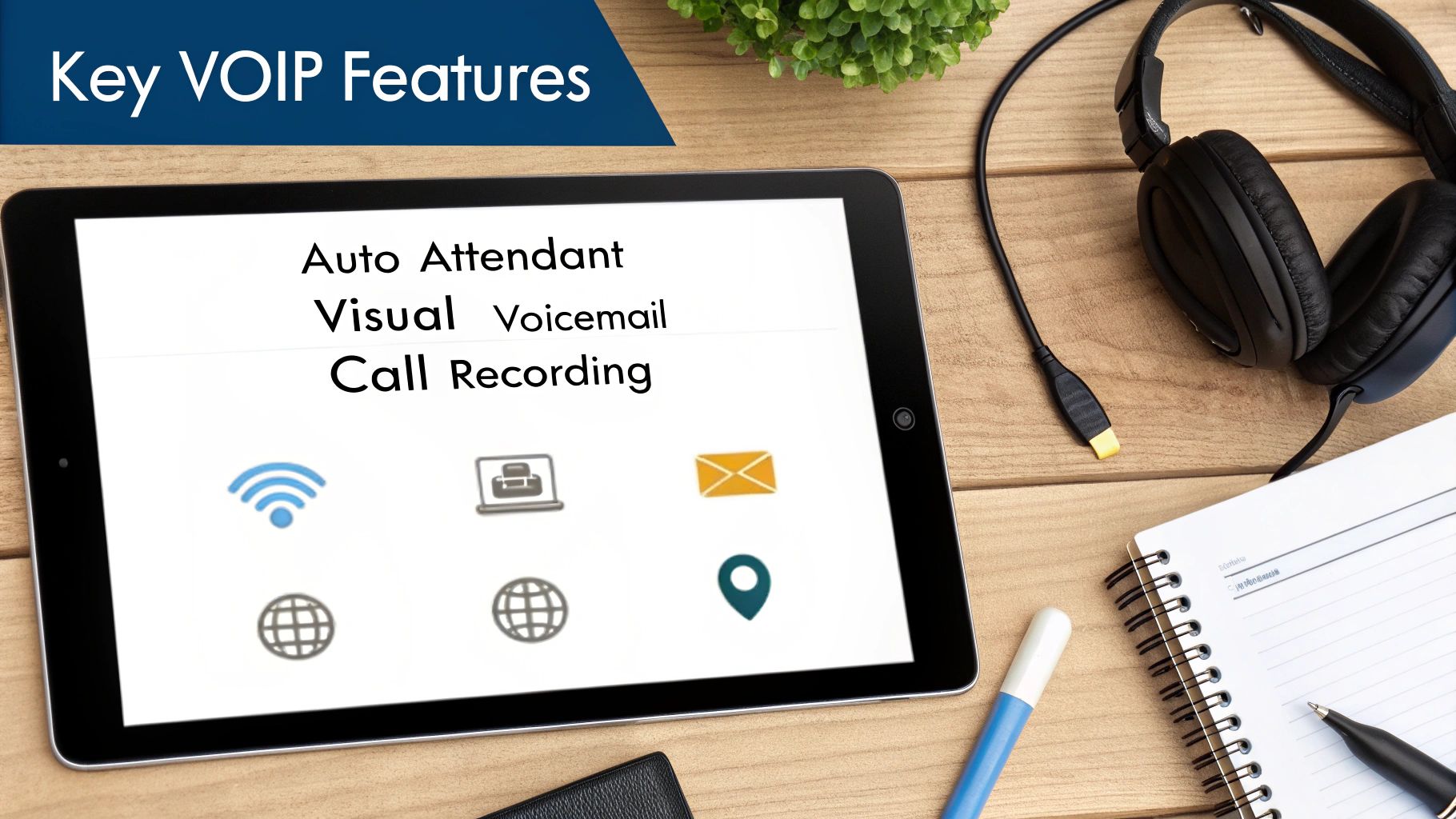
Moving to a VoIP phone system for small business isn't just about changing how you get a dial tone. The real magic is in the powerful features that come baked in—tools that, not too long ago, were only available to huge companies with six-figure IT budgets.
But it's easy to get overwhelmed by a long list of tech specs. The key is to know which features will actually make a difference for your business from day one, and which ones you can grow into later.
Let's break down the features you should be looking for, separating the absolute must-haves from the powerful upgrades for scaling your business.
Must-Have Features For Every Small Business
Think of these as the foundational tools for any modern business. They solve everyday headaches, automate repetitive tasks, and help you project a professional image, no matter how small your team is.
Here are the non-negotiables you should look for:
- Auto Attendant (Virtual Receptionist): This is your 24/7 front desk. It greets every caller professionally and directs them to the right person or department automatically. No more missed calls because someone stepped away from their desk. Callers can press "1" for sales, "2" for support, or enter an extension, making your business feel organized and efficient.
- Visual Voicemail: Forget dialing into a clunky voicemail system. Visual voicemail sends voice messages right to your email as audio files, often with a full text transcription. You can scan your messages in seconds, prioritize what's important, and respond faster. It turns a chore into a communication asset.
- Call Recording: This is an absolute game-changer for training, quality control, and even resolving disputes. You can record calls to review a sales pitch, ensure your team is meeting service standards, or simply keep a clear record of an important conversation.
- Mobile & Desktop Apps (Softphones): These apps effectively turn any computer or smartphone into your business phone. Your team can make and take calls using your company's number from anywhere, keeping their personal numbers private while staying connected to customers.
An Auto Attendant does more than just direct traffic. It instantly makes your small operation sound like a larger, more established enterprise, building caller confidence from the very first interaction.
These core features are the engine of a modern VoIP phone system for small business. They work together to save you time, help you capture more opportunities, and make your daily operations run a whole lot smoother.
Essential vs Advanced VoIP Features For Your Business
Knowing where to start can be tricky. This table helps you distinguish between the core features every business needs and the more advanced tools that support growth and specialized operations.
| Feature Category | Essential Features (For All Small Businesses) | Advanced Features (For Growth & Specific Needs) |
|---|---|---|
| Call Management | Auto Attendant, Call Forwarding, Visual Voicemail, Call Waiting | Intelligent Call Queues, Ring Groups, Interactive Voice Response (IVR) |
| Productivity | Mobile & Desktop Apps (Softphones), Voicemail-to-Email, Business Texting | Unified Communications (UC) Platform (Voice, Video, Chat), CRM Integration |
| Quality & Oversight | Call Recording, Basic Call Logs | Real-Time Analytics Dashboards, Call Monitoring (Listen, Whisper, Barge) |
| Collaboration | 3-Way Calling, Conference Calling | Video Conferencing with Screen Sharing, Team Chat & File Sharing |
Starting with the essentials ensures you have a solid foundation. As your team or customer base grows, you can then start exploring the advanced features to further improve efficiency and customer service.
Powerful Upgrades For Growing Companies
As your business picks up steam, your communication needs will evolve. That's when you'll want to tap into more advanced VoIP features that help you manage higher call volumes, connect your business tools, and get smarter about how you operate.
These are the tools that help you scale without the growing pains:
Unified Communications (UC)
This isn't just a single feature—it's a whole new way of working. A UC platform brings your business phone, video meetings, team chat, and file sharing together into one application. Instead of toggling between five different apps, your team can collaborate from a single hub, keeping everyone in sync whether they're in the office or on the other side of the world.
Advanced Call Center Tools
You don't need a hundred employees to act like a professional call center. Even a small sales or support team can deliver an incredible customer experience with these tools.
- Intelligent Call Queues: Manage incoming calls by placing callers in a queue, playing custom on-hold music, and even offering a callback so they don't have to wait.
- Real-Time Analytics: Get a live look at your call activity. Dashboards can show you things like call volume, average wait times, and who's on a call, helping you make smart staffing decisions on the fly.
CRM Integration
This is a massive time-saver. By connecting your phone system to your CRM, you can automate so much work. When a customer calls, their contact record can instantly pop up on your screen, giving you the full context of their history with your business. After the call, the system can automatically log the interaction, so nothing ever falls through the cracks.
By choosing a provider that offers both the essentials and a clear path to these advanced tools, you're setting your VoIP phone system for small business up to be a partner in your growth for years to come.
How to Choose the Right VoIP Provider
Picking the right VoIP provider is easily the most critical decision you'll make in this entire process. A great provider becomes a real partner in your business's success. The wrong one? A source of constant headaches. Don't just get dazzled by a long list of features; you need to look at the company behind the technology that will power your VoIP phone system for small business.
Think of it like picking an internet provider for your home. Lots of companies might promise the same speeds, but the real difference shows up in how often the service goes down and how they handle it when it does. That same principle applies here, and the stakes are even higher since your business phone is a direct line to your customers.
Prioritize Reliability and Uptime
Let's be clear: your phone system isn't just a handy tool, it's a core part of your business. Every minute it's down, you're missing calls, losing potential sales, and leaving customers frustrated. This is exactly why a provider's reliability has to be at the very top of your list.
The first thing to look for is a Service Level Agreement (SLA). This isn't just a fluffy marketing promise; it's a rock-solid contract that guarantees a specific amount of uptime—usually 99.999%. That sounds like a lot, and it is. It translates to less than six minutes of downtime per year. An SLA also holds the provider financially accountable if they don't meet that promise, which keeps them honest.
A strong SLA is your insurance policy for business continuity. It demonstrates a provider's confidence in their network and gives you peace of mind that your communication lines will always be open.
Evaluate the Quality of Customer Support
When something goes wrong or you just have a question, the last thing you want is to be trapped in an endless automated phone menu or trying to explain a technical problem to a generic call center agent. The quality of a provider's support team can truly make or break your entire experience.
Look for a provider that offers 24/7/365 US-based support staffed with actual experts. When you're talking to potential vendors, ask them directly about their support setup. Do you have to get through three levels of basic support to finally talk to someone who can help, or can you reach a knowledgeable technician right away? A provider like SnapDial, which invests in its own Texas-based team of experts, is showing a real commitment to its customers' success.
Scrutinize the Pricing Models
VoIP pricing can be a minefield. Some providers will hook you with a temptingly low monthly rate, only to slam you with hidden fees and extra charges once you're signed up. To avoid that trap, you need to get crystal clear on what's actually included in the price.
Your best bet is to find a provider who offers all-inclusive, predictable pricing. This means you pay one flat fee per user, per month, and that's it. Everything—unlimited calling, all the key features, and great support—is included. This makes budgeting a breeze and protects you from nasty surprises on your bill.
Here are a few common hidden fees to watch out for:
- Per-minute charges: Some "unlimited" plans have fine print that starts charging you if you go over a certain call volume.
- Feature add-ons: Make sure must-have features like call recording or an auto attendant aren't going to cost you extra.
- Setup and implementation fees: A great provider will offer a "white-glove" setup and onboarding experience at no extra cost.
Verify Security and Compliance Standards
Since your calls are traveling over the internet, strong security isn't just a nice-to-have—it's absolutely essential. Your provider needs to be serious about protecting your business and customer data from potential threats.
Ask them about their security protocols, like end-to-end encryption, which essentially scrambles your call data so no one can listen in. It's also smart to confirm that their data centers are physically secure and have backup power and redundant network connections. And if your business is in a regulated industry like healthcare (HIPAA), you must ensure the provider can meet those specific compliance standards.
By carefully digging into these four key areas—reliability, support, pricing, and security—you can confidently choose a VoIP phone system for small business that will be a dependable partner as you grow.
Putting VoIP to Work in Your Business
All the features and benefits of a modern phone system sound great, but what does it actually look like day-to-day? The real magic happens when you see VoIP solving the kind of problems your business runs into all the time.
Let’s walk through three common scenarios to see how a VoIP phone system for small business moves beyond a simple utility and becomes a tool that helps you grow.
The Multi-Location Retailer
Picture a small chain with three boutique shops scattered across town. Before VoIP, each store was an island, with its own separate phone line. This made for a clumsy customer experience and a constant headache for staff trying to coordinate with each other.
If a customer called the downtown store asking about a size only stocked uptown, the employee’s only option was to say, "Sorry, you'll have to call our other store. Here's the number."
With a unified VoIP system, that same employee can now say, "Let me check for you. One moment, I'll transfer you directly to my colleague uptown." See the difference? All locations are now operating on a single, cloud-based phone network.
- Unified Presence: From the outside, customers are calling one brand, not three disconnected shops. This instantly boosts professionalism.
- Seamless Call Transfers: An employee at one store can see who’s available at another and transfer the call with a single click. No more dropped calls or frustrated customers.
- Extension Dialing: The manager can dial a simple 3-digit extension to reach the stock room in another store, making inventory checks and daily sync-ups a breeze.
For a multi-location business, a unified VoIP system is the glue that holds the customer experience together. It breaks down the communication silos and ensures your brand feels consistent and professional at every turn.
The Small Professional Services Firm
Now, think about a five-person accounting firm where responsive client service is everything. During the chaos of tax season, their old single phone line was constantly swamped. Clients would get a busy signal, get frustrated, and maybe even start looking elsewhere.
By switching to a VoIP phone system for small business, they set up an intelligent call queue. Now, when multiple clients call at once, they’re greeted by a professional Auto Attendant and placed in a short queue with some hold music. It’s a small change that makes a massive difference in perception.
They suddenly have access to call management features that used to be reserved for huge corporations.
- Call Queues: Busy signals are a thing of the past. The system automatically manages the incoming calls, so every client knows they've been heard and will be helped shortly.
- Real-Time Analytics: The office manager can pull up a live dashboard to see how many people are waiting and for how long. If the queue gets too long, they can jump in and start answering calls themselves.
- Ring Groups: They created a "New Client" ring group. When a potential lead calls, it rings all five accountants at once. The first person to pick up gets the call, ensuring a hot lead is never, ever missed.
The Remote-First Company
Finally, let’s look at a tech startup with a fully remote team spread across the country. Their biggest challenge was creating a professional image and keeping the team connected without a physical office to tie them together.
VoIP was the perfect fit. It turned every employee's laptop and smartphone into a full-featured business phone. A client in New York can dial the main business number and get connected to a support specialist working from their home office in Colorado, and they’ll never know the difference.
This is all powered by features designed for a mobile workforce.
- Mobile and Desktop Apps: Team members use a simple app to make and receive calls on their business line. This keeps their personal numbers private while still showing the official company caller ID.
- Find Me/Follow Me Routing: When an urgent call comes in for a key developer, the system is smart. It can be set to ring their desk phone app first, then their mobile app after a few seconds, making sure they’re reachable whether they’re at their desk or grabbing coffee.
By digging into these concrete examples of VoIP in action, you can see how this technology isn't just about making calls—it’s about solving the real-world operational headaches that small businesses face every day.
Your Step-by-Step Migration Plan to VoIP
The idea of ripping out your old phone system can feel like a huge headache. But making the switch to a VoIP phone system for small business doesn't have to be a painful process. With the right roadmap, you can pull off a smooth, seamless transition without dropping a single call. Think of it less like a massive technical overhaul and more like a well-planned upgrade.
The whole thing starts with one critical piece of infrastructure: your internet connection. Since VoIP literally runs over the internet, your first move is to make sure that foundation is rock-solid.
Check Your Internet Readiness
Before you do anything else, you need to be absolutely sure your internet can handle high-quality voice calls. It's not a huge data hog—each simultaneous call typically needs about 100 kbps for both uploads and downloads—but consistency is key. Most business internet plans are more than enough, but you have to verify.
A quick bandwidth test will give you the raw numbers on your current speeds. A good provider will help you make sense of the results to ensure you have enough headroom for crystal-clear, reliable conversations. If you want to dig deeper, you can find out how much bandwidth you need for VoIP with our detailed guide.
Map Out Your Current Communication Needs
Next up, take a good, hard look at how your business communicates today. This isn't just about phones; it's about understanding the entire flow of conversations in and out of your company. This audit is what helps you build a new system that actually fits how you work.
Start by asking a few simple questions:
- Who needs a line? Make a list of every single person who needs their own extension.
- Where do calls go? Sketch out what happens when a customer calls. Does it ring a front desk? Go to a specific department? Hit an automated menu first?
- When are you busiest? Pinpoint your peak call times so you can set up the right routing rules to handle the rush.
- Which numbers are keepers? Jot down all your existing phone numbers that you absolutely have to bring with you.
This diagram gives you a great visual of how different types of businesses can set up their call flows with VoIP.
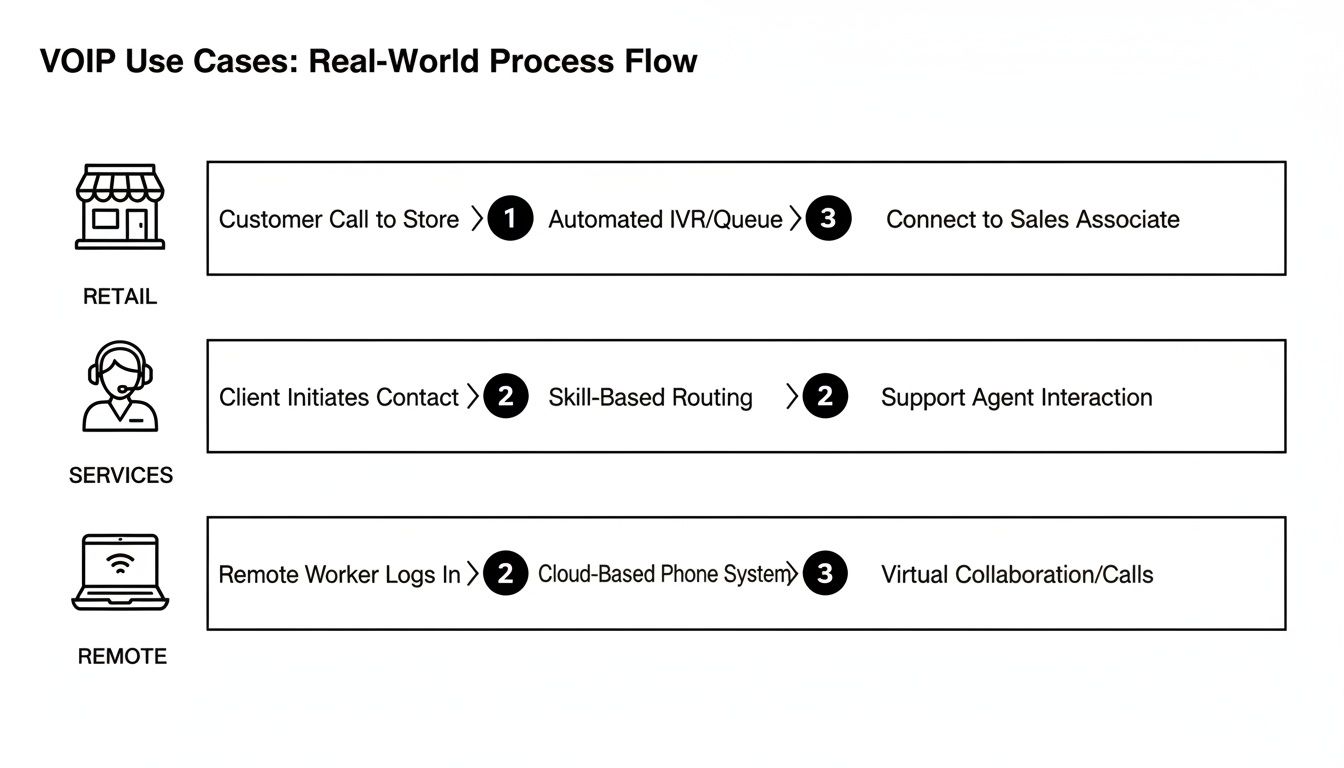
As you can see, retailers, service companies, and even fully remote teams can design unique paths that make life easier for customers and their own staff.
Set Everything Up, Then Go Live
Once you know what you need, the final phase is getting the system built out before the official switch. A top-tier provider should offer a "white-glove" onboarding service, which means they do all the heavy lifting for you.
The secret to a zero-downtime switch is to build your entire phone system in the cloud before your numbers are transferred. This way, the moment your numbers "port" over, your new system is already running and fully configured. No dead air, no missed calls.
This pre-launch setup usually involves four key steps:
- Number Porting: Your provider handles the entire process of moving your existing phone numbers from your old carrier. They'll manage the paperwork and all the behind-the-scenes coordination.
- User Setup: Every employee gets their extension, voicemail, and logins for the mobile and desktop apps.
- Call Routing Configuration: Your virtual receptionist, ring groups, and call queues are all programmed based on the communication map you created earlier.
- Hardware Deployment: If you ordered new desk phones, they show up at your office pre-configured. You literally just plug them in.
Following this simple roadmap turns migrating to a VoIP phone system for small business into a predictable, stress-free project, ensuring you're ready for business from the second you flip the switch.
Frequently Asked Questions About VoIP
It’s completely normal to have a few lingering questions, even with a solid plan in place. Moving to a new phone system is a big step. Here are some straightforward answers to the questions we hear most often from small business owners.
Do I Need Special Equipment for a VoIP Phone System?
Not necessarily. While you can definitely get dedicated IP phones that look and feel just like a traditional desk phone, that’s not your only option anymore. Most modern VoIP systems are built for flexibility.
Your team can use software on their computers (often called "softphones") or download an app straight to their smartphones. This lets them make and receive business calls from anywhere, using the devices they already have. The only real must-have is a reliable, high-speed internet connection to keep calls crystal-clear.
What Happens to My Existing Business Phone Numbers?
You can absolutely keep them! The process is called number porting, and it's a standard, FCC-regulated procedure. You won't have to change your number and risk losing the business identity you've worked so hard to build.
Any good VoIP provider will handle the entire porting process for you. They’ll work with your old carrier to move your numbers over without any service interruptions, so your customers won’t even notice a change.
Think of your provider as the project manager for your phone numbers. They handle all the behind-the-scenes coordination so you can focus on your business without any downtime.
Is a VoIP System Reliable if My Internet Goes Down?
This is a great question, and one that professional providers have planned for. Any quality VoIP phone system for small business comes with built-in safety nets, like automatic call forwarding, to ensure business continuity.
If your office internet drops, the system can be set up to instantly reroute all incoming calls to pre-set mobile numbers or even another location. This means that even during an outage, you’re not missing important customer calls. Your business stays open, no matter what.
How Much Internet Speed Do I Need for VoIP?
It’s probably less than you think. A good rule of thumb is to budget about 100 kbps of both upload and download speed for every simultaneous call. For most small businesses, a standard business-class internet plan is more than enough to handle high-quality calls for the entire team. Your provider can also help you run a quick network check to make sure you're good to go.
Ready to see how a modern phone system can help your business grow without the complexity or cost of old-school hardware? Discover how SnapDial offers a seamless, white-glove migration to a platform built for today's work. Learn more and get a personalized quote today!