
If you’ve ever felt like your old office phone system is holding your business back, you’re not alone. Those clunky, expensive landlines belong to a different era. Today, small businesses are making a smart switch to a far more flexible and powerful technology: VoIP.
In plain English, VoIP (Voice over Internet Protocol) is a phone system that runs over your internet connection. That’s it. Instead of relying on a tangle of old-school copper wires, it turns your voice into digital data and sends it over the web. This simple change is a complete game-changer, giving you better features, serious cost savings, and the freedom to work from anywhere.
What Are VoIP Systems and Why Small Businesses Are Switching
Think of it this way: a traditional landline is like the postal service. It gets the job done, but it’s slow, tied to a physical address, and surprisingly expensive. VoIP, on the other hand, is like email—it’s instant, works wherever you have an internet connection, and runs on the infrastructure you’re already paying for.
At its core, a VoIP system digitizes your voice so it can travel online. This frees your business number from being stuck to a single desk phone. Now, your number can go with you on a mobile app, a computer softphone, or a modern IP desk phone.
The End of the Clunky On-Premise PBX
For decades, any business with more than a few phone lines had to deal with a Private Branch Exchange (PBX). This was a big, bulky server that lived in a closet somewhere, routing all your company's calls. It was expensive to buy, a headache to install, and you needed to call in a specialist for every little change or repair.
Modern VoIP small business phone systems get rid of that hardware nightmare entirely. Instead of you housing the server, a hosted or cloud-based provider manages all the technology in their own secure data centers. This shift gives a small business several huge advantages right out of the gate:
- Drastically Lower Upfront Costs: You can forget about the massive capital expense of buying and installing a physical PBX server.
- Zero Maintenance Burden: Your provider handles all the security updates, software patches, and technical upkeep. This frees up your team to focus on what they do best.
- Effortless Scalability: Need to add a phone for a new hire? It’s as easy as adding a user in a web portal, not calling a technician to run a new physical line.
This is a big part of why projections show that by 2026, a staggering 61% of small businesses worldwide will have embraced VoIP. The move is fueled by the ability to slash communication costs by up to 60% compared to traditional landlines, especially with providers who offer simple, all-inclusive pricing that gets rid of surprise fees.
Before we dive into a side-by-side comparison, let's look at the fundamental differences between these two approaches.
Traditional PBX vs Modern VoIP At a Glance
The table below breaks down the core differences, showing why so many businesses are leaving their old hardware behind for the flexibility of the cloud.
| Feature | Traditional PBX System | VoIP Small Business Phone System |
|---|---|---|
| Initial Cost | Very High (Hardware, Installation, Licensing) | Low to None (Subscription-based) |
| Maintenance | Your Responsibility (In-house IT or vendor contract) | Managed Entirely by the Provider |
| Scalability | Difficult & Expensive (Requires new hardware/lines) | Simple & Instant (Add/remove users via web portal) |
| Remote Work | Limited & Complex (Often requires VPNs) | Natively Supported (Via mobile & desktop apps) |
| Advanced Features | Basic; Costly Add-ons for features like IVR | All-Inclusive (IVR, recording, analytics included) |
| Reliability | Dependent on your office power & infrastructure | High (Guaranteed uptime via redundant data centers) |
As you can see, the operational models are worlds apart. One requires you to become a phone system expert, while the other lets you focus on your business while the provider handles the tech.
More Than Just a Phone System
The real power of VoIP isn't just about making calls over the internet; it's about all the features this technology unlocks. While old systems were limited to basic functions, VoIP integrates communication directly into your business workflow. It's not just a replacement for your phone—it's a complete communications platform. You can learn more about how a cloud phone system works to understand the technology behind it.
A modern VoIP system is a strategic asset. It equips a small business with the same powerful communication tools that were once only available to large enterprises, leveling the playing field and enabling growth.
This transition from a simple utility to a strategic business tool is the fundamental reason so many small businesses are ditching their outdated landlines. They gain a real competitive edge through better efficiency, a more professional customer experience, and the agility to adapt to whatever comes next.
Unlocking Growth with Essential VoIP Features
A modern VoIP small business phone system is so much more than just a dial tone. Think of it as a toolkit packed with powerful features designed to solve the real-world headaches that small businesses face every single day. Instead of just rattling off a list of features, let's look at how these tools directly help you operate like a major player, stay connected anywhere, and make your team’s daily grind a whole lot easier.
Imagine a hot lead calls your business after hours. With an old-school phone line, they probably hit an endless ring or a generic, unhelpful voicemail. That’s a terrible first impression. A VoIP system completely rewrites that script.
Project a Professional Image Instantly
The very first interaction a customer has with your business sets the tone for everything that follows. VoIP features make sure that even a one-person shop can sound like a polished, enterprise-level company to every single person who calls.
One of the most powerful tools for this is the Auto-Attendant, sometimes called a virtual receptionist. This feature greets callers with a professional, custom-recorded message and gives them a simple menu to get where they need to go. For example, "Press 1 for Sales, Press 2 for Support, Press 3 for our business hours." It immediately makes your business sound bigger and more organized, guiding clients to the right person without anyone having to lift a finger.
Another game-changer is Custom Greetings and Music on Hold. You can set up specific greetings for business hours, after-hours, and holidays. Instead of forcing callers to listen to generic elevator music, you can play messages about your services or current promotions, turning that dead air into a marketing opportunity.
A well-configured VoIP system is your 24/7 receptionist. It never misses a lead, boosts your brand's credibility, and improves the customer experience from the very first ring.
These tools work together to create a seamless and professional front door for your business, no matter how small your team is.
Enable Total Mobility for a Modern Workforce
In an age where work isn't tied to a specific building, your business phone needs to be just as flexible. VoIP breaks the chain that anchors your business number to a physical desk, offering true freedom for you and your team.
This is mostly done through mobile apps and softphones. A mobile app turns any employee's smartphone into a full-featured business extension. They can make and take calls using the company number, which keeps their personal number private while still looking completely professional. This is essential for remote workers, field techs, or anyone who isn’t stuck behind a desk all day.
- Here's how it plays out: A salesperson is on the road meeting clients. A prospect calls the main business line, and the call is instantly sent to their mobile app. They answer with the company's caller ID, and the prospect has no idea they aren't sitting in the office.
This is all powered by smart Call Routing rules, often called "Find Me/Follow Me." You can create a sequence so a call rings your desk phone first, then your mobile app after a few rings, and finally rolls to voicemail if you don't pick up. This makes sure important calls always find the right person and dramatically cuts down on missed opportunities.
Boost Team Productivity and Efficiency
Beyond looking good and being mobile, VoIP directly helps your team get more done with less hassle. It automates tedious tasks and offers smarter ways to manage communications, freeing up time for work that actually matters.
Visual Voicemail is a perfect example of this. Instead of having to dial in and listen to a string of messages in order, your voicemails show up in a list, just like emails. You can see who called, listen to the most important messages first, and even get a text transcription of the message sent straight to you. This lets you prioritize callbacks and get the gist of a message without ever having to pick up the phone.
Other key productivity tools include:
- Cloud Faxing: Send and receive faxes right from your email as PDF attachments. This gets rid of that bulky, expensive fax machine and all the paper and toner that go with it.
- Call Recording: With the proper consent, you can record calls for quality control, training new hires, or just confirming the details of a client conversation.
- Presence Indicators: See at a glance if a coworker is available, on a call, or away from their desk. No more wasted time transferring calls to someone who isn't there to answer.
By bringing all these features together, a VoIP system stops being a simple utility. It becomes a central communication hub that helps your small business operate smarter, faster, and more effectively.
Choosing the Right VoIP Provider for Your Business
Picking the right partner for your VoIP small business phone systems is a huge decision that will shape your daily operations for years. With dozens of providers out there, it's easy to get overwhelmed by feature lists and flashy promises.
The secret is to ignore all of that at first. Before you even glance at a pricing page, you need to have a crystal-clear picture of what your business actually needs.
Think of it like buying a new vehicle for your company. You wouldn't just show up at a dealership and pick one. You'd first figure out if you need a fuel-efficient car for sales reps, a big van for deliveries, or a heavy-duty truck. You have to define your own communication needs first.
Assess Your Team's Unique Requirements
The perfect phone system for a five-person accounting firm is completely different from what a 50-person hybrid team with a busy support line needs. Start by creating a simple inventory of your current and future needs. Don't overthink it; just get the basics down.
Your quick assessment should cover:
- Number of Users: How many employees need a phone line or extension right now? Crucially, think about your growth plans for the next one to two years.
- Call Volume: Are you a high-volume sales office or a company where most communication happens over email? This will directly impact the type of plan you need.
- Must-Have Features: Based on the features we've already covered, which ones are non-negotiable? Do you absolutely need an auto-attendant, call recording, or a rock-solid mobile app?
Doing this homework upfront prevents you from getting sold on flashy features you'll never touch or buying into a plan that doesn't actually fit your workflow.
Evaluate Provider Reliability and Support
Your phone system is the lifeblood of your business, which makes reliability completely non-negotiable. Look for providers that offer a Service Level Agreement (SLA) guaranteeing a specific amount of uptime—the industry standard is 99.999%. That translates to less than six minutes of potential downtime in an entire year.
Just as important is the quality of their customer support. When an issue pops up, you need fast, competent help from a real human being. Before you sign anything, test their support. Can you actually get someone on the phone, or are you stuck fighting with a chatbot? So many businesses only realize how critical great support is after they're locked into a contract with a subpar provider.
Choosing a VoIP provider is about more than just technology; it's about entering a partnership. Prioritize providers who offer transparent, accessible, and highly-rated support—your future self will thank you.
A provider known for excellent, US-based support can be a lifesaver in a critical moment.
Your Smooth Migration Checklist
Switching to a new phone system can feel like a massive project, but a methodical approach ensures a smooth, zero-downtime transition. Use this checklist to guide your move and sidestep the common pitfalls. If you want a more detailed breakdown, you might find this small business phone system comparison helpful.
Test Your Internet Connection: First thing's first. Confirm your internet bandwidth can handle high-quality voice calls. Your VoIP provider can help you run a network quality test to make sure you have enough speed for your entire team.
Plan Your Number Porting: You can and should keep your existing business phone number. This process, called porting, is handled by your new provider but can take a couple of weeks. Plan for it in advance to avoid any service gaps.
Choose Your Hardware Mix: Decide if your team will use physical IP desk phones, softphone apps on their computers, or mobile apps on their smartphones. Most businesses today use a mix of all three to support different work styles.
Configure Your Call Flows: Map out exactly how you want calls to be handled. This is where you set up your auto-attendant menu, establish call routing rules for different departments, and record your professional greetings.
Train Your Team: About a week before you go live, hold a quick training session. Show your team how to use the new phones, check voicemail, and use the mobile app. This simple step ensures everyone is confident and ready from day one.
The infographic below shows how these steps come together to build a more professional, mobile, and productive communication system.
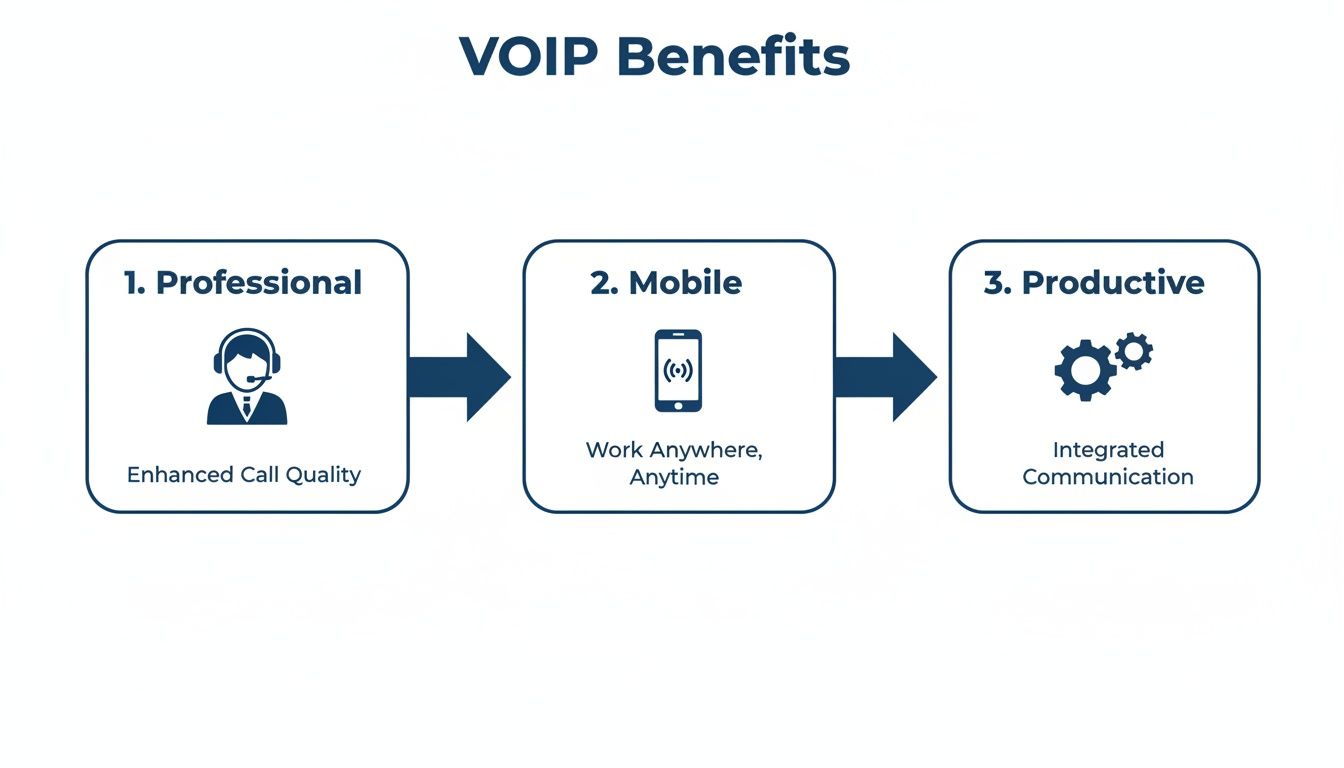
This process shows how a little planning can transform your phone system into a powerful tool that enhances professionalism, enables true mobility, and boosts your team's overall productivity. By methodically working through each step, you can upgrade your communications with total confidence.
Putting VoIP to Work in the Real World
It’s one thing to read a list of features, but it's another thing entirely to see how they solve actual business problems. This is where the real value of a VoIP small business phone system clicks into place. The technology is so flexible it can mold itself to almost any way you work.
Let's walk through three common scenarios where VoIP stops being just a phone system and becomes the engine for a more connected, efficient, and customer-friendly business.
Use Case 1: The Multi-Location Business
Picture a growing retail business with three stores scattered across different cities. On an old-school phone setup, each location is its own little island. You're juggling separate phone bills and different numbers, and calling from one store to another is a long-distance charge.
VoIP completely erases those lines. By moving to a single, cloud-based system, all three locations are pulled together under one virtual roof.
Suddenly, a receptionist at the main office can see who's free at another store and transfer a customer call to an expert there with a single click. Even better, all those calls between your locations become simple extension-to-extension dials—which are completely free. You immediately slash operational costs while making the entire company feel like one cohesive team.
- Real-World Impact: An employee in one branch can seamlessly hand off a customer to a specialist in another, creating a smooth and impressive service experience.
- Key Feature: Unified Dial Plan. Every employee, no matter where they are physically, is on the same internal phone network.
Use Case 2: The Remote and Hybrid Team
The modern workplace isn't just one building anymore. Teams are spread out across home offices, co-working spaces, and even on the road. For any business with a remote or hybrid crew, VoIP systems are the glue that holds communication together, making it possible to perfect how to manage remote teams effectively.
Think of a small consulting firm where consultants are either at home or visiting client sites. A VoIP system gives each one a mobile app that turns their personal smartphone into a secure, professional business line.
This means a consultant can make and receive calls using the company’s official phone number, keeping their personal number private while maintaining a consistent brand image. Plus, features like "find me/follow me" ensure an important client call can ring their desk phone first, then their mobile app, before ever hitting voicemail. That dramatically cuts down on missed opportunities and keeps the whole team accessible, no matter where work takes them.
With VoIP, "the office" is wherever your employees are. It provides the tools to maintain professional communication standards and team cohesion, regardless of physical distance.
This flexibility allows small businesses to attract top talent from anywhere without ever sacrificing the professional communication infrastructure of a traditional office.
Use Case 3: The Small Business Call Center
When most people hear "call center," they imagine a massive room with hundreds of agents. But the truth is, any business with a dedicated support or sales line—even with just two or three people—is running a small call center. VoIP brings enterprise-level call center tools down to a small business budget.
Imagine an e-commerce company that gets slammed with calls during the holidays. A VoIP system can manage that rush with powerful features that used to be incredibly expensive.
Smart call queues are a perfect example. Instead of callers getting a frustrating busy signal, they’re placed in a queue with professional hold music and periodic updates on their position. That simple feature massively improves the customer experience right off the bat.
Here’s how other call center features empower a small team:
- Intelligent Call Distribution: Automatically sends calls to the next available agent or to the person with a specific skill set, making sure every call is handled efficiently.
- Real-Time Analytics: A supervisor can pull up a live dashboard showing call volume, wait times, and who's busy, allowing them to make instant adjustments to improve service.
- Detailed Reporting: Generate reports to track key metrics, spot your peak call times, and measure team performance for ongoing training and improvement.
These tools allow a small business to manage customer calls with the same polish and efficiency as a huge corporation, turning customer service from a necessary cost into a powerful tool for building loyalty.
Making Sense of VoIP Costs and Your ROI
Switching your small business over to a VoIP phone system is one of the smartest ways to trim your operating budget. But to really see the value, you have to understand how the pricing actually works. The great thing is, unlike the confusing and unpredictable bills from old phone companies, VoIP pricing is designed to be clear and controllable. This isn't just about spending less; it's about investing in a tool that quickly pays for itself.
The first step is getting a handle on how providers bill for their services. For most small businesses, it boils down to two main models, each built for different needs and call habits.
Breaking Down the Pricing Models
By far the most common approach you'll see is the per-user, per-month plan. It’s exactly what it sounds like: you pay a simple, flat fee for each employee on the system every month. This price usually includes everything—unlimited calling, all the advanced features, and customer support—which makes budgeting incredibly easy. No surprises, no guesswork.
The other option some providers offer is a metered or usage-based plan. These plans tempt you with a lower monthly base fee, but then they charge you for every minute you talk. While that might look cheap on paper, it's really only a good fit for businesses with extremely low call volume. One busy month could easily blow up your budget and leave you with a shocking bill.
For almost any growing business, a predictable per-user plan is the way to go. It completely removes the anxiety of surprise overages and lets your team use the phones as much as they need to close deals and help customers.
Knowing the difference between these two models is key to picking a plan that matches how your business actually communicates.
Spotting All the Potential Costs
While your monthly subscription is the main event, it's smart to look at the complete financial picture. A good provider will be completely upfront about any other potential costs, which are typically tiny compared to what you’d shell out for a traditional PBX system.
Here's a quick rundown of what to expect:
- Monthly Subscription: This is your core cost, usually billed per user.
- Hardware (IP Phones): You have options here. You can buy new IP desk phones, or you can skip this cost entirely by having your team use softphone apps on their computers and smartphones.
- Setup or Activation Fees: Watch out for these. Top-tier providers, including SnapDial, get rid of these fees to make the switch as painless as possible.
- Number Porting: There might be a small, one-time fee to move your existing phone number over to the new service.
When you compare this to a legacy system—with its expensive server hardware, mandatory maintenance contracts, and extra charges for every little feature—the simplicity and affordability of VoIP pricing is a breath of fresh air.
Calculating Your Return on Investment
Figuring out the ROI on your new VoIP system goes way beyond just comparing your old and new phone bills. The real value is a powerful mix of hard-dollar savings and game-changing indirect benefits that quietly boost your bottom line.
Direct Savings (The Hard Numbers):
- Lower Monthly Bills: This is the easiest one. Take your average monthly phone bill now and put it next to a quote from a VoIP provider. That immediate difference is money back in your pocket.
- Zero Maintenance Costs: How much do you spend on IT consultants or technicians to keep your old PBX from breaking? With a hosted VoIP system, that cost drops to $0.
- No More Long-Distance Charges: Most VoIP plans come with unlimited calling across the US and Canada, completely wiping out those pesky domestic long-distance fees.
Indirect Gains (The Hidden Value):
- Productivity Boost: Think about the time your team saves with features like an auto-attendant or visual voicemail. If you save each employee just 15 minutes a day, the payroll savings add up fast.
- Better Customer Retention: When smart call routing ensures you never miss an important call, customers are happier. Keeping just one extra client because of a better phone experience can easily pay for the entire system for a year.
- True Mobility: Your team can be just as productive from home, the road, or the office. That kind of flexibility keeps your business running smoothly, no matter what.
This simple cost comparison table really drives home the financial impact of ditching an old-school phone system for a modern, all-inclusive VoIP solution.
Projected 3-Year Cost Comparison Legacy PBX vs All-Inclusive VoIP
| Cost Category | Traditional PBX (Estimated 3-Year Total) | VoIP System (Estimated 3-Year Total) |
|---|---|---|
| Upfront Hardware & Installation | $7,500 (Server, phones, technician fees) | $0 – $1,500 (Optional IP phones only) |
| Monthly Service Fees | $5,400 ($150/month average) | $2,700 ($75/month for 3 users, all-inclusive) |
| Maintenance & Support Contract | $1,800 ($50/month average) | $0 (Included in subscription) |
| Long-Distance Charges | $1,080 ($30/month average) | $0 (Included in subscription) |
| Feature Add-Ons (IVR, etc.) | $900 (Often priced à la carte) | $0 (Included in subscription) |
| Total Estimated 3-Year Cost | $16,680 | $4,200 |
The numbers speak for themselves. The move to VoIP isn't just an upgrade in technology; it's a fundamental shift in how you budget for communications, freeing up thousands of dollars you can reinvest into growing your business.
Are Your Business Calls Secure and Reliable?
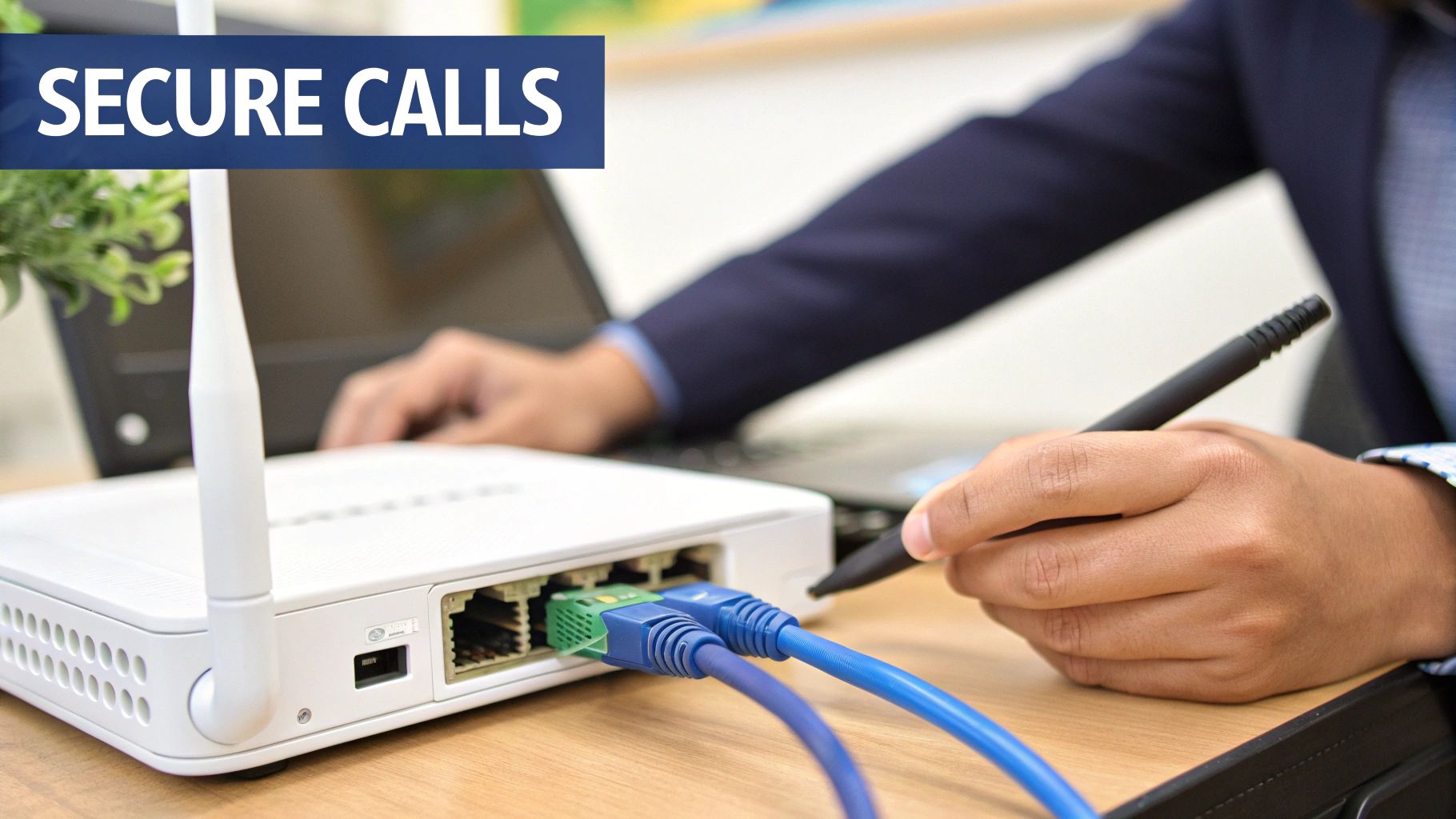
When you hand your business communications over to an internet-based technology, it’s only natural to have a few questions. Will the calls sound clear? Is our data safe? These are completely valid concerns, and any top-tier provider of voip small business phone systems addresses them with a tough, multi-layered approach.
Let's be clear: modern VoIP is a world away from the choppy, unreliable service you might remember from the early days. High-definition (HD) voice quality is the new standard, delivering calls that are often even clearer than a traditional landline. This crystal-clear audio all comes down to a stable internet connection and a provider that manages its network for peak performance.
Built-in Security and Encryption
Leading VoIP providers treat security as a core part of their service, not some add-on. As your voice data zips across the internet, it's vulnerable, which is why encryption is absolutely non-negotiable. You should look for providers offering end-to-end encryption for all voice traffic, which scrambles the data so it’s completely unreadable to anyone who might try to intercept it.
This level of security is managed inside the provider’s secure data centers, which are monitored 24/7 to stop unauthorized access and defend against threats. A great starting point for shoring up your defenses is to run through a Cybersecurity Risk Assessment Checklist for Small Businesses.
A secure VoIP system should protect your conversations with the same rigor an online bank uses to protect financial transactions. Encryption and active network monitoring are the foundation of trustworthy business communication.
Guaranteeing Call Clarity and Uptime
When it comes to reliability, it's a two-part equation: your local network and the provider’s infrastructure.
On your end, the single most effective thing you can do is implement Quality of Service (QoS) settings on your router. Think of QoS as creating a dedicated carpool lane on the internet highway just for your voice traffic. It tells your network to always prioritize phone calls over less urgent data, like a big file download. This simple tweak is the best way to eliminate common annoyances like jitter (choppy audio) and dropped calls. For a deeper dive, our guide explains how much bandwidth you need for VoIP.
On their end, reputable providers guarantee maximum uptime through redundant network infrastructure. This just means they have backup systems in different geographic locations. If one data center has a problem, your service automatically fails over to another one, ensuring your business phone system stays online without missing a beat. For businesses in regulated fields like healthcare or finance, it's also critical to confirm the provider meets compliance standards like HIPAA or PCI.
Got Questions? We've Got Answers
Making the final call on a new phone system can feel like a big step. It’s totally normal to have a few lingering questions when you’re thinking about changing a tool that’s so central to your business.
To help you feel confident in your choice, we’ve put together straightforward answers to the questions we hear most often from business owners just like you.
Can I Keep My Existing Business Phone Number?
Yes, absolutely. You don't have to give up the number your customers already know and trust.
The process is called number porting, and it’s a standard, regulated procedure for any reputable VoIP provider. You can bring your existing local and toll-free numbers with you, which means no need to update your website, business cards, or marketing materials. Your provider will handle all the technical heavy lifting behind the scenes to ensure a seamless switch.
What Kind of Internet Do I Need?
You don’t need some kind of specialized, exclusive internet line, but you do need a stable, high-speed connection to get the best performance.
As a general rule of thumb, you'll want about 100 kbps of available bandwidth for every simultaneous call you expect to have running. Any standard business-class cable, fiber, or even a reliable DSL connection is usually more than enough to do the job.
The real key isn't massive speed—it's consistency. A stable connection is what guarantees your calls will always have that crystal-clear, HD voice quality without any frustrating jitter or dropped calls. A good provider can even help you run a quick network test to confirm you're good to go.
Do I Have to Buy Special Phones?
Nope, you have complete flexibility here. Many businesses do choose to use physical IP desk phones. They look and feel just like the traditional office phones your team is used to but deliver far superior HD voice quality.
However, you can also skip the hardware costs entirely. Your team can use a softphone app on their computers or a mobile app on their smartphones, turning the devices they already have into fully-featured business phone lines. This hybrid approach is perfect for supporting remote workers and teams who are always on the go.
Ready to see how a modern phone system can change the game for your business? SnapDial offers all-inclusive pricing, enterprise-grade features, and white-glove setup at no extra cost. Explore SnapDial's features and get a personalized quote today!