
A Private Branch Exchange, more commonly known as a PBX, is the private telephone network that acts as the central nervous system for your company's communications. Think of it as your own in-house switchboard, intelligently managing every call that comes in, goes out, or happens between colleagues.
What Is a PBX System Explained
Let's use an analogy. Imagine your business without a PBX. It's like giving every single employee their own separate, public phone line. It’s expensive, a nightmare to manage, and totally inefficient.
Now, picture a PBX as your company’s central communications hub. It takes all your incoming calls, figures out who they’re for, and routes them to the right person’s extension in an instant. For outgoing calls, it pools your external lines so everyone can share them.
This centralized approach is the secret sauce. It makes all your internal calls completely free and opens up a whole suite of powerful business features that you just can't get with a bunch of disconnected phone lines.
From Wires to the Web
The idea of a PBX has been around for decades, starting with clunky, on-site hardware that physically wired calls from one place to another. But the real game-changer has been its evolution into IP-based and cloud-hosted platforms.
The market reflects this shift. Back in 2021, the global IP PBX market was already valued at a hefty USD 21.05 billion, and it's on track to hit nearly $31 billion by 2025. This massive growth is all about businesses moving away from old-school copper wires toward more agile, internet-powered solutions. If you want to dive deeper into that transition, check out our guide on VoIP vs. POTS phone systems.
A PBX system centralizes communication, making it easier for teams to collaborate and for customers to reach the right person. Instead of separate phone lines for every desk, it creates a cohesive, manageable network.
At its core, a PBX really just does three fundamental jobs for any organization. Grasping these basics is key before we jump into all the cool, advanced features modern systems offer. The table below breaks down these essential roles.
Core Functions of a PBX System at a Glance
| Function | Description | Business Benefit |
|---|---|---|
| Internal Call Switching | Connects extensions within your company, letting staff dial a short number (like 101 or 102) to reach a colleague. | Makes internal communication instant and free. This dramatically speeds up collaboration between people and departments. |
| External Call Management | Manages a shared pool of outside phone lines for all incoming and outgoing calls to the public network. | Saves a ton of money. You don't need to buy a separate, costly phone line for every single employee. |
| Feature Enablement | Serves as the platform for essential business tools like call transfers, auto attendants, voicemail, and call queues. | Boosts your company's professional image, creates a better customer experience, and makes your entire operation more efficient. |
These three pillars are what make a PBX so valuable. They streamline how your business talks, both internally and with the outside world, turning a simple phone system into a powerful operational tool.
On-Premise PBX vs Cloud PBX: The Key Differences
When you're looking at a PBX system today, the first and most important question to answer is: where is this thing going to live? Do you want to own and manage all the hardware yourself, right in your office? Or would you rather have a provider handle all of that for you in the cloud? Your answer to that single question will shape everything—cost, features, and how flexible your system can be.
Think of it this way. An on-premise PBX is like having a server rack tucked away in your office closet. You have total control over every piece of hardware and software, which is great. But you're also on the hook for buying it, installing it, maintaining it, and eventually replacing it. It's a powerful setup, but it demands a serious investment of money, time, and specialized knowledge.
A cloud PBX, which you'll also hear called a hosted or virtual PBX, is more like tapping into a massive, professionally managed data center. The provider owns and operates all the complex gear. You simply access all its powerful features over the internet. You get all the benefits without the headaches of upkeep, software updates, or physical hardware. It shifts the entire model from owning equipment to subscribing to a service.
At the end of the day, any PBX is designed to manage your calls—both internal and external—while giving you access to critical business features. This diagram breaks down those core functions.
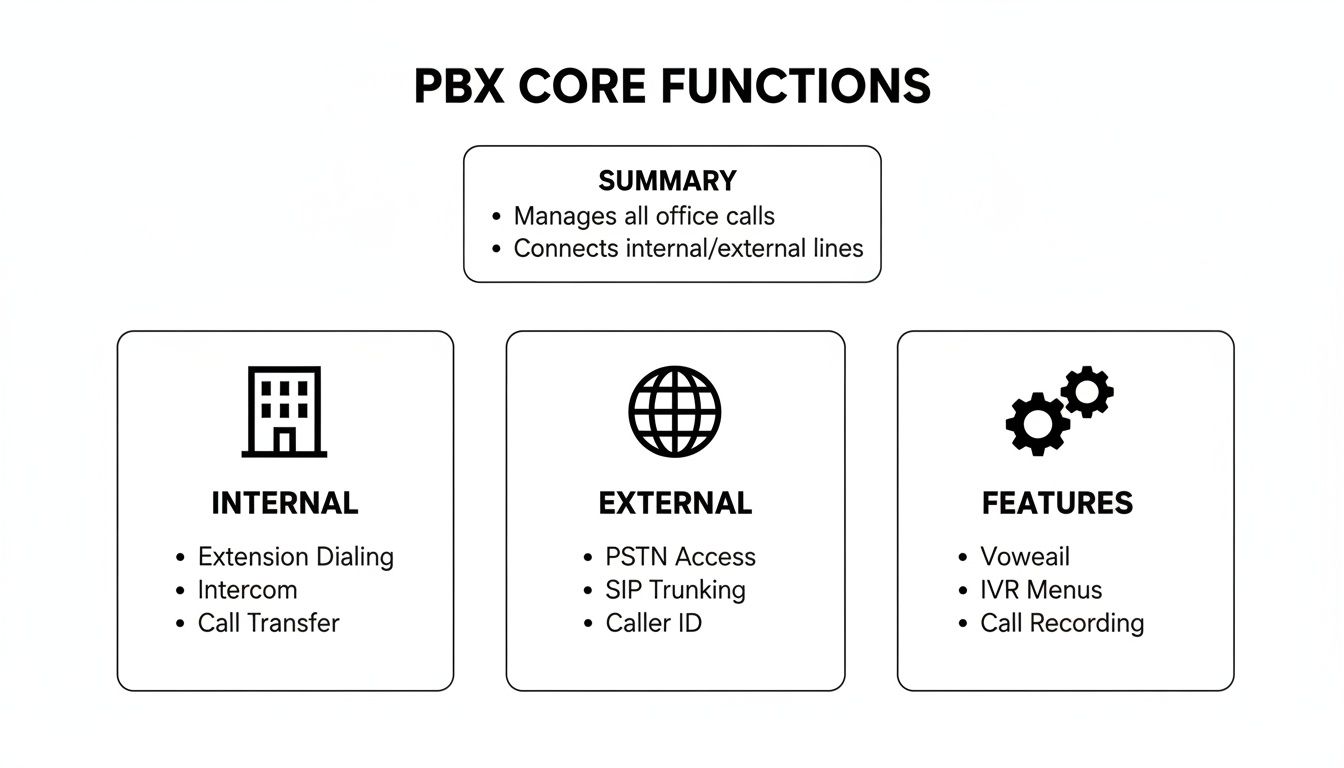
As you can see, the PBX is the central hub connecting your team to each other and to the outside world, all while powering advanced communication tools. The real difference lies in how that hub is managed.
To really dig into what that means for your business, let's compare these two approaches side-by-side.
On-Premise PBX vs Cloud PBX a Head-to-Head Comparison
| Feature | On-Premise PBX | Cloud PBX (Hosted/Virtual) |
|---|---|---|
| Initial Cost | High capital expenditure (hardware, software, installation). | Low to no upfront cost; starts with first monthly payment. |
| Ongoing Costs | Unpredictable; includes maintenance, repairs, IT staff, and energy. | Predictable, fixed monthly fee per user. |
| Maintenance | Your responsibility. Requires in-house or contracted IT expertise. | Provider’s responsibility. Updates and security are included. |
| Scalability | Difficult and expensive. Requires purchasing more hardware to add users. | Easy and instant. Add or remove users through a simple online portal. |
| Remote Work | Challenging. Requires complex configurations like VPNs for remote access. | Native support. Works anywhere with an internet connection. |
| Control | Full control over hardware, software, and security configurations. | Managed by the provider; control is through a user-friendly admin panel. |
| Features | New features require manual software upgrades, often at extra cost. | Features are updated automatically and rolled out to all users. |
| Disaster Recovery | Your responsibility to design and fund a backup plan. | Built-in redundancy; data centers are geographically distributed. |
This table makes the trade-offs pretty clear. On-premise offers complete control at the cost of high upfront investment and ongoing responsibility. Cloud PBX, on the other hand, delivers flexibility and modern features as a managed service, making it a much more agile solution.
Upfront Costs and Ongoing Maintenance
The financial models for these two systems couldn't be more different. An on-premise system requires a huge capital outlay from day one. You're buying the server, switches, desk phones, and all the software licenses, which can easily climb into the thousands or even tens of thousands of dollars. And that’s just the beginning. You’re also on the hook for ongoing maintenance, repairs, and paying an IT professional who knows how to manage it.
A cloud PBX flips that script entirely. It’s a subscription service, usually with a predictable per-user, per-month fee. This completely eliminates the big upfront investment, converting a major capital expense into a manageable operating expense. Because the provider handles all the maintenance, security, and updates, you dodge those hidden costs and don't need a telecom specialist on your payroll.
Scalability and Business Agility
Think about how your business might grow. With an on-premise PBX, adding more people means buying more hardware, running new physical lines, and maybe even having to upgrade your entire server if you max it out. It’s a slow, expensive, and often disruptive process. And scaling down? That's even tougher—you’re just left with a pile of expensive equipment you don't need anymore.
Cloud PBX systems are designed for this exact kind of flexibility. Need to add a new employee? It often takes just a few clicks in an online dashboard. This agility is a game-changer, letting you scale your communications up or down instantly to meet seasonal demand or business growth without ever worrying about hardware limits.
The market is clearly voting for flexibility. The global hosted PBX market is projected to grow from USD 15.08 billion in 2025 to roughly USD 71.26 billion by 2035. That's a massive 16.8% compound annual growth rate, signaling a huge shift away from rigid, on-site hardware.
Remote Work and Modern Features
If the last few years have taught us anything, it's that work isn't confined to a single building anymore. This is where traditional on-premise systems really show their age. They were built for a time when everyone was under one roof, making it a real headache to securely connect remote or hybrid employees to the main phone system.
Cloud PBX, however, was practically built for the modern, distributed workforce. Since the entire system lives on the internet, your team can access every business phone feature from anywhere they have a connection. They can use a desk phone at the office, a softphone app on their laptop at home, or a mobile app while on the go. This is what seamless communication actually looks like. If you want to learn more about the technology behind this, check out our complete guide on what a cloud phone system is.
Ultimately, the choice between on-premise and the cloud comes down to how you want to run your business communications—as a piece of hardware you own, or as a flexible service that grows with you.
Understanding the Core Components of a PBX System
To really get what a PBX system is all about, you have to look under the hood. It might sound like complex tech, but it’s really just a few key parts working together to handle all your business calls. Whether it's a physical box sitting in your server closet or a virtual system in the cloud, these are the pieces that make the magic happen.
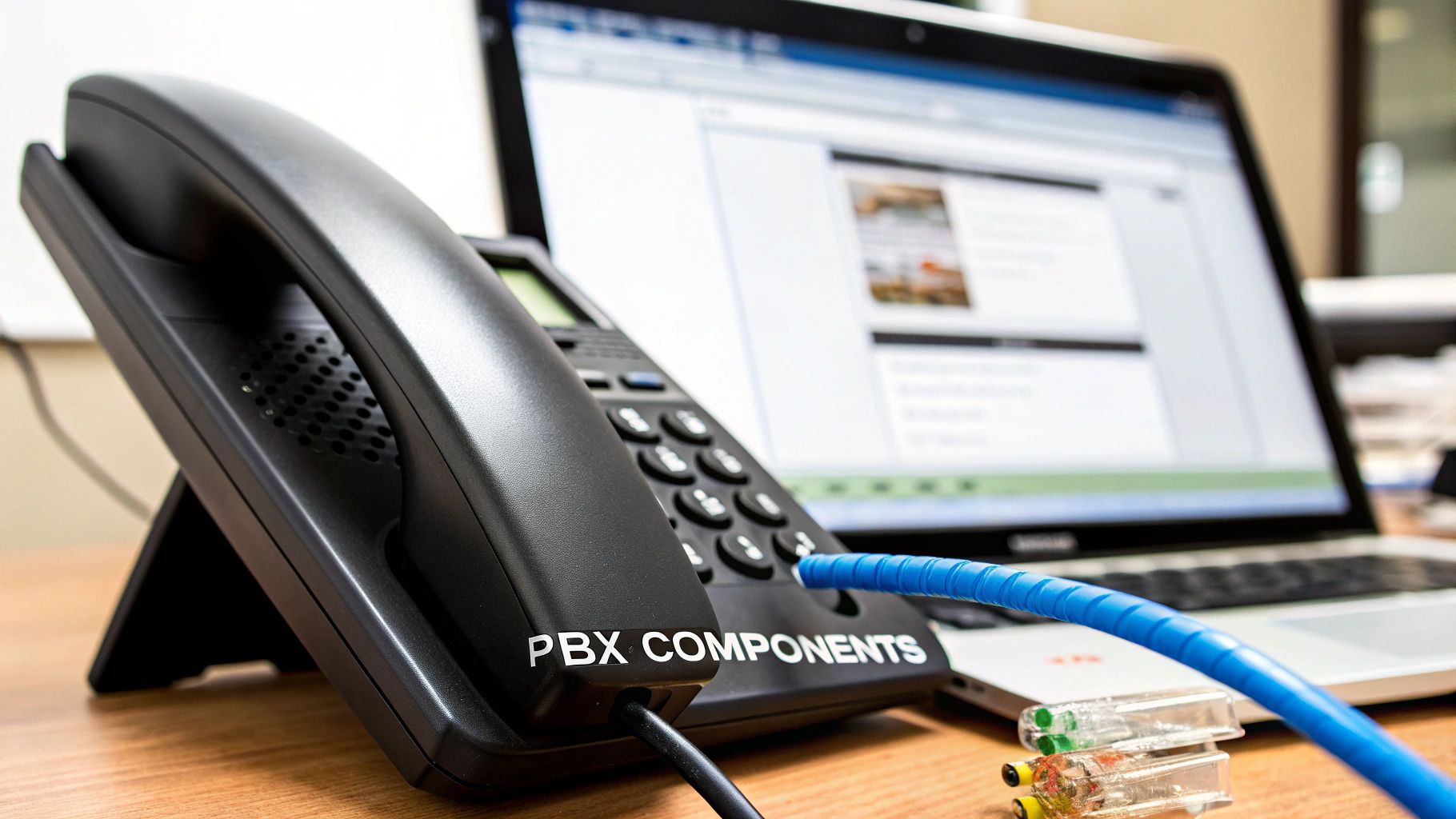
Think of it like this: a PBX system is like a well-oiled company. It has a central brain, a connection to the outside world, the tools for your team, and a control panel to manage everything. Each component has a specific job to do, and together, they create a seamless communication hub.
The PBX Server: The Brain of the Operation
At the very center of it all is the PBX server. This is the computer that runs the show, acting as the brain for your entire phone network. It does all the heavy lifting—figuring out where to send incoming calls, connecting extensions for internal calls, and running all the features you rely on, like voicemail and call forwarding.
With an on-premise system, this server is a physical box you own, located right in your office. When you move to a cloud PBX, that "server" is actually a massive, super-powered system hosted in a provider's secure data center that you access over the internet.
SIP Trunks: Your Digital Connection to the World
If the server is the brain, then Session Initiation Protocol (SIP) trunks are the digital highways connecting your private phone network to the public one. They’re the modern replacement for that tangled bundle of old-school copper phone lines.
It’s like this: your internet connection is a giant freeway. A SIP trunk is a dedicated, virtual lane on that freeway built just for your voice calls. This lets you make and receive a ton of calls at once over that single internet connection, which is way more efficient and flexible than traditional phone lines.
A single SIP trunk can handle numerous calls at once, eliminating the need to pay for individual physical lines. This is a primary source of cost savings when moving from a traditional phone system to a modern PBX.
IP Phones: The Tools on Your Desk
IP phones are the physical devices your team uses every day. These are the desk phones you see in most offices now—they plug directly into an internet port instead of an old-fashioned phone jack. Every IP phone is simply an endpoint on your network.
But the "phone" doesn't have to be a physical device anymore. Modern systems give you more options:
- Softphones: These are just apps on your computer. You can make and take calls right from your laptop using a headset.
- Mobile Apps: An application on your smartphone that turns your personal cell into a secure business line, complete with your work extension.
These different endpoints give your team the freedom to stay connected to the company phone system, whether they're at their desk, working from home, or on the road.
The Management Interface: Your Control Panel
Finally, you have the management interface. This is the dashboard that puts you in the driver's seat of your PBX system. From here, an administrator can easily add or remove users, change how calls are routed, build an automated menu for callers, and check call logs.
On-premise systems often came with clunky software that required a real IT pro to navigate. Thankfully, modern cloud PBX systems, such as the kind offered by managed providers like SnapDial, provide clean, web-based portals. This makes managing a powerful phone system as simple as logging into a website, empowering you to make quick changes without waiting for tech support.
Essential PBX Features Every Business Should Leverage
A modern PBX system is so much more than just a tool for making and taking calls. It’s a powerful engine for business growth, packed with smart features that solve real-world problems. These aren't just bells and whistles; they’re designed to make you more efficient, improve how you talk to customers, and give your company a more professional sheen.
The shift towards these advanced capabilities is driving some serious market growth. Valued at roughly USD 30.19 billion in 2024, the IP PBX market is on track to hit USD 74.62 billion by 2032. This isn't just a tech trend; it shows how businesses are grabbing onto systems rich with features like CRM integration and unified communications to get ahead. You can dig deeper into these market growth projections and trends online.

So, let's break down the essential features that can turn your phone system into a cornerstone of your daily operations.
Your 24/7 Digital Receptionist
Imagine a receptionist who never takes a break, never misses a call, and always greets callers with a perfect, custom message. That's what an Auto Attendant is. It’s your virtual front desk, guiding callers to the right person or department without any human intervention.
Think about it: a caller hears, "Thanks for calling. For sales, press 1. For support, press 2." This simple menu immediately makes your business sound bigger and more organized, while also freeing up your team from constantly having to manually route calls. Every call gets where it needs to go, fast.
Intelligent Call Routing and Ring Groups
Not all calls are the same, and your team members aren't always available. Smart call routing is the secret to making sure no customer call ever falls into a black hole. This is where features like ring groups really shine.
A ring group lets you send an incoming call to several phones at the same time. Instead of ringing just one person’s desk, it can ring the entire sales team simultaneously. The first person to pick up gets the call. This slashes customer wait times and means you never miss a lead just because one person was tied up.
Other common routing strategies include:
- Sequential Ringing: The system tries extensions one by one in a specific order until someone answers.
- Time-Based Routing: Calls are automatically sent to different places based on the time of day, perfect for handling after-hours emergencies or routing to a different time zone.
Unifying Your Communication Workflow
The best PBX features blend right into your team’s daily routine, making communication feel natural. They connect different tools you’re already using to save time and stop important details from getting lost.
A truly modern PBX system doesn’t just manage calls; it integrates them into the flow of business. Features like voicemail-to-email and call recording turn voice conversations into actionable data that can be tracked, shared, and analyzed.
Here are a few game-changing workflow features:
- Voicemail-to-Email: This is a lifesaver. It automatically sends an audio file of any voicemail—and often a text transcription—straight to your email. You can listen or read on the go, without ever having to dial into a clunky voicemail box.
- Call Recording: With proper consent, you can record calls for training, quality control, or just to keep a record of an important conversation. It's an essential tool for any business that relies on service quality.
- Interactive Voice Response (IVR): Think of this as an auto attendant with a brain. An IVR system can interact with callers to gather information. For example, a customer could punch in their account number to check an order status, all without needing to speak to a live agent.
How Modern Businesses Use PBX Systems to Grow
It’s one thing to read about the features of a PBX system, but it’s another thing entirely to see how they solve real problems for real businesses. A modern cloud PBX isn't just a phone system anymore; it's the central hub that can unify operations, empower distributed teams, and create a much better experience for customers.
Let's look at a few common scenarios where these systems make a massive difference.
Unifying a Multi-Location Retail Chain
Picture a retail business that’s doing well and has expanded to five different storefronts across the state. Without a central system, each shop is basically its own little island. Each has a separate phone number, the staff is disconnected, and customers get a disjointed experience if they call one store asking about another.
A cloud PBX completely transforms this setup. Suddenly, the entire business can operate under a single main phone number, routing callers through a professional auto attendant.
Using an auto attendant, callers are greeted with a clear menu: "Thanks for calling! For our downtown location, press 1. For our northside store, press 2." This instantly creates a seamless, unified brand presence across all locations.
Behind the scenes, every employee is now connected. A manager at the main store can just dial a three-digit extension to reach someone in the stockroom at another location to check if an item is available. It makes internal communication instant, customer service faster, and the whole operation feel like one cohesive company instead of a handful of separate shops.
Empowering a Remote-First Tech Startup
Now, let's think about a tech startup. They're growing fast, but the whole team is remote—talent is spread all over the country. They need to operate like a tight-knit unit and project a polished, professional image to clients. This is where a cloud PBX shines.
Every employee, whether they're in Miami or Seattle, gets a business extension that works right from an app on their laptop or smartphone. This keeps their personal numbers private while ensuring all business calls are routed through the company's official line.
For a remote workforce, this is a game-changer:
- Presence Status: Everyone can see who’s available, on a call, or away from their desk, which brings back that immediate sense of connection you get in an office.
- Seamless Call Transfers: A salesperson in California can hand off a client call to a tech specialist in New York with a single click. No more "let me give you their number and you can call them back."
- Unified Voicemail: Voicemails get transcribed and sent straight to email. This means important messages are never missed, no matter what time zone people are in.
Optimizing a Busy Customer Support Center
Finally, imagine a company with a dedicated customer support team handling hundreds of calls every day. For them, a PBX is the command center for delivering great service. The hero feature here is Automatic Call Distribution (ACD).
Instead of calls just ringing randomly, ACD intelligently routes each incoming call to the next available agent. This keeps customer wait times down and spreads the workload evenly across the team.
If all agents are busy, the system places callers into a queue, provides helpful wait-time estimates, and can even offer a callback so they don't have to sit on hold. It’s all about managing call flow efficiently to keep both customers and agents happy.
Choosing and Migrating to Your New PBX System
Making the switch to a new PBX system can feel like a huge undertaking, but it doesn't have to be. If you break it down into a clear, manageable plan, you can take the guesswork out of the process. A successful migration isn’t just about picking features off a list; it’s about building a communication foundation that actually helps your business grow.
The best place to start is with a simple audit of what you have right now. How many people need a phone line? What does your call volume look like on the busiest days? Getting a handle on your daily communication patterns gives you a baseline for what your new system needs to do, right out of the box.
From there, you have to think about the future. Are you planning to hire more people over the next year? Is a new office location on the horizon, or are you embracing remote work for the long haul? A good cloud PBX system should be able to scale with you, not hold you back.
Your Pre-Migration Checklist
To make sure the transition goes off without a hitch, you need a plan. Use this checklist to walk through the decision-making process and get everything ready for a smooth launch. Trust me, a little bit of planning now will save you from major headaches later.
-
Assess Your Current Needs: Take stock of everything related to your communications. Write down the number of users, all the phone numbers you need to keep, and the features your team can't live without, like call recording or an auto attendant.
-
Evaluate Network Readiness: Modern cloud PBX systems depend entirely on your internet connection. If your network performance is spotty, you’ll end up with dropped calls and garbled audio. It’s critical to make sure your infrastructure is up to the task. We have a detailed guide to help you find out how much bandwidth you need for VoIP.
-
Calculate Total Cost of Ownership (TCO): You need to look at the big picture, not just the monthly price. For an on-premise system, you have to factor in the cost of hardware, installation, ongoing maintenance, and the time your IT staff will spend on it. For a cloud system, get clarity on exactly what's included in the per-user fee to avoid any surprise bills.
-
Plan Your Number Porting Strategy: One of the biggest fears for any business is losing its main phone number. The process of number porting—transferring your numbers to a new provider—requires careful coordination. You’ll want to kick off this process early and get a clear timeline from your new provider to make sure there’s no gap in service.
Executing a Smooth Go-Live
After you’ve picked a provider and a plan, it’s all about execution. I almost always recommend a phased rollout. It’s the smartest way to minimize disruption and gives you time to make adjustments before the entire company cuts over.
Start with a small pilot group of tech-savvy employees from different departments. Let them test the system for a week or two. Their feedback is invaluable for catching everything from weird call quality quirks to confusion about how a feature works before it affects the whole company.
Finally, don’t skimp on training. Even the most user-friendly system has a bit of a learning curve. Work with your provider to schedule dedicated training sessions to show your team the new desktop interface, key features, and mobile apps. A team that knows how to use the tools is the final piece of a successful PBX migration.
Frequently Asked Questions About PBX Systems
Even after getting the basics down, you probably still have some practical questions. Let's dive into the common things businesses ask when they're thinking about moving to a new phone system.
How Much Does a PBX System Cost?
This is a big one, and the answer really depends on whether you go with a traditional system or a cloud-based one.
An on-premise PBX is a major capital expense. You’re buying all the physical hardware and software licenses upfront, which can easily run into thousands of dollars. On top of that, you have to factor in ongoing maintenance contracts and the IT staff needed to manage it all.
A cloud PBX, on the other hand, flips the script. It’s a subscription service, usually billed as a predictable per-user, per-month fee. This turns a huge upfront cost into a manageable operating expense. It's not uncommon for businesses to see savings of 30-50% on their phone bills just by making the switch to a modern VoIP setup.
Can I Keep My Existing Business Phone Numbers?
Yes, absolutely. You don't have to lose the numbers your customers already know.
The process is called number porting, and it's a standard procedure for any good provider. Your new provider coordinates with your old one to transfer all your local, toll-free, and vanity numbers over. While it’s routine, it does require a bit of coordination to avoid any downtime, so make sure you understand the timeline before you cut ties with your old service.
How Secure Is a Cloud PBX System?
This is a perfectly valid concern. The good news is that reputable cloud PBX providers treat security as a cornerstone of their service.
With an on-premise system, all the security responsibility—from firewalls to physical access—falls on your shoulders. A hosted provider, however, manages security in highly secure, enterprise-grade data centers that have built-in redundancy and are monitored around the clock.
Security in a hosted environment is a shared responsibility, but the provider handles the heavy lifting. Look for providers that offer end-to-end encryption, regular security audits, and compliance with standards like HIPAA to ensure your communications are protected.
What Is the Difference Between PBX and VoIP?
It's easy to get these two mixed up. The simplest way to think about it is that PBX is the system, and VoIP is the technology that makes it work.
- A PBX (Private Branch Exchange) is the brain of your phone network, managing calls and routing them to the right people. It's what gives you features like call transfers and voicemail.
- VoIP (Voice over Internet Protocol) is the how—it's the technology that sends your voice over the internet instead of old-school copper phone lines.
Today's cloud PBX systems almost universally run on VoIP. They aren't the same thing, but they're the power couple behind modern business communication.
Ready to replace your legacy phone system with a modern, reliable cloud PBX without the hassle? SnapDial offers a complete business communication solution with white-glove setup, all-inclusive pricing, and 24/7 Texas-based support. Discover how our enterprise features can empower your team by visiting us at https://snap-dial.com.