

Picture your office phone system, but without that tangled mess of ethernet cables chaining every desk phone to a wall jack. That’s the freedom Wi‑Fi VoIP phones deliver. They let you put a professional, feature-packed business phone anywhere you have a solid wireless signal. It’s the best of both worlds: the power of a desk phone with the cordless convenience of a mobile device.
The Future of Business Calls Is Wireless
Let's be honest, physical network ports feel like a relic from another era. Wi-Fi VoIP phones are a massive step forward, finally cutting the cord that has tied office phones to one specific spot on a desk. Think about the shift from plugging your laptop into the wall for internet to the Wi-Fi we all take for granted today. It’s the same idea—the goal is still rock-solid connectivity, but the method gives you a whole new level of freedom.
These phones connect directly to your wireless network to tap into a cloud-based phone system (often called a cloud PBX). This setup completely sidesteps old-school phone lines and the need to run ethernet wiring to every single desk. For your team, this is a game-changer. An employee can take a call at their desk, walk over to a quiet breakout room, and then join a meeting in the conference area, all without their call dropping.
Unlocking True Office Mobility
This wireless-first approach is a perfect fit for how modern offices actually work. It makes reconfiguring the office layout a breeze, supports hot-desking where people don’t have assigned seats, and just creates a cleaner, more professional look without all the cable clutter.
For any business that’s growing or just needs to stay nimble, the benefits are clear right out of the box:
- Unmatched Flexibility: Put phones where you actually need them, not just where a network jack happens to be. This is a lifesaver for open-concept offices, retail floors, and warehouses.
- Simplified Deployment: Getting a new hire set up is as easy as connecting their phone to the Wi-Fi. No more calling in a technician to run new cables through walls and ceilings.
- Cost-Effective Infrastructure: Businesses can save a ton on the cost of network cabling and maintenance. This is especially true in older buildings or when you're expanding your space.
- Support for Hybrid Work: Wi-Fi phones are incredibly easy to deploy in a home office, creating a consistent, professional communication setup for your remote team members.
By getting rid of the physical tether of an ethernet cable, Wi-Fi VoIP phones empower you to design your workspace around your people and how they work—not around your network jacks.
At the end of the day, bringing wi fi voip phones into your business is about building a more agile, adaptable communication network. It’s a practical solution that supports the way modern teams get things done, giving them the tools they need to be productive and connected, no matter where work happens.
How Do Wi-Fi VoIP Phones Actually Work?
To really see why Wi-Fi VoIP phones are such a game-changer, it helps to look under the hood. The technology might sound complicated, but the core idea is actually simple and elegant. At its heart, a Wi-Fi VoIP phone works a lot like any other smart, internet-connected device you already have in your office.
Think about a smart speaker streaming music. It connects to your Wi-Fi network to pull songs from a service like Spotify. A Wi-Fi VoIP phone does the exact same thing, but instead of streaming music, it securely connects to your cloud phone system to handle your business calls.
This completely untethers your phone from the physical limits of old-school copper lines and even the Ethernet cables that traditional VoIP phones need. Your voice is simply converted into data that travels seamlessly over the wireless network you already use every day.
The Journey of a Wireless Call
When you make or take a call on a Wi-Fi phone, a fascinating digital journey begins. Instead of sending analog signals over wires, your phone instantly converts your voice into tiny digital packets of information.
These data packets are then beamed wirelessly from your handset to the nearest Wi-Fi access point. From there, they travel across the internet to your VoIP provider’s secure data centers. This whole round trip happens in milliseconds, creating a crystal-clear, real-time conversation.
This diagram breaks down the simple but powerful flow of a wireless call.
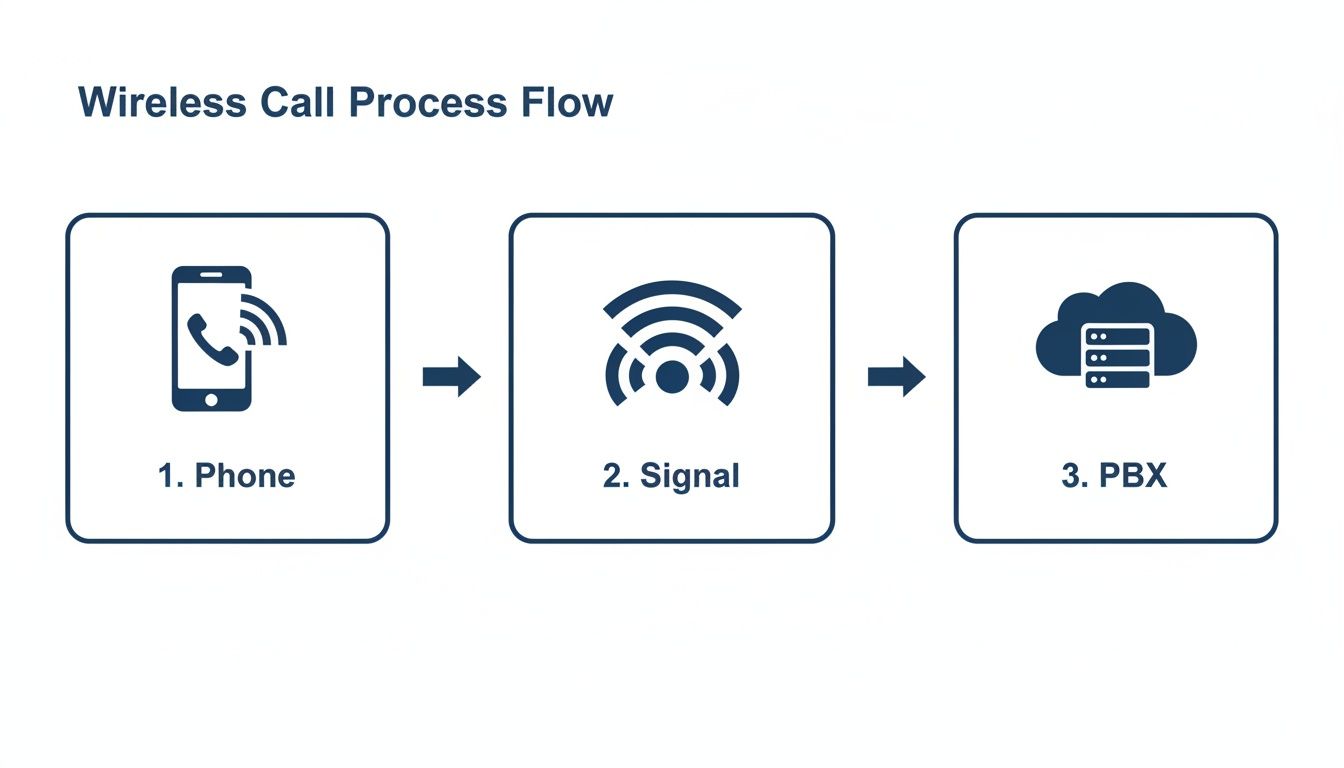
As you can see, the process relies on three key components working in perfect sync, each with a specific job to do in delivering a flawless call.
The Three Core Components
Once you understand the role of each piece, the whole system makes perfect sense. There are no mysterious black boxes—just a logical chain of technology making sure your call connects perfectly every time.
-
The Wi-Fi VoIP Phone: This is where it all starts. The device itself has the hardware and software to capture your voice, digitize it using a technology called Voice over Internet Protocol (VoIP), and securely send the resulting data packets over the wireless network.
-
The Wi-Fi Access Point (AP): Think of the AP as the on-ramp to the internet highway. It’s the physical device—your wireless router—that catches the data packets from your phone and forwards them onto the broader internet, pointing them toward your VoIP provider.
-
The Cloud PBX: This is the brain of the whole operation. Hosted by your provider (like SnapDial), the cloud PBX is a powerful software-based phone system. It receives the data packets, intelligently routes the call to its destination—whether that’s a landline, a mobile phone, or another VoIP user—and manages all the advanced features like call forwarding, voicemail, and auto-attendants.
By working together, these three elements create a communication system that is not only untethered from physical cables but is also more powerful and flexible than any traditional phone setup.
This move to internet-based calling is part of a much bigger trend. The global VoIP services market was valued at $144.77 billion in 2024 and is projected to hit $326.27 billion by 2032. This growth is being driven by businesses that see the clear benefits, with 36% of software buyers choosing VoIP compared to just 24% for legacy phone services. To get a better handle on this market shift, you can review the latest VoIP statistics from industry experts.
The Business Case for Cutting the Cord
Switching to Wi-Fi VoIP phones isn't just a tech refresh—it's a strategic move that pays real dividends in operational agility and your bottom line. Moving away from a desk full of wires unlocks a new level of efficiency, creating a more dynamic and productive place to work. The benefits start with simple convenience but quickly ripple out to affect everything from your office layout to your long-term growth plans.
This shift gives you the freedom to rethink your entire physical workspace. When you’re no longer limited by where the network jacks are, you can finally design your office around how your teams actually work, not where an IT tech managed to run a cable.
Unmatched Flexibility and Mobility
The most obvious win here is the freedom of movement. With a Wi-Fi VoIP phone, your employees are no longer tethered to a single spot. Someone can start a call at their desk, walk over to a shared workspace to grab a file, and then duck into a quiet room to finish the conversation—all without a dropped call or a moment of panic.
This kind of seamless mobility is a game-changer for modern, active workplaces. It's the perfect fit for how people work today:
- Hot-Desking and Open Offices: Employees can grab any open desk, connect their phone to the Wi-Fi, and instantly be live on their business extension. No more musical chairs with assigned ports.
- On-the-Move Productivity: Staff on a retail floor, in a warehouse, or across a large campus can carry their cordless Wi-Fi phone and stay completely connected to the main phone system.
- Better Collaboration: Teams can huddle up for an impromptu meeting anywhere in the office, bringing their phones with them to easily loop in a client or a remote colleague.
Simplified Deployment and Lower Cabling Costs
Picture this: you need to set up a new workstation, and it doesn't involve the headache and cost of pulling new Ethernet cables through walls and ceilings. With Wi-Fi phones, getting a new device online is as easy as connecting a laptop to your wireless network. This slashes both the setup time and the labor costs.
This is a massive advantage in a few key scenarios:
- Older or Historic Buildings: Perfect for spaces where drilling into walls is either a nightmare, wildly expensive, or flat-out forbidden.
- Leased Office Spaces: You avoid the cost of installing extensive network cabling that you’ll just have to pay to remove later.
- Rapid Growth: Adding new hires becomes a quick, "plug-and-play" task instead of a drawn-out IT project.
The savings from ditching structured cabling can be huge. For a small office, you could easily save thousands of dollars in installation costs alone, not to mention the money you'll save on future maintenance and moves.
Effortless Scalability and a Cleaner Look
As your business grows, your phone system should be able to keep up without a struggle. Wi-Fi VoIP phones make scaling your communications almost ridiculously simple. Need to add five new people? Just order the phones, get them on the Wi-Fi, and your VoIP provider can get them configured remotely in minutes. There’s no physical infrastructure to worry about, making expansion smooth and predictable.
This wireless approach future-proofs your communications. You can add or move phones at the speed of business, without being slowed down by the physical limitations of a wired network.
Beyond the practical perks, there's a big aesthetic win. A workspace that isn’t a tangled mess of cables under every desk just looks cleaner, more modern, and more professional. This creates a more organized environment for your team and presents a polished image to any clients or partners who visit. A clutter-free setup not only looks better but also makes cleaning easier and reduces trip hazards.
Key Features Every Modern Wi-Fi VoIP Phone Should Have
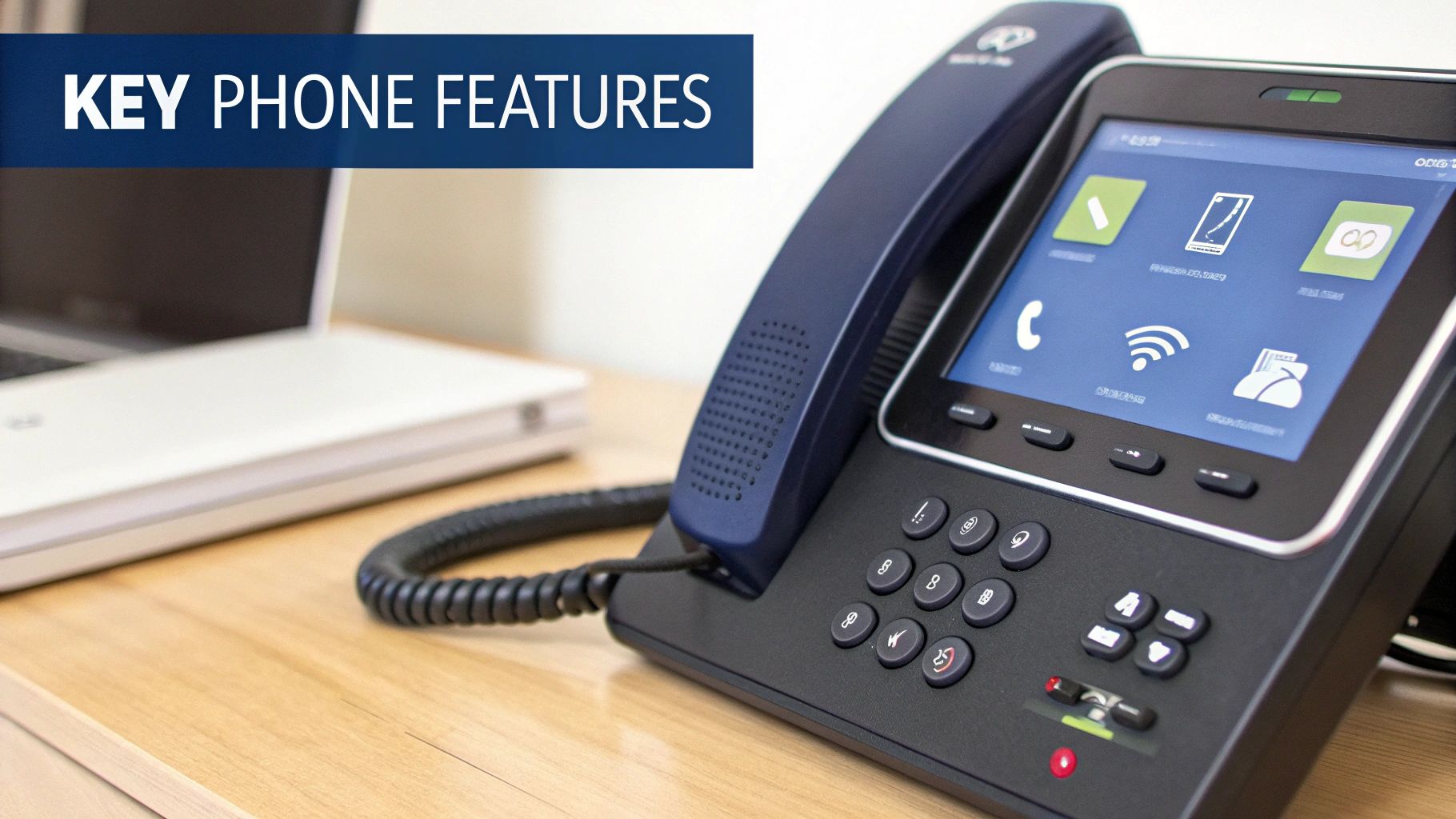
Not all hardware is created equal. When you’re picking out Wi-Fi VoIP phones for your business, a handful of key features can mean the difference between a smooth, professional setup and a constant source of frustration. Think of this as your buyer's guide—we're cutting through the marketing noise to focus on what actually delivers real-world performance, reliability, and security.
Getting the right device is all about ensuring crystal-clear audio, giving your team uninterrupted mobility, and making life easier for your IT department. These core features are the bedrock of a dependable wireless communication system you can actually count on.
Crystal-Clear HD Voice Quality
Let's be honest, the single most important job of any phone is how it sounds. Any modern Wi-Fi VoIP phone worth considering must support HD Voice. This technology uses advanced audio codecs, like Opus or G.722, to capture a much wider range of the human voice. The result? Conversations sound richer, fuller, and far more natural, which cuts down on listener fatigue.
Imagine the jump in quality from a tinny AM radio station to a crystal-clear HD broadcast; that's the kind of leap we’re talking about here. This level of clarity is vital for preventing misunderstandings and making sure your business sounds professional on every single call. If you're looking for a great example of a device that nails this, check out the features of the Yealink T54W phone.
Seamless Roaming and Handoff Support
True mobility isn't just about cutting the cord—it’s about being able to move around freely without the fear of a call dropping. Your office, warehouse, or retail floor likely has multiple Wi-Fi access points (APs) to blanket the area with a strong signal. Seamless roaming is the magic that lets a phone intelligently and automatically switch between these APs as an employee walks around.
Without it, a call could drop in that split second when the phone disconnects from one AP before it has a chance to connect to the next one.
A device with solid roaming support (look for standards like 802.11k/r/v) acts like a car's GPS rerouting in real-time. It’s always looking for the strongest signal and hands off the connection so smoothly that the person on the call never even notices.
This feature is absolutely non-negotiable for active environments like warehouses, retail stores, or large offices where people are constantly on the move.
Robust Security Protocols
Because your calls are flying through the air on your wireless network, security has to be a top priority. Any business-grade Wi-Fi VoIP phone must support the latest security protocols to shield your conversations from anyone trying to eavesdrop. You should be looking for these essential security layers:
- WPA2/WPA3 Encryption: This is the baseline standard for securing the Wi-Fi connection itself. It ensures that all the data traveling between the phone and the access point is scrambled and unreadable.
- SRTP (Secure Real-Time Transport Protocol): This protocol specifically encrypts the voice data—the actual call itself—making it useless to anyone who might manage to intercept it.
- TLS (Transport Layer Security): This secures the "signaling" information that sets up and manages the call, protecting details like who is calling whom.
These security features work in concert to create a secure bubble around your communications, giving you and your customers total peace of mind.
Excellent Battery Life and Power Options
For any cordless Wi-Fi VoIP handset, battery life is a make-or-break factor for productivity. A phone that dies halfway through the workday is more of a liability than a tool. Look for models that promise extended talk time—ideally at least 8-10 hours—and a long standby time so the device is always ready to go when it's needed.
Beyond that, consider the charging options. Most handheld devices come with a convenient desktop charging cradle. For Wi-Fi desk phones, a standard AC power adapter is the norm, but it's always worth checking if a model offers any other flexible power options.
Centralized Device Management
Finally, you have to think about your IT team. Manually setting up, updating, and troubleshooting dozens or even hundreds of individual phones is a time-sucking nightmare. A quality Wi-Fi VoIP phone absolutely must support centralized device management or managed provisioning.
This feature lets your VoIP provider remotely configure settings, push out firmware updates, and diagnose problems from a single web-based portal. It transforms a complex, hands-on task into an efficient, automated process. This saves countless hours and ensures every device on your network is secure and up-to-date. This capability is quickly becoming a standard as the market for wireless calling continues to explode. The global WiFi calling market, valued at around $15 billion in 2025, is projected to soar to $45 billion by 2033, reflecting a massive shift toward flexible communication. You can discover more insights about this growth on DataInsightsMarket.com.
Getting Your Network Ready for Flawless Wireless Calls
Let's be blunt: your call quality is only as good as your network. Throwing Wi-Fi VoIP phones onto an unprepared wireless network is like driving a brand-new sports car on a bumpy, potholed dirt road—you're just not going to get the performance you paid for. To get those flawless, crystal-clear calls, your network needs to be a superhighway with wide-open lanes and smart traffic control.
Taking the time to prep your network ensures your investment actually pays off with reliable communication. A little proactive work now prevents those all-too-common headaches like dropped calls, robotic voices, and frustrating lag later on. It all boils down to three core pillars: rock-solid coverage, plenty of bandwidth, and intelligent traffic management.
Step 1: Verify Wi-Fi Coverage and Signal Strength
First things first, you need to make sure your Wi-Fi signal is strong and consistent everywhere your team will be making or taking calls. Wi-Fi "dead zones" are the number one enemy of wireless VoIP. A call might work perfectly at someone's desk but drop the second they walk into a conference room with a weak signal.
To stop that from happening, you need to map out your office’s wireless coverage. Think of it like a quality check for your signal.
- Do a Site Survey: Grab a Wi-Fi analyzer tool or app and walk through your entire workspace, measuring signal strength as you go. The goal is to hunt down any areas where the signal drops off a cliff.
- Wipe Out Dead Zones: If you find weak spots, you might need to move your existing access points around or add new ones to create overlapping coverage. This builds a seamless wireless blanket over your entire office.
- Cut Down on Interference: Other gadgets can mess with your Wi-Fi signal. Try to keep your access points away from things like microwaves, cordless phone bases, and other sources of radio frequency (RF) interference.
Getting the right infrastructure in place is everything. A good guide to enterprise WiFi access points can be a huge help in achieving top-tier connectivity for your business.
Step 2: Figure Out Your Bandwidth and Latency Needs
Next up, you have to make sure your internet connection has enough muscle to handle all your voice traffic on top of everything else your team is doing online. Bandwidth is basically the size of your internet "pipe," and VoIP calls need a steady, dedicated flow. If the pipe is too small, calls will get choppy the moment someone starts downloading a big file.
Each VoIP call uses a pretty small amount of bandwidth on its own, but it adds up fast. A good rule of thumb is to budget about 100 kbps of both upload and download speed for every simultaneous call. This gives you a healthy buffer to work with.
Just as important is latency—the time it takes for data to get from your phone to its destination and back again. High latency is what creates that annoying delay in a conversation. For VoIP, you want your network latency to stay consistently under 150 milliseconds. You can easily get the full breakdown with our detailed guide on how much bandwidth you need for VoIP.
Step 3: Prioritize Voice Traffic with QoS
This last step is the most critical: setting up Quality of Service (QoS). Think of QoS as creating a dedicated carpool lane on your network highway, reserved exclusively for your voice calls. It tells your router that voice data packets are the VIPs and always get to go first, no matter how busy the network gets.
Quality of Service ensures that a non-urgent activity, like a large file download or a software update, can't disrupt an important client call. It is the single most effective tool for guaranteeing consistent, high-quality audio for your Wi-Fi VoIP phones.
Without QoS, all data gets treated the same. That means a video stream could easily make your important sales call sound jittery and robotic. By properly configuring QoS on your router, you're telling your network to protect voice traffic at all costs. This simple tweak is the secret to getting enterprise-grade call reliability over a wireless network.
This kind of careful network prep is becoming standard practice, especially as more businesses shift to VoIP. In North America, high internet speeds and the move to remote work are big drivers. The region is expected to account for 36% of global VoIP services growth between 2023 and 2028. That trend is backed by FCC data showing over 90% of Americans had high-speed internet access in 2023. You can read the full research on global VoIP market dynamics to see where things are headed.
Is Your Business Ready to Cut the Cord?
Throughout this guide, we've shown that Wi-Fi VoIP phones are much more than a cool gadget—they're a serious strategic asset for any modern, agile business. Going wireless isn't just about getting rid of cables. It's about unlocking real benefits that go straight to your bottom line, like major cost savings, unmatched flexibility, and the ability to scale up or down without a headache.
For small and mid-sized businesses, hybrid teams, and really any company with an eye on growth, this technology is a clear step toward future-proofing your operations. Making the switch is about empowering your team to communicate professionally from anywhere they can get a Wi-Fi signal, completely untethering them from the old limits of a cabled office.
The Path to a Seamless Transition
The potential is obvious, but a successful rollout takes more than just plugging in a few new phones. It requires careful planning, and this is where partnering with an expert can make all the difference, turning what could be a complex IT project into a smooth, hands-off experience.
A dedicated provider like SnapDial can manage the entire move for you:
- Network Assessment: An expert will take a hard look at your existing Wi-Fi network to make sure it’s ready to deliver flawless call quality from day one.
- Hardware Recommendations: You’ll get straight-up advice on picking the right Wi-Fi VoIP phones with the features that actually matter for how your team works.
- Managed Setup and Provisioning: The whole setup process is handled for you, from configuration to deployment, ensuring you get a seamless transition with zero downtime.
By leaning on a trusted partner, you can sidestep the common pitfalls of a DIY setup and ensure your new system delivers on its promise of reliability and performance from the moment you turn it on.
Making the move to a wireless phone system is a powerful step forward. To see how it all comes together, you can learn more about how a cloud-based VoIP phone system can be tailored to fit your business perfectly. Ultimately, the right provider lets you focus on what you do best—running your business—while they handle the complexities of your communications.
Frequently Asked Questions
Even with all the benefits laid out, it's smart to have a few questions before you dive into a new technology. Let's tackle some of the most common ones we hear from business owners considering the switch to Wi‑Fi VoIP phones. My goal here is to give you direct answers so you can make a fully informed decision.
Are Wi-Fi VoIP Phones Secure?
Absolutely, as long as you're using business-grade hardware and following smart security practices. These phones aren't like your average consumer gadget; they're built from the ground up with security in mind to keep your conversations private.
They create a secure channel using a couple of key layers of protection:
- WPA2/WPA3 Encryption: This scrambles all the data flying between your phone and the Wi-Fi router, making it completely unreadable to anyone trying to snoop on your network.
- SRTP and TLS Protocols: These are the big ones for voice security. They specifically encrypt the call audio itself and all the signaling data that sets up the call, which is what stops eavesdropping in its tracks.
When you pair these features with a properly secured, password-protected Wi-Fi network, your business calls are kept confidential and safe.
Is Call Quality as Good as a Wired Phone?
Yes, the call quality can be just as good—and often even clearer—than an old-school desk phone. But there's a catch: it all comes down to the health of your Wi-Fi network. Problems like choppy audio, echoes, or delays are almost always the fault of a weak wireless environment, not the phone itself.
Think of it this way: the phone is a high-performance engine, but your Wi-Fi network is the road it drives on. A smooth, well-paved road (a strong, optimized network) gives you a flawless ride. A bumpy, congested one will lead to a terrible experience, no matter how good the engine is.
By making sure you have strong signal coverage, plenty of bandwidth, and by prioritizing voice traffic with Quality of Service (QoS), you can easily achieve crystal-clear HD Voice quality that will make you forget all about wired connections.
Can I Use My Existing Phone Number?
Yes, in almost every single case. When you move to a cloud phone system, you'll go through a process called porting. This is just the official term for transferring your existing business phone numbers from your old carrier over to your new VoIP provider.
It's a completely standard procedure, and it ensures you keep your business identity without disrupting how customers get in touch. Your new provider, like us at SnapDial, handles all the technical legwork, making the switch totally seamless for you and your clients.
What Happens if the Wi-Fi Goes Down?
That's a fair question for any service that relies on the internet. If your office Wi-Fi network goes down, the Wi-Fi VoIP phones at that location won't be able to make or receive calls. But here’s the great part about a cloud PBX system—it has disaster recovery built right in.
Your VoIP provider can automatically and instantly reroute all incoming calls to other places. That could be an employee's mobile phone, a voicemail box, or even an office in a completely different location. This built-in flexibility means you never have to miss an important call, even if your local internet connection takes a temporary hit.
Ready to unlock the flexibility and power of a modern, wireless business phone system? The expert team at SnapDial offers white-glove setup and 24/7 support to ensure a seamless transition to a cloud-based solution that grows with your business. Explore your options with SnapDial today.