

A lot of growing companies reach the same point at about the same time. Sales has one way of answering calls. Support has another. The front desk still depends on an aging PBX. Remote staff forward calls to personal phones. Customers hit busy signals, dead ends, or voicemail boxes nobody checks fast enough.
That’s usually when the phone system stops being “an IT thing” and starts affecting revenue, service quality, and day-to-day sanity.
A business voip service provider can fix that, but only if you evaluate it like an operating system for your business, not just a cheaper dial tone. The wrong choice creates new headaches: scattered apps, surprise fees, weak support, and a migration that drags on. The right choice gives you one communication layer for calls, messaging, routing, reporting, and remote work.
Is Your Old Phone System Holding Your Business Back
If your company has outgrown its phone setup, the signs are obvious.
Calls ring on the wrong desk. A second office feels disconnected from the first. Remote employees look reachable on paper but not in practice. Customers repeat themselves because no one has a shared view of call history. Management wants reporting, but the current system can barely tell you what happened yesterday.
Legacy phone systems break down in a very specific way. They don’t always fail dramatically. They fail in little operational cuts.
The common symptoms
- Missed opportunities: A caller hits a busy signal, gets bounced between extensions, or gives up in a long queue.
- Hybrid work gaps: Staff can’t reliably answer business calls from mobile devices or laptops without awkward workarounds.
- Multi-location confusion: Each office develops its own process, which makes service inconsistent.
- Admin drag: Simple changes like adding users, changing routing, or pulling call logs turn into tickets and delays.
Customer expectations moved faster than many phone systems did. People expect fast answers, clear routing, and a consistent experience whether your team is in one office or spread across several locations.
That’s one reason cloud telephony has accelerated so quickly. The global VoIP market is projected to grow from $144.77 billion in 2024 to $326.27 billion by 2032, and SMB adoption has accelerated by over 15% since 2019, driven by remote work and the need for more scalable alternatives to legacy PBXs (Nextiva VoIP stats).
Old PBX systems usually don’t lose on one feature. They lose because every small limitation stacks up into slower response times and more manual work.
For many businesses, the decision isn’t really VoIP versus “phones.” It’s modern communication versus a patchwork of workarounds. If you’re still weighing old-line options, this comparison of VoIP vs POTS phone systems is useful because it frames the shift in business terms, not just technical ones.
What Exactly Is a Business VoIP Service Provider
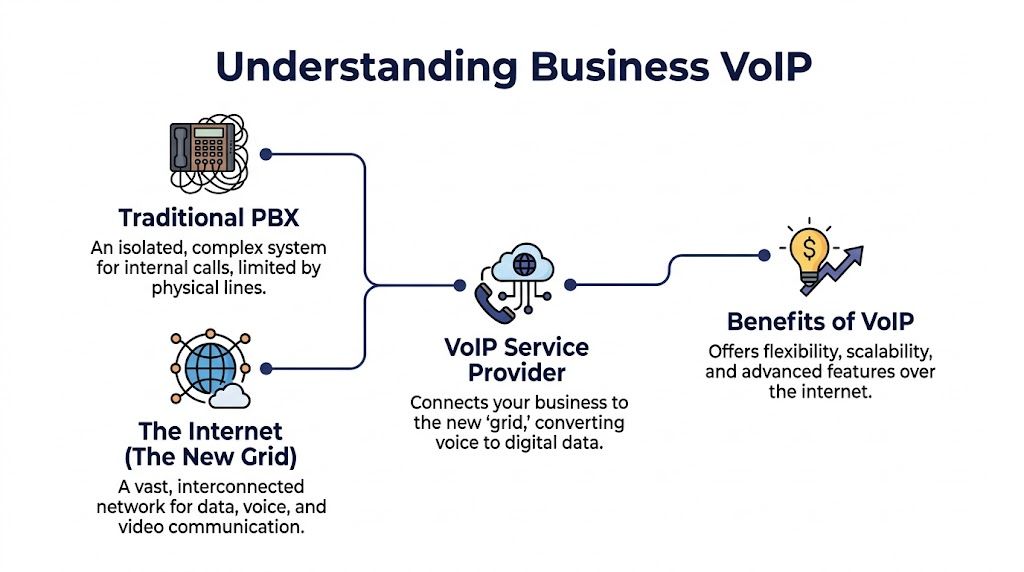
A business voip service provider delivers your phone system through the internet instead of through a traditional on-site PBX tied to physical phone lines.
That sounds technical, but the easiest way to understand it is with a utility analogy.
A traditional PBX is like running your own aging generator in the basement. It powers the building, but it’s isolated, harder to expand, and expensive to maintain. A business VoIP provider is closer to a modern grid connection. Your company taps into a managed communications platform that’s already built for scale, resilience, and centralized control.
What the provider actually does
At a practical level, the provider handles the infrastructure that used to sit in a phone closet or server room. That includes call routing, number management, voicemail, user provisioning, and the admin tools your team needs to manage daily operations.
Your employees then use desk phones, mobile apps, desktop softphones, or a mix of all three.
Hosted PBX in plain English
Hosted PBX means the phone system’s core logic lives in the provider’s cloud platform instead of on hardware you own and maintain onsite.
That matters because it changes how work gets done:
- Adding users gets easier: You don’t need a hardware expansion project every time a team grows.
- New locations fit naturally: A second office can work inside the same phone environment as the first.
- Administration gets centralized: IT or office managers can update users, greetings, call flows, and routing from a web portal.
If you want a plain-language breakdown, this overview of what is a cloud phone system is a good reference.
Unified communications means more than phone calls
A true business VoIP platform usually includes unified communications, often shortened to UC or UCaaS. In practice, that means one system handles more than voice.
It can bring together:
| Function | What it means in daily use |
|---|---|
| Voice | Business calling with routing, extensions, voicemail, and recordings |
| Messaging | Team chat or business text workflows, depending on the platform |
| Video | Meetings and internal collaboration without a separate phone silo |
| Fax | Cloud faxing for teams that still deal with compliance-heavy documents |
The business value is simple. Fewer disconnected tools. Less context switching. A cleaner record of customer communication.
Why this is different from consumer calling apps
Not every internet calling app is a business phone system.
Consumer tools can handle casual conversations. A business VoIP provider has to support routing rules, admin control, security, reporting, multi-user management, and reliability that can hold up under real call volume. For a company, “can place a call” is the starting point. “Can run operations through it” is the standard.
Practical rule: If the service can’t support user management, structured call routing, reporting, and business continuity, it’s not a serious replacement for a company phone system.
Must-Have VoIP Features for Modern Business Needs
Feature lists are where buyers get distracted.
Providers love to pile on terms like AI, omnichannel, collaboration, and analytics. What matters is whether a feature solves an actual operational problem. A good buying process starts with the work your team does every day, then maps features to that work.
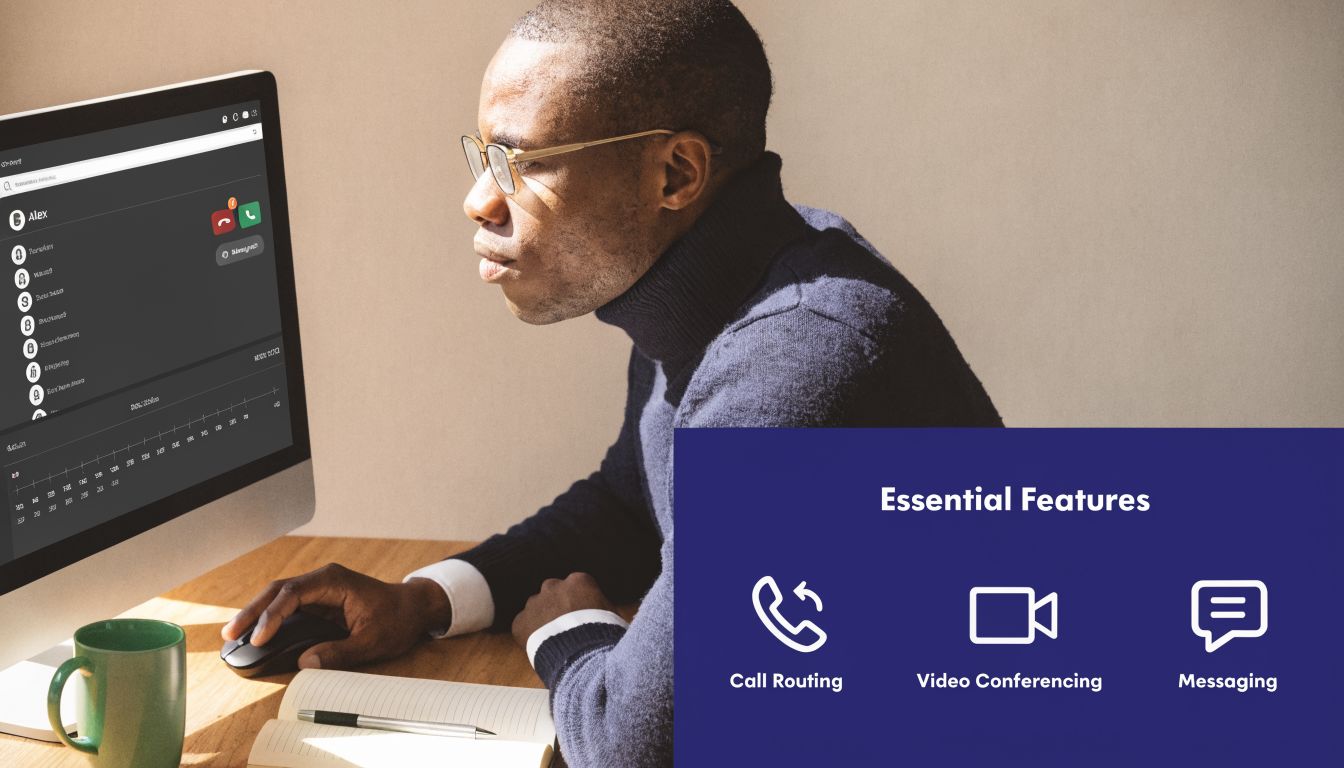
For remote and hybrid teams
The first category is mobility. If your staff works from home, travels between sites, or splits time between office and field, the system has to follow the user.
The essentials are usually:
- Mobile and desktop apps: Staff need to place and receive business calls without being chained to a desk phone.
- Call forwarding and simultaneous ring: Important when roles shift during the day and someone else needs to catch overflow.
- Presence and extension behavior: Helpful when teams need to know who’s available and where calls should go.
A mobile app is only useful if it behaves like part of the core system. Some platforms treat mobile users like an afterthought. That creates a two-tier operation where desk users are “real” users and remote staff live on workarounds. That’s a mistake.
A better setup lets remote employees stay inside the same company routing logic, so customers don’t feel the difference.
For the front door of the business
Every company needs a professional first impression. On the phone, that starts with how incoming calls are answered and routed.
The key pieces are Auto Attendant, IVR, and business-hour rules.
Auto attendant and IVR
These tools answer the phone, present options, and direct callers to the right person or department. Done well, they reduce receptionist load and shorten the path to help. Done badly, they trap customers in phone tree purgatory.
What works:
- Simple menu options
- Clear greetings
- Different call flows for business hours, after hours, and holidays
- Direct routing to departments, not endless transfers
What doesn’t work:
- Too many choices
- Menus built around your org chart instead of customer intent
- No escape path to a live person
For small and mid-sized businesses, the goal isn’t to sound huge. It’s to sound organized.
For admins and office managers
Some features matter less to callers and more to the people who have to run the system.
That includes:
| Admin need | Feature to look for | Why it matters |
|---|---|---|
| User changes | Self-service web portal | Adds, moves, and changes happen faster |
| Troubleshooting | Call logs and recordings | Helps resolve disputes and service issues |
| Voicemail handling | Visual voicemail with transcription | Lets staff scan messages instead of listening one by one |
| Policy control | Routing schedules and permissions | Keeps call flows consistent across teams |
Visual voicemail with transcription is a good example of a feature that sounds minor until you use it. A manager between meetings can read and prioritize messages in seconds. Listening to each voicemail in order is slower and often unnecessary.
For teams evaluating transcription workflows in more detail, this piece on Speech to Text for Call Centers is useful because it looks at how speech processing fits into real support operations.
For teams that handle high call volume
If your support desk, dispatch team, intake desk, or sales line gets busy, basic ringing features stop being enough.
You need some form of:
- Call queues
- Ring groups
- Call recording
- Shared visibility into missed calls and messages
These features create operational discipline. Without them, calls go to whoever happens to be available, and nobody has a clean picture of what was missed or delayed.
Later-stage call handling also benefits from training and review tools. That’s where recordings, searchable histories, and manager visibility start paying off.
A quick product walkthrough helps when you’re comparing abstract feature lists to actual workflows:
A practical filter for feature decisions
When comparing providers, ask one blunt question for every feature: Who uses this every week, and what problem does it remove?
If nobody can answer that, it’s probably brochure filler.
Buy for workflow fit, not feature count. Ten features your team uses beat fifty they ignore.
Enterprise Capabilities That Fuel Growth and Efficiency
A low starting price can get a provider onto your shortlist. It shouldn’t decide the purchase.
A business voip service provider's value becomes evident when the company grows, call volume rises, or a second location comes online. That’s when you find out whether the platform was built for expansion or just built to look affordable in a comparison chart.
Smart routing changes service quality
For support teams, call centers, and service-heavy businesses, routing logic matters more than most buyers expect.
Basic round-robin routing is fine for very simple environments. It starts to break once calls vary by urgency, language, complexity, or account value. More advanced systems use skills-based routing and queue controls so the caller reaches the person most likely to solve the issue.
According to SkySwitch’s discussion of VoIP provider planning, organizations using these capabilities have seen 20 to 30% improvements in first-call resolution along with measurable reductions in wait times when queue management is properly implemented (SkySwitch action plan for VoIP providers).
That’s not just a contact center metric. It affects repeat calls, customer frustration, and how much time your team spends cleaning up transfers.
What to look for in queue management
- Wait-time announcements: Helps set expectations for callers.
- Queue callback: Lets customers keep their place without sitting on hold.
- Real-time statistics: Gives supervisors a live operational view.
- Detailed reporting: Supports staffing, training, and process fixes.
A lot of SMBs don’t need a full enterprise contact center suite. They do need enterprise-style discipline in how calls are distributed and monitored.
Reliability comes from architecture, not promises
Every provider talks about reliability. The key question is what’s behind the promise.
Geo-redundant infrastructure and intelligent call routing are what separate a serious platform from a lightweight app. Providers that use geographically distributed data centers and dynamic bandwidth allocation can keep service running even when part of the network has problems. Industry-standard uptime guarantees are commonly framed around 99.99% in this kind of architecture (SIPTRUNK guide to comparing VoIP providers).
That matters most for multi-location businesses. If one path fails, a resilient platform can route through another regional node instead of taking the whole phone environment down.

The same source notes that platforms with this type of architecture can support organizations scaling from 10 to 1,000+ concurrent calls without degradation when bandwidth and routing are managed properly. That’s the difference between a system that grows with you and one that needs to be replaced at the exact moment your business gets more complex.
AI can help, but don’t buy the headline
AI is showing up in business telephony through call summaries, transcription, analytics, and automated assistance. Some of it is useful. Some of it is still more demo than discipline.
Useful AI usually does one of three things:
- Reduces admin work by summarizing calls and surfacing follow-up items.
- Improves coaching by making call review easier.
- Adds visibility through searchable trends and conversational insights.
What it often doesn’t do is magically fix poor staffing, weak routing design, or bad process. Buyers should also be careful about vague ROI claims. The market has a lot of AI enthusiasm, but independent benchmarks on SMB implementation results remain thin. Treat AI as an enhancer, not the business case on its own.
For companies that want hosted telephony with broader business-grade capabilities, enterprise VoIP is the category to review. One option in that space is SnapDial, which offers hosted VoIP, call routing, reporting, mobile apps, and managed deployment for businesses replacing older PBX systems.
The strongest platforms don’t just add features. They keep working when you add offices, remote staff, supervisors, and more call traffic.
Decoding VoIP Pricing Contracts and Hidden Costs
Most VoIP buyers don’t get burned by the advertised monthly rate. They get burned by everything attached to it.
A provider can look inexpensive on page one and turn costly by month three, especially once you add numbers, features, taxes, support expectations, and contract constraints. That’s why buying on sticker price alone usually backfires.
Why low entry pricing misleads buyers
The common pattern is simple. A provider advertises a low starting plan. That base plan handles basic calling. Then practical requirements emerge.
You need another number for a department. You need better routing. You need call recording. You need a feature that lives one plan tier higher. You need help during implementation. Each item sounds manageable on its own. Together, they reshape the budget.
While many providers advertise low starting prices, hidden costs can cause expenses to “spiral out of control” during scaling, and some providers charge extra for additional phone numbers or require upgrades for essential features (Vonage small business VoIP).
The costs SMBs often miss
Here are the items I tell buyers to surface before they sign:
- Additional number charges: Department numbers, local presence numbers, and extra direct lines can add up fast.
- Taxes and fees: Some vendors quote a base rate that doesn’t look anything like the final invoice.
- Feature gating: Call recording, advanced routing, analytics, or integrations may require plan jumps.
- Porting-related charges: Even when porting is possible, ask what’s included and what triggers extra cost.
- Contract lock-in: A long term can turn a mediocre fit into an expensive problem.
A plan can still be worth the cost if the pricing is predictable and the features match your actual use case. Opaque pricing is the issue, not premium pricing by itself.
A better way to compare providers
Use a TCO lens, not a price-tag lens.
Ask every provider for one written quote that reflects your likely operating model, not your smallest possible starting footprint.
Build the quote around your real environment
| Item to price | Why it matters |
|---|---|
| Users | Seats are the base, but rarely the whole bill |
| Phone numbers | Departments, locations, and toll-free lines change cost structure |
| Required features | Recording, IVR, queueing, reporting, and mobile access may sit in higher tiers |
| Implementation support | Setup assistance can save time or become a paid service |
| Contract terms | Exit flexibility matters if your needs change |
Then ask a second question that exposes scaling pain: “What changes on this bill when we add a new office, a support queue, and several more users?”
If the answer is muddy, expect surprises later.
What transparent pricing looks like
Transparent pricing usually has three traits.
First, the provider explains what’s included without forcing you to decode five plan tiers. Second, the quote reflects your likely operating setup. Third, the contract terms are readable by a normal business owner, not just procurement.
That doesn’t mean every good provider has flat pricing. It means they can explain the pricing cleanly enough that finance, IT, and operations all understand the commitment.
Planning a Seamless Migration and Implementation
Migration anxiety is usually justified. Phone projects can go sideways if nobody owns the process, the number porting timeline is fuzzy, or testing gets skipped.
The good news is that a PBX replacement doesn’t have to be chaotic. The cleanest projects follow a boring pattern. Clear inventory, clear ownership, staged setup, testing, then cutover.

Start with a phone system inventory
Before you choose dates, document what exists now.
That includes numbers, extensions, devices, call flows, hunt groups, voicemail boxes, business hours, and any odd routing exceptions people forgot to mention until late in the process. A surprising amount of migration pain comes from undocumented tribal knowledge.
If one employee says, “That line only rings differently on Fridays,” write it down. Strange edge cases become launch-day problems when nobody captures them early.
Decide what stays and what changes
Not every migration should be a one-for-one copy of the old setup.
Some businesses should keep existing desk phones if they’re compatible and in good shape. Others should use the migration to simplify the entire call flow. An old phone tree with years of layered exceptions is often worth redesigning instead of recreating.
Use this stage to answer three practical questions:
- Which numbers must port first
- Which users need desk phones versus softphones
- Which call flows should be simplified before launch
Managed setup beats DIY for most SMBs
A lot of providers sell self-service setup as flexibility. For small companies with spare technical bandwidth, that can work. For growing businesses with active customer traffic, managed implementation is usually the safer path.
The best provider setups include:
- A named project owner: One person coordinates dates, porting, templates, and user readiness.
- Pre-launch testing: Call routing, voicemail, devices, apps, and failover behavior get checked before go-live.
- Cutover planning: The business knows what changes when, and who to call if anything feels off.
DIY often sounds cheaper until your admin team spends hours rebuilding routing logic, chasing paperwork, and handling user confusion.
Number porting is the part to watch most closely
Porting is where business owners get nervous, and for good reason. If records don’t match, documents are incomplete, or old services are canceled too early, the transition can stall.
The safest approach is simple. Don’t cancel the old service until the port is confirmed complete. Keep documentation organized. Confirm exactly which numbers are moving, and in what order.
A careful provider will walk through the dependencies, not just send forms and wait.
Training should be short and role-based
Don’t train everyone on everything. Train users on the calls they handle.
A receptionist needs different guidance than a manager reviewing reports. A remote rep needs app and headset confidence. A supervisor needs queue visibility and escalation procedures. Short, role-based training gets adopted. Generic system tours usually don’t.
Your Buyer's Checklist Questions to Ask Every Provider
The fastest way to separate strong providers from polished sales demos is to ask sharper questions.
A good vendor should be able to answer plainly. If you hear vague assurances instead of specifics, that’s a signal in itself. For broader comparison research, this roundup of Top 12 Best Business VoIP Providers for Performance and Security can help you build a shortlist before final interviews.
Reliability and call quality
Ask: How is your platform built to maintain service during outages or regional issues?
Listen for details about geo-redundancy, routing design, and what happens when a location loses connectivity. “We’re very reliable” isn’t an answer.
Ask: How do you handle quality issues like jitter, packet loss, and routing problems?
A serious provider should explain monitoring and remediation in plain language.
Pricing and contract clarity
Ask: Can you show the full monthly cost with all expected taxes, fees, and required features included?
You want one realistic quote, not a teaser rate.
Ask: What usually changes the bill after a customer scales?
Frequently, extra numbers, feature upgrades, or support limitations emerge.
Ask: What’s the contract term, and what happens if we need to change or exit?
Long commitments aren’t always bad. Hidden friction is.
Implementation and support
Ask: Who owns our migration, and what does implementation support include?
If the answer is basically “you’ll get access to a portal,” assume you’re doing more of the work than you expect.
Ask: How do you handle number porting and cutover planning?
Listen for a defined process, not general reassurance.
Ask: What does support look like after launch?
Important follow-up points:
- Channels: Phone, ticket, chat, or all three
- Hours: Business-hours-only support versus around-the-clock coverage
- Escalation: What happens when an issue affects live calling
Scalability and operations
Ask: How does the system handle multiple offices, remote employees, and departmental routing?
You want one operational model, not a collection of disconnected users.
Ask: What reporting do managers get without paying for another product tier?
If reporting is weak, performance management gets harder fast.
Ask: Which features are built for high-volume teams versus sold as add-ons?
That answer tells you whether the platform was really designed for service-heavy environments or adapted for them later.
A good provider doesn’t dodge operational questions. They answer them in a way your IT lead, office manager, and finance team can all understand.
If you’re evaluating providers and want a clearer picture of what a managed cloud phone rollout looks like, SnapDial is worth reviewing. It offers hosted VoIP, predictable pricing, white-glove setup, and business features like call routing, queue management, reporting, mobile apps, and cloud faxing for companies replacing legacy systems.