

Monday at 8:15 a.m., the old phone system fails, three customer calls go unanswered, and nobody on your team is sure whether the problem is the carrier, the PBX, or a routing rule buried in an admin panel nobody has touched in years. That is usually the moment a business starts shopping for a better system.
The problem is that most business VoIP vendors sound nearly identical on paper. They all promise mobile apps, auto attendants, analytics, AI features, and easier administration. Buyers end up comparing feature grids while the harder questions get less attention: how the cutover will be handled, what support is like at night or on weekends, and how much ongoing admin work the new system creates for your team.
Those factors decide whether a switch feels like progress or turns into months of cleanup. A low monthly price can stop looking attractive once you add setup help, extra charges for basic call routing, staff retraining, and long waits for support during an outage.
This roundup looks past feature checklists and focuses on the full ownership experience. That includes core call quality, the migration process, the quality of 24/7 support, and the long-term administrative burden after the contract is signed. If you need a quick primer before comparing vendors, this guide on how business VoIP systems work covers the basics.
The providers below were chosen because they are common finalists for small and mid-sized businesses, but they do not solve the same problems equally well. Some are stronger for distributed teams. Some are easier to administer. Some offer better help during onboarding and number porting. Those differences matter more than another checkbox on a pricing page.
1. SnapDial
SnapDial stands out because it solves the part of a phone migration that most providers underplay. The switch itself. If you're replacing a legacy PBX, juggling desk phones, routing rules, number porting, and staff habits, the biggest risk isn't missing one feature. It's ending up with a system that technically works but creates more admin and more support tickets than the old one.
SnapDial is built as a hosted VoIP and cloud PBX platform for small and mid-sized businesses that want a managed transition instead of a DIY project. The practical difference is the setup model. The company handles white-glove, end-to-end implementation at no cost, which matters more than most buyers realize until they're in the middle of cutover week.
Why it's the strongest overall fit
The feature set is broad enough for standard office use and serious enough for support-heavy teams. You get Auto Attendant and IVR, unlimited lines, call recording, visual voicemail with transcription, cloud faxing, mobile apps, Mobile Office routing, and a self-service admin portal for users, call flows, logs, voicemail, and recordings.
Where SnapDial becomes more compelling is for companies that know they'll outgrow an entry-tier phone setup. It also includes advanced queueing, queue callback, wait-time announcements, real-time queue statistics, detailed reporting, and AI-enabled contact center capabilities. That gives growing teams room to scale without immediately moving to a separate contact center product.
Practical rule: If your front desk, sales team, or service desk handles bursts of inbound calls, buy for queue management first and everything else second.
There's also CRM integration support across more than 30 platforms, plus Yealink handset options for businesses that still want physical desk phones in reception areas, executive offices, or shared spaces.
What works well and what to watch
The strongest advantage is operational. A managed setup paired with 24/7 Texas-based live support reduces the long-term burden on office managers and internal IT teams. That's especially useful for multi-location businesses and hybrid teams where call routing and user changes never fully stop.
Customer feedback on the site reflects that ease-of-use angle. One reviewer, Adam H., says, “The quality of the phone service is only exceeded by the ease of use.” Another, Mike T., says, “As the name says, SnapDial is a snap to use! Very reliable and user-friendly phone service.”
The main trade-off is pricing transparency. SnapDial doesn't publish per-seat rates on the website, so you'll need a quote to compare exact plan costs. For some buyers, that's a drawback. For others, it's acceptable if the quote includes setup help and avoids the usual add-on sprawl. If you want a plain-language overview of the technology itself, SnapDial's guide to how VoIP works for business phone systems is a useful starting point.
Best for
- Managed migrations: Teams replacing legacy PBXs and wanting expert setup.
- Always-on support: Businesses that need live help outside standard hours.
- Growing call operations: Companies that may need queueing, reporting, and contact center features without switching vendors later.
Not ideal for
- Pure self-serve buyers: If you only want a quick online checkout and posted seat pricing, this process may feel more consultative than you want.
Website: SnapDial
2. RingCentral
A typical RingCentral buyer is not replacing a few desk phones. They are standardizing communications across offices, remote staff, departments, and software systems that already have their own rules and owners. In that kind of environment, buying the cheapest VoIP plan usually creates more work later.
RingCentral stands out because it handles that complexity better than many SMB-first providers. RingEX combines cloud PBX, messaging, video, multi-site administration, call queues, and IVR in one platform. Its app ecosystem is also a real advantage for companies already tied to Microsoft 365, Google Workspace, Salesforce, or ServiceNow.
The bigger point is operational fit. RingCentral usually makes sense when the phone system has to work inside a larger IT stack, not beside it. Admin controls, user policies, and integration options are often the reason it makes the shortlist.
That said, feature breadth is only part of the decision. Buyers comparing vendors often miss the long-term workload after go-live. The better question is not just which platform has the most tools, but which one your team can support month after month. This VoIP providers comparison guide for business buyers is a useful reminder to compare administration, support, and plan limits, not just headline features.
Where RingCentral earns its keep
RingCentral is a strong fit for IT-led deployments, multi-location companies, and organizations with stricter governance needs. If calls need to tie into CRM records, service workflows, identity management, and centralized policies, it offers more room to build around those requirements than simpler systems do.
It can also reduce vendor sprawl. Instead of patching together separate tools for calling, meetings, messaging, and routing, many teams can manage those functions in one place. For the right buyer, that lowers coordination headaches even if the platform itself takes more effort to set up.
Trade-offs that matter
The trade-off is administrative weight. RingCentral is rarely the easiest option for a small team that wants fast onboarding, minimal training, and very little ongoing system management. Pricing can also climb once you move into higher tiers, international needs, or more advanced contact center and analytics requirements.
Support and migration planning deserve extra scrutiny here. A platform with this much range can work very well after rollout, but the path to rollout is not always light-touch. If your business has internal IT capacity, that may be acceptable. If the same office manager handling billing is also expected to own phone setup, user changes, and troubleshooting, the overhead can become the main cost.
Website: RingCentral RingEX
3. Nextiva
Nextiva has long appealed to SMBs because it packages business communications in a way that feels approachable. Calling, SMS, team chat, and meetings are all there, and the higher tiers move toward customer experience tooling with shared inbox features, web chat, advanced reporting, and more intelligent routing.
That makes Nextiva a practical middle-ground option. It's often easier for smaller teams to understand than heavier enterprise suites, but it still has enough room for growth if you expect your communications needs to broaden over time.
Where Nextiva fits best
The best part of Nextiva's offer is packaging. It tends to speak the language of small business buyers instead of telecom specialists. Deployment is generally straightforward, and the admin experience is less intimidating than platforms designed first for large enterprise telephony teams.
It's also useful to remember that many VoIP roundups flatten plan differences between providers. As noted in this VoIP providers comparison guide from SnapDial, the biggest issue isn't whether a vendor offers queues, analytics, or collaboration tools in some form. It's whether the plan you can justify buying includes the routing, reporting, and controls you'll need six months later.
The catch with growth tiers
That's where Nextiva needs careful scrutiny. The entry experience is attractive, but some of the more valuable CX and AI features are reserved for higher tiers or add-ons. For small teams, that's not unusual. For buyers expecting “all-in-one” to mean “fully included,” it can be frustrating.
A second consideration is support during more complex account changes. Nextiva is often easy to launch, but buyers with multi-location routing, deeper workflow changes, or broader system adjustments should ask detailed support questions before signing.
Best for
- SMBs that want clarity: Good fit for teams that want one vendor for calling, messaging, and meetings.
- Gradual growth: Works well when you expect to add more CX features over time.
Watch for
- Tier creep: Make sure the plan you're quoted includes the reporting, recording, and routing features you'll use.
Website: Nextiva
4. Zoom Phone
A common buying pattern looks like this. The company already runs meetings in Zoom, staff know the app, and leadership wants to add calling without forcing everyone through another migration and another round of training. In that situation, Zoom Phone can be a practical choice.
Its strongest selling point is not that it has the longest feature list. It is that adoption is usually easier when calling, meetings, and chat already live in one familiar interface. That matters during rollout, but it also matters six months later, when the question becomes how much admin work the system creates and how quickly support helps when routing or porting issues appear.
Why Zoom Phone works
Zoom Phone covers the core cloud PBX functions many businesses expect, including IVR, ring groups, call queues, and metered or unlimited calling. It also benefits from tight alignment with Zoom meetings and chat, which reduces app switching for users who spend most of their day inside Zoom already.
For buyers comparing calling and collaboration together, the broader unified communications model for business teams matters here. Zoom Phone makes the most sense when phone service is one part of a larger communications stack, not the entire operational center of the business.
The category itself is also maturing. A Fortune Business Insights forecast projects the VoIP market to grow from USD 176.16 billion in 2026 to USD 388.97 billion by 2034 at a 10.4% CAGR, with hosted IP PBX leading growth and North America holding 45% regional share in 2025. For a 2026 buyer, the takeaway is straightforward. Cloud telephony is established, and Zoom Phone now sits in a mainstream buying category rather than an emerging one.
Where it falls short
Zoom Phone becomes less convincing when calls drive the business instead of supporting it. High-volume support desks, appointment-heavy offices, and operations teams with complex queue rules usually need more than basic call handling. They need deeper queue supervision, more granular routing logic, clearer visibility into call flows, and stronger tools for managers who spend all day adjusting coverage.
That is the trade-off. Zoom is excellent at reducing friction for organizations standardized on Zoom. It is less attractive for teams that depend on receptionist workflows, advanced hunt group behavior, wallboard-style visibility, or frequent day-to-day telephony changes by in-house admins.
Support and migration questions deserve extra scrutiny here. If number porting, multi-site routing, or after-hours call handling are central to your rollout, ask detailed implementation questions before signing. Zoom Phone can be a strong fit, but the best fit is usually a business that values unified communications first and telephony depth second.
Website: Zoom Phone
5. Dialpad
Dialpad's identity is clear. It's a modern UCaaS platform with AI features woven into the experience rather than bolted on later. For sales teams, support teams, and hybrid workforces that spend most of their time in softphones and mobile apps, that's a meaningful advantage.
The platform combines calling, SMS and MMS, meetings, and integrations in one interface. The AI layer is what makes it stand out. Live transcription, call summaries, and action-oriented post-call workflows are part of the appeal for teams that want cleaner follow-up and less manual note-taking.
Where Dialpad shines
Dialpad is often a strong fit for distributed organizations that want a fast rollout and a clean user experience. It doesn't usually require the same level of telephony specialization as legacy-style systems, and the mobile experience is one of its better selling points for hybrid work.
That said, the best fit is usually operationally focused teams, not front-desk-heavy businesses. A sales team that values summaries and quick handoffs will likely get more from Dialpad than a reception-driven office that mainly needs physical phones, call handling consistency, and receptionist workflows.
Limits to check before buying
There are some practical caveats. More advanced CRM integrations, deeper multi-office controls, and certain international messaging capabilities may sit in higher tiers. Carrier-related fees and usage-based extras can also complicate what initially looks like a simple subscription.
That doesn't disqualify Dialpad. It just means it rewards buyers who map requirements carefully. If your team wants built-in AI assistance and mostly works digitally, Dialpad is attractive. If your environment depends on predictable front-office telephony and very hands-on migration support, another provider may be easier to live with.
Website: Dialpad
6. 8×8
A company opens a new office overseas, keeps its sales team in one system, runs support in another, and then discovers the reporting does not line up and admin work keeps piling up. 8×8 is built for that kind of environment. It makes the most sense for businesses that want one provider for internal communications and customer-facing operations, especially across multiple countries.
The platform brings together voice, video, chat, analytics, Microsoft Teams telephony integration, and a broader XCaaS offering. That matters less as a feature list and more as an operational decision. One contract, one vendor relationship, and one admin model can reduce handoff problems between IT, operations, and support teams. For buyers trying to avoid a messy migration followed by years of tool sprawl, that is a serious advantage.
Why buyers choose 8×8
8×8 stands out on international reach and on the ability to cover UCaaS and contact center needs in the same stack. That can simplify procurement, support escalation, and long-term system ownership. If your business has users in several regions, that is often more important than having the flashiest app interface.
It also deserves credit for being built with larger, more distributed deployments in mind. The value is not just what the platform can do on day one. It is whether your team can add locations, adjust call flows, support remote staff, and keep reporting consistent without stitching together multiple vendors later.
The real drawback
8×8 takes careful scoping. Pricing is not as straightforward as simpler SMB-focused tools, the product catalog can take time to sort through, and it is easy to buy more than you will use.
That is the trade-off. Buyers that need strong migration guidance, dependable support coverage, and a clear plan for who will manage the system after launch should ask detailed questions during evaluation. 8×8 can work very well, but it usually rewards companies that know their requirements, expected rollout path, and administrative capacity before signing.
Best for
- International organizations: Teams that need broad geographic coverage and centralized administration.
- One-vendor strategy: Businesses that want phone, collaboration, and contact center functions under one provider.
Less ideal for
- Lean SMBs: Teams that want a simple phone rollout with minimal setup and lighter ongoing administration.
Website: 8×8
7. GoTo Connect
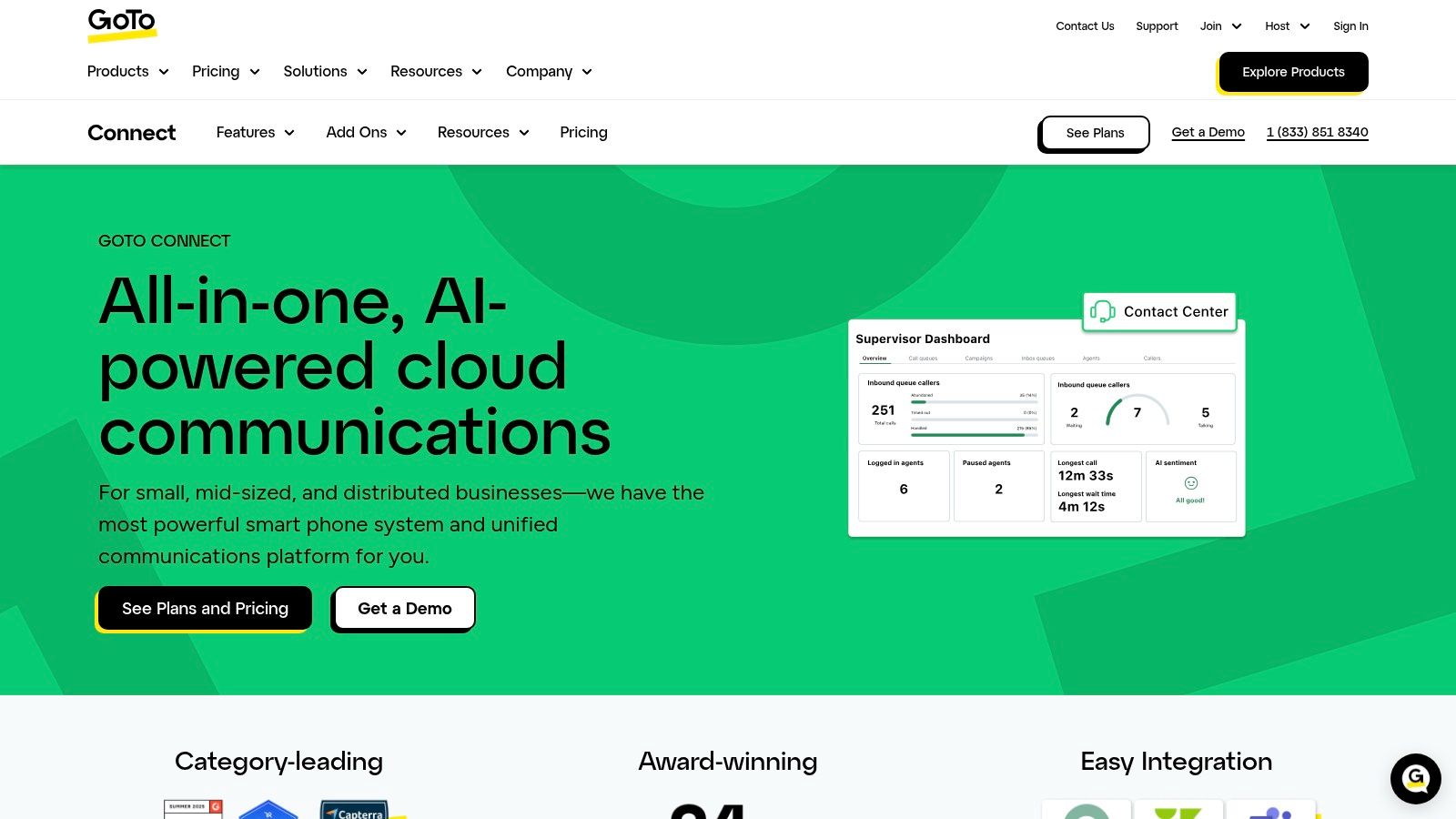
A common mid-migration problem looks like this. A branch changes hours, a hunt group needs a new fallback, two desk phones fail after a move, and nobody wants to wait on a support ticket just to update basic call routing. GoTo Connect stands out because it was built for that kind of day-to-day administration.
The platform combines cloud phone service with meetings and messaging, and it has added CX features such as digital channels, AI receptionist tools, callbacks, skills-based routing, and coaching. The bigger story, though, is not the feature list. It is how much control an office manager or lean IT team can keep after go-live.
What makes GoTo Connect appealing
GoTo Connect is strongest when the buying team cares about long-term administrative burden, not just launch-day capabilities. Its dial plan editor is visual and practical. Admins can adjust schedules, ring groups, menus, and routing paths without digging through a maze of nested settings. That matters more than it sounds. In smaller organizations, the person managing phones is often also handling onboarding, internet issues, and user requests.
The service also includes unlimited auto attendants and queues, hot desking, device management, video meetings, and 24/7 support. For a business with multiple sites or shared workstations, that mix reduces the number of manual workarounds needed later. Phones, users, and call flows stay in one administrative system instead of being spread across separate tools.
That is GoTo Connect's real value. It usually keeps routine changes routine.
Buy GoTo Connect if your priority is a phone system your team can actually manage after deployment, especially if you do not have a dedicated telecom administrator.
Where buyers should be careful
Pricing is less transparent than it used to be, and package details can vary by quote. Buyers should confirm what is included for messaging, calling assumptions, and any CX add-ons before comparing it against simpler UCaaS plans.
There is also a ceiling to keep in mind. GoTo Connect works well for companies that want a capable system with easier administration, but it is not my first pick for businesses that depend on a large integration ecosystem or highly specialized contact center logic. In those cases, the trade-off for easier management can be less flexibility at the edge cases.
Website: GoTo Connect
Top 7 Business VoIP Services Comparison
| Solution | 🔄 Implementation Complexity | ⚡ Resource Requirements | ⭐📊 Expected Outcomes | 💡 Ideal Use Cases | 📊 Key Advantages |
|---|---|---|---|---|---|
| SnapDial | Low, white‑glove, no‑cost migration minimizes disruption | Moderate, reliable internet; optional Yealink handsets; minimal in‑house IT | ⭐ Enterprise-grade PBX & CC features, predictable billing, 24/7 US support | 💡 Multi-location companies, contact centers, remote/hybrid teams | 📊 Free professional setup, strong CRM integrations, advanced CC tools |
| RingCentral (RingEX) | Moderate–High, enterprise governance and multi‑site admin | High, IT‑managed rollouts, possible add‑ons for features | ⭐ Robust UCaaS with deep analytics and high uptime | 💡 Large enterprises and distributed organizations needing integrations | 📊 330+ integrations, mature admin and reporting capabilities |
| Nextiva | Low, SMB-friendly, straightforward deployment | Low–Moderate, basic internet and admin; higher tiers for CX features | ⭐ Clear UC features with transparent SMB pricing | 💡 Small to mid‑market businesses seeking simple packaged UC | 📊 Competitive entry pricing, easy admin |
| Zoom Phone | Low, fast adoption when Zoom is standard | Low, Zoom licenses and reliable internet | ⭐ Seamless phone + meetings experience; good bundled value | 💡 Organizations standardized on Zoom or needing simple PBX | 📊 Tight integration with meetings/chat; simple admin |
| Dialpad | Low–Moderate, quick deployment; AI features ready at base tiers | Moderate, internet; Pro/Enterprise for advanced CRM/SMS | ⭐ Strong real‑time AI (transcripts, summaries); good mobile UX | 💡 Distributed teams needing built‑in AI notes and recaps | 📊 Native AI assistant, fast user onboarding |
| 8×8 (Work & XCaaS) | Moderate–High, broader catalog and product scoping required | High, global PSTN, multi‑country setup, vendor planning | ⭐ Global UC + CC with analytics and Teams integration | 💡 Multi‑country businesses needing single‑vendor UC/CC | 📊 Strong international coverage and integrated contact‑center stack |
| GoTo Connect | Low, easy deployment and simple admin hub | Low, minimal IT; check CX add‑ons for advanced needs | ⭐ Reliable telephony plus meetings and 24/7 support | 💡 Lean IT teams and SMBs wanting bundled meetings + PBX | 📊 Simple admin, solid support and bundled value |
Making Your Final Choice for a Smooth Switch
The best business VoIP service isn't the one with the longest feature page. It's the one your team can implement without chaos, support without frustration, and grow into without rewriting your call flows every year. That's why migration quality, support responsiveness, and administrative burden deserve as much attention as call recording, AI, or integrations.
Start by narrowing your shortlist to two or three providers based on how your business works. If you run a small or mid-sized company replacing an aging PBX, ease of transition and access to live support may matter more than an oversized integration catalog. If you manage a larger distributed organization, then multi-site administration, CRM depth, and governance controls become more important.
There's also a reason this category has become so crowded. Hosted voice and cloud PBX are now the default path for many businesses, and most vendors claim similar baseline capabilities. The harder question is whether the plan you're considering already includes the routing, reporting, and support model you'll need once the system is in daily use. That's where many buyers make an expensive mistake.
A practical buying process is simple.
- Audit your network first: Confirm your internet connection can handle voice traffic reliably for your full user count.
- Plan number porting early: Work with the provider to time the transfer carefully and avoid disruption.
- Train for day-one tasks: Show staff how to answer, transfer, forward, check voicemail, and use the mobile app before cutover.
- Test support before signing: Contact sales and support with a real scenario. See how clear and responsive they are.
- Ask about admin workload: Find out who will handle user changes, handset setup, routing edits, and after-hours troubleshooting.
For many SMBs, that points toward a provider with a more managed approach. SnapDial is especially strong here because it combines white-glove setup, 24/7 Texas-based support, and enterprise-grade features without pushing all implementation work back onto the customer. That won't be the perfect fit for every business, but it is a very strong fit for companies that want a smooth migration rather than another technical project to babysit.
Choose the provider that fits your operating reality, not the one with the loudest marketing. That's what leads to a better phone system a year from now, not just a better demo this week.
If you're planning a phone system upgrade and want a provider that handles the hard parts with you, SnapDial is worth a close look. Its white-glove setup, 24/7 Texas-based support, and broad business calling features make it a strong option for companies that want a smoother migration and less long-term admin overhead.