
The phone starts ringing at 8:02 a.m. A customer wants to confirm an appointment. A new lead needs a quote. A vendor is calling back. Someone on your team picks up, gets interrupted, puts the caller on hold, then yells across the room to find the right person. By lunch, calls have piled up, staff are distracted, and at least a few callers have already moved on.
That's the point where many owners realize their phone setup isn't just messy. It's costing them business.
A small business phone system with auto attendant fixes a problem that looks operational on the surface but is really about customer trust. According to a 2023 Forbes report cited in industry analysis, 56% of small business owners say customers use phones to contact their businesses more than any other communication channel. When the phone experience feels chaotic, the business feels chaotic too.
For service businesses, that matters even more because your phone performance and your local visibility often work together. If your marketing is generating calls through local search strategies for service companies, your phone system has to be ready to handle that demand cleanly and consistently.
Your First Impression Over the Phone

A missed call doesn't always look dramatic inside the business. It often looks ordinary. The front desk is busy. The office manager is covering two jobs. A technician is out in the field. A customer hears ringing, gets voicemail, and calls the next company on the list.
That's why first impressions over the phone carry so much weight. A caller doesn't see your backlog, your short staffing, or the hundred moving parts behind the scenes. They judge the business by what they hear in the first few seconds.
What callers notice first
Most callers are asking simple questions at the beginning:
- Who do I need to talk to
- Are you open right now
- Can I reach service, billing, or sales
- If nobody answers, what happens next
A weak phone setup makes all of that harder than it needs to be. Calls bounce between extensions. Employees interrupt each other. After-hours callers hit a generic mailbox. Even good teams can sound disorganized when the system forces everything through one line and one person.
Practical rule: If your staff has to act like a switchboard, your phone system is already behind your business.
An auto attendant changes the opening moment. Instead of relying on whoever happens to be free, the system answers every call with a consistent greeting and clear options. That immediately sounds more professional, but the bigger win is operational. People stop chasing calls manually.
Why this matters more than owners think
Owners often focus on obvious expenses like payroll, rent, or ad spend. They should. But the phone sits in the middle of all three. It affects how efficiently staff work, whether marketing leads convert, and whether existing customers feel taken care of.
A strong phone presence doesn't require a huge office or a dedicated receptionist. It requires a system that can greet, route, and capture calls reliably. For many small businesses, that's the difference between looking established and sounding overwhelmed.
What Is an Auto Attendant and Hosted Phone System
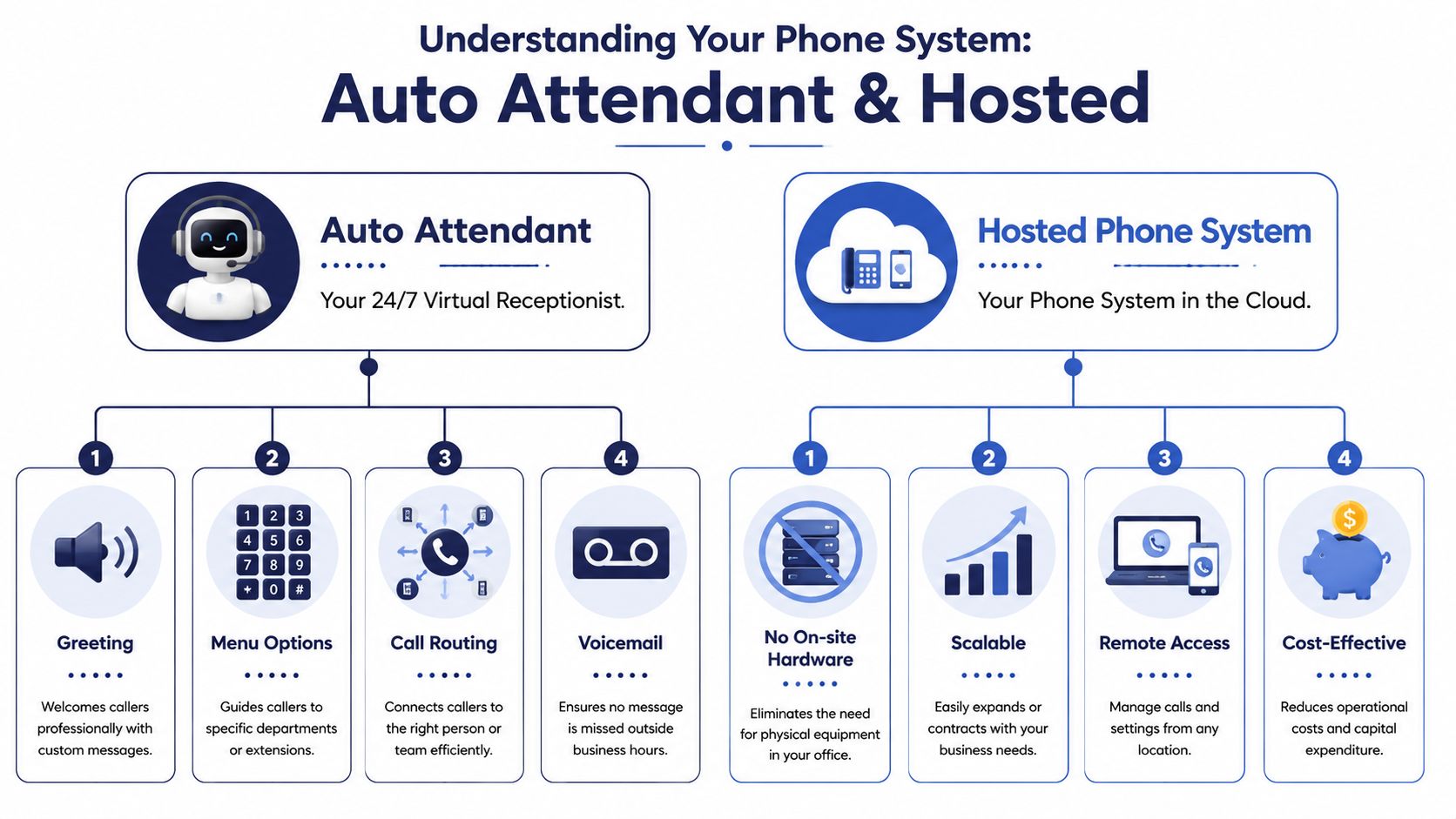
An auto attendant is your digital receptionist. It answers the call, plays a greeting, gives the caller options, and sends them to the right person, team, voicemail box, or message.
A hosted phone system is the platform that makes that possible. Instead of relying on old hardware sitting in a closet, the system runs in the cloud and connects your desk phones, mobile apps, and call routing rules into one setup.
The simplest way to think about it
If you separate the two pieces, the model gets clear fast:
| Component | What it does | Why it matters |
|---|---|---|
| Auto attendant | Greets callers and routes them | Creates structure and consistency |
| Hosted phone system | Runs the full phone environment in the cloud | Gives flexibility, remote access, and easier management |
The auto attendant is the customer-facing part. The hosted system is the engine behind it.
That matters because many owners shop for “an auto attendant” as if it's a standalone tool. It usually isn't. It's one feature inside a broader business phone system. If the platform is weak, the menu won't save it.
How it works in real life
A typical call might go like this. A customer dials your main number. The system answers with a greeting such as, “Thanks for calling. Press 1 for sales, 2 for support, 3 for billing.” The caller selects an option, and the hosted system routes the call based on the rules you've set.
Those rules can be simple or more advanced. During business hours, calls can ring a department or queue. After hours, they can go to voicemail, a mobile phone, or an emergency line. That's why businesses evaluating improving call routing with auto attendants should look beyond the greeting itself and pay attention to the routing logic behind it.
For a closer look at how providers organize these tools, SnapDial's overview of telephone auto attendant systems is useful because it shows how the feature fits into a wider business phone setup.
Why hosted beats the old closet box
A legacy PBX can still function, but it usually creates friction. Moves, changes, recordings, and schedule updates often require extra effort. Remote work becomes awkward. Multi-location setups become harder than they should be.
A hosted system removes much of that friction. Admins can usually update greetings, routing schedules, users, and voicemail settings from a web portal. That doesn't just help IT. It helps the business respond faster when hours change, departments grow, or staffing shifts.
A short demo can make that difference easier to visualize:
Key Benefits of an Automated Phone System
The strongest case for automation isn't that it sounds modern. It's that it stops your team from spending paid time doing repetitive routing work.
Industry studies indicate that implementing an auto attendant phone system can increase small business operational efficiency by up to 50%. That gain comes primarily from automating call routing and reducing manual operator tasks. For a small office, that means staff can stay focused on estimates, scheduling, customer issues, and revenue work instead of acting as human transfer buttons.
Where the return shows up
A good system pays off in several places at once.
- Professional presentation: Callers hear a polished greeting and clear options instead of confusion in the background.
- Less interruption: Staff don't have to stop what they're doing every time the main line rings.
- Faster routing: Customers reach the correct person or department with fewer handoffs.
- Better coverage: Calls still get handled when someone is at lunch, on the road, or out of office.
Those benefits compound because each one supports the others. A team that gets interrupted less often usually handles the calls they do receive better.
It protects both revenue and morale
Owners often think about inbound calls in terms of leads. That's correct, but incomplete. Existing customers call too. So do vendors, patients, tenants, and job applicants. If those callers hit a messy process, the business feels harder to work with.
Businesses rarely lose trust because a phone system lacks features. They lose trust because callers can't get where they need to go.
There's also an internal morale benefit. Front desk staff and office managers get burned out when they spend their day apologizing for hold times, chasing coworkers, and triaging calls with no structure. Automation gives them a process instead of pressure.
It supports growth without forcing a big rebuild
A small company doesn't need an enterprise telecom budget to look organized. It needs the right workflow. The value of a hosted platform is that it can usually scale with the business. New users, departments, locations, and routing paths can be added without rebuilding everything from scratch.
That's one reason many businesses replacing old lines start by reviewing what a modern VoIP phone system for small business includes. The decision isn't just about replacing dial tone. It's about creating a repeatable customer experience that doesn't depend on one person being available at the right second.
Essential Auto Attendant Features to Look For
Not every auto attendant is worth buying. Some systems can record a greeting and little else. Others give you enough control to build a phone experience that actually fits how your business runs.
The difference comes down to features that solve day-to-day problems, not features that just sound impressive in a sales demo.
Start with routing that matches the real business
Time-Based Routing should be near the top of your list. Multi-level auto attendants use it to check the current time against a rule set and send calls down the right path. Benchmark data indicates that implementing TBR reduces missed call rates by 45% compared to static routing.
That matters because most businesses don't operate the same way all day. Lunch coverage is different from morning coverage. Friday afternoons may differ from Monday mornings. Holidays, emergency closures, and after-hours support all require different handling.
Look for systems that let you set:
- Business hours schedules: Route daytime calls to live teams and after-hours calls elsewhere.
- Holiday exceptions: Swap in special messages and routing without rebuilding the menu.
- Department-specific timing: Let billing, support, and dispatch follow different schedules if needed.
Don't stop at a single greeting
A basic one-level menu works for very small teams. Growing businesses usually need more structure.
The most useful features in practice are these:
- Multi-level menus: Necessary when one menu can't cleanly separate sales, service, billing, and existing customers.
- Ring groups and hunt groups: Useful when several people can answer the same type of call.
- Voicemail-to-email or visual voicemail: Helps managers and field staff keep up when they're away from a desk.
- Dial-by-name directory: Helpful when callers know the person but not the extension.
- Call forwarding to mobile devices: Important for owners, on-call staff, and field teams.
A feature list only matters if it reduces friction. If a menu creates more button pressing without helping callers reach the right destination faster, it's not an upgrade.
Ask vendors the hard questions
Many owners ask what the system can do. Better buyers ask how easily they can control it. The product may have every feature on paper, but if changes require support tickets for every small update, the system becomes a bottleneck.
Use a short evaluation checklist:
| Question | Why it matters |
|---|---|
| Can I change greetings and schedules quickly | Hours and staffing change often |
| Can I route by time, team, and availability | Real businesses aren't static |
| Can mobile staff answer professionally | Many calls need to reach people outside the office |
| Can I fail over to voicemail or another number | Calls still need a destination when plans change |
Buyer's filter: If a vendor talks more about features than administration, keep asking questions.
The right small business phone system with auto attendant should feel easy to operate after setup. If it takes too much effort to maintain, staff stop using it properly. Then the menu drifts out of sync with the business, and callers feel that drift immediately.
Designing a Call Flow That Actually Works
A lot of auto attendants fail for one simple reason. The owner buys the feature but never designs the experience.
That's where the gap appears between a system that helps callers and one that traps them. The menu may sound polished, but if the call flow is too deep, too rigid, or built around internal departments instead of customer intent, frustration shows up fast.
Keep the path short and obvious
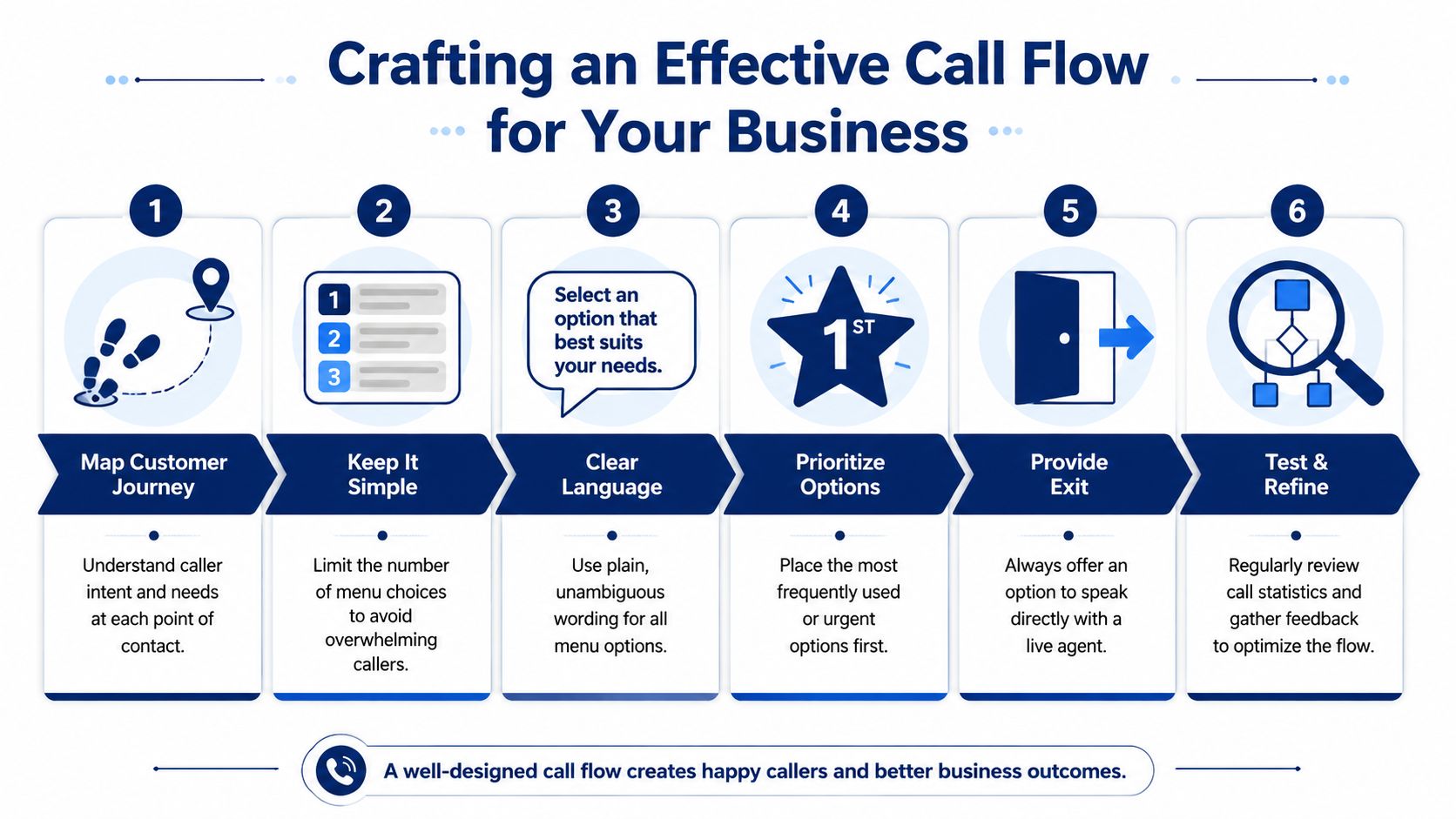
Callers don't want to study your org chart. They want to complete a task. Good call flows reflect that.
A strong menu usually has these traits:
- Plain language: Say “Press 1 for appointments” instead of internal labels people won't recognize.
- Priority ordering: Put the most common or urgent options first.
- Minimal depth: Don't create layers unless the extra step improves routing.
- A live escape path: Give callers a way to reach a person when the menu doesn't fit their need.
That last point matters more than many businesses realize. The Federal Communications Commission indicates that 40% of SMB call complaints stem from callers being stuck in automated loops due to poorly configured multi-level menus under pressure, and the problem gets worse for businesses exceeding 80 daily calls.
The high-volume receptionist gap
Many SMBs make a costly mistake. They install an auto attendant and treat it as a receptionist replacement for every scenario. That can work at lighter volume. It often breaks when call complexity rises.
At higher call volumes, the problem isn't just the number of calls. It's the mix. Existing customers need service. New callers want sales. Some people need a person because their situation doesn't fit the script. If the menu keeps forcing those callers through narrow options, the experience starts to feel like a busy signal in slow motion.
What works better is a hybrid design:
- Route simple requests automatically
- Send common departmental calls to the right queue
- Offer a human fallback when the issue is complex or urgent
- Review where callers bail out or press zero repeatedly
That's the practical difference between automation that scales and automation that irritates.
For business owners trying to map that logic cleanly, it helps to think in terms of call routing design principles rather than just menu recordings.
If callers need to guess, the menu is poorly designed.
The mobile-first IVR problem
Another weak spot gets ignored in too many phone system setups. Businesses design menus as if callers are sitting at desks with perfect connections and plenty of patience. Many aren't.
Mobile callers may be driving, walking into a jobsite, standing in a waiting room, or calling with background noise around them. Long menus are harder to follow. Deep branching is harder to remember. If voice prompts are unclear or options sound similar, errors rise quickly.
That means the menu should be built for distracted, real-world use:
- Lead with the most likely reason for the call
- Keep prompts concise
- Avoid too many similar-sounding options
- Repeat critical options clearly
- Make the live-agent path easy to understand
A practical sample flow
A simple service business might use a flow like this:
| Caller need | Recommended route |
|---|---|
| New estimate or sales inquiry | Sales ring group |
| Existing appointment or job status | Service coordinator or dispatch |
| Billing question | Billing extension or mailbox |
| Urgent issue after hours | On-call mobile line |
| Everything else | Reception or general voicemail |
This structure works because it reflects what callers want, not how the company happens to be organized internally.
Test it like a customer, not an admin
Frequently, testing only confirms whether the menu technically works. That's not enough. Test whether it feels easy.
Call from a mobile phone. Call after hours. Have someone unfamiliar with the business listen to the menu and try to reach the right destination. If they hesitate, misroute, or need to restart, fix the wording or simplify the options.
A good call flow isn't the one with the most branches. It's the one callers can finish without thinking too hard.
How SnapDial Delivers a Modern Phone Experience
A modern phone experience depends on two things. The platform has to be capable, and the setup has to be done well. Many businesses get one without the other.
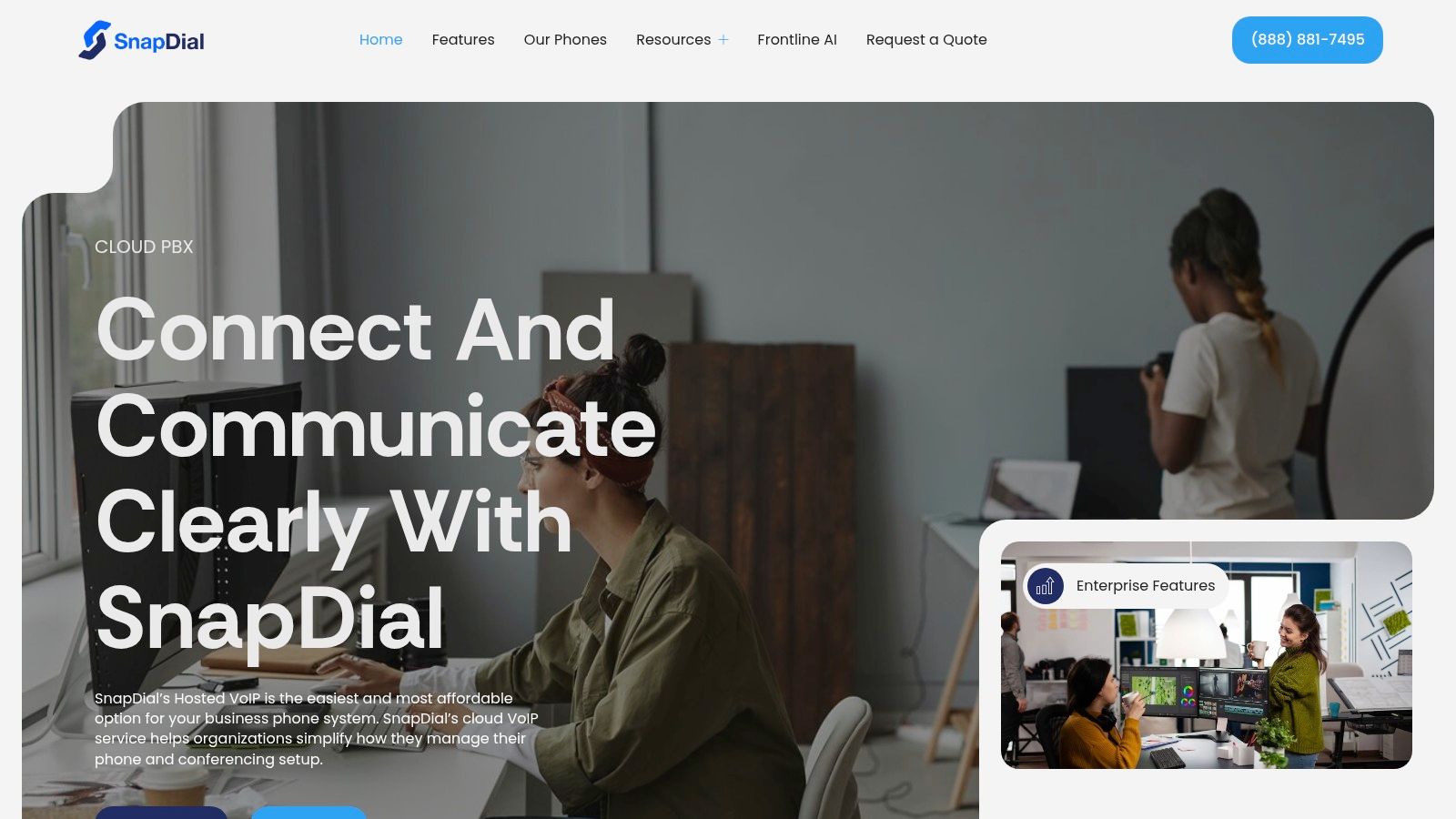
SnapDial is built around that reality. The platform gives businesses the core pieces that matter in daily use: hosted VoIP, auto attendant and IVR, mobile-ready calling, visual voicemail with transcription, call routing, call logs, recordings, cloud faxing, and a self-service web portal that lets teams manage users and routing without wrestling with legacy PBX hardware.
Where it fits best
This setup makes sense for businesses that need more than a basic answering menu. Multi-location companies, service teams, remote staff, and offices replacing an aging phone closet all benefit from having one cloud platform handle routing, voicemail, conferencing, and mobile access.
The practical advantage is that the system can support both straightforward and more advanced call flows. A business can keep a simple menu where that works, then add smarter routing, queueing, callback options, and reporting where call volume or complexity demands it.
Why implementation matters
A lot of phone frustration starts during setup. The provider turns the service on, but the greetings, schedules, failovers, and user routing aren't aligned to how the business operates. That's where good intentions turn into caller frustration.
SnapDial addresses that with white-glove setup handled end-to-end at no cost, plus 24/7 Texas-based support by phone and online. That matters because phone systems don't just need features. They need someone to help when hours change, locations expand, or a routing path needs to be fixed quickly.
The best phone system is the one your team can run confidently on a busy day.
For businesses that want a small business phone system with auto attendant without inheriting the usual maintenance headaches, that combination of cloud flexibility, managed onboarding, and live support is what makes the difference.
If you're replacing an outdated phone setup or trying to stop calls from slipping through the cracks, SnapDial is worth a close look. It gives small and mid-sized businesses a hosted phone system with auto attendant, mobile-ready calling, all-inclusive pricing, and white-glove setup, so you can improve the caller experience without turning phone management into another full-time job.