

Your team has a phone app for calls, a chat app for quick questions, a meeting tool for clients, and a CRM that stores customer history somewhere else. On a busy Monday, people switch between all four just to answer one request. A missed voicemail becomes an overlooked email, a customer call starts late, and a technician's personal phone becomes an unofficial business system.
Unified communications brings those interactions into a connected communications layer. It can combine calling, video, messaging, presence, conferencing, and contact-center workflows under shared identities, routing rules, and records. The important question for a small or mid-sized business isn't only what features a platform has. It's who will operate the communications layer, how it will fail, how it will be governed, and whether it fits the way your team works.
A Day Without Unified Communications
At 8:07 on Monday morning, a 12-person services firm starts its week with several small communication problems. None looks serious alone. Together, they create delays, duplicated work, and gaps in customer history.
A sales representative sees a notification on her laptop, but the voicemail sits inside a separate phone application. She opens the message later, after the customer has already sent an email asking for an update. The rep now has to reconstruct the conversation manually, then decide which system should contain the next action. Guidance on reducing this kind of fragmentation appears in SnapDial's guide to improving business communication.

At 10:30, the project manager prepares for a client call. The meeting link is in one calendar tool, the internal discussion is in chat, and the desk phone is still the fastest way to reach the client's main number. She toggles between windows, checks whether the client has joined, and spends the opening moments explaining the setup instead of discussing the project.
After lunch, a field technician receives a call intended for the office. The phone system doesn't show whether anyone is available, so he forwards the call to his personal mobile. He helps the customer, but the business has no shared presence record, no consistent call history, and no simple way for a colleague to see what happened.
The missing handoffs
A connected UC stack could remove several manual transitions:
- Voicemail to customer record: The sales rep could work from a shared call history instead of searching separate applications.
- Chat to call: The project manager could turn an internal message into a call without changing communication context.
- Presence to routing: The technician's availability could guide the next call rather than forcing an improvised personal forwarding rule.
- Mobile access to business identity: The technician could answer from a mobile app while keeping the company number and business record in place.
The problem isn't that the team lacks communication tools. It has too many disconnected ones. UC addresses the operational friction between channels, not just the channels themselves.
What Is Unified Communications and What Counts as UC
Unified communications is an integrated communications stack that brings voice, video, messaging, presence, conferencing, and related workflows into one connected experience. Gartner describes UC as the convergence of real-time and non-real-time communication services, allowing people to move between modes without losing context. You can review the broader definition in the Gartner UC glossary.
It helps to separate the parts:
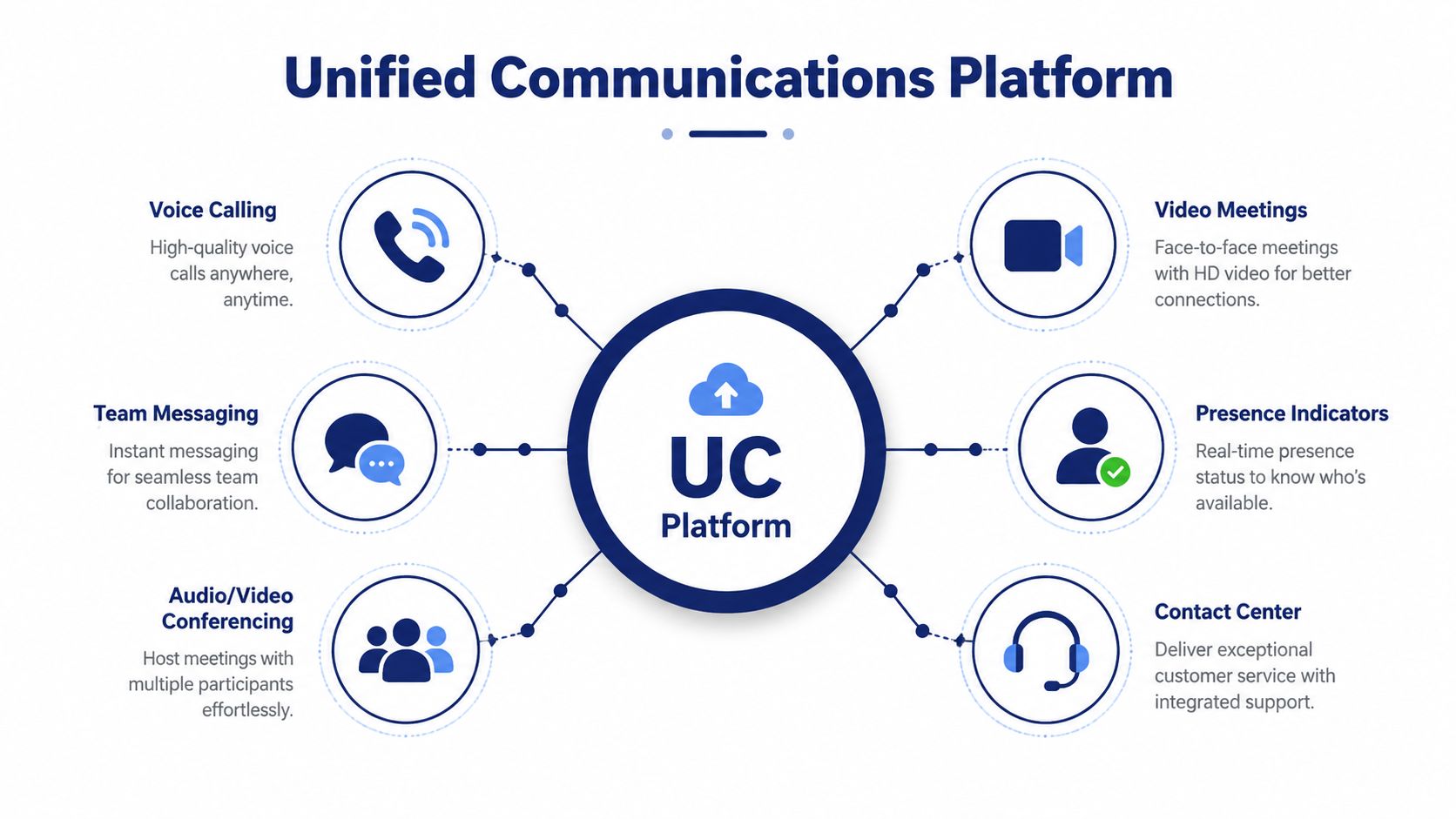
- Voice calling handles customer calls, internal extensions, transfers, voicemail, and business numbers.
- Video meetings support face-to-face conversations with clients, suppliers, and distributed staff.
- Team messaging gives colleagues a place for quick questions, updates, and ongoing threads.
- Presence shows whether someone is available, busy, away, or reachable through another method.
- Audio and video conferencing supports larger group conversations and shared sessions.
- Contact-center features manage queues, routing, recordings, callbacks, reporting, and agent workflows.
The umbrella matters. UC isn't one specific application, and it isn't automatically every tool a business uses. Email, file storage, and project management may connect to a UC platform, but the defining feature is communication continuity across channels.
The connected experience
Suppose a customer's phone number appears in a chat thread. In a connected system, an employee can select that number to start a call, view relevant customer information, or transfer the interaction to a colleague. A missed call can become a follow-up task rather than an isolated notification.
That shared context is where UC earns its value. A platform that merely places several unrelated tools behind one login may look unified but still leave the business with separate records, routing rules, and administration. Buyers should ask whether the system shares identity, presence, call control, and history across the features they plan to use.
For a practical example of a hosted communications approach, see SnapDial's cloud communications platform.
Unified Communications vs VoIP vs UCaaS vs PBX
These terms overlap, but they describe different layers of a buying decision.
| Term | What it describes | A useful buyer question |
|---|---|---|
| PBX | A private branch exchange that routes calls between extensions and phone numbers, traditionally through equipment located on the premises | Are we still maintaining local phone hardware? |
| VoIP | Voice over Internet Protocol, the technology used to carry voice through an internet connection | How does our calling traffic travel? |
| UC | The broader communications experience, including calling, messaging, video, presence, and conferencing | Which channels should work together? |
| UCaaS | Unified communications delivered as a cloud service and managed by a provider | Who operates the platform and its infrastructure? |
A traditional PBX is like a building's internal switchboard. It can route calls effectively, but it may be tied to one location and require local administration. VoIP is the transport method. A business can use VoIP for straightforward calling without adopting a complete UC experience.
UC sits above the transport layer. It connects voice with messaging, video, availability information, conferencing, and business applications. UCaaS describes the delivery model, usually with the vendor hosting the platform, managing updates, and providing administration tools through a subscription service.
Practical rule: Don't pay for a broad UC platform if your real requirement is only internet-based calling. First identify the operational problem, then buy the layer that solves it.
The labels also matter when you compare migration options. A company replacing an on-premises PBX might move to hosted VoIP first, then add UC capabilities. Another company may want calling, meetings, mobile access, and contact-center functions from the beginning. If recorded meetings or short-form content matter to your team, a ProdShort Zoom clip guide can help with the content workflow, but it isn't a substitute for evaluating the underlying communications architecture.
How Unified Communications Works Under the Hood
A UC system becomes easier to evaluate when you view it as a stack rather than a single application. Each layer has a separate job, and a failure in one layer can affect the user experience even when the other layers are working correctly.
The four working layers
1. Endpoints capture and present communication. Desk phones, laptop softphones, mobile apps, cameras, and headsets are the devices people use. A technician may answer through a mobile app, while an office manager uses a desk phone and a sales representative works from a laptop.
2. Applications provide the user-facing services. Chat, presence, meetings, voicemail transcription, conference rooms, recordings, and contact-center workflows live here. These services determine what users can do after they sign in.
3. Call control directs traffic. This layer acts like a switchboard and rule engine. It applies dial plans, sends calls to extensions or queues, manages transfers, and connects features through signaling technologies such as SIP and software interfaces such as APIs.
4. The network carries the interaction. Internet connectivity, routing, quality-of-service policies, session border controllers, and codec choices influence whether audio and video remain clear. A feature-rich platform can't compensate for an unstable connection or poorly planned traffic management.
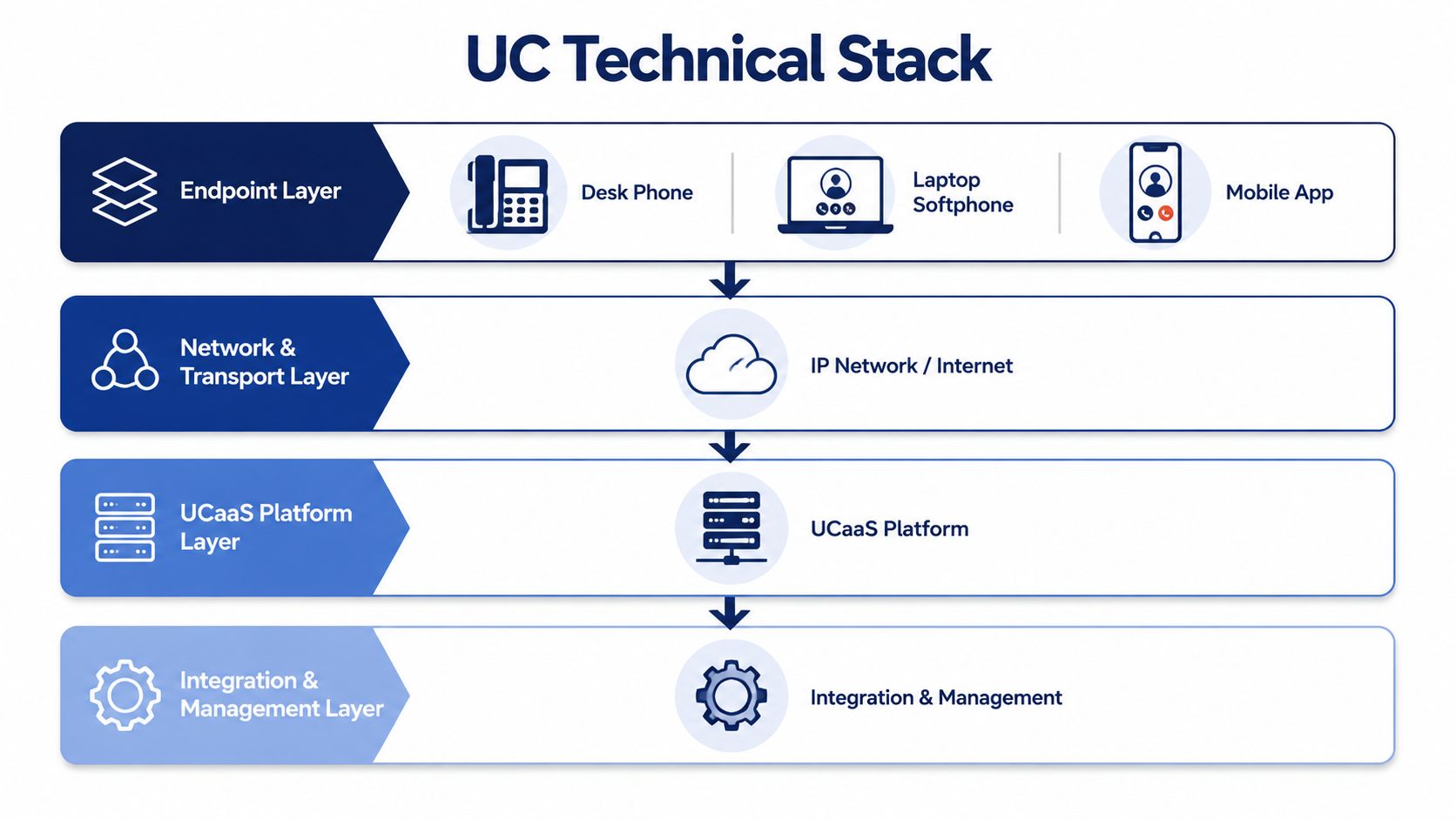
Think of the stack as a postal system. Endpoints are the homes where messages are sent and received. Applications organize the mail, call control decides where each item goes, and the network is the road system. A breakdown in any one part can delay delivery.
This is also why accessibility features should be assessed at the application and endpoint layers. Teams running training or client sessions may need real-time captions for meetings and lectures alongside their calling and meeting workflows.
Network fundamentals still matter, especially for organizations moving from legacy telephony. How VoIP works provides a useful explanation of the transport layer without confusing it with the complete UC experience.
Where Unified Communications Changes the Outcome
The strongest UC case appears in ordinary workflows. The technology changes what happens when a person moves from one channel to another, works away from a desk, or needs to share responsibility for a customer interaction.
A distributed team
A remote or hybrid team can use presence to avoid calling someone who is already in another meeting or has marked themselves unavailable. An employee can begin with a chat, move to a voice call, and bring in another colleague without restarting the conversation in a separate tool. Mobile softphones preserve the business identity when staff work from home, travel, or visit a customer site.
A multi-location business
A clinic group, retail organization, or professional-services firm may want one receptionist or service desk to answer calls for multiple sites. Shared routing can direct calls by location, department, schedule, or availability. Centralized recordings, standard greetings, and shared administration reduce the need to configure every branch as an isolated phone environment.
CRM integration adds another layer. When a call reaches the right employee with relevant customer context, the team can respond more consistently and preserve the record for whoever handles the next interaction.
A small contact center
A growing support team may need more than individual extensions. Queue management, skills-based routing, callback options, wait-time announcements, wallboards, post-call summaries, and reporting help supervisors understand demand and distribute work. UC can connect these contact-center functions with employee calling and messaging instead of forcing the business to operate another disconnected platform.
| SMB scenario | Key UC capability | Outcome |
|---|---|---|
| Remote or hybrid team | Presence, chat-to-call handoff, mobile softphones | Fewer awkward transfers and more consistent access to the business number |
| Multi-location organization | Shared routing, centralized recordings, CRM integration | Common customer handling across offices and sites |
| Small contact center | Queues, skills-based routing, callbacks, analytics | More structured support operations and clearer supervision |
SnapDial fits this bundled model by combining business calling, conferencing, messaging, mobile access, routing, and contact-center capabilities in a hosted platform. The relevant evaluation question is whether those capabilities match the workflows your team needs, rather than whether the feature list looks long.
Buying a Unified Communications System Without Regret
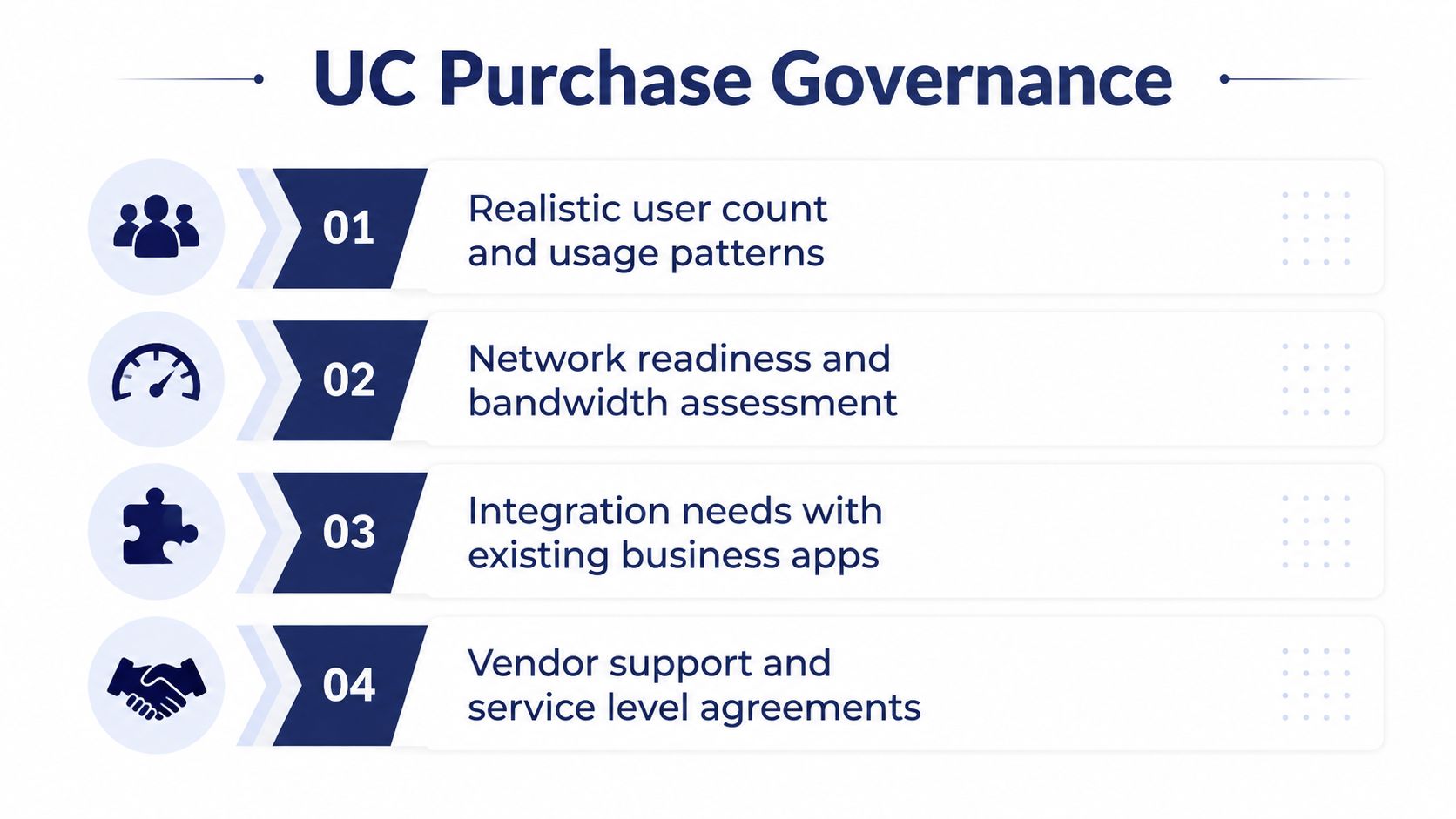
A UC purchase determines more than which application appears on an employee's screen. It establishes the operating model for business calling, support, administration, security, and continuity. Treat it as a governance decision, not a feature-counting exercise.
Four questions to answer first
What will the service really cost? Start with realistic user roles and usage patterns. Include number porting, headsets, devices, call recording, transcription, integrations, training, and support. A low subscription price can become less attractive when essential functions appear as separate add-ons.
How will migration work? Document every current number, call flow, auto attendant, hunt group, voicemail rule, and emergency procedure. Avoid a cutover plan that depends on everything working perfectly on one weekend. Require testing, staged migration where practical, and a rollback plan.
What happens when connectivity fails? Ask the provider to explain failover in operational terms. Can users answer through mobile apps? Can calls reach an alternate number or location? Is the continuity process tested, documented, and covered by a clear service-level agreement?
How is access protected? Look for encryption in transit, role-based permissions, administrative controls, and a documented data residency policy. Security also includes offboarding. A former employee shouldn't retain access to business numbers, recordings, messages, or customer history.
A provider isn't only supplying software. It's taking responsibility for part of your operating model.
The decision should therefore include support quality, escalation paths, portability, integrations, and exit terms. You're choosing who will run a critical communications layer through the next five to seven years, not merely selecting a collection of calling features.
Implementation Checklist and Buying Criteria for SMBs
Use this checklist before signing a UC agreement. The goal is to turn a broad platform decision into tasks someone on your team can verify.
Audit current spending. List phone service, conferencing, messaging, recording, fax, headsets, devices, support, and integration costs. Record which teams use each service and where duplicate tools exist.
Map real communication flows. Write down how a customer reaches sales, support, billing, and field staff. Include after-hours routing, shared lines, mobile workers, transfers, voicemail, and escalation paths.
Separate required features from optional features. Confirm whether you need voice, video, messaging, presence, conferencing, mobile apps, CRM integration, recording, transcription, fax, or contact-center analytics. Don't assume every employee needs the same license or device.
Test the experience. Ask users to place calls, transfer customers, join meetings, change availability, retrieve voicemail, and work from a mobile connection. A platform that looks simple in a demonstration may feel different during a live workflow.
Verify the provider's commitments. Review the uptime SLA, encryption approach, support hours, escalation process, migration assistance, number portability, BYOC support, and exit terms. Ask who owns configuration changes and how quickly administrators can make them.
Stress-test total cost. Model current requirements and likely changes over a three-year horizon. Include implementation, equipment replacement, integrations, add-ons, training, and cancellation conditions.
A bundled UC offering with predictable per-user pricing, native mobile and desktop clients, hosted administration, and built-in contact-center functions can satisfy many of these criteria without requiring several vendors. That doesn't remove the need for testing. It gives you a cleaner baseline for comparing alternatives.
Recap and Common Questions About Unified Communications
Unified communications connects calling, video, messaging, presence, conferencing, and business workflows so employees can move between channels without losing context. For SMBs, the value lies in fewer manual handoffs, clearer responsibility, mobile access, shared routing, and more manageable operations.
What counts as UC?
A connected set of communication services counts as UC when the channels share identity, context, administration, or workflow. A collection of unrelated apps with separate records may not deliver the same experience.
Does UC replace a traditional phone system?
It can replace a traditional PBX when the selected platform supports the required numbers, routing, devices, emergency procedures, and migration plan. Some businesses keep existing telephony during a staged transition.
How does UC differ from VoIP and UCaaS?
VoIP carries voice over an IP network. UC describes the broader connected experience. UCaaS delivers that experience through a hosted cloud service.
What does a small team need to get started?
Start with user roles, call flows, network readiness, number-porting requirements, security controls, mobile access, and support expectations. Pricing depends on those choices, so ask for a complete quote rather than assuming every capability is included.
UC is therefore a consolidation and governance choice. An all-in-one platform can reduce the need to stitch together separate systems, but only when its operating model matches the business.
SnapDial brings hosted business calling, conferencing, messaging, mobile apps, routing, voicemail transcription, and contact-center tools into one managed communications platform. Visit SnapDial to review how its bundled approach can support your migration from a legacy phone system or a fragmented VoIP setup.