
The popular advice is simple: move your phone system to the cloud, eliminate the hardware, and enjoy a predictable monthly bill. That advice is incomplete. A cloud communications platform can remove a great deal of infrastructure work, but it can also introduce complicated licensing, paid feature tiers, usage boundaries, and contact-center add-ons that aren't obvious during the sales conversation.
The practical question isn't whether cloud calling is modern. It is whether the platform's architecture, network requirements, feature entitlements, support model, and total cost fit the way your business operates. Cloud communications has become a strategic category, with one market estimate placing it at USD 17.22 billion in 2024 and projecting USD 40.13 billion by 2029, an 18.44% CAGR over that forecast period. The same estimate identifies North America as the largest market and Asia Pacific as the fastest-growing region (Mordor Intelligence's cloud communication platform market analysis).
That growth makes evaluation more important, not less. The right system can unify calling, messaging, meetings, mobile work, and customer operations. The wrong one can leave you managing a collection of disconnected modules under one brand name.
Why Cloud Communications Is More Complex Than You Think
Cloud communications doesn't automatically simplify your business. It simplifies the infrastructure layer by moving telephony software and administration into a hosted environment, but the commercial and operational model can become more involved.
A basic business phone license may cover calling while advanced call queues, recording, analytics, AI assistance, SMS, contact-center functions, or integrations sit behind separate entitlements. A platform can look affordable in a demonstration and become materially harder to budget once every department asks for a capability that was shown during the demo. A 2025 Gartner-focused industry summary identifies pricing and licensing awareness as an important buying criterion, while also highlighting telephony optimization and platform convergence as major themes (the CIO guide to trends in cloud communications%20-%20ENT%20-%20RingEX%20-%20PSI%20-%20Q1%202025/2025-trends-in-cloud-communications-the-cio-guide.pdf)).
Where scope creep starts
Scope creep usually begins with a reasonable request. Sales wants call recording. Customer service wants queue callbacks. Executives want conversation summaries. IT wants CRM integration. Each requirement can be valid, but each can change the plan, user type, implementation effort, or renewal calculation.
Integrated platforms are now assessed across calling, meetings, messaging, contact-center capabilities, customer experience, and APIs rather than as isolated UCaaS products (Zoom's overview of the 2026 Frost Radar for integrated cloud communications platforms). That broader evaluation reflects how companies work, but it also means buyers need to understand how the pieces are packaged.
Practical rule: Treat every feature shown in a demo as unlicensed until the proposal identifies who receives it, under which plan, and at what recurring or usage-based cost.
Ask for a written entitlement matrix before signing. It should identify included users, phone numbers, recording retention, SMS rules, integrations, administrator roles, support coverage, implementation services, renewal terms, and the conditions that trigger additional charges. Don't accept “available on the platform” as equivalent to “included in your contract.”
What a Cloud Communications Platform Actually Is
A cloud communications platform delivers business voice, video, messaging, and collaboration services through internet-connected infrastructure rather than a phone system housed in your office. The provider operates the core service, while your team uses desktop software, mobile apps, web portals, compatible IP phones, and integrations.
The easiest comparison is a hosted utility. With a legacy PBX, your organization owns or leases a central system, maintains its software, protects its power and connectivity, and depends on specialized knowledge for changes. With cloud PBX, the provider hosts the call-control software. Your administrators configure users and call flows through a browser, while calls travel between your network and the provider's cloud.
A call typically moves through several logical layers:
- Endpoint: An employee answers through an IP phone, desktop application, browser, or mobile app.
- Cloud call control: The hosted PBX applies the number, user, availability, forwarding, and routing rules.
- Business workflow: An auto attendant, queue, hunt group, recording policy, or CRM integration determines what happens next.
- Reporting and administration: Supervisors and administrators review call records, configure users, and adjust operational rules.
Why APIs and integration matter
An isolated phone tool can handle calls well and still create administrative friction. Modern platforms increasingly connect telephony with CRM records, contact-center workflows, analytics, identity systems, and business applications through APIs. The operational benefit comes from shared context, such as presenting a customer record when a call arrives or passing disposition data into a service workflow.
That integration work isn't always plug-and-play. It may require permissions, configuration, testing, and an owner who understands both telephony and application workflows. For a useful look at the specialist expertise behind complex VoIP and contact-center environments, review how we filled a 6-month hiring nightmare.
Before selecting a vendor, compare the platform's administrative model with your team's capacity. This explanation of cloud phone systems provides a useful foundation, but your own evaluation should go further by mapping each call path and integration to a responsible owner.
Core Features That Drive Business Value
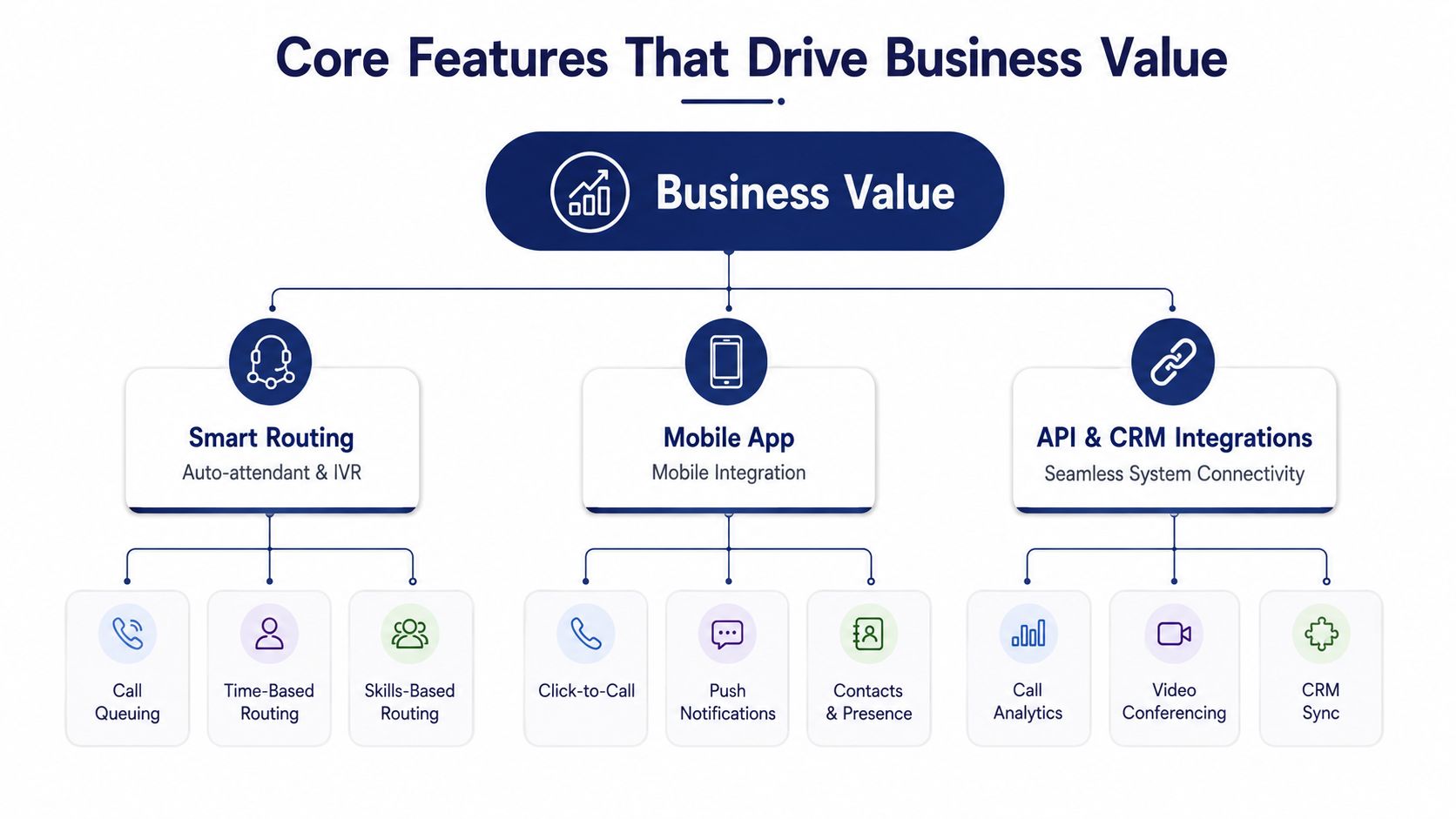
Feature lists are easy to produce and hard to prioritize. The useful question is what prevents missed calls, shortens administrative work, improves supervisor visibility, or gives employees a consistent way to communicate away from their desks.
Routing is the operational foundation
An auto attendant gives callers a clear entry point, while IVR menus and business-hour rules direct them toward the right team. That matters most when a company has multiple departments, locations, or service queues. A poorly designed menu can frustrate callers, so keep routing shallow, use plain language, and provide an escape route to a person.
Queue management becomes more important when several employees handle the same type of request. Supervisors need visibility into waiting calls, agent availability, abandoned interactions, and callback requests. A queue isn't valuable because it exists. It's valuable when managers can adjust staffing and routing based on what customers experience.
Mobility and message handling
A mobile app can turn a distributed workforce into a genuine mobile office when it supports the same business identity, routing rules, voicemail, and presence model as the desk phone. Employees shouldn't have to publish personal numbers or manually explain where they can be reached.
Visual voicemail with transcription reduces the need to listen through every message, particularly for managers moving between meetings. Call recording serves a different purpose. It can support training, quality review, and compliance workflows, but administrators must define access, retention, notification, and consent policies before enabling it.
Administration should not require a ticket
A self-service portal lets authorized staff add users, update schedules, change forwarding, review call logs, manage recordings, and modify voicemail settings without waiting for the provider. That control reduces friction, but it also requires role-based permissions and clear change ownership.
CRM integrations and analytics complete the picture. They connect communication activity to customer work, while reports help leaders identify staffing or routing problems. Don't buy every module by default. Start with the workflows that currently create the most missed calls or manual effort, then verify whether the required capability is included in the proposed license.
Business Benefits and Real ROI
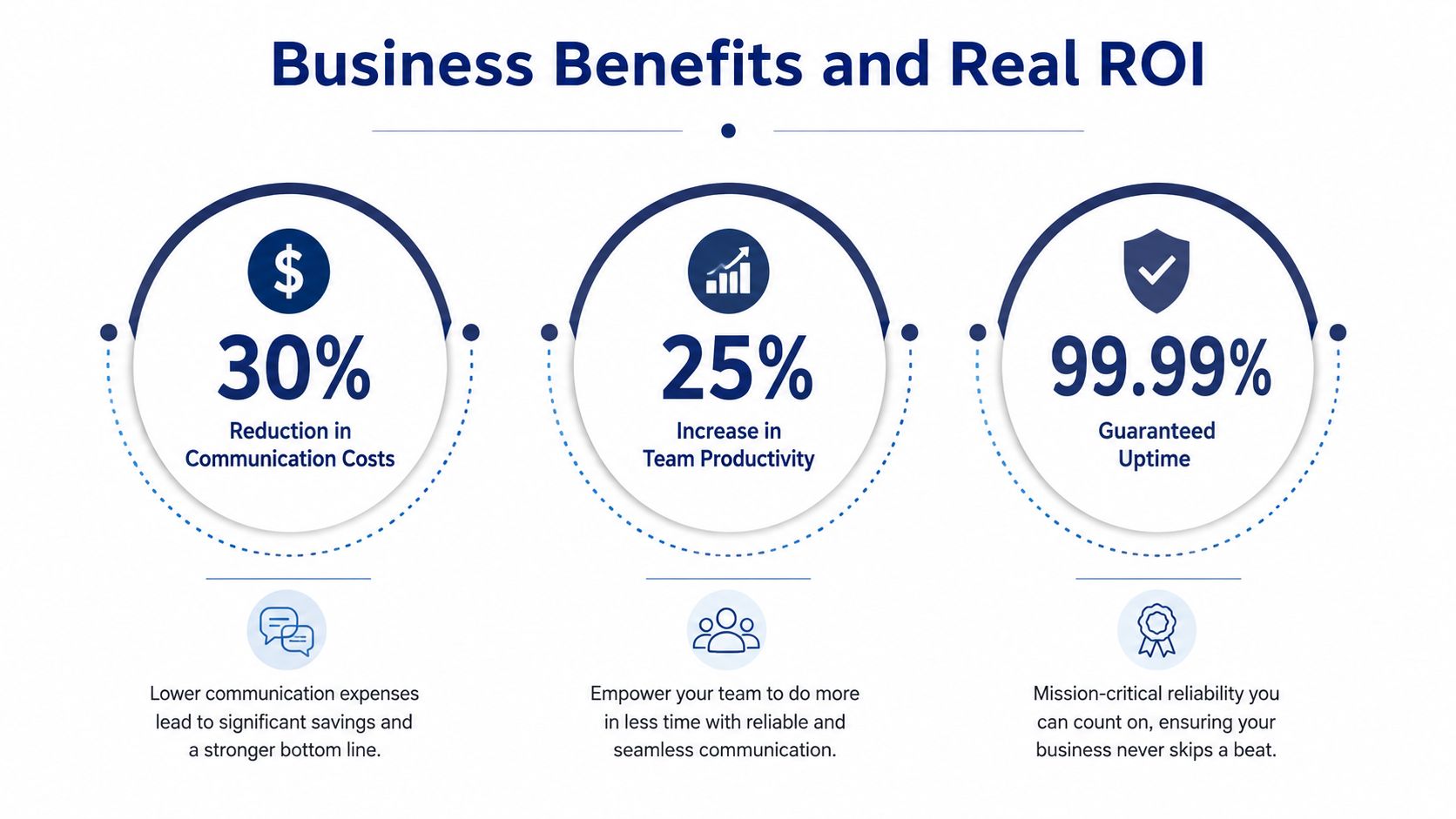
The strongest business case for cloud communications isn't a promise of effortless savings. It's a shift in where the organization spends money and attention. Legacy PBX environments often require hardware planning, specialized maintenance, onsite changes, and separate tools for remote employees. A hosted platform can replace much of that physical dependency with centralized administration and subscription-based service.
That doesn't make every cloud deployment cheaper. A fair comparison includes implementation, phones, number porting, integrations, training, support, taxes or regulatory charges where applicable, and feature add-ons. It should also account for the internal time required to administer the system.
The financial comparison should cover the complete operating model, not just the advertised user license.
Where value usually appears
A growing company can add users, numbers, locations, and routing rules through configuration rather than a hardware project. Remote employees can use approved endpoints without extending the office PBX into their homes. Managers can review call activity and adjust workflows from a central portal.
Unified communications can also reduce app switching when voice, meetings, messaging, and customer interactions share a coherent experience. That benefit depends on actual interoperability. If employees still move between unrelated systems to find customer records, answer messages, and review calls, the platform hasn't removed much operational friction.
Security and reliability influence ROI as well. A provider with documented redundancy, monitoring, access controls, and recovery procedures can reduce the burden on an SMB team that doesn't want to operate telephony infrastructure itself. Those controls still need validation. Don't treat a feature badge or marketing label as proof that the service matches your regulatory obligations.
Calculate the outcome in practical terms. How many locations need support? How much time does IT spend on user changes? Which calls are currently missed? Which workflows need recording or reporting? Those answers produce a more defensible business case than a generic claim about productivity.
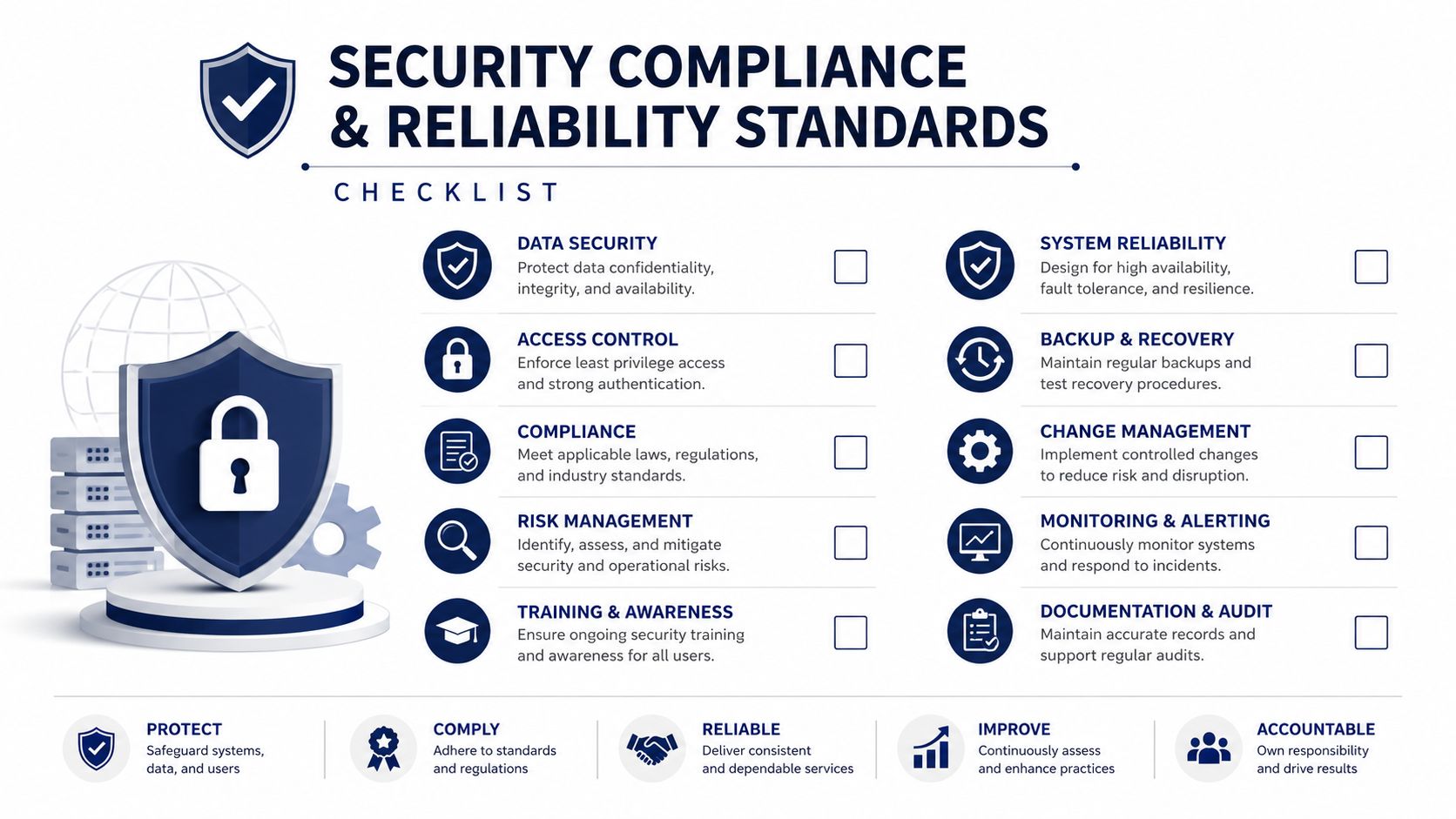
Security Compliance and Reliability Standards
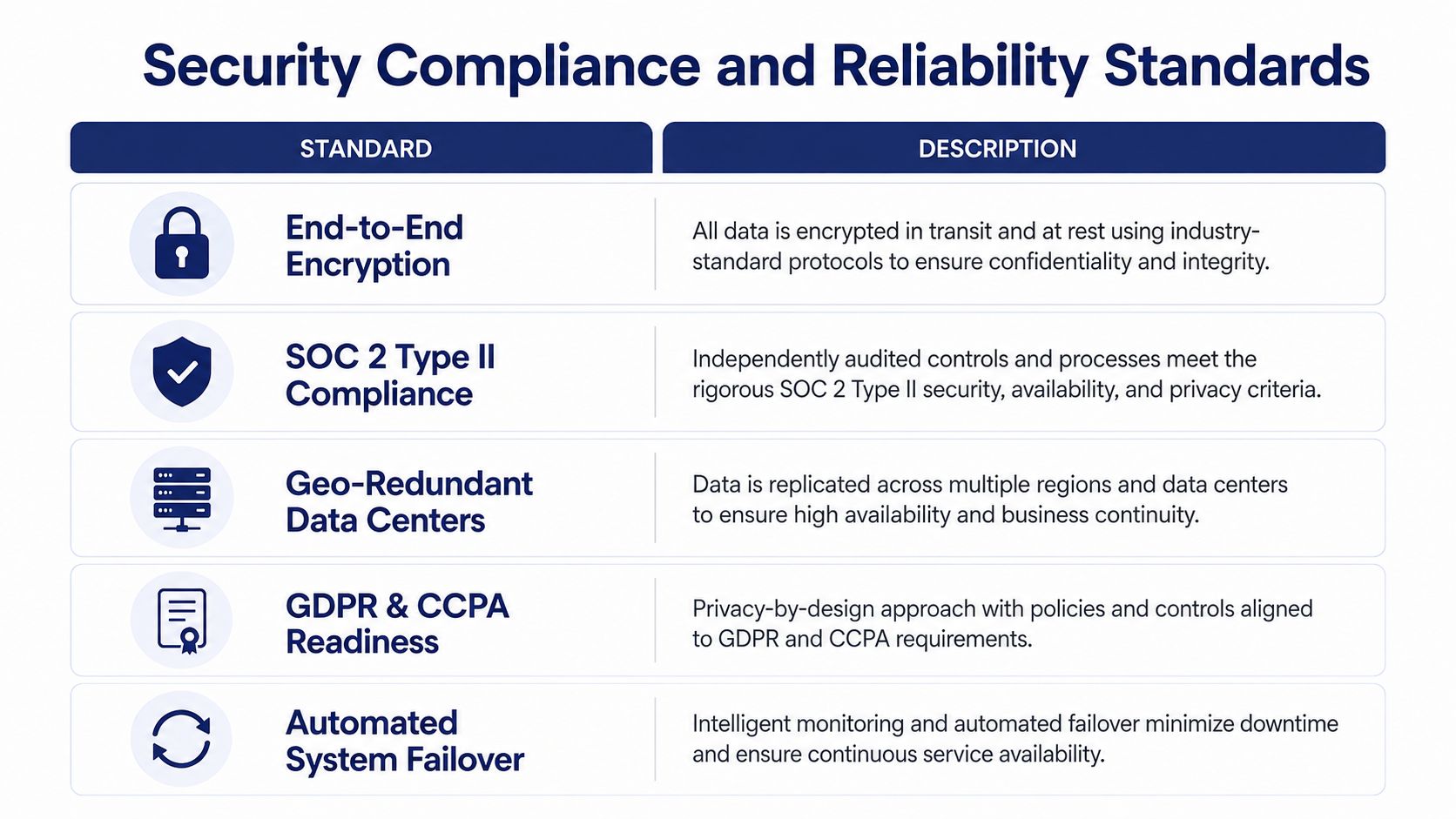
A cloud phone system moves responsibility, but it doesn't eliminate responsibility. The provider protects the hosted service, while your organization still controls user access, endpoint practices, call policies, network connectivity, and data handling.
Start with the network path. For real-time voice, one-way latency under 150 ms is generally treated as acceptable, jitter under about 30 ms is a practical target, and packet loss should stay near zero (VoIP call quality guidance on latency, jitter, and packet loss). Throughput alone won't tell you whether calls will sound natural. Test the path employees use, including branch offices, wireless segments, VPN routes, and remote connections.
The evaluation checklist
Request documentation rather than verbal assurances.
- Access controls: Confirm administrator roles, multifactor authentication options, audit logging, and offboarding procedures.
- Data handling: Ask where recordings, voicemail transcripts, call logs, and message content are stored, who can access them, and how retention is configured.
- Resilience: Review redundancy, failover behavior, incident communications, recovery objectives, and the provider's responsibilities during an outage.
- Compliance support: Determine whether the platform's controls and contractual terms align with your industry and applicable privacy obligations.
- Monitoring: Verify that administrators can see service health, endpoint status, quality metrics, and recurring problem patterns.
Call recording and transcription deserve special attention because they create searchable business data. Define who can retrieve recordings, whether customers receive notices, and when content is deleted. The same discipline applies to business messaging and email-connected workflows. Teams working on outreach can also consult Mailwarm's deliverability system when communication workflows extend beyond voice.
Emergency calling needs its own review. Confirm how location information is registered, updated, and presented to emergency services, particularly for remote workers and multi-location organizations. A dedicated E911 VoIP service guide can help administrators identify the questions that need answers before deployment.
Common Use Cases Across Business Types
A multi-location business often starts with a visibility problem. Each office has its own greeting, extensions, forwarding rules, and voicemail habits. A cloud communications platform can centralize the number plan while preserving location-specific schedules and routing. The implementation work centers on mapping departments, deciding which numbers should remain local, and testing failover before the cutover.
A support team has a different priority. It needs queues, skills or department routing, callback handling, wait-time announcements, supervisor reporting, and call recording policies. The platform may serve both employees and customers, but the contact-center design should be treated as an operating model rather than a switch that gets turned on. Define queue ownership, escalation rules, service hours, and reporting requirements before configuring agents.
Remote and hybrid teams typically value consistency. An employee may answer from a laptop in the morning, a mobile app later, and a desk phone at a shared office. The business identity should remain stable across those endpoints, with the same caller ID, voicemail behavior, and routing policies. Training matters because users need to understand presence, transfer behavior, call parking, and what happens when connectivity changes.
Growing companies replacing an end-of-life PBX usually face the most practical pressure. The old system may still work, but parts are difficult to source, changes require a specialist, and remote access is awkward. A staged migration can move departments or locations in controlled groups, preserving the old system temporarily while the new call flows are validated.
The common thread is configuration. These organizations don't necessarily need custom development, but they do need a provider that can translate business rules into tested call flows. A technically capable platform still fails if nobody documents the intended behavior or trains the people responsible for daily administration.
Migration Checklist and Decision Criteria
A safe migration starts with inventory, not a contract. Document every number, extension, auto attendant, hunt group, queue, fax workflow, emergency location, recording rule, and after-hours behavior. Include the exceptions. The call path used during a holiday or outage often matters more than the standard daytime route.
Build the migration plan
- Create the number inventory: Identify numbers to port, numbers to retire, temporary numbers, published lines, and emergency-location assignments.
- Design call flows: Write the greeting, menu choices, schedules, overflow rules, voicemail destinations, and escalation behavior in plain language.
- Define users and permissions: Separate ordinary users, supervisors, location administrators, and full system administrators.
- Confirm entitlements: Match each required function to a named plan or included feature. Record limits on recording, messaging, integrations, queues, and reporting.
- Test real scenarios: Call every main number, select every menu option, test transfers, verify mobile behavior, inspect caller ID, and simulate an unavailable destination.
- Prepare the cutover: Schedule porting, communicate the change, retain rollback options, and assign people to monitor calls during the transition.
Number porting deserves particular care because a small documentation error can delay the change. Keep the legacy service active until inbound and outbound tests pass on the new platform, and don't assume that a successful port proves every call flow works.
Questions for vendors
Ask who performs configuration, who owns troubleshooting, whether support is available outside business hours, and which work is billable. Request a sample invoice that shows recurring licenses, one-time services, usage, taxes, regulatory items, equipment, and optional modules. Ask what happens at renewal if the provider changes packaging or retires a feature.
The best technical fit depends on your internal capacity. A self-service platform may suit an IT team that wants deep control. A managed deployment may suit an office administrator who needs the provider to handle design, provisioning, porting, and training. Either way, insist on a written implementation scope and acceptance test.
How SnapDial Addresses Modern Business Needs
The criteria above point toward a simple distinction. A cloud communications platform should reduce infrastructure work without replacing it with licensing ambiguity or an implementation burden your team can't absorb.
SnapDial is one option for organizations looking for a managed hosted VoIP and cloud PBX environment. Its offering combines all-inclusive predictable pricing, white-glove setup handled end to end at no cost, and 24/7 Texas-based support. The feature set includes auto attendant and IVR, unlimited lines, call recording, visual voicemail with transcription, mobile apps, call routing, a self-service administration portal, cloud faxing, and advanced call-center functions such as queue management, callbacks, wait-time announcements, real-time statistics, and detailed reporting.
The platform also supports Yealink IP phones across entry, executive, touch, and video models. That gives businesses a choice between softphones, mobile endpoints, and physical devices while keeping administration in a hosted system. Organizations comparing capabilities can review the SnapDial features page and then validate each requirement against their own call flows, licensing expectations, network conditions, and support needs.
The useful test isn't whether a provider has a long feature list. It's whether the commercial terms are clear, the migration responsibilities are defined, and the system matches the way your teams answer customers.
SnapDial offers a managed cloud phone system with predictable pricing, end-to-end setup, mobile calling, auto attendant, call-center tools, and ongoing support. Visit SnapDial to compare its capabilities with your migration requirements and request a practical evaluation of your current phone environment.