
A 411 Locals study of 85 businesses across 58 industries found that many incoming small-business calls did not reach a live person. The study's findings point to a practical measure of routing success: whether a person who can help answers.
A polished greeting cannot make up for a routing tree with nowhere useful to send a caller. Start with a simple map, then configure the phone system around real people and clear destinations.
A Call Routing Map You Can Copy
Start from the team you have, not the menu a vendor demo looks good with. Circle one row, write a real name beside every destination, and refuse any box that says "the team" or "whoever is free."
| Situation | First ring | Overflow after about 20 seconds | After hours |
|---|---|---|---|
| Solo or two-person shop | Desk and one mobile, simultaneous | Voicemail plus a same-day callback note | Closed greeting and urgent voicemail |
| Office of 3 to 8 | Simultaneous ring group of people who can help | Second group, then voicemail | On-call mobile, then voicemail |
| Sales separate from support | Department group or short queue | The other department, then callback if wait is real | Mailbox for that department only |
| Two or more locations | Local site group on one public number | Sister site group | One central on-call person |
| Field or hybrid team | On-duty mobile, sequential | Office backup group | Same mobile path with a closed greeting |
Match the row to who can help
A solo or two-person shop should ring the desk and one mobile together. Sequential ringing just makes the caller wait through a phone that's in a truck. Voicemail is the overflow, and the greeting should say you'll call back the same day. After hours, use a short closed greeting and one urgent mailbox. Don't replay the daytime menu to an empty room.
An office of three to eight works better as one simultaneous group of people who can help. Don't ring the bookkeeper for a parts question. Sales and support stay in separate groups so a quote doesn't sit behind a billing dispute. Two sites share one public number and spill to each other. A field team rings the on-duty mobile first, then the office, because ringing every tech is a long silence with extra steps.
Practical rule: If you can't put a person's name in the destination box, that step isn't built yet.
After hours is a schedule, not a second personality for the company. One closed greeting, one urgent mailbox or one on-call mobile. A daytime menu at 9 p.m. is how callers give up without leaving a message you can act on.
When the live answer isn't your own staff
Some weeks the map is right and the chairs are still empty. Trade shows, a two-person crew on a job site, or a bilingual caller your team can't serve are coverage problems, not menu problems. That's when it makes sense to outsource guest communications to virtual assistants who follow the same overflow row you'd give an employee: answer, capture the job, and hand it back with a name and a callback time.
I would not add a third menu level to "sound bigger." A tree that feels professional and still ends in voicemail is how that unanswered share keeps happening. Keep the attendant to two levels, then stop.
How to Build Routing on Hosted VoIP
Build in the portal only after the map has names on it. The order below stops the usual slips: a third menu, ringing people who are out, and a forward that shows an employee's personal number.
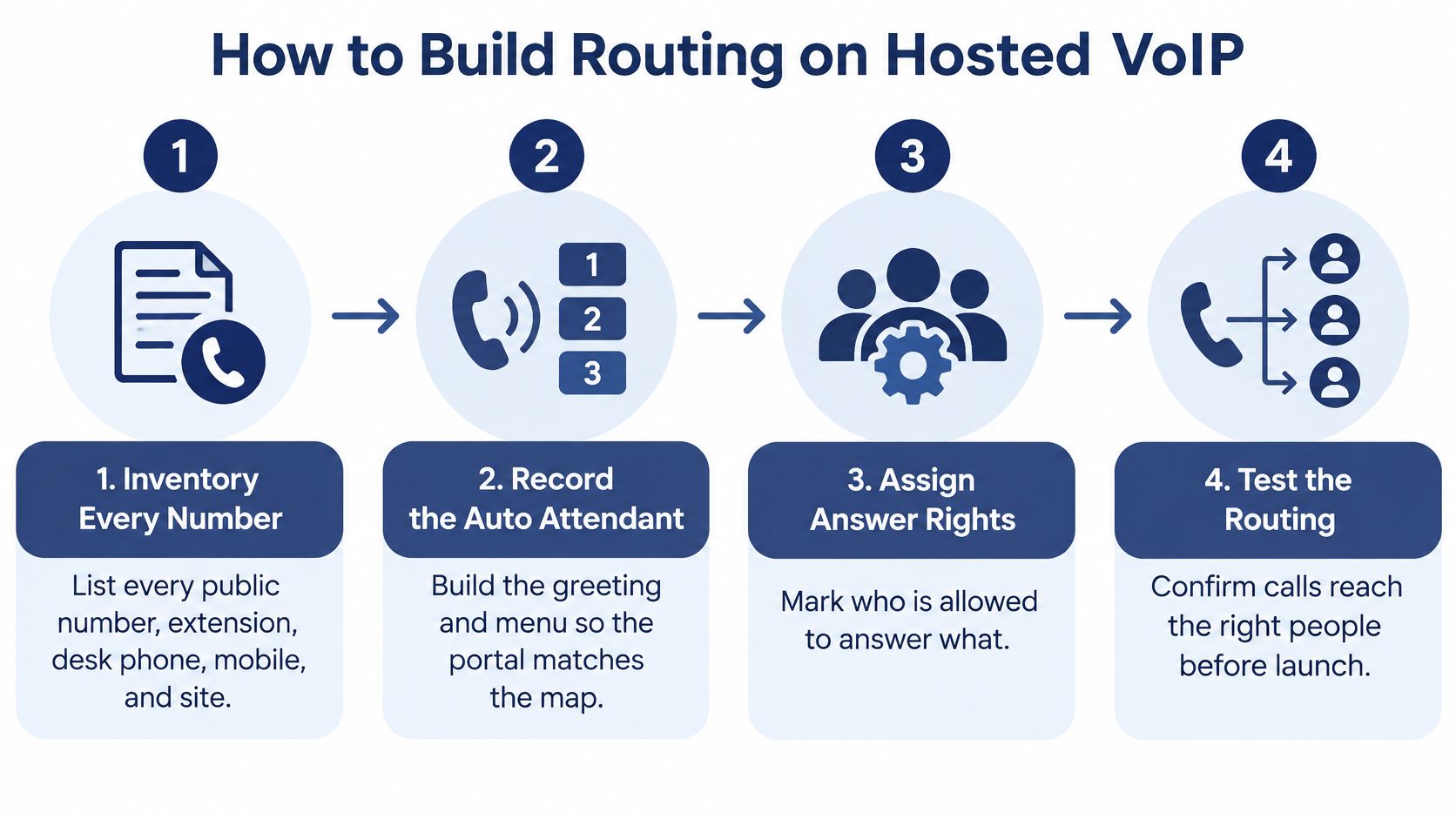
- Inventory every public number, extension, desk phone, mobile, and site, and mark who may answer what. This stops a spare DID from dumping into a mailbox nobody checks.
- Record an auto attendant of at most two levels, using words callers use, such as sales, billing, or service, not internal job titles. A clear auto attendant setup is a greeting plus those choices, not a company org chart. Two levels prevents the "press 1, then 3, then 2" trap.
- Create ring groups. Use simultaneous when any member can help, and sequential when one owner should try first. Give each step 15 to 20 seconds, long enough to walk to a handset, short enough that the caller hasn't already hung up.
- Attach one weekly schedule and list holidays as exceptions on that schedule, not as a second phone tree. A second tree is how Thanksgiving keeps last year's hours.
- Register each person's mobile app or cell on the business extension so outbound caller ID stays the office number. That keeps personal numbers private and stops customers texting someone's private line at night.
- Point overflow to the next group, then a mailbox whose greeting states when someone will call back. "Leave a message" with no time is why people call the competitor.
- Place three test calls: open hours, closed hours, and one with the primary phone unplugged. The unplugged test is the one that exposes a forward you forgot.
The one-page routing sheet
Save this sheet where the office manager can edit it without calling a vendor. If a name changes and the sheet doesn't, the portal will lie within a week.
| Field | What to record | Example |
|---|---|---|
| Public number | Number customers dial | One shared line for all sites |
| Ring group | Members who can help | Desk plus one mobile, simultaneous |
| Ring timing | Seconds before the next step | 15 to 20 seconds |
| Schedule | Open hours and holiday exceptions | One weekly schedule |
| Overflow | Next group, then mailbox | Sister site, then voicemail |
| Emergency location | Floor, suite, or home address | Updated at hire, office move, or remote start |
Treat the emergency-location row as an address record only. It is not another branch of the inbound menu, and it should not be "tested" by calling emergency services. Update it when someone is hired, the office moves, or a person starts working from home.
I would not go live on a Friday afternoon. Run the three test calls on a weekday morning, fix the path that failed, and only then tell customers the new behavior is what they'll hear.
Overflow Failover and Callback Rules
Overflow is a rule with a number on it, not a hope that someone picks up. Set both queue length and estimated wait, then decide among callback, staying in queue, or leaving the building entirely.
| Trigger | Threshold to use | Routing action |
|---|---|---|
| Queue wait is real | About 60 seconds of congestion | Offer callback and state the window |
| Wait matches staying in queue | Expected waits are comparable | Leave the caller in queue; do not push callback |
| Abandonment already high | Outbound handling uses more capacity than inbound | Delay the callback offer |
| No agents registered or site circuit down | Health failure, not a long queue | Immediate failover to mobile or sister site |
| Closed hours or holiday | Schedule, not congestion | Closed greeting and voicemail; no callback you cannot staff |
Callback is for real congestion
Queueing research finds that callback offers can reduce callers' average on-phone waiting time by as much as 71% and waiting cost by up to 46%, as reported in Management Science. In one empirical sample, 50.1% of callers received an offer, 37.5% of those accepted it, and 93% of accepters answered the callback.
Those gains show up when the wait is real. Callers generally preferred to stay in queue when expected waits were comparable, so blasting a callback at second five wastes the offer and annoys people who were about to be answered. The greeting has to name a credible window, such as a return within 15 minutes. I would not surface it before about 60 seconds of meaningful congestion.
If abandonment is already high, or outbound handling eats more agent time than the inbound call would have, delay the offer instead of firing it immediately. You also have to staff the people who will dial back before you promise anything. A callback queue that nobody works is a second voicemail with better marketing.
Health failure is a different switch
Unregistered phones and a dead site circuit are not a long queue. Don't park callers in a group that can't ring. Send them straight to the on-call mobile or the other office.
Once a week, read four numbers and change one threshold at a time: abandonment, transfers, repeat contacts, and how many callbacks were completed. Moving ring time, callback delay, and the overflow group in the same afternoon makes it impossible to know which change helped.
If you can't name who places the return call between 10 a.m. and noon, you don't have a callback feature. You have a promise.
Multi Location and Mobile Office Routing
Customers keep dialing one business number while people answer from a shop, a second office, or a kitchen table. Ordinary inbound routing can follow that flexibility. Emergency calling cannot share the same casual setup.
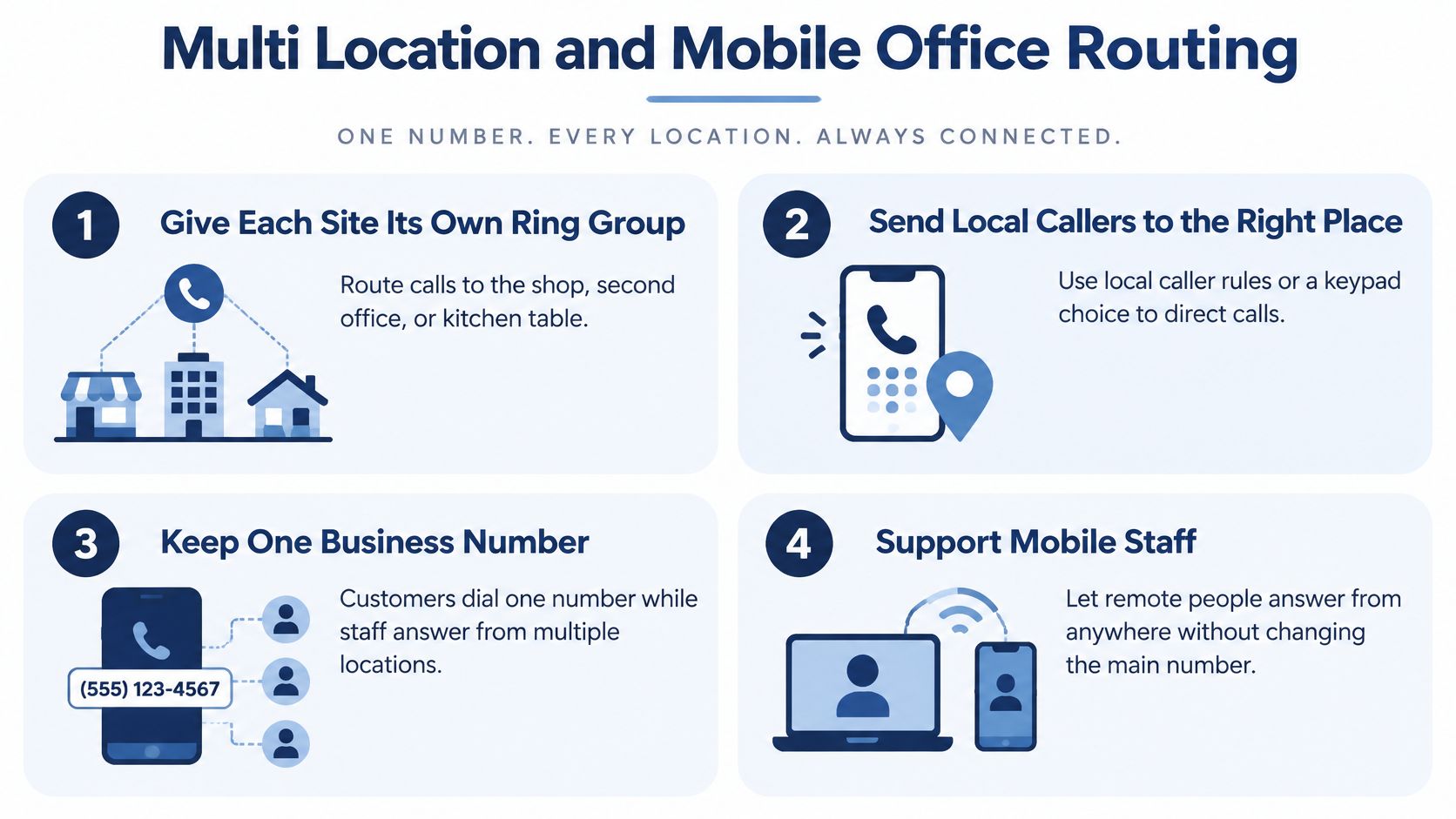
- Give each site its own ring group, and send local callers there with a keypad choice or a local rule. A shared pile of every employee in every city makes the "local" person last in line.
- Overflow to the sister site on the same ring window you use everywhere else. The public number stays one number. A hosted platform built for multi-location business calling should keep that split without a second company greeting.
- For hybrid staff, ring the business app or a registered cell as that extension. Callers never need a personal number, and you can pull someone off the on-duty list without reprogramming the tree.
- Write down which mobiles are on duty by day. A sequential ring to the whole field team is just a long wait with extra hops.
Emergency location is a separate process
The FCC consumer guide on VoIP and 911 warns that VoIP 911 calls may reach the wrong emergency call center, may lack the caller's number or location, and may require customers to update registered locations whenever they move. Updated FCC guidance published in March 2025 states that fixed interconnected VoIP services must provide automated dispatchable location, while non-fixed services must do so when technically feasible or otherwise use a registered or alternative location.
That is not a branch of your sales menu. Mobile-office flexibility raises the risk if last year's shop address is still what emergency services would see.
- Map every extension to a floor, suite, or home address. A softphone on a kitchen table is not "the office" for dispatch.
- Name one office admin as the owner of updates at hire, at an office move, and when someone starts working from home. If ownership is "whoever remembers," the record goes stale.
- Test with the provider's emergency-test process, not a live 911 call, and recheck the inventory every quarter.
A mobile app that answers customer calls from anywhere is a feature. A mobile app that still reports the old shop as the emergency location is a gap.
Don't let a convenience setting point emergency calls at an address where nobody works. Keep the inbound map and the location inventory in separate reviews so a schedule tweak never overwrites a floor or a home address.
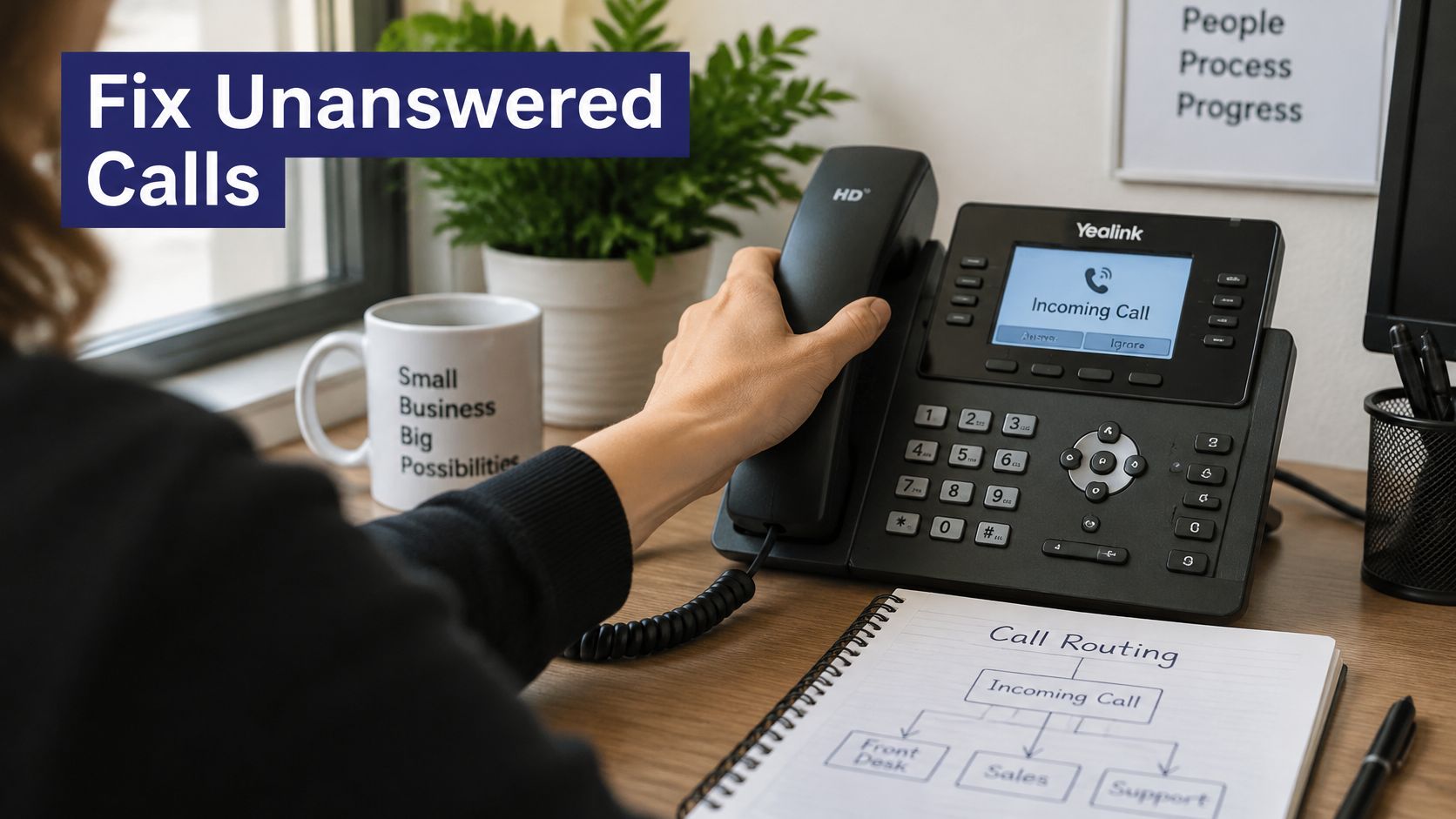
Fixes When Calls Still Go Unanswered
Count the call as successful only when it reaches someone who can resolve the issue. A menu that contains calls but leaves people waiting for voicemail has not solved the routing problem.
Cut the menu before you add options
If callers abandon or transfers fail, simplify the menu before adding another choice. During staffed hours, make zero reach a person. Give urgent, repeat, and accessibility-sensitive callers a direct path, and include a spoken option for anyone who cannot use touch-tone. Track whether callers reach someone who can resolve the issue, not just how many calls enter the system.
The network can fake a routing bug
A call may reach the right extension and still sound unusable. NIST guidance on voice over IP quality puts the upper bound for one-way voice traffic at about 150 ms and warns that packet loss as low as 1% can garble a call. Late packets can have the same effect as lost ones. QoS-capable devices can help control jitter when voice traffic is classified correctly.
A midday speed test may miss congestion during backups, video meetings, or busy Wi-Fi. Alert on sustained delay above the target, heavy jitter, packet loss, and phones that fail to register. These signals point to a failing connection; changing the greeting will not fix it.
When office internet fails, calls need a fallback that does not rely on the same connection. Retest failover during peak use, then fix the failed path before rewriting the greeting. Home-based staff can face the same problem on residential Wi-Fi. Share a connectivity guide for remote professionals with anyone taking business calls from home; a ring group cannot compensate for an endpoint that drops packets.
- Registration failures: Treat the phone as unavailable and fail over rather than continuing to ring it.
- Abnormal transfers: Shorten the menu instead of adding another prompt.
- Peak-only trouble: Check for bandwidth contention before changing the attendant recording.
Fix the network path first and the greeting last. Callers can hear the instructions; they cannot hear you through packet loss.
Put the Routing Live This Week
Decide, then move. A longer phone tree is not the project.
- Publish the one-page routing sheet with a name in every destination, including the after-hours owner and the address next to each extension.
- Name one owner for schedule changes and location updates. Split ownership is how holiday hours and home addresses drift.
- Run the three test calls before you tell customers the new behavior is live. Save the results with the sheet so a failed registration or a missed failover points at a specific step.
If the current system can't ring a group and a mobile on one business number, follow a schedule, and fail over when a site drops, stop adding menu options. Replace the platform.
Our hosted VoIP service covers that cutover. Mobile Office lets incoming calls be sent to any location, and our techs handle setup, configuration, and replacement of an existing VoIP system from start to finish, at no cost. Before you commit, confirm in writing that you have ring groups, time-based schedules, overflow, failover, and mobile answering that shows the office number. Bring the extension list, the after-hours owner, and the address inventory to that conversation. You can request a quote or schedule a call when those three pages are ready.
The win isn't a smoother recording. It's the next caller reaching a person who can finish the job.
SnapDial is a hosted phone system built so small teams can ring the right people, follow a real schedule, and fail over when a site or a handset drops, without turning the greeting into a maze. If your sheet is ready and the current system still can't deliver a live answer, visit SnapDial to request a quote or schedule a call and walk through ring groups, overflow, and mobile answering with your extension list in hand.