
You're in the middle of a familiar mess. The phone rings while someone's at lunch, the call goes to voicemail, an email sits unanswered, a chat message gets missed, and the prospect books with the competitor who picked up on the first try. That's not a marketing problem. It's a customer engagement problem, and for most SMBs it starts with the phone.
The mistake is treating customer engagement software like a shiny add-on for bigger companies with too much budget and too many dashboards. For SMBs, it's usually the system that keeps calls answered, callbacks organized, and customer history visible when someone switches from phone to chat to email. If your team still relies on scattered inboxes, a legacy PBX, and memory, you're losing work in places you can't even see.
The Engagement Problem Most SMBs Don't Realize They Have
The first sign is usually not a dramatic failure. It's a pattern. A customer calls, gets a busy signal, sends an email, then tries chat, and by the time your team circles back, the customer has already talked to someone else.
That's how missed revenue happens in real life. Not through one huge outage, but through small breaks in follow-up, context, and routing. If your front office is still split across phones, shared inboxes, and half-documented processes, your team is doing manual triage all day without admitting it.
The leak is usually invisible until it repeats
Most SMBs notice symptoms before they notice the cause. They know callbacks are slow. They know different people answer the same customer twice. They know managers ask for reporting and get guesses instead of answers.
Practical rule: if a customer has to repeat themselves across channels, your engagement stack is already broken.
This is why the category matters. Customer engagement software is the connective layer that keeps interactions moving, keeps context attached, and keeps the team from treating every contact like a new case. Industry estimates also show this is no tiny niche, one snapshot valued the market at USD 19.3 billion in 2022 with a 10.8% CAGR from 2023 to 2030, while another projected USD 24.36 billion in 2025 and USD 57.45 billion by 2034. North America held the largest regional share in both views, with 37%+ revenue share in 2022 and 40.20% in 2025 (industry estimate).
That growth doesn't mean every business needs a giant platform. It means the category is established enough that you can be selective. If your phone system, routing, messaging, and reporting don't talk to each other, you're already paying for the gap in labor and lost opportunities.
What Customer Engagement Software Actually Is
At its simplest, customer engagement software is the platform that helps a business initiate, route, track, and personalize customer interactions across channels. That includes phone, email, chat, SMS, social, and web, but the point is not channel count. The point is that the customer doesn't disappear when they move from one touchpoint to another.
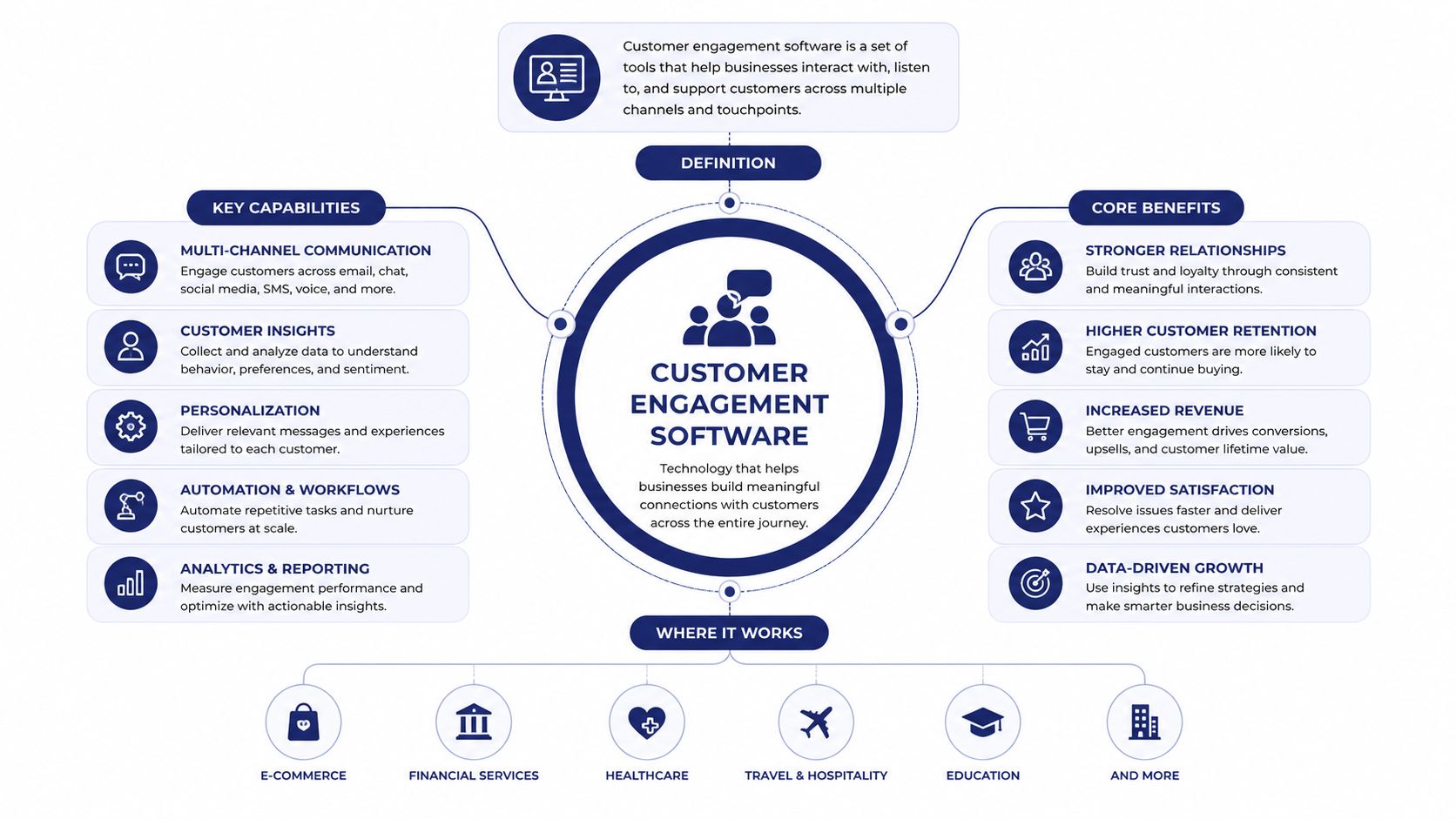
A CRM is mostly a system of record. A helpdesk is usually one support channel or one support motion. Engagement software sits above or between those tools and makes the interactions usable in real time. Salesforce's guidance on digital customer engagement emphasizes unified data, behavioral segmentation, automation, and AI decisioning as enterprise capabilities, not extras, because the platform has to ingest interactions and trigger the next best action across channels (Salesforce).
Think in layers, not in feature checklists
The cleanest way to buy this category is to decide which layer you need.
- Product engagement: in-app prompts, onboarding nudges, and behavior-based messages.
- Lifecycle messaging: email, SMS, and campaign automation tied to leads or customers.
- Support engagement: routing, queueing, callbacks, and service visibility.
- CRM-integrated engagement: contact context and history tied back to records you already use.
- Orchestration: the layer that moves data and actions between systems without making agents chase context.
That layered view matters because a lot of teams buy a broad platform when they only need one part of the stack. Recent buyer guidance makes the same point, broad categories often mask the question, which layer is missing and what outcome it moves (Appcues). If your biggest pain is missed calls and sloppy routing, you don't need a giant marketing suite. You need the support and voice layer working properly.
Working definition: customer engagement software is the toolset that keeps customer conversations contextual, routed, and actionable across every channel you actually use.
For teams replacing a legacy PBX or a fragmented phone stack, that definition is especially useful. A business can have plenty of “engagement” on paper and still fail every time the phone rings. That's why a voice-first view is the right filter for SMBs, especially when you need a practical system rather than a slogan.
For a closer look at how that plays out in service-heavy environments, see digital customer care.
Core Features That Actually Move the Needle
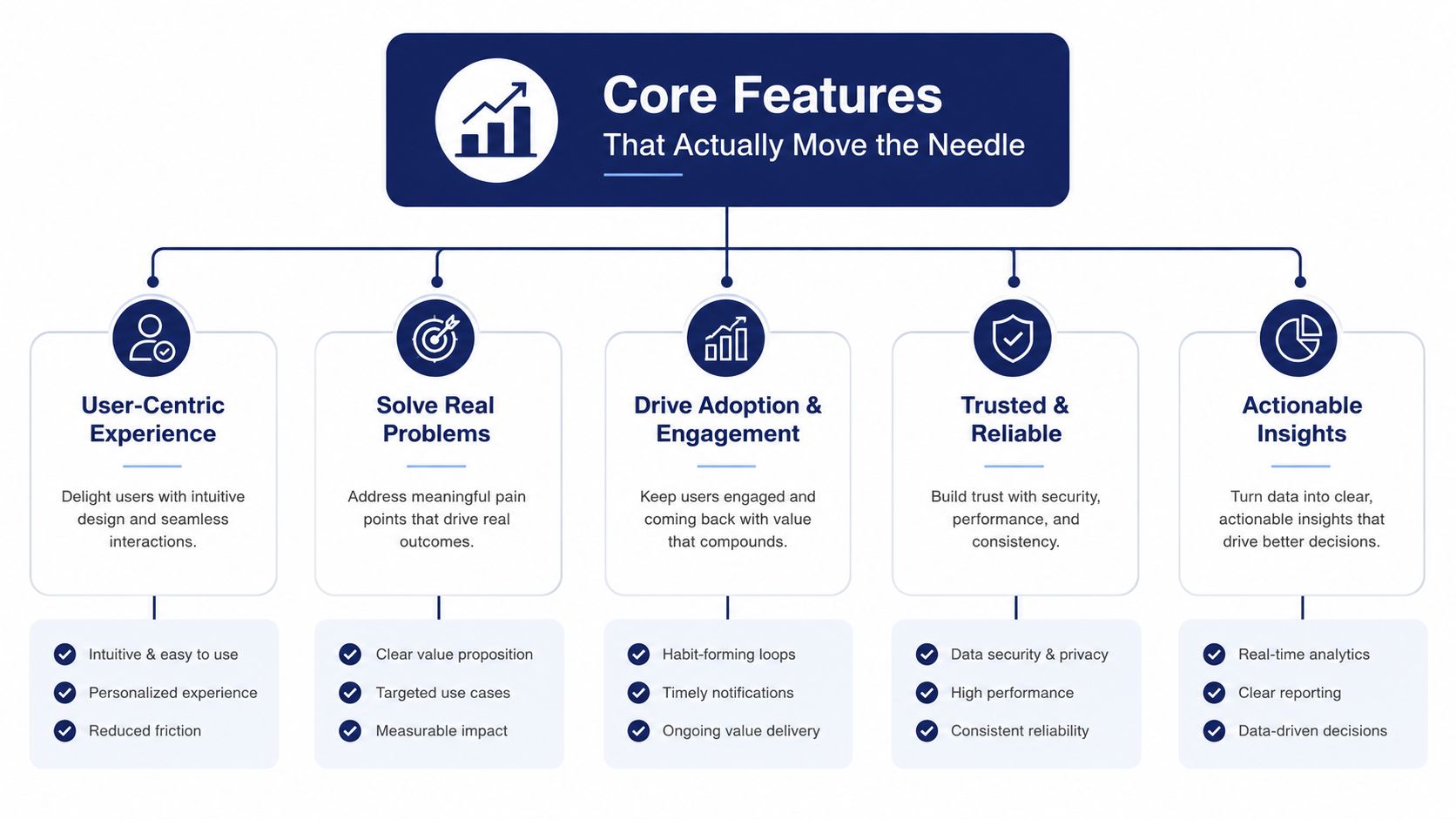
The feature list should not start with buzzwords. It should start with the operational jobs that decide whether a customer gets help quickly or gives up. Modern platforms combine routing, unified communications, automation, and analytics, and the value comes from how well those pieces work together.
Routing and queueing
Skills-based routing, smart queues, callback, and wait-time announcements decide whether callers land with the right agent or just sit in limbo. This is the first place SMBs feel the difference between a basic phone setup and a real engagement platform. Better classification of intent and faster routing lowers manual handling load and supports first-contact resolution because the system stops making agents sort through the mess by hand (Reply).
If your routing is weak, the failure is obvious. Customers repeat themselves, agents transfer calls too often, and the queue becomes a parking lot.
Unified communications
Cloud PBX, conferencing, visual voicemail with transcription, mobile apps, and fax keep dispersed teams reachable. These are boring features until you have remote staff, a second office, or a service manager who needs to handle calls on the road. A practical resource for teams who still need fax in the workflow is 50¢ fax from your phone, which is useful when you're trying to keep one legacy channel from becoming a separate mess.
If this layer is missing, the team starts improvising. People forward calls to personal phones, messages get lost, and nobody knows which number is authoritative.
Automation and AI decisioning
IVR, chatbots, workflow triggers, and next-best-action engines cut down routine handling. Modern platforms commonly ingest interactions from email, chat, SMS, social, and voice into a unified profile, then trigger actions based on behavior or segment rules (Salesforce). That means your team can answer sooner, route smarter, and stop repeating the same triage work all day.
Analytics and reporting
Real-time dashboards, CSAT, resolution rates, team performance views, and historical reporting tell leaders what's happening. Platforms in this category commonly expose response time and resolution metrics precisely because those numbers show whether your operation is improving or just busier (Reply). If you can't measure it, you can't fix it.
For teams that already run a phone-heavy workflow, VoIP and CRM integration is usually where the practical value starts to show. Without it, your phone stack and your customer records keep drifting apart.
How to Evaluate Vendors Without Falling for the Demo
A polished demo can hide a weak operating model. I've watched plenty of SMBs get seduced by a slick interface and then discover the product is a maze of add-ons, hidden fees, and one more admin task than they wanted. Use a scorecard, not gut feel.
Ask the questions that expose the real fit
- Predictable pricing: Ask whether pricing is all-in or whether seats, usage, or support will climb later. Red flag: the quote looks simple, but the contract isn't.
- White-glove migration: Ask who handles number porting, call flow setup, voicemail, and cutover. Red flag: they hand you a project plan and disappear.
- Real-time and historical analytics: Ask to see both live dashboards and past reporting, not just a vanity screen. Red flag: the reporting story is mostly screenshots.
- Native call-center features: Ask whether queues, callback, and announcements are built in or bolted on. Red flag: core call handling depends on apps stitched together after the fact.
- Self-service administration: Ask if you can manage users, routing, and voicemail from a web portal. Red flag: every small change needs support.
- Hardware and device support: Ask what phones and endpoints are supported without drama. Red flag: the vendor treats devices like an afterthought.
- 24/7 human support by phone: Ask who answers when something breaks after hours. Red flag: support lives behind tickets only.
| Criterion | Question to Ask | What Good Looks Like |
|---|---|---|
| Predictable pricing | Is everything included, or are there hidden add-ons? | One clear bill, no surprise line items |
| White-glove migration | Who ports numbers and builds the new system? | Vendor-led setup from start to finish |
| Analytics | Can I see live and historical performance? | Dashboards for both operations and trends |
| Native features | Are queues, callback, and routing built in? | Core call tools work without patchwork apps |
| Self-service admin | Can my team change settings in a portal? | Fast changes without waiting on support |
| Device support | Which phones and endpoints are approved? | A curated hardware list that's easy to buy |
| 24/7 phone support | What happens at 9 p.m. on a Friday? | A real person answers and resolves issues |
Use this to keep the demo honest. If the vendor can't answer these questions cleanly, they're not ready for an SMB that depends on phones, service, and uptime.
The KPIs That Prove Engagement Software Is Working
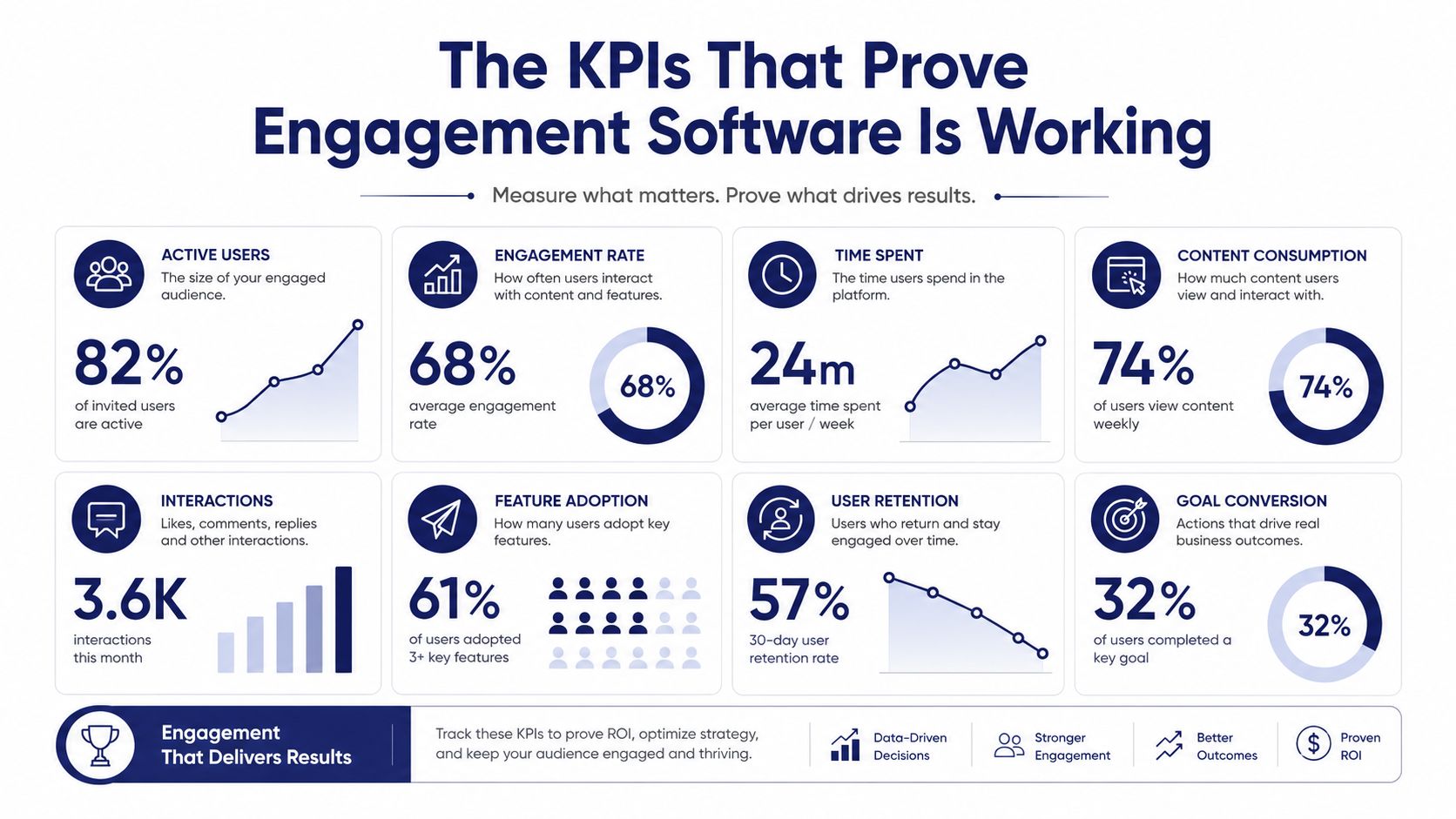
Software only matters if the numbers move. The right KPIs tell you whether routing improved, callbacks are working, and agents are getting more done with less friction. That's the whole point, otherwise you've just bought a prettier inbox.
Track the metrics that map to the features
First-contact resolution (FCR) should improve when skills-based routing and a unified inbox are doing their job. If the right agent gets the right issue faster, the customer doesn't need to come back three more times. That's why routing and live context matter more than a fancy interface.
Average handle time (AHT) tends to fall when visual voicemail transcription, click-to-call, and better customer context remove admin drag. Reply's benchmark on real-time routing and automation is relevant here because classification and speed reduce manual handling load (Reply). The goal is not to rush agents, it's to eliminate the wasted time that doesn't help the customer.
Customer satisfaction (CSAT) usually improves when callback logic and wait-time announcements replace dead air. People can tolerate a queue better when they know what's happening and when they'll hear back. Silence is what annoys them.
Service level (SLA) is the management metric that tells you whether the queue is under control. Real-time stats matter because supervisors need to see bottlenecks while they're still fixable, not after the day is gone.
Occupancy and abandonment rates reflect whether your queue design is too rigid. Smart callbacks and better routing give customers a reason to stay connected instead of hanging up and trying another company.
Operational rule: pick one KPI per feature cluster and review it every week for the first 90 days.
If you need deeper reporting around agent performance, queue behavior, and call outcomes, contact center analytics is the lens to use. Don't let the dashboard become a trophy. Tie it to staffing, routing, and callback decisions, or it's just decoration.
Implementation and Migration Without Downtime
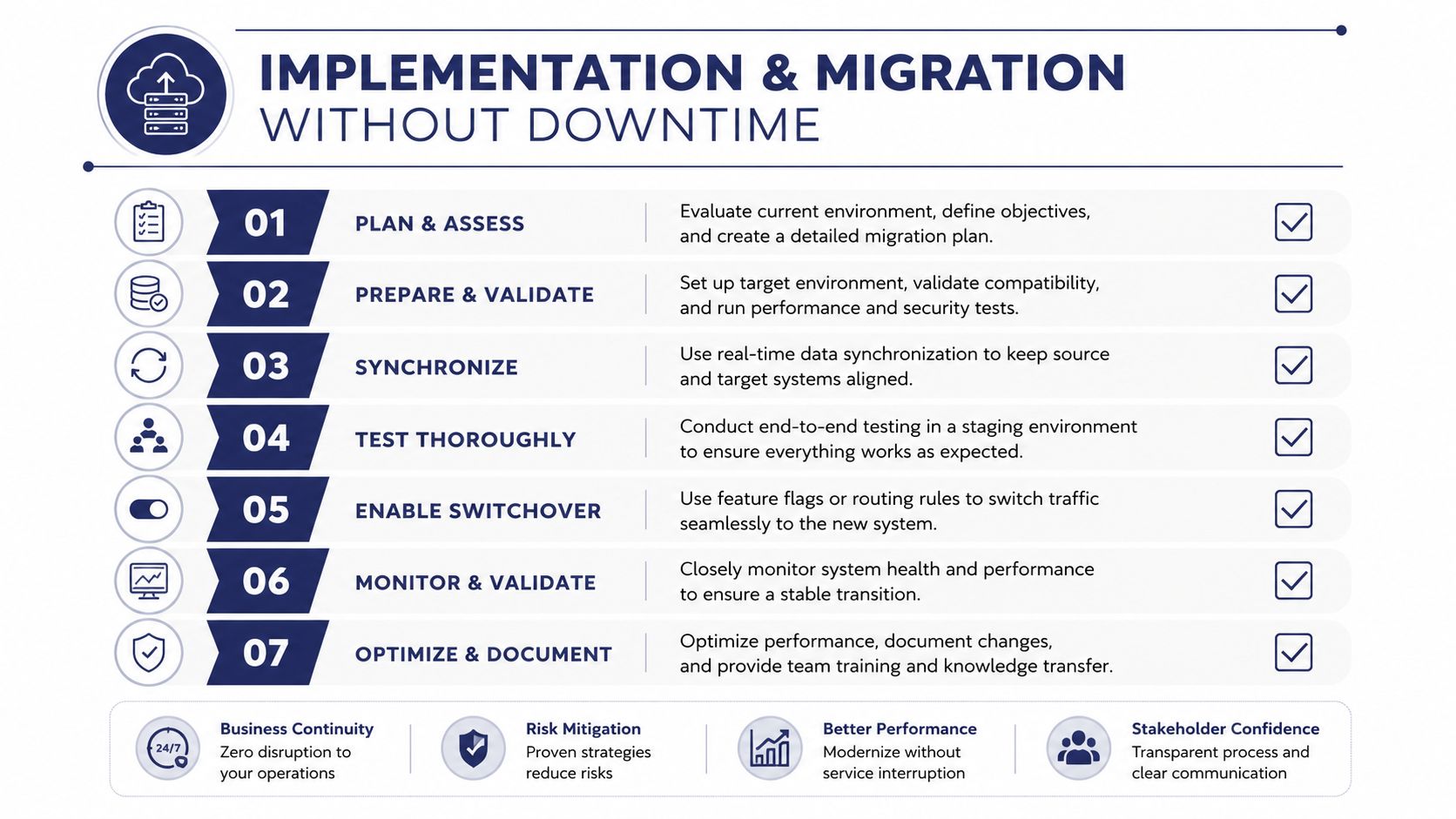
Deployment breaks when teams treat migration like a single cutover instead of a sequence. The safe path is discovery, planning, pilot, and cutover, with governance baked in from the start. That's especially true when phone numbers, voicemails, fax lines, and customer records are all tangled together.
Move in phases, not with hope
Start with discovery. Inventory every number, call flow, voicemail box, fax line, and device. If the current system depends on tribal knowledge, get it on paper before anyone promises a launch date.
Then plan the structure. Decide which numbers port first, how IVR menus will work, what queue policies need to change, and which users need mobile access on day one. This is also where you decide what data sources the platform reads from, how duplicate profiles get handled, and how consent or recording rules are enforced.
A good external checklist for connectivity planning is top business internet options. If the network is flaky, the best software in the world won't save your rollout.
Run a pilot on one site, one department, or one queue for a couple of weeks. Let agents test the routing, voicemail, device provisioning, and reporting before you flip the whole business. If something breaks, you want it to happen in a controlled lane, not everywhere at once.
Use this cutover checklist
- Discovery complete: every number, line, and device is documented.
- Routing mapped: call flows and queue policies are approved.
- Identity rules set: duplicate profiles and system-of-record logic are defined.
- Consent rules set: recording and opt-in handling are documented.
- Pilot passed: one team has used the new setup live.
- Rollback ready: you know how to reverse the change if needed.
- Support lined up: the vendor is on call during cutover.
The businesses that avoid downtime are the ones that respect the boring details. The ones that rush usually spend the next week untangling avoidable mistakes.
Real-World Scenarios Where the Software Pays Off
A multi-location professional services firm usually needs one number strategy across all offices. Before the switch, each site may answer calls differently, use different voicemail habits, and lose context when a client calls a second location. The right setup gives the whole firm a consistent front door, so the caller stops feeling like they're dealing with separate businesses.
A remote support team has a different problem. They need mobile apps, visual voicemail, and transcription so they can move quickly without living in one office or one desk phone. If they're jumping between devices, the software has to keep the call record clean or the team ends up managing the communication instead of the customer.
A small but growing call center needs queues, callback, and live reporting before it needs anything fancy. That's because growth exposes weak routing fast. If the queue is visible, callback is working, and supervisors can see the load in real time, the team can scale without adding administrative chaos.
The pattern is the same in all three cases. The winning setup is the one that reduces missed calls, shortens callbacks, and gives managers enough visibility to act before service slips.
Where SnapDial Fits in This Picture
SnapDial sits on the voice-first side of customer engagement software. It combines cloud PBX, call routing, queue management, queue callback, wait-time announcements, real-time statistics, detailed reporting, visual voicemail with transcription, mobile apps, and a self-service web portal for users, routing, recordings, and logs. It also pairs that with all-inclusive pricing, white-glove migration, and 24/7 Texas-based support by phone and online.
That matters if your biggest gap is still on the call and support side, not the marketing side. If the metrics you care about are FCR, AHT, CSAT, and SLA, a unified voice platform is usually the cleaner answer than stacking separate tools and hoping they cooperate.
If your team is still losing calls, juggling voicemail, or trying to make a legacy phone system behave like a modern customer engagement stack, look at SnapDial. It's built for SMBs that want predictable voice infrastructure, cleaner routing, and support operations that don't fall apart when call volume picks up.