

If you're searching for a desk top phone, there's a good chance you're not looking for a museum piece. You're dealing with a live business problem. Maybe your front desk still relies on an aging PBX. Maybe your office manager has to ask, "Who has line 3?" Maybe remote staff can use their laptops, but the people who answer the most calls are still tied to old handsets that can't follow them home, to a second office, or even to another desk.
That setup usually works right up until it doesn't. Calls start bouncing between locations. A customer reaches voicemail when someone was technically available. Adding a new employee turns into a service ticket, a wiring issue, and a wait. At that point, the question isn't whether the old system is annoying. It's whether it's slowing down sales, service, and basic responsiveness.
A modern desk top phone can still be the right tool. The difference is that today's better phones are IP phones connected to a cloud phone system, not isolated endpoints hanging off a closet full of legacy hardware. That's a meaningful shift for small businesses, multi-location teams, and call centers that need reliability at the desk and flexibility everywhere else.
Is Your Desk Phone Holding Your Business Back
Most businesses don't replace a phone system because they suddenly love telecom. They replace it because the old one starts exposing operational cracks.
A common pattern looks like this. The main office still has desk phones that were installed years ago. They work, mostly. Then the business opens a second site, hires remote staff, or asks employees to split time between home and office. Now the old PBX becomes a bottleneck. Calls don't route cleanly. Transfers feel clumsy. Management has no easy way to change greetings, extensions, or call paths without outside help.
The market has moved, and employee behavior has moved with it. As of April 2026, mobile devices command 52.8% of global web traffic, and in North America, mobile usage accounts for 62% of internet time, according to Statcounter's platform market share data. That doesn't mean desk phones are obsolete. It means a phone system has to bridge desk and mobile use cleanly because work no longer happens at one fixed station.
What old systems get wrong
Legacy desk phones usually fail in the same places:
- They assume location equals availability. If a person isn't at that desk, the system struggles.
- They separate sites instead of unifying them. One office behaves like one island, another office like a second island.
- They make simple changes expensive. Renaming an extension or adjusting a hunt group becomes a project.
- They don't support hybrid work naturally. Staff end up using personal mobiles as workarounds.
Practical rule: If your team is forwarding calls manually, using personal cell phones to plug coverage gaps, or avoiding changes because the PBX is difficult to touch, the problem isn't the handset. It's the system behind it.
What a modern desk top phone actually solves
A current IP desk phone still gives staff what they want from a physical phone: a stable handset, dedicated buttons, visible line status, and a device built for all-day calling. But when it's tied to a cloud platform, it stops being a dead-end terminal and becomes part of a unified communications setup.
That changes the business outcome. Reception can answer from one office while managers work elsewhere. A support rep can keep a proper desk phone but also stay reachable on mobile. New locations can join the same call flow instead of becoming separate phone silos. That's the significant upgrade.
The Modern Desk Phone Defined Analog vs IP Phones
The desk phone isn't new. It became a core business tool in the early 20th century, and that long history helps explain why so many companies still run inherited PBX hardware. This history of phone adoption and business use is useful context because it shows how firmly telephony got embedded into day-to-day operations.
The problem is that many businesses still evaluate desk phones as if nothing changed except the shape of the handset.
Broadcast TV versus streaming
Analog phone systems are a lot like broadcast television. They're fixed, rigid, and built around dedicated infrastructure. You get the channel you're wired for. Changes happen slowly, and flexibility is limited.
IP phones are closer to streaming. The phone still sits on a desk, but the intelligence lives in software and network services. Features, routing, provisioning, and management don't have to stay trapped inside a box on-premises. That's why VoIP matters. It means voice travels over an internet connection. SIP is the signaling standard many IP phones use to register, place, and receive calls inside that system.
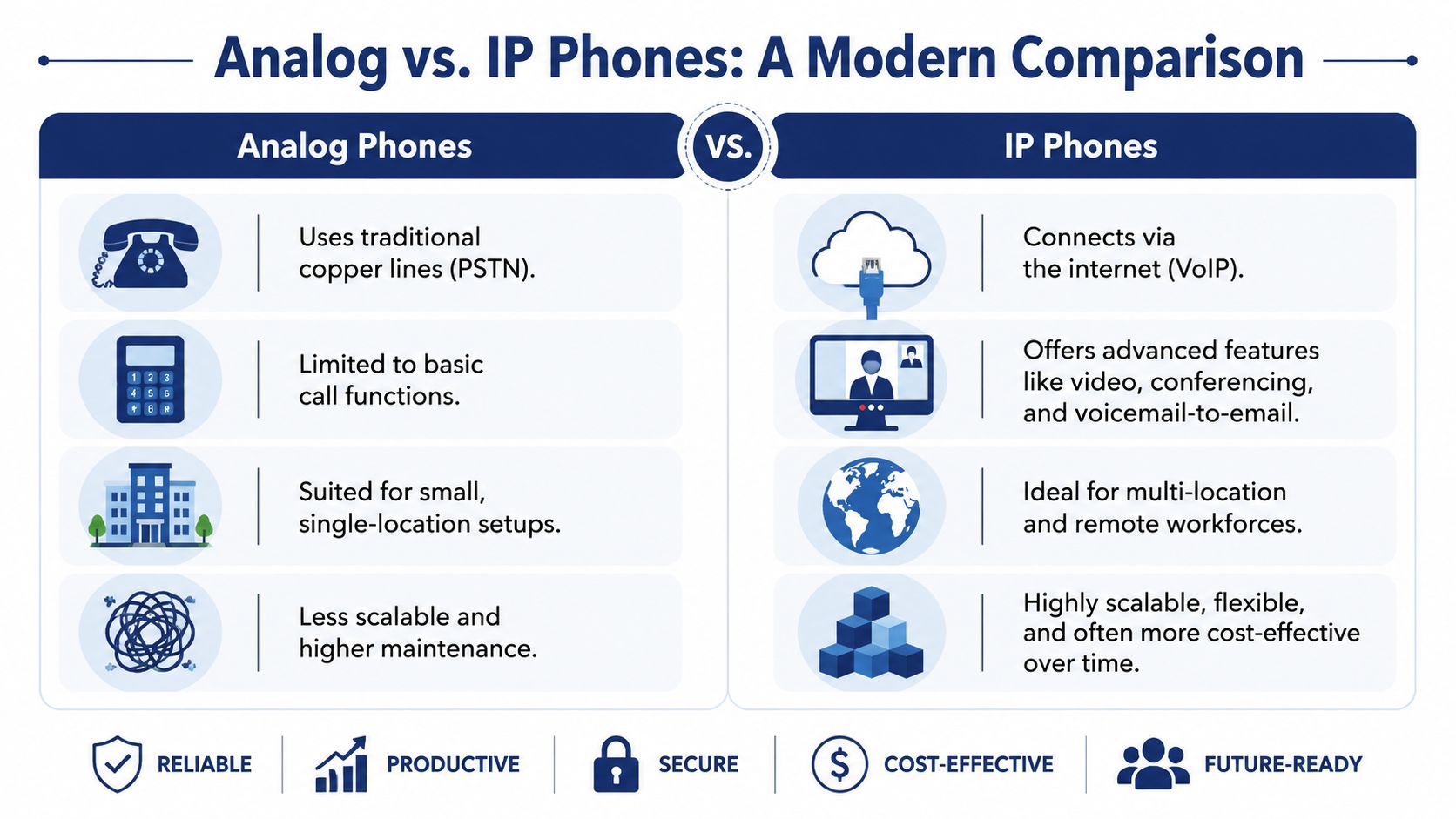
If you want a deeper technical comparison of legacy and internet-based calling, this breakdown of VoIP vs POTS phone systems is a useful companion read.
Analog vs IP desk phones at a glance
| Feature | Analog Phone System | IP Phone System (VoIP) |
|---|---|---|
| Connection method | Traditional phone wiring and legacy PBX hardware | Data network and internet-based voice service |
| Flexibility | Fixed to office infrastructure | Easier to use across offices and hybrid setups |
| Feature depth | Basic calling, often with add-ons required | Rich calling features, routing, apps, and management |
| Scalability | Expansion can require hardware changes | New users and devices are easier to add |
| Administration | Often vendor-dependent and site-specific | Commonly managed from a central web portal |
| Best fit | Static, single-site environments | Growing businesses, distributed teams, call-heavy operations |
The practical difference in daily use
The technology gap matters because it affects work at the desk.
An analog phone is mostly a handset attached to a line. An IP phone is a managed endpoint in a broader communications system. That means the desk top phone can participate in ring groups, auto attendants, shared lines, mobile twinning, and centralized updates without forcing the business to rebuild hardware every time requirements change.
An old desk phone gives you dial tone. A modern IP phone gives you dial tone plus control.
That's the distinction most buyers miss. They compare handsets when they should be comparing operating models.
Essential Features of Modern IP Desk Phones
When business owners evaluate a desk top phone, they often look at the wrong things first. Color screen. Shape. Brand familiarity. Those details matter less than the capabilities that affect call quality, setup time, and how the phone behaves under real workloads.
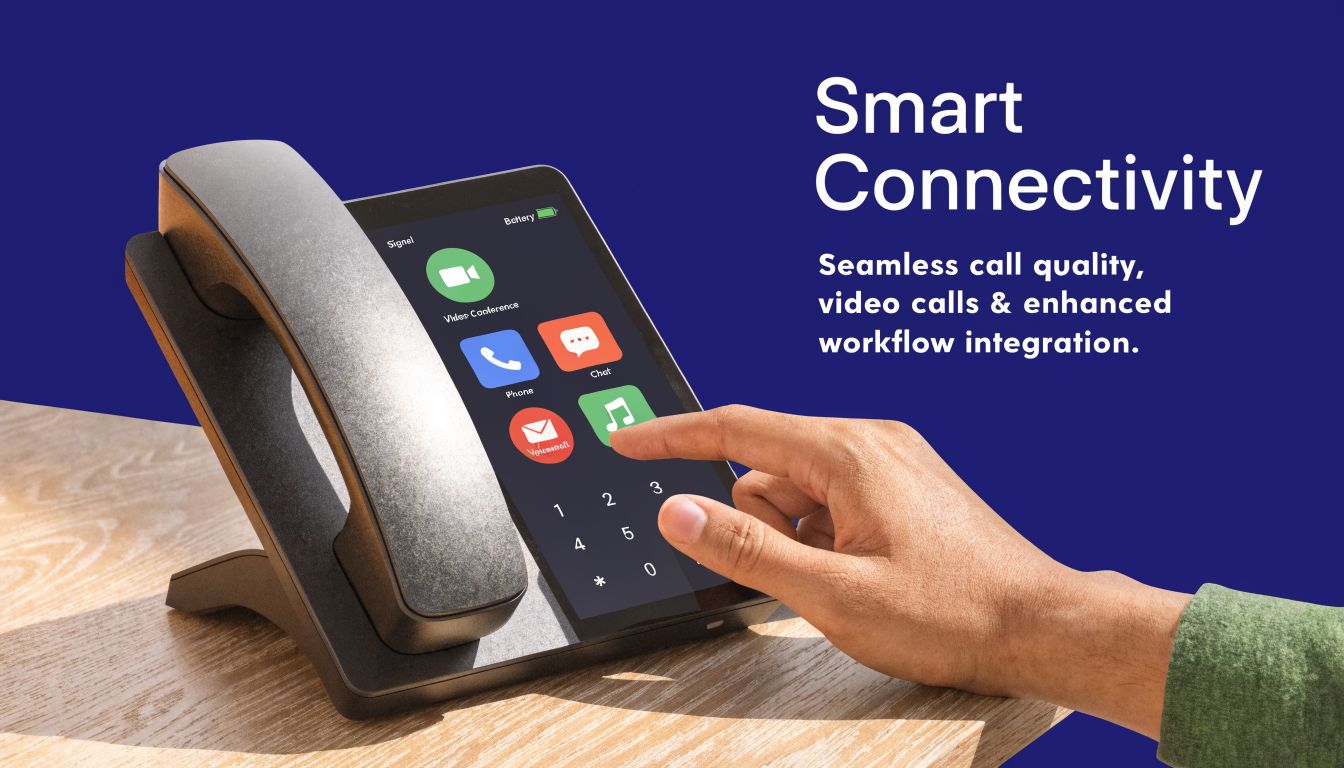
The best place to start is with the features that change operations, not the ones that look impressive in a product photo. According to ENERGY STAR's VoIP phone specifications, modern IP phones such as the Yealink SIP-T33G include dual-port Gigabit Ethernet with Power over Ethernet, which can reduce installation time by 40% compared to phones that need separate power. The same source notes that HD Voice operates at roughly double the bandwidth of standard calls and delivers 85% higher speech intelligibility.
HD Voice
HD Voice means the phone captures and reproduces a wider range of speech frequencies than standard telephony.
For a business, that matters because fewer words get lost, repeated, or misheard. In busy support environments, accents are easier to understand and names are easier to confirm. For sales teams, cleaner audio lowers friction at the start of a call. That sounds small until your staff repeats account numbers and appointment times all day.
Power over Ethernet
PoE lets the phone receive both network connectivity and electrical power through one Ethernet cable.
That solves a surprisingly expensive deployment problem. Fewer power bricks means less desk clutter, fewer outlets to manage, and simpler moves around the office. If you're rolling out phones across multiple rooms or floors, one-cable installation is easier to standardize and easier to troubleshoot later.
Programmable keys
Programmable keys are the buttons that can be assigned to line appearances, speed dials, call park, busy lamp fields, or transfer targets.
A basic phone becomes a productive tool. A receptionist can see whether a manager is already on a call. A service coordinator can park and retrieve calls without fumbling through menus. A small office with a front desk doesn't need a fancy handset as much as it needs visible control over common actions.
Field note: If a user handles frequent transfers, shared lines, or receptionist duties, the wrong button layout creates friction all day. Choose for workflow, not cosmetics.
Video calling and touch interfaces
Some desk phones now include touchscreens, camera support, and app-friendly interfaces.
These models fit executive offices, reception points, and teams that use video as part of client communication. But they're not automatically the best choice for every employee. For many users, a simpler audio-first phone with clear keys is better. A finance manager who makes steady calls all day often benefits more from reliability and button access than from a large touch display.
Expansion modules
Expansion modules add extra programmable buttons beside the main phone.
These are especially useful for receptionists, dispatchers, and anyone monitoring multiple extensions. If one person acts as the traffic controller for a busy office, this add-on can be more important than a better screen. It gives immediate visibility into line status and faster handling of incoming volume.
The shortlist to use during evaluation
When comparing models, focus on these questions:
- Does it support native SIP registration? That keeps integration straightforward with hosted systems.
- Does it offer PoE and dual Ethernet ports? That's a practical install and desk-management advantage.
- Are the keys right for the role? A front desk and a private office shouldn't get the same layout by default.
- Is call quality a genuine strength? HD Voice is worth prioritizing for any call-heavy team.
- Can it scale with accessories? Expansion modules matter more than many buyers expect.
A good desk top phone doesn't just place calls. It reduces friction at the point where customers and staff interact most.
How Desk Phones Integrate with a Cloud PBX
An IP desk phone on its own is only part of the answer. Its full value appears when that phone becomes an endpoint inside a cloud PBX. That's the shift many businesses underestimate. They think they're buying replacement handsets when they're replacing the operating logic of the whole phone system.
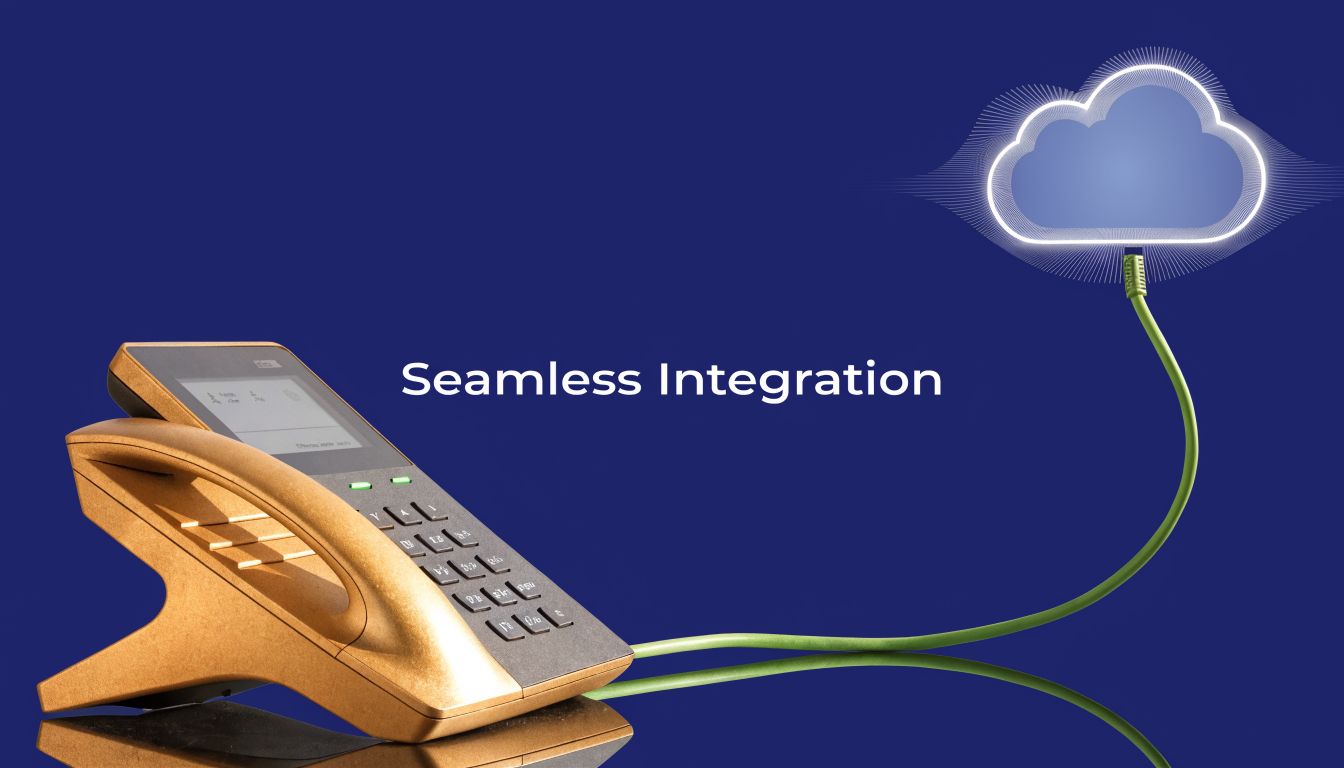
If you need a plain-English overview, this explanation of what a cloud phone system is covers the underlying model well.
The phone is the endpoint, not the system
In a legacy PBX setup, most of the logic lives on-site. Call handling, extension management, and configuration depend heavily on hardware in the building. That makes the desk phone feel like part of a fixed environment.
With cloud PBX, the desk top phone becomes one managed endpoint among several. The same user might have a physical phone on the desk, a softphone on a laptop, and a mobile app on a smartphone. The system decides how calls route based on business rules, schedules, queues, and user presence rather than the limits of on-premises hardware.
A lot of SMBs struggle with that transition. A 2025 Gartner report, referenced in this discussion of phone setup gaps, found that 68% of SMBs adopting VoIP face integration challenges, and 42% cite desk phone setup in multi-location offices as a key pain point. That tracks with what I see in the field. The challenge usually isn't buying the phone. It's getting numbering, provisioning, routing, and user behavior aligned without disrupting live operations.
What good integration looks like
A properly integrated system should make the phones boring in the best sense. They arrive, register, pull the right settings, and behave predictably.
Key signs of a solid deployment include:
- Automated provisioning so users don't have to hand-configure phones one by one
- Centralized administration through a portal instead of scattered local settings
- Consistent call routing across locations, users, and devices
- Migration planning that avoids a hard cutover with unnecessary downtime
The best cloud migrations don't feel dramatic to end users. Their phone rings, transfers work, and the business keeps moving.
For businesses comparing approaches, it's worth reading broader guidance on hosted telephony before choosing a vendor or rollout plan. A concise external resource is explore business VoIP from HGC IT, which gives a practical overview of what organizations should expect from business-grade internet calling.
A short video can also help if you're explaining the model internally to owners or department heads:
Features that depend on this integration
Once the desk phone is tied properly into cloud PBX, several capabilities become much easier to manage:
- Auto attendants that direct callers without a receptionist handling every entry point
- Find me follow me routing so missed desk calls can reach the right person elsewhere
- Shared business identity across offices and remote staff
- Unified call handling for support teams that need queue discipline rather than ad hoc forwarding
That integration layer is what turns a desk phone from hardware into workflow infrastructure.
Choosing the Right Desk Top Phone for Your Business
A good buying decision starts with role, not brand. Too many businesses standardize on one model for everyone because procurement wants simplicity. That usually creates the wrong mix. The owner gets more features than needed, the receptionist gets too few, and the support team ends up improvising around limitations.
The right desk top phone depends on who uses it and how calls move through the business.
For small and mid-sized businesses
Most SMBs should favor simple, reliable SIP desk phones that are easy to deploy, easy to replace, and easy for staff to learn in one sitting. A clean display, PoE support, a practical set of programmable keys, and dependable HD audio matter more than a flashy interface.
For this group, I usually separate users into three buckets:
| User type | What to prioritize | What to avoid |
|---|---|---|
| General staff | Clear audio, basic line handling, simple buttons | Overbuying executive features no one will use |
| Managers | Better speakerphone, a few extra programmable keys, mobile integration | Treating a mobile app as a complete replacement for desk calling |
| Front desk or office admin | Busy lamp fields, transfer speed, visible line status | Entry-level phones with limited key visibility |
If you're narrowing options, this guide to the best VoIP phones for small business is a practical place to compare role-appropriate models.
For call centers and support teams
Call centers should buy differently. The question isn't whether the phone looks modern. The question is whether the agent can handle volume, queues, transfers, and wrap-up work without friction.
Forrester data from 2026, cited in this referenced video source, shows that mid-sized call centers report 20% higher agent productivity when using managed VoIP desk phones with HD voice instead of propped-up smartphones. The reason given is operational, not cosmetic: unlimited lines, smart queue management, and integrated reporting are difficult to replicate on mobile-only setups.
That aligns with practical experience. Smartphones are excellent companions. They are weak substitutes for an agent station.
If a support rep spends the day on inbound calls, a physical desk phone still wins on control, consistency, and fatigue.
A useful selection filter
For support-heavy environments, evaluate phones using this sequence:
Call load first
Ask how many simultaneous lines, transfers, and queue interactions the role requires. Don't choose based on casual office use if the user sits in a queue all day.Button visibility second
Agents and supervisors need fast access to hold, transfer, mute, headset control, and monitored extensions. Hidden functions slow live call handling.Headset workflow third
If the job is headset-driven, choose a phone that supports that workflow naturally. The handset still matters, but the user's day may revolve around headset operation.Supervisor and reception needs last
Some roles need expansion modules or a richer display. That's a targeted purchase, not a fleet standard.
What doesn't work
Three buying mistakes show up repeatedly:
- Using mobile phones as the core call-center device when the job really needs stable desk-based handling
- Buying the cheapest phone for reception even though reception handles the most visible call workflow
- Over-standardizing instead of matching models to roles
A better buying strategy is mixed deployment. Put entry-level IP phones where calling is straightforward. Use higher-capacity phones for front-desk, executive, and queue-based roles. That lowers waste and improves day-to-day handling.
Deployment and Setup Best Practices
Phone rollouts fail when businesses treat them like a box swap. The hardware is the visible part. The essential work is in preparation, cutover planning, and user behavior.
Start with the network
Before any phones arrive, confirm the office network can support business voice traffic cleanly. Pay attention to switch capacity, PoE availability, cabling quality, and voice prioritization. If the network is messy, the best desk top phone in the world will still sound bad.
A short checklist helps:
- Audit switch readiness so every planned desk phone has the right network and power support
- Review internet resilience because the phone platform now depends on connectivity quality
- Map user roles and call flows before provisioning begins
- Decide which users need physical phones and which can work well with apps or softphones
Plan the migration, not just the install
A smooth transition from a legacy PBX usually depends on staged implementation. Port numbers carefully. Build the call routing in advance. Test auto attendants, ring groups, voicemail, and business hours before the final cutover. If the provider supports zero-downtime migration, use that structure to minimize risk instead of forcing a one-day all-or-nothing switch.
Cutovers go well when the business treats them like an operations project, not an equipment delivery.
Train for the first week, not the first day
Users don't need a telecom seminar. They need short, role-specific training. Show reception how to transfer, park, and monitor. Show managers how to use forwarding and voicemail. Show hybrid staff how the desk phone and mobile app work together.
The first week matters more than launch day. If employees know the three or four actions they use constantly, adoption usually settles quickly.
Common Questions About Modern Desk Phones
Can you keep your current business phone numbers
Yes. In most migrations, businesses can port their existing numbers to the new provider. The key is planning the timing carefully so published numbers, inbound routing, and staff readiness all line up during the switch.
What happens if the internet goes down
Service can still be protected, but only if failover is planned in advance. Modern cloud systems can route calls to alternate devices or users when the primary desk phones aren't reachable. That's one more reason to think in terms of system design, not just handset selection.
Are desk phones still worth it for hybrid work
Yes, for many roles. A hybrid setup doesn't eliminate the value of a physical phone. It changes the requirement. The phone should work as one endpoint in a broader system that also supports laptop and mobile use.
What should you check first if a phone won't connect
Start with the basics. Confirm the network cable is seated properly, the switch port is active, and the phone is receiving power if you're using PoE. Then check whether the phone has provisioned to the service. Many connection issues are simple wiring, power, or registration problems, not handset failure.
What about call recording rules
If your new system includes recording, make sure your policies match the laws in the places where you operate and where your callers are located. For a practical legal overview, WhisperAI's guide to compliant calls is a useful reference for business teams reviewing recording practices.
If you're replacing an old PBX and want a smoother path to modern desk top phones, SnapDial is built for that transition. It combines cloud PBX, Yealink IP phones, white-glove setup, and around-the-clock support so businesses can move off legacy hardware without making the rollout harder than it needs to be.