
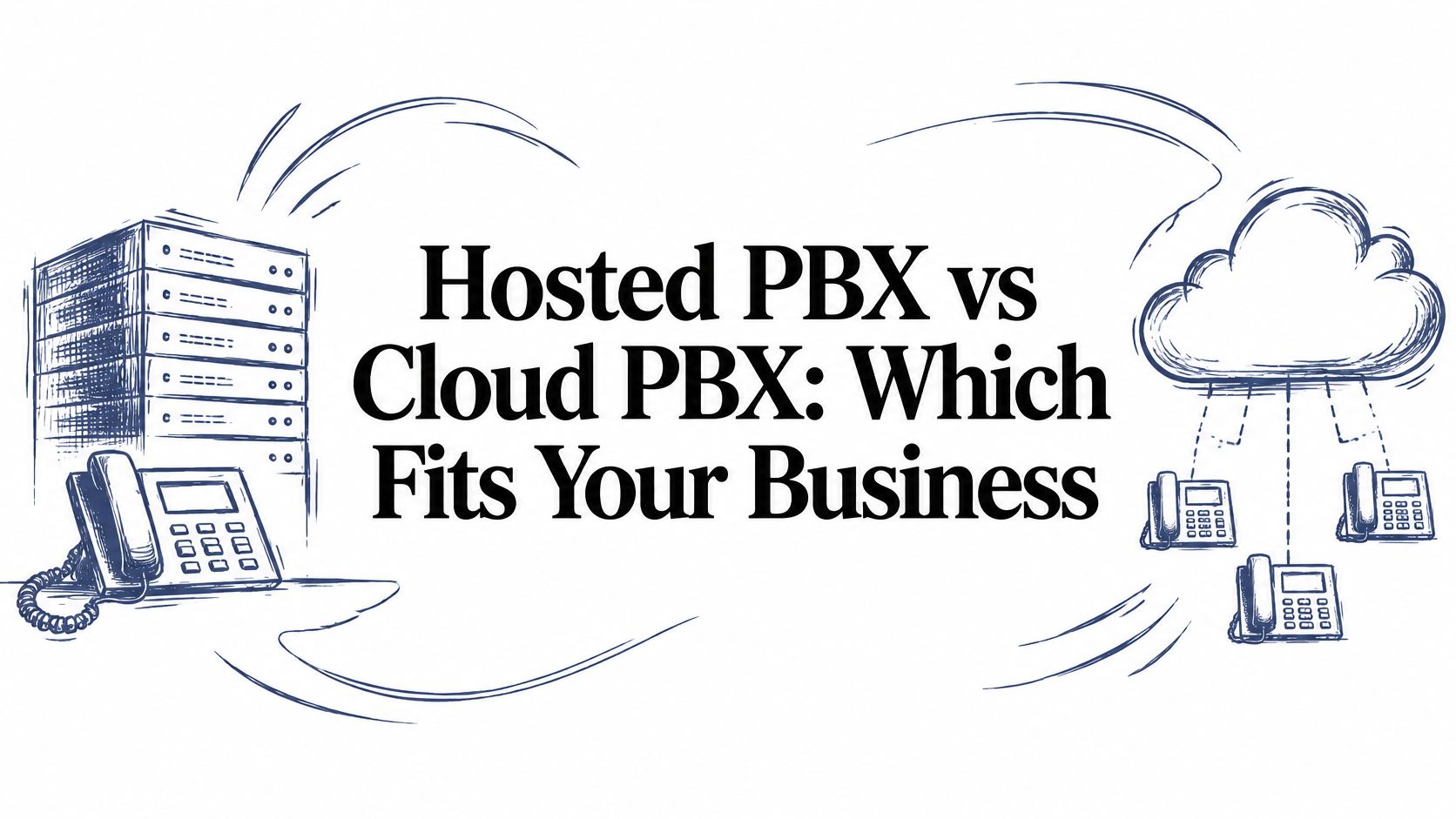
The advice you'll hear most often is to skip the hosted PBX vs cloud PBX argument and buy cloud, because it's cheaper, faster to deploy and more scalable, and hosted is just the older name for the same thing. Most of that advice comes from people selling cloud seats.
It's the wrong first question. Whether a system carries the hosted or cloud label tells you almost nothing about 9:15 on a Tuesday morning, when the office fiber drops, when a remote salesperson dials 911 from a hotel room, or when the provider's east-region node goes dark. Those are the moments that cost you customers and create liability.
The question that sorts vendors is narrower and harder. When something fails, what still works, and who is on the hook for restoring the rest? Answer that for every failure you can name, and the model choice usually makes itself.
Hosted PBX and Cloud PBX Defined and Compared
Skip the feature list and start with architecture. The rows below decide most purchases, and the two that matter most are scaling speed and connectivity dependence.
| Criterion | Hosted PBX | Cloud PBX |
|---|---|---|
| Where call control runs | Provider-managed facility, often dedicated to one customer | Virtualized platform run remotely across provider data centers |
| Tenancy | Usually a dedicated or semi-dedicated instance | Typically multi-tenant with pooled resources |
| Adding users or locations | Provider-assisted change request | Usually self-service in the admin portal |
| Billing | Per-user or per-line subscription | Per-user subscription, often with usage-based add-ons |
| Hardware on site | Desk phones and any analog gateways | Desk phones, softphones and mobile apps |
| Main dependencies | Provider and internet link | Provider, internet link, identity system and cloud region |
Read the bottom two rows twice. The hardware sitting on your desks is nearly identical in both models. The dependency profile is not.
Three terms get used as if they were one. An on-premises PBX is owned and operated at the customer's site. A hosted PBX places PBX functions on equipment a service provider operates. A cloud PBX is generally a hosted implementation in which computing resources are delivered through a cloud model. The difference between the last two isn't whether calls travel over IP, since both do, but where the control software lives and how tenancy, provisioning and billing are handled.
The five cloud characteristics in phone terms
NIST's cloud definition, published on September 28, 2011, describes cloud computing as on-demand network access to a shared pool of configurable resources that can be rapidly provisioned and released with minimal management effort or provider interaction. Its five essential characteristics translate directly into phone behavior:
- On-demand self-service: a manager adds a seat, a number or an auto attendant menu from a portal, with no hardware order and no truck roll.
- Broad network access: the same admin screen works from head office, a home connection or a laptop in an airport lounge.
- Resource pooling: capacity is shared across customers, so your busy season draws on pooled headroom instead of a card somebody bought in 2019.
- Rapid elasticity: twenty seasonal agents get extensions on Monday and give them back six weeks later, without a purchase order for licenses you'll never use again.
- Measured service: seats and usage are metered, which is why the invoice reads as a subscription with add-ons rather than a capital line.
A hosted system can satisfy all five, or none of them. A provider could run a dedicated appliance for one customer, in one city, with manual provisioning and flat billing. That's hosted, and it isn't really cloud, because it lacks pooling and elastic provisioning. Nothing dishonest is happening. It just won't behave like a cloud platform the first time you ask for twenty new seats on a Friday.
The naming loosens further when analysts try to size the market. One set of QYResearch figures puts the global cloud-based PBX market at USD 5.266 billion in 2024 (Global Information), while Market Research Future estimates cloud PBX at USD 18.43 billion in 2024 (Market Research Future). Both numbers can be right, because they're counting different things under the same three-letter label.
Five questions that settle the label argument
Put these to every vendor, in writing, and compare the answers rather than the brochures.
- Where does call control run, and is that facility shared with other customers?
- Is our tenancy dedicated or pooled, and what happens to our capacity when another tenant spikes?
- Can we add a user, a location and a phone number ourselves, or does every change become a ticket?
- How is billing measured, per seat, per line, per minute or per feature, and what triggers an overage?
- Which dependencies stay outside the provider's control, starting with our internet link, our power and our identity provider?
Who Carries Operational Responsibility
Own an on-premises PBX and you own the entire stack: hardware lifecycle, software patches, SIP security, power, cooling, backups and site-level disaster recovery. Move to hosted or cloud and most of that transfers to the provider. What arrives in its place is a different dependency set, built on provider availability, your internet access, identity controls and secure remote administration.
That trade deserves to be written into the contract, because the complaints that surface six months after a migration usually aren't feature gaps. They're duties nobody assigned to anybody.
Where the duties land
For a typical small business, the provider patches the platform, runs the core infrastructure and handles capacity. Your side keeps the firewall and QoS rules that voice traffic crosses, the desk phones on the desks, the list of who holds admin rights, and the export schedule for recordings and voicemail. Carrier interconnects are usually shared infrastructure, but the escalation path is still yours to test before you need it.
Practical rule: if a duty isn't written down with a named owner, your business owns it by default, including the duties you assumed were included.
Security belongs in that conversation rather than in a footnote. NIST's VoIP security guidance recommends VoIP-aware firewalls, physical protection of VoIP network components and routine testing of built-in security features, and it treats availability and denial-of-service risk as core design concerns rather than edge cases.
What to put in the contract instead of a feature checklist
Ask for measurable controls. These are the ones that separate a serious provider from a reseller with a portal:
- Geographically separate service nodes, with the regions named in writing.
- Documented recovery objectives, meaning a recovery time and recovery point the provider will commit to.
- Redundant carrier interconnects, so one carrier's bad afternoon isn't your outage.
- Encrypted signaling and media wherever the endpoints support it.
- MFA and role-based administration, plus a defined process for recovering a locked admin account.
- Recording retention and export, including whether you can take the archive with you if you leave.
- SIP anomaly detection and tested outage procedures, not just a status page.
Before signing, build a responsibility matrix with one row per duty (platform patching, firewall rules, phone hardware, number porting, recording retention, emergency location updates, after-hours support) and one column for the owner: your business, the provider, or shared. Sign when every row has an answer.
How Each Model Fails and Recovers
Failure is where the labels stop mattering and the design starts.
| Failure | On-premises PBX | Hosted PBX | Cloud PBX |
|---|---|---|---|
| Office internet link down | Internal calls continue; external calls depend on the trunk or backup line | Office phones lose service unless a secondary WAN or mobile fallback exists | Office phones lose service unless a secondary WAN or mobile app takes over |
| Local power failure | Phones stop unless the site has UPS or a generator | Phones stop, but calls can reroute to mobile devices | Phones stop, but calls can reroute to mobile apps or other locations |
| Provider platform outage | Not affected | One provider service node affected; recovery depends on the provider SLA | Geographically separate nodes may keep service running; recovery depends on the provider SLA |
| Admin account lockout | Local administrator resets access | Provider support or a portal admin resets access | Portal admin or identity provider resets access; MFA recovery matters |
| User moves or works remotely | Site address stays fixed unless updated | Registered location must be updated in the provider profile | Registered location must be updated for every remote user and site |
The pattern holds. An on-premises system keeps extension dialing alive during an internet outage because the switch is in the building and the trunks are separate. Hosted and cloud systems don't, unless you've bought a secondary WAN or pre-routed calls to mobile endpoints.
Cloud architecture earns its keep in a different column. Separate service nodes and call rerouting can carry service through a single-node failure or a flooded data center, and rerouting to a mobile app takes minutes instead of a replacement appliance. None of that removes last-mile risk or endpoint power risk. A cloud PBX running over one fiber link with no UPS is a single point of failure with a modern admin portal.
Emergency calling is the sharpest example. The FCC's VoIP and 911 guidance notes that interconnected VoIP providers must provide 911 as a standard feature, collect a physical location before activation, enable location updates, and transmit the caller's callback number and registered location to emergency services. The rule protects the caller. It does not protect a business whose address records went stale two office moves ago.
A registered 911 address is a data maintenance job wearing a compliance badge. It's only correct if someone updates it every time a person changes desks, offices or countries.
Build a tested backup and disaster recovery plan around five drills, and get each one documented before cutover:
- Internet loss: pull the primary link during a test call and confirm the reroute path.
- Power loss: verify which phones sit on UPS and how long the batteries last.
- Carrier or provider outage: ask for the specific failover behavior and the credit terms.
- Mobile continuity: confirm a user can answer and place calls from a phone when the office is dark.
- Emergency location governance: name the person who updates addresses, and how often.
Costs and Deployment Effort Compared
Cost structure settles more debates than price quotes do. On-premises spending is front-loaded on hardware and recurs as support; hosted and cloud plans are subscriptions that start billing in month one and never stop. What matters is who performs the work inside each line item, because every cost column hides a labor question.
The image below captures the shape of that difference before you get into line items.
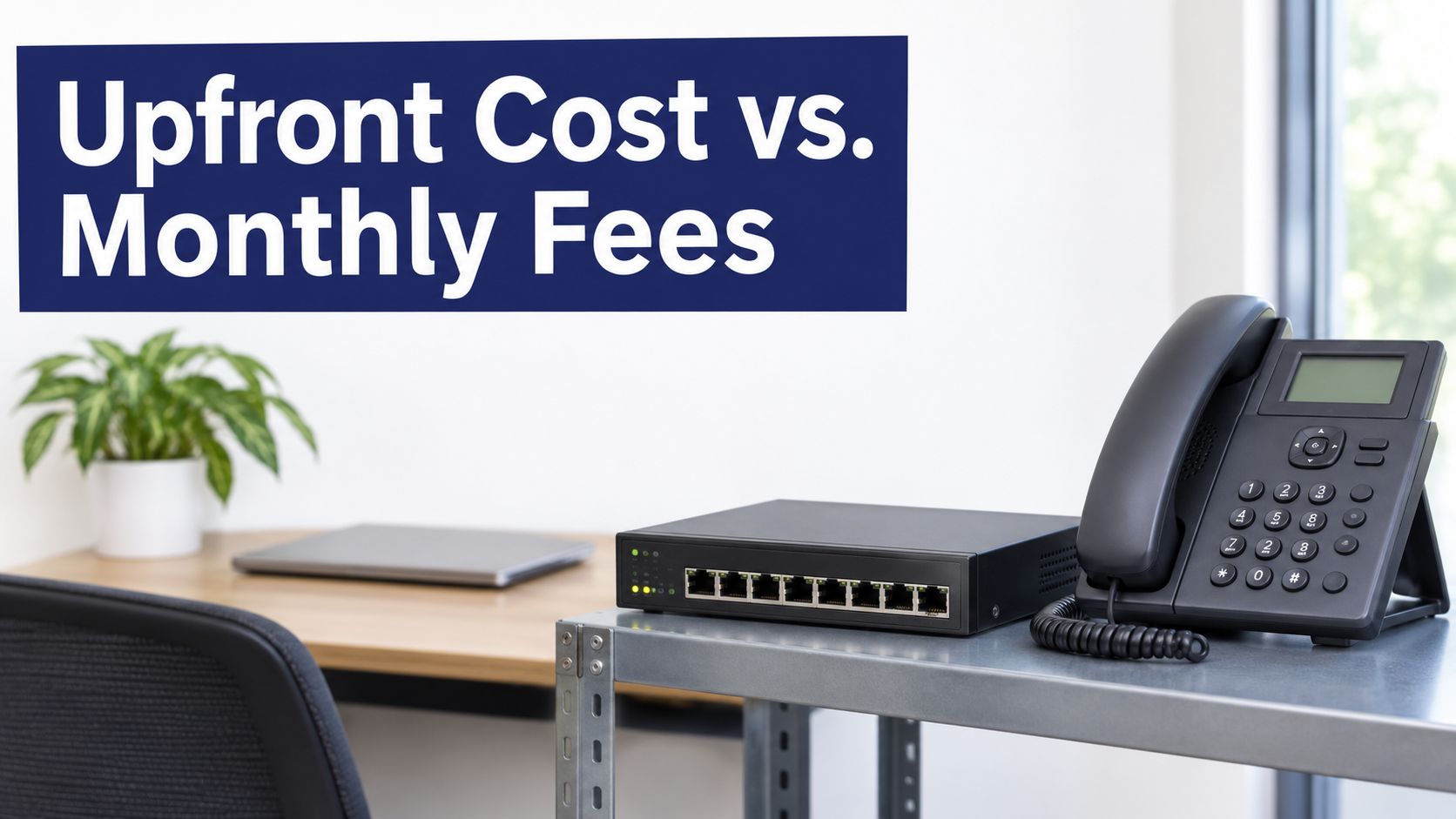
Put the four columns side by side and the trade becomes ordinary capital versus operating expense.
| Cost item | On-premises PBX | Hosted PBX | Cloud PBX |
|---|---|---|---|
| Upfront hardware | Highest: PBX appliance, servers and UPS | Low: phones and any gateway | Low: phones and softphone licenses |
| Recurring fee | Support and maintenance contract | Per-user or per-line subscription | Per-user subscription plus usage add-ons |
| Patches and upgrades | Customer or contractor | Provider | Provider |
| Adding a user | Hardware and licensing change | Provider request, often with lead time | Self-service, usually same day |
| Setup and migration | Highest: staging, cutover and cabling time | Provider engineers handle cutover and porting coordination, often scheduled around business hours | Portal-based configuration before phones arrive; number porting and user setup done by the customer's admin or the provider |
The walkthrough below covers the same decision from the buyer's side, if you'd rather hear it than read it.
Compare over three to five years, not over the first invoice. Add hardware, licenses, the support contract, number porting, cabling, staff hours and the cost of exceptions: analog lines, fax, door phones and alarm connections that may need their own gateways or a redesigned workflow. Those exceptions are where migration budgets break. A subscription quote looks clean until someone prices the door phone that no one remembered.
All-inclusive plans vary enormously in what they cover. SnapDial's hosted PBX pricing structure bundles a unified communication solution, call statistics and call recordings into one rate, with call recording included at no cost, and the team of techs handles setup, configuration and replacement of your existing system from start to finish at no cost to you. That arrangement moves the migration labor, usually the largest hidden expense in a hosted switch, off your side of the ledger. Ask every vendor the same question directly: what's outside the inclusive rate, and whose engineers do the cutover work?
Deployment effort follows the model. A cloud system is often configured in a portal before phones arrive, so the labor falls on whoever runs that portal. A hosted system may need provider engineers involved in cutover, which shifts effort to the vendor but adds scheduling dependency. An on-premises move needs hardware staged and tested on site. Say a 40-user, two-site firm collects written quotes from three vendors. The five-year sheet should have one row per cost item and a column per year, with a note on who schedules the number port. A late or failed port drops inbound calls at the worst possible moment, so porting time belongs in the plan and the parallel test.
For a two-site quote comparison, keep these columns:
- Year one, including hardware, setup, cabling and migration.
- Years two to five, covering subscriptions, support, upgrades and added users.
- Exceptions row, for analog, fax, alarms and door phones.
- Risk row, for secondary WAN, UPS replacement and staff time.
The risk row is the one buyers skip and regret. A cheap subscription over fragile infrastructure costs more than an expensive one over redundant links, because the invoice that never arrives is the downtime you absorb yourself.
Call Quality and Migration Checks Before You Switch
Audio quality is governed by the end-to-end media path, codec, congestion control and redundancy design, not by which label is on the contract. Hosted and cloud platforms both ride the same IP layer, so both inherit your weakest link.
Cisco's VoIP QoS guidance cites ITU-T G.114's benchmark of less than 150 ms one-way end-to-end delay for high-quality interactive voice, and recommends keeping packet loss far below 1% because dropped packets create audible errors, particularly with compressed codecs such as G.729.
Three tests to run before you sign
- Measure at peak, from every location. Record one-way latency, jitter, loss and MOS from each office, each home-working region and each call-center VLAN to the proposed service. An internet speed test proves nothing about voice.
- Prioritize the media stream. Mark RTP with QoS and separate voice traffic where practical, then confirm the bandwidth requirement per concurrent call against your actual headroom with everything else running.
- Break it on purpose. Pull the primary link during a live test call and watch failover to a secondary WAN or a mobile endpoint. A failover nobody tested is a hope, not a design.
Inventory the behavior, not the numbers
Legacy systems store business logic in odd places: hunt groups, receptionist workflows, after-hours rules, analog devices, fax lines, door phones and alarm connections. The FCC's multi-line telephone system rules cover PBX, Centrex, VoIP, hybrid and cloud-based systems, and its E911 guidance requires registered physical locations with a way for customers to update them when they change (FCC E911 rules for multi-line systems). That makes inventory work unavoidable for any firm with several sites or mobile staff.
List every published number, queue, emergency location and exception before anyone touches a port request. Then run parallel testing without disrupting inbound service: business-hours and closed-hours call flows, overflow and callback behavior, voicemail transcription, recording access, and one controlled emergency call with the provider watching the screen.
A cutover is successful when no caller can tell it happened.
Choose the Model That Fits Your Business
The transport argument is settled. In June 2024 the FCC counted 83 million wireline retail voice connections, of which 53 million were business connections, and 78.0% of those business connections were non-incumbent-carrier interconnected VoIP subscriptions, while retail switched-access lines declined at a compound annual rate of 17.8% (FCC communications marketplace data). The open question is who operates the platform, not whether voice travels over IP.
Call centers need different proof than offices do. Queue management, queue callback, wait-time announcements and real-time statistics decide whether a platform is usable at 40 concurrent calls, and those features should be tested with your own call volumes before signing.
Remote and hybrid teams shift the burden to identity and location hygiene. Softphones and mobile apps keep people reachable, but each remote user needs an accurate registered emergency address and a process for updating it.
Sites carrying analog devices need a different answer again. Fax lines, door phones, elevator phones and alarm panels often survive on gateways or a deliberately separate line, and pretending otherwise is how a cutover loses a fire panel.
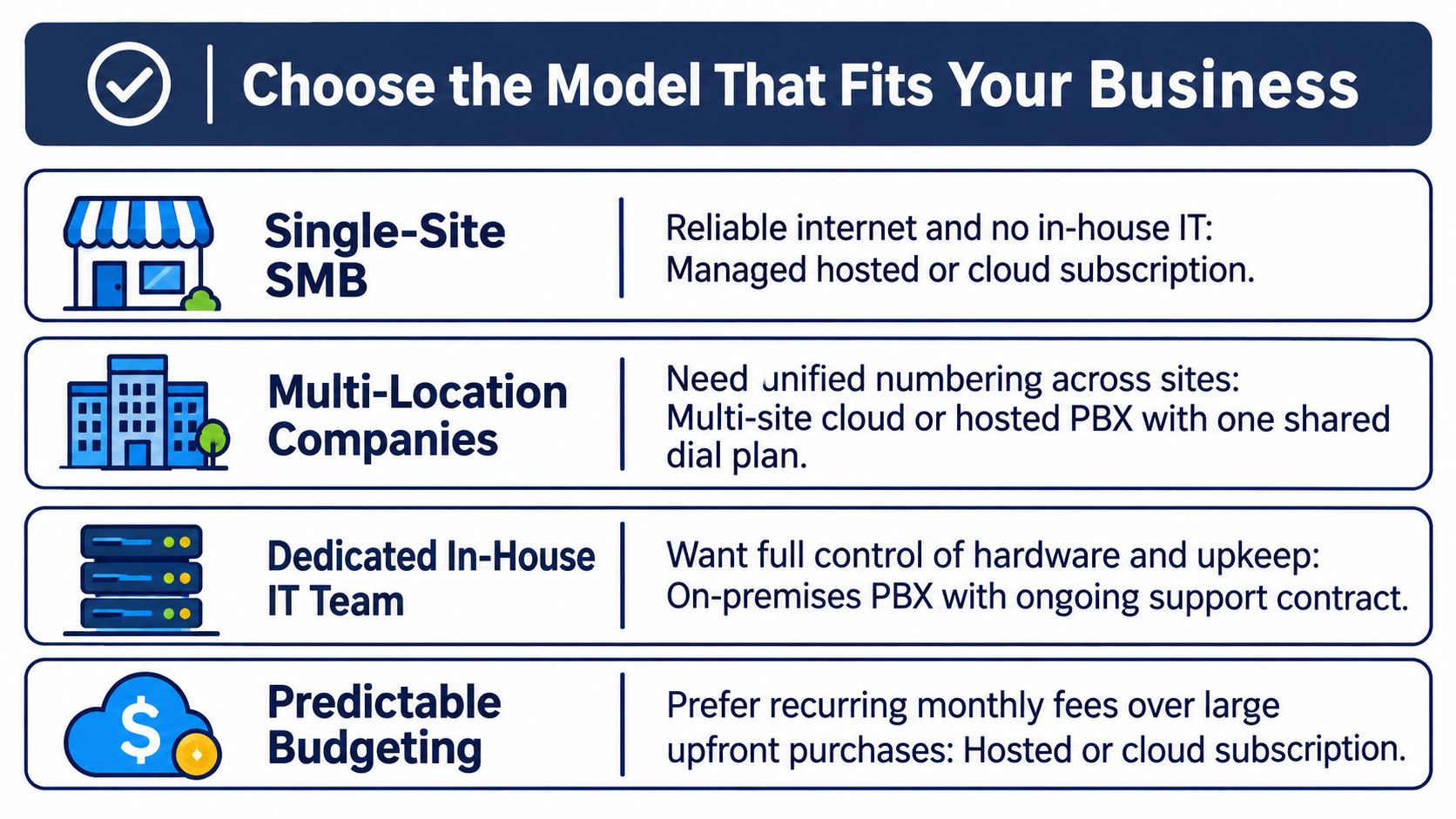
My rule of thumb: if the number of sites you run is likely to double within three years, buy the model that lets a non-technical manager add a site without a change order.
The verdict breaks down by situation. Choose cloud PBX when you need self-service scaling across locations, centralized numbering and fast additions without involving a technician. Choose hosted PBX when you want a provider-run system that stays closer to a dedicated design, with fewer moving parts and a slower rate of change.
Verify the features that carry daily operations before anything else: an auto attendant that routes without a receptionist, unlimited lines so incoming calls reach employee extensions or share one outbound number, and mobile routing that sends calls to wherever the person is. SnapDial's Unlimited Lines and Mobile Office features do both, and you can request a quote or schedule a call with our team to walk through the fit.
Then do the work that no vendor can do for you. Get written quotes from two providers, run the quality and failover tests against both, and confirm scope, porting schedule and responsibility split in writing before anyone signs.
SnapDial runs a fully managed cloud PBX with white-glove setup, so the switch from a legacy system happens without downtime or a project team. Our all-inclusive pricing covers unified communications, call statistics and call recording, our techs handle configuration and replacement end to end at no cost to you, and support answers the phone 24/7 from Texas. Visit SnapDial to get a quote or book a call and put the hosted PBX vs cloud PBX question to a real engineer.