
A customer dials your main business number at 9:15 on a Tuesday morning. Instead of reaching your front desk, the call rings an empty conference room, bounces to a former employee's voicemail, and drops before anyone picks up. Meanwhile, your sales rep calls a prospect from the same cloud phone system, only to see their number flagged as potential spam on the prospect's screen.
Nothing is technically broken with your internet connection. Your phones have power, and your carrier bill is paid. What went wrong is your VoIP call routing, the set of software instructions that decides where every inbound and outbound call travels once it hits the network.
Most phone system guides treat call routing as a simple traffic switch for ring groups and office hours, while tucking emergency location records and caller-ID trust into a separate legal checklist. In practice, those aren't paperwork items at all. Emergency location accuracy and caller-ID integrity are core routing-quality metrics, and changing a carrier path or forwarding rule can break either one before you notice a single dropped call.
What VoIP Call Routing Does for Your Business
Think about how a regional postal sorting office handles morning mail. A letter arrives with a street address on the envelope, a sorter reads that address against the day's delivery rules, and the envelope lands in a specific van heading to the right neighborhood. If that van breaks down, the supervisor shifts the tray to a backup route so the letter still arrives.
Modern VoIP call routing performs that exact sorting job in milliseconds, except it directs digital voice sessions across the internet instead of paper envelopes across town.
When a copper phone line ran into an office wall, the physical wire determined which desk rang. A cloud phone number has no physical wire tying it to a building. That single number can ring a Yealink desk phone in Dallas, a laptop softphone in a home office, and a mobile app in an airport lounge at the same time.
Because software now carries the weight that copper wiring once held, businesses have invested heavily in routing platforms. According to DataIntelo's 2025 market report, the global call-routing-software market was valued at USD 3.16 billion in 2025, with cloud-based deployment accounting for 68.5% of the market.
Four Core Terms You Will See in Every Admin Portal
Open almost any cloud phone dashboard and you'll encounter the same four building blocks, even if vendors give the menus slightly different names:
- Dialed number: The external phone number a caller enters, often called a Direct Inward Dialing (DID) number, which acts as the starting trigger for every routing decision.
- Destination: The specific endpoint that receives the call, whether that's an individual extension, a group of devices, a call queue, an external mobile number, or a voicemail box.
- Rule set: The conditional logic sitting between the dialed number and the destination, checking factors like time of day, holiday calendars, caller area code, or keypad menu selections.
- Fallback: The safety net that fires when the primary destination is busy, offline, or left ringing past a set threshold, steering the caller to a live backup instead of dead air.
A misconfigured rule rarely looks like a dramatic hardware crash. Instead, it shows up as a missed buyer who hangs up after ten rings, or a remote technician stranded without support during an afternoon rush. Setting up secure calling for remote teams from CloudOrbis Inc. starts with making sure these four pieces align with how your staff work, not how your office floor plan looked five years ago.
A routing rule is an operational policy written in software. If nobody owns it, your phone system defaults to yesterday's org chart.
Routing Methods Compared at a Glance
Every cloud phone platform gives you a toolkit of routing methods, each built for a different traffic pattern. Seeing them side by side makes it easier to match the tool to the job before you start clicking checkboxes in an admin screen.
| Routing Method | What Triggers It | Best Fit | Main Trade-off |
|---|---|---|---|
| Direct inbound (DID) | Dialed number matched to one extension | Dedicated lines, one person per number | Calls go unanswered when that person is away |
| Simultaneous ring (ring group) | Several phones ring at once | Small teams needing a quick answer | Can ring many devices for every call |
| Sequential hunt | Phones ring one after another in a set order | Clear escalation chains | Slow to reach the last extension |
| Auto attendant (IVR) | Caller presses digits to choose a destination | Companies with several departments | Callers can get stuck in menus |
| Skills-based queue (ACD) | Agent skill and availability | Support and sales call centers | Needs agent data and setup time |
| Time-based routing | Business hours and holiday calendar | Offices with fixed opening times | Rules must be updated for holidays |
| Least-cost routing | Cheapest available carrier path | High outbound call volume | Cheapest path can add latency |
| Failover routing | Primary path unreachable | Protection against outages | Backup path must be tested regularly |
What Happens When the Target Is Absent
A comparison table shows the sunny-day path, yet real phone traffic hits empty desks all day long. Two methods that look equally capable on paper behave very differently the moment an employee steps away for lunch or loses Wi-Fi.
Take a plain DID assigned to an account manager with no fallback configured. When that manager is on another call or out sick, the caller hears endless ringing until their own carrier times out. Pair a simultaneous ring group with a sequential fallback, however, and the system rings three coordinators for fifteen seconds before rolling the unanswered call to a backup supervisor.
The same gap shows up in specialized support teams. Organizations that adopt skills-based call routing need explicit overflow rules for what happens when every bilingual agent or Tier 2 specialist is tied up, otherwise callers sit in a loop waiting for an extension that won't free up for twenty minutes.
How Routing Methods Stack in Real Life
Most businesses don't pick just one row from the table. They stack two, three, or four methods into a single call flow, so an incoming call passes through multiple checkpoints before anyone says hello.
Say a regional HVAC contractor configures its main line with three stacked layers. First, time-based routing checks the clock. At 9:00 a.m. on a weekday, the call enters an auto attendant (IVR) where pressing 2 for new quotes sends the call to a simultaneous ring group of four estimators. Press 2 at 6:30 p.m., and the time rule bypasses the sales ring group completely, routing straight to an after-hours voicemail box with an on-call emergency prompt.
Every stacked layer carries a hidden friction cost. Each IVR menu adds fifteen to twenty seconds of listening and button pressing, while chaining two ring groups adds extra ring cycles before a human picks up. Keep your stack shallow: if a caller has to survive more than two menu prompts and twenty-five seconds of ringing, a growing share of them will hang up and call your competitor.
How a Call Finds Its Destination
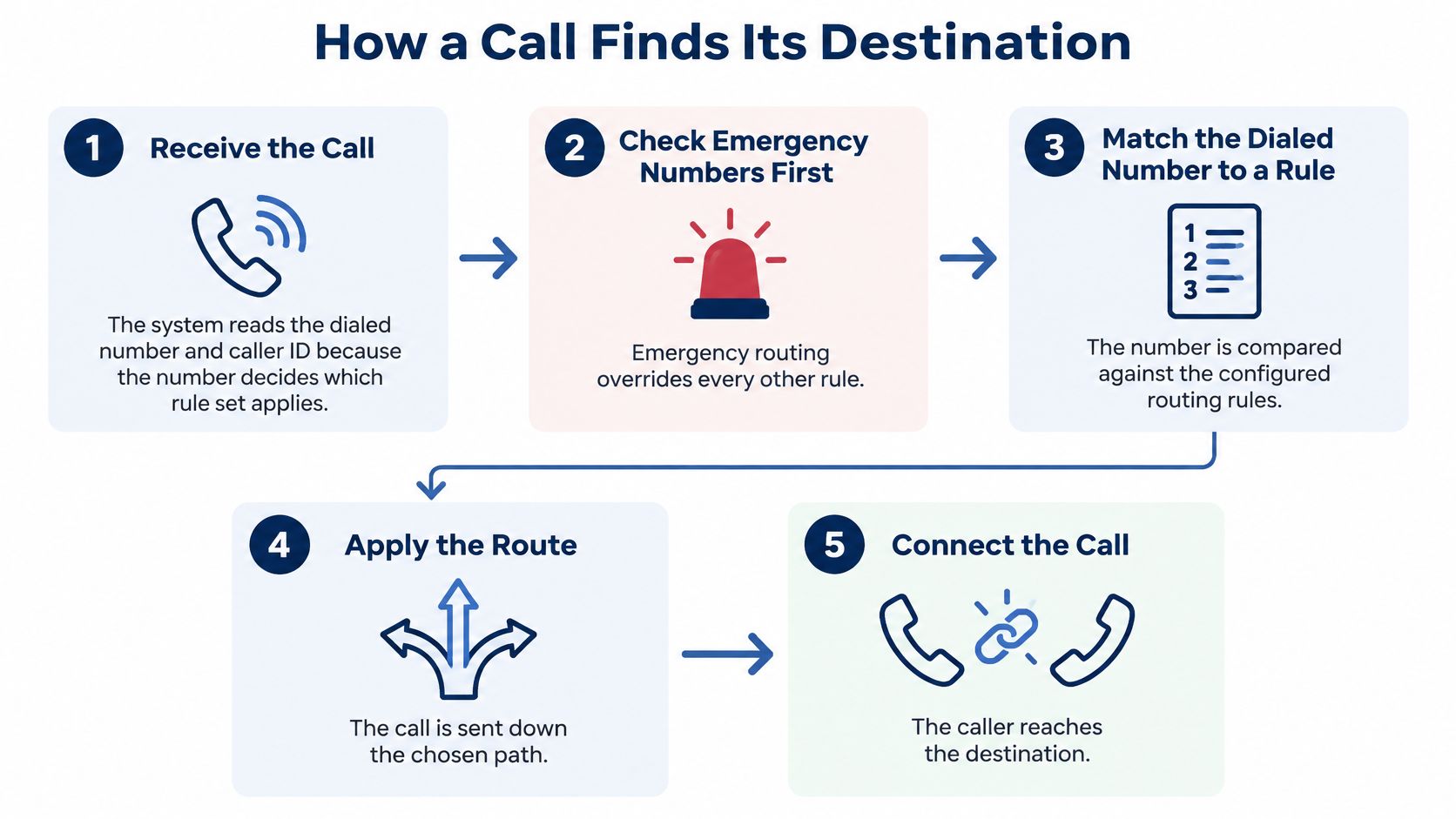
A customer dials your main number at 4:58 p.m. The handset never rings, or it rings at a desk nobody uses. The platform did not guess. It walked a fixed checklist, and one check sent the call somewhere you did not expect.
A call works like a package at a sorting dock. The label (who called, what they dialed, and where the phone claims to be) decides the bin long before anyone picks up. Change a route, a number, or a registered address, and you change that label. Two results that business guides often file under compliance are really routing-quality scores: whether caller ID still names the right party, and whether an emergency call still reaches the public-safety center for the place the person is standing.
Every business VoIP platform runs this eight-step path. Each step has a slip that looks fine in a settings screen and fails only on a live call.
- Receive the call and read the identifiers. The Session Initiation Protocol (SIP) server captures the dialed number and the caller ID. The dialed number loads the rule set. Caller ID feeds logging, screening, and VIP overrides, and it is also what the far end may display if this call is transferred or sent back out. Common slip: Porting a marketing number onto the account without assigning it to a rule set. Callers hear a fast busy, and any later outbound leg can present a number you no longer mean to show.
- Check for an emergency number first. Before business hours, queues, or carrier cost, the platform looks for 911 or another local emergency code. Those calls skip ordinary logic and go to the Public Safety Answering Point (PSAP) tied to the caller's registered physical address. Common slip: A remote employee moves apartments, or works a month from a branch, and nobody updates the registered service address. Ordinary calls still complete. An emergency call can land in the wrong county. Location accuracy is a routing result, not a form you file once.
- Match the dialed number to a route rule. If the call is not an emergency, the system maps the number to an entry point: one extension, a main auto attendant, or a department ring group. Common slip: Copying an old template during a rebrand and leaving a live number pointed at a retired menu. The caller ID on the ticket still looks right, so the bad route hides in the path, not in the name.
- Apply time conditions and holiday schedules. The router compares the server clock with open hours, lunch windows, and the holiday list. Night callers should not ring empty desks. Common slip: The wrong time zone on a branch schedule, which shifts open and closed by two or three hours.
- Inspect destination registration and presence. The platform checks whether the phone or app is registered, set to Do Not Disturb, or already on a call. An invite to an unregistered endpoint is seconds of silence. Common slip: An old desk phone stays plugged in while the person works on a softphone. Two registrations compete, and the call hits the phone nobody is watching.
- Run queue or skill logic. For a support desk, the Automatic Call Distributor (ACD) weighs agent skills, longest-idle time, and how deep the queue already is, then picks a person. Common slip: An absent agent stays logged in. Calls bounce off an unanswered headset before they move on.
- Ring the target or trigger failover. The server sends the SIP invite and starts a ring timer. No answer, or no response from the device, and the failover rule sends the call to a backup extension, a mobile number, or voicemail. Common slip: The ring timer outlasts the cell phone's own voicemail pickup, so a business caller lands in a personal greeting. That hop can also replace the caller ID the next person sees.
- Write the event to the call detail record (CDR). Connected, voicemail, or failed mid-ring, the system logs time, path, duration, and release code. Common slip: Nobody reads missed-call logs after an edit, so a broken transfer loop runs for weeks. The CDR is where a bad caller-ID presentation or a wrong emergency path shows up after the fact.
Why the emergency check sits first
Emergency handling is not a courtesy placed at the top of a menu. Interconnected VoIP can put a person's body far from the area code on the number and far from the provider's network hub. The FCC required interconnected VoIP providers to deliver Enhanced 911 with a validated, customer-registered location, over the dedicated wireline 911 network, instead of inferring place from an area code or an IP address.
That is why step 2 ignores cost tables and business hours. A cheaper carrier path, a new direct-inward-dial assignment, or a softphone that roams does not get to rewrite the emergency destination. If the registered address is stale, the route is wrong even when voice quality on everyday calls is fine. Treat caller-ID integrity the same way. After a port, a failover to a mobile, or a copied rule set, confirm the number you present and the address you registered, not only which extension rings.
Keeping Calls Connected When a Route Fails
A single internet outage, a misconfigured firewall, or a regional carrier hiccup can cut off a business that relies on one static path. Resilient routing pairs a fast regional primary route, which keeps voice delay low during normal operations, with a geographically separate secondary route hosted on a different carrier or data center.
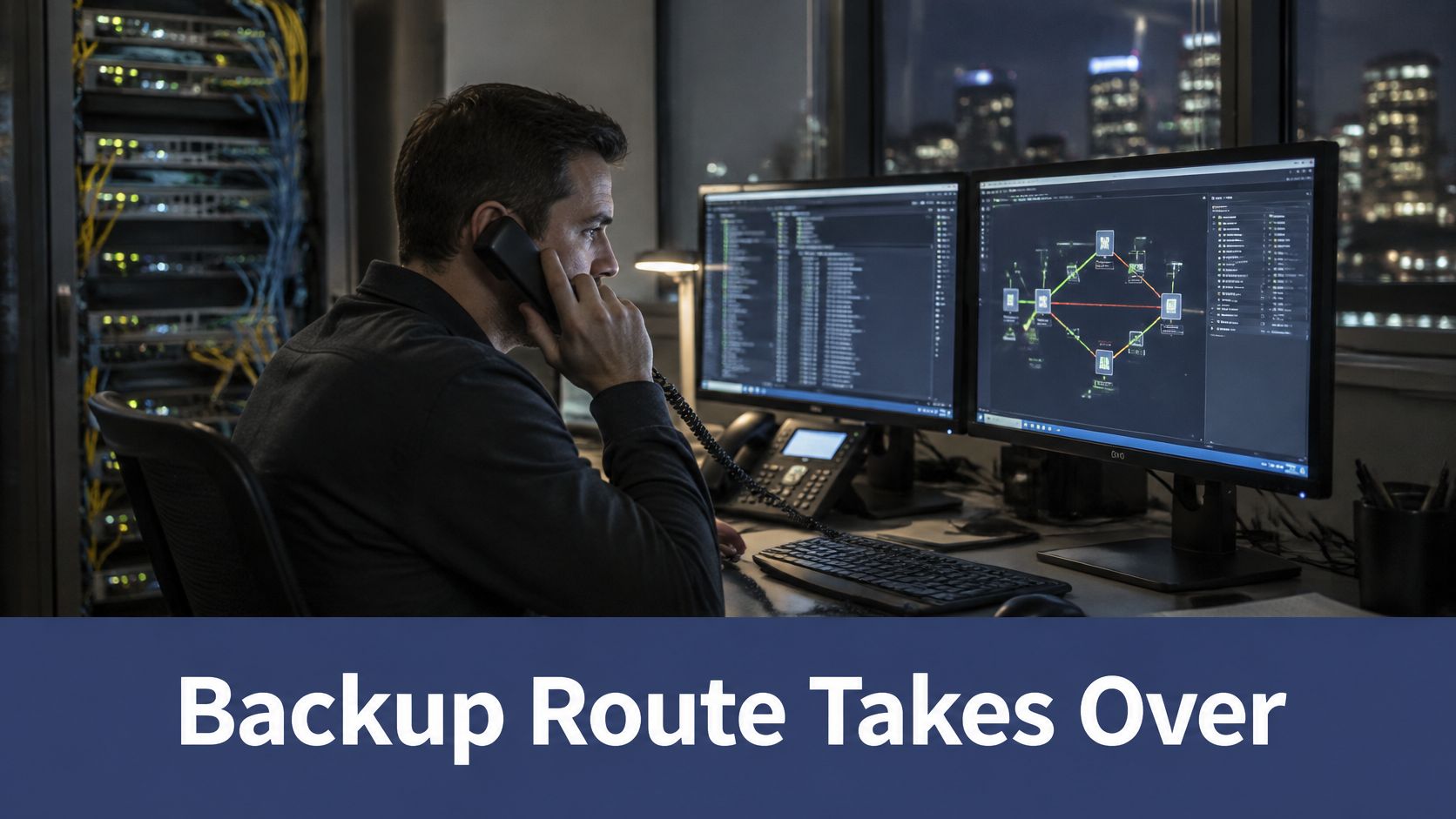
The image below shows an engineer monitoring live traffic patterns across dual screens, the kind of visibility teams rely on when validating primary and backup voice paths.
Under the hood, standards-based SIP networks handle much of this switching automatically. As defined in IETF RFC 3263, SIP uses DNS-based service discovery to resolve a SIP URI into the exact next-hop server IP address, port, and transport protocol, using priority and weight values to pick a preferred server and automatically fall back to a backup destination when the primary fails to respond.
Design Rules That Prevent Shared Failures
Putting a backup route on paper doesn't help if both paths die from the same cause. Build your redundancy around three practical engineering rules:
- Separate your failure domains: Pair your primary fiber line with a backup internet connection over cellular or a different physical carrier, and route your secondary SIP trunk to a different provider point of presence. Two trunks riding over one fiber conduit will both drop the moment a backhoe hits the street.
- Use health-aware routing controls: Plain static DNS records can keep sending calls to a dead server until the record's cache timer expires. Health-aware routing probes the primary session border controller continuously and stops sending new invites the second it misses heartbeats.
- Split policies by traffic type: Treat phone registration traffic, inbound DID calls, outbound calls, and emergency calls as four separate policies. An inbound sales line can safely fail over to an answering service in another state, while an emergency call cannot be blindly rerouted to a generic backup trunk that strips location data.
Engineering reality: Successful SIP failover protects new calls, yet it doesn't guarantee that an already-connected voice conversation will survive. Signaling (SIP) and live audio (RTP) travel as distinct streams, and an active RTP stream often drops when the underlying network path shifts mid-call.
To see how redundant SIP signaling and automated failover behave during a simulated network drop, watch the short technical walkthrough below.
How to Test Your Failover Before an Outage Does
Untested failover is just a wish. Schedule a controlled drill using these six steps:
- Pick a low-traffic maintenance window and notify your staff so nobody panics when phones re-register.
- Disable the primary signaling path on a designated test phone or test trunk, leaving production desks untouched until you're ready for a full cutover test.
- Place a live test call to every business DID and confirm the backup destination rings cleanly.
- Answer the call and hold the audio open for at least two minutes to verify that the two-way RTP media stream stays clear without dropping at the 30-second mark (a classic firewall timeout symptom).
- Re-enable the primary path and confirm that registrations and new test calls fail back cleanly rather than staying pinned to the secondary route.
- Log the exact failover time in seconds, note whether any mid-call audio dropped, and save the results as your baseline.
Reading Post-Change Symptoms Quickly
When a route change goes sideways, match the symptom to the fastest check so you know whether you can fix it in five minutes or need to open a carrier ticket.
- Calls ring and connect, yet neither party hears audio: Check your firewall's NAT rules and confirm the RTP port range is open toward the new backup media server. Fixing a local firewall rule takes minutes; fixing a carrier's asymmetric media gateway requires a provider escalation.
- Calls hit the backup path, yet outbound caller ID displays incorrectly: Inspect whether your caller-ID header and authentication signature survived the handoff to the secondary carrier. Re-entering an outbound caller ID in your portal takes minutes, while fixing stripped carrier signing requires working with the backup provider.
- One DID fails while every other number works fine: Open that specific DID's route table and confirm it points to a live, registered destination rather than a deleted ring group. This is almost always a two-minute portal fix, unless the carrier never provisioned that single number on the secondary trunk.
Quality and Emergency Rules That Override Cost
Finance teams love least-cost routing (LCR) because shaving fractions of a cent per minute across thousands of outbound calls adds up quickly. Left unchecked, though, pure cost-based routing is one of the fastest ways to wreck call quality and create life-safety blind spots.
A voice route can be technically "up" and dirt cheap while still producing robotic, unusable audio. Under FCC emergency rules in 47 CFR Part 9, interconnected VoIP providers must automatically deliver 911 service, support current location information (including dispatchable location for fixed and non-fixed VoIP), transmit callback and location data where supported, and deliver emergency calls to the proper emergency call center, while NIST sets a 150 ms delay bound for VoIP calls to emulate traditional telephone quality.
Why Cheapest Paths Ruin Voice Clarity
When an LCR engine chases the lowest per-minute rate, it often hands calls to congested secondary carriers or sends packets across circuitous international hops. Push one-way latency past that 150 ms threshold and speakers start talking over each other like an old satellite interview.
Two other network gremlins ride along with overloaded cheap routes. Jitter occurs when voice packets arrive at uneven intervals instead of a steady rhythm. Packet loss follows when delayed packets arrive too late and the receiving device's jitter buffer has already flushed its queue, leaving choppy gaps and clipped words.
Smart routing policies don't pick paths by price alone. They weigh measured latency, jitter, packet loss, and link congestion, backed by Quality of Service (QoS) traffic classification on your office router and a properly tuned jitter buffer so voice packets jump ahead of large file downloads.
Why Emergency Calls Must Ignore Normal Routing Rules
Emergency volume over VoIP networks isn't a rare edge case. According to the U.S. National 911 Annual Report for 2020, reported VoIP emergency calls climbed from 5,086,983 across 21 reporting states in 2017 to 9,235,752 across 36 reporting states in 2020, an increase of roughly 81.5% across that expanding reporting sample.
Those millions of calls depend on routing policies that treat emergency numbers as an absolute override. If a remote employee dials 911 at midnight, your system must ignore least-cost carrier tables, bypass after-hours restrictions, skip standard failover groups, and route straight down a location-aware emergency path with a validated callback number.
Your Ongoing Quality and Safety Checklist
Build these four controls into your regular IT maintenance routine instead of treating them as a one-time install task:
- Measure path health monthly: Pull latency, jitter, and packet loss reports on every active SIP trunk and office internet circuit, and demote any cheap carrier route that regularly creeps toward 150 ms of delay.
- Enforce QoS on access networks: Tag SIP signaling and RTP voice packets on your office switches and routers so backups, video streams, and software updates never starve live calls for bandwidth.
- Audit user locations every quarter and on every move: Maintain a living register of dispatchable locations (street address plus suite, floor, or room number) for every branch desk and remote worker.
- Validate 911 routing safely: Never dial 911 randomly to "see if it works." Use your provider's sanctioned test code where supported, or schedule a pre-arranged test with your local PSAP during onboarding and after any major site change.
Caller ID Trust After Route Changes
Here is a trade-off almost nobody warns you about when you add backup trunks or tweak outbound forwarding: making your phone system more reachable on paper can destroy your caller-ID trust.
Modern U.S. voice networks rely on STIR/SHAKEN, a cryptographic signing framework that lets the originating carrier vouch for the caller's right to use a specific phone number. That digital signature rides inside the SIP header of the call. When you add a low-cost intermediary carrier, forward a call through an external hop, or pass traffic across an older legacy PSTN (TDM) interconnect that can't carry IP headers, that signature can be stripped, downgraded, or lost completely.
This is the part that surprises business owners. Even when your own provider signs every call correctly and regulatory mandates require IP voice providers to implement STIR/SHAKEN, authentication coverage still isn't guaranteed to survive the full trip. Each carrier handoff is a fresh chance for the signature to degrade, and the receiving network only judges what arrives.
Changing a carrier route without checking STIR/SHAKEN survival is like switching delivery couriers without checking if they peel your return address off the box.
Three Real Routing Changes That Break Trust
You don't have to run a shady telemarketing operation to get flagged as "Spam Likely." Legitimate businesses trigger carrier blocking every day through ordinary routing adjustments:
- Forwarding a shared main number to a mobile phone: When an inbound call hits your office line and your system forwards it out to an employee's cell phone while spoofing the original customer's caller ID, the outbound carrier doesn't own that customer's number. It drops the attestation level or strips the signature, causing the employee's mobile carrier to flag or block the forwarded call.
- Sharing one outbound number across a multi-carrier call center: A sales or support team sends outbound calls using the company's main toll-free or local number, yet routes overflow traffic through a second budget SIP provider that doesn't hold formal verification of number ownership. Without top-level attestation, answer rates slide almost immediately.
- Crossing a legacy TDM handoff on a cheap route: An LCR rule sends calls to a rural destination through a discount wholesale aggregator that converts IP traffic into legacy TDM circuits mid-trip. The moment the call leaves IP, the cryptographic token disappears, and the receiving carrier treats the unauthenticated call with suspicion.
Understanding how attestation levels and carrier handoffs work inside caller-ID authentication turns a mysterious drop in answered calls into a measurable engineering check.
How to Detect and Escalate Broken Signatures
Treat caller-ID integrity as a standing routing-quality metric, reviewed in the same monthly operations report as latency and failover timing. Watch four concrete signals every time you touch an outbound route:
- Answer rates by outbound number: A sudden drop on one specific DID after a route tweak, while other numbers hold steady, is often the earliest clue that calls are hitting spam filters.
- Carrier spam labeling: Place test calls from each active outbound number to phones on AT&T, Verizon, and T-Mobile every month and check what displays on screen.
- Hard call blocks and short-duration rejects: Monitor CDR release codes for spikes in immediate decline or rejection responses from terminating carriers.
- Signature survival on egress: Ask your provider for SIP trace confirmation showing that your calls leave their network with intact STIR/SHAKEN headers and full attestation on your owned numbers.
If a signature disappears right after a routing change, roll the route back to the prior carrier immediately, log the exact affected numbers and timestamps, and open an escalation ticket with the new carrier before sending production traffic down that path again.
Matching Routing Patterns to Real Business Setups
Theory only sticks when you map it onto an actual company. Say a 40-person architectural firm operates three regional offices alongside twelve full-time remote project managers.
Its main published number lands on an auto attendant that separates incoming calls into Denver, Austin, and Chicago branches, plus a direct option for accounting. Time-based rules keep each branch aligned to its own local time zone, sending after-hours calls to a shared voicemail group that emails transcripts to the on-call partner. Meanwhile, every remote project manager registers their home office street address inside their extension profile, ensuring their calls follow them on laptop and mobile apps while keeping emergency routing pinned to their actual desk.
Different company structures face very different routing weak points. Match your organization to the closest row in the table below.
| Business Setup | Routing Pattern | Key Risk |
|---|---|---|
| Multi-location company | Location-aware routing with site-level rules | Wrong emergency location when users roam |
| Call center or support team | Skills-based queue with callback and wait announcements | Long queues without overflow rules |
| Remote and hybrid staff | Mobile-ready forwarding with the same business number | Calls follow users to unverified locations |
| Small office | Ring group with sequential fallback | Unanswered calls after hours |
| Outbound sales team | Least-cost route with caller ID preserved | Numbers labeled as spam |
| Retail with seasonal peaks | Time-based and volume-based overflow | Holiday hours missing from rules |
How to Use This Table for Your Own Audit
Start by picking the single row that mirrors how your team handles most of its daily call traffic. If you're a hybrid company with a small support desk, pick two rows and review both.
Next, treat the Key Risk column as your immediate inspection target rather than an afterthought. A multi-location company should focus its audit on location updates for roaming laptops and hot-desking phones before worrying about fancy IVR voice prompts. A seasonal retailer should put all annual holiday dates and overflow thresholds on the calendar in January, not the night before Black Friday. An outbound sales desk should audit caller-ID signing and carrier handoffs before squeezing another fraction of a cent out of its per-minute rate.
One quick sanity check separates resilient phone setups from fragile ones: ask yourself what happens to your highest-risk row during your busiest hour of the year. If the answer relies on someone manually remembering to toggle a setting at the last minute, rewrite the rule so the system handles it automatically.
Confirm Your Routing Setup Before You Go Live
Migrating from an aging office PBX or switching cloud phone providers feels effortless right up until launch morning, when a forgotten holiday rule or unmapped DID sends callers into a dead end. Put your requirements in writing before you sign a contract, then verify every live path before you port your main numbers.
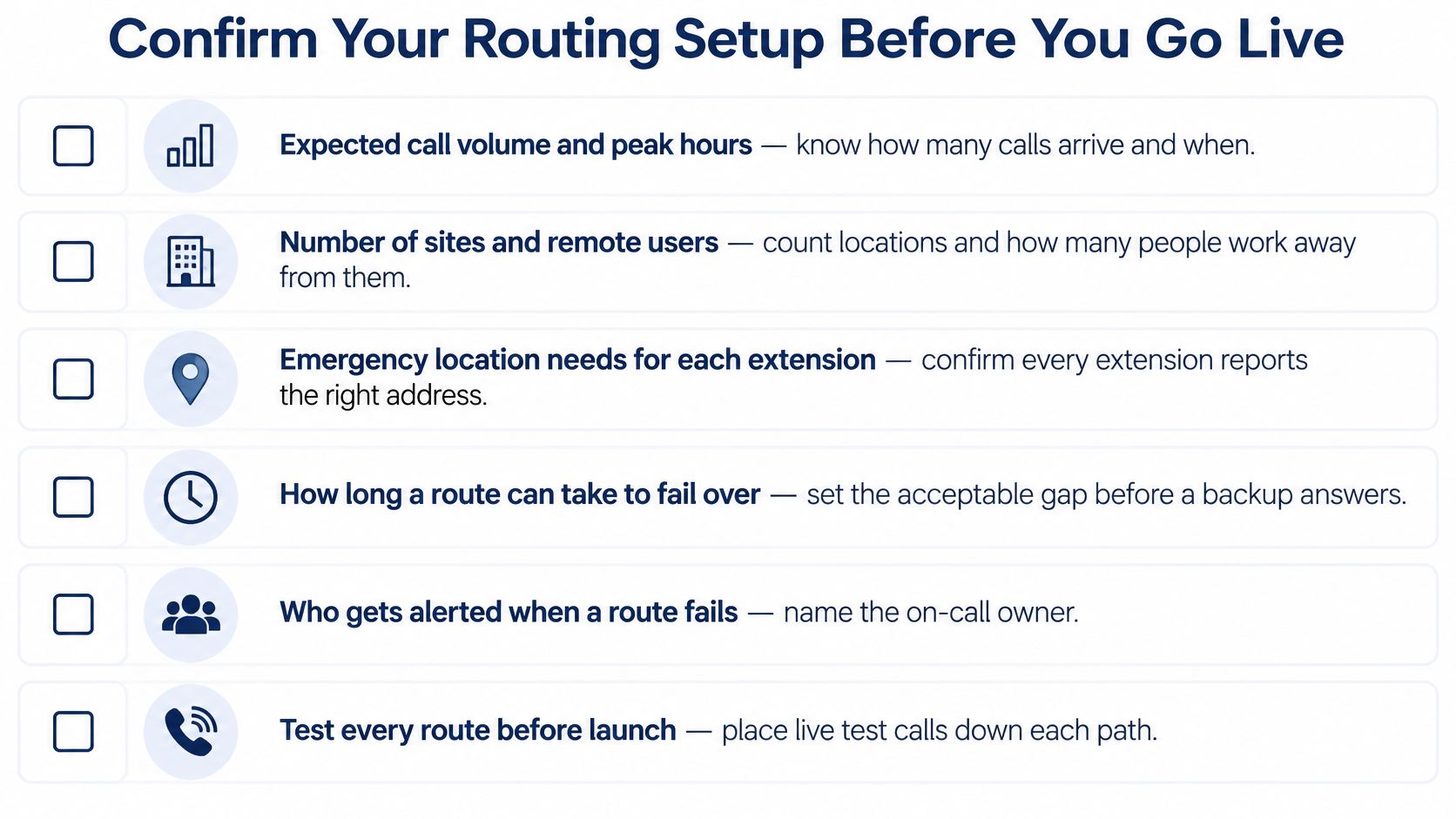
Six Decision Criteria to Define First
Score every candidate phone platform against these six operational realities of your business:
- Expected call volume and peak hours: Count both your average concurrent calls and your sharpest Monday-morning spike so you don't under-provision lines or queue capacity.
- Number of sites and remote users: Tally every physical office alongside the exact headcount working from home or traveling, since mobile and remote extensions add location-management work.
- Emergency location needs per extension: Confirm how the platform captures, stores, and updates dispatchable addresses for both fixed desk phones and roaming softphones.
- Tolerable failover gap: Decide how many seconds of downtime your business can absorb before a backup route or mobile app must pick up calls.
- Reporting and compliance needs: List whether managers require real-time queue statistics, historical call logs, or full call recordings for training and dispute resolution.
- Day-to-day rule ownership: Name the actual person on your staff who will add holidays, adjust ring groups, and receive outage alerts, and verify they can do it without opening a support ticket every time.
What Is Worth Paying For Versus Keeping Simple
Don't overbuy routing features you won't maintain. A ten-person accounting office rarely needs full skills-based ACD queues or custom API webhooks; a clean auto attendant, a simultaneous ring group, time-based routing, and visual voicemail cover almost every call cleanly.
Spend your budget instead on capabilities that directly protect revenue and reduce manual administration: redundant internet connectivity, queue callback so frustrated callers don't sit on hold during spikes, integrated call recording, and a self-service web portal that lets an office manager tweak routing in seconds.
When you compare hosted platforms, evaluate them side by side against your six criteria rather than relying on glossy feature sheets. As one example, our hosted platform at SnapDial includes smart queue management, unlimited IVRs, real-time queue stats, reporting tools, wait time announcements, and queue call back for call centers, paired with a Web Portal that lets teams manage voicemails, call logs, call recordings, and call routing changes from anywhere. Our team of techs also handles setup, configuration, and replacement of a business's existing VoIP phone system from start to finish at no cost to the customer. Whichever providers make your shortlist, score each one strictly against your checklist and confirm exact line counts and setup pricing directly with the vendor before making a final call.
Your Pre-Launch Go-Live Test
Never flip a phone system straight into production on faith. Run this four-part acceptance test during the week before launch and the first seven days after cutover:
- Dial every single DID from an outside cell phone. Verify that each main line, department number, and personal direct line reaches its intended target, plays the right greeting, and lands in the right voicemail box when unanswered.
- Pull the plug on a test path. Run one controlled failover test during an off-peak hour to confirm calls reroute within your target gap and return cleanly when the primary link comes back.
- Validate emergency routing through sanctioned channels. Confirm every site and remote extension reports the exact street address and suite number using your provider's authorized emergency test method.
- Watch outbound caller-ID performance for week one. Check answer rates, screen labels across major mobile carriers, and outbound signature status daily during your first full week live so any carrier handoff issue gets caught before it dents your sales pipeline.
Build your routing rules carefully, test your backups before an outage tests them for you, and keep emergency locations and caller-ID trust right beside audio clarity on your monthly review sheet. When those pieces work together, your phone system stops feeling like a fragile IT chore and starts working like reliable infrastructure.
If you're planning a move off an aging PBX or rebuilding messy call flows across multiple offices and remote staff, our team at SnapDial handles VoIP phone system setup, configuration, and replacement from start to finish at no cost, backed by 24/7 Texas-based support. Visit our site to request a quote or schedule a call, and we'll walk through your call-routing rules, queue needs, and emergency location setup before you go live.