

At its core, VoIP (Voice over Internet Protocol) simply means making phone calls over the internet instead of old-school copper wires. Think of it this way: traditional phones send your voice like a continuous electrical current down a dedicated physical line. VoIP, on the other hand, chops your voice into tiny digital packets—like thousands of tiny digital postcards—and zips them across the same internet connection you use for everything else.
Those packets are reassembled instantly on the other end, creating a crystal-clear conversation. By ditching the outdated copper-wire network, this one simple change unlocks massive cost savings and a whole new world of powerful features.
The Digital Magic Behind Modern Business Calls
The idea of sending voice over a computer network isn't some new-fangled invention. The breakthrough actually happened all the way back in 1973, when computer scientist Danny Cohen first showed it was possible on ARPANET, the internet's granddaddy. That year, the very first voice data packet was sent, proving real-time voice over networks could actually work.
What started as a lab experiment has now become the gold standard for business communication worldwide. Instead of being chained to a physical line installed by the phone company, your calls now ride on the same digital highway as your email and web browsing.
How VoIP Transforms Communication
Moving calls from analog wires to digital data completely changes what a phone system can do for your business. It stops being a simple utility for making and taking calls and becomes a flexible tool woven directly into your operations.
This shift delivers a few game-changing advantages:
- Geographic Freedom: Your business phone number is no longer tied to a specific desk in a specific building. You can make and receive calls from your main business number on a desk phone in the office, a laptop at home, or a mobile app from anywhere on the planet.
- Enhanced Features: Because your calls are just software-managed data, you get instant access to powerful tools. Things like digital receptionists (auto-attendants), call recording, and voicemail-to-email were once complex, expensive add-ons reserved for huge corporations. Now, they're standard.
- Cost Efficiency: By using the internet connection you already pay for, you completely eliminate the need for costly, dedicated phone lines for every single employee. The monthly savings can be substantial.
To dig deeper into the overall architecture and key features that make up a modern business phone system using VoIP, you can check out this comprehensive guide to business phone systems.
To help visualize this shift, let's break down the fundamental differences between the old way and the new way. This quick comparison shows exactly how each approach stacks up on the things that matter most to a business.
Traditional Landlines vs Modern VoIP Phones
| Feature | Traditional Phone Lines (PSTN) | VoIP Phone Systems |
|---|---|---|
| Underlying Technology | Analog signals over copper wires | Digital data packets over the internet |
| Location Dependency | Tied to a physical address | Works anywhere with an internet connection |
| Key Features | Basic calling, caller ID, voicemail | Advanced routing, auto-attendant, recording, analytics |
| Scalability | Difficult; requires new line installation | Effortless; add or remove users instantly online |
| Cost Model | High line rental fees per line | Lower costs via a monthly, per-user subscription |
| Remote Work Support | Very limited; requires complex call forwarding | Natively supported via mobile and desktop apps |
This table makes it pretty clear. The models are worlds apart, with one designed for a bygone era and the other built for the flexibility modern businesses demand.
The fundamental difference is simple: traditional phones send your voice as an electrical signal over copper wires, while VoIP sends it as data over the internet. This one change is responsible for the massive leap in flexibility and functionality.
Getting a handle on this core concept is the first step toward seeing how a modern phone system can become a genuine strategic asset. The technology moves communication from a simple monthly bill to a dynamic tool that enables remote work, improves customer service, and scales effortlessly right alongside your company's growth.
Tracing Your Voice from Handset to the Cloud
Ever stopped to think about what actually happens when you make a VoIP call? It feels instant, but behind the scenes, your voice is taking an incredible journey from your desk phone into the cloud and back again. The entire process is a strategic telephony migration that moves your business away from old copper wires and into the digital age.
Think of it like sending a friend a big, complicated Lego model. Instead of trying to ship the whole thing assembled, you’d take it apart, put the pieces into small, numbered baggies, and mail them. VoIP does the exact same thing with your voice.
Step 1: Analog to Digital Conversion
The moment you start talking, the magic begins. Your VoIP phone’s microphone picks up the sound waves of your voice, which are naturally analog. The phone's job is to act as an instant translator, converting those smooth, continuous waves into digital information—a stream of 1s and 0s that a computer can understand.
This first step is the most important one. Without turning your voice into a digital format, it would be stuck. It could never travel across a digital network like the internet. It’s like turning your spoken words into a digital text file before you can send an email.
Step 2: Compression and Packetization
Now that your voice is digitized, it has to be prepped for its trip across the internet. The raw digital version of your voice is actually a pretty big file. To slim it down, special algorithms called codecs (short for coder-decoder) compress the data, making it much smaller and faster to send. It's just like zipping a large file on your computer.
Once compressed, the system chops this data into small, neat pieces called data packets. Each packet is like one of those numbered Lego baggies. It holds a tiny chunk of your voice data, along with a digital mailing label that has the "to" and "from" address. This info tells it where to go and how to be put back together in the right order.
This diagram shows you that three-step journey from your voice being recorded to being sent out online.
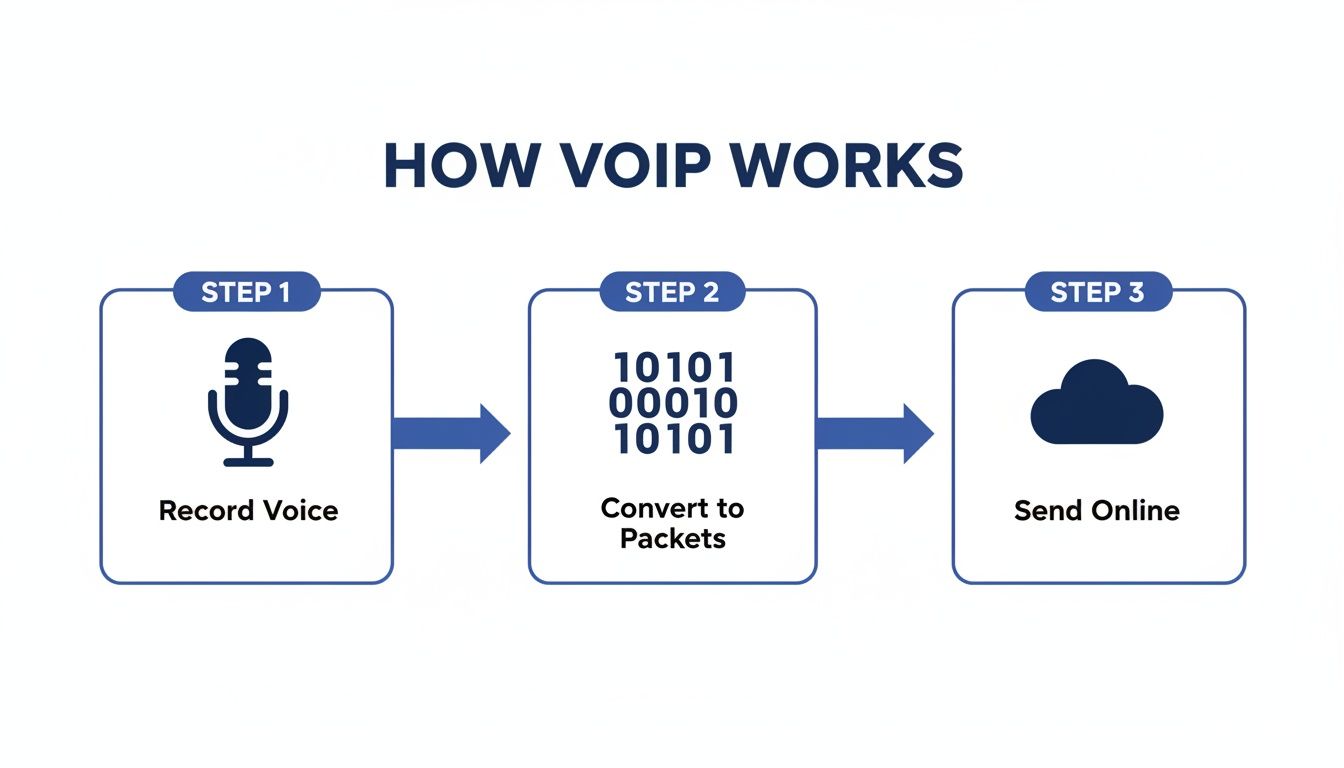
It’s a simple but powerful process: capture the sound, digitize and package it, and then let the internet do the rest.
Step 3: Transmission and Reassembly
With the packets ready to go, they’re sent out over your internet connection, traveling right alongside your emails, websites, and video streams. Each packet is an independent traveler. It might even take a different route across the internet to get to the destination, always looking for the fastest path at that exact moment.
When the packets finally arrive at the other person’s phone, the entire process simply happens in reverse:
- Packet Collection: The receiving phone gathers all the incoming packets.
- Reassembly: Using the sequence numbers, it puts the packets back in the right order, just like reassembling the Lego model.
- Decompression: The codec on the other end unzips the data, restoring it to its original quality.
- Digital to Analog: Finally, the digital data is turned back into an analog sound wave, which plays through the speaker for the other person to hear.
This whole round-trip—from your voice to digital data, across the internet, and back to sound again—happens so fast the conversation feels completely natural and instantaneous. The delay, known as latency, is measured in milliseconds.
Because every VoIP call is tied to a virtual identity instead of a physical line, you get incredible flexibility. If you want to dig deeper, check out our guide on what a VoIP phone number is and see how it makes this kind of location-independent communication possible. It’s this digital foundation that makes modern business phone systems so powerful.
Understanding the Protocols That Direct Your Calls
Now that we’ve seen how your voice gets broken down into digital packets, let’s pull back the curtain on the unsung heroes that make it all happen: the communication protocols. Think of them as the digital traffic cops and delivery drivers for your entire phone system.
Without them, your call data would be a complete mess. Packets would get lost, and you'd have no reliable way to start, connect, or even end a conversation. The two main protocols you’ll run into are SIP and RTP. They work together perfectly, but each one has a very specific and critical job.
SIP The Master Signal Conductor
The Session Initiation Protocol (SIP) is the brains of the whole operation. Its main job is signaling—it manages the setup, any changes, and the teardown of every call you make. When you dial a number, SIP is the protocol that jumps into action to make that connection happen.
Imagine trying to meet a friend at a busy train station. SIP acts like your initial text messages. It sends the first message ("Hey, are you free to talk?"), waits for a confirmation ("Yep, I am!"), and then confirms you've found each other ("Great, I'm ringing you now.").
Here’s a quick rundown of what SIP handles:
- Call Initiation: It sends out the initial request to start a call.
- User Location: SIP is what finds the person you're calling by locating their IP address on the network.
- Ringing: It’s the signal that tells the other person's phone to actually start ringing.
- Call Management: SIP also manages all the in-call features, like putting someone on hold, transferring a call, or adding more people to create a conference.
- Call Termination: When you hang up, SIP sends the final message to end the session for everyone involved.
SIP really became the driving force behind the VoIP boom after its release in 1999. By 2005, its ability to act as a digital air traffic controller for voice packets was essential to how modern phone systems work. If you're curious about the technical journey, you can learn more about the rich history of VoIP technology.
SIP doesn't carry your actual voice. It's the manager that sets up the stage, checks the mics, and tells the performers when to start and stop. The actual performance is handled by its partner, RTP.
This separation of duties is incredibly efficient. It lets SIP focus entirely on managing the call's state, leaving the heavy lifting of transporting your voice to a protocol built specifically for that purpose.
RTP The Real-Time Delivery Truck
Once SIP has set up the call and opened the lines of communication, it passes the baton to the Real-time Transport Protocol (RTP). If SIP is the event planner, RTP is the dedicated delivery fleet that actually carries your voice packets from your phone to the other end.
RTP’s main purpose is to make sure that stream of audio packets arrives smoothly and in the right order. Each packet sent with RTP contains not just a tiny piece of your voice but also a timestamp and a sequence number.
This extra information is absolutely critical for a clear conversation:
| RTP Data Point | Its Purpose |
|---|---|
| Timestamps | Help the receiving phone play back the audio packets at the correct speed. This gets rid of jitter—those awkward pauses or sped-up bits of audio. |
| Sequence Numbers | Allow the phone to reassemble the packets in the exact order they were sent, even if the network delivers them out of order. |
Without RTP, your voice packets might show up late or all jumbled up, turning your conversation into a garbled, incomprehensible mess. RTP ensures that the Legos we talked about earlier are not only delivered but are snapped together in the correct sequence to perfectly rebuild the model.
Together, SIP and RTP are the dynamic duo that creates the seamless, reliable experience you expect from a modern business phone system.
Laying the Foundation for Flawless VoIP Calls
Knowing the theory behind how VoIP works is one thing. But making it sing in your office? That comes down to getting the foundation right. The good news is, you don't need a server room packed with complicated gear. A crystal-clear, reliable VoIP setup really just depends on three things: your internet connection, your router, and the phones your team uses.
Let’s talk about your internet connection first. It's the highway all your voice traffic will be traveling on. A common mistake is to chase the highest speed possible, but for VoIP, stability is far more important than raw speed. A fast but choppy internet connection is a recipe for jittery audio and dropped calls.
This is why a quick network health check is the first practical step you should take. It's all about making sure that highway has smooth pavement, not just a high speed limit. To get into the specifics, you can find out how much bandwidth you need for VoIP with our detailed guide.
Your Router and Quality of Service (QoS)
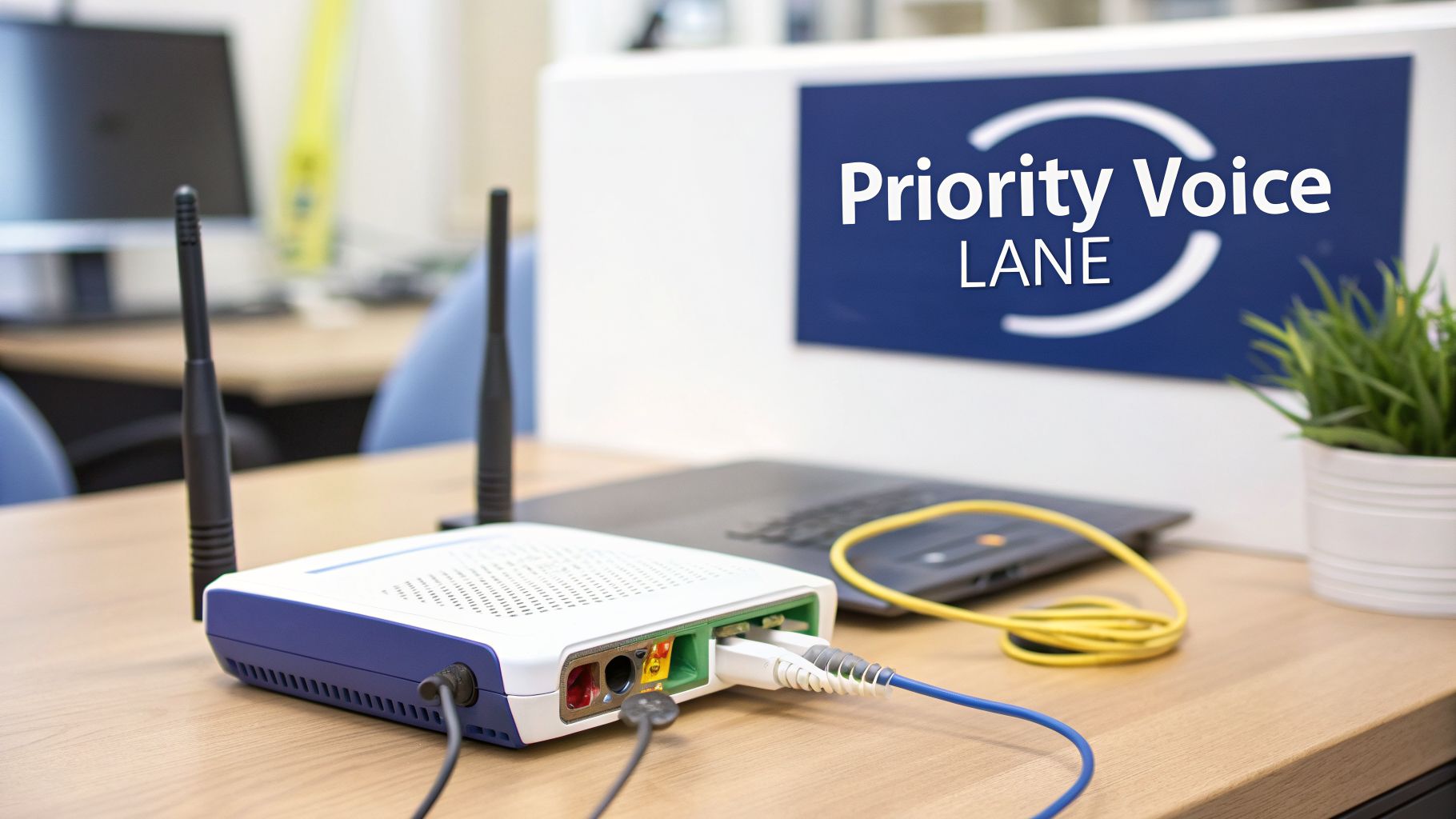
If your internet is the highway, your router is the traffic cop standing at the on-ramp. A solid business-grade router does a lot more than just sling Wi-Fi—it directs all the data flowing in and out of your office. For VoIP, its most critical job is managing Quality of Service (QoS).
Think of QoS as a setting that tells your router to create a VIP lane just for your voice calls. It ensures the data packets for your conversations always get to jump the line, getting priority over less time-sensitive traffic like a big file download or someone streaming video in the breakroom.
Without QoS enabled, your voice packets are stuck in traffic with everything else. This free-for-all is what causes delays and packet loss, leading directly to that choppy, garbled audio we all hate. By turning on QoS, you give your voice traffic a clear, dedicated path, which is the secret to consistently reliable calls.
Choosing Your VoIP Hardware
Once your network is ready, the last piece of the puzzle is picking the hardware your team will actually use to talk. The best part of VoIP is the sheer flexibility it offers, with options to fit any work style or budget. The basic job of these devices—turning your voice into data for the internet—has come a long way since the first two-way ARPANET call back in 1974. Big milestones, like the launch of Cisco's 7900 Series in 2000, really brought dedicated VoIP hardware into the mainstream. You can explore more of the backstory in this brief history of VoIP.
Today, your hardware choices boil down to three main types:
- Dedicated IP Phones: These are the classic desk phones built specifically for VoIP. They plug right into your network with an Ethernet cable and deliver the most reliable performance and advanced features, like HD audio and programmable speed-dial buttons.
- Softphones: A softphone is simply a software app you install on a computer or smartphone. It turns the device into a full-featured business phone, complete with a dial pad and call controls. They are perfect for remote teams and anyone who isn't tied to a desk.
- Analog Telephone Adapters (ATAs): An ATA is a small, clever box that acts as a bridge between your old-school analog phones and your new VoIP system. It's a great, cost-effective way to keep using your existing traditional handsets as you make the switch.
The right combination of a stable internet connection, a properly configured router, and the appropriate hardware is the formula for success. It transforms the theory of how VoIP phones work into a practical, high-performing reality for your business.
Why a Cloud PBX Is Your Business Command Center
So far, we’ve covered how VoIP turns your voice into data and the protocols that steer it across the internet. Now, let’s plug all those technical pieces into the engine that powers modern business communication: the Cloud PBX. This is where the nitty-gritty of how VoIP phones work becomes a real-world strategic advantage for your business.
Think back to the old way of running a business phone system. It meant buying a massive, expensive server box—an on-premise PBX—and locking it away in a utility closet. You were on the hook for all of its maintenance, updates, and inevitable repairs. A Cloud PBX flips that entire model on its head.
Instead of a clunky box in your office, all the intelligent switching and feature management happens in secure, professionally managed data centers. Your business simply taps into this powerful infrastructure right over your internet connection. The difference is like owning and maintaining your own private power generator versus plugging into the city’s electrical grid—one is a costly, complex headache, while the other is simple, reliable, and scales instantly.
From Cost Center to Strategic Asset
The most immediate benefit of a Cloud PBX is the dramatic shift in cost and complexity. On-premise systems demanded huge upfront capital, specialized IT staff to manage them, and a constant stream of expenses for maintenance and upgrades. This model made advanced phone features a luxury that only large corporations could really afford.
A Cloud PBX, also known as a Hosted PBX, tears down those barriers. It runs on a simple subscription model, usually a predictable per-user monthly fee. This is what makes enterprise-grade communication tools accessible to any business, from a two-person startup to a multi-location enterprise.
By moving the core "brain" of your phone system to the cloud, you offload all the hardware costs, maintenance headaches, and security burdens to your provider. Your team gets to focus on using the features, not managing the technology.
This approach doesn't just save you money; it gives you agility. Need to add five new employees? With a Cloud PBX, you can get them set up in minutes through a simple web portal. An on-premise system would have meant ordering new hardware, running more wires, and a whole lot of complex configuration.
Powering the Features Your Business Needs
A Cloud PBX is the command center that brings all the powerful VoIP features you hear about to life. Because the system is software-based and running in the cloud, it can deliver a rich suite of tools that help your team work smarter and give your customers a better experience.
These aren't just bells and whistles; they're practical tools, all powered by the VoIP technology we’ve talked about:
- Automated Attendant (IVR): This is your digital receptionist. It professionally greets callers and routes them to the right person or department ("Press 1 for Sales, Press 2 for Support"). It guarantees every call is answered promptly and directed efficiently, 24/7.
- Call Recording: With a simple click, you can record calls for training, quality assurance, or compliance. These recordings are stored securely in the cloud, ready for you to access and review anytime you need them.
- Visual Voicemail and Transcription: Instead of dialing in to check messages, your voicemails land in your email inbox as audio files. Many systems, like SnapDial, even transcribe them into text, letting you quickly read a message without ever having to listen.
- Mobile and Desktop Apps (Softphones): A Cloud PBX extends your business phone number to any device. A softphone app on your smartphone or laptop transforms it into a full-featured desk phone, letting you make and receive calls from your business line anywhere you have internet.
If you're interested in learning more about the architecture behind this powerful setup, we offer a complete breakdown on what a cloud phone system is and how it can benefit your organization.
Unlocking True Business Mobility
The rise of remote and hybrid work has made the Cloud PBX more essential than ever. Because it's not tied to a physical office, your phone system works seamlessly whether your team is in the office, at home, or on the road. A call to your main business number can ring an employee’s desk phone and their mobile app at the same time.
This location independence is a core benefit of how VoIP phones work when they're managed by a modern cloud platform. It ensures business continuity and keeps your team connected and productive, no matter where they are. Your business presents a unified, professional image to the world, even if your team is scattered across the country. Ultimately, the Cloud PBX is the user-friendly interface that lets you harness the full power of VoIP without needing to become a network engineer.
Frequently Asked Questions About VoIP Phones
Making the leap to a new phone system brings up some big, practical questions. I get it. You need to know how the technology holds up in the real world, especially when it comes to the essentials like reliability, quality, and security.
Let's cut right to the chase and tackle the questions we hear most often from business owners and IT managers. Getting clear, straightforward answers to these "what-if" scenarios is the key to feeling confident about making the switch.
Can I Keep My Business Phone Number When Switching to VoIP?
Yes, absolutely. This is probably the most common—and most important—question we get, and the answer is a firm yes. You do not have to give up the phone number your customers have known and trusted for years.
The process is called "number porting," and it’s a standard, government-regulated procedure. Think of it like moving your cell phone number to a new carrier. Your new provider, like SnapDial, handles all the technical heavy lifting behind the scenes.
There's no disruption for your business. Your customers keep dialing the same number, but now those calls are routed through your new, more powerful cloud phone system. You get to keep your established number while unlocking a whole suite of modern features.
What Happens to My VoIP Service If the Internet Goes Down?
This is a critical point. While VoIP does rely on the internet, any modern business VoIP system is built with powerful failover strategies to make sure you never miss a call.
Unlike a traditional landline that just goes dead, a cloud-based system is smart. Because the "brain" of your phone system lives in the cloud, it can instantly and automatically redirect calls the second it detects an outage at your office.
Before an issue ever happens, you can set up simple rules to forward all incoming calls to other destinations, such as:
- Employee Mobile Phones: Calls can ring directly on your team's smartphones via the mobile app.
- Another Office Location: If you have multiple sites, calls can be routed to a branch with a working connection.
- An External Answering Service: Forward calls to a third-party service to ensure every caller is greeted by a live person.
The key takeaway is business continuity. Even if your office is completely offline, your phone system is still working, intelligently routing calls based on your rules. Your customers will have no idea there's an issue at your physical location.
Plus, with features like voicemail-to-email and a full-featured mobile app, your team can stay productive from anywhere. What could have been a crisis becomes a minor hiccup.
Is VoIP Call Quality as Good as a Landline?
Yes, and in most cases, it’s significantly better. The old stereotype of choppy, robotic VoIP calls is a relic from the early days of dial-up and unstable connections. Today’s technology is a world apart.
Modern VoIP systems use advanced audio codecs that support High-Definition (HD) Voice. This technology captures a much wider range of the human voice compared to a fuzzy, old-school analog call. The result is a richer, dramatically clearer conversation where all the nuances in tone come through perfectly.
Of course, getting that crystal-clear quality depends on two things:
- A Stable Internet Connection: It's not about raw speed as much as it is about stability. A solid, business-grade internet connection provides the smooth foundation needed for clear audio.
- Quality of Service (QoS): This is a simple setting on your router that prioritizes voice traffic. It creates a dedicated "fast lane" for your calls, protecting them from jitter or delay caused by other internet activity.
When it's set up correctly, a business VoIP system consistently delivers audio quality that makes communication easier and sounds far more professional.
How Secure Are Business VoIP Phone Calls?
Security isn't an afterthought; it's a core part of any reputable VoIP platform. Because your calls travel as data over the internet, providers use multiple layers of robust security to protect the privacy of your conversations.
The two most important security protocols here are TLS (Transport Layer Security) and SRTP (Secure Real-time Transport Protocol). Think of them as a digital armored car for your calls.
- TLS encrypts all the call setup and management information (the SIP signaling).
- SRTP encrypts the actual audio packets themselves (the RTP stream that carries your voice).
This powerful one-two punch scrambles all the call data, making it completely unreadable to anyone who might try to intercept it. Beyond that, the entire cloud platform is housed in highly secure data centers with 24/7 monitoring, firewalls, and intrusion detection—a level of security that’s far beyond what most small or mid-sized businesses could build on their own.
Ready to see how a secure, reliable, and feature-rich VoIP system can transform your business communications? With SnapDial, you get enterprise-grade features with white-glove setup and 24/7 Texas-based support. Explore the SnapDial platform today!