
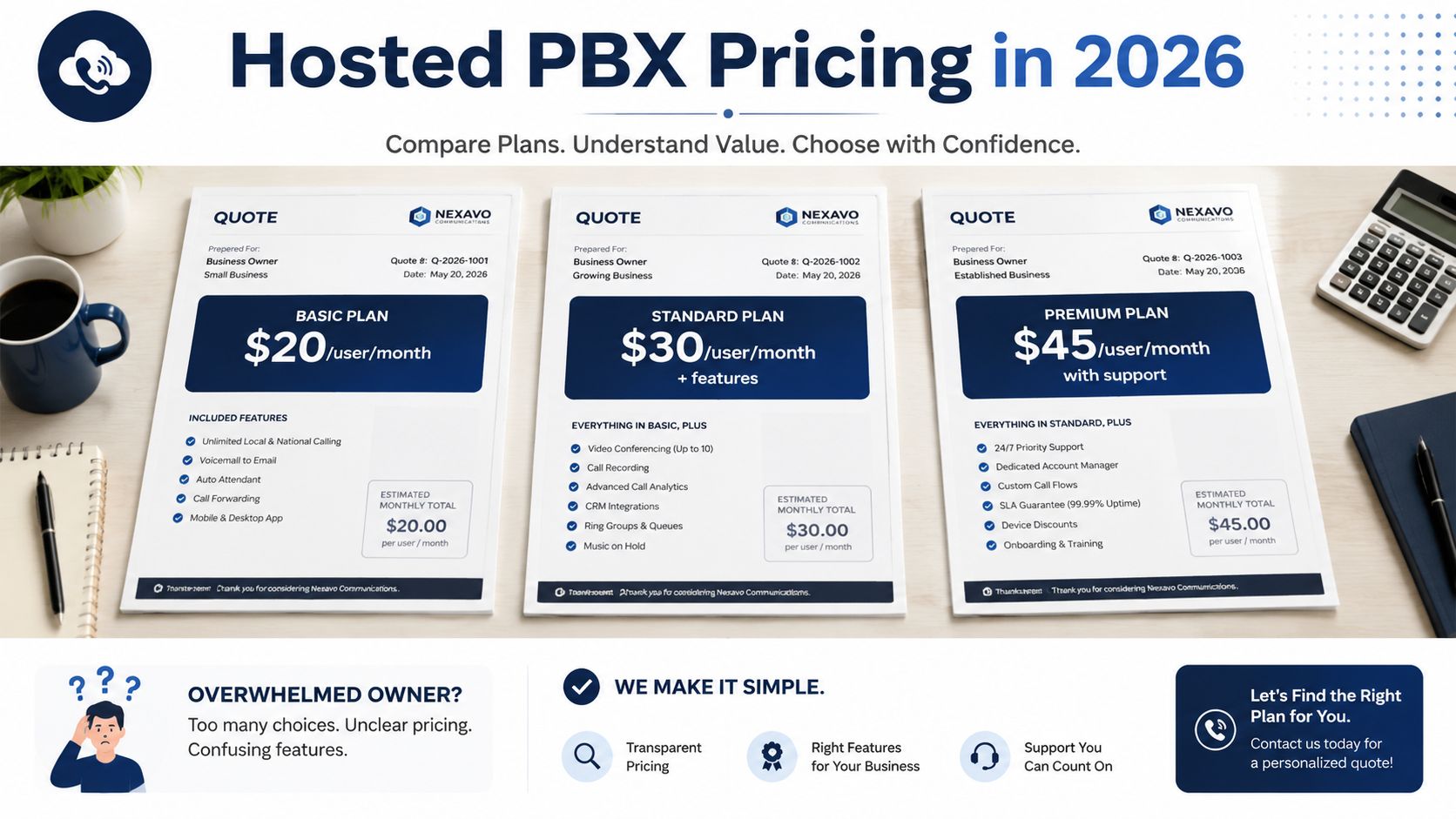
Hosted PBX pricing in 2026 usually lands around $20 to $60 per user per month for the plan most SMBs need, and the cheap teaser rate is usually an annual-billing promo or a stripped-down feature set. If you're staring at three quotes that look nothing alike, assume the first number you saw is not the number you'll pay.
You're probably comparing a per-user quote from one vendor, a bundled quote from another, and a “call us for pricing” proposal that hides the ugly bits until the last page. That's normal. The only way through it is to stop shopping for a sticker price and start shopping for a bill.
What Hosted PBX Pricing Actually Looks Like in 2026
You can think of hosted PBX as the modern version of a phone system that lives in someone else's data center instead of your closet. That shift matters because it changed the buying model too. Instead of paying for a box, rack space, maintenance, and upgrades, SMBs now pay a monthly subscription per user.
That's why hosted PBX pricing feels simple at first and messy by the end. The market benchmark in the brief places typical hosted or cloud PBX pricing at roughly $5 to $90 per user per month, while SMB guidance clusters cloud telephony around $20 to $50 per user per month all-in. The spread is real, and it reflects feature depth, contract terms, and how much of the bill is buried outside the headline rate, as outlined in a practical 2026 cost guide.
The one unit you have to understand
Buyers get into trouble when they ask, “What's the monthly price?” and don't finish the sentence. The right question is, “What's the monthly price per user, on the billing cycle I'll accept, with the features I need?” A team of 12 should compare per-user quotes, not eyeball a lump sum and guess.
Practical rule: treat hosted PBX as operational expense, not capital expense. If a vendor is pushing hardware-first language, you're already drifting away from a clean comparison.
For a quick example of how hosted PBX is positioned in the market, the public product framing on SnapDial's hosted PBX system page follows the same subscription logic you'll see across serious SMB offers.
Hosted PBX Pricing Models at a Glance
| Pricing Model | How It Bills | Best Fit | Watch Out For |
|---|---|---|---|
| Per user | Monthly fee per seat | Most SMBs, easy forecasting | Add-ons can turn a cheap quote into an expensive one |
| Per line | Monthly fee per number or channel | Small teams with high call volume | The number of lines can become the real constraint |
| Metered | Base fee plus usage charges | Seasonal or international-heavy calling | Minutes, overages, and caps can make totals unpredictable |
A useful comparison point comes from a public analysis of a 24-user configuration, where monthly recurring revenue ranged from $517 to $1,738, averaging $893 per month or about $37.20 per seat. That's a reminder that two plans with the same seat count can still price very differently because the vendor is packaging features, support, and contract terms differently, as shown in this 24-seat hosted PBX benchmark.
If you're also evaluating software pricing in other categories, the same discipline applies. A plain-language guide like understanding 2026 chatbot expenses is a good reminder that the teaser rate is rarely the invoice total.
Pricing Models Explained Per-User Per-Line and Metered
Per-user pricing is the default for a reason. It's easy to forecast, easy to explain to finance, and easy to scale when you add or remove seats. If your team mostly needs standard calling, voicemail, and mobile access, this is the cleanest model to negotiate.
Per-line pricing works differently. You pay for the actual phone numbers or channels rather than each named person, which can help tiny teams that take a lot of calls through a smaller set of lines. It becomes attractive when desk count and call capacity don't line up neatly, especially if reception, sales, or support share the same call paths.
The right model is the one that matches how your people answer calls, not the one that looks cheapest on a sales sheet.
When metered pricing makes sense
Metered pricing is the least forgiving model for most SMBs. It charges by usage, usually per minute or per feature event, so the bill can move around when call patterns change. That can work for businesses with seasonal demand or a lot of international traffic, but it's the wrong choice if your leadership wants a stable monthly number.
The cleanest way to compare these models is to ask every vendor for the same usage scenario. Use your actual seat count, your actual calling pattern, and your expected add-ons. If the vendor won't model that for you, they're not helping you buy, they're helping you tolerate uncertainty.
How the 24-seat benchmark exposes the real spread
A public 24-seat comparison found monthly recurring revenue from $517 to $1,738, averaging $893. That spread matters because it shows hosted PBX pricing isn't just a math problem based on headcount. It's a feature packaging problem, a support problem, and a contract problem, all rolled into one.
For a team that wants a seat-based comparison framework, this hosted VoIP seat guide gives you the right lens. Use it as a seat-planning reference, not as a price promise.
If you're comparing vendors side by side, the questions are simple:
- Ask about seat logic: Does every named user need a full license, or are some roles shared?
- Ask about usage logic: Are domestic minutes unlimited, or just bundled?
- Ask about scaling logic: What happens when you add five users, not fifty?
That last question is where most buyers get surprised. The vendor's answer usually tells you more than the quote itself.
Anatomy of a Hosted PBX Bill
The invoice is where the actual cost lives. The headline rate might be honest, but it's rarely complete. Most SMBs underestimate the stuff that sits below the base subscription, especially when the sales rep talks only about the per-user rate.
The broad SMB cost band in current phone system pricing guidance puts cloud telephony around $20 to $50 per user per month all-in, while hosted or on-prem PBX with hardware add-ons can run $50 to $150 per user. That gap exists because the bill is not just service, it's service plus setup, equipment, and whatever the vendor decided to unbundle.
The line items you need to demand
A proper hosted PBX quote should spell out every one of these items clearly:
- Base seat fee: The core monthly subscription per user.
- Phone number charges: Costs for local numbers, direct inward dial numbers, or other number inventory.
- Regulatory and emergency fees: The charges that appear outside the advertised rate.
- Porting fees: What it costs to move your current business numbers over.
- Setup or installation fees: One-time onboarding, provisioning, or configuration charges.
- Hardware costs: Desk phones, headsets, adapters, or rental options.
- Usage charges: Toll-free, international, or overflow traffic that is billed separately.
- Feature access: Recording, analytics, integrations, or queueing that may sit behind a higher tier.
That last one is the trap. A “cheap” plan that leaves out call queuing, analytics, or CRM integration can become more expensive than the better tier once you add what your team needs. Independent guidance notes that low entry tiers are often annual promos and can exclude regulatory fees, message caps, porting, or feature additions that move a plan from roughly $10 to $20 up to $25 to $35 per user per month in 2026, as discussed in this cloud PBX pricing breakdown.
The question to ask before you sign
Do not ask, “What's the monthly rate?” Ask, “What will I pay in month one, month twelve, and at renewal?” If the vendor can't answer that in plain language, the quote isn't ready.
The best providers make the bill boring. The worst ones make it look cheap until the usage, numbers, and feature additions start showing up.
Add-On Features and What They Actually Cost
Most hosted PBX pricing arguments fall apart when you separate the base seat from the feature stack. A vendor can look inexpensive until you price the things your team uses every day. That's why feature mapping is the most critical step in the buying process.
In 2026 SMB guidance, base plans usually include voicemail, auto attendant, and call forwarding, while advanced tiers add call routing, analytics, CRM integrations, and collaboration tools in the $20 to $60 per user per month band, as reflected in Avoxi's hosted PBX pricing overview. That's the market telling you that “phone service” is no longer just dial tone.
What tends to move a plan up a tier
A cheap plan gets expensive when the missing feature is one you can't live without. Common upgrade drivers include call recording, voicemail transcription, queue management, wallboards, advanced reporting, and CRM integrations. Mobile and desktop apps also matter because remote teams need the phone system to follow them, not trap them at a desk.
Negotiation rule: price the features you'll use in month one, not the ones the demo rep hopes you'll admire and ignore.
You don't need a giant feature list. You need a realistic one. Start with the call flow your business runs, then classify every feature as must-have, nice-to-have, or irrelevant. If a vendor charges separately for must-have features, that plan is not cheap, it's incomplete.
How to score add-ons without getting lost
Use a simple tally:
- Queueing and callback: Essential for support or sales teams, often bundled in higher tiers.
- Call recording and transcription: Commonly sold as premium functionality, especially where compliance or QA matters.
- Integrations and APIs: Valuable if your CRM is central to daily work, useless if nobody uses it.
- International calling: Worth pricing separately if you cross borders often.
- Advanced analytics: Pay for it only if someone will act on the reports.
You can also treat SnapDial as one example of a platform that bundles hosted VoIP features into a managed business phone system, but the key move is still the same. Compare the bill against your actual workflow, not against a brochure feature grid.
Multi-Site International and Remote Worker Pricing
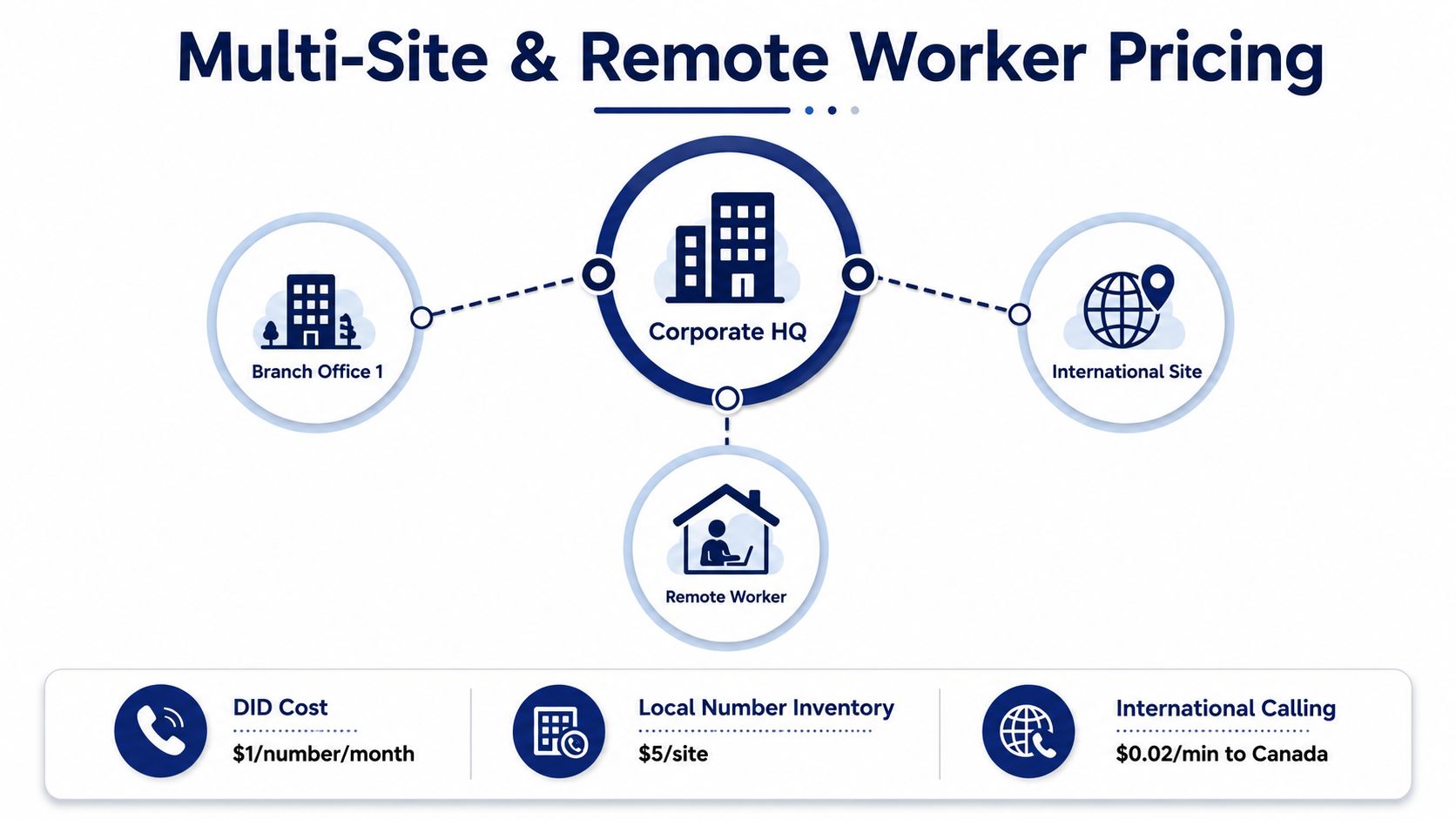
Multi-site pricing is where hosted PBX stops being a simple per-seat purchase and becomes a geography problem. One office on one plan is easy. Two regions, remote staff, and international routing turn the bill into a moving target.
Hosted PBX costs rise as providers add call recording, analytics, CRM integrations, mobile/desktop clients, and international calling, which increases software licensing and telephony-service complexity, as noted in this hosted PBX pricing analysis. That's the operational reality behind multi-site quotes.
What changes when you add locations
Each new site can introduce local number inventory, separate routing rules, and different support requirements. Even if the vendor keeps the seat fee stable, the surrounding charges can climb because the system is now managing more numbers, more call paths, and more potential points of failure.
Remote workers usually don't get a discount just because they're not in the office. In most hosted PBX setups, a remote user still counts as a licensed user because they're consuming the same service layer through a softphone, app, or desktop client. That's the right way to think about it if you're budgeting for hybrid work.
What to negotiate on geographic reach
Focus the negotiation on how the vendor handles the things that grow with footprint:
- Local number inventory: Get clarity on how many numbers or regions are included.
- International routing: Ask how domestic and international calling are separated.
- Mobile and desktop access: Confirm whether remote users need a separate add-on.
- Site-level support: Find out if multi-site setups trigger a higher service tier.
The wrong move is to compare a single-office quote against a multi-region deployment and assume the per-user number should stay identical. It won't. A local business with one office and a regional business with branch coverage are buying different levels of network reach.
For deeper network planning, a resource like optimize network and data center performance can help teams think about infrastructure efficiency in broader terms. That matters because phone pricing and network readiness are tied together more often than vendors admit.
Total Cost of Ownership and ROI Compared to Legacy PBX
The key comparison is not hosted PBX versus a cheap quote. It's hosted PBX versus the full cost of keeping a legacy system alive. Once you include hardware, installation, maintenance, upgrades, and IT time, the old model starts looking less like ownership and more like deferred pain.
The brief's guidance on low-entry pricing is the key warning here. Advertised low tiers are often annual promos and can exclude fees and feature add-ons that move a plan from roughly $10 to $20 to $25 to $35 per user per month, as covered in this 2026 pricing note. That matters because a fair TCO comparison has to use the actual bill, not the teaser.

How to frame the three-year comparison
For a 25-seat SMB, the hosted side should include the monthly subscription, phone hardware if you need it, porting, and setup. The legacy side should include the PBX hardware, installation labor, maintenance contracts, and the capital tied up in equipment. If your current system also needs regular upgrades, that cost belongs in the legacy column too.
Hosted PBX wins for most SMBs because it converts lumpy spending into predictable spending. That predictability is worth money on its own, especially when finance wants cleaner forecasting and IT wants fewer maintenance windows.
Why the break-even usually favors hosted
The practical advantage is not just price, it's flexibility. Adding users is easier, changing call flows is easier, and you're not waiting on a hardware refresh cycle to fix a business problem. If something fails, the provider carries the platform burden instead of your office carrying the outage.
Legacy PBX can still make sense in narrow cases, but most SMBs buying today are really deciding whether they want to keep paying for hardware ownership or move to a service model. If you need the old-versus-new framing in plain language, this hosted VoIP versus PBX guide gives you the comparison structure.
The ROI case is simple. Hosted PBX reduces surprise spending, trims admin overhead, and removes the maintenance burden that comes with aging hardware. That's why the smarter question isn't “Can we afford hosted PBX?” It's “How long do we want to keep paying to babysit the old system?”
Vendor Evaluation Checklist and Negotiation Playbook
Stop negotiating only on the per-user rate. That number matters, but it's not the whole bill, and vendors know it. The key advantage comes from forcing the quote to expose contract terms, add-ons, and exit costs before you sign.
When you're comparing providers, use the same standard every time. A clean technical operation should also look clean on the invoice, the contract, and the service commitments. If any one of those is vague, expect the others to be vague too.
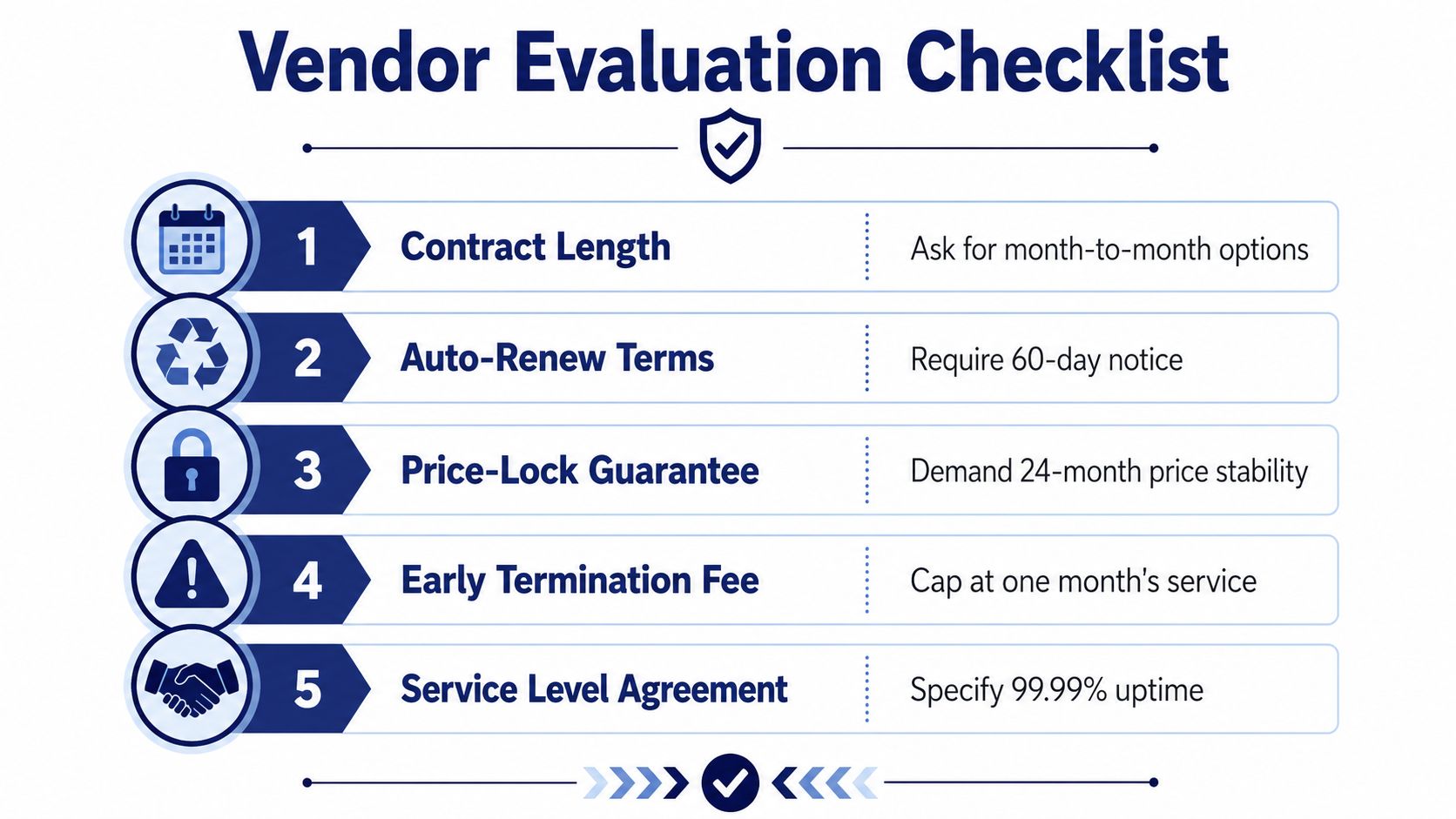
What to ask in every demo
| Checklist Item | What to Ask | Why It Matters |
|---|---|---|
| Contract length | Ask for month-to-month options | Long commitments can hide bad pricing |
| Auto-renew terms | Require clear notice windows | Renewal surprises are expensive |
| Price-lock guarantee | Demand written price stability | Prevents a low intro rate from resetting hard |
| Early termination fee | Cap the penalty in writing | Exit costs should not trap you |
| Service level agreement | Get uptime and response terms | Support quality affects real operating cost |
If you need a performance-focused mindset for the evaluation process, the logic used to optimize network and data center performance is useful here too. Good vendors make service measurable. Bad vendors hope you won't measure it.
The negotiation playbook that actually works
Start with a competing quote and make the vendor explain the difference in features, not just price. Then ask for a full bill of materials, including porting, hardware, regulatory fees, support tier, and any feature that's sold separately. That exposes the actual comparison instead of the teaser version.
Your goal is not the lowest sticker price. Your goal is the lowest all-in cost for the features you'll use. If one vendor looks cheaper but strips out queueing, analytics, or integrations, it isn't a better deal. It's a narrower product.
Frequently Asked Questions About Hosted PBX Pricing
What is a fair per-user rate for a small team in 2026
For a small to mid-sized team, a fair hosted PBX rate usually sits in the $20 to $60 per user per month range once you include the features most businesses use. If the quote is far below that, read the fine print first. Low teaser pricing often depends on annual billing, limited features, or extra charges that show up later.
How long are typical contracts and what happens at renewal
Contracts vary, but the danger point is renewal, not the original pitch. Many vendors lead with a discount and then reset toward list pricing later, so you need a written answer on what month thirteen looks like and what notice is required before auto-renew. A month-to-month option is cleaner if your business is still changing fast.
What does number porting cost and how long does it take
Porting should never be a mystery item. Ask the vendor to state the cost, the timeline, and whether every number is included in the same process. If they make porting sound trivial but won't put the details in writing, assume it's more work than they're admitting.
How does pricing change as a business scales
It changes in layers, not in a straight line. More users usually mean more discount on the seat price, but more features, sites, or support demands can erase that savings fast. The public 24-seat comparison showed a spread of more than three times between the lowest and highest quoted plan for the same configuration, which is a clear sign that contract length, feature mix, and support tier matter just as much as headcount, as shown in this 24-seat hosted PBX comparison.
The short version is this. Don't buy hosted PBX by headline rate. Buy it by the monthly invoice you can defend to finance, the features your team will use, and the contract terms you can live with when renewal shows up.
If you want a hosted PBX quote that's easier to audit, visit SnapDial and compare it against your current bill line by line. You'll see the difference between a teaser price and a real business phone system fast.