
Most SMBs pay roughly $15–$35 per user per month for mainstream cloud PBX plans, while feature-rich tiers can reach $50–$100+ per user per month. Your actual bill may be higher or lower because features, call concurrency, locations, international service, setup, and support often sit outside the headline seat price.
You're probably looking at three quotes that seem impossible to compare. One provider lists a low monthly rate but charges separately for recording and queues. Another bundles more features but requires a custom quote. A third prices by user while describing international numbers and shared call handling in a separate schedule. The confusing part isn't the technology. It's the billing model.
A cloud PBX subscription can replace the large upfront purchase associated with a legacy phone system, but only if you compare the complete service rather than the advertised rate. The practical question is not, “What's the price per user?” It's, “What will this configuration cost every month, during setup, and over the period we expect to use it?”
What Cloud PBX Pricing Really Looks Like
An office manager with a growing team may receive three proposals on the same afternoon. The first lists a low seat rate, then adds recording, queues, and analytics as options. The second bundles users, phone numbers, and call handling. The third presents a polished platform but withholds pricing until a sales call. Each quote can be valid while describing a different system and a different monthly bill.
For a useful market reference, mainstream cloud PBX plans generally cluster around $15–$35 per user per month, while feature-rich tiers can reach $50–$100+ per user per month. Basic plans often sit near $15–$25, mid-tier plans around $25–$50, and advanced plans above $50. Recording, analytics, mobile applications, and contact-center functions commonly explain the gaps between tiers.
Those figures establish an entry point for budgeting. They do not capture the full configuration. A ten-person office with individual extensions and simple routing may stay within a basic or mainstream tier. A distributed support team may require queues, recording, analytics, international numbers, and integrations. The published seat rate can look reasonable until each requirement is added.
Why providers structure quotes differently
Cloud PBX vendors package the same capabilities in different ways. One may include an auto attendant and voicemail transcription in every paid tier. Another may reserve them for a higher plan. Some publish rates for standard configurations, while larger or more complex deployments use quote-based pricing.
The gaps become easier to miss when several people answer one number or when the company operates across locations. A per-user figure rarely shows how the provider bills shared queues, simultaneous calls, international coverage, usage beyond an allowance, or additional sites. Concurrency can affect the bill even when the employee count stays unchanged.
The key question shifts from the seat price to the total monthly cost for your specific configuration. Request the recurring service charge, implementation fees, numbers, hardware, support, usage charges, and add-ons in one written quote. That full-bill view makes vendor comparisons more useful than headline rates alone.
For a practical primer on what a cloud phone system does, review the core technology before comparing proposals. Then document your user count, locations, call flows, concurrency needs, and required features. With those details recorded, three incompatible quotes become three configurations that can be compared on the same terms.
Per-User, Per-Line, and Bundled Pricing Models
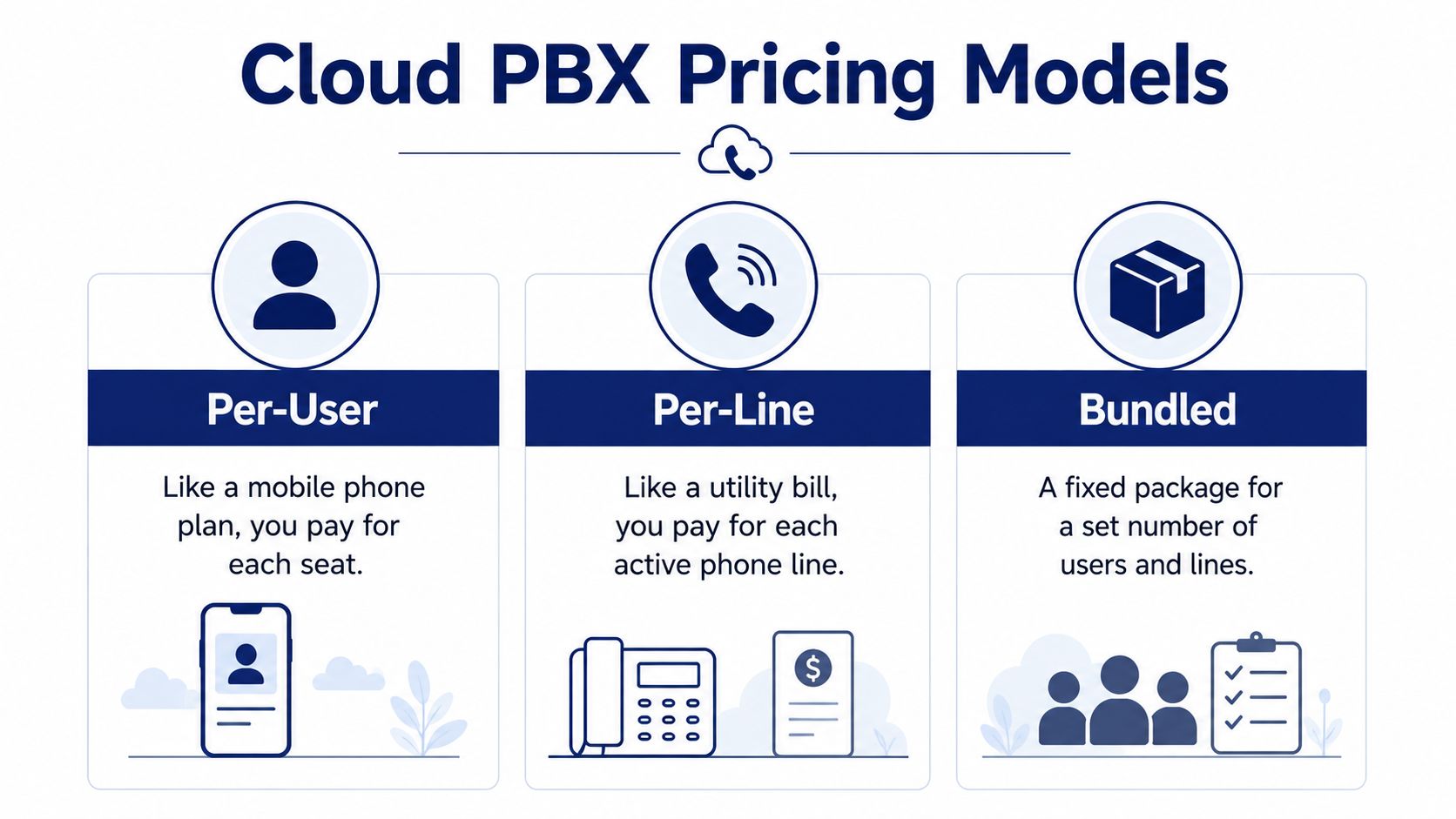
A quote for a 15-person company can look simple until you identify what each charge represents. Cloud PBX proposals usually use one of three structures: per-user, per-line, or bundled pricing. The right comparison depends on employee access, simultaneous calls, locations, and which features the package includes.
Per-user pricing
Per-user pricing assigns a seat to each employee. That seat may include an extension, application login, business number, or a combination of services. For a 15-person company, the recurring calculation is the user rate multiplied by 15, before taxes, hardware, and optional services.
This structure suits teams where employees need individual identities and personal call settings. It also works well for hybrid staff who use the same number and routing rules through a desk phone, desktop application, or mobile application.
The trade-off is paying for access that some people rarely use. Seasonal workers, shared workspaces, and employees who make occasional outbound calls may still require paid seats. Review inactive and part-time users before accepting a quote based only on headcount.
Cloud PBX pricing is commonly treated as a monthly operating expense instead of the large upfront capital expense associated with buying and installing a traditional PBX. That can help organizations replacing legacy equipment, adding users across locations, or supporting remote staff. The full bill still needs review, because the recurring seat rate does not define the system's total cost.
Per-line pricing
Per-line pricing charges for active lines, channels, or phone numbers rather than applying the same fee to every employee. A 15-person company with a small reception team and many employees who rarely call may spend less under this structure.
Capacity is the main risk. If several employees need to speak at the same time, concurrent calls matter more than headcount. A low line count can cause busy signals or call overflow, followed by an additional capacity charge when usage grows.
Ask the provider to state the included concurrent-call capacity and the price for expanding it. This is especially important for sales teams, support queues, reception, and businesses with predictable busy periods.
Bundled pricing
Bundled pricing combines a defined number of users, numbers, calling capabilities, and features into one package. A 15-person company may prefer the predictable recurring amount over a base subscription with separate feature licenses.
Bundles are cost-effective when the included tools match the workflow. They become expensive when the company pays for advanced functions it never uses, or when assumed features are excluded. Check the definitions for users, numbers, calling capacity, recording, administration, and support. Package names are not enough.
A full-bill comparison should show the monthly bundle, included capacity, excluded functions, and charges for expansion. That makes the trade-off visible before concurrency, multi-location requirements, or unused seats alter the original estimate.
Hidden Fees and Add-On Costs to Watch
The invoice usually becomes more complicated after the business describes how it handles calls. The advertised rate may cover user access, while the final bill includes separate charges for implementation, number porting, international numbers, integrations, analytics, call-center tools, or enhanced support.
Start with the one-time items. Ask whether the quote includes setup, configuration, number porting, training, desk-phone provisioning, and testing. “Implementation included” can mean a basic account activation, not the recreation of your existing auto attendant, schedules, overflow rules, and departmental call flows.
Then examine recurring add-ons. Current market guidance identifies international numbers, Microsoft Teams integration, advanced analytics, and call-center tools as common additions that can increase monthly cost, while larger deployments often receive quote-based pricing rather than a public seat rate, as outlined in this cloud PBX provider comparison.
The line items that deserve scrutiny
Request an itemized quote containing these categories:
- User subscriptions: State which plan each user receives and whether different roles can use different tiers.
- Concurrent-call capacity: Identify the included concurrency and the charge for additional capacity.
- Phone numbers: Separate local, toll-free, international, and temporary numbers.
- Porting and setup: Confirm whether migration, configuration, testing, and training are included.
- Call features: List recording, transcription, IVR, queues, callbacks, analytics, and reporting individually.
- Integrations: Ask specifically about Teams, CRM, help-desk, and identity integrations.
- Hardware: Separate desk phones, adapters, shipping, replacement, and configuration.
- Support: Document response expectations, escalation access, and premium support charges.
- Contract terms: Check annual commitments, renewal pricing, cancellation rules, and number-release fees.
Concurrency deserves special attention in multi-site and call-center environments. A business may have many registered users but only a portion of them calling at the same time. Conversely, a support queue can create concentrated demand during busy periods. Pricing that looks inexpensive per seat may become less attractive when the provider prices simultaneous calls, queue features, or international coverage separately.
Use the provider's documentation and demonstration to test the assumptions. The following video can help frame the questions you bring to a sales discussion.
A quote-only plan isn't automatically a bad choice. Complex routing, multiple locations, global numbers, and contact-center requirements often need configuration work. The problem is signing before the provider shows what drives the quote.
Cloud PBX Versus On-Premise Total Cost of Ownership
A monthly subscription can look expensive beside hardware you already own. The fair comparison covers acquisition, installation, maintenance, upgrades, and the staff time required to keep the system working over several years.
A 25-user team is estimated to spend about $82,500 over five years on a traditional PBX, compared with roughly $48,750 on cloud VoIP, a 41% savings in this cloud versus on-premise phone system cost analysis.
| Cost Category | Cloud PBX | On-Premise PBX |
|---|---|---|
| Five-year example for 25 users | About $48,750 | About $82,500 |
| Approximate upfront hardware and installation | Usually limited compared with on-premise ownership | $800–$1,500 or more per user |
| Maintenance | Managed through the subscription structure, depending on the contract | $1,000–$3,000 per year in maintenance contracts |
| Scaling | Add users or services through the provider | May require additional hardware, licensing, and installation |
| Financial profile | Recurring operating expense | Larger capital expense followed by ownership costs |
These figures are a model, not a quote. The outcome changes with the plan, device requirements, call volume, maintenance agreement, implementation scope, and number of locations. A five-year total should also reflect concurrent-call charges, backup connectivity, and multi-location services where those items are billed separately.
Cloud reduces the initial purchase and shifts more upgrade and maintenance responsibility to the provider. That trade-off improves budget predictability for some small and mid-sized businesses, while creating an ongoing operating expense that finance teams must approve each year.
Where on-premise can still win
On-premise systems can make sense for specialized telephony requirements, strict infrastructure policies, unreliable connectivity without a practical backup, or an internal team that already maintains the platform. Ownership may also suit finance teams that prefer a capital purchase over an indefinite subscription.
The upfront difference grows in larger deployments. A separate 2026 market comparison places on-premises PBX hardware and installation at $20,000–$100,000+ upfront, while broader cloud PBX market coverage places subscriptions around $20–$65 per user per month, according to this cloud PBX pricing comparison.
Run both scenarios with identical features, service expectations, user counts, and locations. A bare hardware quote beside a fully managed cloud plan is not a useful comparison. Ask each provider to show the five-year total, what is included, and which charges change as the business adds users, sites, or simultaneous calls.
An ROI Example for a Multi-Location Business
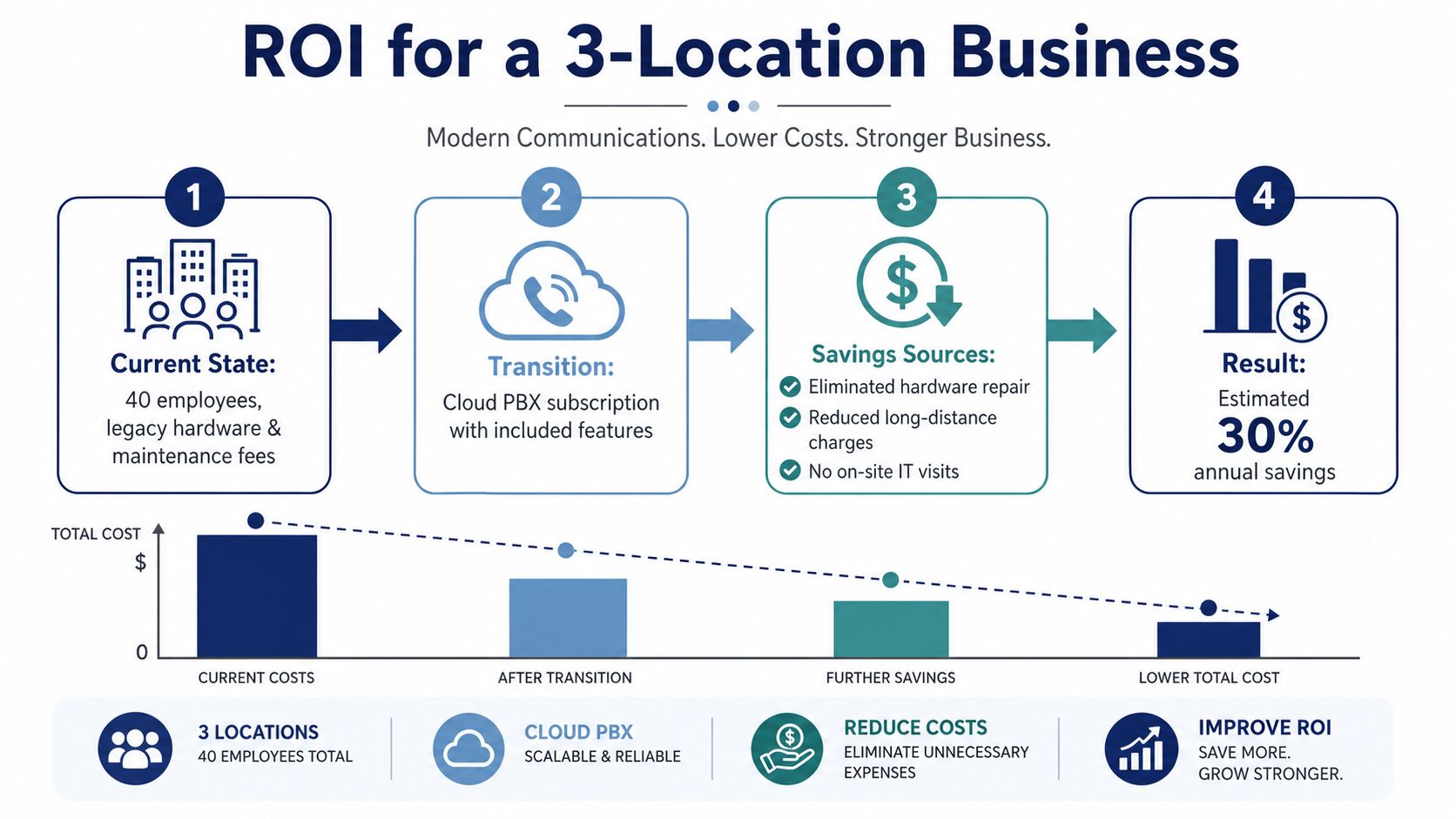
Consider a three-location company with 40 employees replacing an aging PBX. The useful ROI question isn't whether cloud PBX pricing looks lower on a brochure. It's where the current business spends money today, and which of those costs disappear after consolidation.
The legacy environment may involve separate systems or disconnected configurations at each site. The company may also be paying maintenance contracts, purchasing replacement hardware, sending IT staff to troubleshoot local equipment, and carrying different calling arrangements between offices. A cloud platform can consolidate administration, user access, routing, and reporting into one service, but the business must include transition costs in the calculation.
Build the calculation from avoided costs
List the present annual costs first, without guessing:
- Maintenance: Include contracts, emergency service, and specialist support.
- Hardware: Record planned replacements and equipment that's already difficult to support.
- Site administration: Estimate the internal time spent managing separate systems.
- Calling services: Identify duplicated numbers, trunks, conferencing, and international requirements.
- Transition: Include porting, configuration, training, and any temporary overlap.
Then compare that total with the proposed cloud subscription and its complete add-on schedule. If setup is included, record it as zero only when the written proposal says so. If a provider offers white-glove configuration, verify exactly what the service covers, including call-flow recreation, user setup, testing, and training.
Do not use an invented payback period to persuade a CFO. Calculate payback as the transition cost divided by the monthly savings, then test the result under a conservative scenario. If the result changes materially when you add queue licenses, international numbers, or additional concurrency, the quote needs clarification before approval.
Finance test: Ask the vendor to show every assumption behind its ROI claim, then replace each assumption with your invoices, contracts, headcount, and call requirements.
A multi-location business should also value operational benefits without pretending they're direct savings. Centralized administration, consistent routing, and easier user changes can reduce friction, but the financial case should stand on documented costs. That discipline keeps the business from approving a platform based on optimistic sales math.
Your Cloud PBX Cost-Calculation Checklist
Use this checklist in the vendor meeting. The aim is to make every provider price the same business requirement.
1. Inventory people and call demand
- Count users: Include office staff, remote workers, receptionists, supervisors, seasonal roles, and shared devices.
- Estimate concurrency: Ask how many calls may occur at peak times, not merely how many employees exist.
- Map locations: Record every office, number, timezone, business-hours schedule, and failover destination.
2. Document required features
- Recording: Decide which users, queues, or departments need recording and how long recordings must remain available.
- Routing: Write down auto attendants, IVR menus, hunt groups, overflow rules, holiday schedules, and voicemail paths.
- Mobility: Confirm whether desktop and mobile applications are included in the selected tier.
- Queues: Specify wait announcements, callbacks, supervisor tools, statistics, and reporting if customers wait for agents.
- Integrations: List Microsoft Teams, CRM, help-desk, fax, authentication, and other systems that touch calling.
3. Price the add-ons
Ask the sales representative:
- “What does this seat price exclude?”
- “What's the monthly charge for international numbers and international calling?”
- “Is Teams integration included or licensed separately?”
- “Which analytics and reporting functions require an advanced tier?”
- “How does pricing change when we add shared queues or more simultaneous calls?”
- “Are desk phones, shipping, configuration, and replacements included?”
4. Read the commercial terms
- Billing frequency: Compare monthly and annual billing, and ask whether the rate changes after the initial term.
- Commitment: Confirm minimum seats, upgrade rules, downgrade rules, and treatment of seasonal users.
- Exit costs: Ask about number porting out, early termination, data export, and recording retention.
- Taxes and fees: Request the expected invoice total, not just the pre-tax subscription amount.
5. Test the workflow
Request a trial or demonstration using your actual call flow. Test reception, transfers, queue overflow, mobile answering, recording access, reporting, and administrator changes. A feature listed on a website isn't enough if your team can't use it efficiently.
Buying discipline: Don't accept a verbal “included.” Put the feature, quantity, service level, and charge in the proposal.
Finally, give every shortlisted provider the same written requirements. The lowest monthly rate is meaningful only after the vendors price identical users, concurrency, numbers, integrations, support, and implementation.
How to Choose the Best Plan for Your Business
For a ten-person SMB, a basic tier around $15–$25 per user per month can be appropriate when the team needs individual extensions, voicemail, standard routing, and basic business calling, based on the published cloud PBX pricing ranges. It becomes a false economy when you later add recording, analytics, mobile access, or queue management as separate licenses.
A small company should also avoid buying enterprise features because they appear impressive in a demonstration. Match the plan to the workflow. If one receptionist handles the main number and most employees make occasional calls, a basic configuration may work. If customers wait for a support team, price the queue and reporting functions from the beginning.
Match the plan to operating complexity
Multi-location companies should prioritize unified administration, consistent routing, number management, and failover options. Call centers should evaluate queue capacity, concurrent calls, callbacks, wait announcements, agent reporting, and recording access before looking at the seat discount. Cheap seats plus essential add-ons can cost more than a higher tier with those functions included.
Ask for all-inclusive pricing, documented setup responsibilities, support availability, and a clear expansion policy. A provider that can explain how the bill changes when you add users, locations, queues, or international service is easier to budget than one that relies on an attractive entry rate and a later custom quote.
SnapDial is one example of a hosted option that combines cloud PBX functions with predictable pricing, white-glove setup, mobile applications, call routing, recording, and advanced queue capabilities. Review its cloud PBX system details against your requirements, rather than assuming any provider's feature list automatically fits your operation.
Use this decision rule today: choose the lowest tier that includes every feature your workflow requires, then verify the five-year total with all setup and add-on costs included. If the business is growing, confirm that adding people and locations won't force a disruptive renegotiation.
SnapDial offers hosted VoIP and cloud PBX service with all-inclusive pricing, end-to-end setup at no cost, and 24/7 support for businesses replacing legacy phone systems. Compare your current invoice and required features with the available options, then visit SnapDial to request a practical quote.