
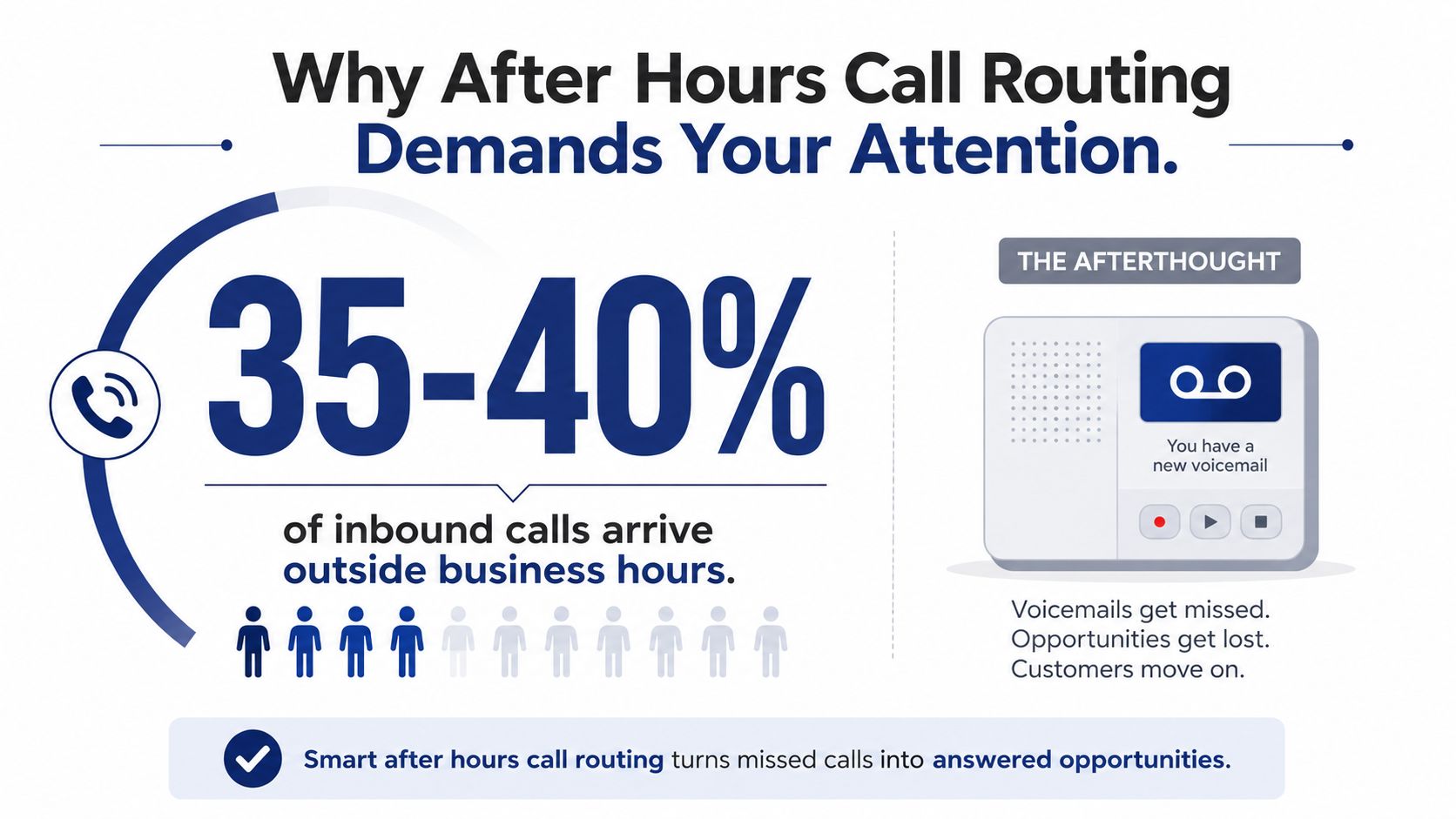
Roughly 34% to 40% of inbound business calls arrive outside standard 9-to-5 hours, with the share varying sharply by industry, according to a 2026 summary of after-hours call patterns. In one service-business dataset, after-hours callers converted at 67% versus 28% during business hours, as reported in call-handling research from 2026. That changes the job completely. After-hours call routing isn't a voicemail setting. It's a controlled system for deciding which callers need immediate escalation, which need structured lead capture, and which can safely wait for the next business day.
Why After Hours Call Routing Demands Your Attention
Many organizations still treat the closing time in their phone system as a hard stop. At 5 p.m., the main line changes to a generic greeting, every caller follows the same path, and the team hopes someone checks the mailbox tomorrow. That approach is simple, but it gives up the information needed to distinguish an urgent service issue from a booking request or a routine question.
The volume alone makes that risky. The cited industry summary found that weekday evenings account for about 25% of calls, late nights 8%, and weekends 7% in one analysis. Restaurants and hospitality businesses can see as much as 42% of calls after business hours, which means off-hours coverage is part of normal operations in those sectors, not an exception.
The voicemail trap
A generic voicemail treats every caller as equally non-urgent. It doesn't ask whether the caller's system is down, whether someone wants to schedule an appointment, or whether a customer only needs store hours. It also makes no distinction between a high-intent prospect and a low-priority informational call.
That is why intent-based triage matters. The caller should reach a different destination based on what they need:
- Emergency calls should reach an on-call role or an explicitly documented emergency instruction.
- Booking and lead calls should reach a scheduling workflow that captures contact details and request context.
- FAQ calls should use approved self-service information or a next-business-day message.
The mechanics depend on your platform, whether you're using RingCentral, 8×8, Microsoft Teams, Zoom Phone, or another VoIP system. The operating logic is the same. Your rules need a reliable schedule, a clear classification method, and a fallback that doesn't leave callers in a dead end. The fundamentals are also covered in this practical overview of what call routing does.
Practical rule: If the system can't explain why a caller went to a destination, the routing design is too opaque to manage safely.
This guide focuses on the production details that vendor documentation often glosses over: time-zone boundaries, holiday exceptions, role-based escalation, short IVR menus, and testing at the exact moments when schedules change. A good after-hours flow protects revenue without waking the on-call person for every routine request.
Setting Up Business Hours and Time-Based Rules
Start with the calendar, not the IVR. A routing flow can't behave correctly if the platform doesn't know which local time applies to the number, ring group, office, or queue.
Build the schedule in layers
Create a primary schedule for each operating region. Define weekday opening and closing times, then add separate weekend behavior rather than assuming weekends follow the weekday pattern. Assign the correct time zone to each direct inward dialing number, location, or ring group.
A practical setup sequence looks like this:
- Create the primary schedule. Name it after the location or function, such as East Coast Support or West Coast Sales.
- Add holiday exceptions. Include federal holidays, regional closures, company shutdowns, and unusual one-day changes. Use a dedicated holiday calendar where the platform supports it.
- Assign the schedule to the correct call object. A New York support number shouldn't inherit the schedule for a California office.
- Create the after-hours condition. Use a rule equivalent to, “If the current local time falls outside Schedule A, send the call to After-Hours Flow.”
- Define the evaluation order. Holiday rules should take precedence over ordinary weekday rules, and emergency exceptions should be evaluated before a general closed-office message.
- Publish and test. Don't assume a saved schedule is an active schedule. Confirm that the number, queue, and auto attendant all use the intended version.
The holiday routing configuration guidance is useful when several exceptions need to coexist. The key operational point is that a holiday calendar isn't just a list of dates. It changes which branch receives the call.
Avoid the single global cutoff
A company with East Coast and West Coast offices can create a silent gap by using one global closing time. If the entire system switches to after-hours mode when the East Coast office closes, West Coast callers may be pushed into a closed message while that team is still working. If the cutoff follows the West Coast office instead, East Coast callers may wait in a queue that no longer has local coverage.
Use regional schedules instead. The East Coast number should evaluate Eastern local time, while the West Coast number should evaluate Pacific local time. For a hybrid team, route to a role-based pool that reflects who is available, not to whichever employee happened to own the number when the rule was created.
Daylight saving changes deserve the same attention. A system that stores schedules incorrectly can move the boundary by an hour without producing an obvious error. Review the platform's time-zone setting, not just the displayed clock, and inspect routing logs during schedule changes.
The fastest way to find a time-zone mistake is to compare the caller's local time, the platform's evaluated time, and the selected destination in the log.
Don't hard-code an individual technician's mobile number into the schedule. Point the rule to an on-call role, ring group, or maintained destination list. When rotations change, administrators should update the membership of that role instead of rebuilding every time condition.
Classifying Caller Intent Before Routing
A caller who reaches the same voicemail as everyone else has effectively been classified as “not important right now.” That may be acceptable for a general inquiry, but it fails for an outage, a booking request, or a customer facing a time-sensitive service problem.
Use three top-level intent tiers. Keep the categories understandable to callers and operationally meaningful to staff.
| Intent Tier | Example Scenarios | Routing Destination | Response SLA | Classification Method |
|---|---|---|---|---|
| Emergency | Safety issue, active outage, urgent service failure | On-call role or emergency instruction | Immediate review according to documented policy | IVR selection, dedicated number, or structured intake |
| Booking and lead capture | Appointment request, estimate request, new order inquiry | Scheduling tool or lead queue | Prompt capture, next-business-day follow-up unless live coverage exists | IVR selection, web booking, or CRM intake |
| Informational | Hours, location, order status, routine FAQ | Approved FAQ menu, recording, or general voicemail | Self-service or next-business-day review | IVR selection, caller number, or account context |
Define the action behind each label
“Emergency” shouldn't be a vague button that wakes the owner for every frustrated caller. Write the trigger and the response together. An urgent system outage might alert the on-call support role, while a life-safety situation should direct the caller to the appropriate emergency service instead of pretending that a business technician can provide immediate protection.
Booking calls need structured capture. Collect the caller's name, callback number, requested service, and any detail your staff needs to continue the conversation. FAQ calls should use only approved information. An automated system shouldn't improvise an answer about pricing, safety, availability, or policy.
Choose a classification method
An IVR can ask callers to press 1 for urgent help, 2 to book or request service, and 3 for common questions. A dedicated support number can classify many callers before they reach the menu, using the number dialed as a reliable signal. ANI or CRM context can add useful information, but it shouldn't replace a direct question when the caller's intent is ambiguous.
Keep the first menu to three top-level options. Deep menus increase abandonment and misclassification, while a single generic option hides operational differences. If a caller doesn't make a selection within 15 seconds, send the call to a general voicemail with a clear callback expectation rather than looping the menu indefinitely.
A simple mapping might look like this:
- 1, emergency: After-Hours Emergency Queue, then primary on-call role, then backup.
- 2, booking: Scheduling tool or lead-capture queue, with transcript and callback details.
- 3, FAQ: Approved information menu, then general voicemail if the answer isn't available.
- No input: General voicemail with name, callback number, and reason for calling.
This is the point where routing becomes a business policy, not merely a telephony feature. The system should collect enough information for the next person to act, but not so much that an urgent caller gets trapped in an intake interview.
Designing an After Hours IVR That Callers Actually Use
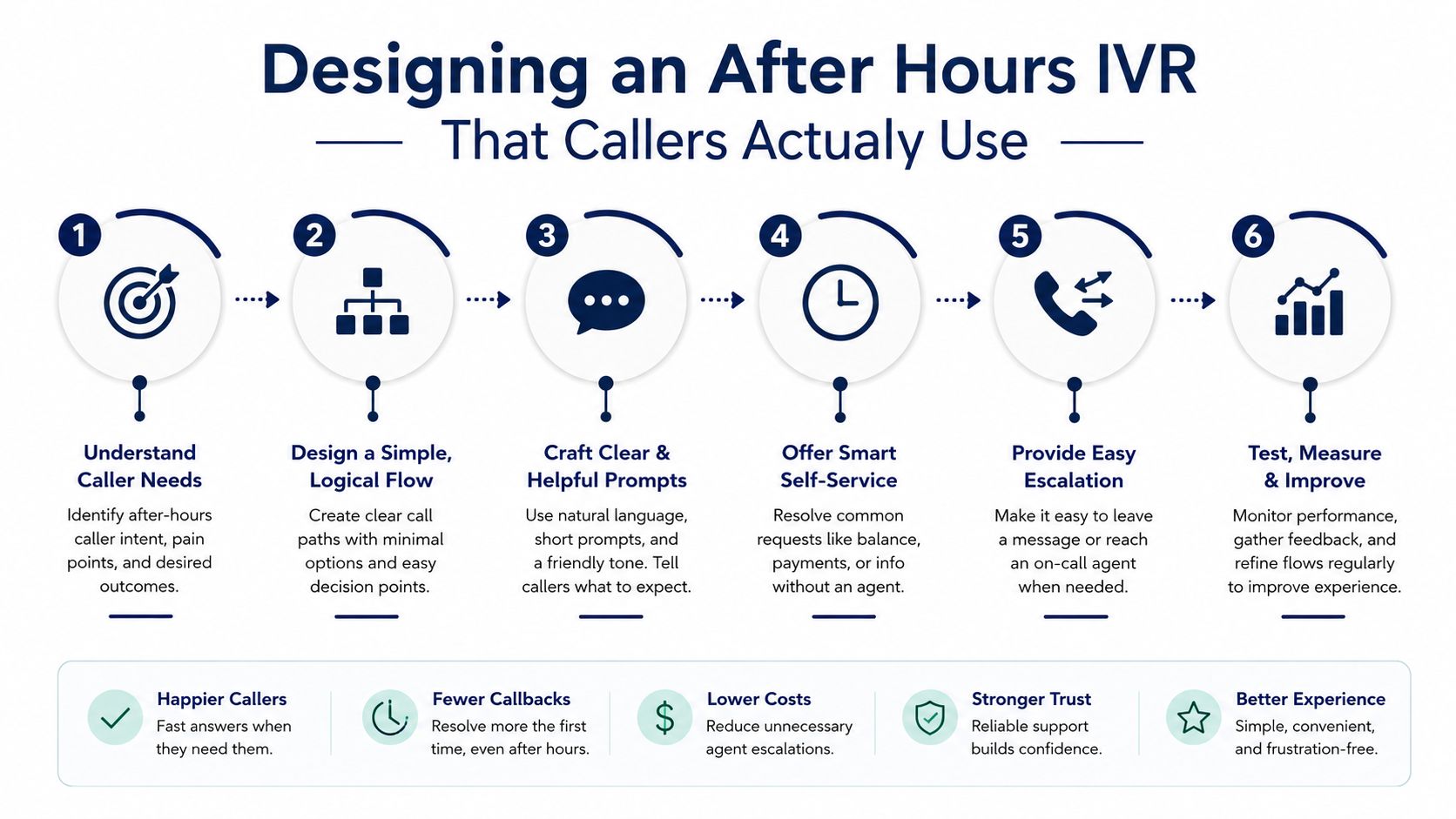
After-hours callers have less patience for complex navigation because they already know the office is closed. A daytime auto attendant often contains department menus, employee directories, language branches, and queue options that make sense during staffed hours. Copying that structure into the night flow usually creates friction.
Use a short opening message that sets the context and offers useful choices:
“Our office is currently closed, but we can still help. Press 1 for an urgent service issue, press 2 to schedule an appointment or request a callback, or press 3 for common questions.”
That greeting tells the caller what changed, what remains available, and how to proceed. It also prevents a common failure, making the caller listen to a long list of departments that aren't staffed.
Keep the emergency path immediate
The emergency branch should confirm the category, collect only necessary details, and escalate to the on-call role. Don't bury it beneath multiple department menus. If your policy requires a warning for life-safety emergencies, state it plainly and direct the caller to the appropriate emergency service.
For bookings, offer a scheduling link by text where the platform supports it, or collect a callback request. For FAQs, provide a concise menu of approved answers, such as hours, service-area information, or instructions already maintained by the business.
Putting “press 0 for an operator” first can reduce unnecessary escalation when the message explains the alternatives clearly. Some callers press 0 because they want reassurance, not because their issue requires a person immediately. Give them a useful self-service path before transferring them to an on-call destination.
Keep the menu shallow
A practical after-hours IVR should rarely go beyond two levels. The first level identifies intent. The second level gathers the minimum information or selects a specific approved answer.
Use time conditions inside the flow only where they change the action. For example:
- If open: Send the caller to the normal support queue.
- If closed and selection is 1: Ring the on-call group, then the backup group.
- If closed and selection is 2: Send to the booking flow.
- If closed and selection is 3: Play FAQ information, then offer voicemail.
- If no input: Play the closed message once, then collect a callback request.
A cloud phone platform's IVR system should make those destinations visible enough for another administrator to audit. The configuration isn't finished when the prompts sound polished. Check that every selection reaches a monitored destination and that the caller hears an honest next step.
Caller patience is measurable, and the benchmark evidence is clear: a 2026 IVR performance report found median routing time before reaching a queue fell from 5.15 minutes to 2.37 minutes, a 54% year-over-year improvement, when organizations replaced static menus with CRM-native or conversational routing. The same guidance treats 5% or less call abandonment as a good benchmark, with 5% to 8% often considered acceptable. Use those figures as diagnostic reference points, not as a substitute for listening to your own recordings and logs.
Choosing the Right Fallback Destinations
The final destination matters most when the preferred person doesn't answer. A well-designed fallback preserves the caller's intent and contact details. A weak one turns a qualified lead or urgent request into an unmonitored mailbox.
Use sequential ring groups before the final fallback. Ring the primary on-call role, then the backup role, then the selected service. Keep the destinations role-based so a staff rotation doesn't invalidate the flow.
| Fallback Strategy | Cost Per Call | Caller Satisfaction | Setup Complexity | Failure Risk |
|---|---|---|---|---|
| General voicemail with callback policy | Predictable platform cost | Variable, depends on the promise and follow-through | Low | Missed review, unclear ownership |
| Third-party answering service | Per-call or contracted service cost | Often stronger when callers need a person | Medium | Script errors, escalation gaps |
| AI virtual receptionist | Provider and usage cost | Strong for routine intake when knowledge is controlled | Medium to high | Incorrect answers, integration failures |
| Mobile on-call rotation | Internal staffing cost | Strong for genuinely urgent issues | Medium | Fatigue, missed calls, stale rotation |
| Closed message with callback form | Low direct cost | Appropriate for routine requests | Low | Low completion, weak lead capture |
Match the fallback to the intent
Healthcare and other high-consequence services generally need live handling or a carefully governed escalation path for urgent calls. A SaaS team may use an AI receptionist for approved FAQs and structured incident intake, while keeping production-impacting issues on an on-call queue. Retail operations often benefit from callback scheduling, especially when the caller wants order help rather than immediate human contact.
An answering service can provide human intake when internal coverage is impractical, but the script must tell operators exactly what to collect and what they may promise. An AI receptionist can handle routine questions and appointment requests, but it should use approved knowledge and transfer uncertain or urgent situations rather than inventing an answer.
Make the promise operational
A voicemail greeting should never promise a callback time the team can't meet. Say what will happen, collect the caller's name and number, and record the reason for calling. If the business has a documented review window, state it accurately. Otherwise, use a less specific promise that staff can honor consistently.
The same principle applies to mobile overflow. Don't send every after-hours call to a personal phone. Route only the intent categories that require live attention, and make the backup path explicit if the first person doesn't acknowledge the call. A fallback is successful when the next human knows what happened, what the caller needs, and what the business promised.
Testing and Validating Your Routing Configuration
The most expensive routing errors are silent. A number can continue accepting calls while a time-zone mismatch, expired on-call destination, or unchecked holiday condition sends customers somewhere nobody monitors. Test the flow before launch, then keep testing after staffing, schedules, and integrations change.
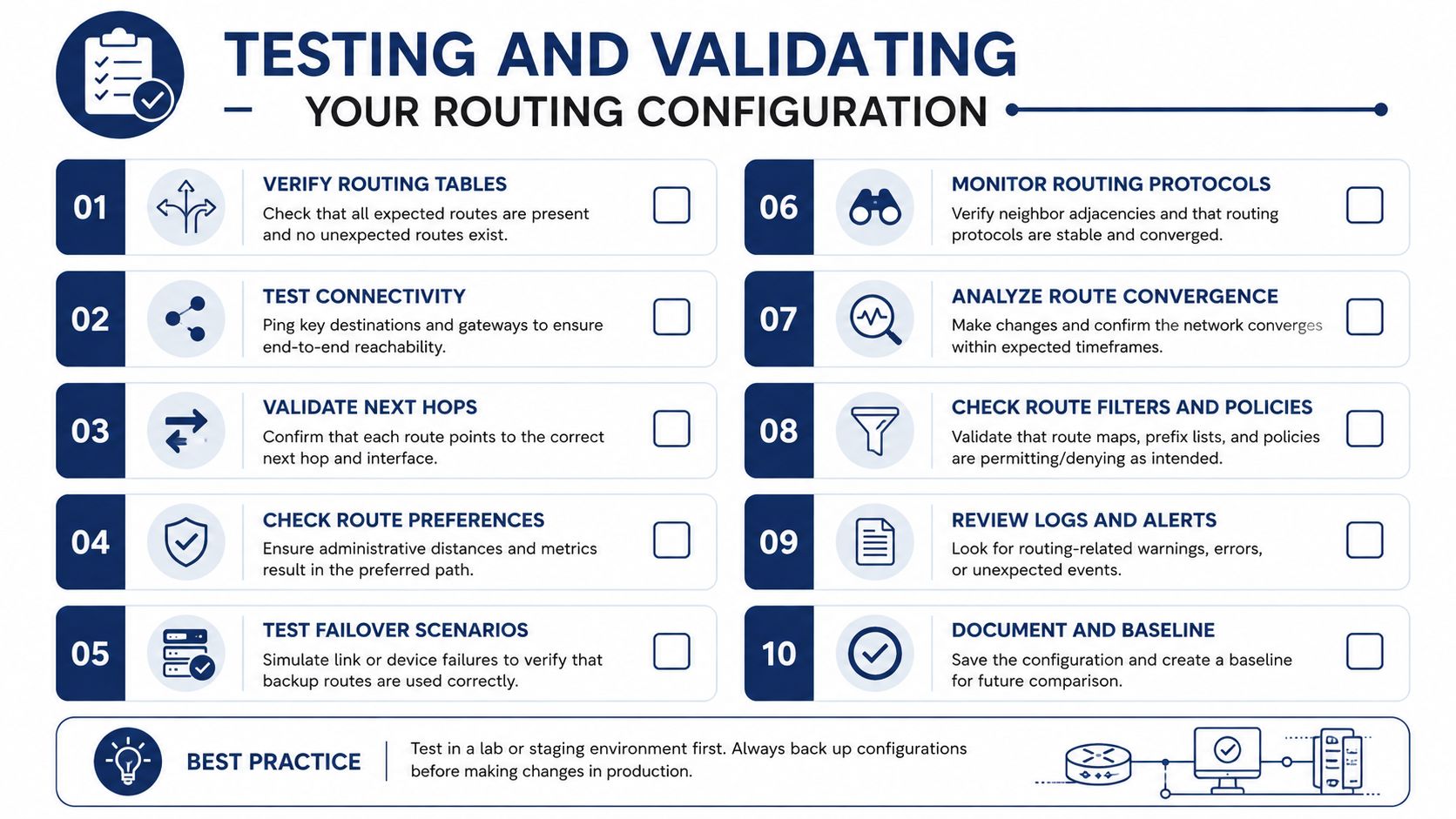
The recommended after-hours handling methodology is deterministic and test-first. Define schedules per time zone, create weekday, weekend, and holiday rules, route to roles instead of individuals, and log every out-of-hours call for later review.
Test the boundaries
Build a checklist that covers both ordinary paths and awkward transitions:
- Schedule boundaries: Test just before and just after the closing transition, such as 4:59 p.m. and 5:01 p.m.
- Midnight behavior: Test the final minutes of one day and the first minutes of the next.
- Holiday exceptions: Test a holiday, a normal day after the holiday, and a holiday that falls on a weekend.
- Time-zone evaluation: Compare the caller's local time with the platform's evaluated time.
- Every IVR branch: Confirm emergency, booking, FAQ, no-input, and invalid-input behavior.
- Every fallback: Verify primary, backup, answering service, voicemail, and callback capture.
- Data capture: Check that the name, number, reason, and relevant context reach the destination.
Run synthetic calls on a schedule if your phone platform or monitoring service supports them. A nightly test can confirm that the number answers, the correct greeting plays, the expected branch activates, and the final destination acknowledges the call. Automated tests won't replace human review, but they catch broken links between the schedule and the call flow.
Review logs before customers do
Inspect routing logs weekly. Look for calls reaching a decommissioned number, repeated no-input events, unexpected daytime calls entering the closed flow, and after-hours calls that end without a recorded outcome. Compare the logs with the on-call roster and holiday calendar.
A configuration change isn't complete until someone tests the caller's experience from the public number.
One unchecked destination can remain unnoticed for months if nobody follows the call beyond the first transfer. Treat every change to schedules, staff rotations, queue membership, IVR prompts, or external answering services as a reason to rerun the relevant tests. The goal isn't a complicated phone system. It's a predictable one that classifies intent correctly, respects local time, and gives every caller an accountable next step.
SnapDial provides cloud phone features for after-hours coverage, including time-based routing, auto attendant and IVR flows, mobile call routing, voicemail transcription, call logs, and role-based forwarding to an on-call technician, answering service, or duty manager. Visit SnapDial to review how its managed setup and business phone tools can support a tested, time-zone-aware after-hours call routing plan.