
VoIP usage and video conferencing surged by 210%–285% during the first months of the COVID-19 pandemic, while 71% of employees worked from home all or most of the time. That shift made conference calling over VoIP a default business capability, but clear meetings still depend on latency, jitter, codec overhead, bridge capacity, and endpoint discipline.
A fast connection helps, but it doesn't guarantee usable audio. In mixed offices, the calls that fail usually fail for specific reasons: packets arrive irregularly, queues fill, microphones create echo, or the conference bridge reaches its practical capacity. The right approach is to engineer the voice path, choose the appropriate meeting model, and add automation only when basic conferencing no longer supports the work.
History and Impact of Conference Calling over VoIP
The first successful real-time voice conversation over a packet network took place in December 1974, between Culler-Harrison Incorporated in Goleta, California, and MIT Lincoln Laboratory in Lexington, Massachusetts. That experiment established the core idea behind conference calling VoIP: packet-switched networks could carry live speech. Hosted voice and collaboration platforms still depend on that foundation. (Acefone's history of video conferencing)
The engineering problem has always been timing as well as transmission. Packets need to arrive in order, frequently enough, and with limited variation for people to speak and listen naturally. Jitter creates gaps or clipped syllables, while codec overhead consumes processing and network resources. A conference bridge must also mix and distribute every participant's audio without exceeding its available capacity. Those constraints drove advances in codecs, buffering, packet handling, signaling, and bridge design.
From experiment to commercial meetings
By the mid-1990s, online meetings had moved beyond research environments. Cisco Webex launched in 1996 and was described as pioneering real-time online meetings over the internet, helping demonstrate that internet-based collaboration could operate as a commercial service. Later platforms added screen sharing, multi-party voice, video, recording, chat, and workflow integrations, while retaining the same packet-network principles.
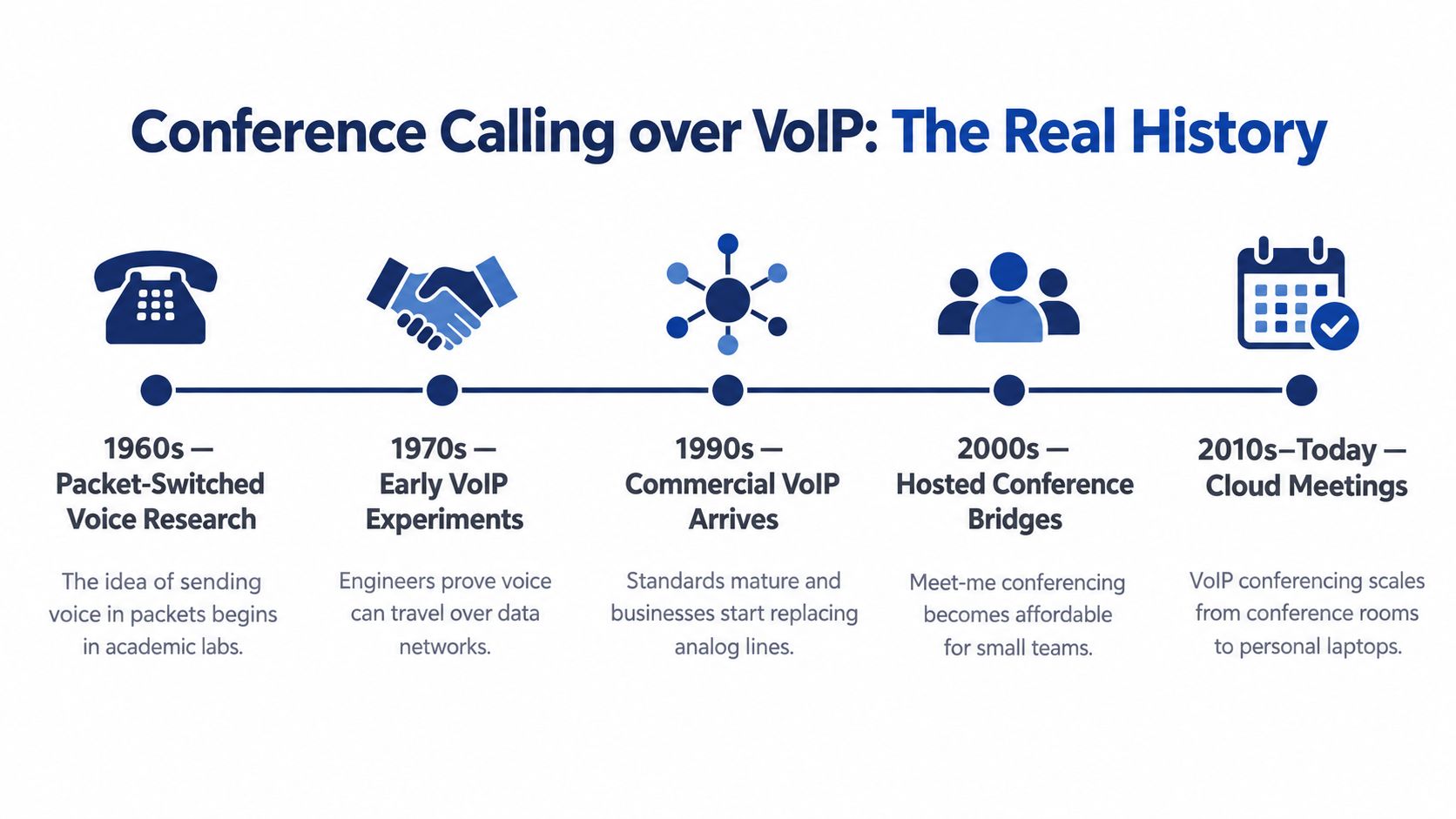
Remote work changed the buying decision. The early-pandemic surge made online calling infrastructure employees expected to use from home, branch offices, and mobile networks. Later market summaries reported that VoIP services served over 3.0 billion users worldwide as of 2025, approximately 75% of global call centers used VoIP systems, and more than 45% of SMEs globally relied on VoIP for business communication. (OnSIP's VoIP statistics and trends)
Why hosted platforms replaced many legacy systems
A legacy PBX concentrates calling logic in physical equipment at one site. A hosted platform places much of that control in a provider-managed service, so administrators can manage users, routing, conference access, recording, and mobile participation centrally. It reduces hardware requirements, but it does not remove the need to control jitter, codec overhead, or bridge capacity across mixed office networks.
Standalone VoIP conferencing is enough for routine meetings with predictable participants and straightforward agendas. AI-driven UC workflows become useful when meetings need automatic transcription, action extraction, routing, follow-up, or integration with customer and service systems. Voice conferencing now connects with calendars, directories, mobile applications, call queues, recordings, and business workflows. The bridge remains important, but it functions as one part of a wider communications system.
Meeting Models Explained Meet-Me Ad-Hoc and Scheduled Calling
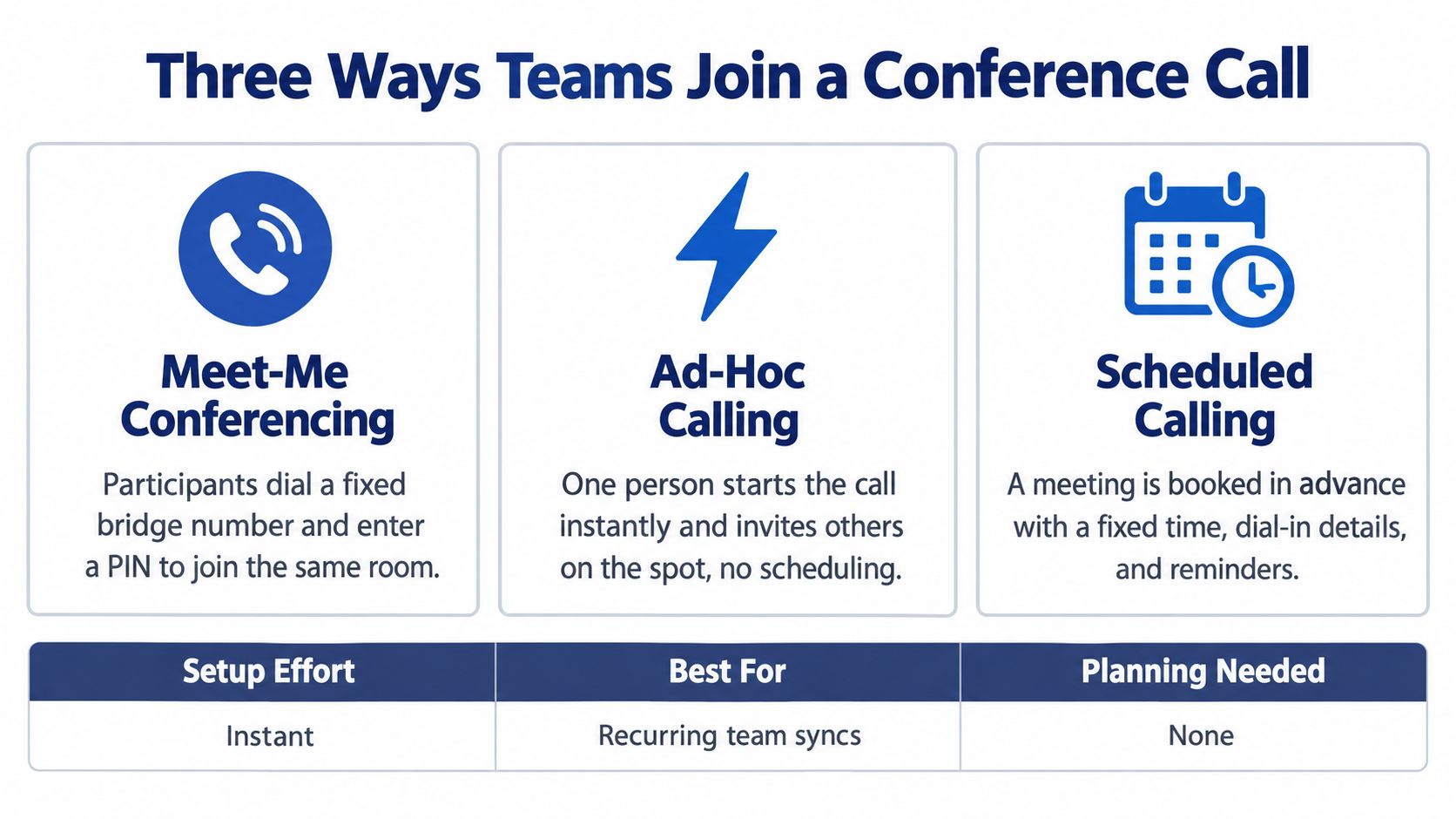
The best meeting model depends on how people join, how much structure the meeting needs, and whether the same access details will be reused. Meet-me, ad-hoc, and scheduled conferencing solve different problems, although cloud platforms often present them in one interface.
A meet-me conference uses a fixed bridge number or URI, usually with a PIN or other access control. Participants know where to go, which makes the model suitable for recurring executive briefings, standing operations calls, and client access where changing details would create friction.
Ad-hoc conferencing starts from an active call. A user adds another participant, then another, without booking a meeting in advance. It works well for a quick escalation between support, sales, and an account owner. It becomes less suitable when the group grows, access needs to be controlled, or the host needs a formal record of invitations.
Scheduled calling reserves a time and distributes meeting details through a calendar invitation. It suits customer workshops, interviews, board meetings, and recurring team sessions where reminders, attendance expectations, and coordinated preparation matter.
Match the model to the meeting
| Meeting model | Works best for | Main trade-off |
|---|---|---|
| Meet-me | Recurring team or client calls | Simple access can require stronger PIN and host controls |
| Ad-hoc | Immediate internal decisions | Fast setup offers less planning and access structure |
| Scheduled | Planned meetings with external participants | Requires calendar discipline and advance coordination |
In a mixed office, a sensible default is to give every user scheduled meeting capability while preserving ad-hoc calling for internal work. Assign meet-me rooms to teams that repeatedly use the same bridge, but avoid giving every recurring conversation a permanent public access path.
The meeting itself may also need an information layer. If participants need searchable notes, action items, or automated summaries, a people manager can compare the capabilities of tools in this people manager meeting tool guide before adding another application to the workflow. The key is to decide whether that layer belongs inside the communications platform or beside it.
Practical rule: Use the simplest joining method that preserves the meeting's access, recording, and follow-up requirements.
How to Size Your Network for Clear Multi-Party Calls
Network sizing begins with the codec and the number of simultaneous call legs. Advertised download speed is only one part of the calculation. G.711 carries roughly 64 kbps of payload and typically uses about 64–87 Kbps per call after RTP and packet overhead. G.729 uses about 8 kbps of payload, reducing bandwidth demand while trading away some audio quality. (CodeHyper's VoIP QoS guide)
| Codec | Typical bitrate | Best use case |
|---|---|---|
| G.711 | About 64–87 Kbps per call with overhead | High-fidelity office voice where capacity is available |
| G.729 | About 8 kbps payload | Constrained links where bandwidth efficiency matters |
A hosted conference bridge may maintain a separate media stream for each participant. Estimate the required capacity by multiplying the codec rate, including RTP or SRTP and IP/UDP overhead, by the number of active legs. Apply the calculation in both directions, because participants send and receive media. The VoIP bandwidth requirements calculator can help document assumptions for remote users, branch traffic, VPN overhead, and bridge participation.
Capacity is more than a participant count
A branch may have several employees joining a hosted bridge while others use cloud applications, transfer files, or attend video meetings. Size the WAN path for the combined traffic pattern, not the conference alone. A call with several participants can create separate local and remote legs, and a bridge hosted outside the office adds another set of media paths to the design.
Codec choice also affects the trade-off. G.711 gives office users higher audio fidelity but consumes more capacity per leg. G.729 can suit constrained links, although reduced bandwidth use may not justify lower quality where the network can support G.711.
Document peak simultaneous calls, branch locations, remote users, VPN routing, and whether media flows directly between endpoints or through a hosted bridge. For AI-driven UC workflows, include transcription, recording, automated summaries, and workflow integrations in the service design. Standalone VoIP conferencing is usually enough for voice meetings with predictable participation. AI features become useful when the meeting must produce searchable notes, assigned actions, or automated follow-up.
Engineering note: A bridge with more participants creates more call legs, so calculate capacity from active media streams rather than the room's headcount alone.
Why Better Internet Alone Will Not Fix Bad Conference Audio
When conference audio fails, the cause is usually timing rather than throughput. Latency, jitter, packet loss, echo, and dropped calls require different fixes. A larger circuit cannot correct acoustic feedback from a headset, an overloaded wireless access point, or a fault in the provider's conference bridge.
For one-way latency, keep the practical target below 150 ms. Jitter should remain below roughly 20–30 ms, because variation in packet arrival forces receivers to enlarge their jitter buffers. That buffering smooths speech, but adds delay and makes interruptions, overlapping replies, and awkward turn-taking more obvious. The Engineers Universe's enterprise VoIP guide outlines these common voice-quality targets.
Trace the failure to the right layer
Start at the endpoint. A laptop microphone beside an open speaker can create echo. A badly positioned headset microphone can add breath noise or uneven volume. In a hybrid meeting, test the room system with a wired headset or a correctly configured desk phone before assigning blame to the bridge.
Then examine the local network. Wireless contention, overloaded switches, uplink queues, and large file transfers can disrupt packet timing even when overall capacity appears adequate. QoS should classify and prioritize voice, but it cannot repair a failing access point or a saturated WAN link.
Jitter is a timing issue, not just a bandwidth problem. The guide to what jitter means in networking explains why irregular packet delivery produces robotic or broken speech.
The service layer matters when users in different offices report the same symptom. Compare call records, bridge logs, and provider status information. A shared pattern across locations points toward the hosted service or bridge, while one affected room usually points to its endpoint or local network.
A practical troubleshooting order
- Confirm the symptom: Separate echo, robotic audio, silence, delay, and dropped calls.
- Compare endpoints: Test a desk phone, wired headset, and mobile participant.
- Check the path: Review latency, jitter, loss, wireless conditions, and active queues.
- Verify prioritization: Confirm that voice receives the intended QoS treatment.
- Compare locations: A branch-only issue usually indicates local conditions; a cross-site issue may involve the service or bridge.
Standalone VoIP conferencing is enough for predictable voice meetings. AI-driven UC workflows justify their added complexity when transcription, searchable records, assigned actions, or automated follow-up must come from the call. Stable packet timing still comes first.
VoIP Conference Security for Modern Hybrid Teams
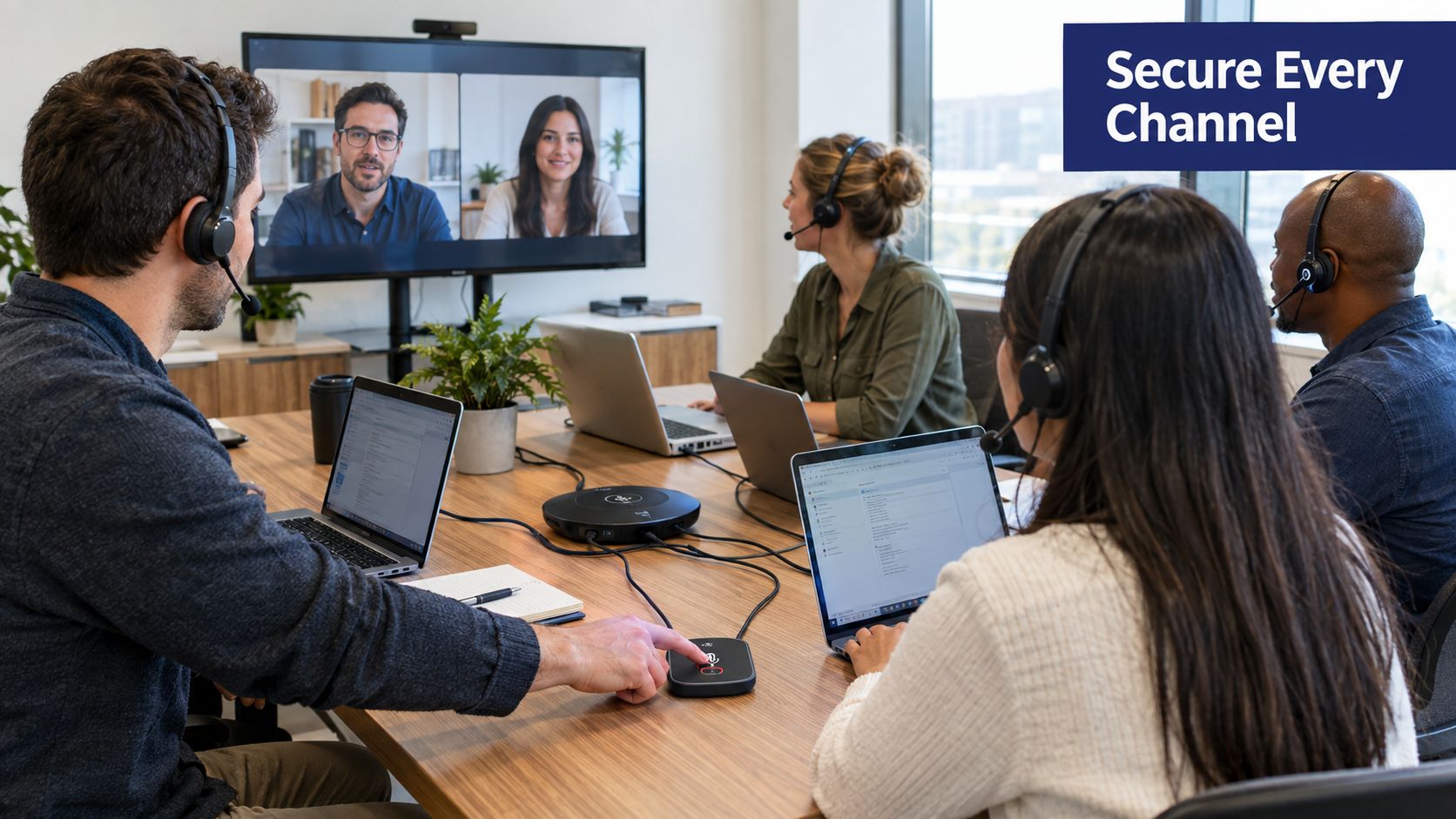
A conference bridge exposes more than audio. It can carry commercial decisions, customer information, employee discussions, and recorded material, so access controls should reflect the meeting's sensitivity. Hosted VoIP makes many controls available centrally, but administrators still need to configure them deliberately.
Protect entry and media
Verify that the provider supports encrypted signaling and media, including secure RTP where appropriate. Encryption doesn't replace identity controls, but it reduces the risk of someone intercepting traffic on an untrusted path.
Use unique meeting access details for sensitive sessions, require authentication where the platform supports it, and enable a waiting room or host approval for external meetings. Don't publish a permanent bridge PIN in a shared document that has no access review.
Hosts should have clear controls to mute participants, remove unexpected attendees, lock a meeting, disable recording, and restrict screen sharing. These controls matter in hybrid meetings because an unknown participant can join through an exposed dial-in number without others noticing.
After the call, treat recordings and transcripts as business data. Define who can access them, how long the platform retains them, and whether downloads are logged. If a provider can't explain its storage, administrative access, and audit visibility, procurement should pause before deployment. Teams reviewing their broader controls can use this resource on secure business communication as part of that assessment.
A provider demonstration should cover the full lifecycle, not just the join screen. Ask the vendor to show user provisioning, role separation, authentication, recording permissions, audit events, and offboarding. The platform should make it easy to remove a former employee's access without manually hunting through individual meetings.
Security also depends on operational habits. Train hosts to verify unfamiliar participants, avoid sharing sensitive recordings through uncontrolled channels, and use separate meeting settings for internal and external calls. Convenience matters, but a one-click join should not mean anonymous access to every bridge.
Mobile Calling and Remote Participant Best Practices
Mobile participants need a controlled audio path, not a reduced version of the meeting. A phone can move between Wi-Fi and cellular service, change codecs, or arrive at the bridge with unstable timing. Those changes affect the entire call, especially when several remote legs are already consuming bridge capacity.
Set a clear fallback policy. If jitter rises above 30 ms, keep the participant on a voice-only PSTN dial-in rather than forcing a poor mobile-data leg through the conference bridge. This avoids extra packet repair and can reduce codec conversion overhead. In the bridge dashboard, look for one mobile participant showing repeated jitter spikes, packet loss, or a codec different from the other legs. That leg is a likely source of choppy audio and transcoding load.
Use the mobile app when it shares the same user identity, contacts, routing rules, voicemail, and meeting links as the desktop service. A separate mobile workflow produces inconsistent caller identity and makes handoffs harder. Test the handoff before an important hybrid meeting: move from Wi-Fi to cellular, confirm that mute state and identity remain intact, and verify that the call does not create a duplicate bridge connection.
Audio quality still depends on the endpoint. A wired or Bluetooth headset generally gives the microphone a cleaner signal than speakerphone, while noise suppression handles steady background sound rather than every nearby voice or keyboard strike. Participants should avoid weak-signal areas and bandwidth-heavy applications during the call.
Keep video optional when audio carries the meeting. Charge the device, preserve a PSTN route, and give the host a method to identify and mute a phone leg quickly. AI transcription and summaries help only after the audio path is stable. Use those workflows for searchable records and follow-up, not as a substitute for correcting jitter, codec overhead, or an overloaded bridge.
Choosing the Right Platform Features and Next Steps
Basic VoIP conferencing is enough when the team needs dependable audio, simple joining, host controls, and occasional recording. A broader UCaaS workflow becomes more useful when meetings generate recurring actions, customer records, service queues, or compliance requirements.
Look for transcription and summaries when staff spend too much time reconstructing decisions. Intelligent routing and queue callback matter when customer support teams need to reduce repetitive waiting and connect callers to the right group. Mobile calling, shared contacts, call recording, and centralized administration become important when employees work across offices and personal locations.
Evaluate providers against the problems that caused your current failures:
- Can the service handle your expected bridge and call volume?
- Can administrators see quality issues rather than guessing from user complaints?
- Does it support secure access, recording controls, and role-based administration?
- Can users move between desk phones, desktop apps, and mobile devices without changing their identity?
- Will support help diagnose a jitter or one-way-audio problem across the network and service layers?
SnapDial is one hosted VoIP option that combines business calling, conferencing, mobile access, call recording, routing, and queue capabilities in a cloud platform. Teams assessing adjacent conversational tools may also find this family-friendly chatbot platform useful when deciding which customer interactions belong in voice, messaging, or automated self-service.
The central trade-off is straightforward. Choose codecs and network policies that protect voice quality, meeting models that fit how people work, and AI features that remove operational effort rather than decorating the calling interface. Then test the whole path, from a remote mobile participant to the conference bridge and back to the office endpoint.
SnapDial provides hosted business calling with conferencing, mobile access, routing, recording, and managed support for teams replacing legacy phone systems. Visit SnapDial to review a practical path to clearer conference calls, stronger administration, and unified communication across office and remote users.