
An ACD, or Automatic Call Distributor, automatically answers, queues, and routes inbound calls to the right agents or extensions using rules such as availability, skill, time, or destination, replacing a manual switchboard.
Your main number is ringing, the receptionist is helping someone else, and your support staff are already on calls. You need a predictable way to handle the next caller, not another phone ringing on an empty desk. Understanding what an ACD does helps you separate a routing problem from a staffing problem before you replace your phone system.
What an ACD Does When the Phone Rings
A customer calls the support number printed on your invoices. Several employees share responsibility for that number, but nobody sits at a switchboard deciding who should answer each call.
An automatic call distributor handles that distribution job. Your team defines the rules, and the system applies them consistently rather than relying on whoever notices a ringing phone.
An ACD is the organized waiting line behind your business number, plus the rules that decide who receives each call.
A shared number needs a shared process
Consider a simple ringing arrangement: several extensions ring, and someone answers if they can. That might be enough when calls rarely overlap. But it leaves an important question unanswered: what should happen when everyone is occupied?
With a managed queue, your caller has a defined place to wait and a defined route forward. Your office admin doesn't have to coordinate every connection manually. The distinction is less about the handset on each desk and more about the process behind the number.
For your team, that process should answer practical questions:
- Responsibility: Which employees own calls to this number?
- Availability: Who is ready to take the next call?
- Destination: Does this caller need support, sales, or another extension?
- Accountability: Who checks that callers reach the intended team?
Answering isn't the same as distributing
If you're also exploring automated conversations, voice answering with Expressify AI is a relevant resource to consider alongside your routing design. Keep the jobs separate when evaluating them: answering a caller and assigning that caller to an appropriate destination aren't interchangeable requirements.
Your practical test is whether the phone system makes ownership clear. When a call goes unanswered, you should be able to identify whether nobody was available, the wrong people were selected, or the destination wasn't maintained.
Call paths, routing rules, supervisor reports, everyday queue designs, and cloud administration all help you make that distinction. Start with the actual journey behind your busiest published number, not a vendor's feature checklist.
How Automatic Call Distribution Actually Works
Follow a hypothetical customer calling your service desk about an existing order. The employees responsible for that queue are helping other customers, so the incoming call waits rather than being handed to an occupied extension.
Think of a reception desk with an organized line and a ticket system. The ACD manages the line and assigns the next ticket. It isn't another employee behind the counter.
From incoming call to available person
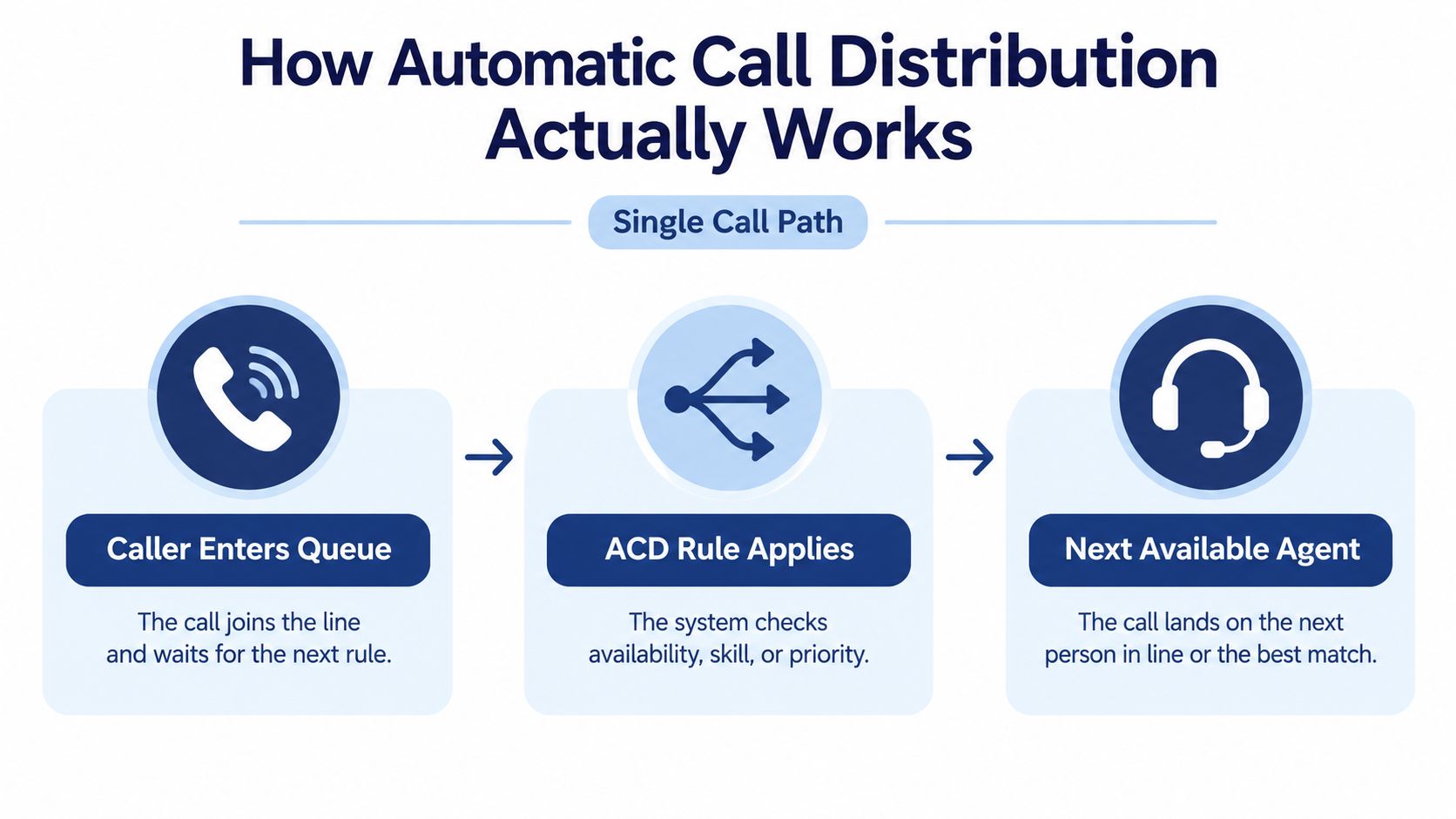
The basic path has distinct stages:
- The caller enters a queue. The call joins the waiting group associated with the number or selected destination.
- The configured rule applies. The system determines which eligible person should receive the call.
- An agent receives the call. Once the appropriate person is available, the system delivers the call to that agent or extension.
The diagram shows that path without the surrounding phone-system terminology.
The selection rule changes how the work is shared. Next-available routing assigns a call when an eligible agent becomes free. Cyclic distribution, often described as round-robin, moves through an ordered group rather than repeatedly favoring the same person.
Other rules consider the queue, required skill, time of day, or destination. For example, you could direct calls to the office responsible for a particular number during its opening hours. A call queue is the waiting arrangement; distribution rules determine how callers leave that queue for an agent.
An established operating method
This isn't a recent cloud-software invention. Historical accounts place early telephone-company applications in the 1950s; the Birmingham Press and Mail installed a GEC PABX 4 ACD in 1965; and Rockwell's 1973 Galaxy ACD for Continental Airlines' reservations operation reportedly remained in use for more than 20 years, as described in the historical account accompanying Rockwell's ACD anniversary.
Those milestones matter because they explain the underlying job. Organizations needed a systematic way to connect many callers with a shared group of employees without an operator making every assignment.
For your business, the same principle applies on a smaller scale. A published telephone number becomes a managed service entrance, with explicit rules instead of an informal expectation that somebody will pick up.
Skills-Based Routing and IVR Handoffs
A billing question and a cancellation request might arrive through the same business number, but they don't necessarily belong with the same employee. Skills-based routing lets you distinguish between callers who need different expertise or languages.
Suppose a customer needs help understanding an invoice in Spanish. Sending that caller to any available employee isn't enough. Your intended destination is someone who can handle both the billing question and the language requirement.
The menu collects information
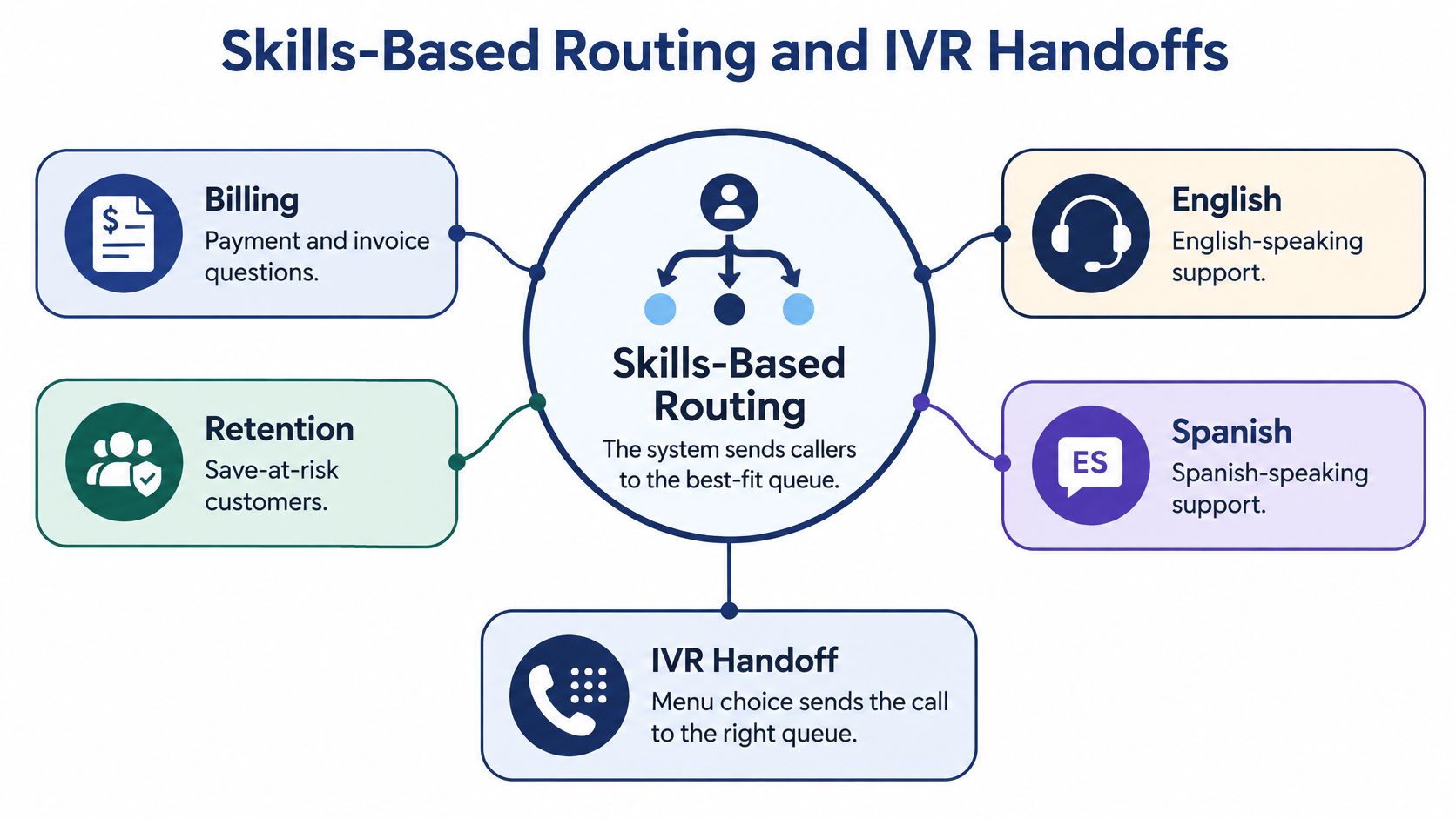
An interactive voice response system, or IVR, acts as the front door. It collects a menu choice or caller intent before the ACD applies the corresponding routing rule. Your skills-based call routing design should connect that information to a queue with qualified staff.
This diagram separates the caller's menu choice from the destination selected afterward.
A modern path may involve a human queue, voice bot, agent-assist workflow, or specialist destination. That creates more places to check than a simple menu-to-agent handoff.
An intent classifier could mistake an invoice dispute for a cancellation request and select retention. A bot could return a caller to the menu that already failed. A language selection could be collected correctly but mapped to an English-only team.
Check completion, not just the handoff
Treat those as possible failure scenarios to test, not unavoidable outcomes. Ask someone to follow the path as a customer would, including making an unclear selection or requesting help after an unsuccessful automated interaction.
- Intent accuracy: Does a billing request reach billing rather than a superficially similar department?
- Escape route: Can the caller leave an unsuccessful automated interaction without repeating it?
- Language continuity: Do announcements, assistance, and escalation preserve the caller's selected language?
- Accessible waiting: Can callers understand their queue status without relying solely on spoken audio?
The accessibility point needs careful scope: guidance discussed for emergency communications says queued TTY callers need an equivalent programmed TTY message when ACD is used. That guidance, the broader workflow risks, and a recommendation to review routing rules at least quarterly are addressed in Future AGI's discussion of contact-center ACD.
For an ordinary business, use that as a prompt to verify accessibility requirements for your own setting. Don't assume a voice announcement serves everyone, and don't treat a successful transfer as proof that the caller could complete the task.
ACD Metrics That Make Demand Visible
Your queue can appear organized while customers still struggle to reach someone. Supervisors need operating data to compare the work arriving with the work employees can handle.
This measurement role predates cloud platforms: in 1972, a British Gas operation in Wales reportedly handled about 20,000 calls per week in Welsh and English, while Barclaycard's Northampton operation supported up to 72 simultaneous inquiries for roughly 1.6 million cardholders, according to this history of customer-support automation, which also describes the early ACD operating measures below.
ACD Measures and the Decision They Support
| Measure | What it shows | Decision it supports |
|---|---|---|
| Calls offered | Incoming demand presented to the operation | Forecast when coverage is needed |
| Calls handled | Calls employees answered and handled | Compare completed work with incoming demand |
| Average handle time | How long handling a call takes on average | Estimate workload when planning staffing |
| Average speed of answer | How long answered callers wait on average | Assess queue responsiveness and coverage |
| Abandonment rate | The share of callers who leave before an answer | Investigate where callers give up |
These measures answer different questions, so don't choose a favorite and ignore the rest. A high handled-call count can show that employees are busy without showing that demand is fully covered.
Likewise, an acceptable average speed of answer doesn't tell you what happened to people who disconnected before an employee answered. Abandonment deserves its own attention rather than being treated as a footnote.
Reading rule: Compare incoming demand, completed calls, and callers who leave before deciding that routing is working well.
Read the measures together
Suppose your team handles more calls during a busy period, but more callers also abandon the queue. That hypothetical pattern doesn't establish that agents are underperforming. It gives you a reason to compare incoming demand, staffing, and the time required to resolve each call.
Use averages carefully, too. A daily figure can look reassuring while a particular queue or opening period needs attention. Reviewing call-center KPIs by the relevant team and time window makes the questions more useful to the person managing the schedule.
Your aim isn't to build a dashboard full of attractive charts. It's to distinguish between employees receiving calls correctly and employees having enough capacity to handle the calls offered.
A routing success is an appropriate assignment. A capacity assessment asks whether enough suitable people were available to meet demand. Those are related judgments, but they aren't the same one.
Everyday ACD Use Cases for Growing Teams
You don't need a large contact center to need clear ownership of a shared number. The following examples are hypothetical queue designs for familiar office situations, not claims about measured business results.
A shared workspace is often where those responsibilities overlap.
Support coverage and multiple locations
At a small support desk, employees stagger lunch breaks. Your caller should reach the people covering support rather than the desk of someone who's away. Configure queue membership and availability around that coverage plan; otherwise, an unattended extension may become the caller's dead end.
At a multi-location business, a customer calls after the local office closes while another site remains open. A time-based destination rule can make the open location the intended answering point. Without an explicit after-hours path, the caller may reach a closed office even though your business still has someone available elsewhere.
Neither example requires an elaborate menu. Both require you to decide who owns the call under changing operating conditions.
For an additional visual explanation of the topic, use the video below.
Sales opportunities and specialist reservations
A sales manager may want incoming inquiries distributed cyclically among eligible representatives instead of repeatedly reaching whoever answers fastest. The customer still calls the same sales number, but the assignment follows the team's agreed rule.
For a reservations team, the useful distinction may be language or specialty. A caller arranging a complicated booking should enter the intended specialist path rather than explain the request to a generalist and then start again elsewhere.
Before configuring these scenes, record the important differences:
- Sales eligibility: Specify who should receive new inquiries and when they're available.
- Specialist coverage: Identify which booking requests require particular knowledge.
- Working location: Check whether the answering destination is a desk phone, mobile app, or remote extension.
- Duty status: Make availability reflect the employee's shift, not merely an installed application.
For a hybrid team, treat the endpoint as part of the design to verify with your provider. An employee being reachable somewhere doesn't necessarily mean they're on duty for a shared queue.
List your real queues, such as support, sales, billing, and after hours, before shopping for software. Give each queue an owner and a purpose that your staff can explain without technical terminology.
Why an ACD Does Not Shrink Every Wait
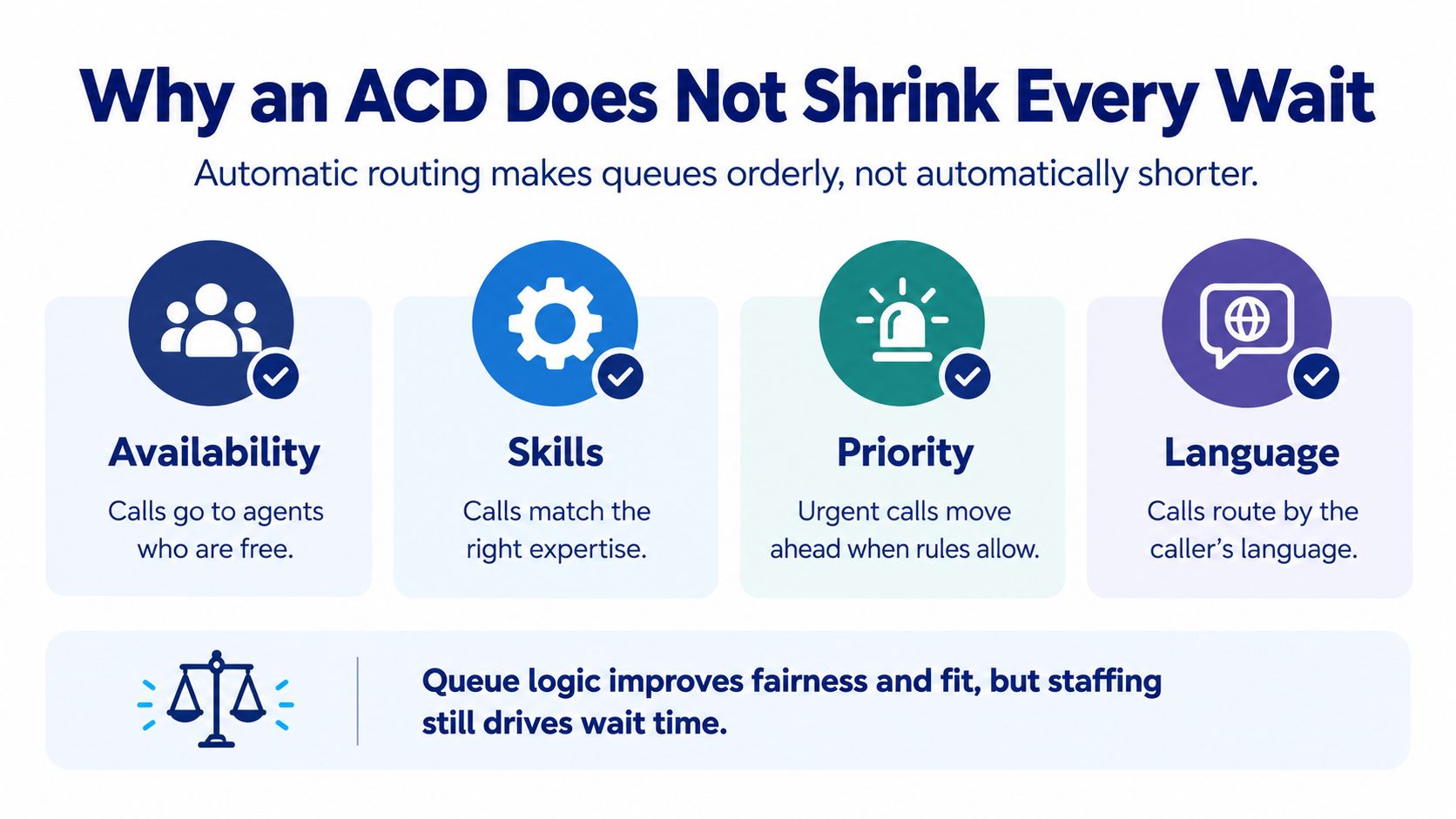
Automatic routing doesn't create additional agents or reduce incoming demand. When more callers need help than your scheduled team can handle, an orderly queue can still become a long queue.
That's the essential buying distinction described in Harmony's explanation of ACD capacity and routing limitations. Efficient assignment matters, but it can't compensate for every coverage gap.
Ask what happens when nobody is free, not just whether the system can ring the next person.
The illustration reinforces the difference between selecting an appropriate agent and having enough agents available.
Specify the overloaded-queue path
Don't accept a demonstration that ends as soon as an available employee answers. Ask the provider to demonstrate the situation your office struggles with: everybody eligible is occupied, another call arrives, and no one can immediately take it.
Your requirements should address these safeguards:
- Queue callback: Can a caller request a return call rather than remain on hold, and how is that request handled?
- Overflow destination: Where can the call go when the original queue can't serve it?
- Maximum-wait rule: What changes once the configured waiting limit is reached?
- Voicemail escalation: Who receives the message, and who owns the follow-up?
- Live monitoring: Can the responsible supervisor see that service is deteriorating while there's still time to respond?
A fallback must be operationally believable. Sending overflow to another equally busy team isn't a complete coverage plan. Nor is collecting messages without assigning someone to return them.
Audit bad data as well as busy periods
A technically functioning distributor can still make poor assignments. Stale skill records, incorrect caller information, and misread IVR intent can lead to transfers and longer resolution paths.
Review who is marked as qualified for each queue, then check that those employees still perform that work. Inspect abandoned-call records alongside average speed of answer for the same operating period. Rehearse a busy-hour scenario with the actual hours, languages, and escalation contacts used by your distributed team.
Include a caller who needs an accessible fallback in that rehearsal. Your acceptance test should end when the caller receives appropriate help or a clear, owned next step, not when the system merely moves the call elsewhere.
Choosing ACD Features on a Cloud PBX
Choose an administration model your team can maintain. A routing plan that only an unavailable specialist can update is a poor fit for an office where schedules and responsibilities change regularly.
If you're replacing an on-premise PBX, establish how changes work on your existing installation rather than assuming every older system has the same limitations. Then compare that process with the hosted provider's actual administration tools.
Compare the work behind a change
| Administration task | What to establish on a legacy PBX | What to request from a cloud provider |
|---|---|---|
| Change opening hours | Who can edit the schedule and whether outside help is needed | A demonstration of schedule changes in the portal |
| Update announcements | How recordings are stored and changed | A repeatable process your admin can manage |
| Add or remove agents | Any equipment, licensing, or specialist dependencies | Clear user and queue-membership controls |
| Investigate missed calls | Which records you can retrieve | Accessible call logs and relevant queue reports |
| Change overflow behavior | Who maintains the destination rules | A tested fallback path and named owner |
Hosted VoIP or cloud PBX is an administration choice as much as a calling choice. Ask the person who'll maintain it to perform a realistic change during the evaluation. Watching a salesperson do it isn't the same as confirming that your office admin has the necessary access.
Match the package to your operating requirements
For the cloud option described below, the relevant capabilities include auto attendant and IVR, mobile-office routing, and a self-service portal for users, routing, voicemails, call logs, and recordings. Queue-specific tools include smart queue management, queue callback, wait-time announcements, real-time statistics, and detailed reporting.
Keep the surrounding service package on your checklist as well:
- Commercial clarity: Confirm predictable pricing and what unlimited lines includes.
- Implementation help: Establish what white-glove setup covers and who tests the call paths.
- Employee tools: Check call recording, mobile apps, and visual voicemail with transcription against your workflows.
- Support access: Verify how your admin reaches support outside normal office hours.
Before cutting over, write down the queues, skills, hours, overflow destination, and callback rule for your busiest number. Ask the hosted provider to configure and demonstrate that exact path, including the point where the normal answering team is unavailable.
SnapDial offers a cloud business phone system with auto attendant, call routing, smart queues, queue callback, and reporting tools for managing shared business numbers. Visit SnapDial with your busiest number's call-path requirements and ask the setup team to demonstrate normal routing, overload handling, and fallback destinations before you switch.