
The Tuesday morning rush hits, the Eastside line is already stacked, and the front desk is still answering the same billing question that a menu could have sorted. If you run a small or mid-sized support team, that is the call you are living with right now. A useful call center call flow example is not a pretty menu. It is an operating policy that trades queue wait against callback capacity and a clean handoff to a person, with failure branches and go-live checks you can run.
Standard Inbound Call Flow at a Glance
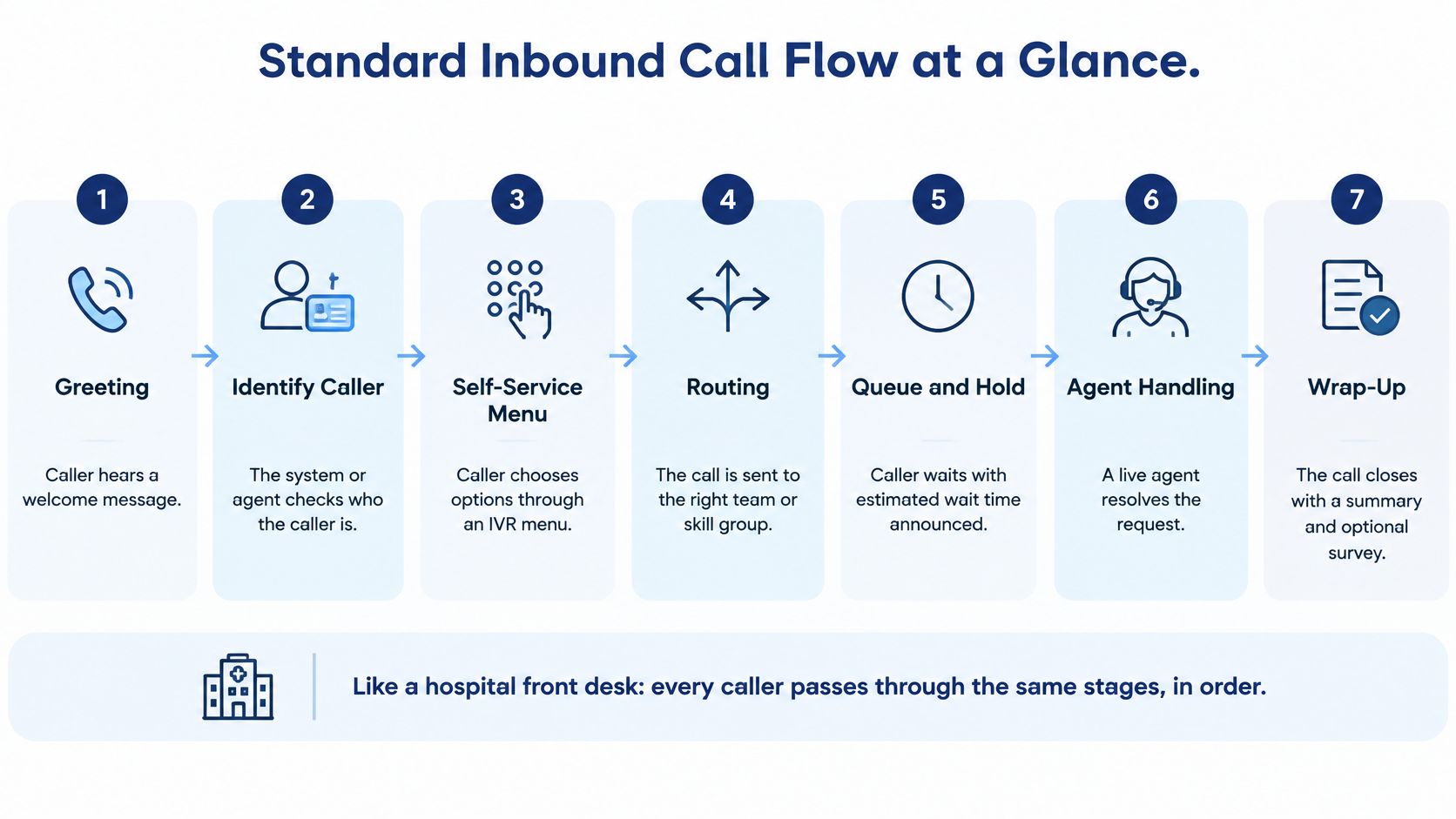
A standard inbound flow has seven stages, and every caller passes through them in order. Think of a hospital front desk. Someone greets you and checks who you are, a triage step decides where you go, and you wait until the right clinician is free. Skip a stage and the next one has to guess.
The Columbia call-center review shows what a well-run telephone center can hold. Hundreds of agents may handle thousands of callers per hour while keeping average agent utilization at roughly 90% to 95%. In that same environment, about 50% of callers may be answered immediately, delayed callers typically wait only seconds, and abandonment while waiting can sit from negligible to about 1%–2%. The commonly cited service target is that at least 80% of callers wait no longer than 20 seconds.
Those figures become checkpoints you can watch. IVR completion, queue wait, average speed of answer, service level, agent occupancy, and abandonment rate tell you whether the flow is holding or leaking. Running agents at the top of that utilization band looks efficient until a campaign, an outage, or a Monday spike arrives and there is almost no spare capacity. Overflow and callbacks exist for that gap, not as decoration.
| Stage | What Happens | Routing Decision | Metric to Watch |
|---|---|---|---|
| 1. Greeting and caller ID | Business name played, caller number matched to records | Known customer goes to account path; unknown caller continues | Caller ID match rate |
| 2. Auto-attendant | Caller chooses language and main menu option | Route by keypress or speech intent | IVR completion rate |
| 3. Business hours check | Current time compared with the location schedule | Open goes to queue; closed goes to after-hours path | Calls by hour and location |
| 4. Skill queue | Caller waits for an available agent with the right skill | Agent with matching skill answers; overflow after a set wait | Average speed of answer |
| 5. Agent answer | Agent resolves or transfers the request | Warm transfer to specialist when needed | First-contact resolution |
| 6. Callback offer | Caller accepts or declines a callback during a long wait | Callback queue when predicted wait passes threshold | Callback completion rate |
| 7. Wrap-up or abandonment | Call ends with a resolution, a transfer, or a hang-up | Outcome logged with a correlation ID | Abandonment rate |
Practical rule: If you can't name the metric on the right of each row, you don't have a flow yet. You have a greeting.
Sketch your own seven rows before you touch prompts. For worked diagrams in other industries, the call center examples from Voicedial.ai are a useful contrast while you fill the destination column with your own teams.
How to Build Your Call Flow Step by Step
Build order matters because each step decides the next one. A menu written before you know your call types will sort the wrong work into the wrong queue.
Sequence and the slip that breaks each step
List every call type by location and volume. A three-clinic dental group might see bookings, billing, clinical questions, and emergencies. The slip is lumping "everything else" into one bucket that later becomes half your traffic.
Map each call type to one skill group with a named owner. Scheduling owns bookings. Billing owns claims. If two managers share a queue, neither staffs the peak.
Draft the menu with no more than four options per level. Callers can hold about that many choices in memory while the prompt plays. A booking option that also covers billing is the usual slip, and it creates transfers you will later blame on agents.
Set business hours and holiday schedules for each location. Closed-hour handling depends on those calendars. The classic miss is a holiday schedule nobody updated after the year changed, so New Year's Day still rings the front desk.
Set queue rules before you write announcements. Overflow to a second location after 30 to 60 seconds. Announce a wait only when the estimate is reliable. A countdown that is wrong trains callers to hang up.
Add callback and fallback branches for long waits and for unanswered input. A flow with no "I didn't understand you" path loops until the caller leaves.
Test with at least 20 live calls per branch and one simulated peak. Log every state transition under a single correlation ID. A test that only covers the happy path will pass on a quiet Wednesday and fail on the first campaign.
Sign-off checklist
Before you turn the flow on, name the owner of every queue in writing. Confirm hours, overflow timers, and the callback threshold against that owner's staffing plan. If a queue has no owner, it has no one to add people when the wait climbs.
IVR Menus Callers Actually Finish
The menu collects intent. The queue does the routing. Mixing those jobs is how you get transfers, a second round of authentication, and longer handle time.
A contact-center operations paper is direct on this split. Identify the caller early so a known customer skips questions you already have on file. Route by skill, not by a flat department list. Billing, clinical support, and priority accounts each need their own skill queue and their own service-level target. Announce position or estimated wait only when the estimate is reliable. If it isn't, a callback offer is safer than a precise promise you can't keep. Log each state transition, from IVR entry through menu selection, authentication, queue entry, transfer, answer, hold, wrap-up, callback, and abandonment, under one correlation ID. That log is how you see where callers are lost instead of guessing.
A hotel concierge who asks one good question beats a switchboard that reads forty extensions. The same idea fits a three-clinic group.
| Key | Caller Intent | Destination | Skill Queue |
|---|---|---|---|
| 1 | Book or change an appointment | Scheduling queue at the caller's nearest location | Scheduling-Location |
| 2 | Billing or insurance question | Billing team, any location | Billing |
| 3 | Clinical or prescription question | Nurse line, callback offered at long wait | Clinical |
| 4 | Urgent symptoms | Immediate transfer to on-call line, menu bypassed | On-Call |
| 0 | Speak to reception | Front desk at nearest location | Reception |
| No input after two prompts | Unclear intent | Reception | Reception |
Key 1 books or changes an appointment and lands in scheduling at the nearest clinic, because travel time matters more than which agent is free. Key 2 sends billing and insurance to a shared billing skill. Location doesn't change the claim. Key 3 covers clinical and prescription questions on a nurse line, with a callback when the wait runs long, since those calls shouldn't sit in a booking queue. Key 4 treats urgent symptoms as a bypass. The on-call line answers, and the menu is skipped. Key 0, and two silent or invalid inputs, both go to reception. Repeating the menu a third time doesn't create intent.
Keep the greeting under 30 seconds, cap each level at four options, offer a repeat, and let speech fall back to the keypad when recognition confidence is low. If you are still deciding what an auto-attendant should collect, start with a plain IVR system definition and then replace the sample keys with your own call types.
Routing and Queues Across Several Locations
Multi-location routing answers two questions. Which queue takes the call, and when does it spill over? Queues belong to skills, not buildings. The caller's nearest location is the first try, not the only one.
A flow built on average traffic fails on the days that matter. A Brazilian operations-research study of a bank call center modeled a high-congestion hour and found that a 16.5% increase in demand raised average waiting time from 0.813 minutes to 1.2065 minutes, an increase of 48.4%. The probability that an incoming caller would have to wait rose from 58.3% to 72.0%. Test peak scenarios, not the Tuesday that looks normal on a spreadsheet.
Rules you can check
Map each caller number or menu choice to a home location. Unknown numbers follow the menu, not a guess based on area code alone.
During open hours, route to the local queue for the same skill. Nearest first keeps the conversation with people who know that site's schedule.
Overflow to a same-skill queue at another location after 30 to 60 seconds. Same skill matters. Sending a billing call to a scheduler at the sister clinic only creates a second transfer.
When local queue depth passes a set number of callers, send new calls to the shared pool and offer a callback. Pick that depth from last month's peak, not from a round number that feels tidy.
When a location is closed, route to central staff if they are on duty. Otherwise play the after-hours message and offer a callback. Do not ring an empty clinic.
For specialist needs, try specialists first, then warm-transfer to a generalist if none is free. A cold transfer drops the context you just collected.
For known busy periods, schedule extra agents from other sites in advance. Skills-based call routing is what makes step 3 possible. Without a skill tag, overflow is just "whoever is logged in."
Report average speed of answer per location. One healthy company-wide average can hide a site where callers wait far longer than everyone else. Split answered, waited, transferred, and abandoned as separate counts, or the blended number will flatter the quiet clinic and bury the busy one.
Callbacks and Peak-Demand Branches
Callback is demand management, not a courtesy button. Treating it as a nicety is why teams turn it on, watch the live queue shrink, and never notice the callbacks that never connect.
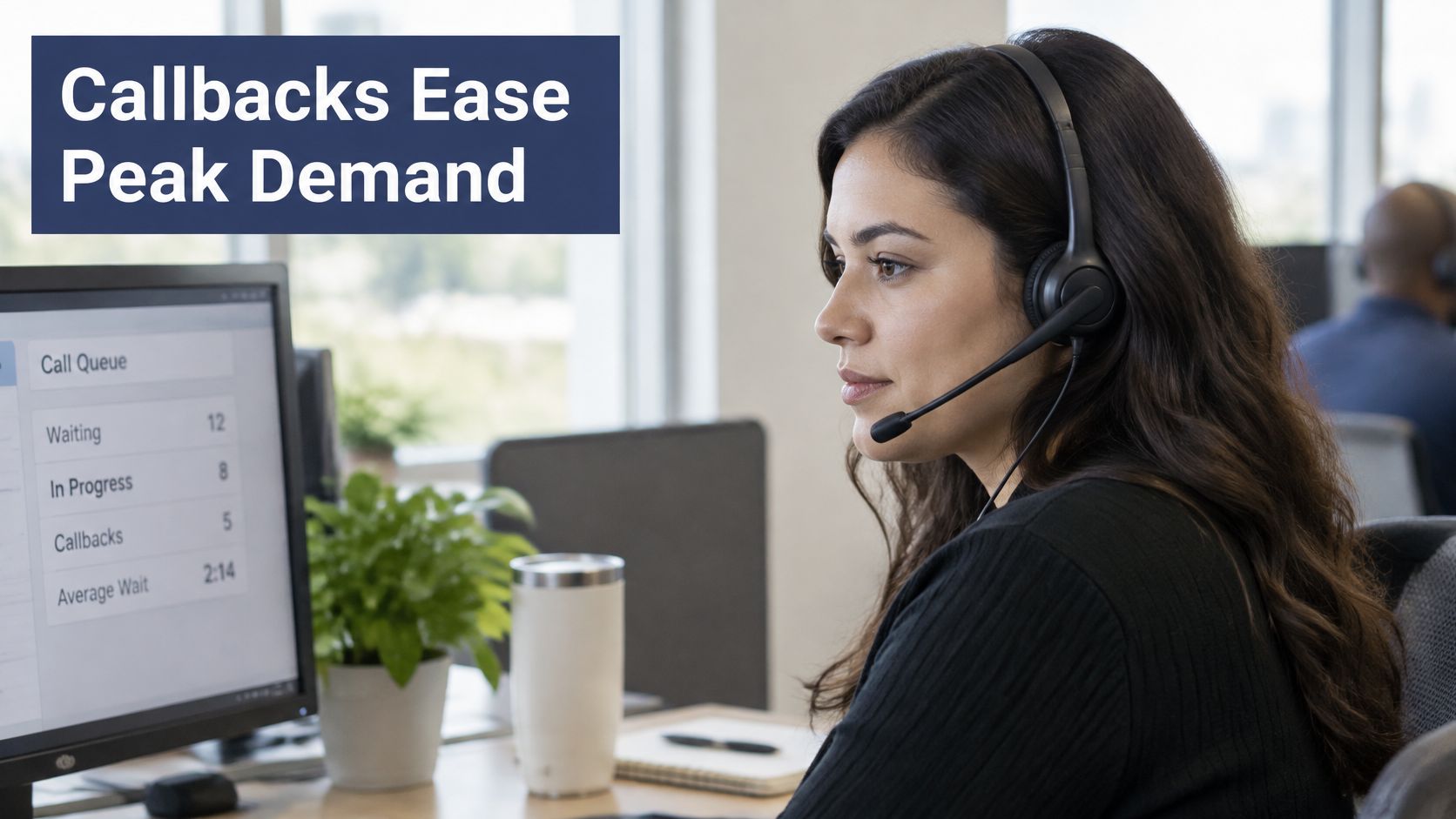
In a field study of a U.S. bank call center, published in Management Science, offering either a guaranteed callback window or a preserved queue position reduced average time spent waiting on the phone by as much as 71%. During temporary congestion, postponing demand through callbacks improved service quality by up to 54%. That is capacity you buy by moving work off the inbound trunks, not by asking callers to be patient.
The SQM Group puts a clock on the decision. The average caller abandons after 2 minutes 36 seconds. One financial institution moved callers into a callback list after a three-minute wait and ended the live wait. I would set the offer at 180 seconds of predicted wait, not at the first ring.
| Predicted Wait | Caller Experience | Flow Action |
|---|---|---|
| Over 180 seconds | Caller is offered a callback at once | Callback queue; confirm number; cap retries at 3 |
| Estimate unreliable | Caller hears no precise time | Offer callback instead of an exact estimate |
| Callback fails 3 times | Caller reaches an agent through the queue | Return to priority queue with a note |
The sequence is short. Identify the caller, estimate the delay, announce it only if you trust it, offer a callback once the prediction crosses the threshold, validate the number, keep their place in line, and drop the request into an outbound callback queue. The callback worker re-checks agent availability, retries under a cap of three, and returns failed attempts to a priority queue with a note.
A restaurant host who takes your name and a number is doing the same job. You are not stuck in the doorway while the kitchen catches up.
The trap is a prettier live-queue number. A shorter wait on the phone can hide failed callbacks and repeat contacts. Compare service level, abandonment, callback completion, first-contact resolution, and queue occupancy before and after you switch the branch on. A callback queue only earns its place if those five move together.
Walk One Call Through the Flow
Say a patient calls the Eastside clinic of a three-location dental group on a Tuesday at 10:15 a.m. about an insurance claim. Walk your own build against this path.
Greeting and caller ID. The number matches a known Eastside patient, so the account path skips identity questions. The record is tagged with a correlation ID before any prompt branches.
Auto-attendant. The caller presses 2 for billing and insurance. Intent is logged before any queue is chosen, which is what stops a later transfer from starting over.
Business hours. Eastside is open, so the call moves to the billing skill queue for that location rather than the after-hours message.
Skill queue. The local billing agent is busy. After 30 seconds the call overflows to a billing agent at a second location. Same skill, different building.
Agent answer. The agent resolves the claim. A warm transfer to a specialist happens only if the claim needs one, and the specialist hears the account context with the caller still on the line.
Wrap-up. Outcome, transfer, and agent answer are logged against the same correlation ID. If that ID splits, you can't tell whether the caller was helped or bounced.
Variant. If no agent is free within three minutes, the flow offers a callback. The caller accepts, the number is validated, and the request enters the outbound callback queue with the original priority intact.
Repeat the trace with your locations, your skill names, and your timers. If a step has no owner or no metric, that is the step that will fail first.
Edge Cases Where Flows Break
Happy-path diagrams break at the edges. Four of them cause most of the repeat calls I would fix before adding another menu option.
Closed hours with urgent calls. Keep a separate emergency route that bypasses the after-hours message and reaches the on-call line. A recorded "we open at 8" is the wrong answer for urgent symptoms.
Looping callers. After two invalid inputs, or two presses of 0 with no speech, send them to reception. A third replay of the menu doesn't create a choice.
Repeat callers who abandoned and redialed within minutes. Recognize the number, keep the earlier place in line, and don't open a fresh queue entry. Making them start over is how a two-minute wait becomes a ten-minute one.
Self-service that fails. Escalate immediately and pass the caller's context so the agent doesn't ask for the account number again. Failed callbacks belong on the callback report, not in a second menu.
Which intents stay with a person
A Qualtrics review of contact center trends puts numbers on the trust problem. 61% of consumers prefer completing tasks through human channels, and 74% prefer human support for issue resolution or technical help. 54% of surveyed contact centers reported some AI functionality, but only 6% considered their capabilities advanced. The leading concern, cited by 31% of respondents, is keeping interactions personal and human.
Route status checks and other low-risk repeats to self-service. Keep emotionally sensitive, high-value, regulated, or already-failed intents with a person, and use automation as triage and agent assistance rather than a gate.
The escalation trigger matters as much as the bot. An immediate escape to an agent, with the collected context attached, is the difference between help and a barrier.
Measure the Flow and Launch It Safely
Set the bar before go-live, or the first quiet week will look like success.
Invoca's 2024 customer-experience statistics report that 5% of callers hung up immediately when placed on hold, 28% hung up within five minutes or less, and 6% remained on hold for 30 minutes or longer. Natterbox's analysis of contact-center call records found that in 2024 the average time callers spent in IVR or routing before reaching a queue was 5.15 minutes, which is a menu that is too long, not a queue that is too slow. ContactBabel's 2024 U.S. Contact Center Decision-Makers' Guide puts the mean average speed to answer in U.S. contact centers at 79 seconds and the mean call-abandonment rate at 7.1%.
| Metric | 2024 Value | Source |
|---|---|---|
| Hung up immediately when placed on hold | 5% | Invoca 2024 |
| Hung up within five minutes on hold | 28% | Invoca 2024 |
| Stayed on hold 30 minutes or longer | 6% | Invoca 2024 |
| Time in IVR or routing before reaching a queue | 5.15 minutes | Natterbox 2024 |
| Mean average speed to answer | 79 seconds | ContactBabel 2024 |
| Mean call-abandonment rate | 7.1% | ContactBabel 2024 |
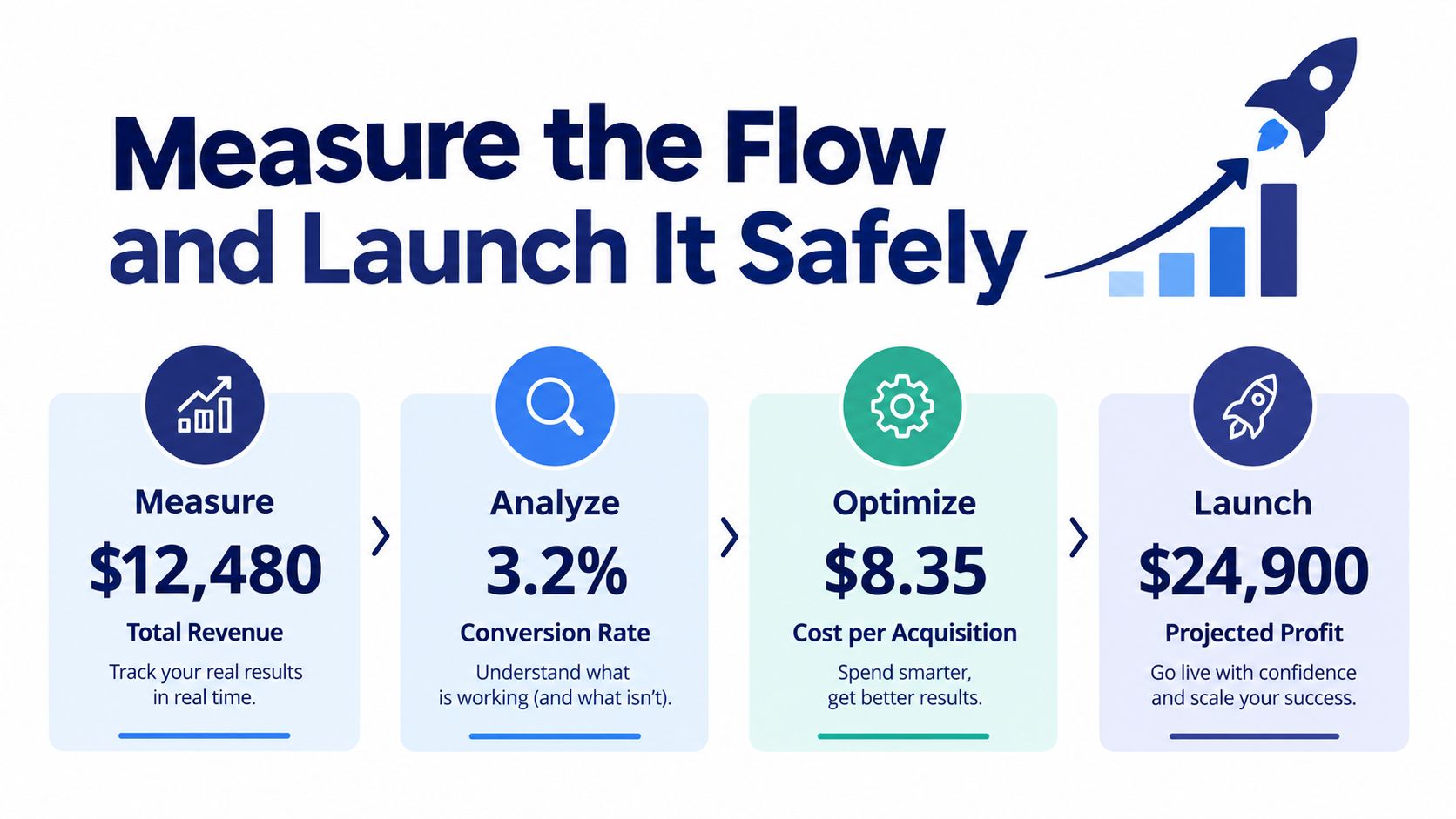
Launch in four moves
Pilot at one location for two weeks. Don't flip every site on the same morning.
Compare IVR completion, queue wait, abandonment, callback completion, and repeat-call rate against the table above. A pilot that only "feels fine" isn't done.
Expand location by location, starting with the site whose pilot was cleanest. Copy the timers, not the hope.
Review monthly and move thresholds when volume changes. A callback offer set for summer staffing will be late in January.
A cloud phone system such as SnapDial can expose queue depth, average speed of answer, and callback completion in the same place the flow runs, next to whatever workforce tool you already use for staffing. A flow is only as good as the numbers that prove it. If abandonment drops and repeat calls rise, you moved the pain, you didn't remove it.
SnapDial is a cloud phone system with auto attendant, skills and availability routing, overflow, wait-time announcements, queue callback, and real-time queue statistics, so the policy in this call center call flow example can run as live routing instead of a diagram on a drive. White-glove setup and a self-service portal cover hours, queues, and recordings without a forklift cutover. Visit SnapDial to map your locations, skills, and callback threshold onto a flow you can pilot at one site.