
Your home phone probably falls into one of two buckets. It's either an overpriced landline you keep “just in case,” or it's a patchwork setup where your cell phone, Zoom, and missed voicemails are doing a poor job pretending to be one reliable business line.
That's not good enough if you work from home, run a side business, or need a number clients can trust. The best home VoIP service isn't the cheapest one with unlimited calling. It's the one that keeps you reachable, routes calls intelligently, handles voicemail like a modern system, and doesn't leave you stranded when your internet or power drops.
Time to Replace Your Landline with Home VoIP
Traditional home phone service still sells itself on familiarity. That's the whole pitch. Keep the same old handset, pay the monthly bill, and assume it's more “stable” because it feels older and simpler. In practice, a lot of people are paying for a line that gives them fewer features than the phone already in their pocket.
VoIP fixes that. It moves your calling service onto your internet connection and turns a basic home number into something closer to a compact cloud phone system. You can keep a household line, but you also get options that matter for real work: call forwarding, voicemail access from anywhere, mobile apps, call logs, and better control over missed calls.

If you're still comparing VoIP to old-school phone service as if it's some experimental upgrade, that view is outdated. The U.S. added more than 35 million VoIP lines between 2010 and 2018, which shows how far the technology moved into the mainstream, according to Tech.co's VoIP statistics roundup.
That shift happened for a reason. Businesses moved first because the economics were compelling, then the infrastructure matured, and now home users benefit from the same cloud delivery model. If you want a clean breakdown of the old and new approach, this comparison of VoIP vs POTS phone systems is worth a look.
What matters more than price
Most “best home VoIP service” roundups obsess over monthly cost. That's lazy advice.
For a home office or client-facing line, you should care more about:
- Call continuity so calls don't disappear when your setup has a problem
- Professional handling like forwarding, simultaneous ring, and usable voicemail
- Emergency readiness so you understand exactly what happens when you dial 911
- Practical hardware fit so the system works with the way you already take calls
Cheap calling is easy to find. Reliable calling is what you're actually buying.
Understanding How Home VoIP Actually Works
VoIP is easiest to understand if you think of it as email for your voice. Instead of sending your conversation over a dedicated copper phone line, the system breaks your voice into digital packets and sends them over your internet connection. The other end receives those packets, rebuilds the audio, and the call happens in near real time.
That's why VoIP feels simple when it works and frustrating when the network is weak. The phone service is no longer isolated from your home internet. It depends on it.
The simple version
A home VoIP setup usually works like this:
- You speak into a phone, app, or headset
- The service converts your voice into digital data
- Your router sends that traffic over broadband
- The provider connects the call to another VoIP user or the regular phone network
If you've used a calling app on your laptop or smartphone, you've already used the same basic concept. This explainer on how VoIP phones work covers the mechanics in more depth.
Who should use home VoIP
Not everyone needs the same setup, and that's where people get confused.
A family may want one shared home number, cordless handsets, and basic voicemail. A remote professional usually needs something different: a stable number, the ability to answer on mobile and desktop, and call handling that doesn't make them sound disorganized. A home-based business owner often needs even more, including message management, forwarding rules, and a cleaner separation between personal and work calls.
That's why I don't treat home VoIP as a consumer gadget category anymore. It's a communications category. The right service can act like a home line, a remote-work line, or a light business phone system depending on how you configure it.
If clients, patients, vendors, or tenants call you on that number, stop evaluating it like a bargain utility and start evaluating it like operating infrastructure.
Why this category keeps growing
The residential side of the market isn't shrinking into irrelevance. It's expanding. The global residential VoIP services market is projected to grow from $23.6 billion in 2024 to nearly $38.9 billion by 2030, according to Strategic Market Research.
That growth reflects two realities. Broadband is widespread enough to support home internet calling, and traditional landlines keep fading. At the same time, consumer expectations have changed. People now expect mobile access, transcription, spam controls, and smarter call handling, not just a dial tone.
Key Features That Define the Best VoIP Service
The fastest way to choose the wrong provider is to shop by unlimited calling alone. That feature is table stakes. It tells you almost nothing about whether the service will support a home office, a consulting practice, or a business line you depend on every day.
The best home VoIP service is the one that helps you answer more calls, miss fewer messages, and stay organized when you're away from your desk.
The features that actually matter
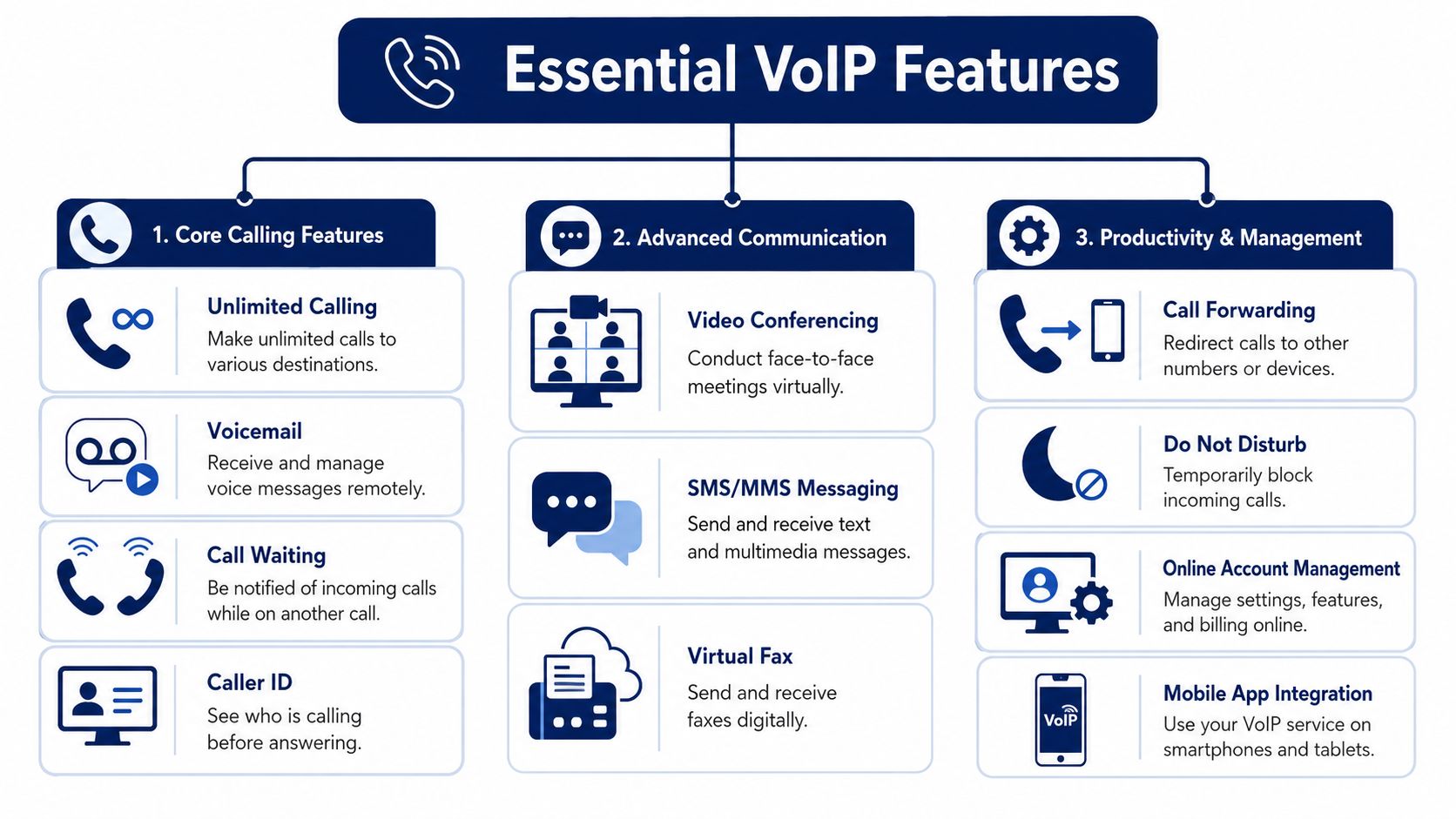
Comparative provider guidance consistently points to feature depth as a key separator. Functions like call forwarding, advanced voicemail, conference calling, simultaneous ring, and fail-safe forwarding do more to reduce missed calls than a low monthly price, as outlined in Ooma's guide to home VoIP features.
Here's how I'd rank the essentials for a serious home user.
- Call forwarding: If you step away from your desk, your calls should follow you to your cell or another line. Without this, your “home office” phone becomes a location trap.
- Simultaneous ring: This is one of the most underrated features in the category. It rings multiple devices at once, which gives you a much better chance of answering important calls on the first attempt.
- Advanced voicemail: Basic voicemail is old news. You want visual access, message management, and easy retrieval across devices.
- Call logs and account control: If your line supports client work, you need a record of inbound and outbound activity. That's how you stop guessing who called and when.
- Conference calling: Useful for quick vendor calls, client check-ins, and family coordination without switching tools.
- Fail-safe forwarding: This matters more than flashy extras. If the internet or power fails, the service should have a way to route calls somewhere else.
Voicemail should work like modern software
A lot of people underestimate voicemail until they start missing business. Once that happens, voicemail becomes a workflow issue, not a convenience feature.
If you want messages to be easier to scan and respond to, voicemail transcription is worth prioritizing. Even if you're handling some calls on your mobile device, learning how to setup voicemail to text on Android can make message handling far less chaotic.
Features that separate home use from home business use
Some households need simple calling. Some homes are running a small company.
If your home line supports work, look for:
| Use case | Most important feature set | Why it matters |
|---|---|---|
| Household line | Voicemail, caller ID, call blocking | Keeps the line manageable and less annoying |
| Remote employee | Mobile app, forwarding, call logs | Lets you stay reachable without sitting at one desk |
| Solo business owner | Simultaneous ring, transcription, conference calling | Reduces missed opportunities and improves follow-up |
| Shared home office | Routing rules, advanced voicemail, fail-safe forwarding | Prevents confusion when more than one person depends on the line |
Practical rule: Buy for the missed-call problem first. Everything else is secondary.
One provider type to consider in this middle ground is a hosted cloud phone system that supports mobile apps, call routing, visual voicemail, and web-based management. For example, SnapDial offers those capabilities in a business phone setup, which can fit home-based operators who've outgrown a basic residential line.
Emergency Calling and Reliability What to Ask Providers
Most buyers tend to get sloppy. They compare prices, skim the feature list, and assume emergency calling works the same way it did on the old landline. It doesn't.
With VoIP, your service can depend on electricity and broadband. If the power goes out, the phone may go down too unless you have backup power in place. Emergency calling details also vary by provider and setup, which is exactly why you need to ask direct questions before you buy, as noted in Ooma's home phone service guidance.
Ask these questions before you sign up
Don't settle for vague answers from support reps or marketing pages. Ask them plainly:
- How does 911 registration work? You want to know how your service associates your line with a physical address.
- How do I update my emergency address? This matters if you move, work from multiple locations, or use the service through an app.
- What happens during a power outage? Not a generic answer. Ask what stops working and what still works.
- Is there automatic failover? Some services can forward calls elsewhere if your primary setup goes offline.
- What backup options do you recommend? A decent provider should be able to speak clearly about battery backup, app access, and continuity options.
What reliability looks like at home
You do not need a telecom closet in your spare bedroom. You do need a plan.
A reliable home VoIP setup usually includes a battery backup for key networking gear, a provider with mobile app access, and call forwarding rules that can redirect calls when your main connection fails. If your internet provider supplies fiber equipment or a gateway, think about backup for that gear too, not just the phone device.
If your home line supports your income, test your outage plan before an outage tests you.
The mistake people make with E911
People assume dialing 911 from a VoIP line is always automatic and location-aware in the same way. That assumption can be dangerous.
Your responsibility is simple. Make sure the service has your correct registered address, understand how it handles emergency calls from each device you use, and confirm what changes if you use a mobile app away from home. Don't treat this as fine print. Treat it as part of the buying decision.
Choosing Your Hardware and Ensuring Great Call Quality
A lot of call-quality complaints get blamed on the provider when the actual problem sits inside the house. Weak Wi-Fi, overloaded routers, and bad device placement ruin plenty of VoIP setups before the service itself ever gets a fair shot.
The hardware side is simpler than often assumed. One vendor notes that VoIP needs a stable internet connection of at least 128 kbps for basic function, with 512 kbps recommended for better quality, and the basic setup is broadband internet, a router, and either a VoIP adapter or a native VoIP phone or softphone client, according to 4S Solutions Group's VoIP hardware overview.
Your three hardware paths
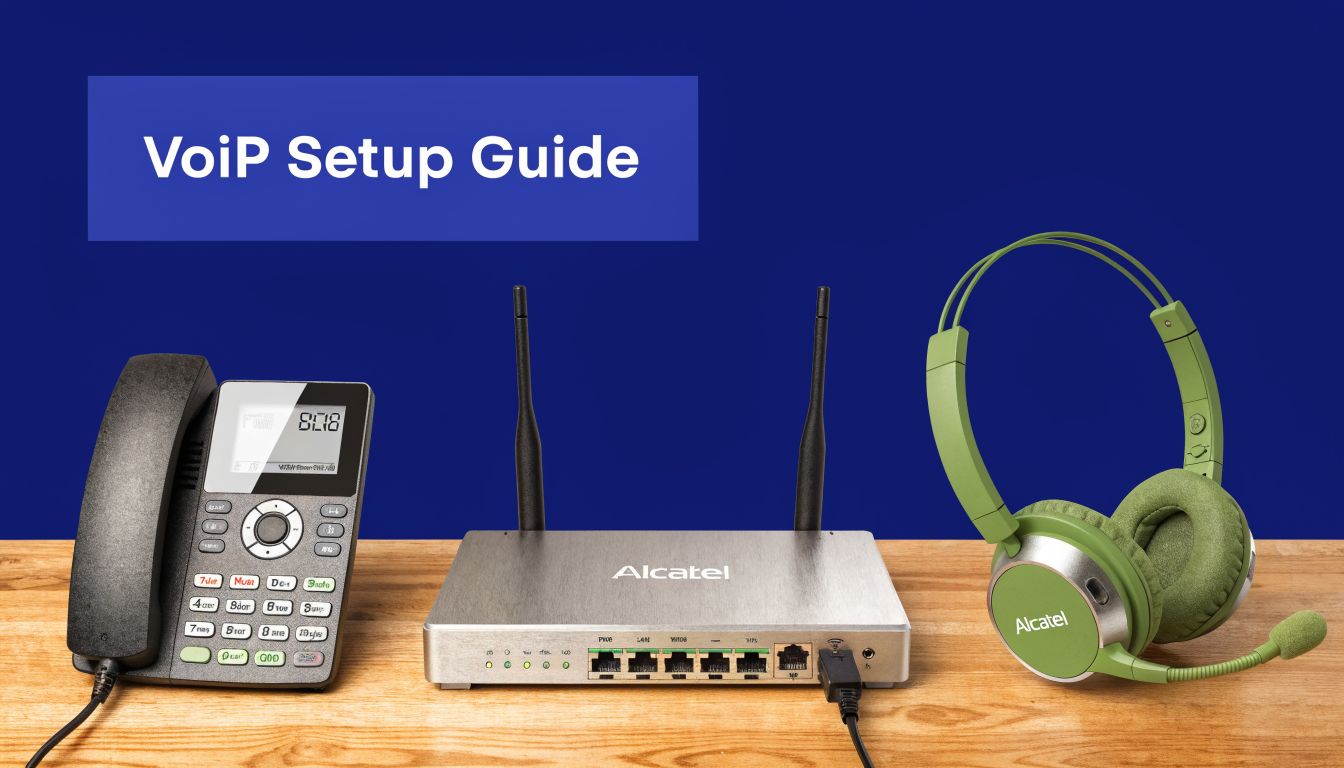
There are three practical ways to set up home VoIP.
Use an ATA with your existing phone
An analog telephone adapter, often called an ATA, lets you keep using a traditional phone. This is the easiest path for people who want a familiar home-phone experience with minimal retraining.
Buy a dedicated IP phone
A desk IP phone gives you a more professional setup. It's better if you take regular work calls, want dedicated line buttons, or need cleaner audio and easier call control.
Go app-only with a softphone
This works well if you're mobile, don't want extra hardware, or prefer handling calls from your laptop and smartphone. For many remote workers, this is the most flexible setup.
Call quality depends on the network, not just the brand
If your audio sounds choppy, robotic, or delayed, don't immediately assume the provider is bad. Check your network first.
Common culprits include:
- Wi-Fi congestion: Shared home networks get messy fast, especially during video calls and streaming.
- Router overload: Older routers struggle when multiple devices compete for bandwidth.
- Jitter and latency: Voice traffic hates inconsistency. If you want the plain-English version, read this guide on what network jitter means.
- Bad workspace acoustics: Hard surfaces and noisy rooms make even good calls sound rough.
If you're building a more serious work-from-home setup, your environment matters too. A quieter workspace improves call clarity as much as better equipment does. This home office pod guide is useful if you're trying to reduce background noise and create a call-friendly space.
A quick visual walkthrough can also help if you're choosing between device types or planning a first setup:
My blunt hardware advice
If you rarely take formal calls, app-only is fine. If you run a business from home, buy a desk phone or at least use a quality headset and wired connection when it matters. If you want the household to use the line, an ATA keeps things simple.
Don't overcomplicate the setup. Do harden it against problems, which are weak Wi-Fi, noisy rooms, and no backup plan.
A Decision Matrix to Find Your Perfect VoIP Match
People waste time looking for one universal winner. There isn't one. The right service depends on what your home line needs to do.
Use this matrix to narrow the field quickly and avoid buying features you won't use or skipping features you'll regret not having.
Home VoIP Decision Matrix
| User Profile | Top Priority | Key Features to Look For | Price Sensitivity |
|---|---|---|---|
| Budget-conscious family | Simple, affordable shared calling | Caller ID, voicemail, call blocking, easy handset support | High |
| Remote professional | Reachability and clean call handling | Mobile app, call forwarding, call logs, voicemail access across devices | Medium |
| Solo consultant or freelancer | Fewer missed client calls | Simultaneous ring, voicemail transcription, conference calling, business-style greetings | Medium |
| Home-based service business | Continuity and responsiveness | Fail-safe forwarding, routing controls, mobile access, reliable voicemail management | Medium |
| Shared household with two remote workers | Separation and organization | Distinct extensions or call handling rules, logs, forwarding, device flexibility | Low to medium |
| User replacing a legacy landline for safety concerns | Emergency readiness | Clear E911 process, registered address support, outage planning options, mobile backup path | Low |
How to use the matrix
Start with your top priority, not your budget. That sounds backward, but it isn't. If your line supports income, client communication, school coordination, or urgent family contact, price should come after reliability and fit.
Then ask one uncomfortable question: what failure would annoy you most?
- Missing a client call
- Losing access during an outage
- Not knowing who called
- Being tied to one room in the house
- Sharing one number with too many people and no routing logic
Your answer tells you what feature set to prioritize.
The best home VoIP service is the one designed around your most expensive communication failure.
My recommendation by buyer type
If you just want a modern home phone replacement, keep it simple and choose ease of use. If you work remotely, prioritize mobile access and forwarding. If you run even a small business from home, stop shopping like a residential customer and start shopping for continuity, message handling, and better call routing.
That's the dividing line. Casual use can optimize for convenience. Income-related use should optimize for control.
Frequently Asked Questions About Home VoIP Services
Can I keep my current phone number
Usually, yes. Users transitioning from a landline or another phone provider typically prefer to keep their number, which is a standard expectation in VoIP. Before signing up, confirm the provider supports porting for your current number and ask what happens to service during the transition.
Does VoIP use a lot of internet data
For most households, voice traffic isn't the issue. Overall network stability is the issue. Streaming, gaming, large uploads, and weak Wi-Fi usually create more trouble for VoIP than raw data consumption concerns.
Is home VoIP secure enough
It can be, but don't assume all providers handle security and account controls the same way. Use strong account credentials, enable any available login protections, and ask how the provider handles account access, voicemail access, and app-based calling. Security is partly a provider question and partly a user-discipline question.
Can I use my existing phones
Often, yes. If you want to keep a traditional home phone or cordless setup, an ATA may let you do that. If you want a cleaner work setup, a dedicated IP phone or headset-based softphone is usually better.
Is a free calling service enough for a home office
Sometimes, but usually not if the number matters professionally. Free tools can work for casual personal use. Paid VoIP services tend to make more sense when you need consistent call handling, a stable primary number, better voicemail management, and support when something breaks.
What should I test during the trial period
Don't just place one call and call it good. Test the parts that will cause regret later.
- Try inbound and outbound calls from multiple devices
- Check voicemail delivery and make sure retrieval feels easy
- Test forwarding rules so you know calls can reach your cell
- Review the admin portal or app and see whether basic changes are obvious
- Ask support one hard question about outage behavior or emergency calling and judge the clarity of the answer
What's the biggest mistake buyers make
They buy on price and assume reliability will sort itself out. That's backwards.
For a dependable home line, especially one tied to work, your short list should come down to four things: outage behavior, emergency calling process, call handling features, and whether the service fits the way you answer calls. Monthly cost matters. It just doesn't belong at the top of the list.
If you're replacing an old landline or trying to make your home office phone setup act like a real business line, SnapDial is worth a look. It offers hosted VoIP, mobile-ready calling, visual voicemail with transcription, call routing, and desk phone options, which are the kinds of tools that matter when you need a home line to be dependable, not just cheap.