
A customer says your team billed them for a call that “never happened.” Your CFO wants to know why the carrier invoice looks off again. Your sales director swears the new routing rules are hurting answer rates, while your help desk only knows that users keep reporting dropped calls.
That's usually when someone opens the phone system, exports a report, and starts staring at rows of timestamps and phone numbers.
Those rows matter more than is commonly realized. A CDR call detail record is one of the few places where finance, IT, operations, and support all end up looking at the same underlying evidence. It won't tell you everything. In fact, one of the biggest mistakes I see is assuming it tells you more than it does. But used correctly, it gives you a reliable record of what happened at the signaling and billing level, which is often exactly what you need to settle disputes, spot patterns, and narrow down root causes.
Why Call Detail Records Matter for Your Business
A call log sounds mundane until you need one.
A finance manager reviewing a carrier invoice doesn't care about SIP trunks or telecom theory. They care whether the charges line up with real usage. An IT manager handling an executive complaint doesn't want a generic “we're looking into it.” They want to know whether the call reached the far end, how long it lasted, and whether the event was answered, missed, failed, or dropped. A support lead wants to know if the afternoon rush is overwhelming the queue.
That's where call detail records become useful. They were built to record the operational facts of a call, and those facts are often enough to answer the first, most important business question: what happened?
Where CDRs help immediately
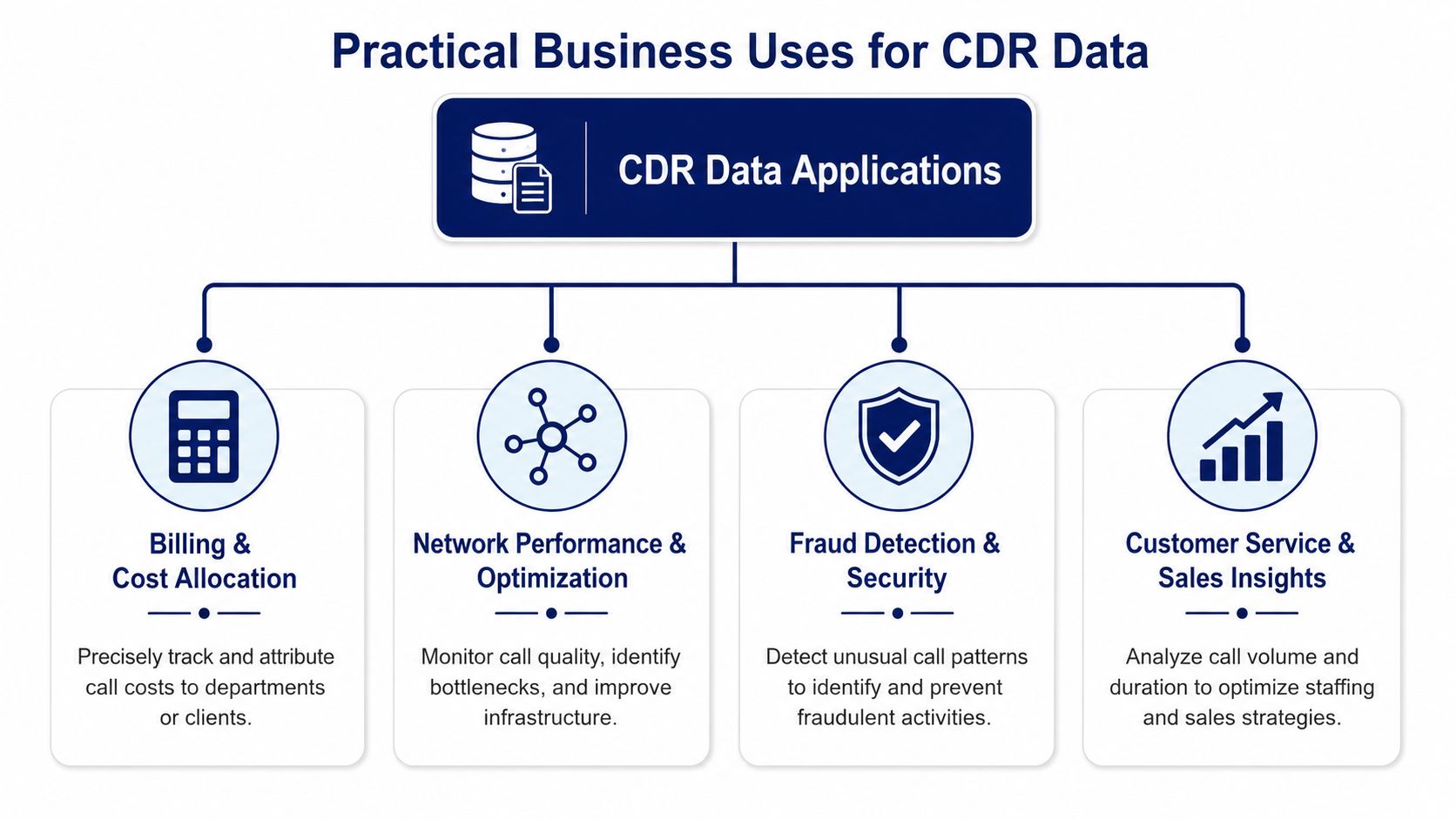
In practice, CDRs tend to solve four recurring business problems:
- Billing disputes: Finance can compare call activity against carrier charges and internal department usage.
- User complaints: IT can verify whether a call connected, how long it stayed up, and what disposition the system recorded.
- Operational reporting: Managers can review patterns such as missed calls, busy periods, and routing outcomes.
- Audit trails: Admins can preserve a structured record of communications activity without digging through multiple systems.
For teams that want a more visual layer on top of raw logs, tools focused on call analytics for business phone systems can make those patterns easier to spot than scrolling through exports.
The fastest path to clarity is usually not “collect more data.” It's “find the right record first.”
Why this matters outside IT
CDRs matter because phone activity is business activity. A missed customer call can become a lost sale. A routing issue can create longer wait times. A billing mismatch can waste hours across finance and vendor support.
The value isn't just technical. It's operational.
When teams treat call records as a shared source of truth, conversations get shorter and decisions get better. Finance stops arguing from invoices alone. Support managers stop relying on anecdotal complaints. IT stops troubleshooting in the dark.
What Is a Call Detail Record
The simplest way to explain a call detail record is this: it's the receipt for a phone call.
A store receipt doesn't tell you whether you liked the product. It tells you what was purchased, when, and for how much. A CDR works the same way. It records the factual details of a call event without capturing the conversation itself.
The plain-English definition
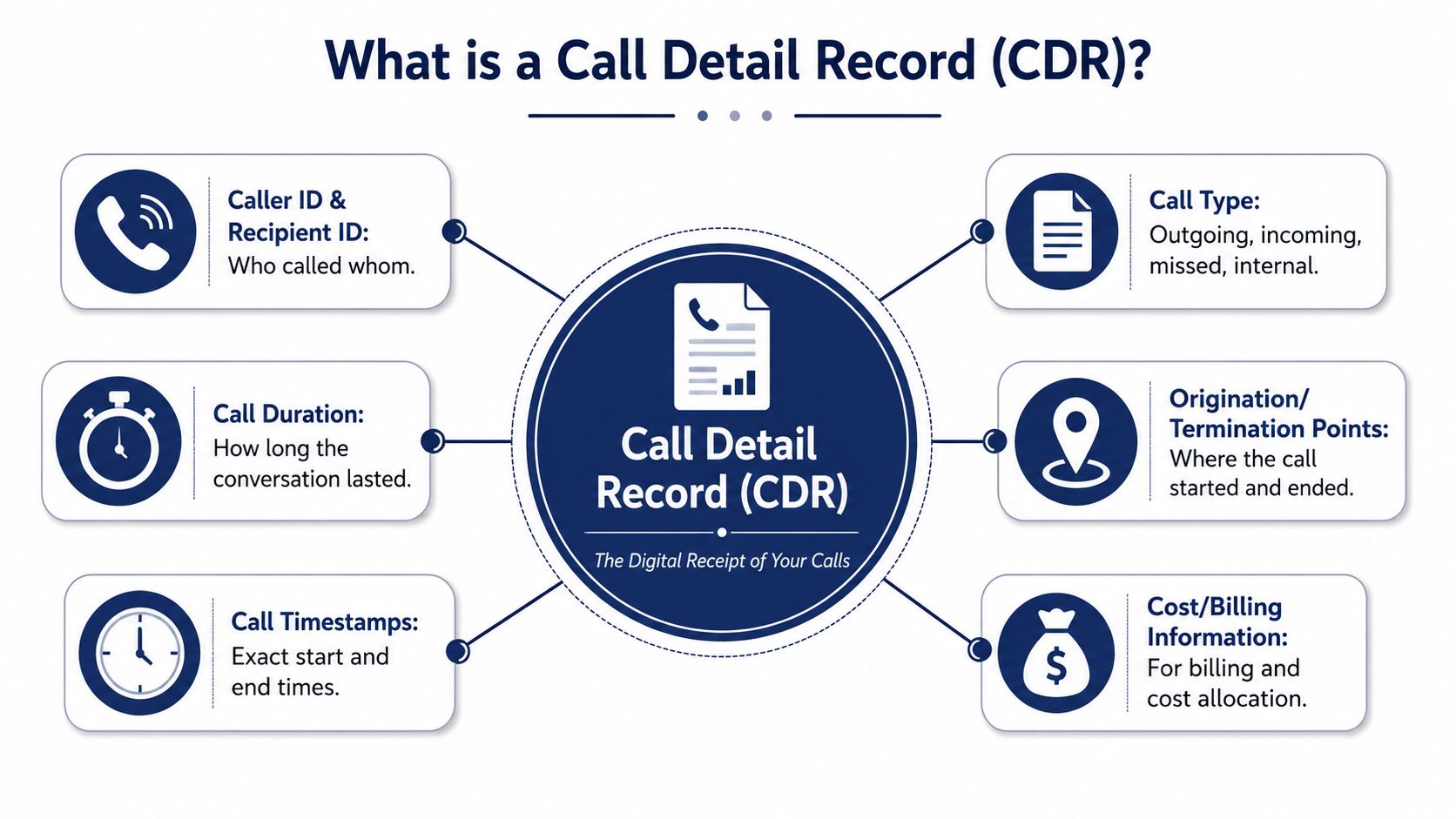
A CDR is a metadata log generated by a telecom system, carrier, PBX, or VoIP platform when a call is attempted or completed. Historically, telecom networks created these records as billing and operational logs. They typically include caller and recipient identifiers, timestamps, call duration, call status, and sometimes location or network-routing information. In modern telecom and VoIP systems, they're also used for analytics, troubleshooting, fraud detection, compliance, and performance monitoring, often in formats such as CSV, JSON, or relational tables, as described in GraphAware's overview of call detail records.
That historical piece matters. CDRs weren't invented as a dashboard feature. They started as the system of record for telecom operations.
When the record gets created
A call moves through a few basic stages:
- Initiation when someone dials.
- Routing as the system decides where to send the call.
- Connection if the far end answers.
- Termination when someone hangs up or the call fails.
Along that path, the phone system and related network elements generate structured events. Those events become the CDR.
If you're explaining VoIP internally and need a refresher on the mechanics underneath the log, this plain-language guide on how VoIP works in business environments is useful context.
What a CDR is good at
CDRs are strong at answering narrow, factual questions:
- Who called whom
- When the call started
- How long it lasted
- Whether it was answered or not
- Which route, extension, or system element handled it
They are much less useful when someone asks a broad, human question like “Was that a good customer interaction?” or “Why did the caller sound frustrated?”
That's where a lot of confusion starts. People see a detailed log and assume it contains the whole story. It doesn't. It contains the operational outline of the story.
A CDR is detailed, but it's still metadata. Treat it like a receipt, not a transcript.
Decoding a CDR Common Fields and Formats
Once you export a CDR file, the first problem usually isn't access. It's interpretation. The fields look technical, the status codes vary by platform, and half the team immediately asks which columns are relevant.
The good news is that most CDRs follow a familiar pattern, even when vendors label fields differently.
A simple CDR example
Here's a small CSV-style record:
| Field Name | Example Value | Description |
|---|---|---|
| Call ID | abc12345 | Unique identifier for the call event |
| Source | 2125550100 | Calling number or extension |
| Destination | 6465550199 | Dialed number or receiving party |
| Start Time | 2026-05-29 09:14:02 | When the call attempt began |
| End Time | 2026-05-29 09:18:44 | When the call ended |
| Duration | 282 | Total call length in seconds |
| Billable Seconds | 276 | Time counted for billing, if tracked |
| Disposition | ANSWERED | Final status of the call |
| Direction | Outbound | Whether the call was inbound, outbound, or internal |
| Trunk | SIP-Trunk-1 | Route or carrier path used |
And here's the same idea in JSON:
{
  "call_id": "abc12345",
  "source": "2125550100",
  "destination": "6465550199",
  "start_time": "2026-05-29 09:14:02",
  "end_time": "2026-05-29 09:18:44",
  "duration": 282,
  "billable_seconds": 276,
  "disposition": "ANSWERED",
  "direction": "outbound",
  "trunk": "SIP-Trunk-1"
}
The fields that do the real work
Not every column deserves equal attention.
- Source and destination: These tell you the endpoints. They're the first fields to check when validating a disputed call or tracing a misrouted one.
- Start time and end time: These anchor the event in time. They matter for staffing analysis, incident review, and invoice verification.
- Duration: Useful for billing and productivity reporting, but easy to overinterpret if you ignore context.
- Disposition: Often the most revealing field for troubleshooting. A call marked ANSWERED is a very different operational event from BUSY, FAILED, or NO ANSWER.
- Direction and trunk: These help when you're isolating whether an issue affects outbound traffic, inbound traffic, or a specific carrier path.
CDRs are metadata, not recordings. They tell you that a call event happened and how the system classified it. They do not tell you what was said.
Format matters more than people think
CSV is easy for manual review in Excel or Google Sheets. JSON is better for API workflows and integrations. Database tables are more practical when you need filtering, scheduled reports, and joins with CRM or ticketing data.
The format changes your workflow, not the underlying purpose.
Handle CDRs like personal data
This is the part many teams treat too casually. Under GDPR and CCPA, call metadata like CDRs are considered personal data if they can be linked to an individual. Organizations can face fines up to 4% of annual global turnover for non-compliance with data retention and access request policies, according to GDPR.eu's summary of fines and enforcement exposure.
That means your CDR export isn't “just a log file.” It may belong inside your privacy, retention, and access-control process.
Practical Business Uses for CDR Data
A billing dispute usually starts the same way. Finance sees charges that look too high, operations says call volume felt normal, and nobody wants to approve an invoice they cannot verify. That is where CDRs help. They give IT a neutral record of what the phone system logged so the team can compare carrier charges against actual call activity.
Billing and cost allocation
Billing is still the clearest business use for CDRs because the question is simple. Did the carrier bill for calls your system placed or received?
A good CDR review lets you match dates, durations, destinations, and dispositions against the invoice. In multi-site companies, the same records can support chargebacks to departments, branches, or client accounts if your phone system applies the right tags. That turns telecom spend from a shared overhead line into something you can explain and assign.
There is a trade-off here. CDRs are good for verifying usage, but they are only as reliable as the clock settings, routing labels, and call classification in the systems that produced them. If those are sloppy, the report looks precise while the conclusion is shaky.
Troubleshooting and operational triage
For troubleshooting, CDRs work like a flight log. They show where the call went, how long it lasted, and how the platform labeled the outcome. They do not explain audio quality by themselves, and they do not prove why a call failed.
That limitation matters.
If users report dropped calls, the CDR can help narrow the search fast. Look for failures grouped in the same hour, repeated problems on one trunk, or a cluster of short calls to a specific carrier or region. That tells your telecom admin or provider where to start checking SIP responses, trunk capacity, carrier routing, or network performance.
Used this way, CDRs save time because they reduce guesswork. Used carelessly, they create false confidence.
Performance reporting that stays grounded
CDRs are useful for queue volume, missed-call counts, peak-hour trends, and basic answer behavior. That makes them useful for staffing discussions and service-level reviews, especially when managers need a clean operational picture instead of a pile of anecdotes.
What they cannot do is judge conversation quality, empathy, policy compliance, or whether an agent solved the customer's problem. Teams that need that layer should pair CDR reporting with call recordings, QA scorecards, and guidance on evaluating agent conversations.
This is the mistake I see most often. A manager looks at short handle times or high call counts and assumes the team is performing well. Sometimes that is true. Sometimes it means agents are rushing callers off the phone or customers are calling back because the first interaction did not fix anything.
Security and compliance
CDRs also help with fraud detection and audit work.
A burst of after-hours international calls, repeated attempts to premium-rate numbers, or unusual calling patterns from an extension that normally stays quiet can point to abuse or account compromise. Compliance teams may also need call records to support legal holds, internal investigations, or retention checks.
The safe approach is straightforward. Use CDRs to spot patterns and start an investigation, then confirm the finding with other evidence before you suspend users, dispute charges, or report an incident. That is the broader lesson with CDR data. It is strong operational evidence, but it is not the whole story.
How to Access CDRs in Your VoIP System
Getting the data shouldn't feel like digital archaeology.
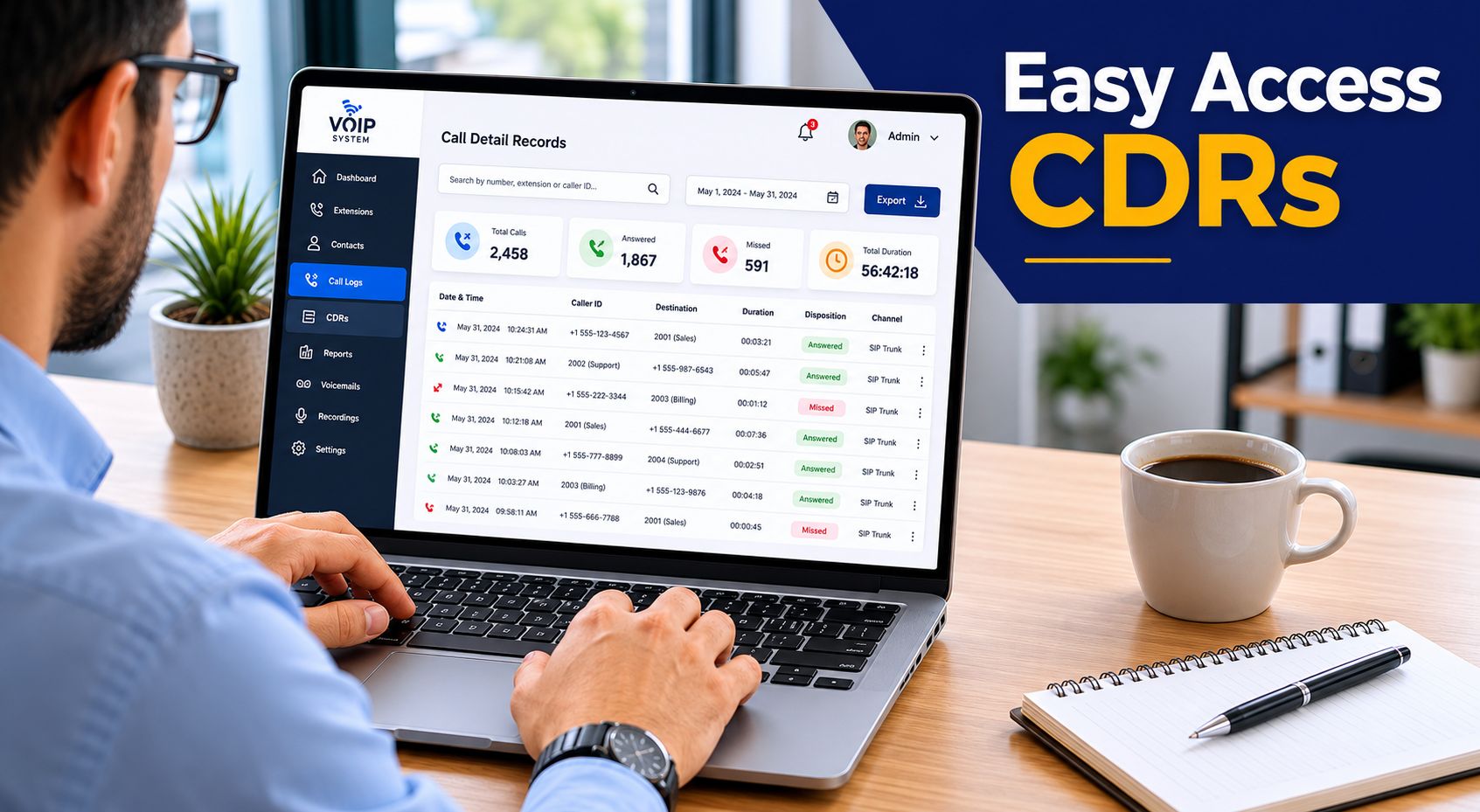
On older on-premise PBXs, pulling call records often meant logging into an admin console that looked untouched since the early 2000s, exporting flat files, and hoping the field names still matched last year's documentation. Modern hosted systems are usually much better. They surface CDRs through searchable dashboards, scheduled reports, and APIs.
Admin portal access
For most IT managers, the admin portal is the fastest place to start.
You log in, filter by date range, user, number, queue, or disposition, and export the result. That works well for routine jobs like invoice checks, missed-call reviews, and one-off investigations.
This is also the easiest way to answer questions from nontechnical stakeholders because you can usually sort and filter without writing queries.
Scheduled reports for repeat tasks
If finance needs a weekly usage file or operations wants a daily queue summary, scheduled report delivery is cleaner than asking someone to remember a manual export.
The key is consistency. Pick the same fields every time, define who receives the report, and lock down access. If your organization is also reviewing network design or support responsibilities around voice systems, this guide on IT services for modern communications gives helpful context on the broader operational setup.
API access for real analysis
When teams want to blend call records with CRM data, BI dashboards, or internal alerting, API access is the right path.
With an API, you can:
- Automate imports: Pull fresh CDRs into a warehouse or reporting tool.
- Correlate records: Match calls to tickets, leads, or customer accounts.
- Trigger workflows: Flag suspicious patterns or send summaries to managers.
That's where CDRs stop being a static report and become part of a process.
A quick walkthrough helps if you're comparing how providers expose administration and reporting features:
Who should have access
Not everyone needs raw exports.
Finance may need billing-related subsets. Support managers may only need queue or agent activity. Security and IT usually need broader access, but even then, permissions should reflect role and privacy requirements. CDRs are operationally useful, but they still deserve governance.
Advanced CDR Analysis and Best Practices
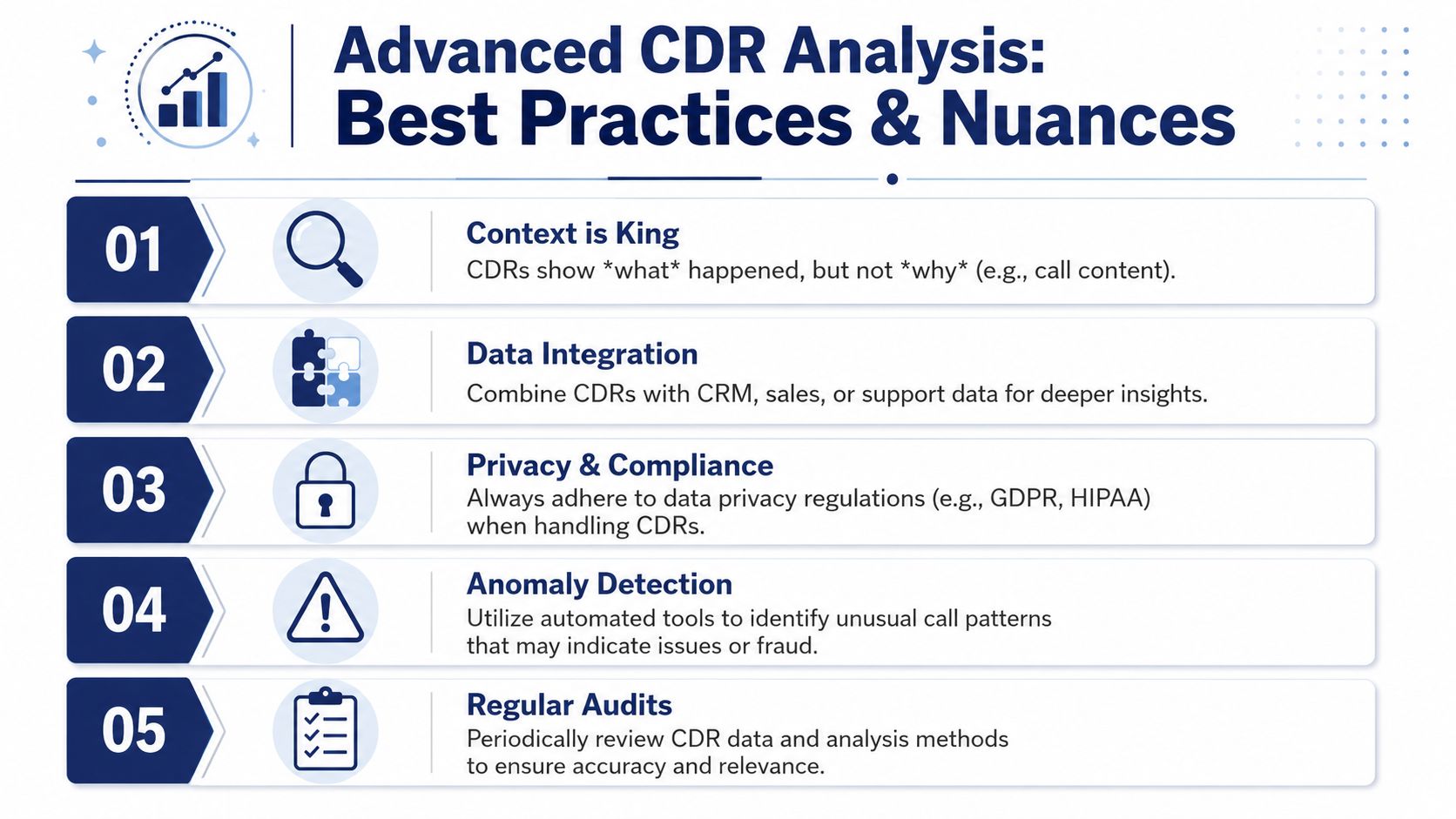
The biggest upgrade you can make in CDR analysis is mental, not technical. Stop asking the record to tell you everything.
A CDR can show that a call was missed, answered, or dropped. It cannot tell you the underlying reason without being paired with other network data such as packet loss, jitter, MOS, or termination codes. It also can't tell you what was said or whether the customer experience was good. That limitation is the core insight from Netlink Voice's analysis of what CDRs can and can't reveal.
What smart teams do differently
The strongest CDR workflows usually follow a few habits.
- Correlate before concluding: If a call failed, compare the record with SIP responses, endpoint logs, carrier notices, or quality metrics. Don't blame the user or the network from the CDR alone.
- Look for patterns, not drama: One bad call is noise. Repeated short calls on one route or recurring failures at the same time of day are worth escalation.
- Normalize your fields: If you use multiple providers or mixed systems, map status codes and field names into a common schema before reporting.
- Separate operational and behavioral interpretation: A short call might mean efficiency, a wrong number, or a customer hang-up. The record alone can't decide that.
More CDR data isn't always better. Without context, teams can mistake incomplete signaling data for behavioral truth.
Retention and privacy discipline
Good analysis can create bad risk if retention is sloppy.
Keep records long enough to support billing, troubleshooting, audits, and legitimate business review, but don't hoard them without purpose. Access should be role-based. Exports should be controlled. If someone requests data access or deletion under your privacy process, call metadata should be part of that workflow.
This is one reason teams often do better when they tie CDR review into broader call center analytics software for reporting and oversight rather than passing spreadsheets around by email.
A practical troubleshooting stack
When I'm reviewing a voice issue, I treat the CDR as layer one.
Then I ask:
- Did the signaling complete?
- Which route or trunk handled the call?
- Do quality metrics show packet loss, jitter, or poor MOS?
- Did the endpoint or carrier generate a termination code that explains the outcome?
- Does the pattern affect one user, one site, or many?
That sequence keeps the CDR in its proper role. It's evidence. It isn't the whole case.
If you use it that way, the CDR call detail record becomes far more valuable. Not because it tells you everything, but because it tells you enough to avoid guessing.
If you're replacing a legacy phone system and want easier access to call records, reporting, and day-to-day administration, SnapDial is built for exactly that kind of operational clarity. It gives teams a modern cloud phone platform with self-service management, detailed call logs, reporting, and support that helps admins solve real problems instead of wrestling with old PBX tooling.