
Your five-person office has relied on the same phone system for years. Then the PBX fails, the vendor quotes a costly repair, and nobody can explain how to add a remote employee, change the auto attendant, or recover the call history without calling a specialist. That's the moment many owners realize the old phone closet isn't an asset anymore. It's a dependency.
Cloud PBX for small business replaces that aging hardware model with a hosted phone service. The provider runs the PBX in its data center, while your staff use desk phones, computers, or mobile apps over an internet connection. The appeal is practical: less equipment to maintain, easier administration, and a phone system that can follow the business as people work from different locations. Historically, small offices drove this shift. Research summarized by No Jitter's coverage of SMB telephony reported that businesses with fewer than 30 phones represented about 70% of hosted and cloud system purchases worldwide, showing that cloud telephony became a small-business solution early rather than an enterprise-only upgrade.
The catch is that cloud PBX isn't automatically simple, reliable, or inexpensive. Your provider, network, contract, hardware choices, migration plan, and support model all shape the day-to-day experience. This guide focuses on those operational details, because they're where most buying guides become vague.
What Cloud PBX Actually Means for a Small Business
The owner with the failed PBX usually asks, “Can I just replace the box?” That question points in the wrong direction. A cloud PBX removes the need for the business to own and operate the central phone-system hardware in the first place.
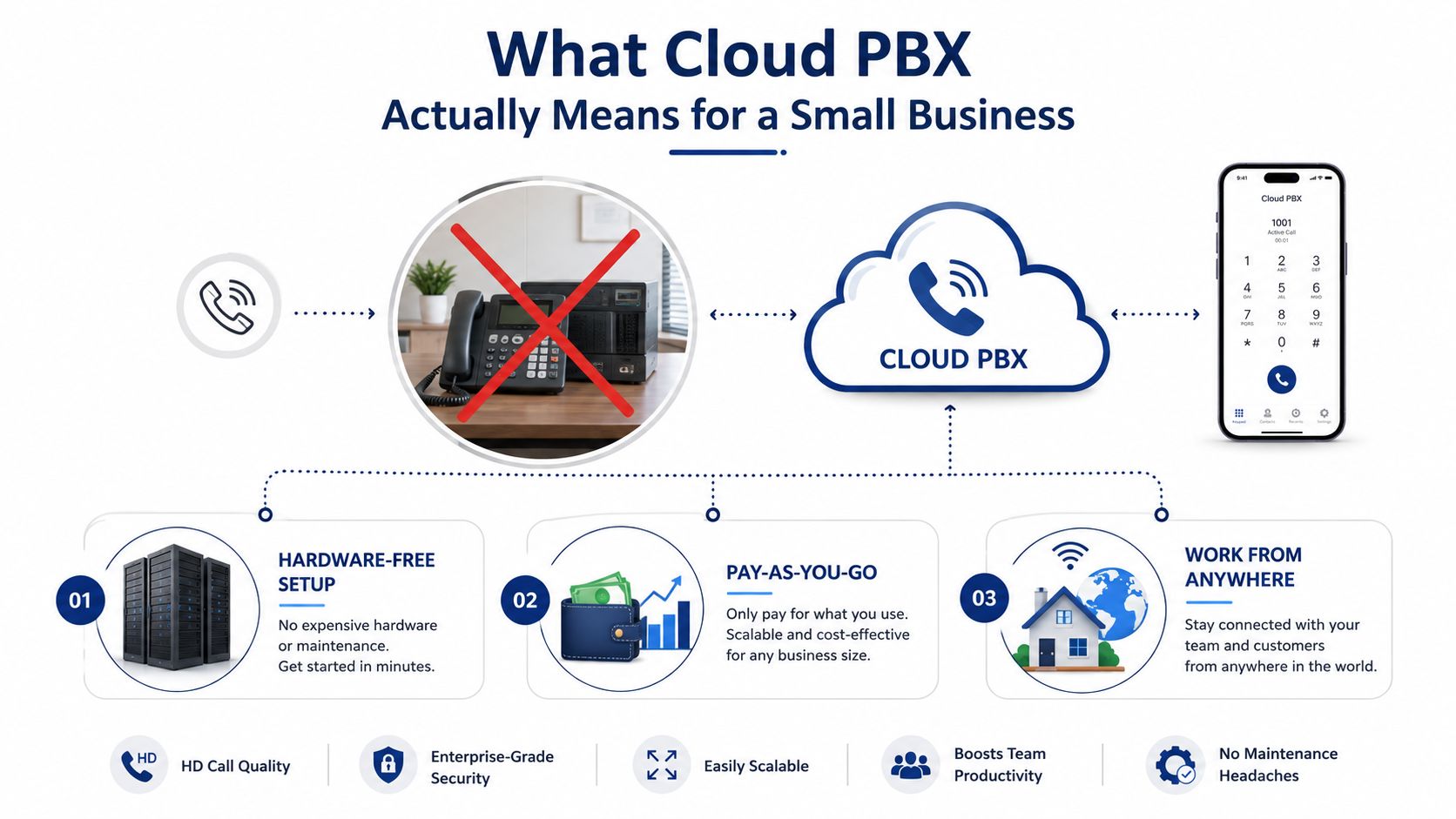
Cloud PBX is a business telephone platform hosted by a service provider. Calls travel as voice data over an internet connection, and the provider manages the central call-processing software, updates, capacity, and much of the underlying resilience. Staff can still use physical desk phones, but those phones are endpoints, not the brain of the system.
Hosted VoIP and cloud PBX
People often use Hosted VoIP and Cloud PBX interchangeably, although they describe slightly different parts of the service. VoIP is the method used to carry voice calls over an IP network. The PBX is the call-control layer that handles extensions, transfers, menus, queues, voicemail, schedules, and routing.
A basic hosted VoIP service might give you numbers and calling. A fuller cloud PBX adds the business logic your office expects from a phone system, but delivers it through a browser, app, and provider-managed infrastructure. Your desk phone, laptop softphone, and mobile app can all represent the same extension and business identity.
What stays on your desk
The cloud doesn't eliminate every physical component. You may still have IP phones, network switches, wireless access points, headsets, and a firewall at the office. You also need a dependable internet connection and a power plan for networking equipment.
What moves off-site is the central PBX software and the hardware that runs it. You're no longer responsible for replacing a proprietary chassis, applying its firmware, or finding discontinued expansion cards.
Practical rule: Treat the desk phone as an accessory. The service, administration portal, routing design, network quality, and support process matter more than the handset's feature count.
There's also an important distinction between a modern cloud platform and an old PBX installed on someone else's server. A multi-tenant cloud PBX is designed for shared provider infrastructure, centralized updates, browser administration, and elastic service delivery. A hosted legacy PBX may preserve older software in a remote data center. Both are hosted, but they won't necessarily provide the same upgrade path or admin experience.
Cloud PBX vs On-Premise PBX Where Each One Wins
For most small businesses, cloud PBX should be the default starting point. On-premise PBX still has a place, but owners should choose it for a specific operational reason, not because a familiar hardware box feels safer.
| Decision area | Cloud PBX | On-premise PBX |
|---|---|---|
| Upfront spending | Usually shifts much of the investment into recurring service costs and selected endpoint hardware | Requires equipment, installation, licensing, and local infrastructure |
| Maintenance | Provider handles the hosted platform | Business or telecom contractor handles the system |
| Adding users | Usually completed through a portal and service order | May require licensing, hardware capacity, and configuration |
| Remote work | Built around apps, forwarding, and internet-connected endpoints | Often requires additional remote-access design |
| Control | Less direct control over platform infrastructure | More direct control over equipment and configuration |
| Internet dependence | Central to normal operation, with provider and site failover options to evaluate | Local extensions can continue operating during some internet failures, depending on the design |
The financial shape is the first major difference. On-premise systems concentrate spending around hardware purchases, installation, upgrades, and repairs. Cloud PBX spreads the service across recurring charges, which can make budgeting easier, but those charges continue as long as the service remains active.
Administration is the second difference. A small office with no telecom specialist usually benefits from having someone else maintain the platform. A business that already owns a functioning PBX, has an experienced administrator, and can obtain parts may reasonably keep it in service while it still meets business needs.
When on-premise still makes sense
Choose on-premise when the site has unreliable internet and no practical backup connection, or when a regulatory environment demands specific control over data location and system administration. It can also remain sensible if the business has recently invested in equipment and would waste significant value by replacing it immediately.
Cloud PBX is a weaker fit when international calling is unusually heavy, the provider's pricing is opaque, or the business can't tolerate dependence on a single internet path. Those problems don't disqualify cloud telephony, but they require careful design.
For a plain-language explanation of the underlying terminology, review this guide to what a PBX system does. Then ask a more useful question: who will own the risk when the system fails?
The provider should explain failover, support escalation, service credits, and emergency calling before you sign. An on-premise system gives you more physical control. Cloud PBX gives most small offices less hardware to protect and fewer specialized tasks to perform. Pick the model that matches your operational capacity, not the one that produces the most impressive sales demo.
Must-Have Features for a Small Business Cloud PBX
A small business doesn't need every feature a vendor can demonstrate. It needs a system that answers callers professionally, gets calls to the right people, keeps staff reachable, and lets a non-technical administrator make routine changes without opening a support ticket.
Core call handling
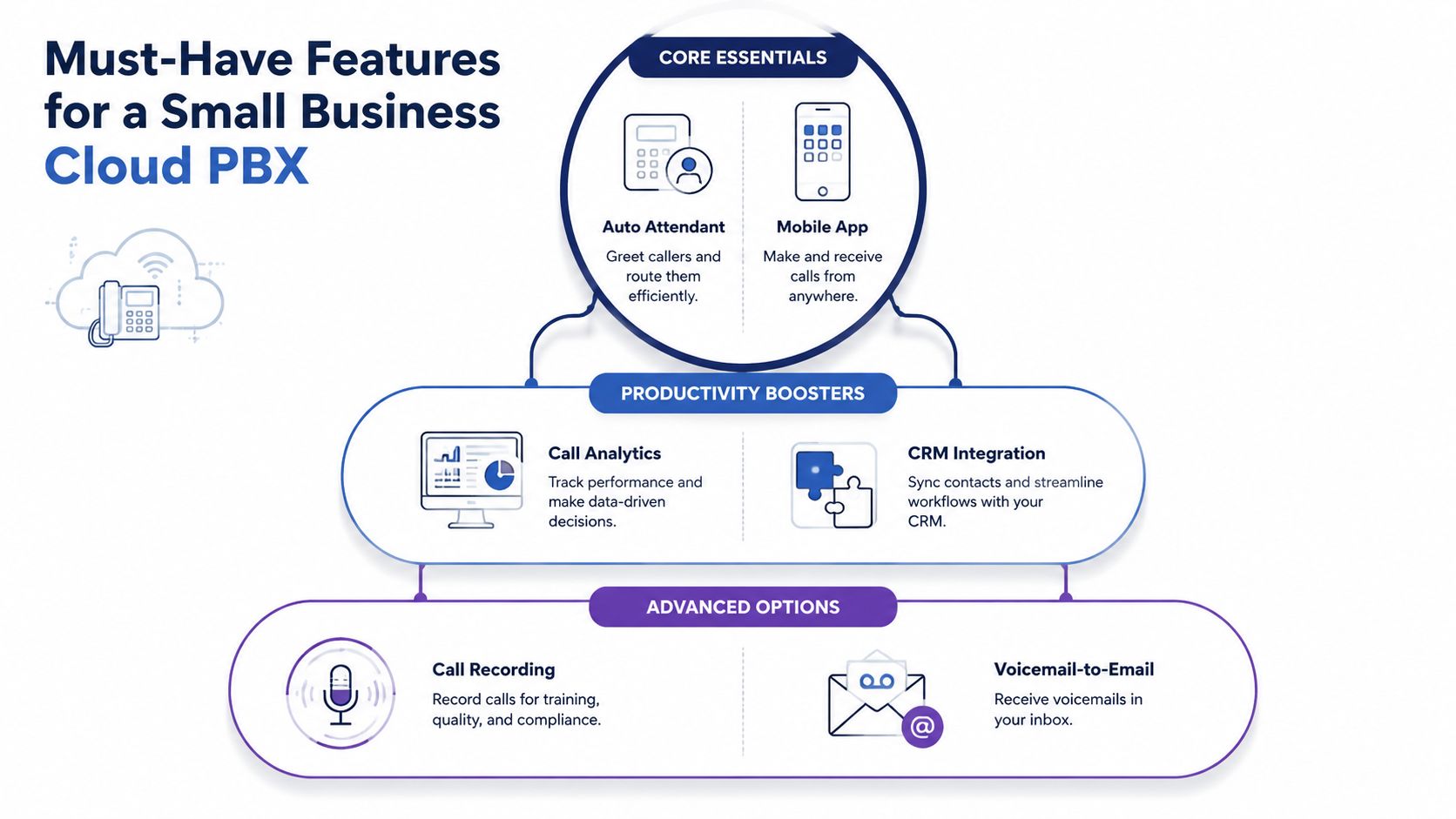
Start with an auto attendant or IVR. A well-designed menu can greet callers, announce business hours, route departments, and offer a name directory. Keep the menu short. A complicated IVR makes a small company sound larger but less helpful.
Call routing should follow the employee rather than the desk. Look for schedules, simultaneous ringing, sequential ringing, mobile forwarding, and the ability to move an active call between devices. This matters when an employee leaves the office, works from home, or needs to answer a customer while away from the desk.
Visual voicemail with transcription is another practical requirement. Office managers and sales staff can scan messages from email or an app instead of dialing into a mailbox. The transcription won't be perfect, so the original recording must remain available.
Administration and productivity
A web portal should let an authorized administrator add a user, change a holiday schedule, edit a routing rule, review call logs, and manage greetings. If those tasks require vendor intervention, the monthly service may be hosted, but it isn't easy to operate.
Call recording deserves more scrutiny than a checkbox on a feature list. Decide whether recordings support training, quality review, dispute handling, or regulated workflows. Confirm who can access them, how long they're retained, and whether recording is enabled per user or globally.
Conferencing and screen sharing are useful when a business wants voice and collaboration in one workflow. CRM integration can be valuable too, but only if the integration shows caller context or logs activity where staff already work. A shallow integration that merely opens a contact record won't justify a large add-on fee.
Optional features that can pay off
Built-in fax remains necessary for some medical, legal, property, and administrative workflows. If you still receive documents by fax, verify number handling, delivery notifications, collision avoidance, and retention rather than assuming “cloud fax” covers every requirement.
Advanced queue tools are more relevant when callers wait for a team instead of one named employee. Queue callbacks, wait-time announcements, real-time statistics, and detailed reporting can help a small service desk operate with discipline. They're worth paying for when call queues affect revenue or customer retention. They're unnecessary if your office handles occasional calls with no shared queue.
A Practical Pre-Purchase Checklist Before You Sign
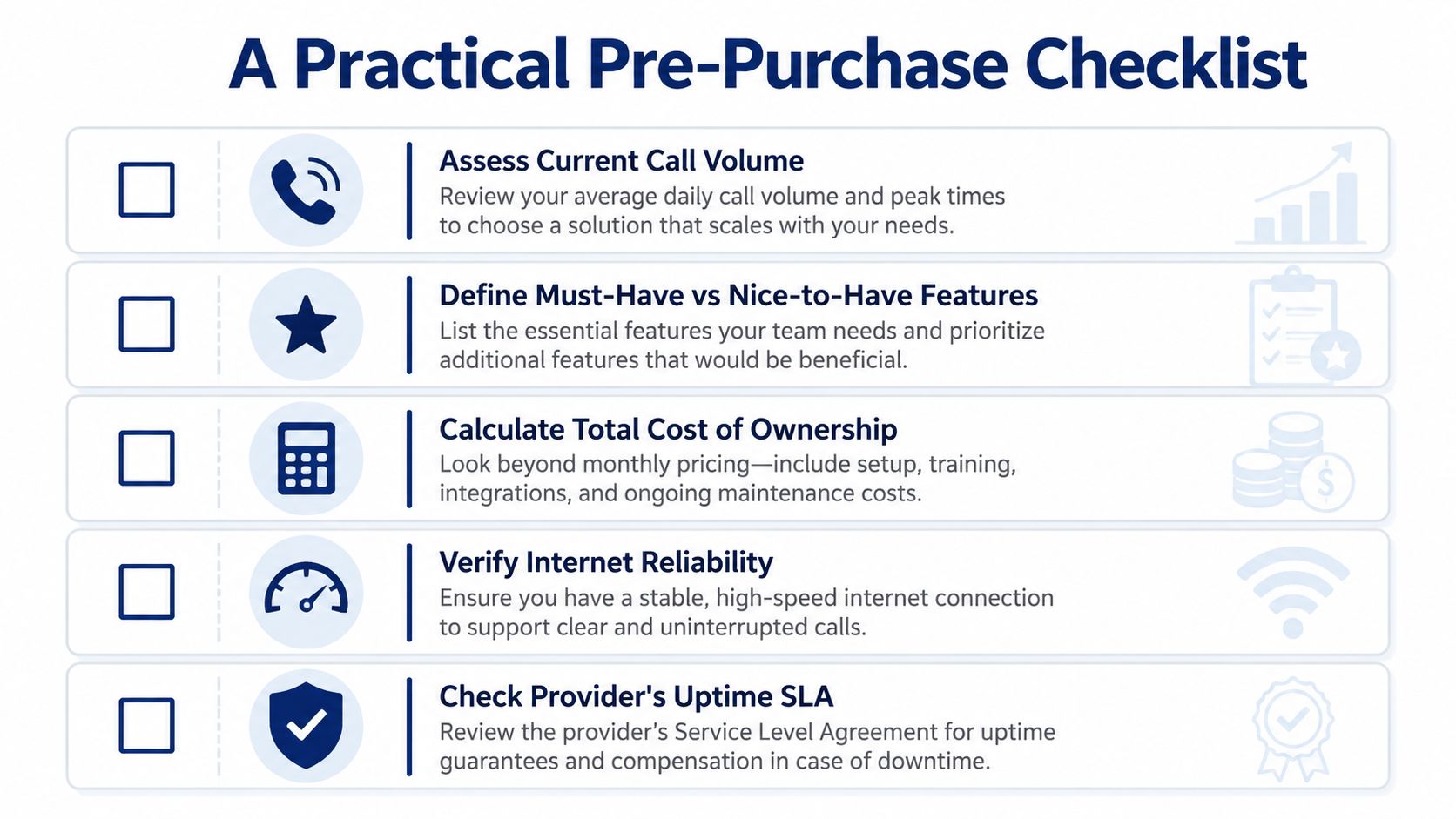
A cloud PBX contract can look simple until the first invoice arrives and the first change request exposes the limits of the service. Read the commercial terms and test the administration experience before committing.
Questions for the sales call
Ask the provider to put each answer in writing:
- Total recurring cost: Does the quoted user price include taxes, regulatory fees, numbers, voicemail, mobile access, and standard support?
- Add-on exposure: Which features cost extra, including recording, fax, analytics, integrations, queue tools, and conference services?
- Contract mechanics: What is the initial term, how does renewal work, and what happens if you reduce users or leave early?
- Number porting: Is porting included, who manages the paperwork, and what happens if a carrier rejects the request?
- Support access: Can you call a knowledgeable technician, or are you limited to a ticket queue and documented self-service?
- Service remedies: What does the uptime commitment cover, and what remedy applies when service falls short?
- Hardware ownership: Which phones are recommended, who supplies them, and what happens when a device fails?
Test the admin reality
Request a live demonstration using a normal office task. Have the provider show how to add an employee, change the main greeting, alter holiday hours, inspect a call log, and reset a voicemail PIN. Don't accept a polished presentation that avoids the portal.
Test the mobile app as well. Check visual voicemail, call flip, business-number caller ID, notifications, and the difference between using Wi-Fi and mobile data. A mobile app that looks good but drops the business identity when staff call customers creates more confusion than convenience.
The best demo is not a feature tour. It's an office manager completing five ordinary changes without help.
Finally, ask how the provider handles recording consent, emergency calling, security updates, and incident communication. These answers reveal whether you're buying a managed communications service or just renting dial tone with a dashboard.
Migrating From a Legacy PBX Without Downtime
A successful migration starts with inventory, not installation. List every phone number, extension, hunt group, auto attendant prompt, after-hours rule, voicemail box, fax line, alarm connection, analog device, and department schedule. If it isn't written down, assume it'll be missed.
Build the cutover in phases
First, audit the numbers. Identify the main number, direct numbers, toll-free services, fax numbers, and numbers published on websites, invoices, vehicles, and directories. Gather the account details and recent bill information the losing carrier requires. Use this guide to VoIP phone number porting to understand why accuracy matters before submitting the request.
Next, test the network. For small-business planning, use about 100 kbps of clear up and down bandwidth per concurrent VoIP call, with latency under 150 ms, jitter ideally below 15 to 30 ms, and packet loss well below 1%, as outlined in this VoIP network quality guide. Measure during busy periods, not only when the office is quiet.
Packet loss deserves special attention because voice quality worsens quickly as it rises. The cited troubleshooting guidance characterizes loss below 0.5% as typically excellent, 0.5% to 1% as usually acceptable, 1% to 2.5% as noticeably choppy, and anything above 2.5% as potentially terrible or unusable. It also notes that round-trip delay below 100 ms feels more natural for business conversation, while latency above 150 ms makes real-time interaction harder. The VoIP bandwidth and latency reference provides the thresholds.
Pilot, stage, then cut over
Move a small group first. Test inbound calls, outbound caller ID, transfers, queues, recording, voicemail transcription, mobile apps, faxing, and emergency calling. Then stage the remaining users, keeping the legacy system available until the new routing has been proven.
Port the main number only after the destination configuration is ready. Schedule the final change when your team can actively test every call path, and keep a clear rollback plan. A Friday afternoon may be convenient, but only if qualified support remains available and your business can operate through any unresolved issue.
Common failures are predictable:
- SIP and firewall settings: Misconfigured inspection or SIP ALG can block or alter calls.
- Unbuilt hunt groups: The new platform may contain users but not the old ringing logic.
- Missing voicemail delivery: Staff may lose email notifications if the workflow isn't recreated.
- Unlabeled hardware: Old phones, adapters, and gateways often remain connected and confuse troubleshooting.
Require the provider to own number porting, network validation, and the cutover runbook end to end. If those responsibilities are divided between you, your ISP, and a reseller, downtime risk rises.
Real Cost and ROI of Cloud PBX for a Small Business
Cloud PBX doesn't make phone service free. It changes where the money goes. Instead of concentrating spending in a server, proprietary cards, and a major upgrade, you pay for service over time and add the hardware, connectivity, and implementation work your environment requires.
Build the budget from the complete stack:
- User subscriptions: Include every required user, shared line, number, and feature package.
- Endpoints: Compare provider-supplied phones with compatible existing devices, softphones, and bring-your-own-device options.
- Network readiness: Include a better internet plan, managed firewall, switch capacity, or backup connection if testing shows a weakness.
- Implementation: Account for discovery, number porting, configuration, training, and on-site installation where needed.
- Operational time: Price the office manager's time, staff training, troubleshooting, and the cost of correcting a poor initial design.
A three-year comparison is more useful than a promotional monthly figure. Put the cloud subscription, endpoint replacement, implementation, network work, and support charges in one column. Put the on-premise hardware, licensing, installation, maintenance, replacement parts, upgrades, backup power, and eventual obsolescence risk in the other. Don't pretend either model has zero soft cost.
Measure business outcomes, not vanity savings
ROI usually appears through operations rather than a dramatic line-item reduction. Track whether fewer calls reach voicemail, whether staff answer from outside the office, how quickly a new employee receives a working extension, and how much time the office manager spends changing greetings or routing rules.
The cloud model can also reduce the delay between hiring someone and making them reachable. A new user may need an endpoint and training, but the central system doesn't require a new PBX chassis or a specialist visit merely to create an extension.
Cloud can cost more in specific situations. A business that already owns usable hardware may be paying twice during transition. A site without reliable internet may need connectivity improvements and failover. A company with unusually high international calling should scrutinize included destinations and usage charges rather than assuming an unlimited plan covers its traffic.
Ask for an itemized quote, then request a second quote showing the same design with every optional feature removed. The difference tells you which capabilities are necessary and which ones were added because they demo well.
Security, Compliance, and How SnapDial Fits the Picture
Security concerns are legitimate, but keeping a PBX in a closet doesn't automatically improve security. An aging system that nobody patches, audits, backs up, or monitors can create more exposure than a professionally maintained hosted platform. Cloud PBX shifts responsibility, so the buyer must investigate how the provider performs that responsibility.
Ask direct questions:
- Who can access recordings, voicemail, call logs, and administrative settings?
- Where does voice data reside, and how is it protected in transit and at rest?
- How does the provider apply software updates and security fixes?
- What happens during an account compromise, denial-of-service event, or provider outage?
- Can administrators enforce strong authentication, role separation, and access reviews?
- How are devices retired, reassigned, and wiped?
The answers should be specific. “Bank-grade security” isn't a control, and “the cloud is secure” isn't an incident plan.
Compliance belongs in the design
Small businesses should review call-recording consent, retention rules, lawful-intercept obligations, and industry requirements before enabling recording or storing communications. Healthcare and financial-services organizations may need contractual commitments and safeguards that a general-purpose phone package doesn't provide. Your legal or compliance adviser should determine the applicable rules, while the provider should explain the controls it offers.
Emergency calling also needs attention. Confirm that the service can associate the right location with each user and that staff understand the limits of mobile and remote calling. Review the provider's E-911 VoIP service information before deployment, especially if employees work from multiple addresses.
A broader continuity plan matters too. Phone records aren't the only business data at risk during hardware failure. If your office relies on portable storage for operational files, keep a vetted recovery procedure and use a specialist resource such as DIY external hard drive recovery only when the situation is appropriate and the data isn't too valuable to risk.
Where SnapDial fits
SnapDial provides hosted VoIP and cloud PBX with all-inclusive, predictable pricing, end-to-end setup, a 24/7 Texas support center reachable by phone, a self-service portal, mobile apps, cloud fax, call recording, visual voicemail with transcription, advanced queue features, and a curated Yealink device range. Those capabilities map directly to the practical buying questions in this guide: who configures the system, who helps during migration, how non-technical staff manage changes, and how a mobile team stays reachable.
The right evaluation is still yours. Request the full quote, test the portal, validate the network, document the porting plan, and read the support and uptime terms before signing.
If you're replacing a legacy PBX, SnapDial can provide hosted VoIP, cloud PBX administration, mobile calling, cloud fax, Yealink devices, and end-to-end migration support. Visit SnapDial to review the platform and request a practical assessment based on your users, call flows, network, and compliance requirements.