

The owner is answering a customer on a personal mobile while a receptionist watches an old desk phone ring across the room. A salesperson is working from home, a support request lands in someone's private voicemail, and nobody knows who should return the call. By the end of the day, the company has several numbers in circulation, no reliable record of missed calls, and a team that's spending time managing the phone system instead of serving customers.
That's the starting point for choosing an office phone system for small business. Don't begin with a feature checklist. Begin with the calls you're losing, the people who need to answer them, and the routing rules your business truly needs.
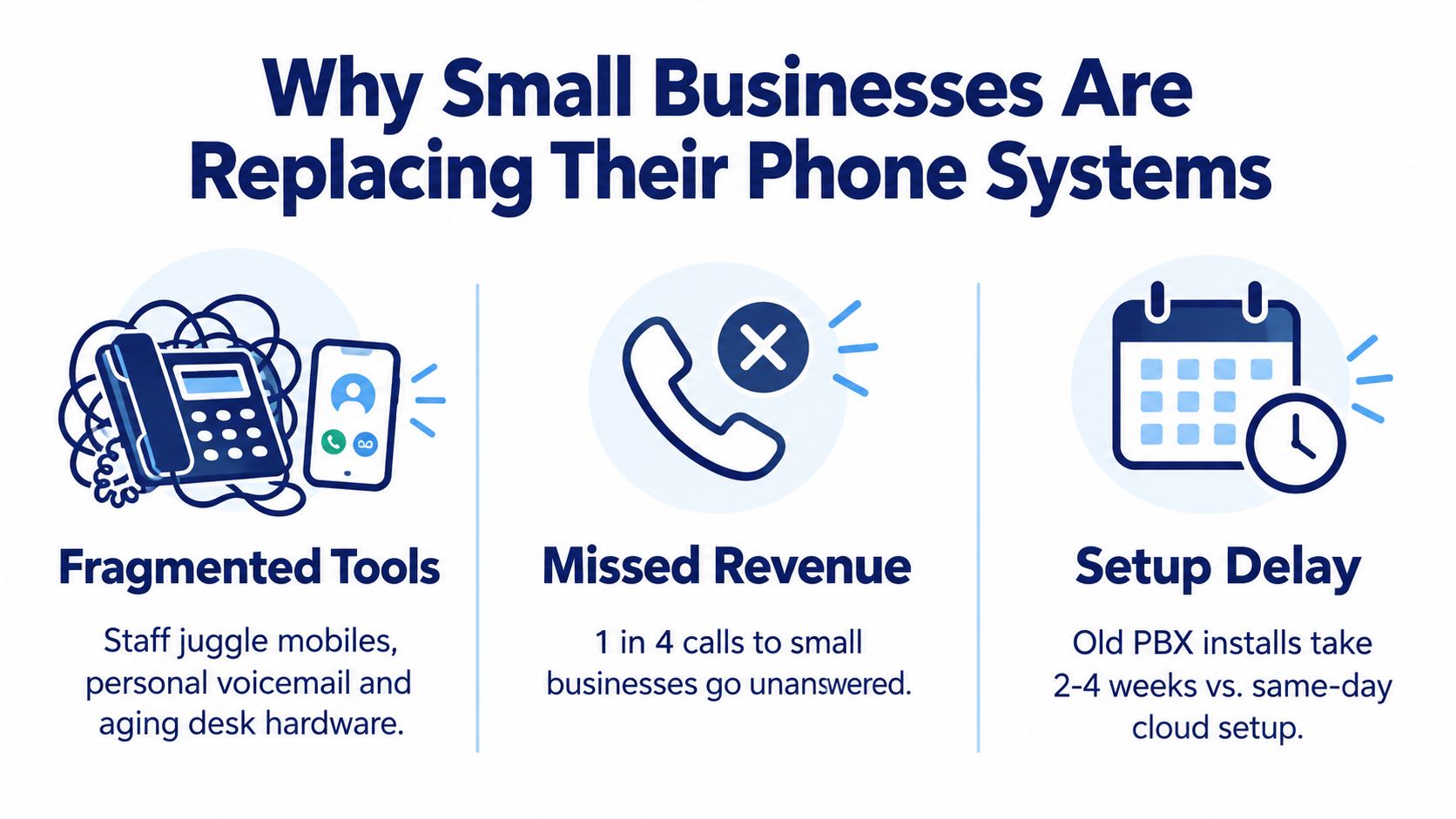
Why Small Businesses Are Replacing Their Phone Systems
A fragmented setup usually starts innocently. One employee uses a company mobile, another forwards calls to a personal phone, and the main desk phone remains tied to an aging PBX nobody wants to touch. When the office closes, calls either hit a generic voicemail or follow an undocumented forwarding rule that only one employee remembers.
The symptoms are predictable:
- Missed after-hours calls: Prospects reach voicemail when nobody knows who owns the follow-up.
- Scattered business numbers: Customers call former employees, personal mobiles, or outdated local lines.
- Poor department routing: A caller with a billing question reaches sales because the system can't separate teams.
- Weak accountability: Managers can't tell whether a call was answered, abandoned, transferred, or returned.
- Hybrid-work gaps: Remote staff may be available, but the main number still behaves as if everyone is sitting at one desk.
The shift away from legacy infrastructure isn't theoretical. The FCC's June 2024 voice-service data recorded approximately 65 million interconnected VoIP subscriptions and 18 million end-user switched-access lines in the United States. That works out to roughly 3.6 VoIP subscriptions for every legacy switched line, making internet-based calling the dominant wireline voice technology.
The same FCC report counted 53 million business users among 83 million wireline retail voice connections, or about 64%. That concentration matters because businesses need more than a dial tone. They need extensions, hunt groups, call queues, conferencing, voicemail, routing rules, and administration across locations.
Operator's rule: If customers can't reliably reach a responsible person, the phone system is already costing more than its monthly bill.
VoIP is no longer a risky side experiment for a small company. It's the mainstream successor to traditional business voice, and a cloud PBX lets a smaller team use the same operating model without owning a dedicated telephone server.
What a Modern Office Phone System Actually Does
The terminology sounds more complicated than the underlying process.
VoIP is the method. It converts voice into digital traffic and carries calls over an internet connection. PBX, or private branch exchange, is the system that manages internal extensions and business call handling. An IP PBX performs those functions with internet-connected telephony, while a hosted PBX places the management and infrastructure in a provider's facilities.
A cloud PBX is the hosted version most small businesses should evaluate first. Think of an on-premise PBX as owning and maintaining a power generator. You buy the equipment, keep it running, replace failed parts, and plan for capacity. A cloud PBX is closer to a utility service. You still control users, numbers, greetings, and routing, but the provider operates the core platform.
Here's what happens during an ordinary call:
- The endpoint registers: A desk phone, laptop softphone, or mobile app connects to the provider.
- The system identifies the user: The platform applies the employee's extension, business number, permissions, and availability.
- The routing rules run: Business hours, auto attendants, ring groups, queues, forwarding rules, and voicemail determine where the call goes.
- The provider connects the call: The platform sends the call to the public telephone network or another internet endpoint.
- The activity is recorded: Depending on the plan and settings, the system can store call logs, recordings, transcriptions, and disposition details.
That structure separates the employee from the physical desk. A sales representative can answer from a laptop, a receptionist can use an IP desk phone, and a manager can return a call through a mobile app while presenting the company number.
Unified communications, often called UCaaS when delivered as a service, extends the same idea to messaging, meetings, presence, and collaboration. Don't buy those labels for their own sake. Ask whether the system gives your team one reliable identity, one administration portal, and one set of rules for handling customer calls.
Cloud PBX Versus On-Premise Hardware
The practical choice is simple. Keep a phone server in the office if you have a specific technical reason to own it. Move to a hosted system if your priority is dependable administration, remote access, and less infrastructure to maintain.
An on-premise PBX gives you direct control. It may fit a specialized environment with unusual hardware, tightly controlled local networks, or internal telecom expertise. It also keeps more responsibility on your team. Someone must manage upgrades, backups, security, capacity, failed hardware, remote access, and recovery when the office loses power or connectivity.
A cloud PBX changes the cost structure. You typically pay for users, numbers, calling, hardware, and optional capabilities rather than purchasing a complete telephone server upfront. The bill becomes an operating expense, but you also gain a system designed to add users and locations through software administration.
| Decision area | On-premise PBX | Cloud-hosted PBX |
|---|---|---|
| Hardware | Purchased and maintained by the business | Usually supplied, rented, or bought separately |
| Administration | Local console and specialist knowledge | Web portal managed by the business or provider |
| Remote work | Often requires extra configuration | Usually built around apps and internet endpoints |
| Scaling | May require licenses, cards, or new equipment | Usually handled through user and device changes |
| Failure planning | Business owns the recovery process | Provider platform still depends on local internet and power |
| Support model | Internal IT or a telecom contractor | Provider support, with service boundaries to verify |
The shift has been building for years. A North American enterprise adoption survey reported IP PBX deployment at 23% in 2008, up from 14% one year earlier. Hosted VoIP deployment rose from 3% in 2006 to 8% in 2007, nearly tripling. Those figures describe enterprises, not only small businesses, but they show the direction clearly. Organizations were moving call control from dedicated hardware toward software-managed IP platforms.
For a plain-language explanation of the underlying terminology, use this guide to what a PBX system does. Then ask one uncomfortable question: if the existing PBX failed tomorrow, would anyone on staff know how to restore it?
For most small and mid-sized businesses, the answer makes the cloud the sensible default. An on-premise system can work, but it should win because it solves a real requirement, not because the company already owns it.
Core Features That Actually Move the Needle
A cloud phone system earns its place by fixing daily operating problems. Ignore the vendor's giant feature catalog and rank capabilities by how often your team needs them.
Professionalism and routing
An auto attendant greets callers and directs them to the right person or department. IVR menus, business-hours rules, hunt groups, and ring groups stop every call from depending on one receptionist being available at one desk.
A small repair company might route new service requests to dispatch, existing customers to support, and supplier calls to operations. After hours, the same number can play a clear message, send urgent calls to an on-call employee, and route everything else to voicemail.
If you need to understand the mechanics before comparing providers, review this explanation of how call routing works.
Mobility and reach
A softphone app turns a laptop or mobile device into a business endpoint. Call forwarding, simultaneous ringing, presence information, and visual voicemail with transcription keep employees reachable without exposing personal numbers.
This matters most for hybrid teams. The customer should dial one business number and reach the right person whether that person is in the office, at home, or traveling. The employee should return the call using the company identity, not a private mobile number.
Collaboration and operational insight
Conferencing, internal presence, chat integration, call recording, and searchable call logs reduce the need to reconstruct conversations from memory. A support lead can review how a difficult interaction was handled. A sales manager can check whether a promised follow-up happened.
Queue analytics are especially useful when the front desk says the team is overwhelmed but nobody can show when demand peaks. Look for wait times, abandoned calls, queue callbacks, agent availability, and live status rather than a decorative dashboard.
Call tracking also needs governance. If marketing uses several numbers or campaigns, consistent number ownership and attribution rules matter. This resource on how attribution leads to the right campaign is useful when phone activity must connect to marketing reporting.
Don't pay extra for features nobody will administer. A reliable auto attendant, mobile access, sensible routing, voicemail transcription, and usable call reporting usually create more operational value than a long list of advanced options.
Planning Your Deployment and Migration
A phone migration fails when the team treats it like a hardware swap. The safer approach is to treat it as a controlled service change, with ownership for numbers, routing, network readiness, emergency calling, training, and rollback.
Start with the call map
List every number before you contact a provider. Mark the main line, direct numbers, fax numbers, departmental lines, published mobile numbers, and numbers tied to advertising. Identify who answers each one today and who should answer it after migration.
Then document the desired flow:
- Port the numbers: Confirm ownership, account information, and the timing required to transfer each business number.
- Verify emergency locations: Register the physical address associated with each fixed endpoint and define how remote locations will be updated.
- Provision devices: Connect desk phones, laptops, and mobile apps, then assign extensions and permissions.
- Build routing: Configure greetings, menus, schedules, ring groups, queues, forwarding, and voicemail.
- Train the team: Practice transfers, hold, parking, voicemail access, mobile calling, and escalation procedures.
- Test before cutover: Call every main route from inside and outside the business, including after-hours paths and failover destinations.
A business also needs a network test, not just an internet-speed test. NIST guidance on VoIP performance identifies QoS-capable routers, firewalls, and other network elements as tools for controlling jitter. It also warns that firewalls and NAT can add latency and jitter, and identifies latency above 150 milliseconds as unacceptable in most conversational VoIP situations.
Treat emergency calling as acceptance criteria
For U.S. interconnected VoIP, FCC 911 requirements require providers to supply 911 service automatically, obtain the customer's physical location before activation, support location updates, and transmit the callback number and registered location to the appropriate emergency authority.
That creates an operating duty for the business. Keep a validated emergency address for each fixed office, define a process for employees who move devices, and establish how remote workers provide dispatchable location. Test address presentation, callback behavior, routing, and failover before launch.
Deployment standard: Don't approve the rollout until the provider can show what happens when the office internet, power, Wi-Fi, or administrator access fails.
Network and facilities decisions often happen together during a move or renovation. Teams comparing office build-out options should include cabling, power protection, network closets, wireless coverage, and backup connectivity in the phone plan rather than treating them as later details.
Pricing Models and What You Actually Pay
A quote for a small-business phone system usually hides its complexity behind a low per-user figure. Your job is to identify what that figure includes, what triggers extra charges, and how the bill changes as the business grows.
Three common billing structures
Subscription with included usage gives you a predictable seat charge and a defined calling allowance. It's easy to budget, but check the boundaries for international destinations, toll-free traffic, SMS, and premium capabilities.
Subscription with metered usage can suit a team with irregular calling. It may look attractive when call volume is light, but the bill becomes less predictable when a campaign, service disruption, or new location increases outbound activity.
Flat all-inclusive pricing bundles more of the service into one recurring amount. It can simplify forecasting, especially when the package includes administration, standard features, support, and some hardware, but confirm exactly what “all-inclusive” excludes.
Use this cloud PBX pricing guide as a framework for comparing quotes rather than focusing only on the advertised seat rate.
| Quote line | Question to ask |
|---|---|
| Users or lines | Does every employee need a paid seat, or can some staff share devices? |
| Numbers | Are local, toll-free, direct, and temporary numbers priced separately? |
| Usage | Are international calls, SMS, and toll-free minutes metered? |
| Hardware | Are phones purchased, rented, leased, or included in the service? |
| Porting | Is number transfer included, and who handles the paperwork? |
| Advanced tools | Are queues, recording, analytics, transcription, and integrations included? |
| Fees and taxes | Which regulatory surcharges and compliance charges appear on the invoice? |
| Support | Is phone support included, or reserved for a higher tier? |
Price the system against your operating model, not today's headcount. Ask what happens when you add users, open another location, require more queue capacity, or need a second internet path. The cheapest quote often becomes expensive when essential administration and support sit behind add-ons.
Why Managed Vendors Like SnapDial Simplify the Decision
A managed cloud phone vendor takes responsibility for more than providing a dial tone. It handles the platform, the configuration, the number transition, and the support boundary that a small business otherwise has to assemble from separate contractors.
SnapDial is one example of that model. Its hosted PBX package combines calling, conferencing, call routing, auto attendant and IVR, visual voicemail with transcription, call recording, mobile apps, call center analytics, cloud faxing, and a self-service web portal. The portal lets administrators manage users, routing, voicemails, call logs, and recordings without opening a ticket for every change.
The useful distinction is operational ownership. A software-only provider may give you a login and documentation. A managed provider can guide number porting end to end, configure the system around your call map, supply compatible Yealink phones, and provide live assistance when a routing rule behaves differently than expected.
What to verify in a managed package
Ask each provider to separate platform capability from actual service responsibility.
- Setup: Who configures the auto attendant, schedules, queues, permissions, and devices?
- Number migration: Who owns the porting paperwork and coordinates the cutover?
- Hardware: Can the same provider supply suitable phones, from entry models to executive devices?
- Support: Can a person help by phone outside normal office hours?
- Administration: Can your staff change users and routing without waiting for the vendor?
- Recovery: What happens if the office loses internet, power, or access to the administrator account?
SnapDial's stated package includes a 24/7 Texas-based support center reachable by phone, Yealink IP phone options, white-glove setup, and predictable all-inclusive line pricing. Treat those as items to verify in your proposal and service agreement, not as substitutes for testing the actual system.
A managed approach makes sense when nobody on staff owns telecom. It's also useful during a multi-location rollout, when a business needs one party accountable for numbers, devices, routing, and staff readiness.
Choosing the Right System for Your Team
Choose the system that removes your largest failure, not the one with the longest feature page. If missed calls are the problem, prioritize routing, overflow, queue callbacks, mobile reach, and reporting. If scattered numbers are the problem, prioritize number governance and a clean business identity across desk phones, apps, and remote endpoints.
Use this shortlist filter:
- Name the pain: Write down the calls that fail today, including after-hours, lunch, busy periods, and remote-work scenarios.
- Map the people: Identify who answers general calls, sales calls, support calls, urgent calls, and calls for each location.
- Separate must-haves from decorations: Require only the features someone will use and administer.
- Choose the billing model: Compare included usage, metered calling, hardware, fees, support, and advanced queues.
- Test the migration plan: Require number-porting ownership, network testing, emergency-address management, training, and failover procedures.
- Define success: Track missed calls, answer time, abandoned queues, voicemail response, and routing accuracy after launch.
Ask every shortlisted vendor the same five questions:
- Who owns the number-porting process?
- How does emergency location work for fixed, mobile, and remote endpoints?
- What happens during an office internet or power failure?
- Which features and support channels are included in the quoted price?
- Can my administrator change routing and users without vendor intervention?
A good vendor won't dodge those questions with a product tour. It'll show you the call flow, the invoice structure, the admin portal, and the recovery process.
Start tomorrow by exporting your current phone bill, listing every published number, and recording where missed calls go. Then invite two or three providers to configure the same sample call flow. The right office phone system for small business will make the differences obvious before you sign.
SnapDial provides managed cloud PBX service with white-glove setup, business calling, mobile access, call routing, voicemail, conferencing, analytics, and support for teams replacing legacy phone hardware. Visit SnapDial to review the platform and request a practical conversation about your migration.