
Your front desk already knows the problem. The phones start ringing before the first patient is roomed. One caller needs an appointment. Another wants a refill. A third is returning a specialist referral call. Someone else is asking why a bill looks wrong. Staff put one patient on hold to help the person standing at check-in, then miss the next incoming call entirely.
That isn't a minor annoyance. It's a patient access failure.
A medical practice doesn't use its phone system the way a law firm, retailer, or insurance office does. In healthcare, the phone line is still the front door for urgent needs, appointment flow, care coordination, and after-hours coverage. If that door jams, patients feel it immediately and staff absorb the chaos all day long.
The Hidden Costs of an Outdated Medical Phone System
Most practice leaders underestimate how much operational drag sits inside a bad phone setup. They notice ringing. They notice hold complaints. What they often miss is how quickly those problems spill into scheduling gaps, billing delays, charting interruptions, and staff burnout.
The scale alone should force a rethink. Medical practices receive an average of 53 inbound calls per physician per day, according to MGMA DataDive reporting summarized here. Those calls include appointment requests, prescription refills, clinical questions, billing inquiries, and referral coordination.
What breaks first
An outdated phone system usually fails in predictable ways:
- Front-desk overload: Staff become human switchboards instead of doing registration, eligibility checks, and patient-facing service.
- Missed revenue opportunities: Calls about new appointments or follow-ups disappear into voicemail, busy signals, or long hold times.
- Clinical interruption: Nurses and medical assistants get pulled into avoidable call triage because the system can't route well.
- Patient frustration: Patients don't care whether the problem is your carrier, your PBX, or your call flow. They only know your office was hard to reach.
If you're also trying to control overhead, phone inefficiency compounds other administrative costs. That's why practice managers who are reviewing staffing, collections, and back-office spending should also look at Happy Billing's cost management advice instead of treating telecom as a separate issue.
Practical rule: If your staff regularly says “the phones are crazy today,” your issue probably isn't the day. It's the system.
Why this is a strategic decision
A phone system for healthcare isn't office equipment. It's part of your access model.
Patients call when they need clarity, reassurance, or immediate action. They don't think in departments. They don't know your internal ownership lines. They expect your practice to answer, route, document, and respond without friction.
That's why the right buying question isn't “Which system has the most features?” It's “Which system protects patient access while reducing staff burden?”
Use that lens and the decision gets simpler. You need a platform that handles volume, routes intelligently, supports medical workflows, and won't create compliance risk. If your current system can't do those things, keeping it is usually more expensive than replacing it. The cost just doesn't show up neatly on one invoice.
Why Generic Business Phones Fail in Healthcare
A standard office phone system can look good in a demo and still be wrong for a clinic. Generic vendors love to talk about extensions, mobile apps, and call forwarding. Those basics matter, but they don't address the parts of healthcare communication that create risk.
Confidentiality isn't optional
In a normal business, a missed call might mean a delayed sale. In healthcare, a voicemail, call log, or recording can involve protected patient information.
That changes everything. Shared inboxes, loosely controlled voicemail access, and casual forwarding rules are dangerous in a clinical setting. If a vendor treats privacy as a nice add-on instead of a design requirement, walk away.
A healthcare communication stack needs tighter controls around who can access call data, how messages are stored, and how staff use mobile devices. Teams evaluating newer patient communication workflows can get useful context from Ekipa AI's healthcare overview, especially if they're thinking beyond basic telephony and into operational automation.
Urgency works differently in medicine
Business phone systems usually assume all incoming calls are variations of customer service. Healthcare calls aren't.
A parent calling about a fever after office hours should not get the same treatment as someone asking for a billing statement. A refill request should not reach the same destination as a referral office trying to confirm records. Generic systems often flatten these distinctions because they're built for convenience, not triage.
Here's the side-by-side reality:
| Situation | Generic business phone behavior | Healthcare-ready expectation |
|---|---|---|
| Symptom-related call | Basic ring group or voicemail | Directed clinical routing with escalation rules |
| Billing question | Same queue as other calls | Separate administrative path |
| After-hours concern | Voicemail box or simple forwarding | On-call routing tied to schedule |
| Referral coordination | Manual transfer chain | Dedicated path to referral staff |
Clinic workflows are layered
Medical offices don't have one phone workflow. They have several happening at once.
Some calls belong at the front desk. Some need a nurse pool. Some must go to billing. Some require secure follow-up. Some need callback prioritization. Some should never ring the main line after hours but still need an immediate response path.
That's why feature checklists are misleading. The issue isn't whether a vendor offers IVR. The issue is whether the IVR can support real clinic decision trees without forcing patients through a maze or burying urgent needs.
A phone tree that saves staff time but frustrates patients is still a bad system.
On-call coverage exposes weak systems fast
After-hours routing is where generic platforms usually fall apart. Medical practices need to connect the right patient to the right clinician at the right time without exposing personal numbers or relying on brittle manual forwarding.
If your current process depends on someone remembering to update a cell number, forwarding a desk phone before leaving, or texting the on-call provider separately, you don't have a system. You have a workaround.
That's the core problem. Generic business phones optimize for office communication. A proper phone system for healthcare has to support patient access, care continuity, and clinical accountability. Those are different jobs.
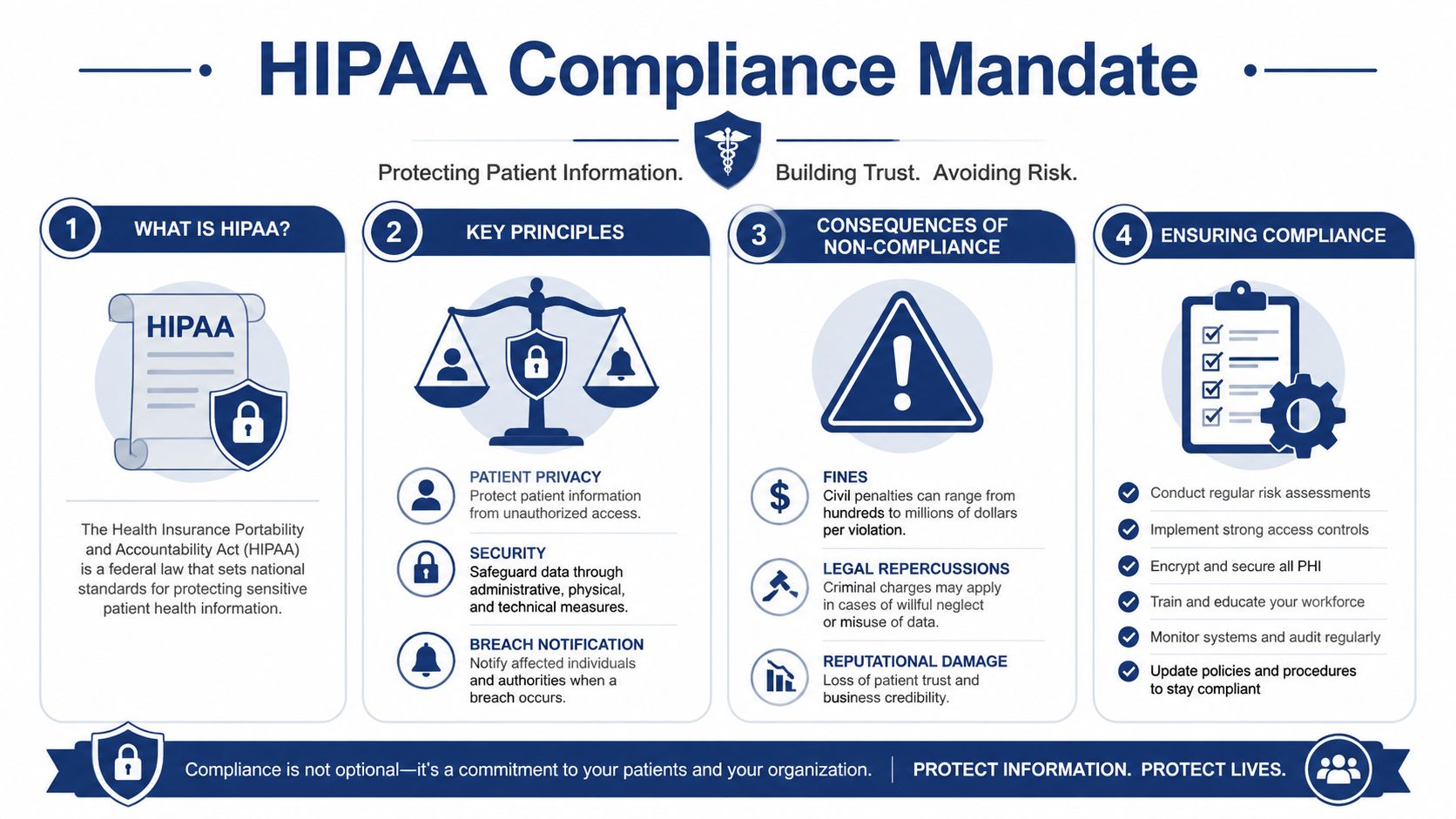
Navigating the HIPAA Compliance Mandate
Healthcare leaders get bad advice on phone compliance all the time. A vendor says they're “HIPAA-friendly.” Sales reps mention security in broad terms. Someone in IT says the platform is encrypted somewhere in the stack. None of that is enough.
If a phone system touches patient information, compliance has to be explicit, documented, and technically enforced.
What HIPAA means in phone workflows
Protected health information can appear in more places than many practices realize. It's not limited to the spoken content of a call. It can show up in voicemail messages, transcriptions, call recordings, logs, staff notes, and any message that connects a patient identity to care details.
That's why technical safeguards matter. A critical technical specification for healthcare phone systems is end-to-end encryption using TLS 1.2+ and SRTP for voice data in transit and at rest, which is required to satisfy HIPAA compliance for protected health information, as described by net2phone's healthcare phone system guidance.
The first vendor question you should ask
Ask one question before the demo gets deep: Will you sign a Business Associate Agreement?
If the answer is vague, delayed, or conditional, stop there. A provider that handles PHI through its phone platform must be willing to contractually accept its responsibilities as a business associate. Anything less creates legal exposure you don't need.
Use this quick screen:
- BAA readiness: If they won't sign, they're out.
- Encryption details: Ask specifically about TLS 1.2+ and SRTP.
- Access controls: Staff should only see what their role requires.
- Activity logs: You need a trail of who accessed call records and when.
Compliance lives in daily operations
Many practices make the mistake of treating HIPAA as a procurement checkbox. It's operational.
A compliant platform still fails if voicemail access is shared loosely, if recordings are retained carelessly, or if staff use consumer-grade workarounds outside approved workflows. If your team records calls for training, documentation, or quality review, you also need to understand how phone call recording practices fit into secure healthcare use cases.
Decision test: If you can't explain where call data lives, who can access it, and how it's protected, you're not in control of your compliance posture.
What good vendors make easy
The right provider won't make you decode security language on your own. They'll answer direct questions directly. They'll define how encryption works. They'll show administrative controls. They'll explain retention options. They'll support role-based access and logging without forcing your office manager to become a telecom security specialist.
That's the standard to hold. In healthcare, “probably compliant” is not compliant.
Essential Features for Modern Medical Practices
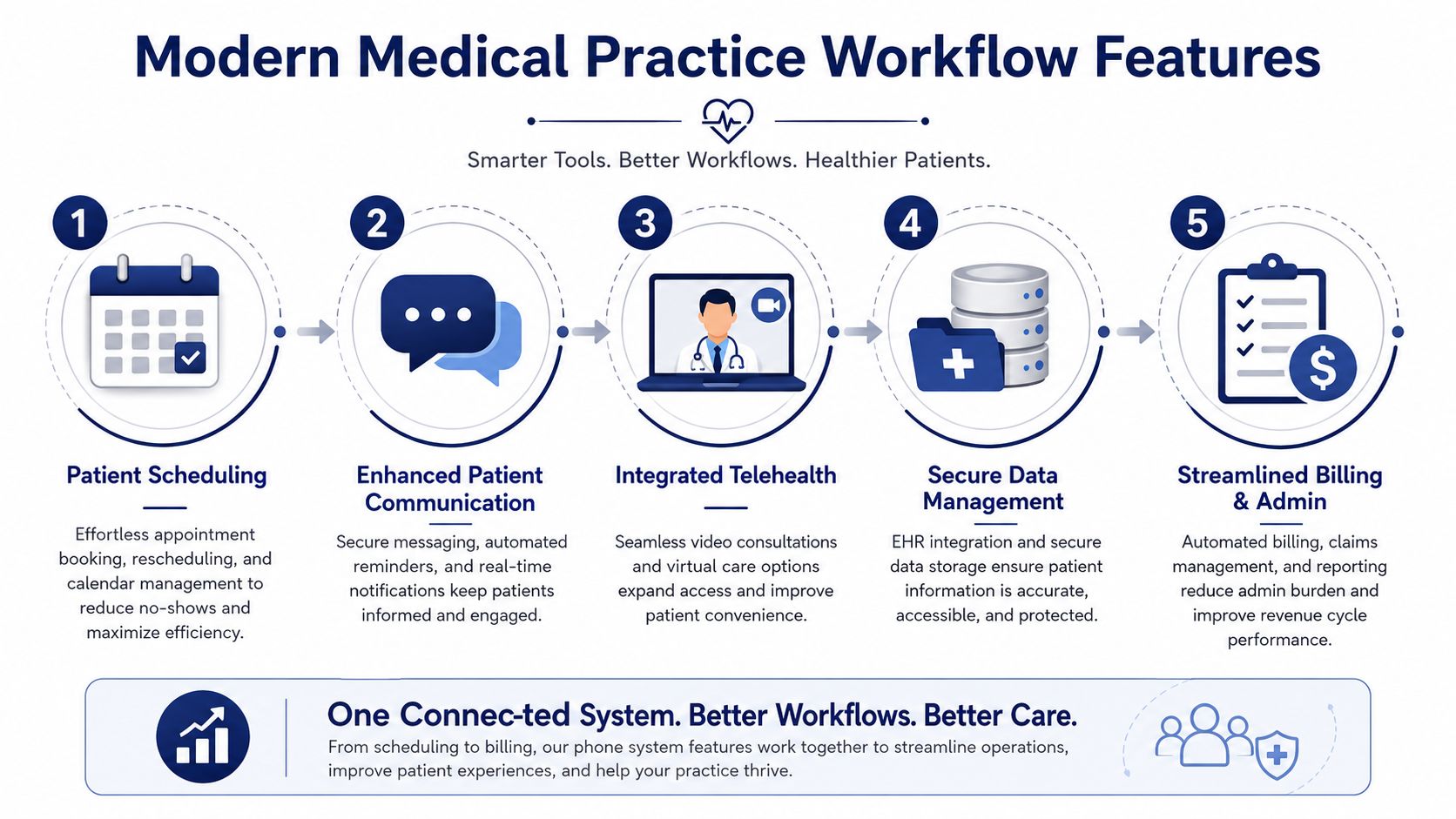
The smartest way to evaluate a phone system for healthcare is to stop thinking in features and start thinking in workflows. Your practice doesn't need bells and whistles. It needs predictable handling for the calls that drive access, care coordination, and administrative throughput.
A good system should reduce handoffs, protect privacy, and make the next action obvious for both patients and staff.
Here's the workflow view.
Patient intake and first-contact routing
The first few seconds of a call shape the whole experience. If every caller hits the same receptionist queue, the practice wastes staff time and patients wait longer than they should.
What you want instead is an intelligent auto attendant that routes by intent. New patient scheduling should go one direction. Existing appointment changes should go another. Clinical callbacks, billing, referrals, and records requests should each have their own lane.
A useful setup often includes:
- Intent-based IVR: Clear menu logic tied to real departments, not generic options.
- Ring groups with escalation: If one team is busy, the call moves according to rules you control.
- Queue callbacks: Patients keep their place without sitting on hold.
- Time-based routing: Different behavior during lunch, evenings, and weekends.
Practices comparing modern telecom models should understand what a cloud phone system is because cloud administration is what makes these routing changes easier to maintain.
Appointment management that supports staff
Scheduling is where weak systems waste the most labor. Front-desk teams spend too much time repeating simple tasks because the phone platform doesn't help them confirm, reschedule, or direct patients efficiently.
The better approach is to support the full appointment flow:
- A patient reaches scheduling quickly.
- Staff can see the call source and context.
- Follow-up reminders and confirmations happen through the practice's broader communication workflow.
- Missed calls trigger organized callbacks instead of sticky notes and memory.
That doesn't eliminate the need for trained staff. It makes their time count.
For a broader look at how connected tools improve practice operations, Understanding technology in modern healthcare offers useful perspective on why communication platforms should be part of the modernization conversation, not an afterthought.
A short visual walkthrough can help teams connect features to real operations:
After-hours coverage and on-call coordination
In this regard, healthcare systems separate themselves from ordinary business phones.
After-hours calls need schedule-aware routing. The system should know who is on call, route accordingly, preserve clinician privacy, and create a clean handoff path when the first contact is unavailable. Practices that rely on manual forwarding chains create avoidable risk for both patients and providers.
Look for:
- On-call schedule routing: Routing tied to the active provider or service line.
- Mobile app support: Clinicians can answer securely without exposing personal numbers.
- Failover rules: If the first route fails, the system escalates to the next defined contact.
- Department-specific after-hours logic: Pediatrics, internal medicine, and billing shouldn't share the same after-hours path.
If your answering service and phone platform don't work from the same logic, patients will find the gap before you do.
Secure information exchange and administrative follow-through
Healthcare calls rarely end with the call. They trigger messages, voicemails, transcriptions, faxing, referrals, or billing tasks.
That means the phone platform needs to support secure follow-through, not just voice transport. Visual voicemail, role-based access to messages, secure faxing, and searchable call histories all matter because they reduce dropped tasks. Admin teams also need enough visibility to monitor queues, identify missed handoffs, and adjust routing as staffing changes.
The best systems don't just answer the phone. They help the practice finish the work the call creates.
Your Vendor Selection Checklist
Most phone system evaluations go off track because the practice lets the vendor control the conversation. The rep shows a polished interface, talks about mobility, mentions AI, and skips the hard questions. Don't let that happen.
Run the process like an operator, not a spectator.
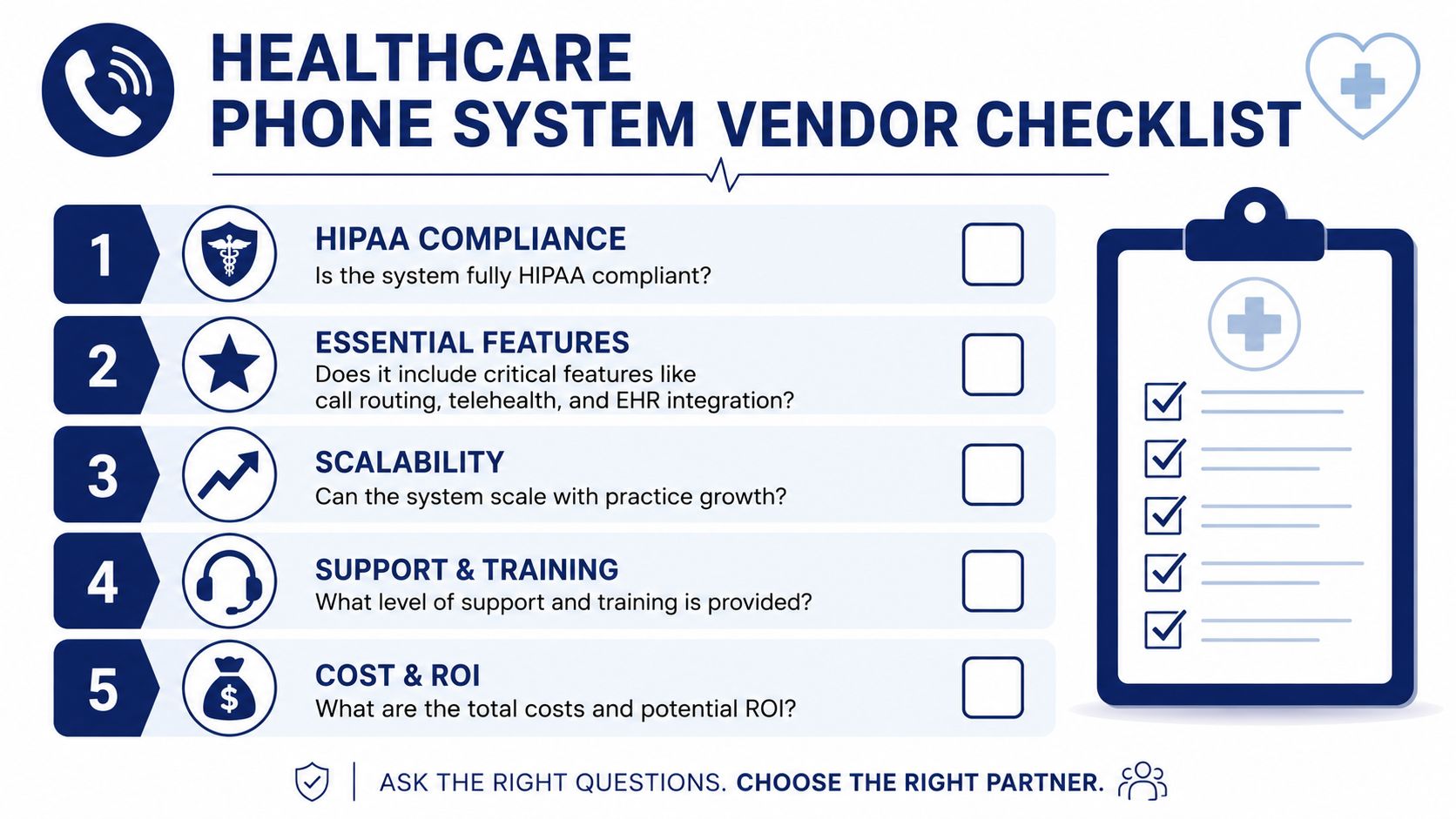
The non-negotiables
Start with the issues that can disqualify a vendor immediately.
- BAA commitment: Ask whether the vendor signs a Business Associate Agreement for the services you'll use. Don't accept “it depends” without a precise explanation.
- Security architecture: Ask how they protect voice data, voicemail, logs, and recordings. If the answer is fluffy, keep pushing.
- Role-based access: Confirm that front desk, billing, managers, and clinical staff can have different levels of visibility.
- Auditability: You need activity tracking for administrative oversight and compliance review.
The workflow questions that matter
Next, force the vendor to prove they understand healthcare operations.
| Question | Why it matters |
|---|---|
| Can you support on-call routing by provider or department? | After-hours mistakes create the highest patient risk |
| Can we change call flows without opening a support ticket every time? | Practices change schedules and staffing constantly |
| How do you handle queue callbacks, overflow, and failover? | Access collapses during peak periods without these controls |
| Can messages, logs, and routing be managed centrally across locations? | Multi-site consistency is hard without a unified admin model |
If you're comparing providers in the broader hosted communications market, a review of cloud communications companies can help offer context before you narrow to healthcare-fit vendors.
Don't ignore implementation
A platform can be strong and still fail in rollout. Ask who handles setup, number porting, call-flow design, staff training, and post-launch support. If the vendor expects your team to map the entire system alone, you're buying work, not just software.
Use this final pass before making a decision:
- Request a workflow-specific demo. Don't watch a generic product tour.
- Bring real scenarios. New patient scheduling, refill requests, urgent after-hours calls, billing transfers.
- Ask what breaks. Every system has edge cases. Serious vendors will answer candidly.
- Check support quality. A fast contract means nothing if support disappears after cutover.
Buy for operational fit first. Pricing matters, but the cheapest bad system is still expensive.
How SnapDial Delivers a Modern Healthcare Communication Hub
A healthcare practice doesn't need a phone vendor that solely turns on lines. It needs a platform that can be shaped around the way the office functions, including front-desk load, clinician mobility, after-hours routing, and administrative visibility.
That's where SnapDial fits well.
Built around real call handling
Consider a multi-provider clinic on a weekday afternoon. The main line is active, scheduling is busy, and billing has its own callback backlog. A strong platform shouldn't force every call through one choke point. SnapDial's Auto Attendant, ring groups, queue management, callback options, and call routing tools are built for that kind of distribution.
That matters because healthcare access is messy. Patients don't call with clean labels attached. The system has to create order fast.
SnapDial also gives practices a self-service web portal to manage users, routing, voicemails, call logs, and recordings. That's a practical advantage for offices that need to update schedules, adjust call paths, or respond to staffing changes without waiting in line for vendor intervention.
Better mobility without losing control
Now consider an after-hours scenario. A patient calls with an urgent concern. The office is closed, but the call still needs a controlled path to the right clinician. SnapDial's mobile app and mobile-office routing approach let providers stay reachable without exposing personal numbers, which is exactly the balance healthcare teams need.
That setup works well for practices where physicians split time between clinic, hospital rounds, remote work, or call coverage from home. They stay connected through the business system instead of patching together personal-device workarounds.
A few platform strengths stand out for healthcare environments:
- White-glove setup: SnapDial handles implementation end-to-end, which matters when your office can't afford telecom confusion during migration.
- Built-in cloud faxing: Useful for practices that still need secure document exchange in referral and administrative workflows.
- Visual voicemail with transcription: Helps staff move through message triage more efficiently.
- 24/7 support from a Texas-based team: Important when phone issues happen outside normal office hours.
A better fit for growing practices
SnapDial's all-inclusive pricing model is also relevant for smaller and mid-sized healthcare organizations that don't want billing surprises every time they add functionality. Healthcare communication needs often expand gradually. More locations, more routing complexity, more mobile users, more reporting needs. A system that scales cleanly is easier to live with than one that punishes every operational improvement.
This is the bigger point. A phone system for healthcare should function as a communication hub, not a utility. SnapDial aligns with that model because it combines core calling, routing, voicemail, conferencing, mobile use, and administrative controls into one managed environment. That's the direction most practices should be moving.
Planning Your Migration and Measuring ROI
A phone migration goes smoothly when the practice treats it as an operations project, not a hardware swap. Start with an audit. Document every main number, extension, voicemail box, on-call rule, department queue, after-hours path, and fax dependency. Most offices discover informal workarounds they've forgotten they rely on.
Then map the future state. Decide how new patient calls should flow. Separate billing from clinical traffic. Define who owns refill messages, referral coordination, and urgent after-hours routing. Build the call logic around patient needs first, then staff convenience.
How to roll it out without disruption
A phased approach usually works best:
- Audit the current setup: Identify what exists, what's broken, and what's mission-critical.
- Design workflows before cutover: Don't port numbers into a system you haven't configured properly.
- Train by role: Front desk, managers, billing staff, and clinicians need different training.
- Test edge cases: Lunch coverage, on-call handoffs, failed device routing, voicemail access, and remote answering.
ROI means more than lower phone bills
The strongest return usually shows up outside the telecom budget.
You'll see it when front-desk staff stop acting as manual operators. You'll see it when patients get to the right department faster. You'll see it when after-hours coverage is cleaner, voicemail follow-up is more organized, and managers can monitor where call handling breaks down.
The best return on a healthcare phone system is fewer missed moments. Missed calls, missed appointments, missed messages, and missed handoffs.
There's also a risk-reduction return that practices often ignore until something goes wrong. Better routing, better control, and better compliance discipline lower the odds of patient dissatisfaction, staff frustration, and avoidable exposure around sensitive communications.
A modern system won't fix every workflow problem in your practice. It will remove one of the biggest sources of daily friction. That's a solid investment, especially when the phone is still the primary way many patients try to reach you.
If your practice is ready to replace a legacy setup with a cloud platform that supports routing, mobility, faxing, queue management, and white-glove implementation, take a close look at SnapDial. It's a practical next step for healthcare teams that want fewer missed calls, cleaner workflows, and a phone system that finally matches the way modern practices operate.