

The voicemail problem usually doesn't show up as a dramatic failure. It shows up as drag.
A customer calls while your team is busy. The message lands in a traditional mailbox. Someone dials in later, listens through prompts, saves one message, deletes another, misses a name, replays the recording, writes a phone number on a sticky note, then forwards the task manually. That process repeats across sales, service, and operations. By the end of the day, nobody feels like voicemail was the main problem, but everyone felt the slowdown.
That's why small and mid-sized businesses keep asking a more practical question than “what is visual voicemail?” They want to know whether it helps people respond faster, miss fewer opportunities, and stop wasting time on routine message handling. In most business environments, that's its main value.
The End of Dialing In for Voicemail
A lot of owners still live with an old voicemail habit because it's familiar. Someone misses a call, presses and holds a key or dials into the mailbox, enters a PIN, listens in the order messages were received, and hopes the urgent call comes first. If it doesn't, they sit through less important messages just to reach the one they needed.
That process breaks down fastest in busy offices. A dispatcher, office manager, or sales rep doesn't just have one message to check. They have several, often mixed between customer calls, internal updates, vendor requests, and spam. Traditional voicemail treats all of them the same until a human sorts it out.
If your team still uses a call-in mailbox, a quick walkthrough of how to access voicemail is useful because it shows exactly how much friction older systems still create in daily use.
Where traditional voicemail slows a business down
The pain points are easy to spot once you look for them:
- Sequential playback creates delays: Staff have to listen in system order, not business priority.
- Manual note-taking causes mistakes: Names, addresses, and callback numbers get misheard or written down wrong.
- Shared responsibility gets messy: A message for service may sit in one person's mailbox until they forward it some other way.
- After-hours calls pile up: Morning response time gets worse when the team starts the day by sorting voicemail instead of acting on it.
For local service companies, this matters even more after hours. If you're trying to boost your moving company revenue, missed and poorly handled voicemails often turn into lost bookings because prospects call the next provider on their list.
Practical rule: If your team needs pen, paper, and repeated playback just to process a voicemail, the system is already costing you time.
Visual voicemail fixes the retrieval model first. That sounds technical, but the impact is simple. People stop “calling into voicemail” and start working from a message list they can review, prioritize, and act on.
What Is Visual Voicemail Exactly
Visual voicemail is voicemail presented like an inbox instead of a phone maze. Rather than dialing into a mailbox and listening to messages one by one, users see a list of messages on a phone or app and choose which one to open first.
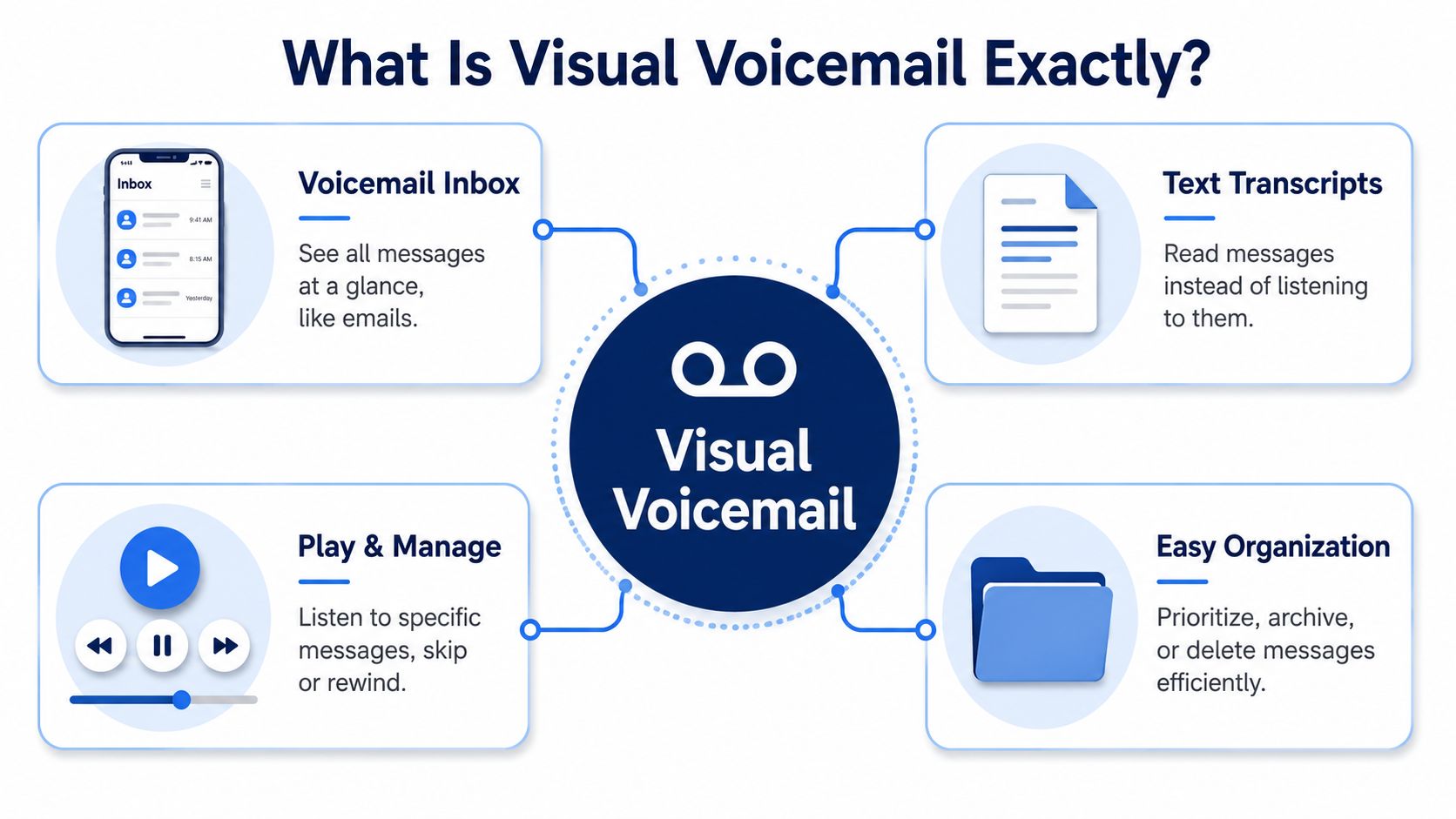
What users actually see
In practical terms, visual voicemail works more like email than legacy telephony. A user opens the voicemail screen and sees individual messages with useful details attached.
Common elements include:
- Caller identity: Who left the message, when available
- Timestamp: When the voicemail came in
- Message duration: How long the recording is
- Playback controls: Tap to play, pause, replay, or skip
- Management actions: Delete, save, or return the call from the same screen
On business platforms, the message view can also surface priority details such as day and time received, message length, an urgent flag, and whether the caller requested a callback. Those details matter because staff can triage without listening to every recording first.
Why it became the default expectation
This isn't a trendy add-on. It's the modern form of voicemail. Visual voicemail became a mainstream mobile feature with the original iPhone in 2007, and Android added integrated support in 2015, marking the shift from sequential call-in retrieval to inbox-style message management used today, as outlined in this visual voicemail history overview.
That timeline matters for one reason. Businesses aren't adopting an experimental feature. They're aligning voicemail with the same on-screen, selective workflow people already expect from messages, email, and task apps.
What transcription does and does not do
Some visual voicemail services also convert part of the message into text. That gives users another way to scan what matters before they decide to listen.
Two details are worth keeping in mind:
- Transcription is a convenience tool: It helps people scan and prioritize.
- It may be partial, not complete: Depending on the service, text may not capture the entire recording.
Visual voicemail is best understood as message management, not just message playback.
That distinction is what answers the question “what is visual voicemail” in a business context. It's not only a prettier voicemail screen. It's a faster workflow for receiving, reviewing, and acting on missed-call information.
Traditional Voicemail vs Visual Voicemail
The easiest way to evaluate visual voicemail is to compare the daily workflow, not the marketing language. The two systems handle the same underlying event, a missed call and a recorded message, but they ask your staff to work in very different ways.
Voicemail System Comparison
| Feature | Traditional Voicemail | Visual Voicemail |
|---|---|---|
| Message access | Dial into mailbox and navigate prompts | Open a message list on screen |
| Listening order | Usually sequential | Select any message in any order |
| Prioritization | Depends on listening through recordings | Prioritize from visible message details |
| Information capture | Listen, replay, and write notes manually | Review message metadata before acting |
| Callback workflow | Exit or use keypad prompts | Tap to return calls from the interface |
| Deletion and cleanup | Managed through voice prompts | Managed directly from the list |
| Team usability | Often tied to one device or user habit | Better aligned with modern mobile and app workflows |
| Transcription support | Typically absent in basic legacy use | Often available in supported plans or platforms |
The operational difference
Traditional voicemail was built for an earlier phone model. You called a number, authenticated with a PIN, and moved through an audio menu. That process still works, but it doesn't fit how teams handle volume, multitasking, or remote work.
Visual voicemail changes the job from “listen through the mailbox” to “review and decide.” That's a meaningful shift. A receptionist can spot a short internal update versus a longer customer issue. A technician can open the newest service request first. A manager can clear low-priority messages quickly and focus on the ones that need action.
What old systems still do well
Traditional voicemail isn't useless. It's simple, familiar, and often available by default through carriers or older business phone systems. For a very small operation with low call volume, it may feel good enough.
The problem isn't whether it functions. The problem is whether it supports the speed your business needs.
When missed calls affect scheduling, sales, or customer retention, “good enough” voicemail usually stops being good enough.
That's why visual voicemail tends to feel less like a luxury feature and more like a cleanup of an outdated process.
Key Benefits for Business Productivity
The strongest argument for visual voicemail isn't convenience. It's throughput. Teams can process missed-call information with less friction, and that improves both response quality and customer experience.

Faster triage without the listening queue
In a business setting, the first win is sorting. Android's documentation describes visual voicemail as a way to check voicemail without making a phone call and manage messages in any order, while related business implementations can surface message details such as time received, length, urgent flag, and callback request. Verizon also notes that premium voicemail-to-text can transcribe the first 45 seconds of each voicemail. Taken together, those capabilities let teams triage messages much faster than audio-only workflows, as described in Android's voicemail documentation.
That helps in ordinary situations. A front-desk employee can scan the list and return the call marked urgent first. A field supervisor can read enough of a transcript opening to decide whether a voicemail is a schedule change, a pricing question, or a customer complaint.
Better response quality for customers
Customers don't judge your phone system. They judge how quickly the right person gets back to them.
Visual voicemail improves that handoff because staff can decide faster and with more context. They don't have to consume every message in order just to discover which one matters now. That changes the first hour of the day, the period after lunch, and the backlog after weekends or holidays.
A lot of companies pair this with a broader communications cleanup. If that's on your list, this guide to unified communications for business is useful because voicemail works best when it's part of a connected calling workflow instead of a separate box people forget to check.
Less internal friction
Visual voicemail also reduces the small but constant delays inside the business.
- Sales teams move faster: Reps can identify promising callbacks without working through unrelated messages first.
- Service teams route issues better: Staff can tell whether a voicemail belongs to dispatch, billing, or support before they return the call.
- Managers stay mobile: They can review messages between meetings without finding a quiet place to listen to every recording.
A short demo helps show how these workflows feel in practice.
The business case in plain terms
Visual voicemail doesn't create value by being flashy. It creates value by removing wasted steps.
That means fewer repeated playbacks, fewer handwritten notes, fewer missed priorities, and fewer situations where one employee becomes the bottleneck for messages that should have reached someone else sooner.
Strategic Business Use Cases
The most useful way to think about visual voicemail is by role. Different teams use the same feature for different operational reasons, and that's where the business case becomes concrete.
Sales teams qualifying callbacks
A sales rep on the road doesn't need another queue to babysit. They need quick signal.
With visual voicemail, they can glance at who called, when the message came in, and whether the opening transcript suggests a new opportunity or an existing customer issue. That helps them decide which callback belongs between appointments and which one can wait until they're back at a desk.
For companies already evaluating calling platforms, this article on evaluating business VoIP solutions is a solid companion read because voicemail works best when it's connected to the rest of your business phone workflow.
Support teams handling escalation cleanly
Support desks benefit less from “listen later” and more from “route correctly.”
A customer might leave a voicemail describing a technical issue, an account problem, or a service outage concern. When the message is visible and easier to review, the person checking voicemail can send it to the right queue or specialist faster. That reduces the classic support delay where one agent listens, summarizes, and then recreates the message for someone else.
The real gain isn't only speed. It's preserving context so the next person starts with better information.
Field managers staying reachable
Field service businesses often lose time because managers aren't sitting near a desk phone when messages arrive. They're on sites, in vehicles, or moving between teams.
Visual voicemail gives them a better review model. They can see what arrived, decide what needs an immediate callback, and avoid wasting time dialing in just to discover the message was non-urgent. For crews handling installations, maintenance, or delivery windows, that can make the difference between a clean schedule and an afternoon of callback chaos.
Owners and office admins controlling morning backlog
Many small businesses experience voicemail pain in clusters. The first hour of the day, the hour after lunch, and the period after closing time are common examples.
Visual voicemail helps office admins and owners attack that backlog in a more deliberate way:
- Start with urgent messages: Review what looks time-sensitive first.
- Separate customers from noise: Clear low-value messages quickly.
- Assign follow-up more intelligently: Send callbacks to the person best equipped to respond.
- Protect the front desk: Reduce the amount of message interpretation one person has to do for everyone else.
In practice, that turns voicemail from a pile of recordings into a manageable work queue.
Security and Implementation Considerations
Visual voicemail gets sold as a convenience feature. For businesses, it should be evaluated as a data-handling workflow.
Once voicemail includes transcription, syncing, or email delivery, the message may move beyond the carrier mailbox or phone app. That doesn't automatically create a problem, but it does create questions that owners and IT managers need answered before rollout.
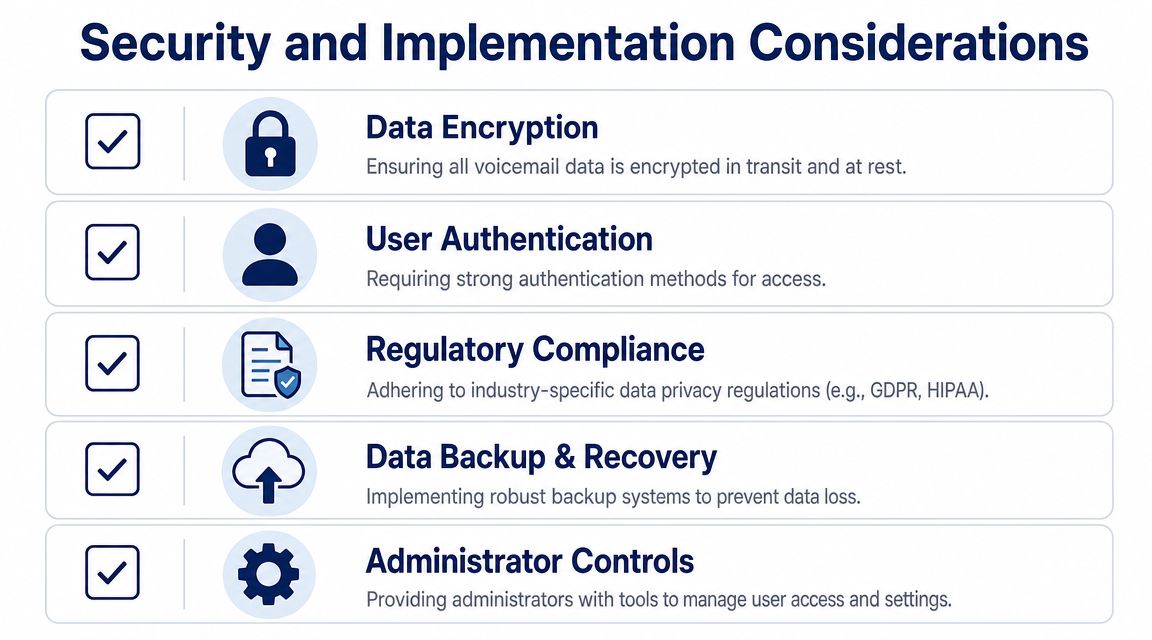
Where the data may go
Visual voicemail implementation can involve syncing with IMAP servers, downloading audio on demand, fetching transcriptions, or delivering transcripts and audio files by email. That matters because sensitive voice content may exist in multiple systems, not just on the handset, as explained in this overview of visual voicemail data handling.
For a business, the practical questions are straightforward:
- Where are audio files stored
- Where are transcripts stored
- Who can access each version
- How long does the data remain available
- What happens when an employee leaves the company
If your voicemails include patient details, payment discussions, legal matters, or personnel issues, those aren't side questions. They're core buying criteria.
What to verify before rollout
Some businesses only ask whether the feature works on iPhone and Android. That's too narrow. You also need to know how it fits your security model.
A stronger evaluation checklist looks like this:
- Access control: Make sure user permissions match job roles.
- Administrative visibility: Confirm admins can manage users, reset access, and monitor message handling policies.
- Retention expectations: Decide whether voicemail should be kept, exported, or deleted on a schedule.
- Email exposure: If transcripts or audio files hit inboxes, treat them like any other sensitive business record.
- Remote device risk: Decide what happens when messages are accessed from personal or unmanaged phones.
Compliance is about process, not labels
A provider saying “we offer transcription” doesn't answer the governance question. A provider saying “we send voicemail to email” doesn't answer it either.
Decision lens: Ask where the audio lives, where the text lives, and who controls each one. If the vendor can't answer clearly, keep asking.
For regulated or security-conscious businesses, implementation quality matters as much as the voicemail interface itself.
How SnapDial Delivers Smarter Voicemail
For most businesses, the best visual voicemail setup is the one that doesn't force staff to think about the plumbing. It should fit naturally into daily calling, support mobile and desktop work, and give administrators control without adding complexity.
SnapDial approaches visual voicemail as part of a broader cloud business phone system, not as an isolated mailbox feature. That matters because missed calls don't exist in isolation either. They connect to user routing, mobile access, call logs, recordings, and follow-up workflows. When those tools live together, voicemail becomes easier to manage and harder to lose track of.
Built for real operating conditions
Small and mid-sized businesses usually need voicemail to work across different patterns at once. Office staff may review messages from a desktop app. Managers may check from a mobile app between appointments. Admins may need portal-based control over users, routing, and message settings.
SnapDial's platform is designed around that reality. The system includes visual voicemail with transcription, mobile apps for a mobile office workflow, and a self-service web portal for managing users, routing, voicemails, call logs, and recordings. For businesses that want voicemail delivered in a more flexible format, SnapDial also supports workflows around sending voicemail to email.
A cleaner transition from old systems
The technology itself matters, but migration is where many phone projects succeed or fail. Businesses replacing a legacy PBX usually don't want a do-it-yourself cutover with downtime risk and finger-pointing between vendors.
That's where SnapDial's operating model stands out. The platform is delivered with white-glove setup handled end-to-end at no cost, and support is available through a 24/7 Texas team by phone and online. For owners and office administrators, that removes much of the implementation burden that tends to slow telecom changes down.
Why that combination matters
Visual voicemail delivers the most value when three conditions are true:
- Users can access messages from wherever they work
- Admins can control the environment without heavy IT overhead
- The provider can replace old phone workflows without disruption
SnapDial is built around those three conditions. For a growing business, that means voicemail stops being a neglected utility and becomes part of a more reliable communication system.
If your team is still dialing into voicemail, it's time to modernize the workflow. SnapDial gives businesses visual voicemail, transcription, mobile and desktop access, and white-glove setup that replaces legacy phone systems without unnecessary disruption.