
Move Beyond Support Tickets: The True Value of Self-Service
The self-service software market gives a clear signal about where operations are headed. The global customer self-service software market was estimated at USD 18.07 billion in 2024 and is projected to reach USD 57.21 billion by 2030, a projected 21.6% CAGR from 2025 to 2030, according to Grand View Research's customer self-service software market analysis. That kind of growth usually means one thing for business leaders. Self-service is no longer a side feature. It's becoming part of the core operating model.
For SMBs, that matters because every avoidable support handoff costs time twice. First when an employee or manager waits for help. Then again when your admin, IT, or support team stops doing higher-value work to handle a repeatable request.
That's why the most important self-service portal benefits aren't just convenience features. They create operational independence. Teams can update routing, manage users, review activity, solve common issues, and keep work moving without opening a ticket for every small change.
The return is real when the portal is designed well. In high-tech support environments, strong self-service rollouts typically reach 60 to 70% usage within 6 months, versus 20 to 30% in weaker deployments, while also reducing routine technical support volume by 40 to 50%, according to ServiceTarget's analysis of self-service adoption.
If you're building the business case internally, this comprehensive guide for HR managers is also useful context from the employee self-service side.
1. Reduced IT Overhead, Administrative Burden, and Cost Reduction
A self-service portal pays for itself first by removing low-value admin work from technical staff. If IT still has to change extensions, reset user settings, update greetings, or adjust call routing for every location, you're using skilled time on clerical tasks.
That's especially expensive in growing companies. A retail group with multiple sites, for example, shouldn't need central IT every time a store manager needs to reroute calls for a holiday schedule. The better model is role-based access, where the right manager can make the right change without touching anything else.

How to measure the ROI
Start with a baseline before rollout. Track which phone-system requests IT handles today, who handles them, how often they happen, and how long they take. If you skip that step, you'll end up with a vague success story instead of an operating case leadership can trust.
A good SMB scorecard usually includes:
- Ticket volume by task type: Separate password resets, routing edits, voicemail changes, user provisioning, and reporting requests.
- IT hours redirected: Measure time no longer spent on routine administration.
- Escalation rate: Watch how often local admins still need central support after portal access is granted.
- Configuration error recovery: Track whether self-service creates rework or reduces it.
What works in practice
The best setups give office managers, HR, and department leads limited authority. A startup might let HR manage extensions and voicemail setup for new hires, while a department head controls hunt groups and business-hour routing.
If you're evaluating providers, prioritize systems built for delegated administration, not just central control. That's one reason businesses looking at VoIP solutions for small business should examine the portal as closely as the phone features.
Practical rule: If every common change still requires IT approval, you don't have self-service. You have a prettier ticket form.
The main pitfall is handing out broad admin rights too early. Start with read-only visibility for new admins, then add permissions in layers. That reduces accidental deletions, bad routing logic, and “I thought someone else changed it” confusion.
2. 24/7 Accessibility and Instant Problem Resolution
The strongest portals remove the clock from routine operations. That matters when your team works across time zones, travels often, or supports customers outside standard office hours.
An employee who needs to retrieve voicemail, check call logs, update forwarding, or verify a queue setting shouldn't have to wait until the help desk opens. The productivity gain is immediate, even when the savings are harder to see on a monthly spreadsheet.
Where access creates real value
A distributed sales team is a simple example. Reps traveling internationally often need voicemail, call records, and device settings on demand. If the portal works well on mobile, they can solve the issue before it becomes a missed follow-up.
That mobile point isn't minor. Ohio's Benefits Self-Service Portal made mobile-device friendliness a foundational upgrade in its major refresh release on January 23, 2023, adding automatic screen adjustment and phone-friendly touch features, as described in Community Solutions' review of the Ohio Benefits Self-Service Portal upgrade. The practical lesson for SMBs is straightforward. If your portal isn't easy to use on a phone, “24/7 access” is only true in theory.
What to implement first
Round-the-clock access needs guardrails. A portal that's available all the time but hard to secure or hard to recover from can create more support burden than it removes.
Use a short operational checklist:
- Protect access paths: Require strong authentication for admin actions and sensitive logs.
- Design for mobile completion: Don't just make the login page responsive. Test real tasks on a phone.
- Keep support visible: Put urgent human-help options in the interface, especially for outages and lockouts.
- Log after-hours changes: Review overnight edits so managers can spot mistakes early.
A good auto attendant setup also supports instant response outside normal hours by routing callers correctly without staff intervention. Businesses comparing options should look closely at telephone auto attendant capabilities inside the same portal experience.
3. Improved Call Handling and Professional Customer Experience
Customers don't care whether your call routing problem comes from staffing, outdated schedules, or a clumsy admin process. They experience the result. Long transfers, wrong departments, voicemail dead ends, and repeated explanations all make the business feel harder to work with.
A self-service portal helps because the people closest to operations can fix handling issues quickly. A practice manager can adjust specialist routing. A support lead can change queue behavior during a product issue. A seasonal business can update schedules and greetings without waiting in line behind other admin requests.
The metrics that matter
This benefit only counts if you tie it to call outcomes. Portal usage alone isn't enough. A portal can be heavily used and still deliver a poor caller experience if the routing logic is wrong.
Review these signals regularly:
- Answer patterns: Look for repeated missed transfers, abandoned queues, or recurring overflow periods.
- Greeting accuracy: Outdated hours and generic messages create avoidable friction.
- Transfer quality: Track where callers get bounced between teams.
- Callback and queue behavior: These reveal whether the system supports real resolution or just parks callers.
The best customer experience improvements come from operational edits made by people who understand demand in real time, not from waiting days for a configuration queue.
What works and what fails
What works is local ownership with standards. A medical office can give the practice manager control over greetings and routing while keeping central policy for recordings and retention. An ecommerce company can route product-specific calls to the team with the right knowledge instead of sending every issue through a general queue.
What fails is letting every department build its own call tree without review. That usually creates confusing menus, duplicated options, and inconsistent caller language. Keep brand standards, naming rules, and test procedures centralized even when day-to-day changes are decentralized.
4. Enhanced Security and Compliance Control
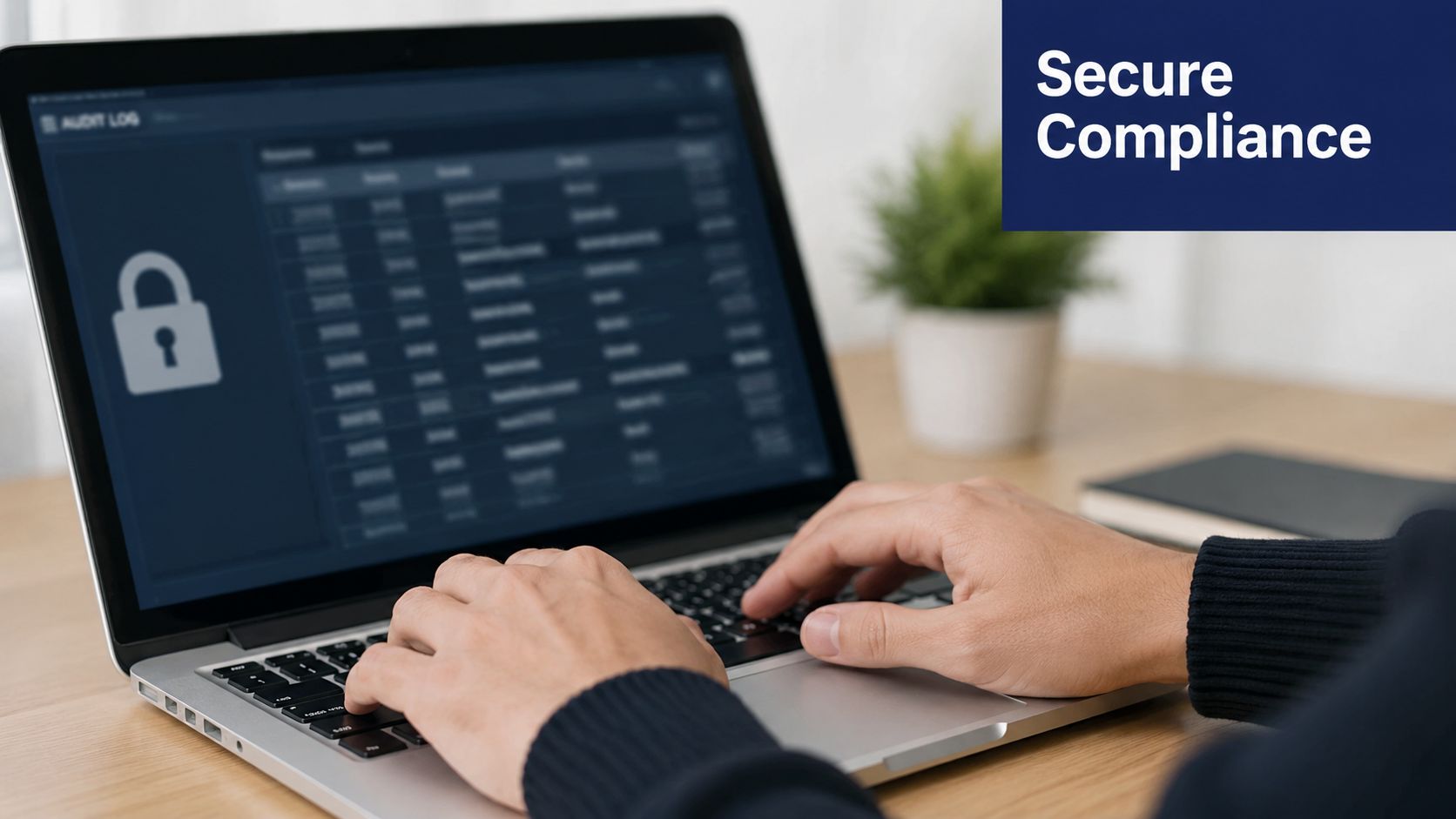
Security is one of the most overlooked self-service portal benefits because teams assume self-service means looser control. In practice, the opposite is often true. A good portal makes access rules visible, trackable, and easier to govern than a mix of email requests, shared passwords, and undocumented admin changes.
That matters when you're handling call recordings, voicemails, user permissions, and sensitive logs. If those actions happen through ad hoc requests, proving who changed what becomes difficult fast.
Control points to evaluate
The portal should let you assign least-privilege access by role, review change history, and isolate sensitive functions such as recording access or mass exports. Those aren't luxury features. They're the difference between controlled delegation and unmanaged sprawl.
For businesses that need recording management, permissioning and access visibility should be part of the evaluation, not an afterthought. That's especially important when reviewing phone call recording features and who can listen, export, or delete.
The common compliance mistake
Most SMBs don't get into trouble because they lack policy. They get into trouble because the system doesn't enforce the policy consistently. A written rule that only supervisors can access certain records means little if everyone shares the same admin login or if permission changes aren't logged.
Build a repeatable review process:
- Audit permissions quarterly: Remove access that no longer matches role responsibilities.
- Document admin changes: Tie major permission edits to a business reason.
- Flag unusual behavior: Large exports, unexpected access spikes, or late-night admin changes should trigger review.
- Train delegated admins: Even limited admins need to understand what they can and can't touch.
A portal becomes safer than manual support when it narrows authority, records activity, and makes bad practices easier to spot.
5. Faster Onboarding and Employee Productivity
New hires feel system quality on day one. If they can't set up voicemail, access basic calling tools, or confirm where calls are going, your onboarding process already looks slower than it should.
Self-service helps because it moves setup from a support queue into a guided workflow. HR can send access instructions, managers can confirm team configuration, and employees can complete simple setup tasks without waiting for a technician to be free.
A fast-growing company sees this first. If several hires start in the same week, small delays stack up. One missing extension, one unconfigured forwarding rule, and one unclear voicemail setup can interrupt a lot of customer-facing work.
What a productive onboarding flow looks like
A strong onboarding experience gives the employee a short path to completion. Log in. Set password or account details. Record voicemail. Confirm extension. Test forwarding. Review the few features they'll use this week.
This is also where account recovery matters. Ohio's January 23, 2023 SSP refresh included enhanced password reset functionality to reduce account lockouts, a change recommended by participants in the user experience study and described in the Ohio SSP communication update from Belmont County Job and Family Services. The lesson for business systems is simple. If users can't recover access easily, onboarding slows down and support tickets come back through the side door.
Implementation details that improve adoption
Use a structured rollout, not a login email and hope.
- Create a new-user dashboard: Show first actions clearly instead of exposing every feature at once.
- Pair setup with manager accountability: The manager should verify readiness, not just assume the welcome email solved it.
- Publish quick videos: Short task-based walkthroughs beat long manuals.
- Collect friction points: New hires will tell you where the workflow is confusing if you ask early.
Here's a useful explainer to support portal training:
The main pitfall is dumping advanced admin options into the same interface new employees use on day one. Keep onboarding focused. Breadth can come later.
6. Real-Time Visibility and Data-Driven Decision Making
Most businesses don't have a phone problem. They have a visibility problem. Managers know something is off, but they can't see queue behavior, call patterns, routing gaps, or user activity quickly enough to act.
A self-service portal changes that by making operational data available without a reporting request. Support leads can review queue trends. Sales managers can inspect call activity. Office admins can verify whether a routing change helped or hurt. The value isn't data for its own sake. It's faster decision-making with less guesswork.
Which metrics deserve attention
Not every metric belongs on every dashboard. If you show a location manager everything, they'll ignore most of it. Good portal design makes the data role-specific.
Keep focus on a small set:
- Queue health: Wait behavior, overflow points, and missed opportunities.
- User activity: Whether the team is using the features you deployed.
- Routing outcomes: Whether calls reach the intended team on the first pass.
- Trend changes: Which patterns are shifting enough to justify staffing or process changes.
Measure completion, not clicks. A popular portal page doesn't mean users solved anything.
That principle lines up with the adoption lesson from the earlier ServiceTarget data. The strongest implementations embed help into the workflow and judge success by completed outcomes, not traffic volume.
Turning visibility into action
A support manager can use logs to spot repeat issues and rewrite queue logic. A multi-location business can compare how each office handles after-hours coverage. A leadership team can decide whether a staffing problem is real or whether routing is creating the appearance of one.
The pitfall is dashboard sprawl. If every stakeholder gets a giant analytics screen, nobody owns the actual decisions. Build simple dashboards tied to decisions someone can make this week.
7. Business Continuity and Rapid Response to Operational Changes
A portal proves its value fastest when normal operations break. Office closure. Weather event. Staffing shortage. Internet issue at one location. Sudden spike in calls after a product problem. In those moments, waiting on vendor support or central IT can turn a manageable disruption into a customer-facing mess.
Self-service lets the business reroute, update greetings, activate backup paths, and shift responsibility immediately. That's a continuity tool, not just an admin convenience.
Why hybrid support works best
The strongest operating model doesn't treat self-service as a replacement for human support. It uses self-service for repeatable changes and keeps human help available for exceptions.
That's consistent with the way Ohio's portal was positioned as a one-stop shop while still preserving a call-in support path through the 1-844-640-OHIO line, as described earlier in the Ohio SSP materials. The broader lesson is important. Self-service works best when it removes simple tasks and escalates complex ones cleanly.
Build for disruption before you need it
A continuity-ready portal should already contain alternate routing destinations, emergency greeting scripts, and designated admins who know what to do. If you wait until the outage starts to assign roles, people will improvise, and improvised phone workflows rarely age well.
Use practical preparation steps:
- Prebuild emergency profiles: Create backup routing options before an incident.
- Assign emergency owners: Name who can act when a manager is unavailable.
- Run simulation drills: Test closure, overflow, and remote-routing scenarios.
- Document reversions: Make it easy to restore normal settings once the event ends.
Self-service doesn't eliminate service work. It reallocates staff toward the cases that actually need judgment.
The failure mode here is overconfidence. A portal can enable rapid response, but only if your team has rehearsed the steps and understands who has authority to act.
8. Scalability and Support for Growth Without System Limitations
Growth exposes weak administration faster than weak infrastructure. A company can add users, locations, and departments on paper long before it can manage them cleanly in practice. Without a solid portal, every new hire, office, queue, and routing branch adds admin drag.
That's why one of the most practical self-service portal benefits is scalable control. You can grow the organization without expanding the number of people needed to keep routine communications changes moving.
What scalable administration looks like
The portal should mirror the business. Locations, departments, teams, and admin roles need to map cleanly to the org structure. If the system forces workarounds, growth becomes messy. Naming breaks down. Permissions get copied badly. Nobody knows which queue belongs to whom.
A healthy scaling pattern usually includes:
- Templates for common setups: New locations and teams shouldn't be configured from scratch every time.
- Tiered admin roles: Local managers handle local changes. Central admins control standards.
- Governance rules early: Naming, routing conventions, and documentation become harder to fix later.
- Capacity review habits: Teams should use portal data to spot stress before the next expansion wave.
The growth trap to avoid
Many SMBs assume they can “clean it up later.” They usually don't. By the time the company has several departments or multiple sites, portal sprawl becomes political as much as operational. Nobody wants to break what another team depends on, so weak structures survive.
The better approach is boring and effective. Standardize early. Build templates. Assign ownership. Review configurations on a schedule instead of only after complaints.
8-Point Self-Service Portal Benefits Comparison
| Benefit | 🔄 Implementation Complexity | ⚡ Resource Requirements | ⭐ Expected Outcomes | 📊 Ideal Use Cases | 💡 Key Advantages |
|---|---|---|---|---|---|
| Reduced IT Overhead, Administrative Burden, and Cost Reduction | Moderate initial setup (role design, workflows); low ongoing effort | Low ongoing IT time; moderate upfront training and documentation | Fewer support tickets, lower operational costs, faster ROI | Mid-market companies, multi-location retail, startups delegating admin | Self-sufficiency, cost savings, faster onboarding |
| 24/7 Accessibility and Instant Problem Resolution | Low technical complexity; depends on reliable cloud/MFA | Low staff overhead; requires stable internet and mobile support | Immediate issue resolution outside business hours, improved availability | Remote teams, global operations, after-hours support desks | Continuous access, reduced after-hours support load |
| Improved Call Handling and Professional Customer Experience | Moderate complexity (IVR/routing rules, testing) | Moderate admin effort and occasional optimization | Fewer missed/misdirected calls, faster resolutions, higher CSAT | Contact centers, healthcare, e-commerce, multi-department firms | Smarter routing, professional greetings, analytics-enabled tweaks |
| Enhanced Security and Compliance Control | Moderate–high (RBAC, audit trails, retention policies) | Higher admin and compliance resources; logging/storage needs | Better auditability, reduced compliance risk, controlled access | Regulated industries (healthcare, finance, legal) | Granular permissions, detailed audit logs, retention controls |
| Faster Onboarding and Employee Productivity | Low (setup wizards, template configs); minimal technical barriers | Low IT involvement; requires onboarding materials and integrations | Shorter time-to-productivity, smoother remote hire enablement | Rapid-growth startups, seasonal hiring, remote-first companies | Rapid provisioning, self-service setup, lower onboarding costs |
| Real-Time Visibility and Data-Driven Decision Making | Moderate (dashboards, KPI selection, alerts) | Moderate analytics effort and user training | Data-driven staffing, quicker issue detection, capacity planning | Call centers, support teams, multi-location benchmarking | Real-time metrics, exportable reports, forecasting ability |
| Business Continuity and Rapid Response to Operational Changes | Moderate (pre-configured DR scenarios, failover tests) | Moderate planning, periodic testing, key-staff training | Faster recovery, minimized downtime, maintained customer service | Emergency response, disaster recovery, sudden remote transitions | Instant rerouting, failover automation, coordinated crisis response |
| Scalability and Support for Growth Without System Limitations | Low–moderate (governance, templates, naming conventions) | Low infrastructure needs (cloud); governance increases with size | Seamless growth, no PBX bottlenecks, reduced CapEx | Growing enterprises, multi-location expansion, acquisitions | Bulk provisioning, unlimited lines, centralized administration |
Turn Your Phone System into a Strategic Asset
The best self-service portal benefits have very little to do with novelty. They come from removing delay, reducing avoidable handoffs, and putting control closer to the people who can act on it. When that happens, IT spends less time on repetitive work, managers fix operational issues faster, and employees stop treating everyday admin changes like support events.
That's also why the business case should be built on outcomes, not feature lists. A portal matters when it cuts routine support volume, speeds onboarding, improves routing quality, protects access to sensitive functions, and gives managers enough visibility to make decisions without waiting for another report. If it only offers a login and a few settings screens, it won't change much.
The implementation details decide whether you get the upside. Strong role-based permissions, mobile-ready workflows, clear onboarding, audit visibility, and prebuilt escalation paths all matter more than a long feature checklist. The difference between a high-performing portal and a disappointing one is usually operational design, not software branding.
For SMBs, the practical takeaway is clear. Don't buy a phone system and treat the portal as a side utility. Evaluate the portal as the operating layer for your communications environment. Ask who can do what, how fast they can do it, what gets logged, what works on mobile, and how easily the business can adapt when staffing or demand changes.
That mindset also changes how you think about ROI. Cost reduction is real, but it's only part of the return. The broader gain is resilience. A business with strong self-service capabilities doesn't freeze every time a manager needs to change routing, onboard a user, review call activity, or respond to an unexpected disruption. It keeps moving.
If you're comparing platforms, SnapDial is one relevant option for businesses that want a cloud phone system with a self-service web portal, call routing controls, reporting, mobile access, and live support available when self-service isn't enough. That combination is often what makes portal adoption sustainable over time.
If you're replacing a legacy phone system or need a portal your team will effectively use, explore SnapDial to see how its cloud phone platform, self-service administration, and live support fit your operating model.