
Most “best business phone system” roundups make the same mistake. They treat every buyer like they needs the same mix of calling, messaging, routing, analytics, and support. That's why generic rankings often steer people wrong.
The right phone system depends on how your business works. A ten-person office replacing an aging PBX has different needs than a multi-location service company, a support team running queues all day, or a hybrid workforce that lives on mobile apps. Company size, office footprint, routing complexity, contact-center plans, administrative capacity, and pricing transparency matter more than flashy feature grids.
That framing matters even more now that IP calling is the mainstream model. By June 2025, interconnected VoIP accounted for about 80.8% of U.S. fixed voice connections, based on FCC totals summarized by Telecom Audit Guide's VoIP statistics. Buying cloud calling today isn't a fringe move. It's the default path.
This list compares seven systems by the operational problem they solve best: migration, unified communications, contact-center growth, simple administration, AI productivity, and customer-experience expansion. You'll see the trade-offs that affect rollout and daily use, including VoIP and Cloud PBX fit, mobile apps, call handling, integrations, support, and pricing visibility.
If your main goal is replacing a legacy system without chaos, SnapDial stands out early. It gives SMBs enterprise-grade calling and queue tools, white-glove setup at no extra cost, 24/7 Texas-based support, and predictable quoted pricing without forcing you to manage an old PBX yourself.
1. SnapDial
SnapDial solves the ugliest phone-system problem first. Migration.
If you are replacing an aging PBX, consolidating multiple locations, or trying to stop calls from falling between desk phones and mobile staff, SnapDial is the strongest option in this lineup. It is built for companies that want a working phone system fast, with fewer handoffs and fewer opportunities for rollout mistakes.
Best for low-drama migration
The appeal here is not a giant feature catalog. It is execution. SnapDial handles setup, provisioning, routing, and onboarding as part of the service, which matters more than extra bells and whistles when your real goal is getting off old infrastructure without breaking call flow.
You still get the features a serious business phone deployment needs: Auto Attendant, IVR, unlimited lines, call recording, visual voicemail with transcription, queue callback, wait-time announcements, real-time queue stats, reporting, and CRM integrations across more than 30 platforms. Admins also get a self-service portal to manage users, routing, logs, voicemails, and recordings without opening a support ticket for every minor change.
That combination is why SnapDial stands out for migration. It gives smaller teams managed implementation without taking away day-to-day control.
Buy it for this reason: If your current phone setup turns basic routing changes into a fire drill, put onboarding quality and admin simplicity ahead of a broader app ecosystem.
SnapDial also matches the way many service teams work. Employees can make and receive business calls from the mobile app without exposing personal numbers, which is a practical requirement for field staff, sales reps, managers, and remote employees. If your team is still shifting from on-prem hardware to hosted calling, this guide on how a cloud phone system works is a useful primer before rollout.
Where it fits best
SnapDial is a good fit for multi-location businesses, support teams with queues, and hybrid companies that need one system for office phones, mobile calling, conferencing, cloud faxing, and contact-center workflows. It also supports Yealink desk phones for teams that still want physical handsets, so you do not have to force an all-mobile change on day one.
The trade-off is simple. SnapDial does not publish per-user pricing publicly, so you need a quote. That adds friction during early comparison shopping, but some buyers will accept it because the implementation help and support coverage reduce deployment risk.
Its strengths and limits are clear:
- Best use case: Replacing legacy phone infrastructure with minimal disruption
- Operational edge: White-glove setup closes the gap between sales, provisioning, and support
- Admin fit: Self-service controls are strong enough for internal admins, without pushing the full burden onto them
- Support advantage: 24/7 Texas-based support gives you a real escalation path for routing, devices, and call-flow issues
- Main drawback: No public list pricing
- Technical constraint: Call quality still depends on internet reliability, like any hosted VoIP platform
If your next stage is a phone migration and you want fewer surprises, SnapDial deserves a spot on the shortlist.
2. RingCentral RingEX
RingCentral RingEX is the safe all-rounder for companies that want broad UCaaS coverage from one vendor. It's a strong choice when you need calling, messaging, meetings, fax, analytics, and a large integrations ecosystem without stitching together multiple products.
This is the platform I'd put in front of distributed teams that care about platform depth and flexibility more than ultra-simple administration. RingCentral publishes tiered plans, which helps buyers match features to user groups instead of buying the same package for everyone.
Best for unified communications breadth
RingEX includes unlimited U.S. and Canada calling, local and toll-free numbers by plan, internet fax on higher tiers, and more advanced call handling as you move up the stack. The integration library is one of its biggest selling points, especially for businesses already using Microsoft, Google, or Salesforce.
If your team is still deciding between major hosted providers, a side-by-side VoIP providers comparison helps clarify where RingCentral fits against more migration-focused options.
There's a practical trade-off. RingCentral is easy to justify on paper because it covers so much, but many of its best operational features sit on higher tiers. Auto call recording, larger meeting limits, and deeper routing tools usually require spending beyond the entry level.
RingCentral is rarely the wrong choice. It's just not always the simplest one.
Who should pick it
Choose RingCentral if your business wants one mature communications platform that can handle current needs and leave room for future expansion. It works well for distributed office teams, professional services firms, and companies that expect to add more integrations or contact-center functionality later.
Skip it if your top priority is hands-on migration help or the simplest possible admin experience. RingCentral can do a lot, but the breadth comes with more plan sorting, more feature gating, and more reason to review renewal terms carefully. Start with RingCentral RingEX if breadth matters more than rollout hand-holding.
3. Zoom Phone
Zoom Phone makes the most sense when your company already lives inside Zoom. If meetings, chat, and conference rooms already run on Zoom, adding phone service keeps the user experience familiar and reduces training friction.
That matters more than many buyers admit. Independent research summarized by IR and GfK found that only 62% of employees were satisfied with unified communications apps at work, with satisfaction much higher among C-suite users than non-managers, according to IR's analysis of workplace communications satisfaction. A phone system that looks clean in a demo but frustrates frontline staff will underperform.
Best for Zoom-standardized organizations
Zoom Phone's biggest advantage is workflow continuity. Users can move from a phone call to a Zoom meeting quickly, stay in familiar desktop and mobile apps, and keep one vendor for collaboration and telephony.
It also supports metered and unlimited calling options, SMS and MMS, desk phone compatibility, and add-ons like Power Pack. For companies already standardized on Zoom Meetings and Zoom Rooms, that's a clean extension of an environment employees already know.
What you need to watch is packaging. Zoom's marketing pages and promotions can be harder to parse than they should be, especially if you're comparing bundles, add-ons, and regional availability. You may need sales confirmation to pin down exactly what's included.
Who should buy Zoom Phone
Zoom Phone is the practical choice for organizations that want telephony to fit into an existing Zoom deployment, not replace it with a broader UC suite. It's especially good for companies where internal collaboration matters as much as inbound call handling.
Buy it if user familiarity is the main driver. Pass if you need a migration-heavy rollout, deeper queue management by default, or highly transparent packaging. Review Zoom Phone with your existing Zoom licenses in hand before you sign anything.
4. 8×8 XCaaS
8×8 XCaaS is the best pick for businesses that know basic cloud calling won't be the end state. If you expect to grow from standard business telephony into heavier queueing, analytics, agent tools, or a fuller contact-center environment, 8×8 gives you a cleaner path than many SMB-first systems.
That path matters because cloud PBX is no longer a niche corner of business telephony. One market study valued the cloud PBX market at USD 19.57 billion in 2026 and projected USD 90.13 billion by 2036, while another estimate placed it at USD 22.29 billion in 2025 and USD 25.42 billion in 2026, with continued growth after that, as outlined in Research Nester's cloud PBX market analysis. Businesses aren't just replacing hardware. They're shifting to platforms that can expand with operational complexity.
Best for UCaaS to CCaaS growth
8×8's X Series structure is the main draw. You can start with UC functionality and move into contact-center tiers as your support or sales operation matures. That's cleaner than migrating vendors once your queues outgrow a basic phone plan.
The upside is strategic simplicity. One vendor manages both your internal communications and your customer-facing voice operations.
The downside is pricing visibility. 8×8 commonly relies on quote-based sales conversations rather than broad public list pricing, and some fees and taxes should be budgeted separately. That doesn't make it a bad buy. It means you need a tighter procurement process.
When 8×8 is the right call
Pick 8×8 if your company is growing into more structured support operations and you want to avoid switching platforms later. It's a good fit for businesses with evolving customer-service teams, multi-site operations, and leaders who want enterprise-style queue and analytics capability on the roadmap.
Skip it if your needs are simple and likely to stay simple. Explore 8×8 XCaaS if your buying decision is really about next-stage growth, not just replacing dial tone.
5. Nextiva
Nextiva is the practical choice for SMBs that want administration to be easy from day one. If your office manager, operations lead, or small IT team will own the phone system, Nextiva's pitch is straightforward: one app for voice, SMS, team chat, and meetings, with less friction than many enterprise-heavy platforms.
It's a good fit for companies that want a modern business phone system without turning every routing change into a support ticket. NextivaONE is designed to keep the daily admin layer approachable.
Best for straightforward administration
Nextiva includes business voice, SMS, video, team chat, auto attendant, call routing, voicemail transcription, reporting, and mobile and desktop apps. For SMBs replacing older systems, that's usually enough to centralize communication without making the interface feel overloaded.
Its strength isn't novelty. It's usability. Teams that need quick onboarding and clean day-to-day management often find that more valuable than edge-case enterprise features they may never use.
A lot of buyers also care about where the market is going before they commit. PCMag's industry summary says 58% of companies across industries were using cloud-based solutions in 2024, up from 47% before the pandemic, according to PCMag's business VoIP provider roundup. The migration question now isn't whether cloud systems are normal. It's whether the provider makes the switch manageable.
The easier the admin experience, the more likely your routing, hours, and user settings stay accurate after launch.
Who should choose Nextiva
Choose Nextiva if you want an approachable system for a growing SMB, especially if your admin team is lean and your phone workflows are important but not unusually complex. It's well suited to offices that want core UC tools in one place with a clear growth path.
Don't choose it if advanced AI, specialized contact-center controls, or a highly customized vendor setup process are your top priorities. Start with Nextiva if simplicity and broad SMB fit matter most.
6. Dialpad Ai Voice
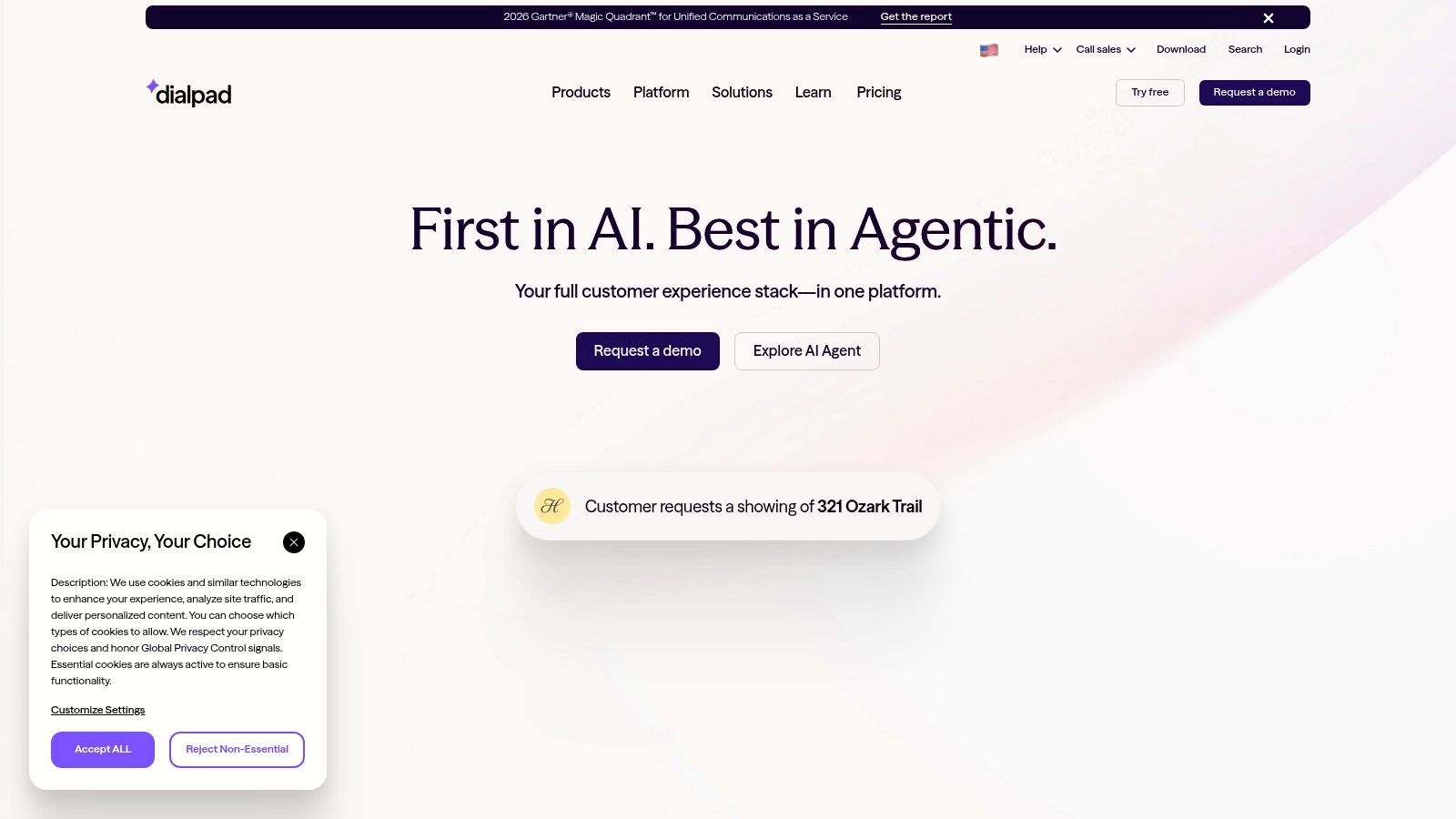
Dialpad is the strongest option here for teams that want AI productivity built into daily calling. If your sales reps, support agents, or managers spend too much time writing notes, recapping calls, and reviewing conversations after the fact, Dialpad's AI-first approach is the reason to shortlist it.
This isn't just about novelty. It's about reducing after-call admin work and giving managers more usable conversation data without bolting on separate tools.
Best for AI-led call workflows
Dialpad Ai Voice includes real-time transcriptions, post-call summaries, coaching features, SMS and MMS, softphone mobility, CRM integrations, and optional contact-center tiers. The interface is modern and usually easier to use than older business telephony products.
If your company is actively evaluating AI voice agents and related automation, Dialpad belongs in the conversation because the product direction is clearly centered on AI-assisted communication.
There's also a broader market signal behind that interest. Separate industry coverage summarized by Data Insights Market reports substantial cloud and VoIP adoption momentum and notes claims that over 60% of businesses have moved from traditional lines to VoIP or cloud communications, as discussed in Data Insights Market's business phone systems overview. That makes AI on top of cloud calling a practical buying category, not a side experiment.
What to watch before buying
Dialpad's biggest weakness is packaging complexity. Core voice seats, AI agents, usage-based elements, and separate support or sales tiers can make budgeting harder than it looks at first glance.
- Why teams buy it: Built-in transcripts and summaries cut manual note-taking.
- Where it fits best: Remote and hybrid sales or support teams that live in softphones.
- Main caution: AI features and AI agents may be billed separately, so review the pricing model carefully.
- Related trend: Businesses exploring voice-based AI for service businesses often want the same outcome, faster response and less manual follow-up.
Choose Dialpad Ai Voice if AI-assisted calling is the priority. If migration support or simpler pricing matters more, look elsewhere.
7. GoTo Connect
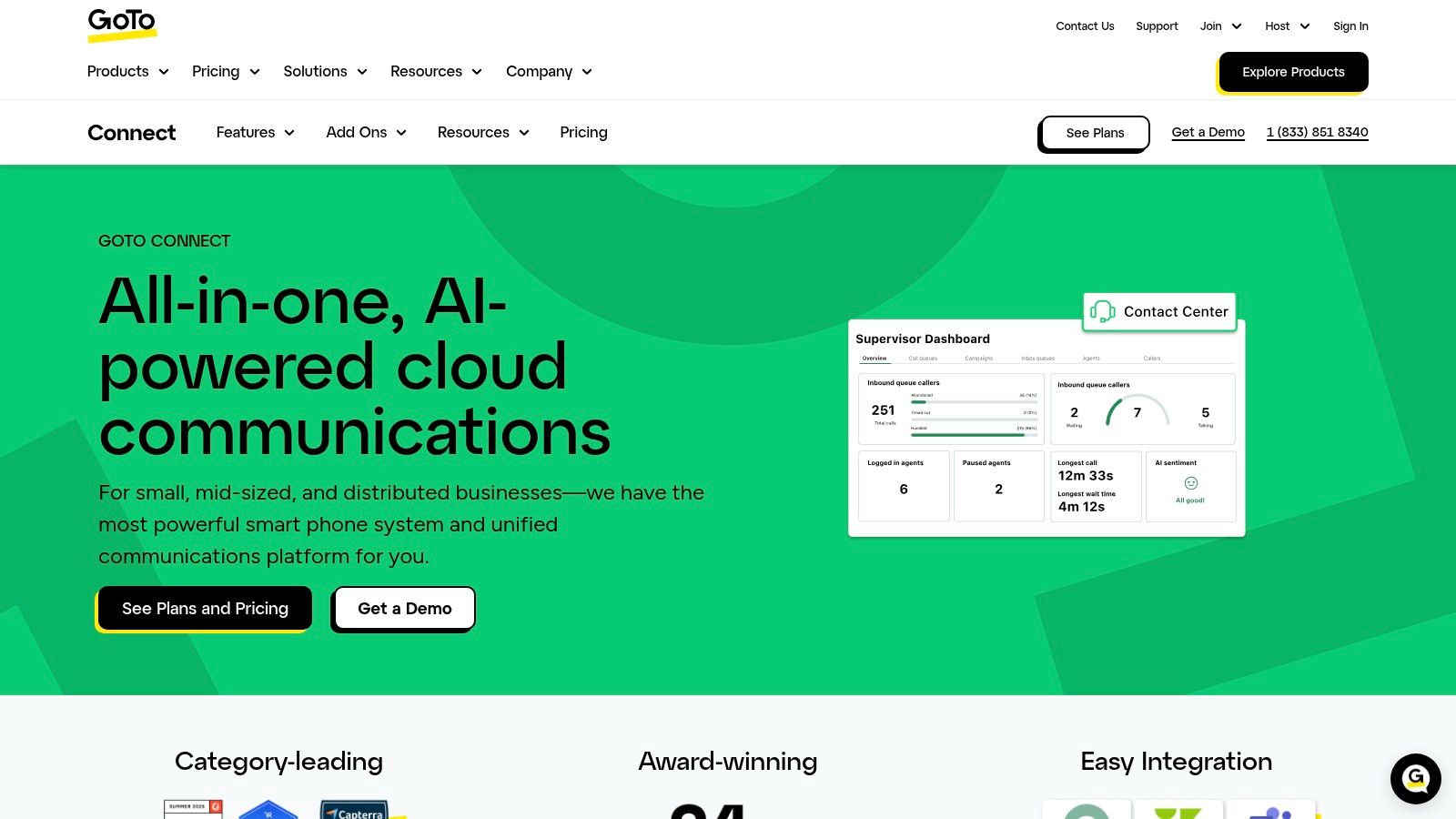
GoTo Connect is the right choice for SMBs that want an admin-friendly phone system today and a credible customer-experience expansion path later. It's especially appealing when a small internal team needs to manage routing, users, and devices without a lot of overhead.
The base system covers the cloud PBX essentials well. You get auto attendant and IVR, call queues, analytics, broad device support, and a unified admin center.
Best for customer-experience expansion
GoTo Connect becomes more interesting once you look beyond basic voice. Its CX and contact-center options add channels like web chat, SMS, and WhatsApp, along with AI receptionist functionality.
That growth path matters because business calling has become more mobile and app-centric. Review coverage now explicitly notes that VoIP is being used more than ever as an app-based smartphone connection method, which is highlighted in CloudTalk's discussion of small business VoIP buying trends. If your workforce includes field staff, remote employees, or front-line teams that rarely sit at a desk, admin simplicity alone isn't enough. Mobile usability has to hold up.
Buyers often underestimate how fast “phone system” turns into “customer communication workflow.”
GoTo also benefits from 24/7 support availability on plans, which helps smaller teams that don't have in-house telecom specialists. The main drawback is price transparency. Hard list pricing is less visible than many buyers want, and sales engagement is often part of the process.
Who should put GoTo Connect on the shortlist
Choose GoTo Connect if you want a manageable cloud PBX now and a reasonable path into broader CX channels later. It's a smart fit for resource-constrained IT teams, growing SMBs, and businesses that expect customer communication to expand beyond voice.
Pass if your highest priority is the deepest AI layer, the most migration support, or the largest integration story. See GoTo Connect if your next step after telephony may be CX.
Top 7 Business Phone Systems Comparison
| Solution | 🔄 Implementation complexity | ⚡ Resource requirements | ⭐📊 Expected outcomes | Ideal use cases | 💡 Key advantages |
|---|---|---|---|---|---|
| SnapDial | Low, white‑glove, no‑cost end‑to‑end setup; minimal IT lift 🔄 | Low internal resources; reliable internet; optional Yealink handsets ⚡ | Seamless PBX replacement with enterprise features and mobile‑first calling ⭐📊 | Multi‑location SMBs, contact centers, remote/hybrid teams | All‑inclusive pricing, 24/7 Texas support, 30+ CRM integrations 💡 |
| RingCentral RingEX | Medium, admin configuration for tiered features; self‑service options 🔄 | Standard internet and devices; scales by plan and seat count ⚡ | Broad UCaaS feature set with mature reliability and analytics ⭐📊 | Distributed teams needing deep integrations and predictable tiers | Large integrations marketplace; clear published tiers for planning 💡 |
| Zoom Phone | Low‑Medium, easiest when already on Zoom; straightforward provisioning 🔄 | Zoom licenses, internet, optional hardware/HaaS add‑ons ⚡ | Tight call→meeting escalation and consistent user experience ⭐📊 | Organizations standardized on Zoom Meetings/Rooms | One‑click elevation to video; competitive entry pricing for core plans 💡 |
| 8×8 XCaaS (X Series) | Medium, unified UC+CC stack; migration/planning needed for CC tiers 🔄 | Internet, admin resources for contact‑center features; vendor upgrades ⚡ | Single‑vendor UC/CC with enterprise analytics and queueing at higher tiers ⭐📊 | SMBs anticipating contact‑center growth without vendor changes | Unified UC/CC roadmap and built‑in analytics/coaching tools 💡 |
| Nextiva | Low, admin‑friendly, fast setup for SMBs replacing PBXs 🔄 | Minimal IT overhead; internet and devices; optional CC add‑ons ⚡ | Simplified administration with core voice, chat and reporting ⭐📊 | Small businesses wanting straightforward management and quick deployment | Ease of use, unified app (voice/SMS/meet/chat) and clear SMB plans 💡 |
| Dialpad Ai Voice | Medium, modern UI; AI features and agents add configuration and licensing complexity 🔄 | Internet, per‑seat licenses, credits/usage for AI Agents; CRM integrations ⚡ | Higher agent productivity via real‑time transcripts, summaries and coaching ⭐📊 | Support and sales teams prioritizing AI automation and coaching | Strong built‑in AI (live transcripts, post‑call summaries, coaching) 💡 |
| GoTo Connect | Low‑Medium, admin‑friendly with CX growth path; sales engagement common for pricing 🔄 | Internet, devices, optional omnichannel/CX add‑ons; 24/7 support available ⚡ | Unified phone, meetings and messaging with optional CX upgrades ⭐📊 | SMBs needing simple admin and a clear path to contact center | Unified admin center, omnichannel CX add‑ons and AI receptionist options 💡 |
Choose the System That Fits Your Next Stage
There isn't one universal best business phone system. There's the system that best fits the way your business operates now, and the way it's likely to operate next.
SnapDial is the strongest choice for SMBs, multi-location companies, call centers, and remote teams that want a managed migration instead of a risky cutover. If you care about predictable quoted pricing, white-glove setup, advanced queue tools, mobile calling, and 24/7 support from a real help center, it's the most practical upgrade path in this list.
RingCentral is the broad UCaaS all-rounder. It works well for companies that want one mature platform with deep integrations, messaging, meetings, fax, and room to expand. Zoom Phone is the clear fit for organizations already standardized on Zoom. It keeps training lighter and gives users a familiar environment for calls and meetings.
8×8 is the best option when you know your phone system may need to evolve into a more serious contact-center platform. Nextiva is the approachable pick for SMBs that want simple administration and a clean unified app. Dialpad is the AI-led choice for teams that want transcripts, summaries, and conversation support built into daily work. GoTo Connect fits businesses that want easy admin now and a path into broader CX later.
Before you sign, do five things.
- Map users and locations: Know who needs desk phones, who works on mobile, and which sites need shared routing.
- Define queues and call flows: Document auto attendants, ring groups, overflow logic, after-hours handling, and escalation paths before demos.
- Confirm feature tiers: Verify which plans include recording, analytics, fax, texting, queue tools, integrations, and admin controls.
- Request full pricing: Ask for the total monthly cost, including any applicable fees, hardware, add-ons, and implementation details.
- Test the experience: Have admins and frontline users try the mobile app, desktop app, and management portal before you commit.
That's how you avoid buying the wrong system for the right reasons.
If you're replacing an old PBX or juggling calls across offices, remote staff, and customer queues, SnapDial is built for that transition. It combines white-glove setup, enterprise-grade calling features, mobile-ready apps, and 24/7 Texas-based support in one managed platform. See what fits your environment at SnapDial.