
More than 90% of midsize and large enterprises say one hour of downtime costs over $300,000, according to ITIC's 2024 downtime cost survey coverage. For a small business, independently cited industry data puts internet downtime at about $127 to $427 per minute, so a three-hour outage can mean roughly $22,500 to $77,000 in losses. Those figures change the question from “Do we need a backup internet connection?” to “How much revenue can we afford to put behind one ISP?”
For a company running cloud VoIP, a failed primary circuit can stop more than web browsing. Agents lose registrations, customers hear busy signals or unanswered rings, payment systems stall, and remote staff lose access to the applications they need to serve customers. A secondary line only protects the business if it has enough capacity, an independently routed path, intelligent routing, and proof that the phones recover when the main circuit disappears.
The True Cost of Internet Downtime
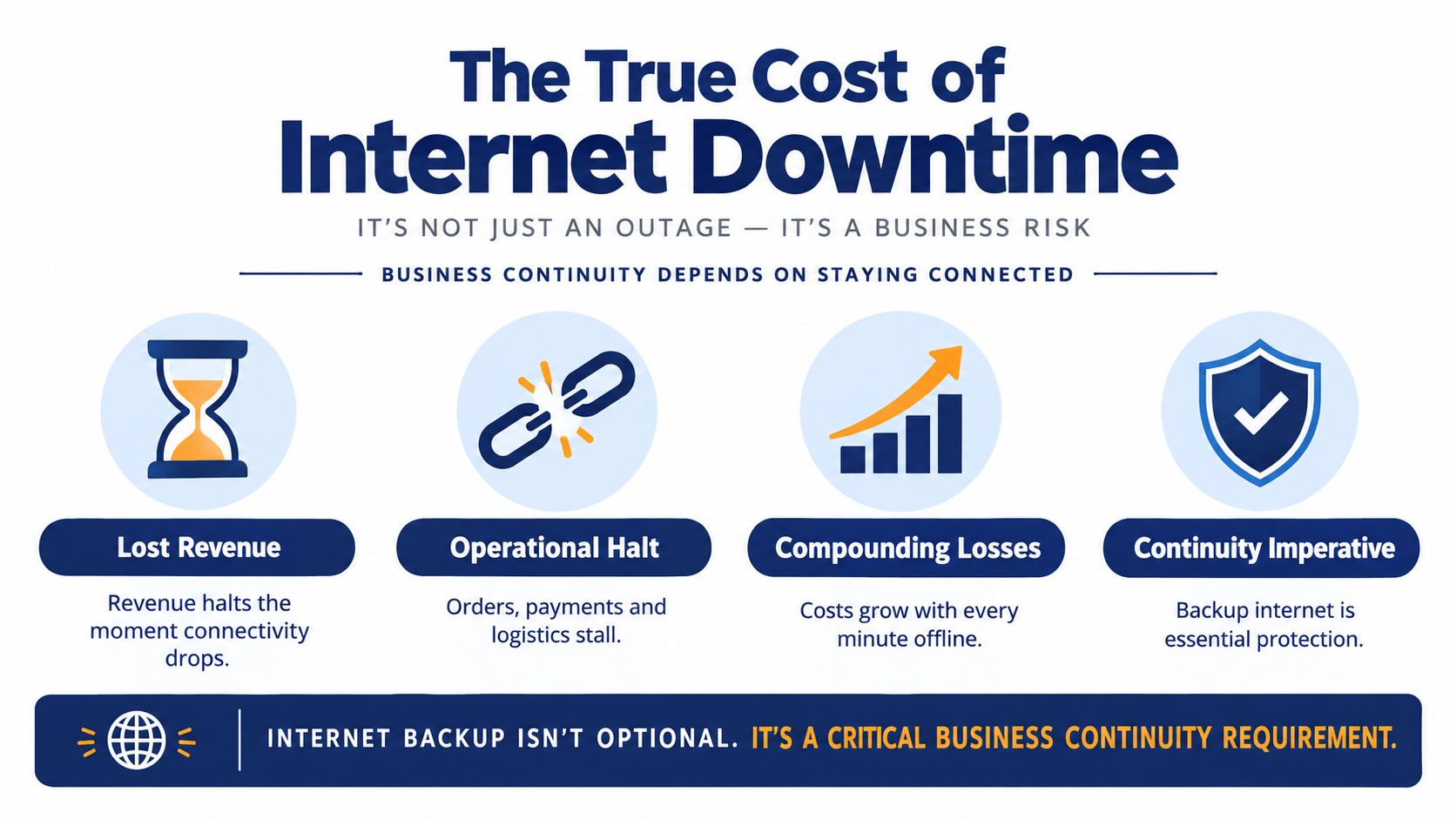
For a call center, an internet failure can stop revenue generation before anyone notices a server alarm. Agents may be logged into their laptops, but unable to register with the hosted PBX, receive queued calls, open customer records, or complete payment and case updates. A backup connection therefore has to preserve the workflows that produce revenue, not merely provide enough bandwidth to load websites.
The business downtime cost analysis from ITIC data shows why the exposure deserves financial attention. More than 90% of midsize and large enterprises report that a single hour of downtime costs over $300,000, and 41% report hourly losses between $1 million and $5 million. For an SMB call center, the practical question is how many calls, sales opportunities, and service interactions disappear while the primary circuit is unavailable. A backup link that keeps agents registered and voice traffic moving can protect more revenue than one sized only for email and browsing.
Downtime affects more than revenue
The visible loss is only part of the outage. Staff may remain at their desks while productivity drops because every cloud-dependent step slows or stops. A support agent can have a working headset and laptop yet fail to authenticate to the phone system, retrieve a customer record, or record the outcome of a call.
Outages also recur. Uptime Institute's annual outage analysis found that 60% of surveyed operators in 2022 had experienced an outage during the previous three years. Another SMB-focused estimate reported average annual internet downtime of 17.8 hours and projected more than $40 billion in lost productivity from internet outages in 2020. Exposure differs by business, but the operating pattern is consistent: lean teams absorb delays, missed calls, repeat work, and frustrated customers.
Practical rule: Treat the backup internet connection as business continuity infrastructure, not as an optional speed upgrade.
A secondary circuit, cellular failover device, or SD-WAN path may cost less than one serious outage, but only if failover preserves the applications that matter. Configure health checks around packet loss and reachability, confirm that voice traffic receives priority, and test whether registrations recover after the primary route disappears. Businesses reviewing wider continuity planning can also consult this residential solar backup guide. The same principle applies: backup capacity earns its value by keeping priority operations available when the primary service fails.
Comparing Backup Connection Technologies
A backup link for email has different requirements from a backup link for hosted voice. Web pages may tolerate delays that make a conversation uncomfortable. Cloud call centers also need stable packet delivery, reasonable jitter, and enough upstream capacity for multiple simultaneous conversations.
The published latency ranges in this business failover technology comparison provide a useful starting point. Secondary wired services commonly fall around 10 to 50 ms, cellular backup often sits around 25 to 100 ms, and LEO satellite is commonly around 30 to 80 ms. GEO satellite can exceed 500 ms, which is generally unsuitable for interactive voice.
| Connection Type | Typical Latency | VoIP Suitability | Best Use Case |
|---|---|---|---|
| Secondary DSL, cable, or fiber | 10 to 50 ms | Strong when the route is independent | Offices that can obtain a diverse wired provider |
| 4G LTE | 25 to 100 ms | Suitable for essential voice with stable coverage | SMB failover and temporary continuity |
| 5G cellular | Cellular range varies by coverage and congestion | Strong when signal quality is consistent | Call centers needing more capacity than LTE can provide |
| LEO satellite | 30 to 80 ms | Potentially workable, subject to conditions | Rural sites without reliable terrestrial options |
| GEO satellite | More than 500 ms can occur | Poor for interactive voice | Basic access where email and asynchronous work matter more than calls |
Latency is only part of the decision
A low-latency link can still perform badly if its signal fluctuates or if the provider shares the same local failure domain as the primary ISP. Cellular performance changes with coverage, congestion, antenna placement, and plan limits. Wired services usually offer a more predictable experience, but a second circuit entering through the same conduit or neighborhood infrastructure may fail during the same incident.
For a practical overview of architectures and equipment choices, consult this guide to backup internet setups. Then verify the physical route with both providers. A second service is not diverse merely because it has a different brand on the invoice.
If you're comparing terrestrial options, the DSL versus fiber optic comparison can help clarify the trade-offs between availability, consistency, and service characteristics. For cloud voice, choose the technology that preserves call quality under degraded conditions, not just the one with the highest advertised download speed.
Right-Sizing Bandwidth for Business Continuity
A failover circuit can be technically active while being practically useless. If every office device moves onto a small cellular connection, cloud phones may register but calls can become distorted once agents, video meetings, file synchronization, and CRM traffic compete for the same limited path.
Start by separating critical workloads from normal-day traffic. A call center might prioritize SIP or hosted voice media, call-control traffic, CRM access, payment applications, and essential messaging. Large downloads, operating system updates, guest Wi-Fi, streaming media, and nonurgent backups should either stop during failover or move to the lowest priority.
Build the requirement from concurrent users
Count the people and devices that must remain productive at the same time. Don't size the backup link from the office's normal aggregate internet plan, because normal traffic often includes services that can be paused during an outage.
Use this sequence:
- Identify voice demand. Count concurrent calls, not total extensions. Include both the call-control path and the voice media path, with room for normal protocol overhead.
- Add business applications. Include CRM sessions, browser-based support tools, payment workflows, messaging, and the cloud services agents need while speaking with customers.
- Reserve capacity for upstream traffic. Call quality depends on upload performance as well as download performance, particularly when agents use video, screen sharing, or cloud recording.
- Apply priority rules. Configure the router to protect voice and essential applications before general browsing.
- Test under load. A quiet failover test proves little if the link fails once the whole team returns to work.
Independent guidance recommends approximately 25 to 50 Mbps down and 10 to 25 Mbps up for most SMB backup links so core workloads such as VoIP and cloud applications can continue during an outage, as described in this SMB backup bandwidth guidance. That range is a planning reference, not a guarantee. A busy contact center, video-heavy team, or site with strict application requirements may need more, while a small office can prioritize fewer services.
Use the VoIP bandwidth calculator to turn concurrent calling requirements into a more defensible estimate. Then confirm the cellular plan's data allowance and the provider's behavior during congestion. A backup path that runs out of data or slows sharply under load doesn't protect the operation you intended to preserve.
Designing a Resilient Dual-WAN Network
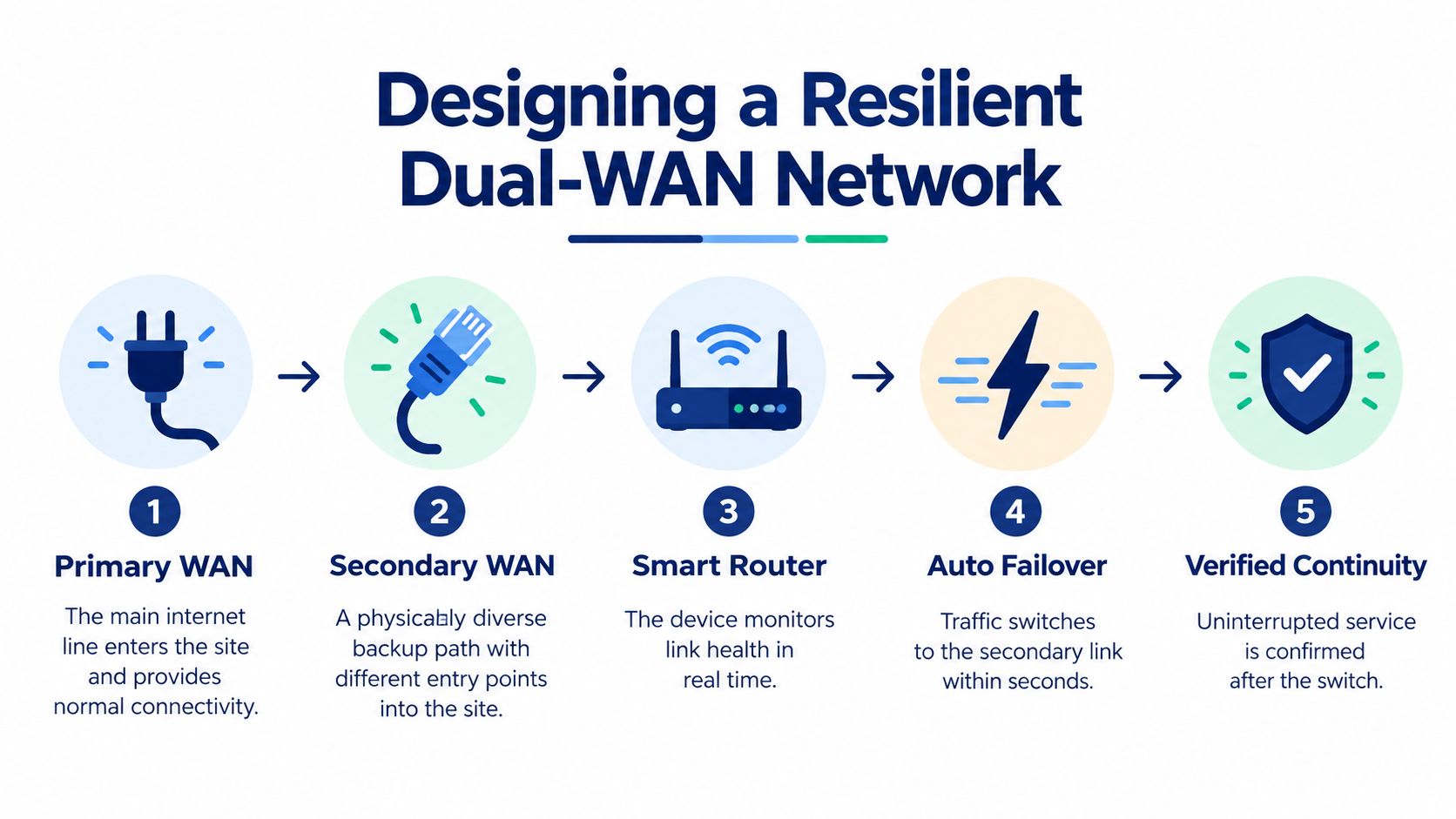
Two internet services don't create resilience if they share the same pole, conduit, local exchange, building entry point, or upstream fault. The design must separate the physical risks before the router can make a useful decision.
The preferred arrangement is a dual-WAN router or firewall with a primary connection and a secondary service using a different provider or last-mile technology. For example, a fiber primary paired with cellular backup can protect against a terrestrial access fault. A cable primary paired with a separately delivered fiber service may work when the providers use different local infrastructure, but that needs confirmation rather than assumption.
Configure the router to detect real failure
A basic “link is plugged in” check isn't enough. The WAN interface can remain electrically active while the ISP is dropping packets, returning excessive latency, or losing access to the services that matter.
Configure health probes against independent external targets, rather than relying only on the provider's gateway. A sensible policy evaluates packet loss, latency, and reachability, then removes the primary path when the evidence shows real degradation. The dual-ISP failover guidance describes this approach as a best practice for dual-WAN deployments.
Your policy should define:
- Probe targets: Use more than one independent destination so a single target failure doesn't trigger an unnecessary switch.
- Failure thresholds: Avoid switching for a momentary packet loss event, but don't wait so long that active calls fail before the router reacts.
- Traffic priority: Put voice, payment, and core business applications ahead of guest traffic and bulk transfers.
- Failback behavior: Decide whether the router returns automatically to the primary or waits for administrator approval.
- Session handling: Confirm how the firewall treats existing connections when the public path changes.
Failover changes the network's public address, so some sessions will reconnect rather than continue invisibly. Hosted voice platforms, VPNs, payment terminals, and security controls should be evaluated during the transition. Automatic routing helps, but it doesn't remove the need to understand how each application handles a changed path.
Bridging the Failover Testing Gap
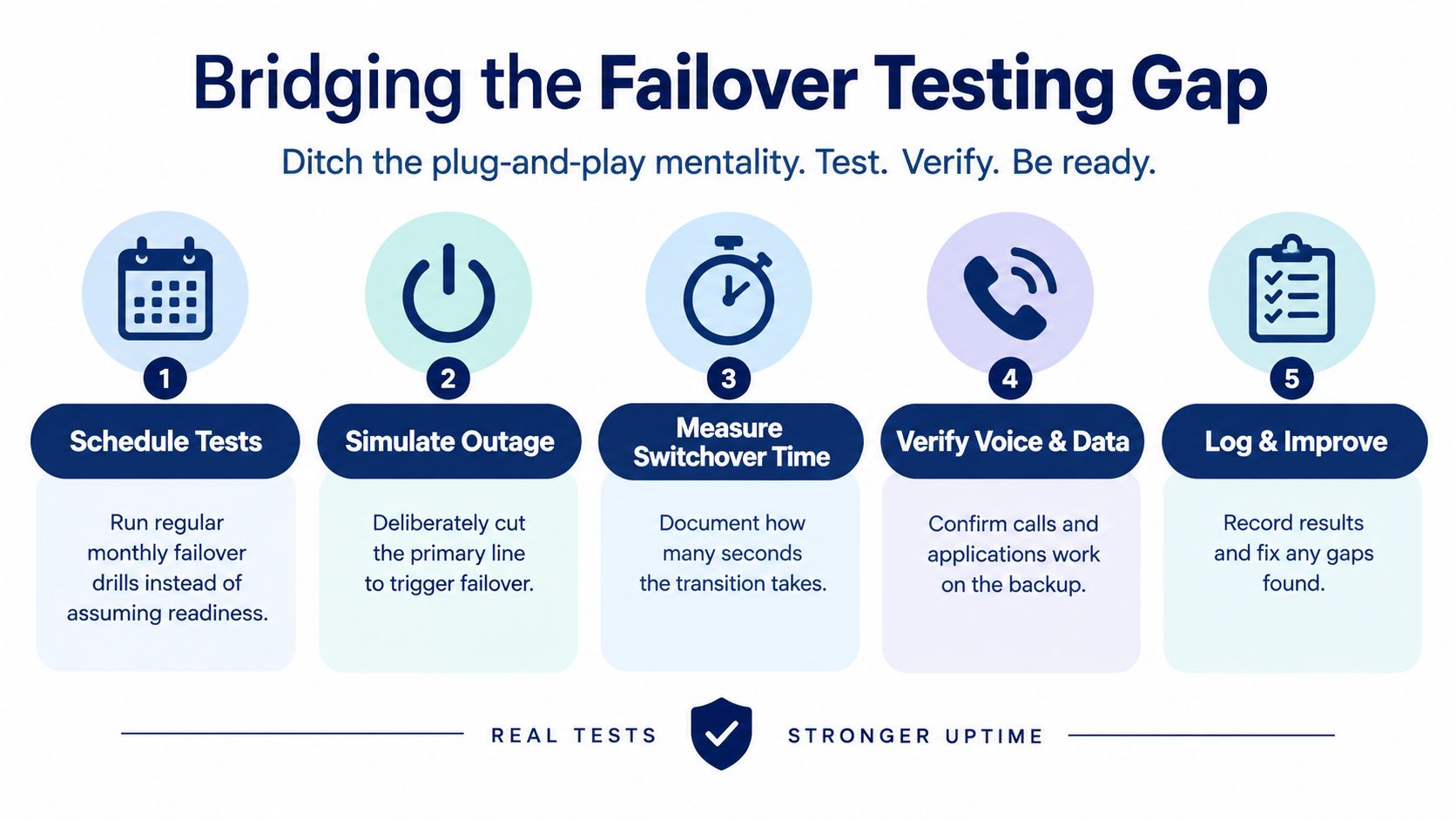
A backup circuit that has never been tested is a theory. The router may show both WANs as available, yet the phones can remain registered to the wrong path, DNS lookups can stall, payment devices can reject the new connection, or firewall rules can block traffic on the secondary interface.
Controlled testing exposes those dependencies while staff and vendors are available to fix them. Uptime reported that 57% of respondents in its 2025 annual survey said their most recent major outage cost more than $100,000, as summarized in this report on outage impact. Testing won't prevent every outage, but it can prevent a known configuration gap from becoming an expensive surprise.
Test the service users actually depend on
Run a controlled outage during an agreed maintenance window. Disconnect or administratively disable the primary WAN, then observe the router's decision, the public path change, and the behavior of active applications.
Check the following in order:
- Routing: Confirm the firewall selects the intended secondary path and applies the correct NAT and security policy.
- Voice registration: Place inbound and outbound calls. Listen for robotic audio, one-way audio, delayed call setup, and dropped registrations.
- Call-center workflows: Verify queues, agent status, transfers, recordings, callbacks, and reporting.
- Cloud applications: Open the CRM, ticketing system, payment platform, and collaboration tools that staff use during live calls.
- Recovery: Restore the primary line and observe whether sessions recover cleanly or require a manual restart.
Measure the switchover behavior rather than recording only “passed” or “failed.” Note which phones reconnect, which users need to refresh a browser, and whether the call platform reroutes inbound traffic as expected. Perform these checks regularly, including after router firmware changes, ISP changes, firewall policy updates, or cloud PBX modifications.
A failover test is successful only when the customer can still reach the business and the agent can still complete the work.
Layering Cloud PBX Resilience
A resilient office network protects the site, but the phone platform must also cope with the address and connectivity changes that occur during failover. Cloud PBX continuity works best as several layers: dual-WAN routing at the site, mobile access for staff, and call-handling rules that don't depend on one physical office.
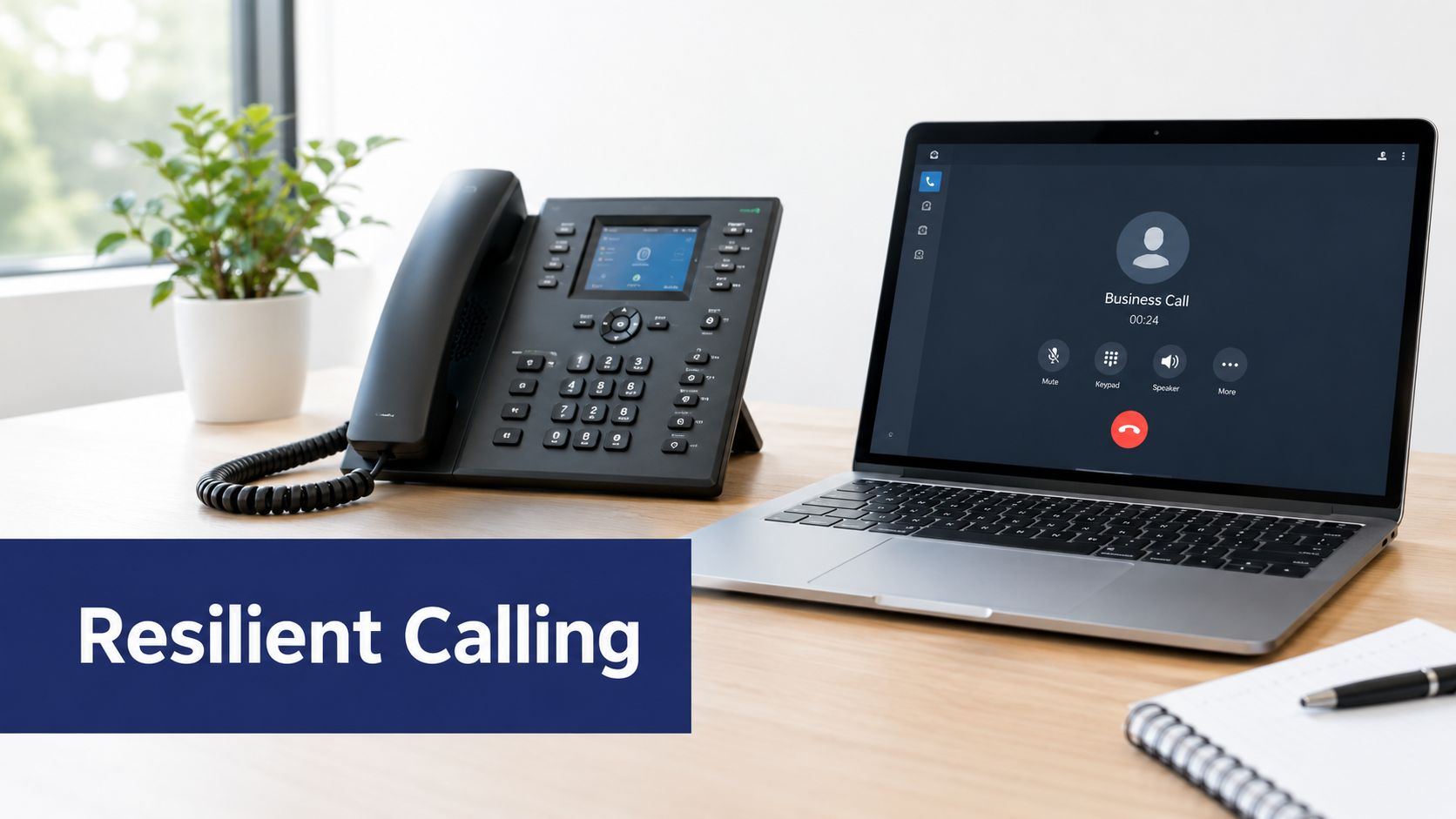
Mobile applications give agents another route when the office circuit fails or the building network is unavailable. A user can continue through cellular data instead of waiting for the desk phone to regain registration, provided the app, account permissions, and call policies have been configured and tested in advance.
Smart call routing adds a second protection layer. Inbound calls can follow an alternate destination, location, or external number when the primary site is unavailable. For a call center, queue behavior matters as much as basic forwarding. The business should know whether callers receive announcements, queue placement, callback options, or a direct route to available staff during a site incident.
Cloud phone systems such as SnapDial combine hosted calling with features including mobile apps, call routing, auto attendants, queue management, recordings, and reporting. Those tools can complement a backup internet connection, but administrators still need to validate how the platform behaves when the office public path changes.
The following video provides useful visual context for businesses evaluating cloud phone continuity and communication workflows.
Don't mistake platform-level routing for a replacement for network redundancy. If the office has power and local network access but the WAN fails, dual-WAN may preserve desk phones. If the entire site is inaccessible, mobile applications and external routing become more important. The strongest design plans for both situations and tests each path with real calls.
Building Your Internet Resilience Strategy
A practical resilience plan starts with the business process, not the circuit brochure. Identify which customer-facing services must survive, how many concurrent users need them, and what interruption each application can tolerate. For a call center, voice, queues, agent state, CRM access, and payment workflows usually deserve priority over general browsing.
Use this decision sequence:
- Map the failure domains. Ask whether the proposed secondary service uses a different provider, last-mile technology, building entry, and upstream route.
- Set the minimum workload. Define the calls, applications, and staff functions that must continue during an outage.
- Size the upstream path. Include voice, screen sharing, cloud recording, and other upload-heavy activity, not only downloads.
- Choose the routing policy. Configure health probes, application priorities, failover thresholds, and failback behavior.
- Prove recovery. Run controlled tests that include active calls, inbound queues, cloud applications, payments, and restoration of the primary line.
- Document ownership. Record who receives alerts, who can change the router policy, and who contacts the ISP or phone provider.
Data-center and network-location research can also support a broader infrastructure review. A Data Centers List data hub is useful when evaluating hosting locations, connectivity concentration, and potential third-party dependencies.
SD-WAN can make policy-based path selection more accessible to growing organizations, while 5G gives many SMBs a practical alternative to a second terrestrial circuit. Neither option removes the engineering work. The value comes from combining path diversity, application-aware priorities, realistic capacity, and repeatable testing.
For a broader continuity plan covering communications, systems, and recovery procedures, review SnapDial's backup and disaster recovery guidance. A backup internet connection is only one component, but it often determines whether the rest of the continuity plan can operate when customers are calling.
SnapDial provides a cloud PBX with mobile apps, call routing, queue management, and business calling features that can support continuity planning alongside a properly tested backup internet connection. Visit SnapDial to evaluate a cloud phone setup for your office, remote team, or call center.