
You're closing the Dallas front desk at 5, and a caller is still waiting on the Austin clinic. The receptionist there left early. Your phone can't see that call, because each office still runs its own system. A multi location phone system is built to stop that split. One dial plan, one set of extensions, and a path so the next free person can pick up, even from another city or a car.
Most buying guides stop at apps, auto attendants, and the monthly bill. The problems that show up after go-live are quieter. Where does 911 think the caller is standing? What happens when one site's internet dies? Those belong in the choice, not in a ticket six weeks later.
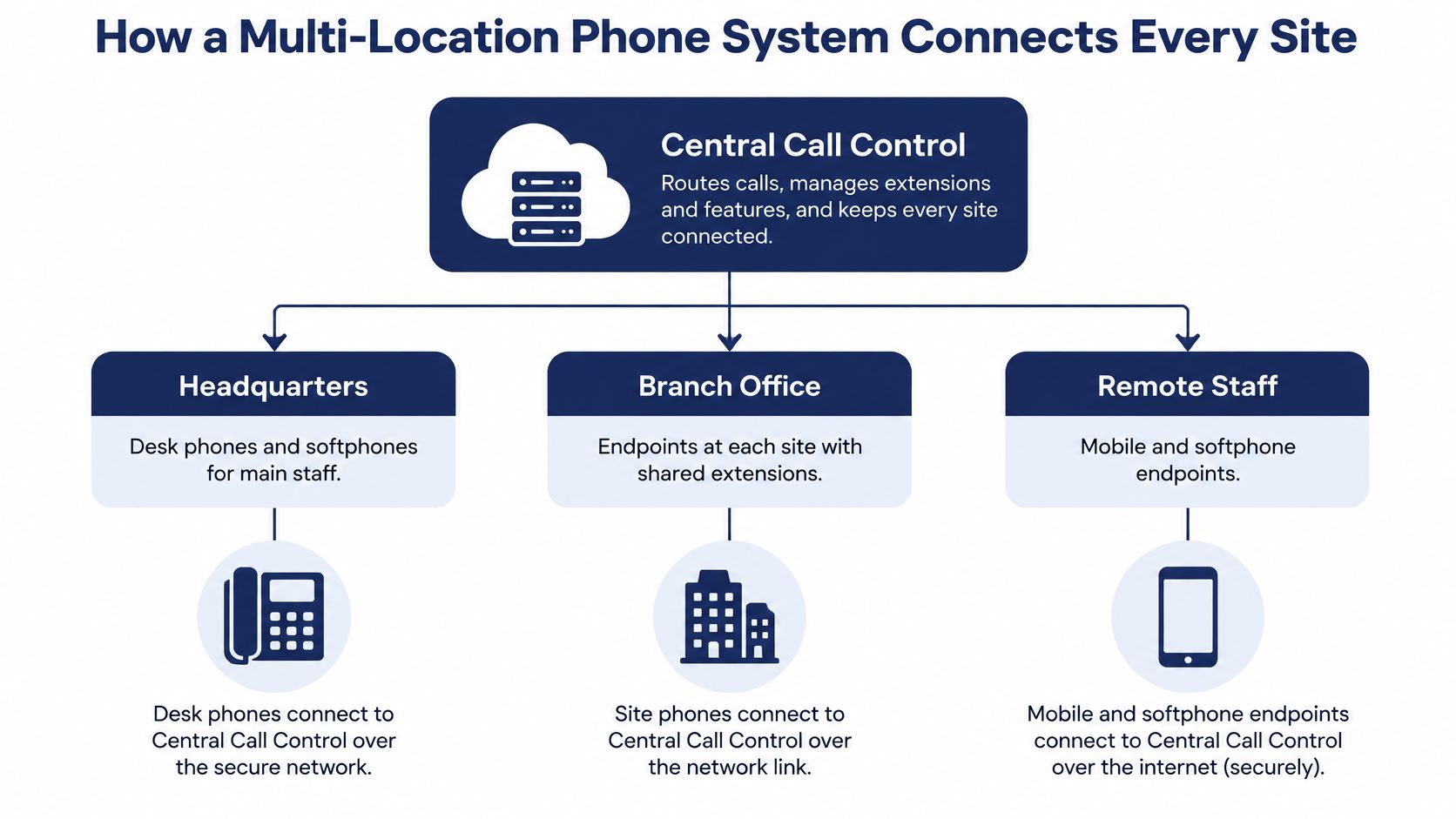
How a Multi-Location Phone System Connects Every Site
A multi location phone system uses one central call control, endpoints at each site, and network links between them. Desk phones and softphones register to that same control. Every location then behaves as one phone system, not three that can't see each other.
Say a dental group runs three clinics. A patient dials one main number. The call should reach whichever front desk is free, not only the building printed on the card. In the old picture, each clinic had its own switchboard. Staff at clinic 1 couldn't tell that clinic 2 was slammed. Transfers meant hanging up and redialing a public number. With one call control, those desks share a directory, the same extension pattern, and one routing plan.
Why most branches already speak IP
The shift is already in the numbers. The FCC voice telephone services report found that in June 2024 U.S. businesses had approximately 53 million wireline voice connections, and 78.0% of those were non-incumbent local exchange carrier interconnected VoIP subscriptions. In plain terms, most business wireline connections already ride IP, not a classic telephone line at each branch.
Buyers aren't guessing in a vacuum either. A 2025 business-calling market study published by Omdia surveyed 1,198 IT and telecommunications decision-makers or influencers. Deployment and connectivity choices are an active buying topic, not a side note.
What the fourth branch used to cost
Under the old model, each branch bought its own PBX. You paid for the cabinet, the cabling, an installation visit, and a maintenance contract. That site invented its own extension plan. Opening clinic 4 meant another cabinet, another technician, and another vendor.
On a cloud platform, the same opening is a location record, a block of extensions, and a desk phone that ships already tied to the tenant. You still need a solid internet link at that site. Cloud calling doesn't invent bandwidth. If the link is weak, calls at that clinic suffer even when the other two sound fine.
If you're sorting platforms before you pick an architecture, the Mojolin business phone comparison is a useful side-by-side of how hosted systems differ on administration and multi-site fit.
| Setup | How sites connect | Where administration happens | Best fit |
|---|---|---|---|
| Separate PBX at each site | Independent hardware linked by trunk lines | Each site, separately | Two or three sites with stable staff |
| Hybrid PBX with branch gateways | Central server with local gateways at each site | Central server, with local changes | Sites that must keep local lines during outages |
| Cloud hosted platform | Every site and user on one cloud tenant over the internet | Single web portal for all sites | Most growing multi-site businesses |
Practical rule: If your sites need one shared directory, one extension scheme, and one routing plan, the architecture question is settled. Pick the row that matches how you want administration to work, then prove each site has a reliable internet path.
Managing Every Site From One Administrative Portal
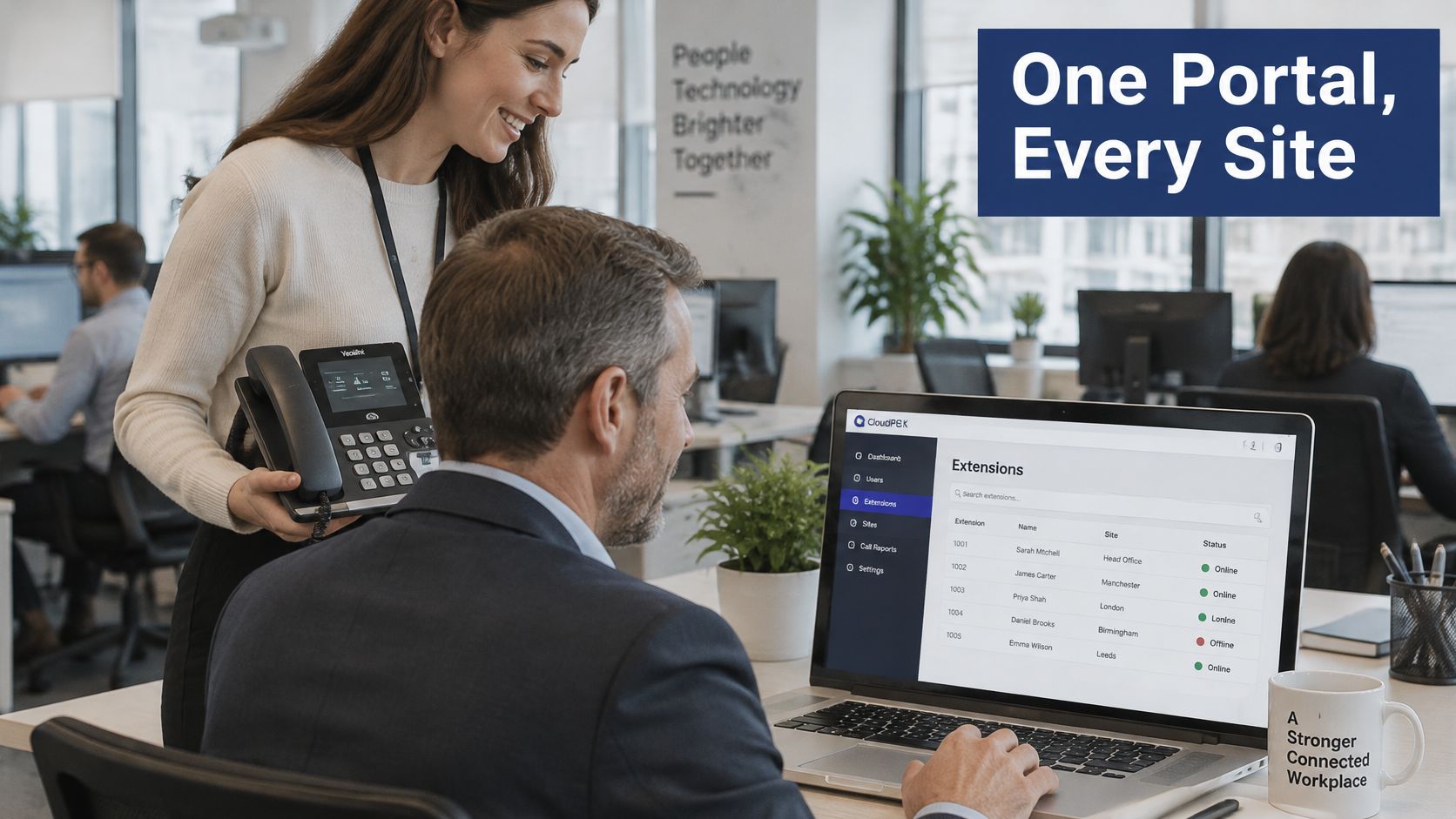
A web portal is the day-to-day face of that central control. An administrator can add users, change extensions, and adjust routing without driving to the branch. SnapDial's Web Portal lets a business manage voicemails, call logs, call recordings, and call routing changes from anywhere. A manager in the head office can add a new hire in Dallas, assign extension 214, and turn on voicemail before that person sits down.
What you lock in for every office
Standardize the rules that should not drift between cities.
- Dial plan: Use the same internal extension format everywhere, so 214 means a person, not a different thing in each building.
- Caller ID policy: Decide which number the public sees, the site's main line or a shared company number.
- Recording permissions: Say who may record, who may listen, and how long files stay.
- Auto attendant and queues: Keep the menu shape and queue behavior consistent, then point options at the right local group.
NIST guidance on VoIP security treats signaling, media, endpoints, and supporting gear as a security design problem. A sound setup separates voice devices from general data traffic, restricts management interfaces, and protects signaling and media. Don't leave the admin portal open on the same flat network as guest Wi-Fi.
What still belongs at the branch
Central policy doesn't replace the local network. Each site should run a voice VLAN with QoS prioritization, plus redundant power for switches and the internet edge. Office-hours greetings and the on-site emergency contact stay local, because a storm closing Austin shouldn't rewrite Dallas's hours. Teams that already rely on cloud managed WiFi for multi-site businesses can treat access points the same way they treat extensions: one view, site-by-site health.
Admin hygiene is part of the portal, not an afterthought. Give every person a named admin account, require multi-factor sign-in, and hand out least-privilege roles. A shared "officeadmin" password is how a departed manager still changes call flow in month six.
Watch registration status, failed call attempts, and unusual signaling on one dashboard. If only Austin's phones drop registration, you have a branch outage and you can reroute. If every site drops at once, you have a platform incident. Those are different responses, and a single busy signal hides which one you're in.
Routing Calls Between Locations and Mobile Staff
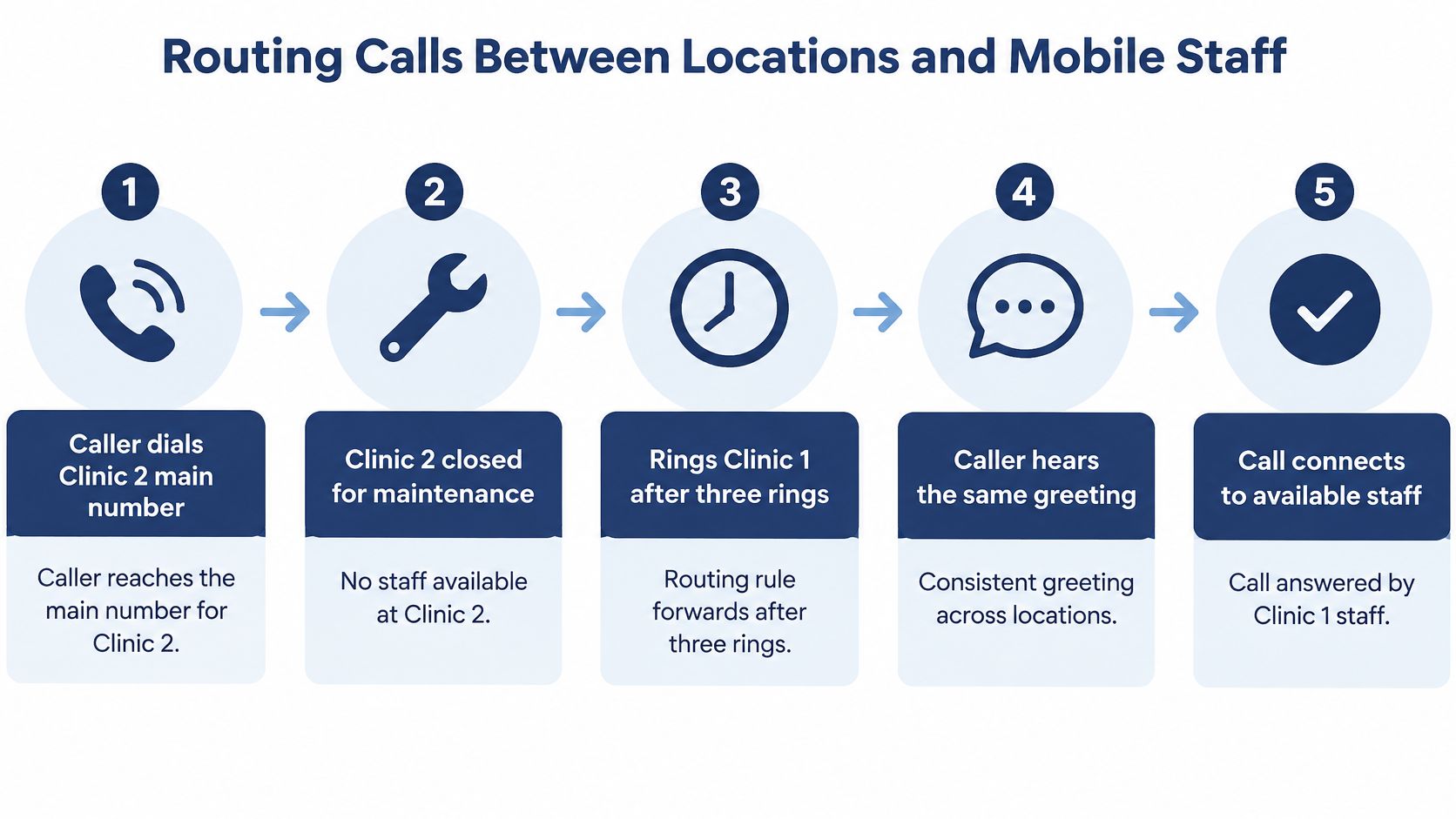
Clinic 2 is closed for maintenance. A caller still dials that clinic's main number. The phones there don't pick up. After three rings, the call moves to clinic 1. The caller hears the same greeting they would have heard at clinic 2, then a person answers. Nothing in that path required the caller to know which building was open.
A routing rule did that job, and the same logic doubles as your first layer of outage protection. When a site goes dark, its calls have to land somewhere staffed.
Walk the rules before you publish them
Match a rule to a real staffing problem, not to a feature list.
| Routing rule | What happens | Example | Use it when |
|---|---|---|---|
| Simultaneous ring across sites | All listed phones ring at once | Reception at two offices rings together | A small team shares one main number |
| Overflow to another site | Call moves to a second site after a set time or when busy | Clinic 2 is full, so the call goes to clinic 1 | One site is understaffed at peak times |
| Time-of-day routing | Calls follow different paths by hour | Evening calls go to a central answering group | Sites have different opening hours |
| Mobile office forwarding | Calls ring a staff member's mobile or the app | A field technician answers the branch main line | Staff work away from any desk |
SnapDial's Mobile Office feature lets incoming calls be sent to any location, which is the mechanism behind that last row. Unlimited Lines lets incoming calls go to employee lines, gives employees individual numbers, or lets all outbound calls use the same number. The SnapDial app lets staff answer office calls from anywhere and place outbound calls from a cell phone so the caller ID looks like the office.
One detail trips people up after go-live: rules usually run in order. If "ring every phone" sits above your after-hours rule, the evening call hits a desk phone in a closed office and dies in voicemail. Put the time check first.
A field tech doesn't need a desk to cover a branch line. They need the rule, the app, and a tested path. If calls should follow staff wherever they work, a call routing service that sends incoming calls to any location covers the forwarding side. Before you freeze the design, confirm in writing which overflow and time-of-day options your provider supports, and test each one.
Run three live scenarios before go-live: an after-hours call, a branch that is fully busy, and a field worker away from every desk. Each one should reach a person, not a dead menu.
If the after-hours test lands in the wrong city's voicemail, fix the time-of-day rule now. Callers won't report it clearly. They'll just call a competitor.
Keeping 911 Location Accurate for Every Site
The common mistake is registering every extension to headquarters. A nurse on the third floor of the Austin clinic dials 911, and the record still says the Dallas street address. Responders go to the wrong building. A shared company address is not a location.
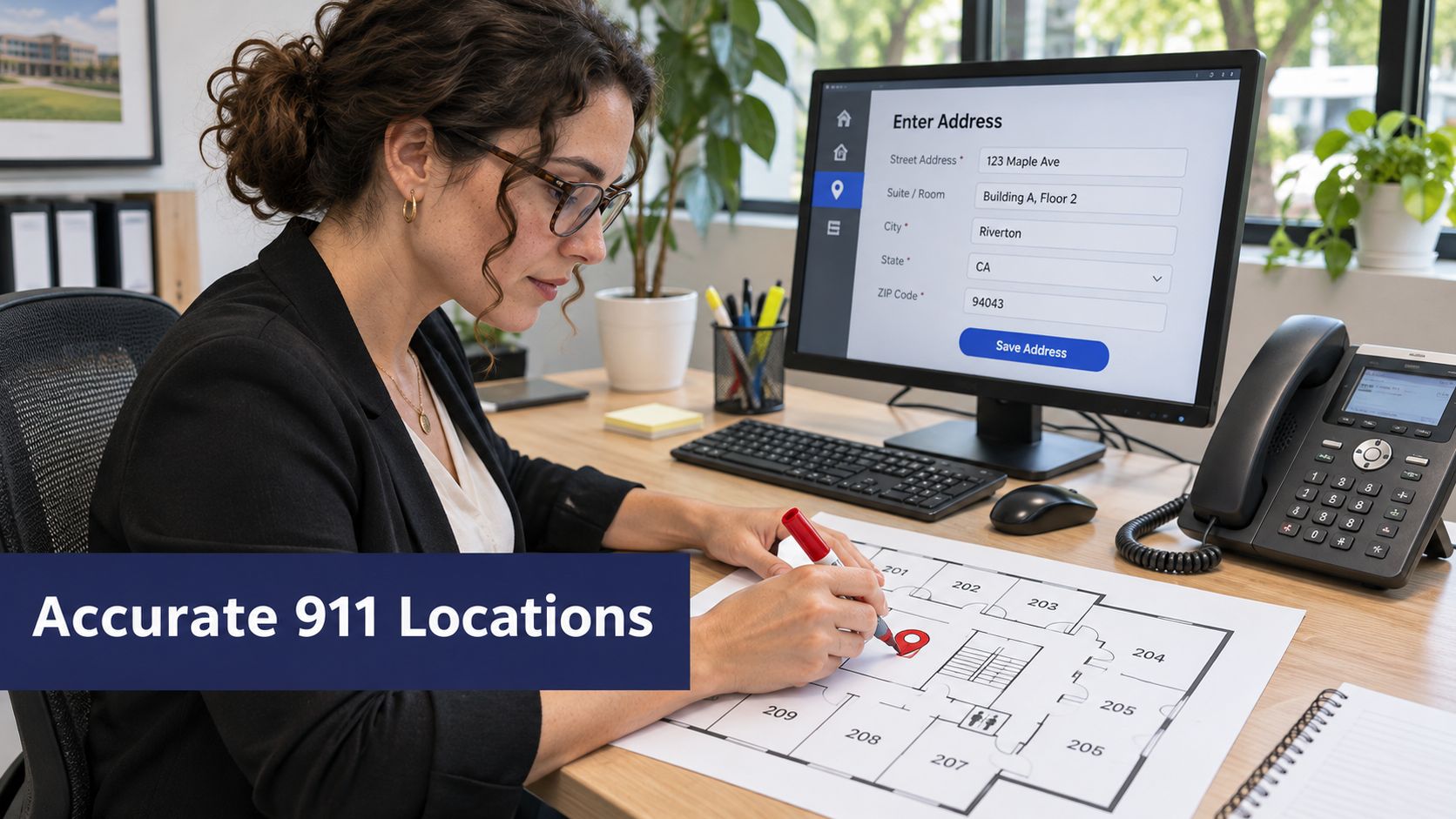
Under the FCC consumer guide on VoIP and 911, an interconnected VoIP provider must obtain the customer's physical location before activation, support location updates, and send the callback number and registered location with a 911 call. For a fixed device, dispatchable location must be supplied automatically. For a non-fixed device, it must be supplied automatically when technically feasible. Otherwise an approved registered or alternative location may be used.
FCC comments on multi-line telephone systems point to Kari's Law and RAY BAUM'S Act. Kari's Law requires direct 911 dialing without a prefix, plus notice to a central location. RAY BAUM'S Act requires dispatchable location, such as street address, floor, and room, when technically feasible. Multi-line systems must also allow 911 with no outside-line prefix and notify a central on-site contact, such as reception or security, when a 911 call is placed. A short look at E911 for VoIP shows why that setup is configuration work, not a checkbox on a feature sheet.
The 3rd-i guide for campus safety teams is worth handing to anyone who assumes a phone "just knows" the building. Registered place and actual place diverge the moment someone moves.
| Case | Location to register | Extra requirement |
|---|---|---|
| Fixed desk phone in a branch | Street address plus floor and suite | Location supplied automatically at activation |
| Softphone used from home | Registered home address | Update the location before first use from a new place |
| Shared device in a reception area | Room or desk-level location | Confirm the device maps to the correct record |
| Mobile app used at another branch | Current location where the call is made | Update when the user moves to another site |
| Multi-line system in a multi-floor building | Floor and room for each extension | Direct 911 dialing with no prefix and notify an on-site contact |
Four habits that keep the records honest
- Validate an address for every site and every floor before you activate phones there.
- Map each extension and softphone to that record, including shared reception sets.
- Put moves through change control. A person who shifts from suite 200 to suite 410 gets a location update the same day.
- Test the central notification. Place a planned test and confirm reception or security sees it.
Name an owner for each site's location record. If nobody owns Austin's floors, the headquarters address will creep back in.
This short walkthrough shows why the registered place has to travel with the call, not sit as a single company address.
Planning for Site, Internet and Login Failures
One tenant can become one point of failure. If routing, internet diversity, admin access, and outage drills all sit in a single untested path, a local outage becomes a company-wide silence. A 2025 Cisco hybrid work study surveyed 21,513 employers and employees across 21 markets and treated hybrid work as an ongoing operating condition. Branch staff may need to answer a site's main number from another office or a mobile during an outage, a closure, or severe weather.
Buyers who only compare features and price miss that. Ask how failover is documented, and when it was last tested.
| Failure | Fallback to set up | How to test it |
|---|---|---|
| Local broadband outage | Cellular failover or forwarding to another site | Disconnect the site's internet and confirm calls ring through |
| Power loss at a site | Redundant power for switches and internet edge devices | Switch off the office circuit in a test window and confirm failover |
| Provider or platform outage | Alternate answering group and voicemail continuity | Check the provider status channel and reroute calls to mobiles |
| Handset failure | Softphone or spare phone set up on a mobile | Swap a phone and confirm the extension rings |
| Compromised admin credentials | Named admin accounts, multi-factor sign-in and change alerts | Review the access log and disable one test account |
| Severe weather closes a site | Route the site's main number to another branch or mobile | Run a scheduled reroute drill and time it |
What to measure in the drill
For each row, write down how long calls take to reach the backup, and whether voicemail still accepts messages. Run the test in a scheduled window so the team isn't surprised by ringing phones. A backup internet connection at the edge only counts if someone has unplugged the primary link and watched the calls land.
A fallback you have never timed is a hope. Put the recovery target on paper before the storm, not during it.
If the provider can't show a written failover and a recent test date, treat survivability as unproven, whatever the feature grid says.
Confirm Your Site Map Before You Choose a Provider
Score each provider against six criteria. The warning sign matters more than the brochure word.
- Scalability. You should add a site or a user without new on-site hardware. Warning sign: every new branch needs a technician visit and a cabinet.
- Central administration. One portal, named roles, every site. Warning sign: a separate login and a separate extension plan per branch.
- Routing. Overflow, time-of-day, and mobile rules are available and testable. Warning sign: one main number and no way to send a busy site elsewhere.
- 911 support. Location records exist per site, floor, and device, with an owner. Warning sign: a vague "E911 included" line and no setup steps.
- Resilience. A fallback and a measured test exist for each failure above. Warning sign: no documented failover and no recovery target.
- Pricing. The per-user cost stays clear as you add sites. Warning sign: a new site fee that wasn't on the first quote.
Four lists to send this week
Gather these before you ask for quotes. Our techs handle setup, configuration, and replacement of an existing VoIP phone system from start to finish, at no cost to you, but the lists still have to come from your side. Our Texas support center is open 24/7 by phone or through the support center once the system is live. The lists are what make that handoff accurate.
- Sites: Every address, with floors and suites.
- People: Users per site, plus mobile and field staff who answer a branch line.
- Rules: The overflow, hours, and mobile paths each site needs.
- Proof: The provider's written 911 process and failover documentation.
Send those four lists to two providers this week. Compare the written answers to the six warning signs. The provider who answers with a location owner, a test date, and a clear per-user cost is the one who has done this before.
SnapDial is a hosted cloud phone system built so several offices, desk phones, and mobile staff share one call plan, including routing and emergency-location setup. Our team replaces an existing VoIP system from start to finish at no cost, and the Texas support center is open 24/7 by phone or online. If you're ready to map your sites against a single system, visit SnapDial.