
If you run a support or sales team, you probably know this routine. A manager listens to a few calls at the end of the week, finds two or three obvious mistakes, and gives feedback that sounds right but doesn't always stick. Meanwhile, the best agents keep performing well for reasons nobody has fully documented, newer agents repeat the same avoidable errors, and customer experience shifts from rep to rep.
That model breaks once volume grows. It also breaks when managers are already carrying scheduling, escalations, hiring, and reporting. In small and mid-sized businesses, coaching often fails for one simple reason. The team doesn't lack good intentions. It lacks time, coverage, and a reliable system.
Moving Beyond Manual Call Center Coaching
A lot of SMB contact centers still coach by sampling. A supervisor picks a few calls, maybe one difficult interaction, maybe one call from a new hire, then tries to draw conclusions about the whole week. That approach worked when teams were smaller and channels were simpler. It doesn't hold up when calls, chats, and emails are all moving at once.
The core problem is inconsistency. One agent gets detailed feedback. Another gets almost none. One manager focuses on empathy. Another cares most about script accuracy. A third only steps in when a customer complains. That creates a coaching culture built on exceptions instead of patterns.
According to 2024 Zendesk customer experience trends, 41% of customer experience leaders say well-coached agents are the single most critical factor in delivering superior call center results. That's a useful reality check for owners who still treat coaching as a side task. If coaching quality drives outcomes, the process behind coaching has to be tighter than a few random reviews.
What manual coaching usually misses
Manual coaching tends to fail in four places:
- Coverage gaps because managers can only review a small slice of interactions
- Subjective feedback because different supervisors hear the same call differently
- Slow correction because the lesson arrives long after the customer interaction ended
- Weak follow-through because notes live in spreadsheets, inboxes, or memory
Practical rule: If coaching depends on who had time that week, it isn't a process. It's improvisation.
That matters even more when your team serves customers who aren't native English speakers, or when agents need help with tone and clarity as much as policy knowledge. In those cases, structured language practice can support coaching between formal reviews. Short daily English fluency exercises can help agents build speaking confidence outside live calls, especially when managers don't have time for constant role-play.
Call center coaching software fixes the operational side of the problem. It gives managers a consistent way to capture conversations, score performance, flag teachable moments, and coach based on evidence instead of instinct. For an SMB, that's a significant shift. The software doesn't replace coaching. It makes coaching repeatable.
What Is Call Center Coaching Software Really
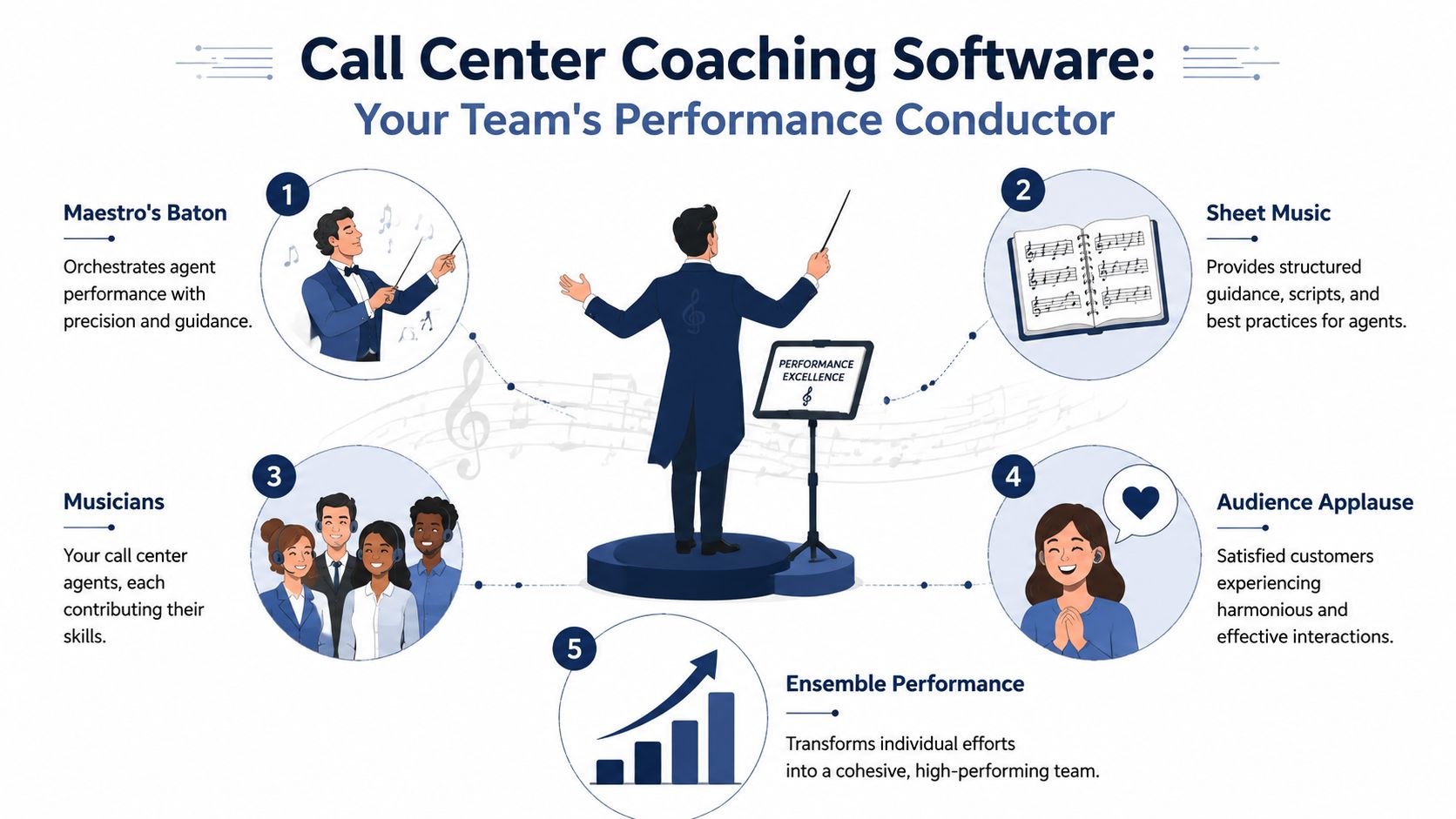
Call center coaching software isn't just call recording with a nicer dashboard. A better analogy is a conductor leading an orchestra. The conductor doesn't play every instrument. The conductor helps each person stay on tempo, follow the score, and contribute to a performance that sounds coordinated instead of scattered.
That's what the software does for a customer-facing team. It brings together conversations, performance signals, QA workflows, and coaching actions so managers can guide agents with more precision.
It's a performance system, not a recording archive
Basic call recording stores interactions. Coaching software organizes them into something useful. It connects a conversation to a scorecard, a recurring behavior, a coaching note, and eventually a measurable improvement goal.
Think of the difference like this:
| Tool | What it does | Where it falls short |
|---|---|---|
| Call recording alone | Captures interactions for playback | Leaves managers to find patterns manually |
| QA forms alone | Standardizes evaluations | Doesn't surface enough evidence at scale |
| Call center coaching software | Connects conversations, scoring, prompts, and follow-up coaching | Requires process discipline to get value |
A mature system usually does several things in one workflow. It captures the interaction, transcribes it, detects issues worth reviewing, routes those findings into QA, and gives a manager a structured way to coach the agent afterward.
Why the category matters now
Modern teams don't need more data. They need fewer blind spots. Good coaching software narrows those blind spots by showing managers which behaviors repeat, which agents need help, and which high performers are worth modeling.
The best use of coaching software isn't catching mistakes. It's making good performance easier to repeat across the whole team.
That's why I tell SMB owners to stop evaluating this category as if it were a feature add-on. It's closer to an operating layer for service quality. If your current process depends on scattered recordings, sticky notes, and manager memory, you don't have a coaching system yet. You have fragments.
Core Features That Drive Performance
Feature lists can get noisy fast. Most vendors lead with AI, analytics, and automation, but a core question is simpler. Which functions help a small team coach better without creating more admin work?
The strongest platforms tend to share a common core. They don't just collect interactions. They help managers move from observation to action.
According to Nextiva's overview of contact center coaching software, modern tools can analyze all customer conversations with AI and NLP, auto-transcribe calls, detect sentiment, and reduce the bias that comes from relying on roughly a 2% review sample. That broad coverage changes coaching from guesswork to pattern recognition.
The features that matter most in practice
Automated conversation analysis
This is the engine. The software reviews calls, chats, and sometimes email interactions at scale, then surfaces moments that deserve attention. Managers no longer have to hunt manually for examples.Transcription and searchable interaction history
Transcripts save time. A manager can search for phrases, policy statements, objections, or escalation language instead of listening to every minute of a call. That makes prep for coaching sessions much faster.Sentiment and behavior signals
These tools don't “read feelings” perfectly, but they can help flag frustration, interruption patterns, dead air, weak empathy language, or rushed call handling. Used correctly, they narrow the review queue.Custom QA scorecards
A good scorecard translates your standards into repeatable evaluation criteria. That could include greeting quality, verification steps, product accuracy, de-escalation, and call control. Without this, coaching becomes vague.
Real-time help versus after-call coaching
Some features matter during the conversation. Others matter after it.
| Coaching layer | What it helps with | Best use |
|---|---|---|
| Real-time agent assist | In-call prompts, reminders, script support | Compliance-heavy or high-pressure interactions |
| Supervisor whisper or intervention tools | Live guidance without the customer hearing | Rescue moments and new agent support |
| Post-call scoring and review | Trend analysis and formal coaching | Long-term skill improvement |
This distinction matters because many SMBs buy advanced software and still use it like a filing cabinet. They record calls, maybe score a few, then ignore the live assist tools that could prevent errors in the first place.
Don't overlook workflow features
The underappreciated features are often the ones that affect manager workload:
- Coaching queues that prioritize which calls need review
- Action tracking so feedback isn't forgotten after one meeting
- Templates and follow-up tasks that keep coaching consistent across supervisors
- Trend dashboards that show whether the same issue is recurring
If you're trying to operationalize training content from real customer conversations, practical workflow tools matter as much as fancy analytics. For example, teams that want to turn call learnings into internal enablement can borrow ideas from this AI Academy tutorial on Notion AI, which shows a useful way to convert recorded interactions into training assets.
For teams building a stronger review process around these workflows, a structured call center quality monitoring approach also helps define what should be evaluated before automation enters the picture.
The Business Benefits and Key KPIs to Track
Most software demos stop at features. Owners care about something else. Will this reduce manager effort, improve customer outcomes, and help agents ramp faster without expanding headcount?
That's the right lens. A coaching platform only earns its keep when it changes operating results.
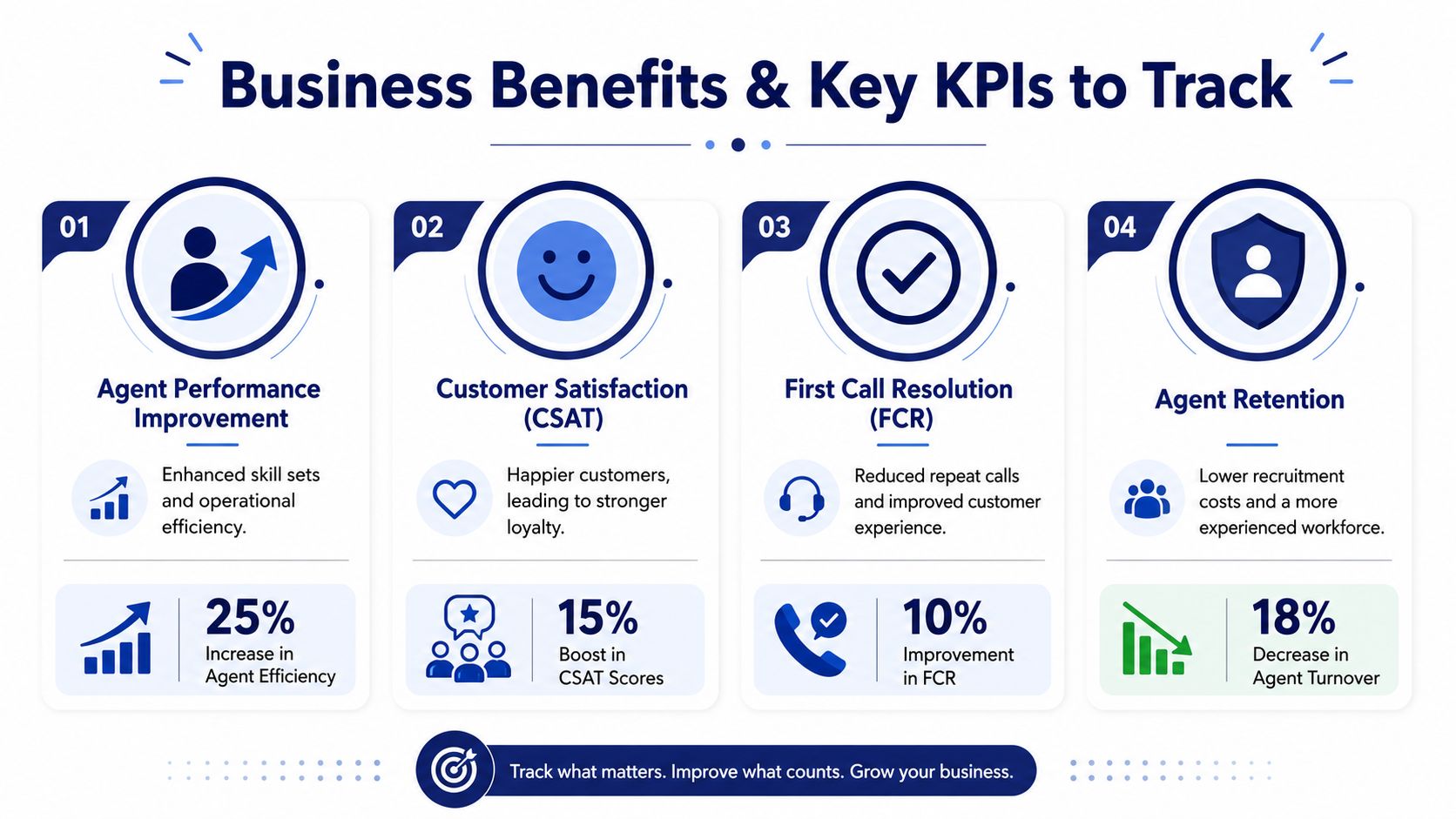
According to Forbes Tech Council on AI in contact center training and coaching, organizations that adopted AI-driven coaching software saw 30% faster new agent onboarding, and agents receiving real-time guidance showed 20% higher adherence to compliance protocols. For SMBs, those are practical gains, not abstract ones. Faster ramp time lowers the burden on senior agents and managers. Better compliance lowers the chance that preventable mistakes spread through the floor.
Which KPIs actually show whether it's working
Don't try to measure everything at once. For most SMB teams, a small KPI set works better:
CSAT
Use it to spot whether coaching improves the customer's experience of the conversation. Look for directional change after specific coaching programs, not just broad monthly swings.FCR
If coaching helps agents diagnose issues correctly, communicate clearly, and set expectations better, first-call resolution should improve over time.QA scores
These are often the fastest indicator because they move before customer-facing metrics do. They're useful if your scorecards are consistent and tied to real behaviors.Average handle time
This should be watched carefully, not worshipped. Shorter calls aren't always better. Coaching should reduce waste, not rush customers.
Where ROI usually shows up first
In smaller operations, the first return often appears in manager efficiency. Automated scoring and prioritized review queues let supervisors spend less time searching for coachable moments and more time delivering feedback that matters.
If a manager still spends hours pulling random calls, the software hasn't changed the process enough.
The second return shows up in onboarding. New hires improve faster when they can see examples, receive targeted feedback, and get support during live calls instead of waiting for a weekly review.
The third return is consistency. That's harder to quantify quickly, but it matters. Customers notice when one rep sounds informed and another sounds lost.
For teams that want to tie coaching outcomes to broader operational patterns, a strong call center analytics software setup helps connect coaching activity with service performance trends instead of treating coaching as a separate management task.
How Coaching Software Integrates with Your Cloud PBX
Coaching software is only as useful as the data feeding it. That's why the phone system matters more than many buyers expect. If your PBX can't provide clean call data, dependable recordings, event triggers, and integration access, the coaching layer ends up working with partial information.
That creates a common SMB problem. The team buys an advanced coaching platform, but the underlying calling setup is too fragmented to support live prompts, reliable recordings, or accurate reporting.
What the PBX actually provides
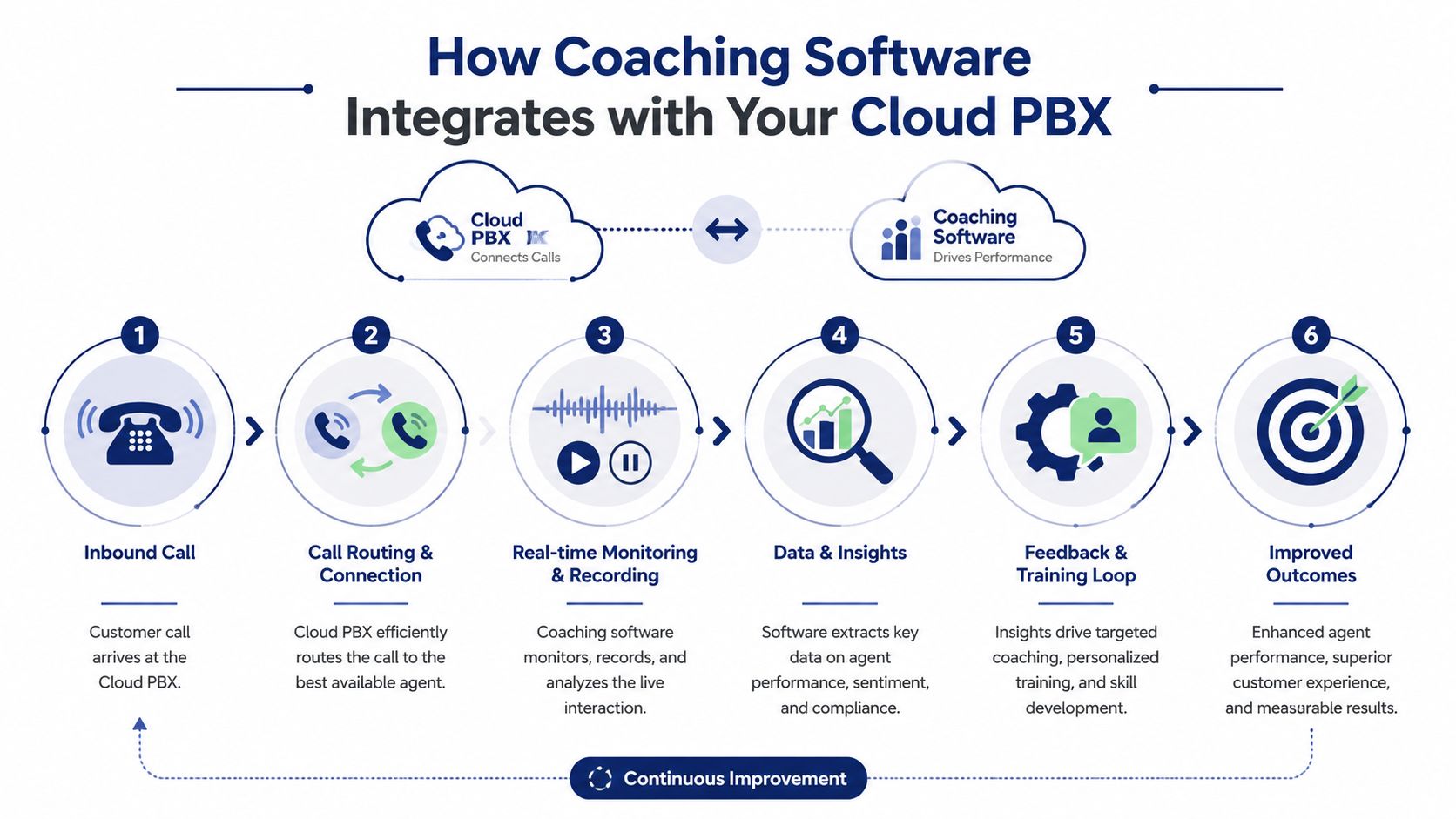
A cloud PBX acts as the interaction source. It routes the call, logs timing and agent activity, stores or streams the recording, and often makes those events available to the coaching platform.
According to AmplifAI's explanation of call center coaching architecture, stronger coaching systems combine real-time and post-call layers. AI can deliver in-call prompts during the interaction, then trigger QA workflows and scorecards after the call ends. That only works when the coaching platform has tight access to live and historical phone data.
Why bad integration undermines ROI
Here's what tends to break when the phone system and coaching software don't fit well:
- Live guidance arrives too late because event data isn't flowing fast enough
- Recordings are incomplete so coaching examples aren't trustworthy
- Agent activity data is messy which weakens scorecards and reporting
- Managers lose confidence because they have to verify everything manually
A strong integration should make the coaching process feel automatic, not stitched together.
Good coaching software needs more than recordings. It needs timing, context, and a dependable trail of what happened before, during, and after the call.
What to check before you buy
Before signing a contract, ask how the platform connects to your calling environment. Ask whether it supports real-time event data, post-call workflows, and clean access to recordings and interaction metadata. Also ask who owns setup. In SMB projects, “easy integration” often means easy for the vendor after your team does a lot of hidden work.
If your environment depends on workflow between telephony and business systems, understanding computer telephony integration software will help you ask better technical questions before implementation begins.
Choosing the Right Software for Your Team
Most SMBs don't need the most advanced product on the market. They need the one they can operationalize. That usually means a tool that managers will use consistently, integrates cleanly with the existing stack, and doesn't demand a dedicated analyst to keep it running.
Many buying decisions often go wrong. The demo looks polished, the AI features sound impressive, and nobody asks what happens in week six when the launch team disappears and supervisors are back to juggling schedules and escalations.
The best vendor questions are operational
A useful buying conversation sounds less like “Do you have AI?” and more like this:
How long does setup take for a team our size?
You're looking for implementation realism, not a polished promise.What does the manager do each day in the system?
If the workflow isn't obvious, adoption will be weak.How are coaching actions tracked after feedback is delivered?
Notes without follow-up rarely change behavior.Can we customize scorecards without hiring services every time?
SMB teams need control without complexity.What happens if our QA process changes?
Your evaluation criteria will evolve. The software shouldn't fight that.
According to Capacity's guidance on call center coaching, one of the biggest gaps in this category is implementation realism for SMBs. Many guides explain features but don't address staffing needs, time-to-value, or the key question of how many manager hours the software saves and how long before QA changes show up in KPIs like CSAT or FCR.
Use a simple decision filter
I usually advise owners to score each vendor on four criteria:
| Decision area | What good looks like | Warning sign |
|---|---|---|
| Manager usability | Supervisors can find calls, coach, and assign follow-up quickly | Too many steps to complete routine coaching |
| Integration fit | Works cleanly with your phone and reporting stack | Requires manual exports or workaround-heavy setup |
| Measurement clarity | Ties coaching activity to QA and service trends | Reports look nice but don't answer business questions |
| Change management | Vendor supports rollout habits, not just configuration | Training ends at go-live |
Avoid the two most common SMB mistakes
The first mistake is overbuying. If your team won't use advanced features for the next year, don't pay for them now.
The second is under-planning. Owners assume the tool itself creates accountability. It doesn't. Managers need scorecard standards, review cadences, and clear expectations about what good coaching looks like.
Buy the software your managers can run on a busy Tuesday, not the one that only looks good in a quarterly demo.
Your Implementation and ROI Checklist
Implementation should start small and disciplined. Launching everything at once usually creates noise instead of proof.
Start with one use case
Pick a narrow coaching problem first. That might be weak call control, inconsistent verification, poor objection handling, or uneven new-hire ramp-up. Tie the rollout to that issue so managers know what they're trying to improve.
Then build the operating rhythm:
- Set one scorecard standard that every supervisor will use
- Choose a pilot team with a manageable mix of tenured and newer agents
- Define review cadence so coaching happens consistently
- Track a small KPI set such as QA, CSAT, or FCR based on the use case
- Document manager time spent before and after launch
A short product walkthrough can also help teams visualize how the category works in practice:
Prove value before expanding
Don't judge the platform by whether every feature is live. Judge it by whether managers coach more consistently, whether agents improve on the targeted behavior, and whether your chosen KPIs start moving in the right direction.
If the pilot works, expand by adding another use case, another team, or another channel. That's how SMBs keep implementation realistic and make a clean ROI case to leadership.
A strong coaching program depends on a strong calling foundation. If you're evaluating the systems underneath your contact center, SnapDial gives growing teams a cloud PBX built for reliable calling, call routing, reporting, recording, and the day-to-day operational stability that coaching software needs to deliver real results.