
You've got a missed call sitting in voicemail again, and the problem isn't the message itself. The problem is that the call had to survive busy, no-answer, unreachable, or DND conditions before it ever got there. In a business phone system, call forward to voicemail is a routing decision, not a single switch, and the difference matters the moment a customer, lead, or patient can't get a human on the first try.
That's why voicemail still sits inside the call-routing layer in major business-phone systems, where it captures unanswered calls and supports follow-me behavior across devices and locations as shown in AT&T's business phone feature documentation. For teams that live on the road or split coverage between office and mobile, the choice is rarely “voicemail or nothing.” It's usually voicemail, another number, or a live ring path, depending on who's available and how fast the caller needs help. If you want a practical comparison of how teams structure that handoff, the cold callers resource from hireSDR.com is useful context for thinking about response paths, not just missed-message storage.
Why Call Forward to Voicemail Still Matters for Businesses
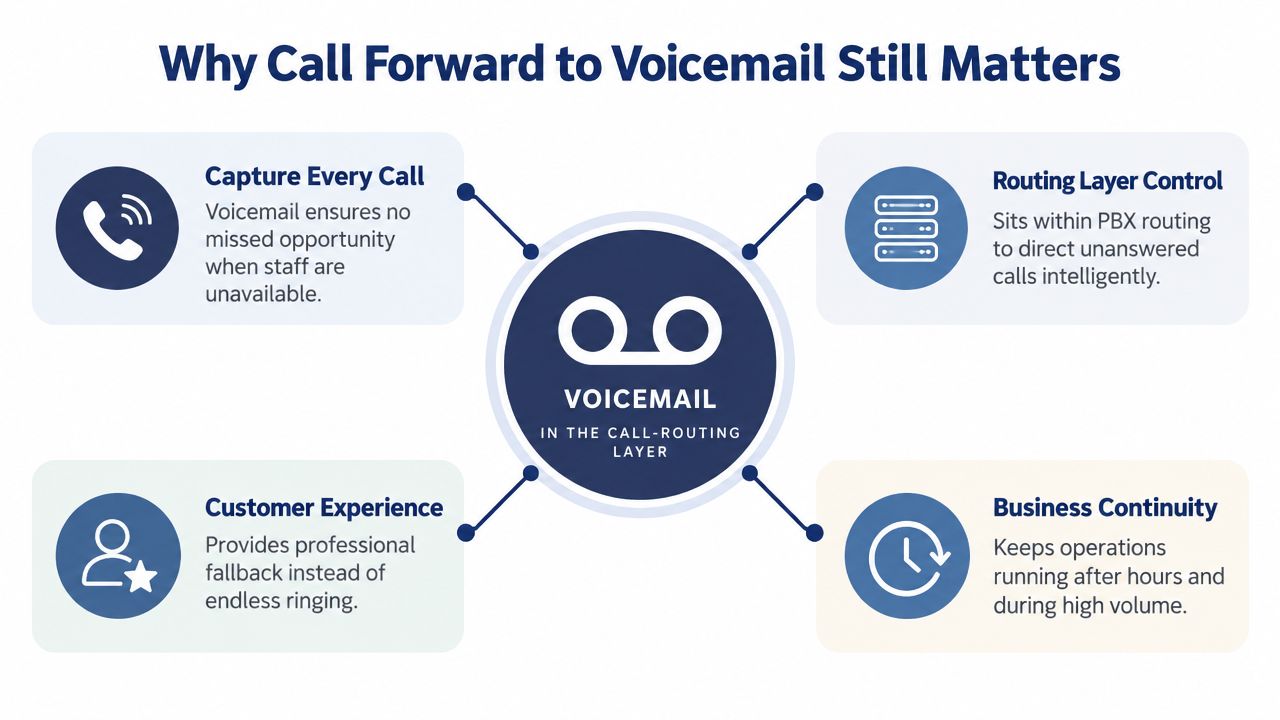
A customer calls during lunch while the owner is already on another line. Five minutes later, the phone shows a missed call and a voicemail from someone ready to buy. The outcome depends on the routing rules. If the system rings once and stops, the opportunity may disappear. If it applies a controlled fallback, the caller can leave useful context or reach another person.
Voicemail is part of routing, not just storage
Voicemail belongs inside the call-routing decision tree. The system must handle busy, unanswered, unreachable, and DND states separately, then apply the right destination for each condition. Most business phone platforms expose these forwarding options, as described in carrier and platform guidance as described in carrier and platform guidance.
Practical rule: Send the call to a person or overflow path when the caller needs an answer now. Send it to voicemail when the priority is capturing a message for follow-up.
That distinction matters for small offices, two-person support desks, and hybrid sales teams. A caller who reaches a busy employee may need a queue, a simultaneous ring group, or an alternate number. A caller after hours may need voicemail immediately. The same destination should not handle every trigger.
Teams that depend on outbound calling also need to consider response speed. A prospect's voicemail is useful only when someone checks it, assigns it, and returns the call promptly. The cold callers resource from hireSDR.com offers useful context for designing response paths around outbound conversations.
When voicemail is the right fallback
Voicemail works when the business has a clear callback process. After-hours calls are the straightforward case. It can also handle low-urgency requests, peak-period overflow, or situations where the caller needs to provide details before anyone responds.
The practical test is simple: can another person solve the caller's problem now? If yes, route to a live answer path first. If no, voicemail preserves the call record and gives the business a defined next action. Without that process, forwarding to voicemail only relocates the missed-call problem.
Forward to Voicemail or Forward to Another Number
The wrong way to think about this is as a binary. The useful question is which fallback preserves the best caller experience for the specific trigger. A missed call after hours is different from a busy-line overflow during the day, and a mobile rep in the field needs a different setup from a desk-based support agent.
Choose the fallback by caller intent
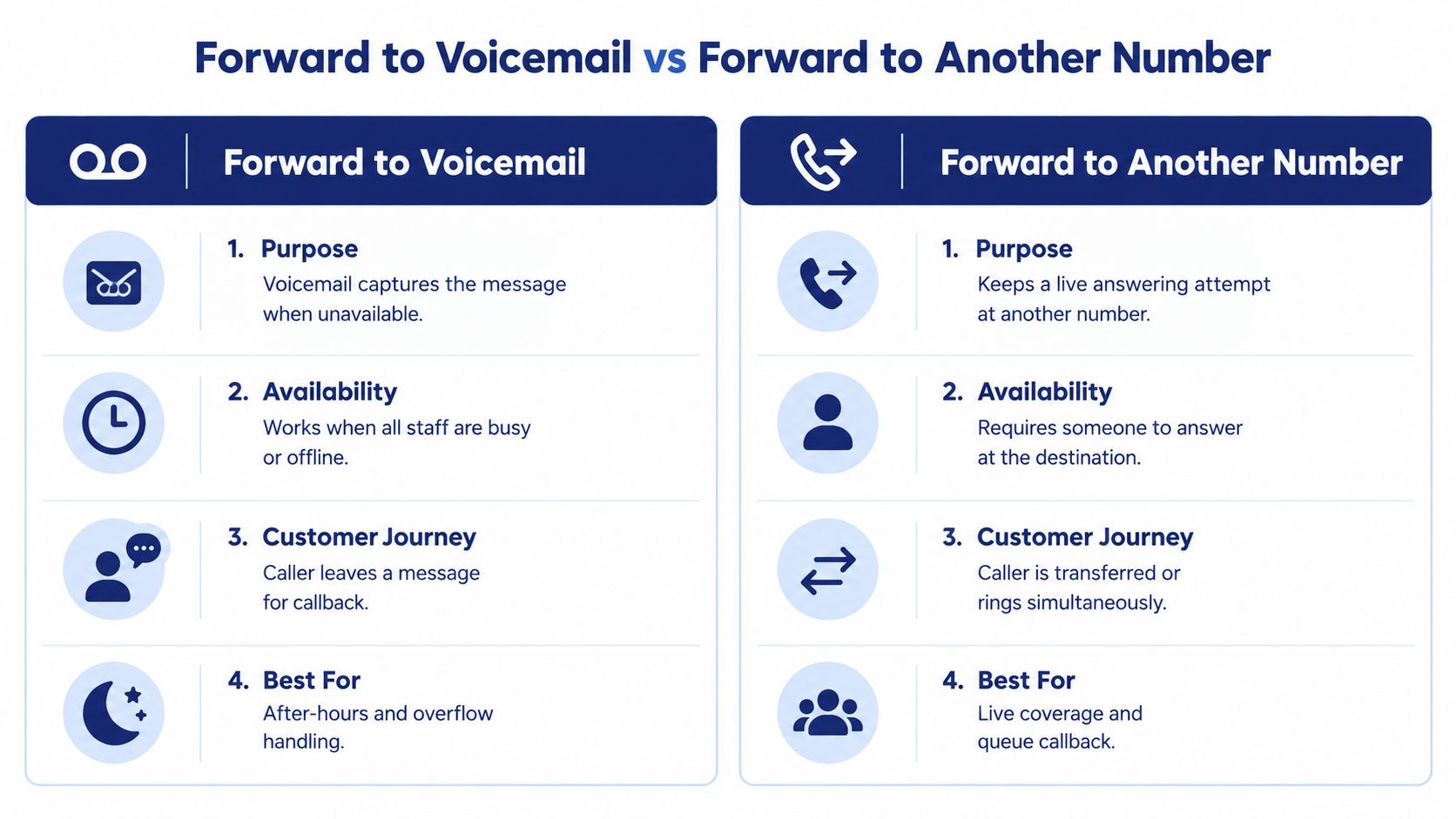
A simple rule holds up well in the field. If the caller needs a message to be captured, forward to voicemail. If the caller needs someone else to answer right now, forward to another number or use a simultaneous ring path.
One published industry estimate says only 33% of voicemails are ever listened to, and another business-communications source says the most common forwarding destinations are a personal phone (86%), voicemail (75%), and another business number (72%) source. Those figures line up with what admins see every day, voicemail is common as a fallback, but teams often prefer a live destination when the call matters.
Operational takeaway: Voicemail protects the call record. Another number protects the conversation.
Choosing Your Forwarding Fallback by Scenario
| Scenario | Best Fallback | Why It Works |
|---|---|---|
| After-hours general inquiries | Voicemail | The caller can leave context, and the team can return the call later |
| Busy support queue | Another number | Someone else can answer while the first agent stays occupied |
| Remote sales rep unavailable | Another number | The call reaches a live mobile answer path |
| Low-urgency department line | Voicemail | The message can be triaged later without interrupting staff |
| Peak inbound volume | Another number | It reduces abandoned calls better than a dead-end inbox |
Voicemail starts to hurt conversion when the caller expected help now. That's especially true in support, dispatch, and lead response flows. Another number, queue callback, or shared answering group keeps the interaction live, which is usually better when the call is time-sensitive.
How to Configure Call Forward to Voicemail in Your PBX Web Portal
A caller reaches a busy sales extension, waits through the ring window, or calls after the office closes. Each situation needs a routing rule, not one blanket forwarding switch. Configure those rules in the PBX web portal so busy, no-answer, unreachable, DND, and schedule-based behavior stays consistent across users, departments, and locations.
Set the rule centrally, then verify the trigger
Open the user, queue, or department routing page. Separate busy forwarding from no-answer forwarding. Busy forwarding responds when the line cannot accept another call. No-answer forwarding waits through the configured ring period, then sends the call to voicemail or another destination. Check whether the portal also exposes unreachable and DND rules, because an offline device and a deliberately silenced user require different handling.
Business phone systems commonly treat no-answer and busy forwarding as separate functions reference. Apply that distinction to the workflow. A sales extension can send an unanswered call to voicemail after the timeout. A support extension may send a busy call to an overflow group first, then use voicemail only if that live path also fails.
Set a department default, then override individual users only when their work requires it. Reception can route after-hours calls to voicemail. A mobile sales representative may send busy calls to an assistant, while no-answer calls still reach the representative's mailbox. For DND, decide whether the status should respect the user's choice or send urgent callers to a live escalation path.
The voice over IP for SMBs Indiana guide from Finchum Fixes IT offers a broader reference for planning these VoIP rules.
Tune the ring delay before you publish the rule
A short delay pushes answerable calls into voicemail before staff can respond. A long delay frustrates callers and increases hang-ups. Start with a practical ring window, then confirm the result through live tests rather than trusting the value shown in the portal.
Test from an internal extension, a mobile phone, and an external line. Endpoint registration, network delay, and handset behavior can change the perceived timing. Verify busy, no-answer, unreachable, and DND paths separately. A rule that works for an idle desk phone may behave differently when the device is offline or the user has enabled DND.
Field tip: After every routing change, place one busy call and one unanswered call. Confirm who answers, when voicemail starts, and whether the caller hears the intended greeting.
Setting Up Call Forward to Voicemail on Mobile Apps and Carrier Settings
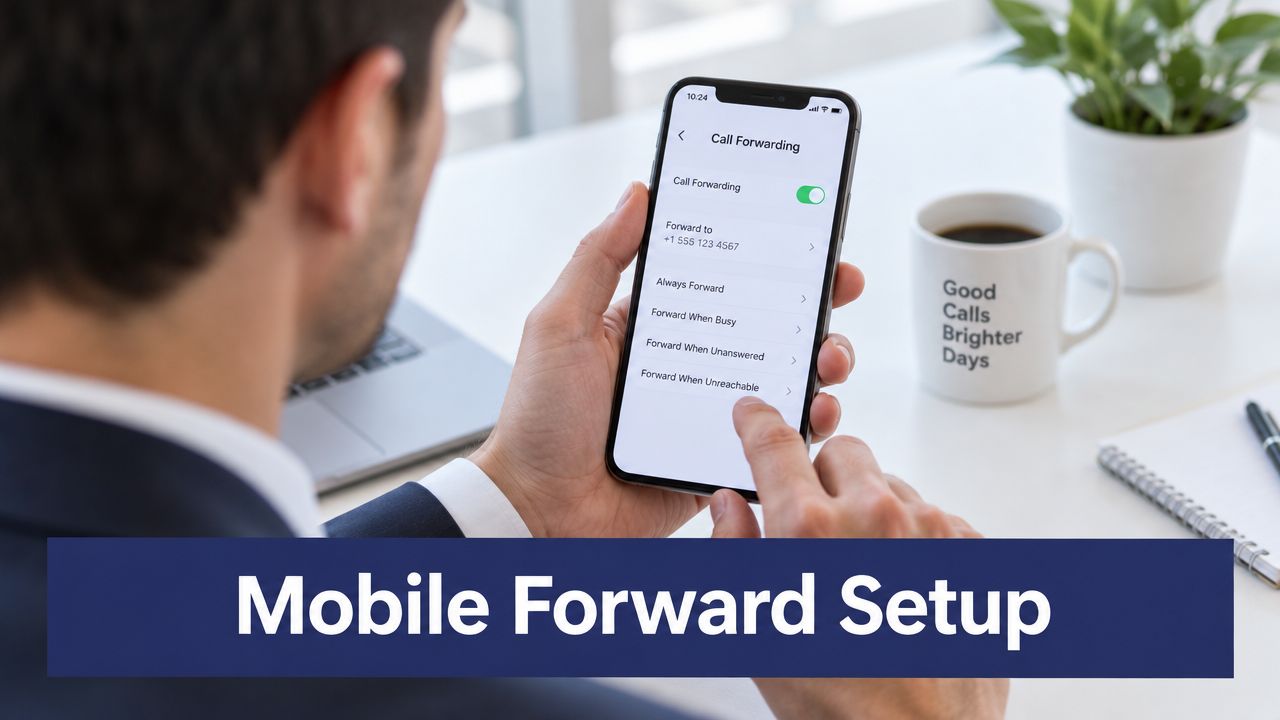
A sales rep is driving between client visits, a technician is outside coverage, or an employee has enabled Do Not Disturb. Each situation needs a different destination. Mobile and carrier settings should route calls according to the failure state, rather than treating voicemail as one universal switch.
Match the trigger to the failure mode
Choose all-call forwarding only when every call should bypass the device and go to another destination. Busy forwarding sends calls to voicemail or a live backup when the line is already engaged. No-answer forwarding lets the user try to answer before handing the call off. Unreachable forwarding covers a powered-off phone, lost registration, or an area without service. Carrier voicemail commonly acts as the fallback for these conditions, including busy, unanswered, powered-off, and out-of-coverage states as described in carrier voicemail guidance.
Use voicemail when the caller can leave details and a delayed response is acceptable. Forward to an assistant, hunt group, or on-call number when the call needs a live response. DND deserves its own decision. Respect it for routine calls, or route selected urgent callers to a staffed destination if the business policy requires escalation.
Google Voice supports custom forwarding rules that can send calls from specific contacts directly to voicemail reference. That approach is useful for separating known callers from the general ring path, but document the exception so staff understand why the phone never rings.
Configure the mobile layer without breaking the office layer
If the PBX already controls forwarding, avoid adding an unconditional mobile rule unless a redirect chain is intentional. Two systems can pass the call between destinations or place it in the wrong mailbox. Keep personal availability rules in the mobile app, and keep shared business routing in the PBX portal.
For Android users checking messages, follow the Voicedial.ai Android voicemail steps. Staff who manage forwarding directly from a handset can use this guide on how to forward calls from a cell phone as a practical checklist.
Keep the ring window realistic
A short ring delay sends answerable calls to voicemail too quickly. A long delay frustrates callers and increases hang-ups. Set enough time for the user to answer, then test the actual result from an internal extension, a mobile device, and an external line.
Check busy, no-answer, unreachable, and DND separately. Device state, carrier behavior, and PBX rules can produce different outcomes. In mobile-heavy SMB environments, removing conflicting triggers usually fixes missed calls faster than adding another app.
Configuring Call Forward to Voicemail on Yealink IP Handsets
A desk phone can solve a short-term coverage problem without changing the company's routing policy. Yealink handset forwarding suits desk swaps, temporary absences, and individual preferences. Set the destination to the voicemail extension or approved target already configured in the PBX.
Use the handset for personal overrides
Open the call forward menu, select the condition, and choose the voicemail destination for busy or no-answer calls. Yealink models often expose the same settings through their web interface, which makes browser-based administration easier than entering changes on a small handset screen.
Treat each trigger as a separate routing decision. Busy applies when the line cannot take another call, while no-answer depends on the configured ring time. Unreachable may be controlled by the PBX or registration state instead of the handset. DND can reject or redirect calls according to the phone and system configuration, so it should be tested separately rather than assumed to match voicemail forwarding.
If a live answer path is available, use it for callers who need immediate assistance or for roles with coverage. Send calls to voicemail when no staffed destination is available, the user is temporarily away, or message-taking is the intended fallback.
Admin rule: Keep permanent routing under one layer of authority. Use the handset for documented, temporary exceptions.
Provision carefully when you manage many phones
For larger Yealink deployments, record which lines may forward locally and which must remain under PBX control. Otherwise, the phone can send a call to one mailbox while the PBX sends it somewhere else. For a receptionist, executive assistant, or department lead, apply special coverage once and document the change in the admin record.
Cloud apps may offer contact-level voicemail rules, while Yealink handsets handle basic local forwarding for busy and no-answer states. In a managed environment, the handset should complement the PBX rather than replace its routing logic.
Use the Yealink manual configuration guide when staff need the exact menu path or web-interface settings for their desk phone. After applying a rule, test each intended condition from an internal extension and an outside number, then confirm which mailbox receives the message.
Troubleshooting and Best Practices to Never Miss Important Calls
When call forwarding fails, the problem is usually boring. A rule points to the wrong target, a ring delay is too short, a second forwarding layer overrides the first, or DND blocks the expected path. Start there before assuming the voicemail platform is broken.
Check the common failure points first
- Wrong destination: The voicemail box or alternate number is wrong, outdated, or not tied to the line you think it is.
- Conflicting rules: A handset rule, carrier rule, and PBX rule are all active at once, and one wins.
- Ring delay mismatch: The no-answer timer is too aggressive, so answerable calls drop too early.
- Busy state confusion: Call waiting is on or off, which changes whether the busy trigger even fires.
- Notification gaps: The voicemail arrives, but nobody sees it fast enough to act.
Small businesses answer only 37.8% of calls, with the rest split between voicemail and no-response outcomes as reported in missed-call statistics. That means the work isn't just getting calls into voicemail. It's building a response process around the voicemail that preserves speed-to-lead.
Treat voicemail as a fallback, not the finish line
A good greeting helps, but it doesn't fix routing. Keep the voicemail message short, identify the business clearly, and tell callers what happens next. If the team can return messages quickly, visual voicemail with transcription gives managers and reps a faster read on what the caller needed.
The internal voicemail notification guide is worth pairing with your setup if you want to tighten the handoff from missed call to response. For higher-volume teams, queue callback or another live-answer layer often reduces voicemail dependence more effectively than any greeting change.
The cleanest standard is this. Let voicemail catch calls that can't be answered, but make sure every other missed-call path still leads to a human, a queue, or a documented callback process.
If you're setting up call routing for a growing team, SnapDial gives you voicemail, forwarding, visual voicemail with transcription, and centralized control in one cloud phone system. Visit SnapDial to review how its routing, voicemail, and call-management tools fit into a cleaner missed-call workflow.