

You need yesterday's call records, but the desk phone shows only a short recent-calls list. The carrier portal reports a different total, and the cloud dashboard appears to have missing entries. Before blaming the phone system, identify which system owns the record you need.
Call log history is more than a list of numbers on a handset. It's a structured record of call events, used to search activity, investigate disputes, review service performance, reconcile billing, and manage retention. The useful question isn't just “How far back does the call history go?” It's “Which system captured this event, which fields did it store, and who's allowed to retrieve it?”
What Call Log History Actually Is
On a 50-person team, a support lead might ask for every call a representative made last Tuesday. The representative's desk phone may show a few outbound numbers. The mobile app may show another list. The cloud phone portal may count a transferred call as several related events, while the carrier sees only the external connection. All three views can be accurate within their own boundaries.
A modern call log is best understood as a queryable operational database of call detail records, often called CDRs. Each record captures the call's origin, date, time, duration, and status. Business systems commonly add direction, missed or answered status, forwarding, voicemail, queue time, answering agent, tags, and sometimes a reference to a recording. This evolution from simple number-and-time lists to structured call detail records supports analytics, compliance, and workforce management across major telecom markets, as described in this overview of call logs and their business use.
That distinction matters because a handset's recent-calls screen is a local user interface, not necessarily the authoritative record. A carrier record may support billing and external call reconstruction, while a cloud PBX can preserve routing events that never appear as a single line on the phone. A voicemail event, queue abandonment, transfer, or forwarded leg may therefore exist in one system and not another.
Practical rule: Treat call log history as a database of events, not as a phone feature.
For an administrator, the record becomes useful only when each operational question maps to a field. “Did the caller reach someone?” needs disposition and answering agent. “How long did the customer wait?” needs queue or ring timing. “Which call was disputed?” needs a timestamp, number, and unique identifier. Teams that want to inspect the underlying event rather than a simplified recent-call list can access full call details through a system designed to expose richer call-history information.
Anatomy of a Modern Call Record
A reliable call record starts with identity and timing. Configure the schema so every event can be placed on a timeline and joined to another system without guesswork.
Fields that make a call traceable
Use a timestamp with its timezone, not a date and time stripped from context. Store call direction, calling number, called number, the DID or trunk involved, and the extension or agent identifier. Add the event type, such as inbound, outbound, internal, missed, voicemail, forwarded, or transferred.
For performance analysis, keep ring time and talk time as separate values. A call that rang for a long period before answer tells a different operational story from a call that was answered immediately and discussed at length. Disposition should distinguish answered, missed, abandoned, voicemail, failed, and other outcomes your platform supports.
A recording reference belongs in the record, but the audio file shouldn't be treated as the record itself. Store a unique call ID so related legs can be connected, especially when a caller moves through an IVR, queue, transfer, or forwarding rule. A technical explanation of CDR structure is useful when your reporting schema needs to connect phone events with CRM or billing data.
Where each view falls short
| Source | Shows | Internal Calls | Queue/IVR Events | Custom Fields | Retention | Best For |
|---|---|---|---|---|---|---|
| Device recent-calls list | Local recent activity, usually by number and time | Often limited or inconsistent | Usually not visible | Rarely available | Controlled by device or app | Returning a call |
| Carrier account or invoice | Carrier-routed call details used for usage and billing | Usually limited | Usually unavailable | Limited | Provider and jurisdiction dependent | Billing checks and external call verification |
| Cloud PBX reporting | Centralized call events, dispositions, agents, routing, and recordings references | Usually available when the event stays within the platform | Often available | Tags, queues, and workflow fields may be available | Vendor policy and your retention design | Operations, audits, coaching, and dispute review |
Don't compare row counts until you know what each source considers a call. A transferred interaction might be one customer conversation but several technical events. A carrier invoice might show one external leg, while the PBX records the queue, agent answer, transfer, and final release separately.
Viewing and Filtering Logs in a Cloud Portal
Start in the administrator console, not from an individual employee's call-history screen. The labels vary by vendor, but the path is usually Reports, Analytics, or Call Reporting, followed by Calls, Call History, or CDR. A self-service administrator web portal generally gives you broader access to users, routing, logs, voicemail, and recordings than the phone application does.
A dependable filter sequence
Set the date range. Choose the smallest period that answers the question, such as the previous business day or a defined week. Set the reporting timezone to the office or account timezone, not the timezone of the person viewing the report. Otherwise, calls near midnight can appear on the wrong date.
Choose the direction. Separate inbound, outbound, and internal calls. If you're investigating a customer contact, start with inbound and then check related outbound or transfer events.
Choose the call type or disposition. Useful values include answered, missed, voicemail, failed, and abandoned in queue. “All calls” is helpful for discovery, but it often combines records that require different interpretations.
Filter by agent or extension. Use the answering agent when reviewing service delivery. Use the originating extension when reviewing outbound activity. These aren't always the same person after a transfer.
Add DID, trunk, queue, or tag filters. A department may have several numbers, and a single agent may answer calls from multiple queues. Tags can isolate campaigns, locations, or escalation paths when your team applies them consistently.

Save the final combination as a named view, such as “Support missed calls” or “Finance outbound review.” A saved view prevents managers from rebuilding the same filters and makes recurring reports more consistent. It also gives you a baseline for checking whether a new user, queue, or DID is included.
Call logs may sit beside text-message records, but they have different fields and retention considerations. Teams documenting both channels can use this business SMS recordkeeping guide as a separate reference rather than assuming a call-history filter covers messaging activity.
Exporting Call Data for Reporting and Audits
Portal searches are good for investigation. Reporting and audits usually require an export that can be preserved, transformed, and joined to another system. Select a date range that matches the question and the applicable retention window, then export the complete result set rather than only the columns visible on screen.
Choose CSV when the destination is a BI tool, database, or repeatable data pipeline. XLSX is convenient for manual review, but CSV is easier to validate, version, and ingest. Before importing, confirm that the file includes the call ID, timestamp, timezone or offset, direction, numbers, agent or extension, disposition, ring time, talk time, and recording reference where applicable.
Fix timestamps before building pivots
A common failure occurs when start_time arrives as text and the timezone has been removed. A spreadsheet may display the value correctly while sorting it as a string, which can put calls out of chronological order and distort hourly analysis.
In a spreadsheet, split the original start_time value at the space between the date and time with Text to Columns. Keep the date in one column and the time in another, then create a normalized timestamp column that appends the known UTC offset from the source account. Don't guess the offset from the viewer's computer. Record the source timezone in the export notes.

Rename columns before joining call data to CRM records. For example, change a vendor-specific from column to calling_number, and to to called_number. Keep the original vendor column names in a data dictionary so future exports remain understandable.
For duration reporting, don't add ring and talk time as text. Convert both to numeric seconds, then create a field such as duration_seconds. A simple SQL expression can be written as duration_seconds = COALESCE(ring_time, 0) + COALESCE(talk_time, 0). The same transformation can be implemented in Power Query before loading the data into a model. Guidance on usage reporting workflows can help when the export needs to feed recurring operational reports rather than a one-off spreadsheet.
Retention Rules and Compliance Windows
Retention is a design decision, not a number you copy from a vendor settings page. First classify the record, then identify the jurisdiction, contract, business purpose, and legal requirement that apply. A billing CDR, an agent-performance record, and a call recording may need different treatment even when they came from the same interaction.
For U.S. toll telephone service, federal rules require carriers to retain billing records needed to reconstruct specified call details for 18 months, including caller and called information, date, time, and call length, according to this CDR retention guidance. That is a practical minimum reference for enterprise planning in that market, not a universal policy for every record or provider.
Other telecom documentation describes major-market retention horizons as approximately 3 years in the U.S., 5 years in the UK, and 2 years in India, while also emphasizing that provider, backup, jurisdiction, and legal obligations can change the applicable period. Those differing sources are precisely why one global purge setting is risky. Partition records by country and regulatory class before automating deletion, as discussed in this regional CDR retention analysis.
| Jurisdiction | Billing CDR | Agent Performance CDR | Call Recordings |
|---|---|---|---|
| United States | At least the applicable federal billing-record window, with 18 months identified for specified toll-service records | Set by business need, contract, and applicable law | Define separately from metadata and review consent requirements |
| United Kingdom | Confirm the applicable provider, tax, contractual, and legal requirement | Define by purpose and policy | Use a documented, purpose-based schedule |
| India | Confirm the applicable telecom and provider requirement, with regional guidance describing a different horizon from the U.S. and UK | Define by business purpose and local obligations | Separate the audio schedule from CDR metadata |
A purge job should map each field to the longest applicable retention requirement. Deleting the recording doesn't necessarily require deleting the timestamp, disposition, agent, or call ID. Conversely, retaining a recording indefinitely because the metadata remains available creates a separate privacy and storage problem. Deleting a handset entry usually changes only the local view, while a carrier or cloud platform may retain metadata for billing, fraud prevention, or compliance, as explained in this call-log retention discussion.
Troubleshooting Missing or Incomplete Records
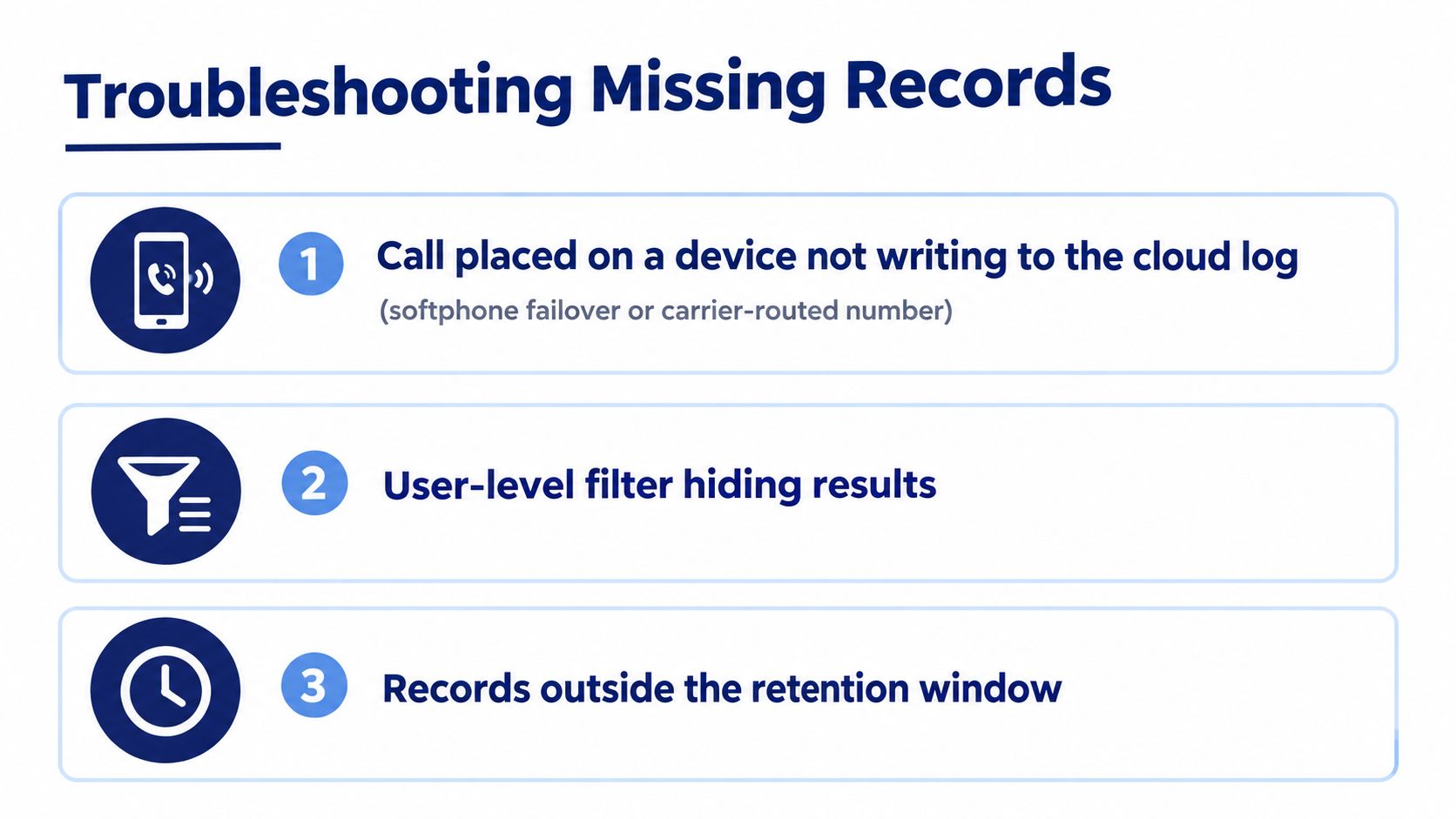
Missing records usually come from one of three boundaries: the call bypassed the logging system, the portal hid it, or retention removed it.
A softphone in failover mode may place a call through a carrier route without writing the expected cloud event. A number routed directly by the carrier can create the same gap. Check trunk_id, route details, and the originating device before concluding that the call never occurred.
A portal filter can hide an entire department, queue, or extension. Verify the scope dropdown, account or site selector, direction, and date timezone. Don't rely on a manager's saved view until you've tested it with an administrator account.
Retention is the third check. Look for the record's soft-delete flag, purge status, archive location, and deletion audit entry. A row may be excluded from the standard report without being physically removed, or it may exist in an archive that the portal doesn't search.
Use this checklist in order:
- Reproduce the call. Record the device, number, route, time, and user involved.
- Search the source system. Check the device or application history, then the cloud portal.
- Inspect routing fields. Review
trunk_id, DID, extension, and transfer or forwarding events. - Remove visibility limits. Clear user, site, queue, type, and date filters, then verify the timezone.
- Check the reporting pipeline. Review soft-delete status, purge audits, export logs, and row-count warnings in the reporting database.
That final step matters because an export process can omit rows without warning even when the source database still contains them. Compare the database count with the exported count before sending an audit file.
Common Use Cases and Key Takeaways
Four workflows account for most practical use of call log history.
Agent performance reviews need answering agent, disposition, ring time, and talk time. Managers can distinguish unanswered demand from long conversations instead of judging an employee from total call volume alone.
Billing reconciliation compares carrier CDRs with PBX records. Match the calling number, called number, timestamp, direction, and carrier or trunk identifier. Expect differences where one system records a customer interaction and another records only an external network leg.
Customer dispute resolution depends on searchable caller ID, timestamp, disposition, call ID, and recording reference. The recording may clarify what was said, while metadata establishes when the event occurred and which route handled it.
Compliance review requires an explicit retention schedule, access controls, deletion audit, and a distinction between call metadata and audio. A platform such as SnapDial provides portal access to call logs, recordings, routing, and CDR reporting with filters for dates, users, numbers, queues, and dispositions. That combination is useful when administrators need one operational view instead of separate handset and carrier screens.
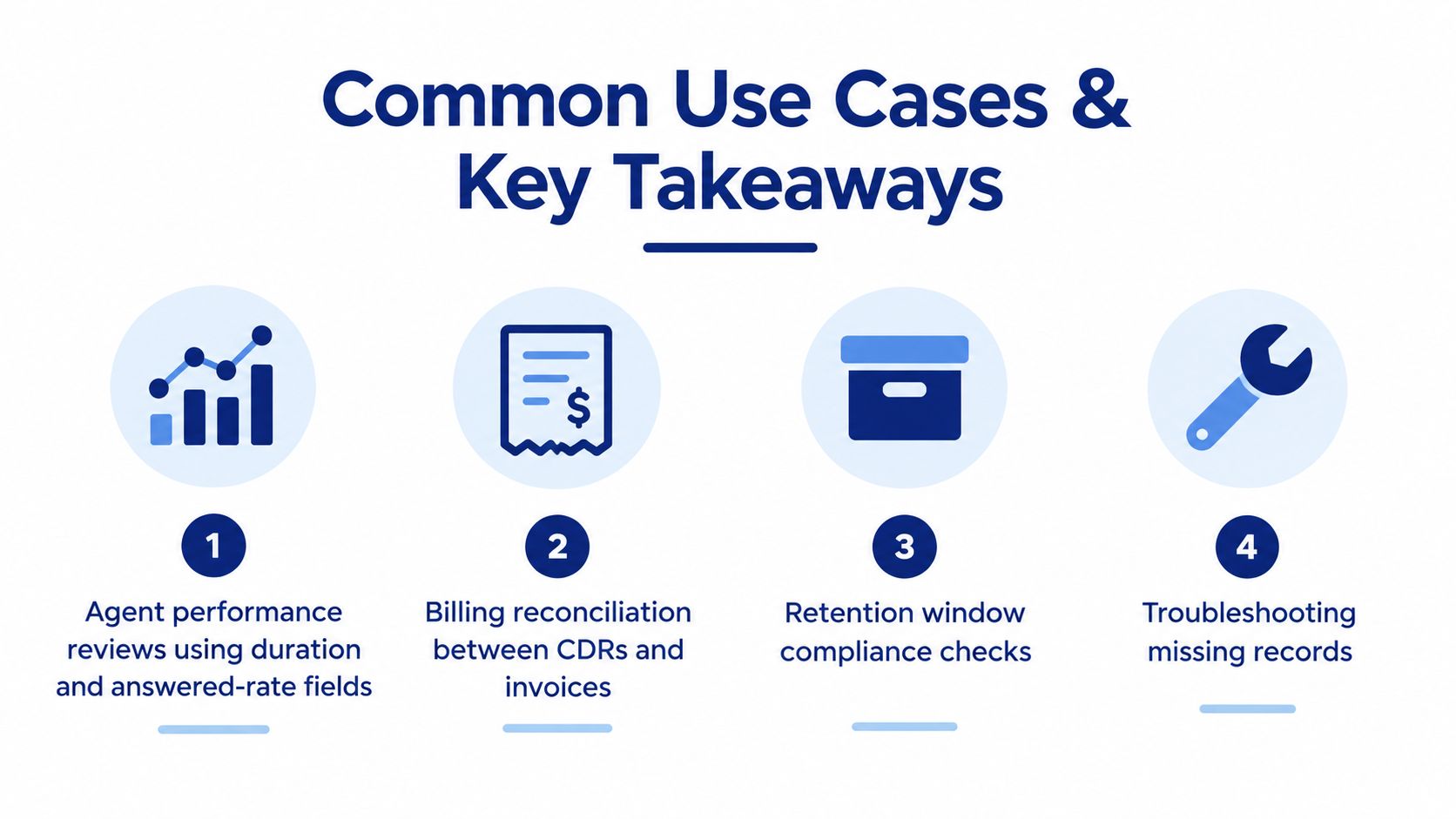
Working checklist: Map retention rules to fields before enabling purge jobs. Normalize timestamps during export. Treat recordings as a separate retention class. Verify filter scopes during the first run of every month-end report.
Start by documenting which system is authoritative for each call type, then test one inbound, outbound, internal, transferred, missed, and voicemail event. If the results survive filtering, export, joining, and retention review, your call log history is ready to support real operations rather than merely display recent calls.
SnapDial provides cloud phone, call routing, call recording, voicemail, queue management, and searchable CDR reporting through its administrator portal. Review how SnapDial can centralize call log history and give your team a practical foundation for reporting, audits, and dispute resolution.