

A sales representative leaves the office in the morning, takes a client call from a rideshare, joins a video review from a hotel lobby, then handles another customer conversation from home. Her customers still reach the same business number, colleagues can see whether she's available, and the company retains control of the calls and messages.
That stitched-together experience is the practical answer to what is mobile office. It's a business communications setup in which a smartphone or tablet can act as a managed enterprise endpoint, carrying the user's business identity, calling features, messaging, presence, and meeting access beyond a fixed desk.
The idea isn't new. Historical reviews trace mobile offices, paperless offices, videoconferencing, and flexible workplaces to the late 1960s and early 1970s, while Germany's official statistics reported that 61% of enterprises offered mobile working arrangements in 2016. Among those employers, 80% allowed corporate email access and 36% allowed access to corporate software regardless of location. These figures are documented in the historical overview of mobile office development.
What a Mobile Office Means in Plain English
A mobile office turns the employee's smartphone into a portable business desk extension. The worker may be in a company office, at home, in a client building, or traveling, but customers and colleagues still interact with the company's communications system rather than a separate personal phone.
That distinction matters. Calling a customer from a personal mobile number is mobile communication, but it isn't necessarily a mobile office. A mobile office normally keeps several business functions connected:
- Business identity: Outbound calls display the company number or assigned business number.
- Centralized reachability: Incoming calls follow company routing rules instead of relying on one physical handset.
- Shared information: Contacts, presence, voicemail, messages, and call history remain connected to the business platform.
- Consistent features: The user can access business calling, transfers, conferencing, and other unified-communications tools from a mobile app.
Think of the smartphone as a portable desk extension. The device travels, but the extension remains part of the organization's phone system. A customer might call the main number, reach the mobile user, and then be transferred to a colleague without knowing where either person is sitting.
Practical rule: If the employee's personal number is the only identity customers see, the setup is mobile calling. If the business system controls the identity, routing, and records, you're closer to a true mobile office.
A proper deployment also separates availability from location. Someone can be physically away from the office while remaining available for selected calls, unavailable during a meeting, or automatically covered by another teammate. That combination of mobility and centralized control is what makes the model useful to businesses.
The Core Building Blocks of a Mobile Office
Start with the endpoint. The employee uses a smartphone, tablet, or computer, but the device needs a business softphone app that registers with the communications platform as a full extension. It shouldn't function as a basic dialer bolted onto the side of the phone system. The app needs access to the business identity and the features assigned to that user.
The next layer is number provisioning. An administrator assigns a business number, extension, or direct inward dial number to the user. When the employee calls out, the recipient sees the organization's caller ID rather than the employee's personal mobile number. That preserves trust and keeps customer callbacks inside the company's communication rules.
Then add call routing. The platform decides what happens when someone calls the main line or a specific employee:
- Sequential routing rings users in a defined order.
- Simultaneous routing rings several approved endpoints together.
- Time-of-day rules apply different behavior during business hours, evenings, weekends, or holidays.
- Failover routing sends calls to another user, queue, or service when the primary endpoint can't answer.
Presence and shared contacts make the portable extension more useful. Colleagues can see whether someone is available, busy, away, or on a call, while shared directories reduce the need to maintain separate contact lists. Unified communications can then add business SMS, internal chat, video meetings, voicemail-to-email, voicemail transcription, and call recording under the same identity.
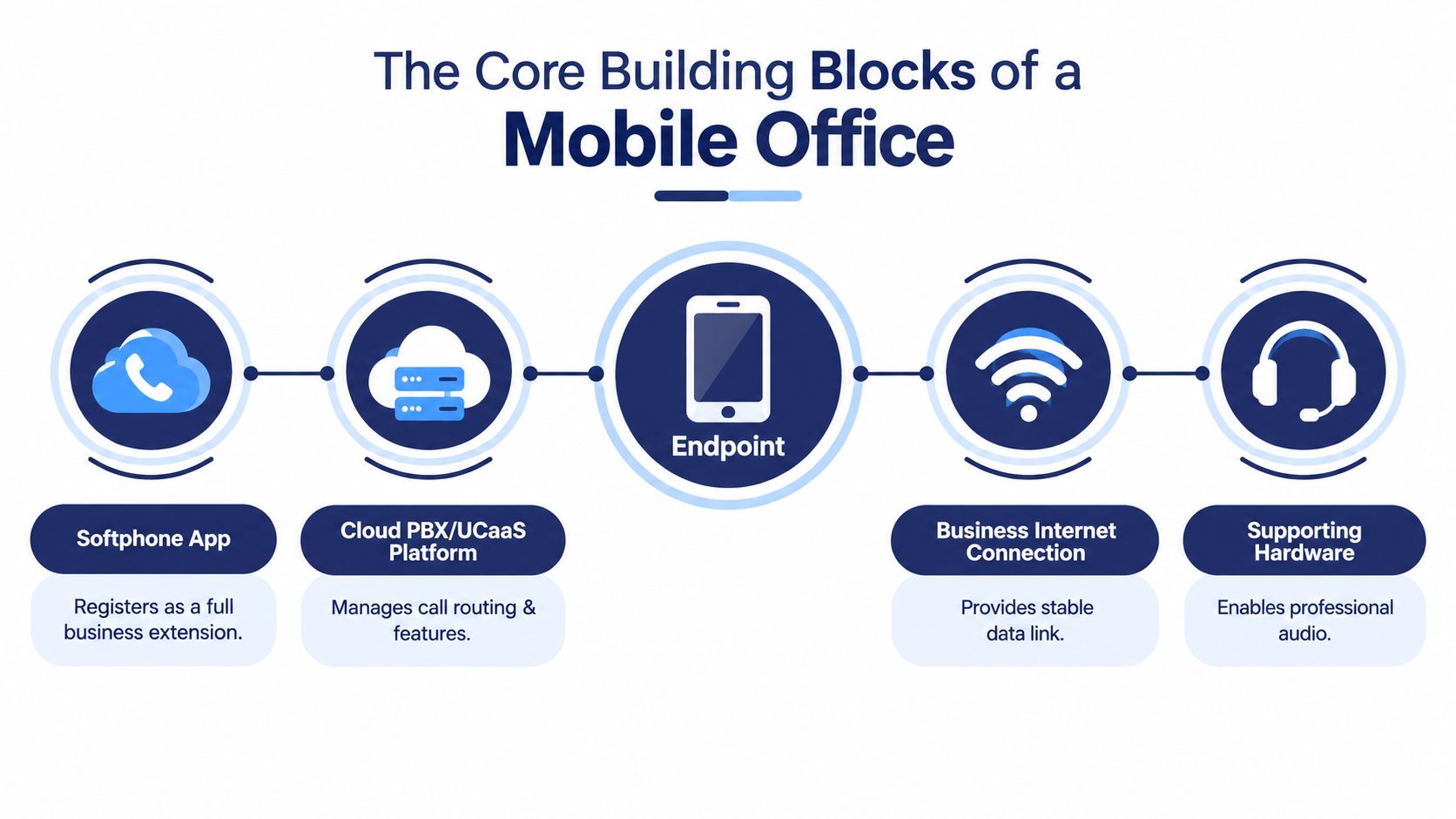
The connection still depends on a reliable Wi-Fi or cellular data path, plus suitable audio hardware such as a headset. A Wi-Fi business phone option can also support users who move between wireless locations but still need a dedicated handset.
Cloud-hosted PBX and UCaaS platforms make this architecture easier to deploy because the organization doesn't need to maintain all call-control hardware at each office. The provider hosts the service, while administrators manage users, routing, permissions, and policies through an online portal.
Mobile Office vs Remote Work vs Hybrid Work
These terms describe different parts of the working model, so treating them as synonyms creates confusion.
Remote work describes where someone works. A remote employee might work from home, a coworking space, or another location away from the employer's office. The employee could use a company laptop, a personal phone, email, and consumer video tools without having a mobile-office architecture.
Hybrid work describes a schedule or policy. A hybrid employee divides working time between the office and another location. That person may still use a traditional desk phone on office days and a personal mobile device elsewhere.
Mobile office describes the communications architecture. The user's smartphone, tablet, or laptop connects to the company's calling and collaboration platform, with business identity, routing, presence, and records attached.
| Dimension | Mobile Office | Remote Work | Hybrid Work |
|---|---|---|---|
| Primary meaning | A communications and endpoint design | A work location arrangement | A work schedule or policy |
| Business calling | Managed through the enterprise platform | May or may not be managed centrally | Depends on the organization's tools |
| User identity | Business number and company presence follow the user | Could use personal or business accounts | Often changes with location unless unified |
| Main trade-off | Requires provisioning, security, and network planning | Can be simple but inconsistent | Requires coordination between office and off-site workflows |
There's also a legal and operational distinction between mobile work and home office. German HR and legal guidance describes mobile work as location-independent, including coworking spaces, cafés, and travel, while home office refers to a fixed workplace at home. The German explanation of mobile work compared with home office is useful when insurance, compliance, and employer obligations enter the discussion.
The simplest test is this: remote and hybrid describe where or when people work. Mobile office describes how the business keeps them connected. Teams introducing new tools should also document procedures where employees already work, an approach related to implementing learning in the flow of work.
Who Uses a Mobile Office and How It Works Day to Day
A field sales representative is a natural fit. A customer calls the representative's assigned business number, and the mobile app rings on the smartphone. If the representative can't answer, the call can move to a colleague or sales queue, while the organization preserves the same caller identity and records the interaction in its connected business systems.
The important detail isn't that the representative owns a smartphone. It's that the phone behaves like an approved company extension. The employee can transfer the call, consult shared contacts, change presence, or return the call through the business number without exposing a personal number.
A regional manager presents a different pattern. She divides time between two company offices and visits customers during the week. Instead of asking clients to guess which office to call, the manager keeps one business identity, while presence and routing show whether she's available and provide a fallback when she's occupied.
A remote-first support agent may work from a hotel during a business trip. The agent signs into a laptop softphone or mobile app, receives calls from the support queue, and uses the same scripts, directory, escalation paths, and recording policies as an agent in the main office.
These examples also reveal the administrative responsibility. The business has to decide which users can receive queue calls, which calls may reach a mobile device, how transfers work, and what happens when the user loses connectivity. Teams supporting employees through mobile applications may also review resources on scalable AI support for apps, especially when mobile users need help outside the office.
A mobile office works best when the organization designs the user experience before switching on the app. Otherwise, employees may have access to calling without knowing which identity to use, when to change presence, or how to handle customer information securely.
Business Benefits of a Mobile Office Setup
A mobile office creates value in three practical areas: reachability, productivity, and operating flexibility. The gains don't come from the smartphone alone. They come from connecting that device to business identity, routing rules, shared contacts, and collaboration services.
Reachability
Customers can use one business number instead of tracking separate desk and mobile numbers. Call routing can send an unanswered call to a colleague, queue, or voicemail service, which reduces dependence on a single person being beside a particular handset.
The broader movement toward mobile-enabled work provides context. The U.S. Bureau of Labor Statistics reported that 35.5 million people teleworked or worked at home for pay in the first quarter of 2024, an increase of 5.1 million from a year earlier, as recorded in this telework data reference. That figure describes telework rather than mobile-office architecture, but it shows why organizations need reliable communication beyond the fixed desk.
Productivity
Presence helps colleagues choose the right person before transferring a call. Shared directories and business messaging reduce the need to switch between personal contacts, separate chat tools, and office phone records. A worker can move between locations without rebuilding the communication context each time.
Cost and administration
A cloud service can reduce the need to purchase, configure, and maintain a physical desk phone for every mobile user. It can also give administrators a central place to manage numbers, call rules, voicemail, recordings, and permissions.
| Benefit category | Metric to monitor | Typical direction |
|---|---|---|
| Reachability | Missed calls, unanswered queue calls, callback delays | Fewer missed opportunities |
| Productivity | Transfers, response workflows, availability updates | Less manual coordination |
| Cost | Desk-phone purchases, office telephony maintenance, support workload | More flexible operating expense |
These are measurement categories, not guaranteed results. Before deployment, record the organization's current missed-call patterns, callback process, hardware inventory, and support burden. After a pilot, compare the same measures rather than relying on general claims about efficiency.
For traveling employees, connectivity planning matters too. Teams can compare multi-destination eSIMs when cellular access across locations is part of the operating model, but an eSIM doesn't replace identity management, call routing, or security controls.
Implementation Best Practices for IT and Admins
A reliable deployment starts with identity, not with app installation. Assign each user a business number or extension, decide whether existing numbers will be ported, and map direct inward dial numbers to the right people or teams. Document who owns each number so departures, role changes, and temporary assignments don't create routing gaps.
Next, design the call flow. Define business hours, after-hours treatment, holiday schedules, hunt groups, escalation paths, and mobile failover. Test a customer journey from the main number through every branch, including no-answer, busy, unavailable, and poor-connectivity conditions.
Security needs its own design review:
- Encrypt signaling and media: Use TLS and SRTP where supported by the platform and devices.
- Enroll devices: Apply mobile-device management or equivalent controls for approved endpoints.
- Restrict access: Use multifactor authentication, conditional access, and role-based administration.
- Protect recordings: Establish retention, access, consent, and deletion rules before enabling call recording.
- Check regulations: Assess requirements such as GDPR or HIPAA when calls contain personal, financial, or health information.
The engineering trade-off is straightforward. More controls improve governance but can add enrollment steps and support requests. Fewer controls may speed initial adoption, but they leave the organization with less control over lost devices, compromised credentials, and sensitive recordings.
User enablement determines whether the system works in practice. Distribute the app through an approved channel, teach employees how to select the business caller ID, explain headset and softphone etiquette, and show them how to use voicemail transcription, presence, transfers, and shared contacts.
A cloud phone service for business can centralize these functions, but the administrator still needs a documented rollout plan. Run test calls with internal and external numbers, verify emergency-calling procedures, and give users a clear support route for problems.
Pre-Launch Checklist and How SnapDial Fits In
The final review should test the complete call path, not just whether every user can sign in. A short checklist also creates an audit record that administrators can revisit after staffing changes, policy updates, or platform modifications.
User provisioning
- Assign numbers: Confirm every user has the correct direct inward dial number or extension.
- Set voicemail: Verify PINs, greetings, notification settings, and transcription preferences.
- Import contacts: Check shared directories and personal business contacts for accuracy.
Call routing
- Set schedules: Test business-hours, after-hours, weekend, and holiday rules.
- Verify failover: Confirm that unanswered calls reach the intended backup user, queue, or voicemail.
- Test escalation: Call the main number from outside the organization and follow every route to completion.
Security
- Confirm encryption: Check that approved signaling and media protections are active.
- Secure administration: Require multifactor authentication for the admin portal and limit privileges.
- Test device control: Verify that a lost or retired device can be disabled or remotely wiped through the organization's process.
User readiness
- Send instructions: Provide a short installation and sign-in guide.
- Give a quick reference: Include steps for changing presence, transferring calls, and selecting business caller ID.
- Open feedback: Give users a named channel for reporting audio, routing, or usability problems.
For organizations evaluating SnapDial, its administrative workflow can map these tasks to centralized user and routing management, while its mobile application supports business calling and related communications features. Administrators should verify the exact provisioning, encryption, single-sign-on, CRM, and device-management capabilities available in their selected plan rather than assuming every feature is enabled by default.
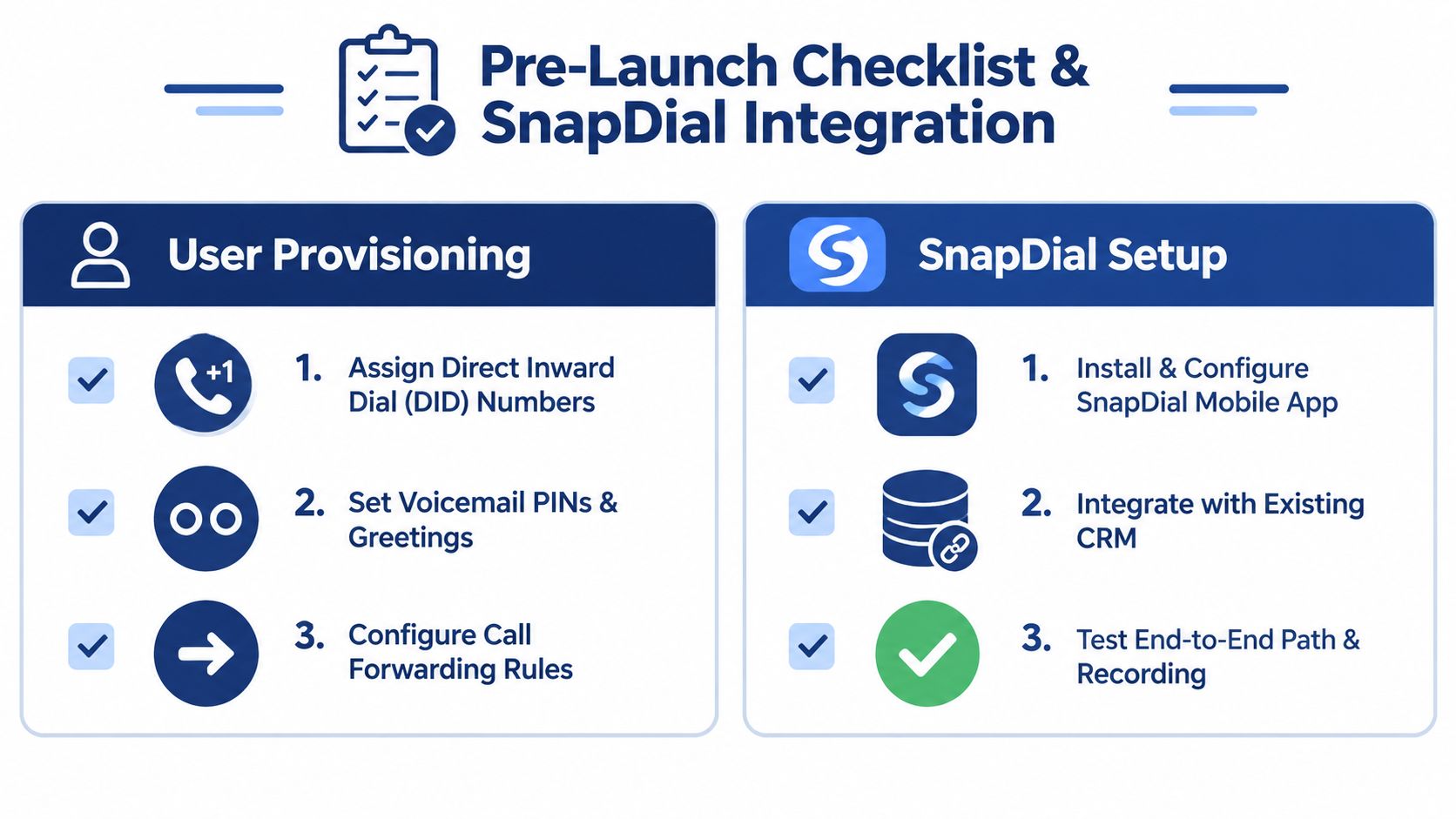
The SNAPmobile documentation can help administrators review the mobile-app setup and user experience. Treat the completed checklist as an ongoing control, not a one-time launch document. Recheck it whenever users, numbers, routing rules, or security policies change.
What to Do Next and Common Reader Questions
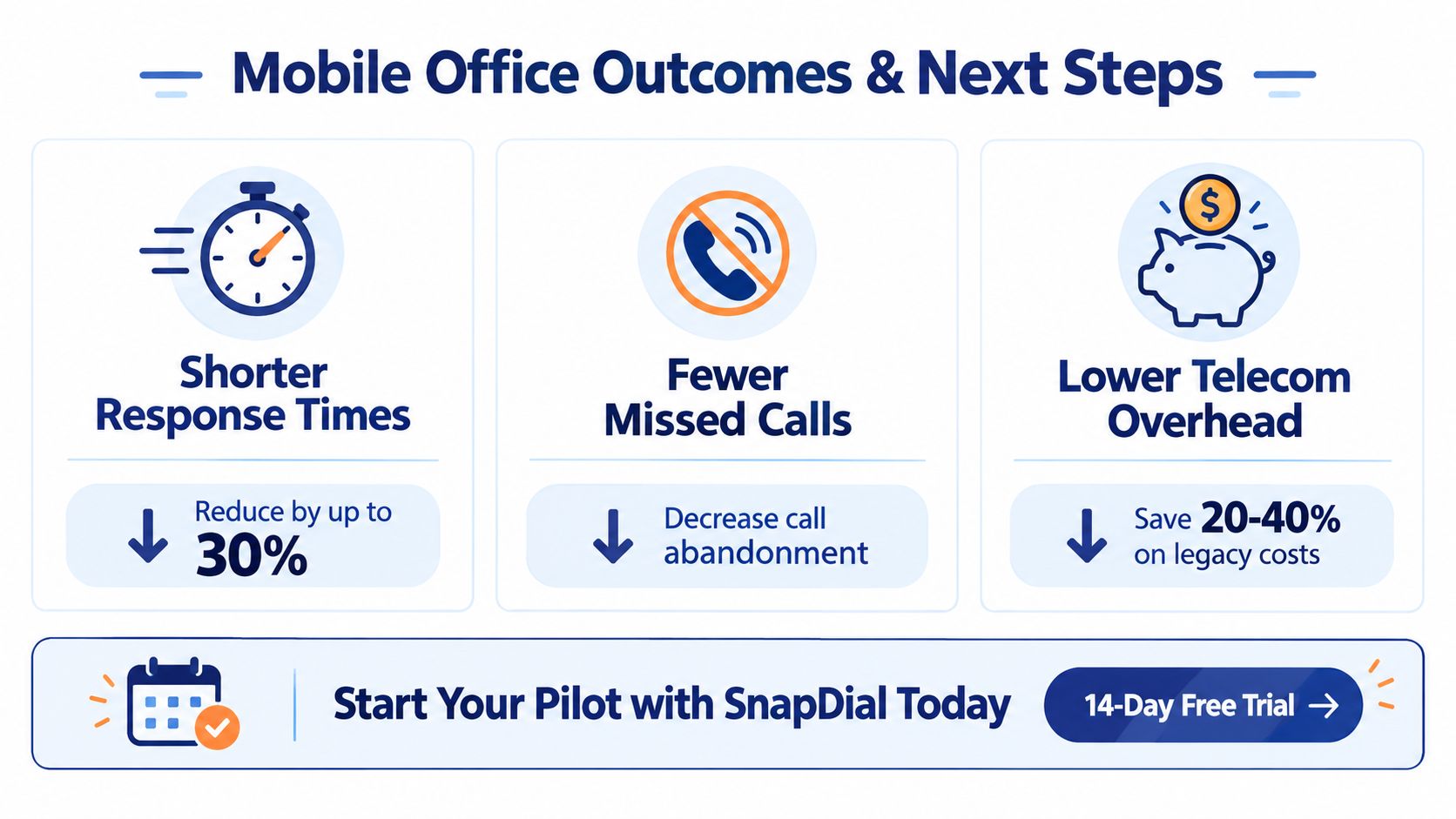
A mobile office is worth considering when your team loses calls because employees move between locations, customers see inconsistent numbers, or administrators spend too much time maintaining separate communication tools. The sensible next step is a limited pilot with a small user group. Test real customer journeys, mobile connectivity, transfers, presence, voicemail, recording policies, and support procedures before expanding the rollout.
What hardware does a mobile office require?
A typical user needs a modern smartphone, a supported mobile softphone app, and a dependable Wi-Fi or cellular data connection. A headset can improve audio quality, but a physical desk phone isn't required when the smartphone is configured as the business endpoint.
How do calls to an existing business number reach a mobile device?
The organization can port an existing number to the cloud phone platform or connect the number through supported SIP-based forwarding and routing arrangements. The platform then applies business-hour rules, user availability, queues, transfers, and failover instead of forwarding every call blindly.
Does a mobile office replace a traditional PBX?
For many small and mid-sized teams, a cloud PBX can provide the functions they previously associated with an on-premises PBX. Larger organizations may keep a hybrid environment when legacy sites, specialized hardware, regulatory requirements, or existing integrations make a full replacement impractical.
How quickly can a mobile office go live?
Standard provisioning can be quick, but the timeline depends on number porting, routing complexity, security review, device enrollment, and user training. A controlled pilot is more useful than promising a universal schedule because it reveals the work specific to your numbers, locations, and policies.
The best first measurement is operational. Track whether customers reach the right person, whether employees preserve a consistent business identity, and whether administrators can change routing without rebuilding the system. Those observations will tell you more than a generic promise about mobility.
SnapDial provides cloud-based business calling, mobile apps, call routing, conferencing, voicemail, and unified communications for teams that need employees to remain reachable beyond the desk. Visit SnapDial to review the platform and discuss a focused mobile-office pilot for your business.