
Most buying guides tell you to flip recording on, keep the audio, and move on. That advice treats the sound file as the record. It isn't. The copies people search, forward, and argue over are transcripts, AI summaries, CRM notes, and exports. Those derivative files are where retention, access, and deletion go wrong, so an on/off switch is a weak way to judge call recording software.
If you run a small firm or a contact center, compare how each option handles every copy of a conversation. I would start with the deployment that matches the phone system you already have, then test whether a transcript can outlive the audio you thought you deleted.
Call Recording Options at a Glance
| Option | Best fit | Typical pricing | Where recordings live |
|---|---|---|---|
| Cloud phone system with built-in recording | Multi-site SMBs replacing a legacy PBX | Bundled or per-user monthly | Provider cloud, managed in a web portal |
| Standalone cloud call recorder | Teams keeping their current carrier | Per-user monthly subscription | Vendor cloud, linked to the carrier by integration |
| CRM or contact-center suite recording | Sales and support teams on one platform | Per-seat add-on | Attached to CRM records |
| On-premise compliance recorder | Banks and insurers with retention mandates | Upfront licence plus annual maintenance | Customer-controlled servers or storage |
A cloud phone system with built-in recording suits a multi-site SMB that is already replacing a legacy PBX. Recording is one feature of the hosted plan, not a second contract. With a system such as SnapDial, managers pull recordings from the same web portal they use for routing. You avoid a separate recorder vendor. You also accept the provider's retention defaults unless the contract spells out longer holds and export rights.
A standalone cloud call recorder fits teams that must keep their current carrier. It sits over the lines you already pay for, which helps a multi-site firm that can't rip out phones this quarter. Capture quality depends on what that carrier passes through. If the integration only sees some trunks, mobile calls and transfers disappear from the archive while the portal still looks complete.
CRM or contact-center suite recording attaches the file, and usually the transcript, to the account or ticket. That suits sales and support teams who live in one platform and don't want a separate playback tool. The trade-off is licence growth. Every new agent adds a seat, and a summary pasted into the CRM becomes another copy you must govern.
An on-premise compliance recorder keeps audio on servers you control. Banks and insurers with hard retention mandates still choose it because storage location is not negotiable. Change is slower. Hardware, upgrades, and the people who administer them sit on your side of the bill.
Teams weighing hosted telephony against a separate recorder can use this overview of call recording options for UK businesses as a neutral checklist of capture methods. Three questions pick a row. Are you replacing the phone system anyway? How many sites and carriers do you run? Where do regulators or customers expect the records to live?
Use Cases From Small Teams to Contact Centers
Call recording is now a standard contact-center workflow, not a specialist add-on. A 2026 survey of U.S. contact-center decision-makers reported that 96% of respondents used call-recording technology, 19% wanted to replace or upgrade their existing system, and 97% of respondents from small contact centers reported using it, according to the UJET 2026 contact-center decision-maker survey. 89% of call-recording users in that survey reported cloud-based implementations, with the rest planning to move to cloud within two years. Only 1% said they had no intention of using call recording. Recording moved from specialized hardware into everyday operations, reached smaller centers, and settled on cloud delivery as the usual model.

For an SMB replacing an old PBX, that adoption means buyers expect recording in the phone plan. The gap is policy, not the feature checkbox.
| Use case | Main goal | Who accesses recordings | Common mistake |
|---|---|---|---|
| Multi-location SMB | Consistent recording rules across sites | Owner and office managers | Setting recording per site instead of one policy |
| Sales team | Coaching and deal follow-up | Managers and reps | Recording without tags for deal or account |
| Support or contact center | Quality scoring and dispute resolution | QA leads and supervisors | Relying on random sampling only |
| Regulated finance or insurance | Retrievable evidence on request | Compliance team and auditors | Storing audio with no audit trail |
| Remote and hybrid staff | Recording calls from mobile and home lines | IT and team leads | Leaving personal devices out of the policy |
A multi-location owner should apply one recording rule everywhere. Turning it on office by office creates sites you can't defend in a dispute. Sales managers and reps need the call tied to the deal. Untagged audio is coaching material nobody can find after the quarter closes. QA leads in a support queue need scoring and dispute evidence, not a random handful of calls. Pair that with call center management software so queues, callbacks, and the recording policy describe the same operation. Compliance staff in finance or insurance need an audit trail, because audio with no access log fails an examiner even when the file plays. IT and team leads covering hybrid staff have to include the mobile app and home line. A policy that only names desk phones misses the calls customers receive.
Features and Evidence Controls That Decide Value
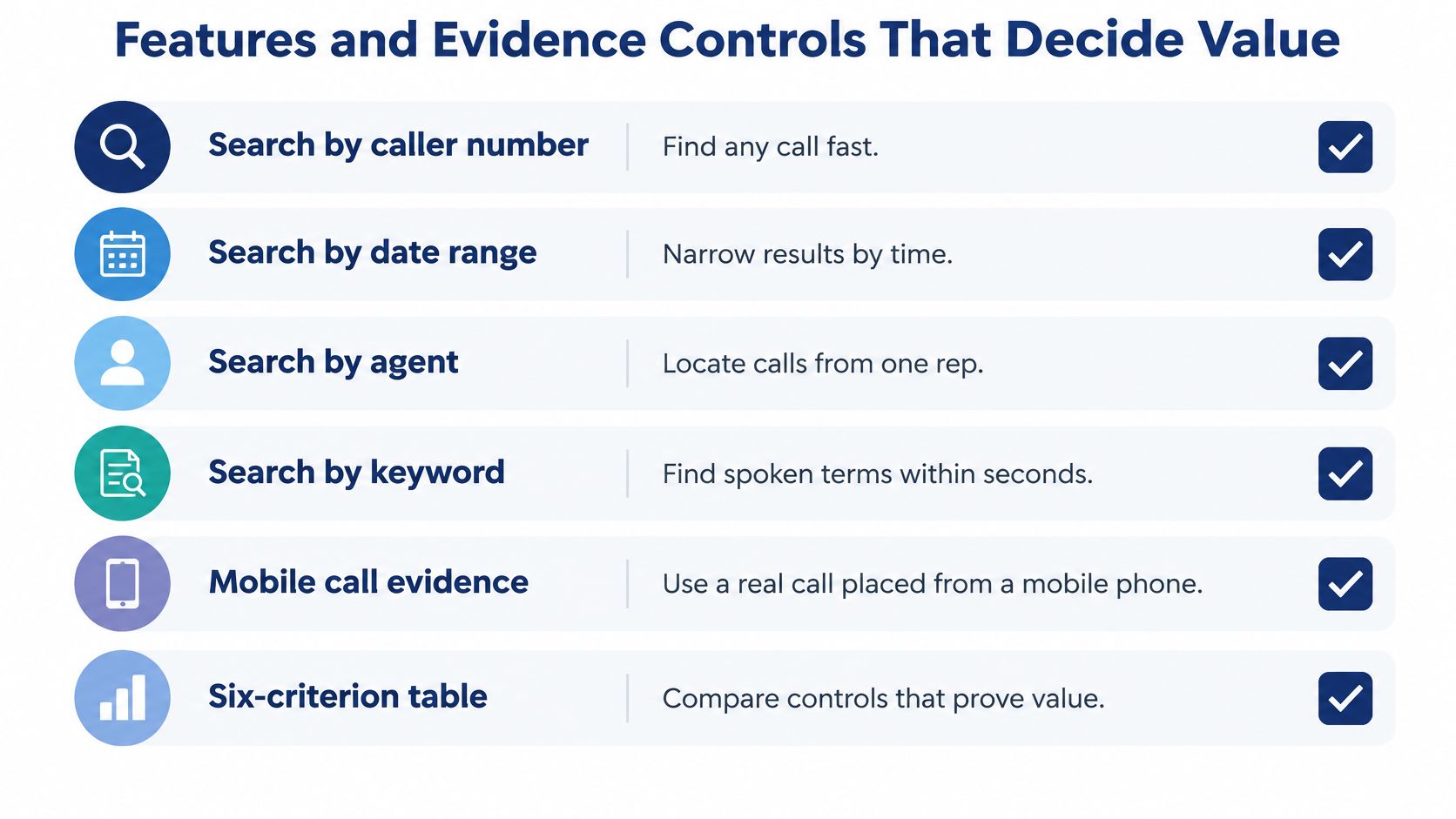
Daily use exposes weak call recording software faster than a feature list. Run the checks below on your own calls, not on a scripted demo.
| Criterion | What to verify | Red flag |
|---|---|---|
| Search and filtering | Find a call by number, date, agent and keyword within seconds | Search only by date or extension |
| Transcription | Transcript linked to the audio, tested on your accents and terms | Transcript not linked to playback |
| Storage and export | Stated hours per user, bulk export of audio and metadata in open formats | One file at a time only |
| Integrations | Native CRM or helpdesk sync, or documented API with webhooks | Manual CSV uploads only |
| Administration | Add users, change routing and manage recordings in one portal | Every change needs a vendor ticket |
| Mobile playback | Recordings reachable from a phone on cellular data | Desktop-only access |
What to try in a live trial
Place a real call from a mobile phone, then search by caller number, date range, agent, and a keyword you said. If results only filter by date or extension, supervisors will give up and sample at random.
Read the transcript against your accents, product names, and industry terms. Each line should jump to that point in the audio. A transcript that isn't linked to playback can't support a coaching note or a dispute. Our visual voicemail can turn voicemail audio into text, which is a separate derivative from call transcripts and needs the same retention rule.
Ask for stated hours per user, then bulk-export audio plus metadata in an open format. One-file downloads don't survive an audit or a carrier change. Confirm native CRM or helpdesk sync, or a documented API with webhooks, and write down which fields cross over. Caller ID without the ticket number is not an integration. Add a user, change routing, and play a recording on cellular data without opening a vendor ticket. Our web portal is built so you can manage voicemails, call logs, call recordings, and routing changes from anywhere, which is the administration test in practice. Quality reviewers should also see how scoring ties to the same calls inside call center quality monitoring.
Evidence controls and payment data
For regulated work, capture is the easy part. A production system should offer tamper-resistant retention, AES-256-or-equivalent encryption at rest, encrypted transport, role-based access, immutable or tamper-evident audit logs, and exports that carry metadata, as outlined in this TMC guide to evaluating call recording for compliance. MiFID II-related workflows commonly require retention of relevant communications for at least five years, and some regimes or supervisory requests extend that period to seven years. Index each file with a reliable timestamp, caller and counterparty identifiers, and a transaction or order reference when one exists. Configurable retention, legal holds, granular permissions, and documented deletion matter more to an SMB than a generic cloud-storage claim.
Practical rule: Encryption doesn't save you if the prohibited digits were recorded before the file was encrypted.
PCI DSS prohibits retaining sensitive authentication data such as CVV/CVC values, PINs, and full magnetic-stripe data after authorization, so the recorder has to keep those values out of stored audio rather than trusting an agent to hit pause, which is the standard described by Imagicle's compliance recorder guidance. Prefer real-time DTMF masking or a secure keypad that suppresses card tones and sends payment data to a compliant workflow. Test attended transfers, conferences, pause and resume, mobile endpoints, and anything that feeds transcription or quality monitoring. Then check temporary buffers, transcripts, agent notes, exports, backups, and analytics indexes. Masked audio with a transcript that still contains the code is a failed test.
Run this acceptance pass on each finalist:
- Export one recording and its audit history.
- Try to alter it and delete it as an unauthorized user.
- Confirm every access, playback, download, and deletion attempt is logged.
- Place a card-payment call that includes a transfer and a pause, then inspect audio, transcript, notes, and logs.
- Finish with five calls in about 30 minutes. Search each one, export one, transcribe one, and score the result against the table.
A vendor demo doesn't replace that pass on your call flows.
What Call Recording Software Costs Over Time
| Pricing model | Who it suits | Costs to check |
|---|---|---|
| Per-user monthly subscription | Teams with fixed headcount on a carrier they keep | Retention extensions and storage overage |
| Bundled in a cloud phone plan | SMBs replacing a legacy PBX | Whether recording, transcription and statistics are included |
| Usage-based per recorded minute or GB | Low-volume or seasonal call flows | Growth in call volume and transcription fees |
| Per-seat contact-center add-on | Support and sales teams on one CRM | Licence per agent and integration setup |
| Perpetual licence plus annual maintenance | Regulated firms with on-premise mandates | Upgrades, hardware and internal admin hours |
Estimate a three-year bill before you compare headlines. Take the monthly rate on the quote, multiply by seats, multiply by 36 months, then add every line the summary page skipped.
Say a team of 20 stays on a per-user plan. If the written quote is $25 per user per month, the seat maths is 20 × $25 × 36, or $18,000, before tax. That figure is only an illustration of the quote in front of you, not a market rate. A separate seven-year retention line belongs on its own row. If that extension is $200 a month for storage and longer hold, it adds $200 × 36, or $7,200, and you still haven't priced transcription, CRM connectors, or setup. Quote those as named lines. Don't let them hide inside "platform fees."
Usage pricing looks modest when call volume is low or seasonal. It rises when campaigns, new products, or a hiring spike lengthen talk time, and transcription fees often move with the minutes. Per-seat contact-center licences grow with every agent you hire, plus integration setup that finance sometimes treats as a one-time IT task and then sees again at renewal.
On-premise pricing starts with a perpetual licence and annual maintenance. Add hardware refresh and the internal hours to patch, restore, and answer access requests. Those hours rarely appear on the vendor's order form, and they don't shrink when headcount is flat.
A bundled cloud phone plan can put recording, call statistics, and administration in one monthly price, which is why it suits an SMB leaving a legacy PBX. Our all-inclusive pricing covers a unified communication solution, call statistics, and call recordings. Still treat that as a contract question. State only the inclusions the written quote confirms, and ask the vendor to itemize every add-on before you sign.
The monthly rate is the smallest number on a recording bill. Retention, transcripts, and seats decide the rest.
Consent and Notice Rules to Build In
Turning audio storage off doesn't automatically end the compliance problem. The transcript and the metadata can still be the regulated record. Legal commentary on call recording laws by state notes that no court has clearly established that transcription without stored audio falls outside recording restrictions, and that identifiable transcripts can remain personal data subject to purpose, retention, access, and deletion duties.
A single global recording setting produces uneven results for a multi-location SMB. U.S. states may impose stricter rules than the federal one-party baseline, so one company policy copied onto every site is not a safe assumption. Configure the phone system around caller location, agent location, and whether the call is inbound or outbound. Decide when the automated disclosure plays, what happens when the caller refuses, and how consent is written to an audit log. Separate permission to record from permission to run AI analysis, coaching, or summary sharing. Someone can agree to a quality recording and still object to a summary landing in a group chat.
Mortgage and advisory firms hit this on client calls, where a refusal or a cross-border caller changes what the line should do next. A practical walkthrough of recording client calls as a mortgage broker shows why notice, storage, and later use have to be designed together. The same split applies to any SMB taking orders or advice by phone. Map it to your own numbers with the same questions, and keep the wording your counsel approves.
Build a derivative-copy checklist before you draft policy:
- Transcripts: where they are created, who receives them, how long they are kept, and how a deletion request removes them.
- AI summaries: whether they are shared automatically, who is an approved notetaker, and whether coaching use needs its own consent.
- Exports and CRM notes: who can download or paste a copy, and which system is the copy of record after export.
- Vendor training: a written no-training term, or a documented opt-out, before any audio or text leaves your tenant.
Answer the governance questions on one page. Who can search? May supervisors download files? How long do audio, transcripts, summaries, and call metadata each remain? How do you handle a request to delete, correct, or receive a copy? May the vendor train models on your calls? Review that page with counsel. This is operational guidance, not legal advice. Our recording feature can be turned off on request when it isn't a fit for the company, and the wider consent design sits alongside call recording compliance controls for notice and retention.
Confirm Your Shortlist and Request a Quote
Match the situation, not the logo. If you are keeping the carrier and you run several sites, a standalone recorder that captures across those lines is the cleaner fit. If you are replacing a legacy phone system and you are under a few hundred users, a cloud phone plan with built-in recording removes a second vendor. If agents work inside one CRM all day, choose recording tied to those records. If regulators require evidence on systems you control, an on-premise compliance recorder is still the right answer.
The cheapest line on a quote is often the one that excludes retention.
Lock the choice with a short sequence:
- Write the recording goals and the retention period you must meet.
- Shortlist three options using the feature criteria, and drop any product with a red flag you can't live with.
- Run the five-call acceptance trial on each finalist, including a payment call if you take cards.
- Get a 36-month price with every add-on itemized, retention included.
- Draft the one-page consent and derivative-copy policy and review it with counsel.
- Request a quote only after those five are in writing.
For a cloud phone option such as SnapDial, confirm setup scope, configuration, and cutover in that written quote rather than assuming what is included. You can request a quote or schedule a call once the shortlist and the retention line are clear. I would not sign a recorder that can't show you the transcript's deletion path.
SnapDial is a hosted cloud phone system with call recording, call statistics, and a web portal for logs, routing, and playback in one plan. If you are replacing a legacy PBX or covering hybrid staff, that is a direct way to put recording under the same policy as the rest of your calling. Visit SnapDial to request a quote or schedule a call and check the retention and export terms against your own call flows.