

Monday morning exposes the difference between a phone app and a business communication system. The owner is in the warehouse when a dealer calls back, a remote agent is handling a queue callback from a noisy coffee shop, and support is trying to verify what happened on a disputed order before the customer files a chargeback. If the call lands, the app rings through, the agent sees the right context, and the recording is there when needed. If it fails, you get a missed sale, idle staff, and a mess nobody wants to own.
That's why an Android VoIP app is not a gadget question anymore. On Android, calling apps are now part of the platform's real telephony model through ConnectionService and InCallService, so they can integrate with the system dialer and call UI instead of living as isolated softphones (Android VoIP app architecture). For a business, that matters more than any glossy feature list. It decides whether your team can answer, transfer, record, and recover calls without fumbling between apps.
A Day in the Life of an Android VoIP App
A growing SMB doesn't usually notice its phone system until it breaks. The owner is loading pallets, a customer calls the main number, and the Android phone in her pocket becomes the front desk. The call routes to the right person, the sales rep picks up away from the office, and the deal doesn't die in voicemail.
Later, a remote support agent takes a callback while commuting. He's not sitting at a desk, but the app still needs to behave like a work phone, with consistent call handling, clear caller context, and a way to continue the conversation if the first device is unavailable. For teams that live on the move, that's the entire point. You're not buying a chat toy, you're buying reachability.
By afternoon, a customer disputes an order and the rep has to pull the recording fast. That's where the operational value shows up. A real business calling app isn't judged by whether it has a cute interface, it's judged by whether it prevents missed calls, reduces agent downtime, and gives managers something they can verify when a customer challenges the outcome.
Practical rule: if the app can't keep calls visible, routed, and recoverable on a messy workday, it's not ready for business use.
A lot of buyers start by asking whether Android is “good enough” for VoIP. That's the wrong question. The right one is whether the app fits the way your team works, in a warehouse, on a sales floor, in a car, or at home. If it doesn't reduce friction in those places, it's just another icon on a screen.
One helpful sanity check is call forwarding. If your current setup still relies on carrier tricks and manual forwarding, a practical reference like UK carrier codes for call divert shows how old habits can get in the way of a proper mobile calling design. Businesses outgrow those workarounds fast.
What an Android VoIP App Is
An Android VoIP app is a calling app that sends voice over the internet instead of using the old circuit-switched phone network. On Android, that app can be built to work inside the platform's calling framework, so it behaves more like the native phone experience than a separate chat client. That matters because users expect work calls to appear where they already look for incoming and outgoing calls, not buried in another app.
The two families you need to separate
The first family is the standalone SIP softphone. It registers directly to your own PBX or SIP platform, which gives you control, but it also puts more setup work on your team. Firewalls, PBX routing, account provisioning, and network behavior all become your problem.
The second family is the hosted or cloud PBX app. It logs into a provider's managed service and places calls through that service's network. For many SMBs, that is the cleaner path because users mainly need credentials and policy, not telecom expertise. If you are moving a sales team or a small call center, this cuts friction fast and keeps support tickets focused on real business problems instead of SIP tinkering.
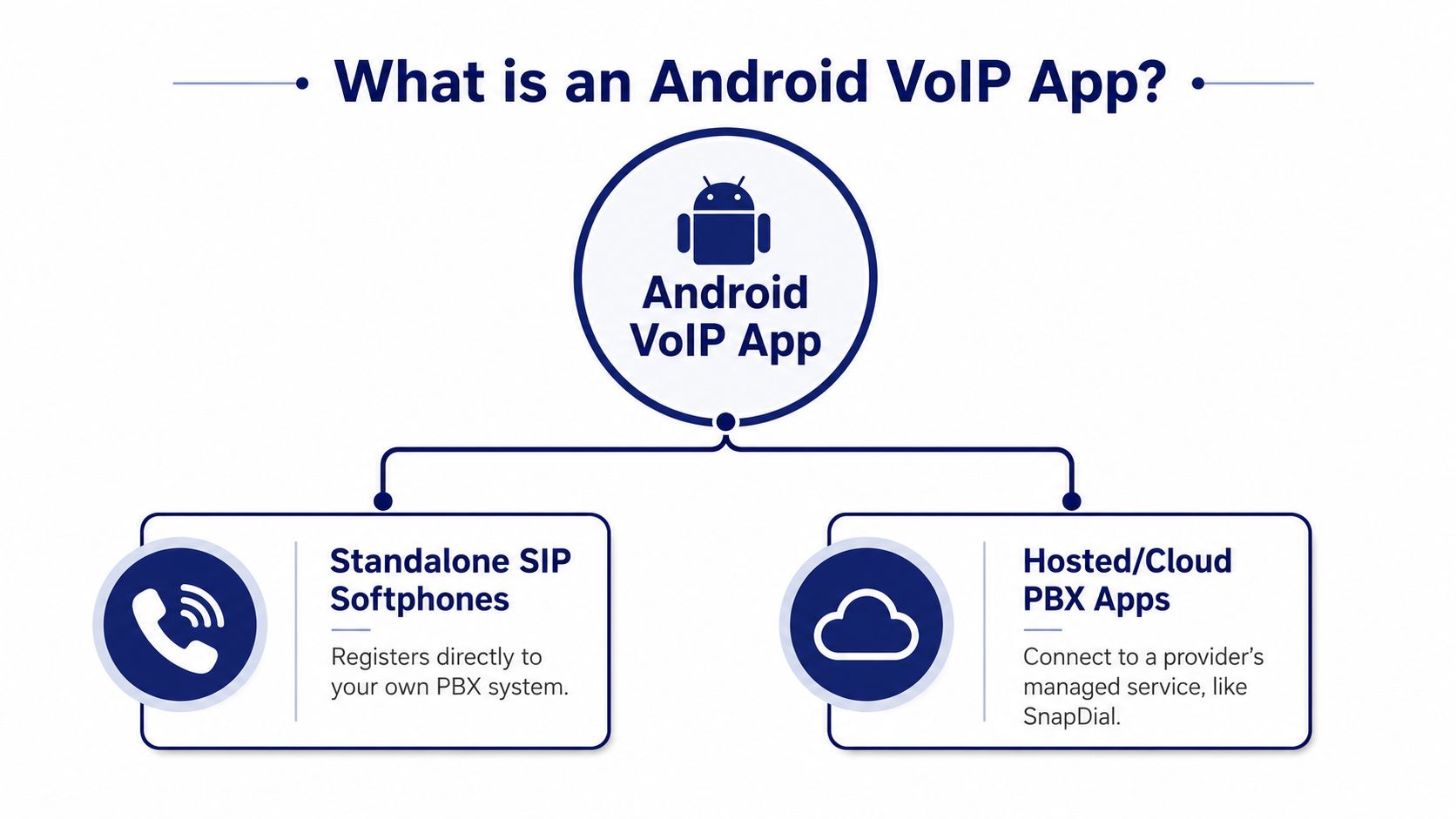
Bottom line: if your IT team already manages SIP, a softphone can fit. If your business wants fewer moving parts, a hosted app is usually the saner choice.
That split matters because the wrong model creates support drag. A SIP softphone can work well in the right hands, but it is not the low-effort route. A hosted app is usually easier to roll out, easier to explain, and easier to support when the complaint is “my phone did not ring” rather than “my PBX is misconfigured.”
If you want a concrete example of the hosted side, SnapDial's softphone for VoIP shows how a managed client fits into a broader business phone system. The point is not that every company needs that exact setup. The point is that Android calling apps now sit inside a serious telephony architecture, not outside it.
How the Plumbing Works Behind the Scenes
VoIP breaks in dull ways before it breaks in obvious ways. The call may connect, but the audio lags, the first syllable gets clipped, or one person hears silence. That usually points to signaling, media transport, codecs, NAT traversal, or push delivery, not some vague internet problem.
Signaling and media are different jobs
Signaling sets up and tears down the call. Media transport carries the voice itself. If signaling fails, the call never gets established cleanly. If media fails, both sides can connect and still hear nothing. Reliable Android calling apps usually rely on push notifications, signaling, WebRTC/RTP media transport, and ICE/STUN/TURN for NAT traversal, because mobile networks and home routers rarely cooperate by default (VoIP calling plumbing).
The service has to keep up in real time. Voice needs sub-150 ms latency to feel natural (VoIP latency guidance). Once delay rises, people talk over each other, repeat themselves, or give up and hang up. In a sales team, that sounds sloppy. In a support queue, it creates confusion and longer handle times.
Why users blame the wrong thing
Codec choice affects clarity. NAT traversal affects whether one side hears silence. Push notifications affect whether the phone rings while the app is asleep. You do not need protocol expertise to care about these pieces. You need to match the symptom to the cause.
Operational rule: if a vendor cannot explain how it handles push, signaling, and NAT in plain English, expect support tickets later.
For a team that lives on mobile callbacks, this matters every day. A rep cannot wait for a manual refresh. A manager cannot tell a customer to call back later. The app has to wake up, establish the call, and keep the media path stable when the user moves from Wi-Fi to cellular.
If you want a simpler explainer for staff training, this overview of how VoIP phones work is a useful companion. Keep that explanation at the user level. The buying decision still comes down to whether the plumbing is dependable enough to support the business.
Features That Separate Consumer Apps from Business-Grade VoIP
Consumer calling apps brag about stickers, themes, and cute UI touches. Businesses need call routing, admin control, and a way to find a recording when a customer says, “Your rep told me something different.” Those are not the same product category, even when the app icons look similar.
What actually earns its keep
Use the table below as a blunt filter. If a vendor can't do the left column well, the rest doesn't matter much.
| Feature | Must-Have for Business | Nice-to-Have |
|---|---|---|
| Call routing | Yes, calls need to reach the right person or queue | Custom ring sounds |
| Auto attendant / IVR | Yes, especially for main numbers and support lines | Voice themes |
| Call recording | Yes, for disputes, QA, and compliance workflows | Playback animations |
| Visual voicemail with transcription | Strongly useful for busy teams | Fancy notification badges |
| Presence and shared lines | Helpful for collaboration and coverage | Reactions and stickers |
| CRM and ticketing integration | Very useful for sales and support | Decorative widgets |
| Admin provisioning | Yes, because onboarding and offboarding must be controlled | Personalized wallpapers |
A business-grade app should make missed-call recovery easy. It should also let managers see who owns each number, who's on duty, and where a call should go when someone is out. That matters for SMBs because they usually don't have a dedicated telecom admin sitting around fixing routing mistakes all day.
The same goes for recording. In a call center, recording is not a novelty. It is how supervisors handle disputes, coach agents, and verify what was promised. Visual voicemail helps too, but only when the team uses the messages to follow up, not when the inbox becomes another pile of ignored tasks.
Buy for workflow, not for polish. If the app looks sleek but can't route a call correctly, it's a distraction with a login screen.
Mobile and desktop parity matters if your staff moves between desks and road work. A rep should not lose context because they switched devices. Admin controls matter because people join, leave, and change roles constantly. If your app makes every one of those events a support ticket, it's too fragile for business use.
One practical way to think about it is this. Consumer apps serve individuals. Business apps serve conversations, queues, and accountability.
Deploying a Mobile Office Without the Headaches
A clean rollout starts small. Pick a pilot group that represents the mess you care about, one desk user, one remote rep, one manager, and one mobile-heavy person who lives on Android. If the app survives that group, you'll learn more than you would from a polished demo.
Roll out in the order the business feels
First, provision the numbers and users. Then set call routing so main lines, ring groups, and after-hours behavior are mapped before anyone depends on them. After that, test Wi-Fi and cellular behavior in the places people really work, not just in the conference room.
Network prep matters, but don't turn it into a religion. QoS can help on managed networks, VLANs can keep voice traffic separate, and SIP ALG can cause more trouble than it solves if you apply it blindly. Dual-SIM Android phones can also create user confusion when employees aren't clear about which line is active.
For mobile and hybrid teams, a hosted app often fits the rollout better than a traditional cutover. A resource like smart phone apps for hosted PBX is a good reminder that the app is only one part of the service model. The win here is making people reachable without dragging them through a PBX training session.
Mordor Intelligence estimates the mobile VoIP market at USD 55.49 billion in 2025, rising to USD 59.92 billion in 2026, with voice calls leading service revenue at 46.85% share in 2025 (mobile VoIP market outlook). That scale tells you the category is already mainstream. The rollout question is no longer whether people will use mobile VoIP, it's whether your deployment is disciplined enough to avoid missed calls and routing chaos.
A realistic go-live sequence for a hosted solution is simple. Pilot, validate routing, confirm device behavior, train the team, then switch the main number once you've verified that voicemail, transfer, and recording all work as expected. Don't invent a weekend migration if the platform doesn't need one. The cleaner the system, the less drama on launch day.
Security, Privacy, and Reliability You Should Expect
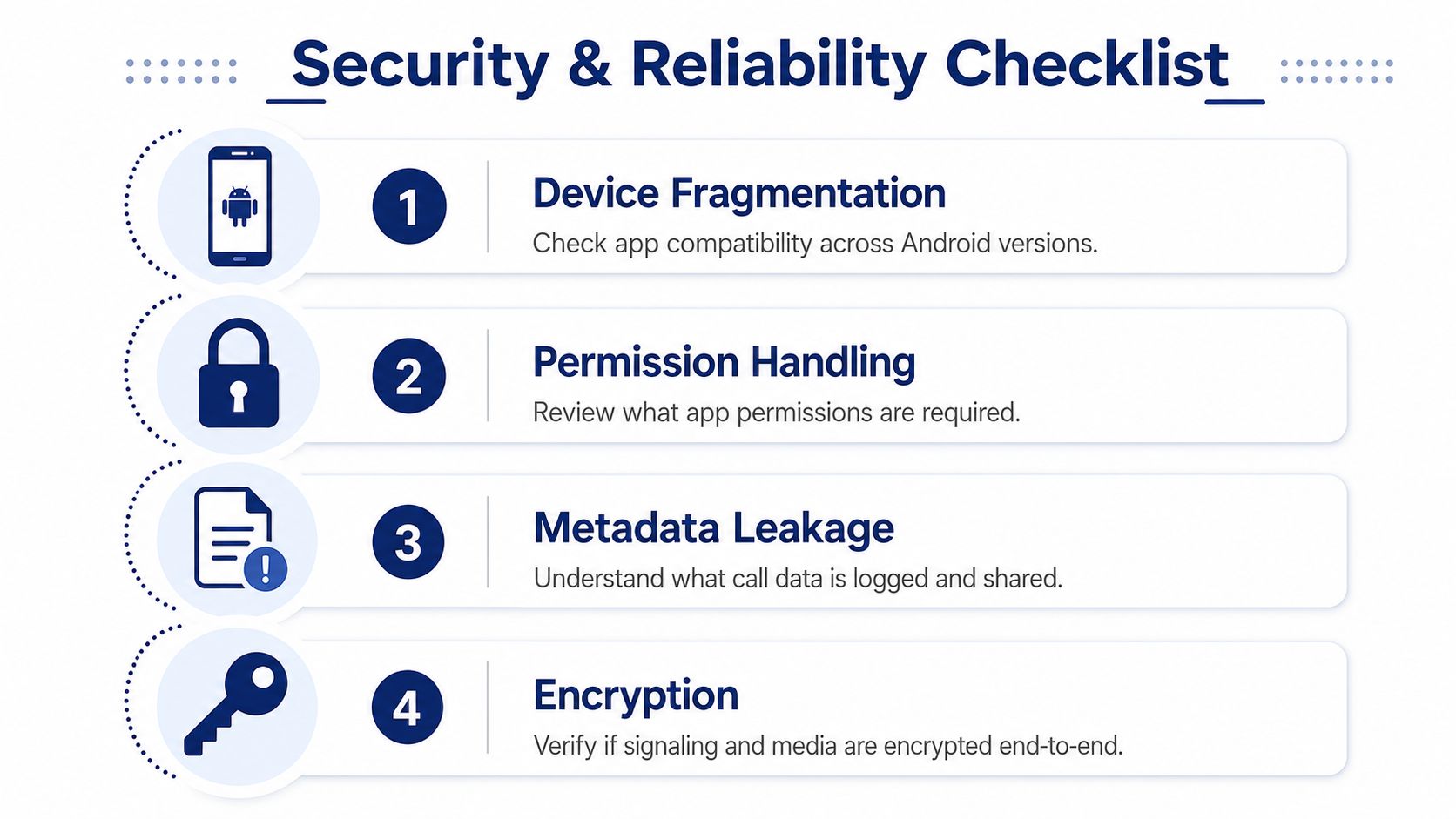
A lot of “secure VoIP” marketing is fog. Encryption matters, but it does not save a setup that leaks metadata, uses sloppy device policy, or behaves differently across Android builds. Independent research on Android VoIP security found that Android fragmentation, weak permission handling, and app-level implementation flaws can expose call metadata and media, so the critical test is whether the app and device policy stay consistent across OS versions and OEMs (Android VoIP security research).
The risks that show up in the field
The first risk is fragmentation. A cheap BYOD program looks efficient until one employee's device handles permissions differently from another employee's device. The second is sloppy permission handling, especially when an app asks for more access than it needs. The third is metadata leakage, which matters when call logs, timestamps, or identifiers are more sensitive than the voice itself.
The fix is straightforward. Enforce TLS for signaling, SRTP for media where supported, and manage phones through an MDM or another policy layer. If a business wants call recording retention, screen lock, and app configuration controls, those settings need to be part of the rollout, not something users improvise later.
Security rule: encryption is only as strong as the device policy around it.
That is why admin control matters as much as crypto. A phone that is technically encrypted but unmanaged is still a business risk. For app-layer hardening in mobile development, secure Expo and React Native APIs gives a useful pattern, because the same discipline applies to how calling apps handle credentials and session data.
Reliability shows up in the boring moments. The app has to behave the same way when the device is locked, the network changes, or the carrier signal gets ugly. If a vendor treats security as a brochure topic, keep walking. You want policy controls, repeatable provisioning, and logs you can use when something goes wrong.
A practical example helps here. The kind of business-grade app described on SnapDial's VoIP calling apps page is the right model only if the vendor can explain how it protects call data, handles user access, and keeps the mobile client stable across real-world conditions. That is the standard to hold every contender to, because missed calls and broken handoffs cost more than any feature checklist ever will.
A Buyer's Checklist for the Right Business Android VoIP App
Run every vendor through the same short list. Call quality should be solid on both Wi-Fi and cellular, because your reps won't stay in one place. Mobile parity should let the Android app handle core tasks without sending people back to a desk phone. Admin controls should make onboarding, offboarding, and routing changes routine instead of fragile.
Look for pricing transparency too. If the quote hides the cost behind setup surprises, add-ons, or support gaps, that usually shows up later in the relationship. Also ask about exit options. If the vendor can't explain how you leave without losing your call history, recordings, or basic control, that's a red flag.
A good benchmark is a hosted platform that combines white-glove setup, mobile and desktop apps, Auto Attendant, call recording, visual voicemail with transcription, cloud fax, call-center analytics, and 24/7 Texas-based support. SnapDial is one example of that model, and its VoIP calling apps page is a useful reference point when you want to see how a business-grade mobile app is positioned inside a broader phone system. The point is not to crown a winner. The point is to keep the vendor conversation grounded in operations, not marketing.
Troubleshooting Common User Issues
One-way audio usually points to NAT or firewall trouble. Start by checking whether the problem only shows up outside the office network, then inspect media traversal, router behavior, and SIP signaling paths. In a live SMB deployment, that difference matters, because an agent who can hear the customer but cannot be heard will miss calls, waste time, and force repeat dialing.
Dropped calls on cellular often come from a codec mismatch or a poor handoff between networks. Test the same call on a cleaner connection, then compare SIP logs, RTP stability, and the behavior of the Android app as the device moves between Wi-Fi and mobile data. If the failure only appears during a network change, the phone system is usually handling mobility badly, not failing at the core app level.
Battery drain usually means push is misconfigured and the app is waking too often. Missed push notifications on aggressive Android builds often require battery optimization whitelisting, so check the device settings before you blame the provider. On the Android side, adb logcat with SIP or push-related tags, along with the app's own logs, gives you a faster read on whether the device is dropping the notification or the server never sent it.
Echo splits into acoustic problems and network problems, so test before you guess. Put on headphones, move to a different room, and compare results with the same handset on a different network. If echo disappears in one setup and not the other, you have your answer without wasting a support cycle on vague theories.
Choppy Wi-Fi is often channel contention or bad roaming, not the calling app itself. Run a packet capture in Wireshark with a filter like rtp || sip to see whether packets are arriving late, out of order, or disappearing during handoff. If the vendor gives you diagnostics, QoS stats, and device-level push logs, you'll resolve these tickets faster and with less finger-pointing. If they don't, every small issue turns into a long support thread.